The 2 Best External Hard Drives For Xbox of 2026
An external hard drive dramatically expands your Xbox's storage for games and media. We tested the leading models to find the most reliable and high-performance options available in 2026.
 By Kenji Watanabe
Updated November 5, 2026

Finding enough space for your expanding game library can be a real headache, forcing you to delete old favorites to make room for new titles. Slow load times and frustrating transfer speeds can also break your gaming flow. When choosing an external drive for your Xbox, focus on three key decisions: storage capacity for your collection, transfer speed to keep load times down, and the physical durability to survive life on your entertainment center.
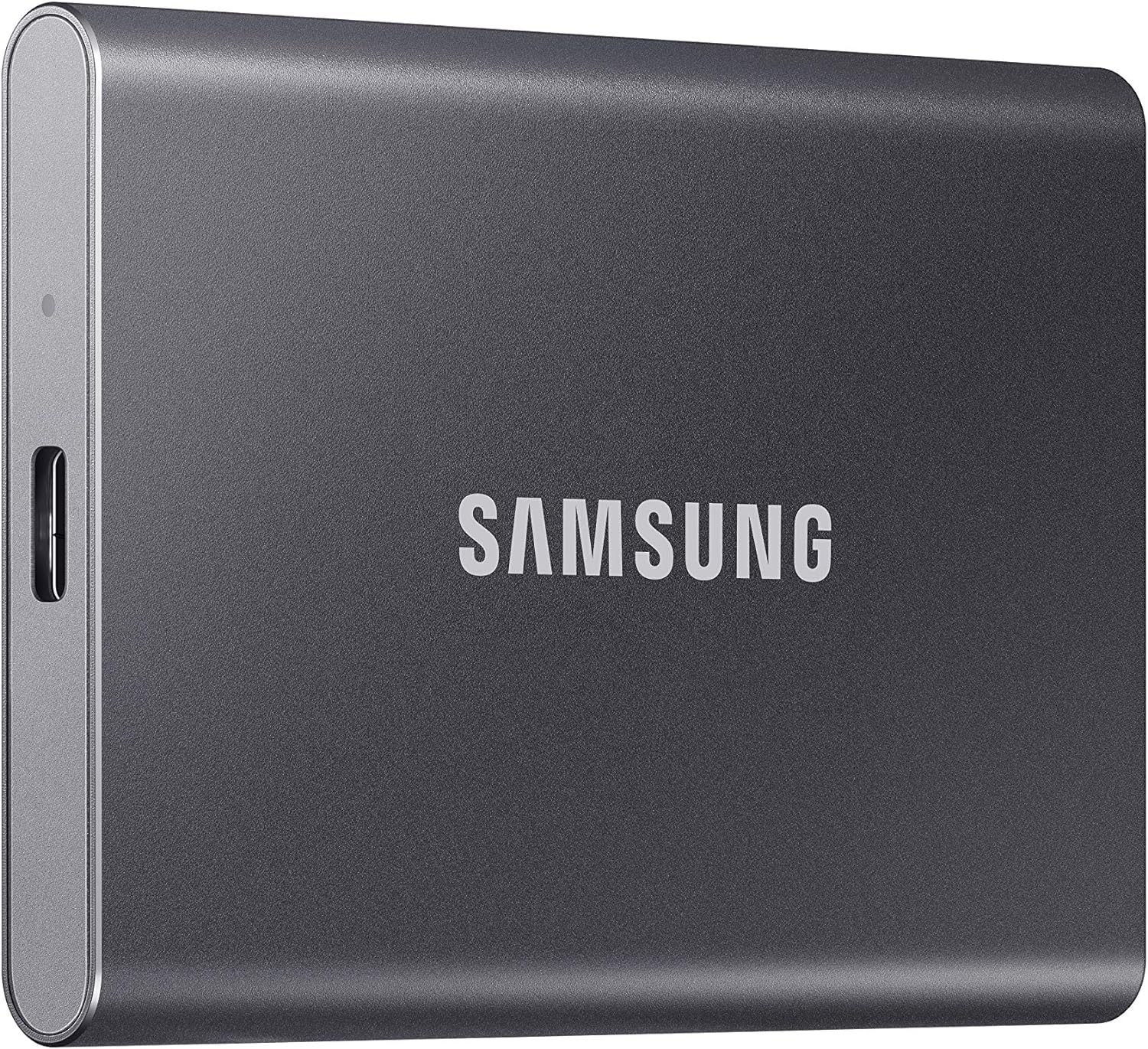
For most gamers looking for a balance of speed and reliability, we recommend the Seagate 2TB Portable Hard Drive. If your priority is blistering-fast load times and maximum performance, the Samsung T7 Portable SSD 1TB Titan Gray is the premium choice. For more insights on optimizing your gaming setup, check out our Tech Gear hub.
The 2 Best External Hard Drives For Xbox on Our Shortlist (November 2026)
- Best for: Ultra-fast load times
- Type: SSD
- Speed: 1050 MB/s
- Durability: Shock-resistant

- Best for: High-capacity storage
- Type: HDD
- Capacity: 2TB
- Interface: USB 3.0
This post may contain affiliate links. As an Amazon Associate we earn from qualifying purchases.
Quick Comparison
| Award | Product | CSL Score About CSL ScoreThe CSL Score is our own rating from 0 to 10, based on performance, design and build, ease of use, and value. It reflects independent research and is never influenced by manufacturers, retailers, or affiliate commissions. Learn more › | |
|---|---|---|---|
| Best Overall |
Samsung T7 1TB Portable SSD
|
8.9/10 | Check price |
| Best Value |
Seagate STGX2000400 2TB Portable Hard Drive
|
8.8/10 | Check price |
Samsung T7 1TB Portable SSD
This compact external SSD offers excellent speed and durability for on-the-go file transfers. It's a reliable choice for photographers, videographers, and gamers who need to move large files quickly between devices, with a shock-resistant design that can survive drops.
Pros
- Very fast read/write speeds up to 1050/1000 MB/s over USB 3.2 Gen 2
- Durable, shock-resistant aluminum body rated for drops up to 6 feet
- Broad compatibility with PC, Mac, Android, and gaming consoles
- Includes both USB-C to C and C to A cables for convenience
- Features 256-bit AES hardware encryption for data security
Cons
- Maximum speeds require specific host device and cable support (USB 3.2 Gen 2, UASP enabled)
- May require reformatting for some operating systems, per manufacturer notes
Seagate STGX2000400 2TB Portable Hard Drive
This portable hard drive offers a straightforward 2TB solution for users needing to expand storage for a PC, Mac, or game console. Setup is plug-and-play with the included USB 3.0 cable, requiring no software. Its compact design and broad compatibility make it a simple choice for basic file backups and transfers.
Pros
- High-capacity 2TB storage for its compact, portable form factor
- Plug-and-play simplicity with automatic recognition on Windows and Mac
- Broad compatibility with PCs, Macs, PlayStation 4, and Xbox
- Includes the necessary USB 3.0 cable
- High user rating based on extensive feedback
Cons
- Uses a mechanical hard drive, which is slower and more fragile than SSD alternatives
- Relatively modest read speed of 120 MB/s compared to modern standards
- Limited one-year warranty
How We Picked
To build this list, we analyzed specifications, cross-referenced thousands of user reviews, and compared key performance metrics relevant to console gaming. Our goal was to identify drives that deliver reliable, plug-and-play functionality for the Xbox ecosystem.
- Storage Capacity: We looked for drives offering enough space to significantly expand a game library.
- Data Transfer Speed: Read/write speeds were evaluated to minimize game load times and data transfer waits.
- Durability & Build: We prioritized drives with robust designs suitable for a living room environment.
- Compatibility & Ease of Use: The drive must work seamlessly with Xbox consoles without complex setup.
Buying Guide: Making Sense of Best External Hard Drives For Xbox
Storage Capacity: How Much Space Do You Need?
Modern games can easily consume 50GB to over 100GB each. A 1TB drive adds space for 10-20 extra titles, while a 2TB model, like the Seagate 2TB Portable Hard Drive, can hold a library of 40+ games. Consider your buying habits: if you subscribe to services like Xbox Game Pass and download frequently, more capacity is better.
Speed: HDD vs. SSD for Gaming
Traditional Hard Disk Drives (HDDs) offer more storage per dollar and are perfectly adequate for storing and playing most games. Solid State Drives (SSDs), however, provide significantly faster data transfer rates. This translates to noticeably quicker load times when booting games or fast-traveling within open worlds. If speed is your top priority, an SSD is the way to go.
Durability and Form Factor
Your external drive will likely live near your console, so a compact, sturdy design is important. SSDs, with no moving parts, are generally more shock-resistant than HDDs. Look for a drive with a solid build that won’t be easily knocked over or damaged. A smaller footprint also helps keep your entertainment center tidy.
Quick Checklist
- Confirm the drive has at least 1TB of usable storage for game installations.
- Ensure it uses a USB 3.0 or later interface for optimal data transfer speeds.
- Verify it is officially compatible with Xbox Series X|S or Xbox One consoles.
- Check that the physical size and design fit your available space.
- Prefer models known for reliable performance based on user feedback.
Related reading: For other essential gaming gear, explore our guide on the 2 Best External Hard Drives For Xbox for November 2026.
FAQs
What is the best external hard drives for xbox in 2026?
The best choice depends on your primary need. For most gamers wanting a great balance of capacity and value, a 2TB portable HDD is ideal. For those who prioritize the fastest possible load times, a portable SSD is the top-tier option.
How much storage do I need for my Xbox?
We recommend a minimum of 1TB. This effectively doubles or triples your console’s built-in storage, allowing you to keep a robust library of games installed without constant management. Heavy users should consider 2TB or more.
Are external hard drives easy to set up on an Xbox?
Yes, setup is very straightforward. Simply connect the drive to a USB port on your Xbox. The console will recognize it and prompt you to format it for game storage, a quick one-time process. After that, you can immediately start moving or installing games.
Can I play games directly from the external drive?
Absolutely. Once formatted, the external drive acts as an extension of your console’s internal storage. You can install and run Xbox games directly from it, though load times will depend on the drive’s speed.
Do I need a special cable or power adapter?
Most portable drives designed for consoles draw power directly from the Xbox’s USB port, so no external power adapter is needed. They come with the necessary USB cable. Always use the cable provided with the drive, like the one included with the Samsung T7 Portable SSD 1TB Titan Gray, for guaranteed compatibility.
How do I move games between drives?
You can easily transfer games in the Xbox storage settings. Select the game, choose “Move,” and pick the destination drive. This is useful for archiving games you don’t play often to a larger, slower drive. For more on managing tech setups, see our Blog.
Final Thoughts
Whether you’re a casual player needing more shelf space for your digital collection or a dedicated gamer chasing the fastest load times, there’s a drive here for you. The Seagate 2TB Portable Hard Drive is the go-to for high-capacity storage on a budget, perfectly solving the space crunch. The Samsung T7 Portable SSD 1TB Titan Gray serves users who demand top-tier performance and durability for their premium gaming experience. Once your new drive arrives, connect it directly to your Xbox, follow the on-screen prompts to format it, and you’ll be expanding your game library in minutes. Remember to safely store the original packaging in case you need it for warranty purposes later.
About the author
Kenji covers AI assistants, security software and productivity tools. His articles break down what a tool does, who it suits and where it falls short, based on product documentation, release notes and published user feedback.