ZimaSpace-Blade 16GB Review: Fanless x86 Home Server with PCIe Expansion
The ZimaSpace-Blade 16GB is a compact, silent home server kit designed for easy self-hosting of media, files, and smart home services, offering native x86 compatibility and a simplified setup via CasaOS.
 By Elvis Dicki
Updated October 22, 2026
In the growing market for personal data control and local hosting solutions, the ZimaSpace-Blade 16GB presents itself as an accessible entry point. This compact server kit combines an Intel quad-core x86 processor with 16GB of RAM in a fanless, card-sized design, aiming to bring private server capabilities to living spaces without the typical noise or complexity. It is positioned for users seeking an alternative to cloud services for media streaming, file storage, and smart home management, who value data privacy and a straightforward initial setup. The bottom line: the ZimaBlade 7700 is a versatile, quiet starter server that prioritizes ease of use and expandability for home self-hosting projects.
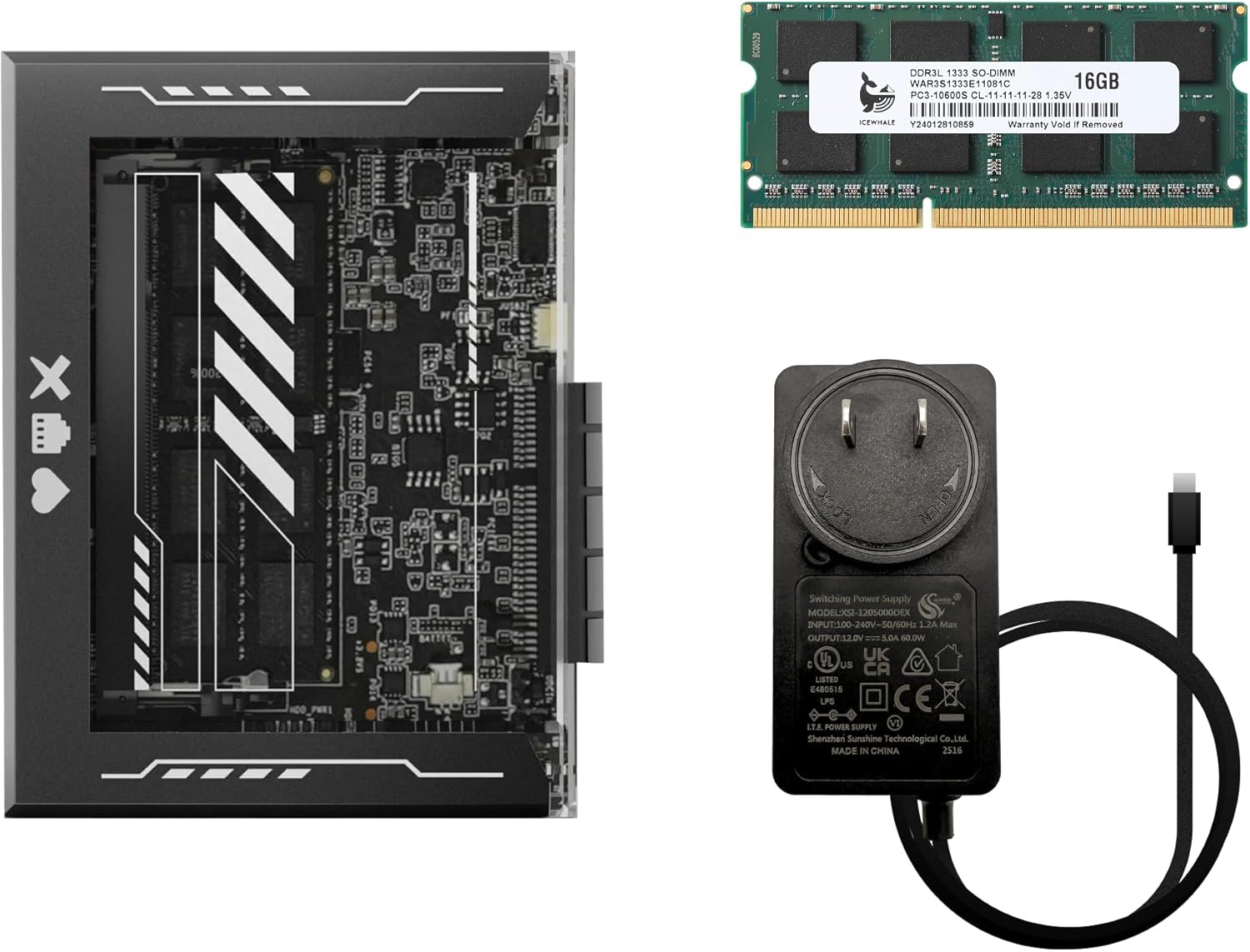
The product arrives as a starter kit, which includes the ZimaBlade unit itself pre-installed with the CasaOS management interface. Its core promise is to deliver the full software compatibility of an x86 platform in a form factor and power envelope suitable for always-on operation in a home office or living room. This review analyzes its specifications, design, and intended use cases to determine if it meets the needs of beginners and tinkerers looking to build a private digital hub.
Prime ZimaBlade 7700 Home Server Kit Intel Quad-Core


As an Amazon Associate we earn from qualifying purchases. Product prices and availability are accurate as of the date/time indicated.
ZimaSpace-Blade 16GB at a Glance
| Specification | Detail |
|---|---|
| Model Name | ZimaBlade |
| Processor Brand & Count | Intel Quad-Core (4 cores) |
| CPU Model | Core i7 (specific generation not listed) |
| Installed RAM | 16 GB DDR3L |
| Built-in Storage | 32 GB eMMC |
| Expansion Slot | PCIe 2.0 x4 |
| Other Connectivity | Dual SATA III, 2x USB ports |
| Cooling System | Fanless (passive) |
| Pre-installed OS | CasaOS |
| Primary Use Cases | Media Server, File Hosting, Smart Home Hub |
Design and Build
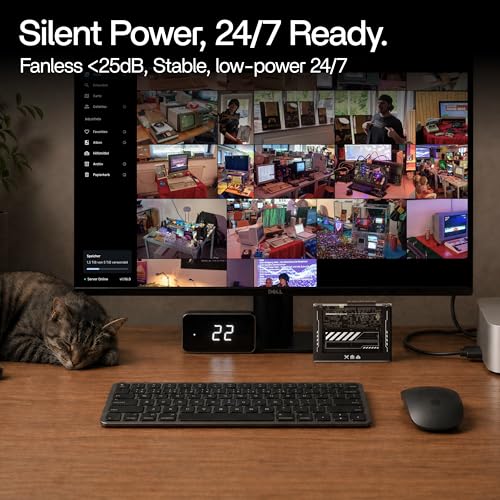
The ZimaSpace-Blade 16GB is described as a card-sized device, emphasizing a compact footprint that is designed to be stacked with additional units. Its most notable physical characteristic is the fully fanless, passive cooling system. This design choice eliminates moving parts that could wear out or generate noise, making it suitable for 24/7 operation in quiet environments like bedrooms, living rooms, or on a desk. The manufacturer states this results in ultra-low noise and no vibration, a key selling point for a device intended to be always on and nearby.
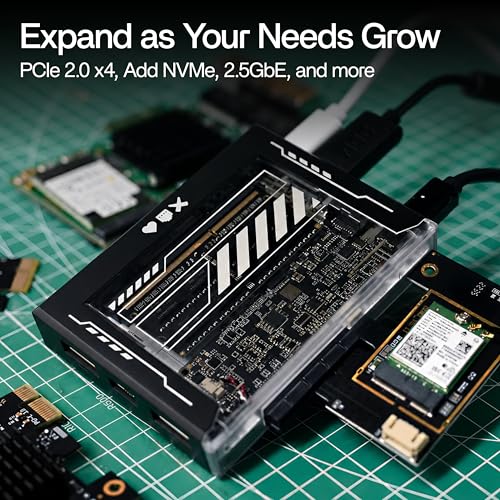
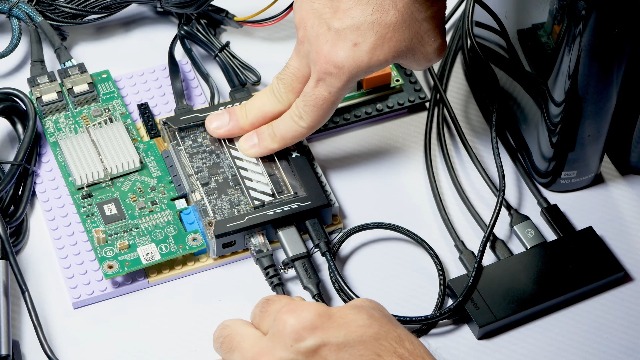
The build appears focused on functionality and modularity. The inclusion of a PCIe 2.0 x4 expansion slot is a central feature, allowing users to physically augment the server’s capabilities after purchase. The unit also features two SATA III ports, enabling direct connection of traditional hard drives or SSDs for storage expansion. The overall design philosophy promotes starting with a basic media server or file host and evolving the system’s role through hardware additions, aligning with the “starter kit” nomenclature.
Performance and Features
Processing Power and Memory
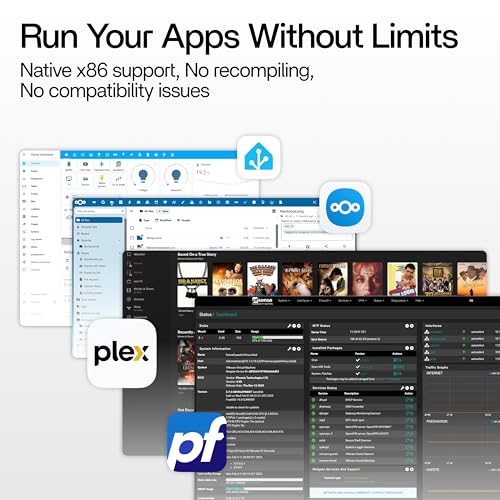
At its heart, the ZimaBlade 7700 is powered by an Intel quad-core processor, listed with a Core i7 model designation. The specific generation or model number of this Intel CPU is not provided in the available data. This x86 architecture is highlighted as a major advantage over ARM-based alternatives, promising native compatibility with a wide range of server software without the need for workarounds. The system is paired with 16GB of DDR3L RAM, which should provide ample memory for running multiple containerized applications or services concurrently in a home environment.
Storage and Connectivity
Primary onboard storage is handled by a 32GB eMMC module. This is sufficient for the operating system and core applications but is a noted limitation for storing user media or files, making the expansion ports critical for practical use. The dual SATA III ports allow for adding 2.5-inch or 3.5-inch drives, while the PCIe 2.0 x4 slot opens the door for higher-performance NVMe storage or adding a 2.5 Gigabit Ethernet network card. The system includes two USB ports, though their standard (e.g., USB 3.0) is not specified by the manufacturer. For those interested in building a more robust home lab, exploring options like the best enterprise computer server for network security management provides a contrast in scale and capability.
Software and Key Features
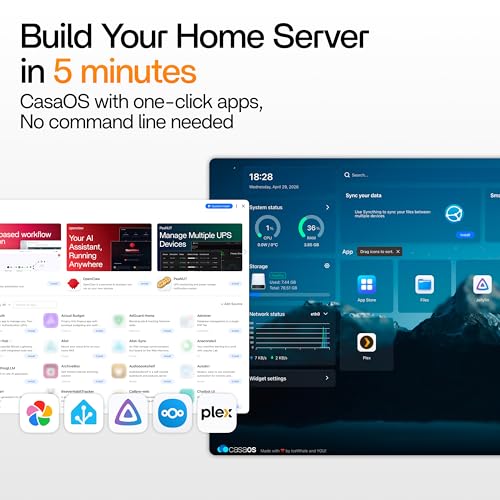
The ZimaBlade ships with CasaOS pre-installed, which is central to its user experience. CasaOS provides a visual, web-based interface designed to simplify server management. The manufacturer claims it enables a “3-minute setup” and allows for one-click installation of popular applications like Plex, Nextcloud, and Home Assistant. This approach is aimed at users who prefer not to use SSH or the command line, significantly lowering the barrier to entry for self-hosting.
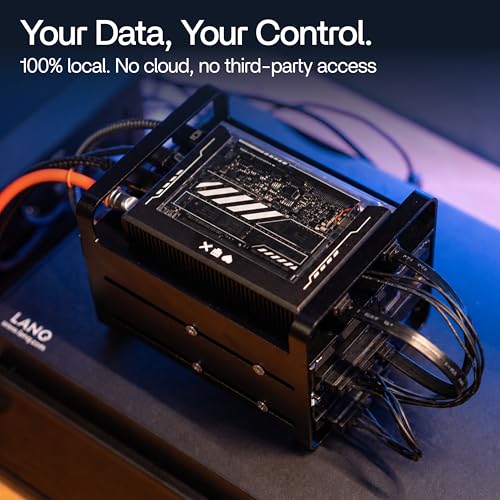
Beyond ease of use, the device’s feature set is built around specific use cases: 4K media streaming, personal photo and file hosting, acting as a smart home hub, and providing whole-home DNS services. The “open x86 platform” also means users are not locked into CasaOS and can install their own operating system if desired, offering flexibility for more advanced users. The core philosophy is data privacy, keeping all information local and under the user’s control without dependency on third-party cloud services.
Setup, Support and Ownership
Setup is marketed as a primary strength of the ZimaBlade. With CasaOS handling the initial configuration, the process is designed to be visual and guided. The manufacturer suggests a user can have their first application running within ten minutes without needing to use a terminal. This plug-and-play philosophy extends to software management, where adding new services can be done through CasaOS’s app store or by pasting docker-compose files.
Ownership considerations center on expansion and support. The PCIe and SATA ports are the pathways for upgrading, meaning most users will need to purchase additional storage immediately or soon after buying the starter kit. The product is listed with a two-year warranty. The manufacturer, Shanghai Icewhale Technology Co Ltd, also promotes an included community, suggesting user forums or resources are part of the support ecosystem. The stackable design implies a path for scaling horizontally by adding more ZimaBlade units, though specifics on how they interconnect are not detailed in the provided data.
What Owners Say
At the time of this analysis, there are no detailed buyer review excerpts available for the ZimaSpace-Blade 16GB. The product holds a rating of 3.8 out of 5 stars. Without specific user feedback, this rating alone suggests a mixed initial reception, though the reasons behind it are not specified. Potential buyers may want to consider that the experience could vary based on individual expectations regarding performance, the ease of expansion, or the out-of-the-box functionality of the CasaOS system.
Pros and Cons
Pros
- Native x86 architecture ensures broad software compatibility for applications like Plex and Nextcloud.
- Fanless, silent design ideal for 24/7 operation in living spaces.
- PCIe expansion slot provides clear path for future upgrades and added functionality.
- CasaOS interface dramatically simplifies initial setup and app management for beginners.
- Promotes complete data privacy by keeping all information local and user-controlled.
- Compact, stackable form factor allows for scalable deployment.
Cons
- Limited 32GB built-in eMMC storage necessitates immediate investment in expansion drives.
- The current customer rating indicates possible questions about reliability or user experience.
- eMMC storage may limit performance in I/O-intensive workloads compared to SSDs.
- Specific details on processor generation and USB standards are not listed by the manufacturer.
- As a starter kit, it may require additional purchases (drives, PCIe cards) to be fully functional for its core use cases.
- Lack of available detailed user reviews makes independent verification of claims difficult.
Who Should Buy It (and Who Should Skip It)
The ZimaSpace-Blade 16GB is an excellent fit for beginners and hobbyists taking their first steps into self-hosting. If you want a simple, quiet device to run a personal Plex server, host Nextcloud files, or manage Home Assistant without dealing with complex Linux commands, this kit is designed for you. It’s also suitable for users with space and noise constraints who still want a capable x86 server that can grow via its PCIe slot. Those who value having absolute control over their personal data and want to move away from cloud subscriptions will find its philosophy appealing.
This server is not the best choice for users with immediate, high-performance demands or those unwilling to buy extra components. If you need terabytes of storage on day one, the required additional drives add to the total cost. Users seeking raw computational power for heavy transcoding, virtualization, or as a primary VPN router backbone might find the quad-core Intel processor limiting, depending on its specific generation. Similarly, IT professionals or cybersecurity students looking for an enterprise-grade lab machine for complex network simulations should consider more powerful and configurable alternatives.
Final Verdict
The ZimaSpace-Blade 16GB succeeds as a concept and a specific tool for a niche audience. It effectively lowers the technical barrier to owning a private home server by combining a compatible x86 platform with an exceptionally user-friendly management interface in CasaOS. Its fanless, compact design is a genuine benefit for placement in home environments, and the inclusion of a PCIe slot offers meaningful future-proofing that many competitors in this size and price range lack. For its stated goals of media streaming, file hosting, and smart home management, it provides a solid foundation.
However, its status as a “starter kit” cannot be overstated. The 32GB eMMC storage is a bottleneck, making additional storage purchases a near-mandatory first step. The mixed initial rating, while lacking detailed context, suggests potential buyers should temper expectations and perhaps wait for more user feedback to emerge. Ultimately, if your priority is a quiet, simple, and expandable entry point into the world of self-hosting with the freedom of an x86 platform, the ZimaBlade 7700 is a compelling option. If you need a complete, out-of-the-box solution or have high-performance needs, you may need to look elsewhere or be prepared to invest beyond the base kit.
FAQs
What operating system does the ZimaBlade use?
The ZimaSpace-Blade 16GB comes pre-installed with CasaOS, a visual operating system and management interface designed for simplicity. However, the manufacturer emphasizes it is an “open x86 platform,” meaning you are not locked in. Users can install other operating systems like standard Linux distributions if they prefer, though this would require more technical knowledge.
Can I use it as a 4K media server for Plex?
Yes, the device is marketed as capable of 4K media server duties. Its Intel x86 quad-core processor should handle media streaming and potentially some transcoding, depending on the specific CPU generation. To function effectively as a media server, you will need to attach significant external storage via the SATA ports or a PCIe NVMe card, as the internal 32GB eMMC is insufficient for a media library.
What can I add to the PCIe expansion slot?
The PCIe 2.0 x4 slot is designed for flexible expansion. Common additions would include NVMe solid-state drive cards for fast internal storage, 2.5 Gigabit Ethernet network cards for faster LAN speeds, or other specialized PCIe modules. This allows you to start with a basic setup and upgrade the server’s capabilities as your needs evolve.
Is technical knowledge required to set it up?
The manufacturer claims very little technical knowledge is required for the initial setup, thanks to the CasaOS interface. The process is designed to be visual, with one-click app installations and no need to use a command-line terminal. This makes it accessible to beginners. More advanced configurations, such as using the PCIe slot or installing a different OS, would naturally require more expertise.
About the author

Elvis Dicki writes reviews and buying guides for CyberSecLabs.