zimaboard N150 Review: An x86 Server for Homelabs & Self-Hosted Services
The zimaboard N150 is a compact, purpose-built x86 home server designed for 24/7 operation, offering native PCIe expansion, dual SATA, and dual 2.5GbE networking for versatile homelab and self-hosted deployments.
 By Elvis Dicki
Updated October 20, 2026
By Elvis Dicki
Updated October 20, 2026
The zimaboard N150 represents a distinct category of computing hardware: a single-board server. Designed from the ground up for continuous, low-power operation, it carves a niche between general-purpose mini PCs and dedicated, often expensive, network-attached storage (NAS) systems. This device targets the enthusiast, the homelab hobbyist, and anyone seeking to consolidate self-hosted services like file sharing, media streaming, networking, and containerized applications into one compact, efficient unit. With its x86 architecture, native expansion capabilities, and preloaded software, the zimaboard N150 aims to be a flexible foundation for building a private, always-on digital ecosystem at home.
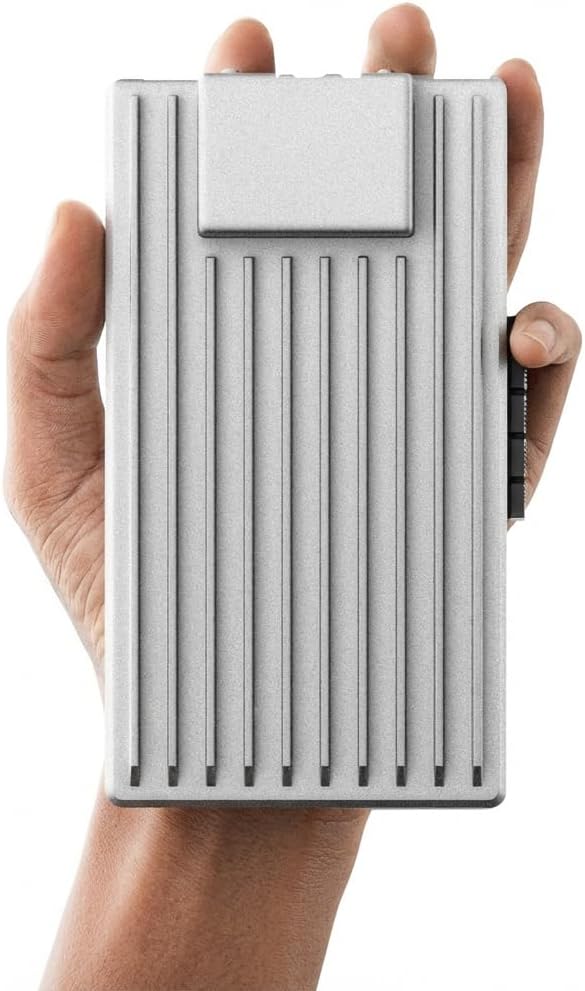
At its core, the zimaboard N150 is a pocket-sized platform built for reliability over raw, high-wattage performance. It combines a quad-core Intel processor with generous DDR5 memory and server-class I/O like PCIe expansion and dual high-speed network ports. This review analyzes its specifications, design philosophy, and potential use cases to determine if this unique device delivers on its promise as an all-in-one server for DIY enthusiasts and privacy-focused users. The bottom line: it’s a specialized tool that excels in providing expandable, efficient server functionality in a fanless, compact form factor.
Prime ZimaBoard 2 1664 x86 Home Server N150 Quad-Core


As an Amazon Associate we earn from qualifying purchases. Product prices and availability are accurate as of the date/time indicated.
zimaboard N150 at a Glance
| Specification | Detail |
|---|---|
| Model | ZimaBoard 2 1664 x86 Home Server |
| Processor | Quad-Core Intel N150 (up to 3.6GHz) |
| Memory | 16GB DDR5 |
| Internal Storage | 64GB eMMC |
| Expansion Slot | PCIe 3.0 x4 |
| Networking | Dual 2.5 Gigabit Ethernet (2.5GbE) |
| Storage Ports | Dual SATA 3.0 |
| Power Draw | Designed for low-power 24/7 operation (10W typical cited) |
| Cooling | Fanless, passive design |
| Pre-installed OS | ZimaOS |
| Warranty | 2-Year Warranty |
Design and Build
The zimaboard N150 is engineered as a purpose-built server platform, a distinction that informs its entire design philosophy. Unlike a general-purpose small form factor PC, its compact, pocket-sized footprint prioritizes efficient layout for server-class connectivity and 24/7 reliability. The fanless, passive cooling design is a cornerstone of this approach, eliminating moving parts to ensure silent operation and long-term durability, which is crucial for always-on deployments in living spaces or home offices. The absence of a fan also points to its thermal envelope, which is tailored for sustained, efficient workloads rather than burst performance.
Physically, the board integrates its core components—CPU, RAM, and eMMC storage—while exposing key expansion and connectivity ports along its edges. This layout emphasizes direct, native connections over USB-based workarounds common in other compact systems. The inclusion of a full PCIe slot on a board of this size is a significant design choice, signaling its intent as a scalable foundation rather than a closed appliance. The build quality, as described by the manufacturer, focuses on enabling reliable, continuous operation, with the entire package supporting a claimed 24/7 workload capability. The device’s small dimensions and low power draw are central to its design, aiming to be a set-and-forget component in a home network infrastructure.
Performance and Features
Core Hardware and Processing
At the heart of the zimaboard N150 is an Intel quad-core N150 processor, capable of boosting up to 3.6GHz. This x86 architecture provides broad software compatibility, a key advantage over many ARM-based single-board computers. It is paired with 16GB of DDR5 memory, a substantial amount for a device in this category, enabling it to handle multiple concurrent services and containerized applications efficiently. The base operating system and applications run on 64GB of integrated eMMC storage. This provides a fast boot medium but, as is common with base storage in servers, is primarily intended for the host OS; significant storage for media, files, or virtual machines must be added via the expansion ports.
Connectivity and Expansion
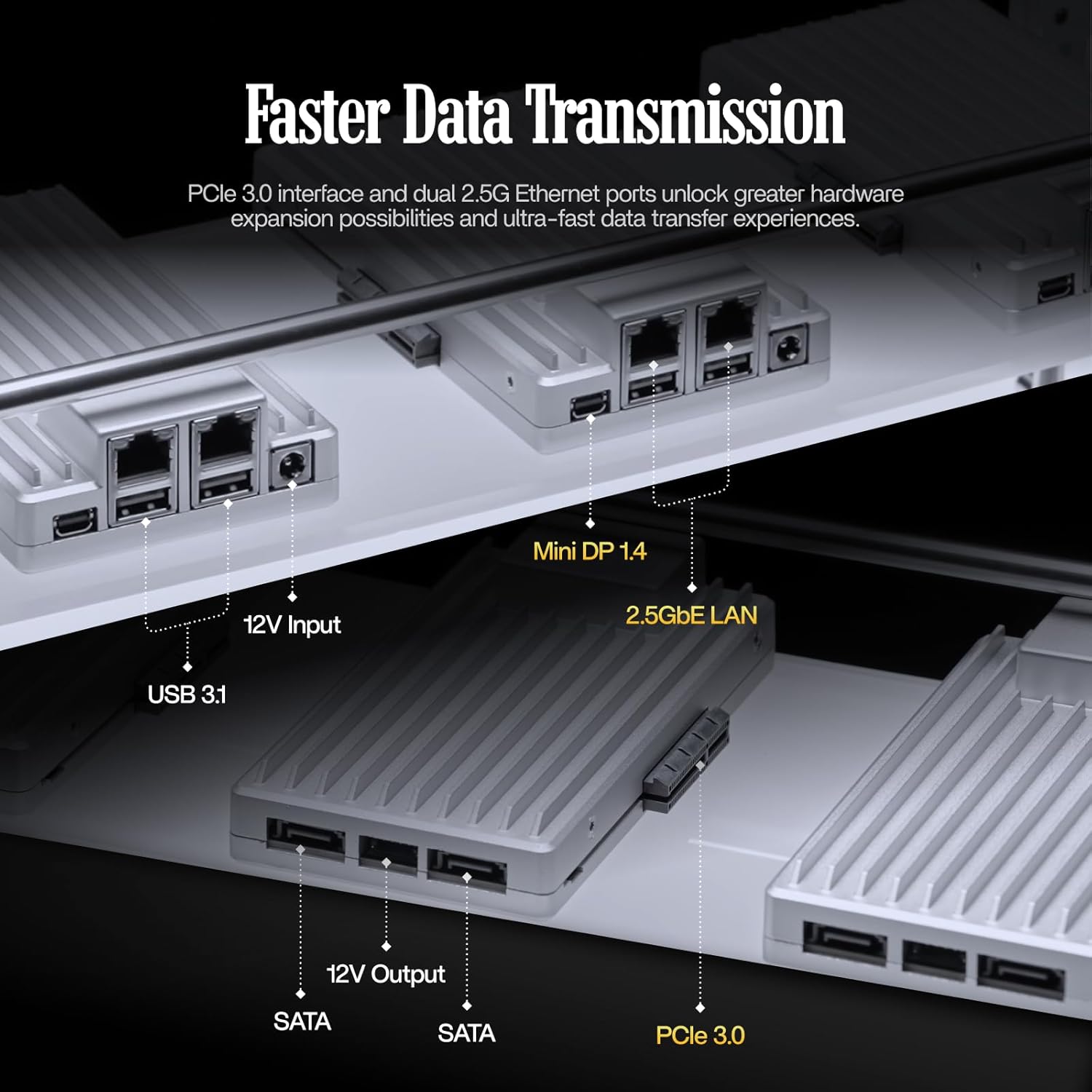
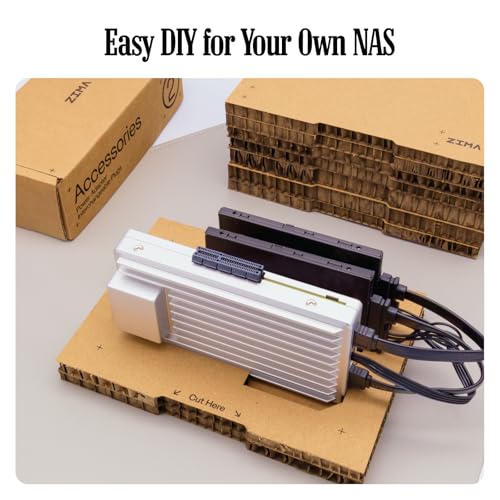
This is where the zimaboard N150 differentiates itself most clearly. Its server-class I/O is designed to avoid the bottlenecks of USB adapters. The dual SATA 3.0 ports allow for direct connection of two 3.5-inch or 2.5-inch hard drives or SSDs, forming the basis of a capable DIY NAS or fast storage pool. For networking, it features dual 2.5 Gigabit Ethernet ports, facilitating high-speed local file transfers, link aggregation for increased bandwidth, or the creation of a router/firewall with separate WAN and LAN segments.
The standout feature is the native PCIe 3.0 x4 expansion slot. This opens a wide range of upgrade possibilities far beyond typical compact systems, including adding 10GbE network cards for ultra-fast networking, NVMe adapters for blazing-fast storage arrays, or even low-profile GPUs and AI accelerators for specialized tasks. This level of expansion flexibility is a hallmark of a true server platform and is a key selling point for advanced users looking to build a scalable homelab.
Software and Ecosystem
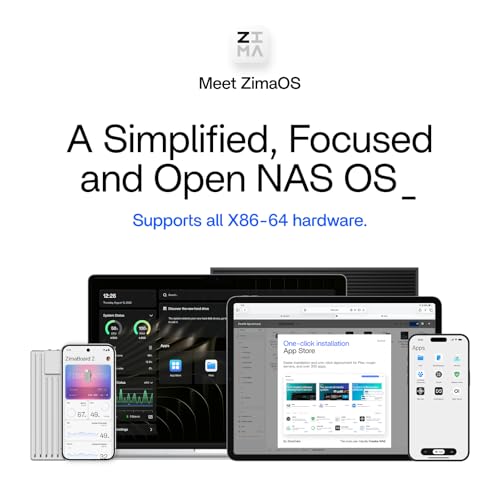
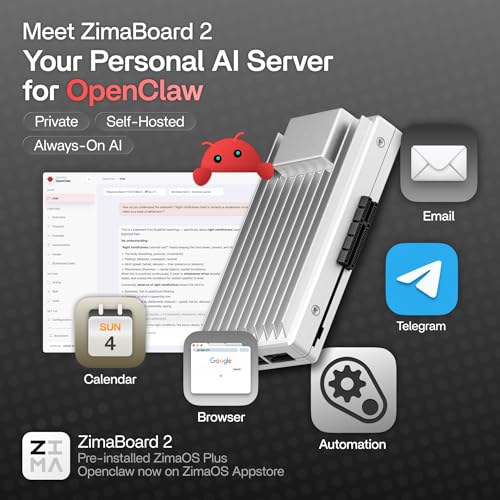
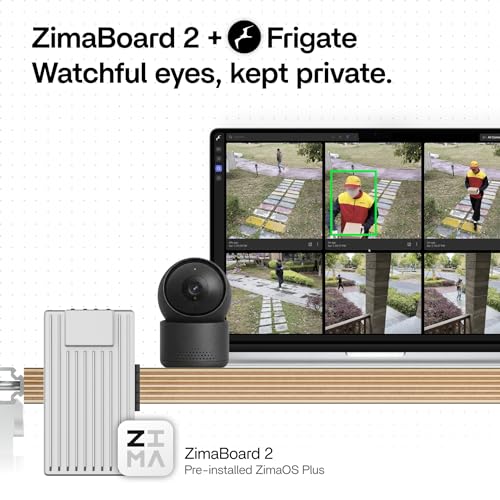
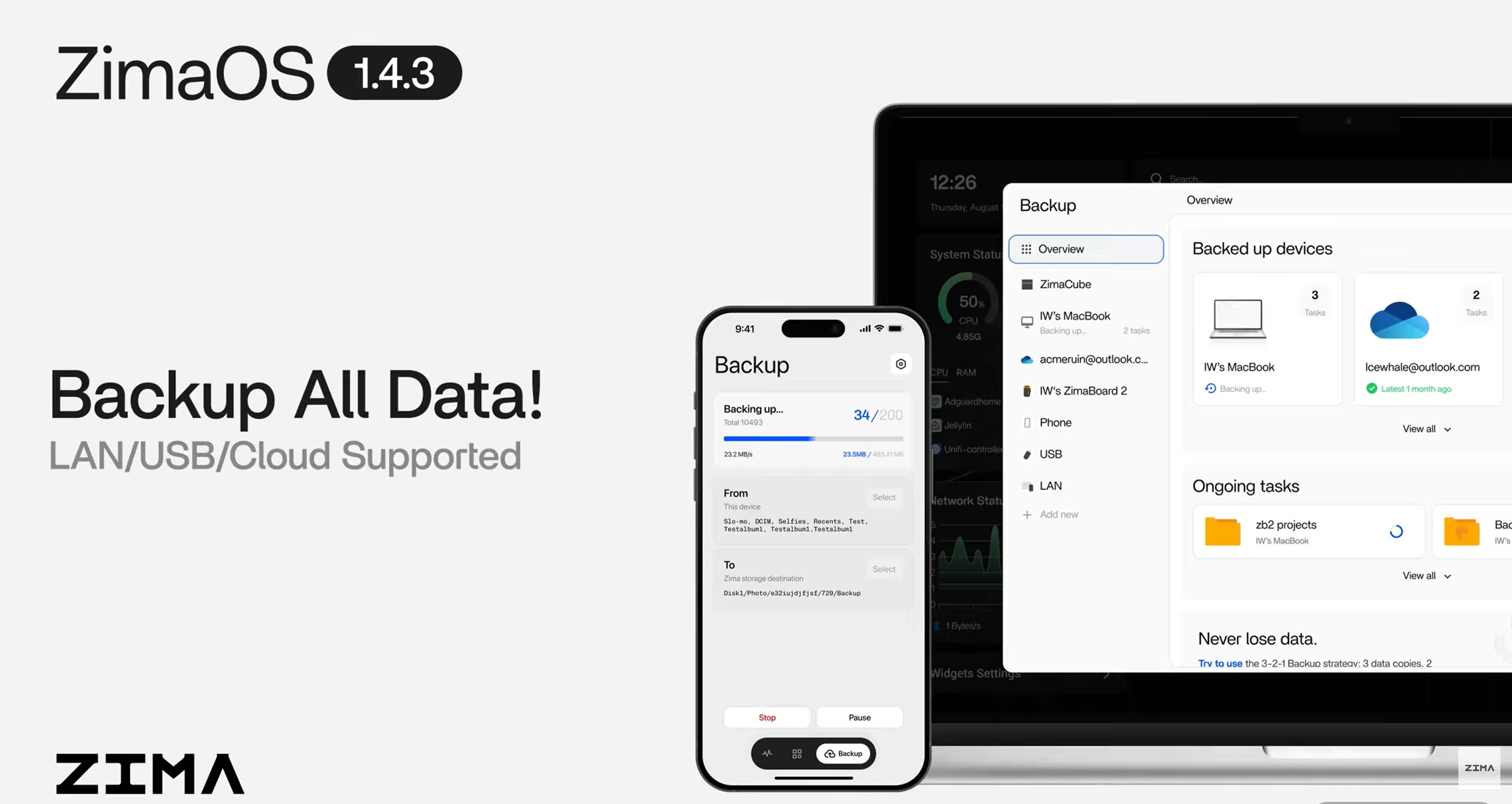
The device comes preinstalled with ZimaOS, a customized operating system designed for a private cloud experience. It offers a centralized dashboard for files, automatic backups, P2P downloads, private media sharing, and access to over 500 plugins. A notable feature is support for on-device AI processing, which keeps data local. Crucially, the zimaboard maintains wide OS compatibility. It is listed as supporting popular server and networking platforms like TrueNAS, Proxmox VE, Debian, Ubuntu Server, pfSense, and OpenWrt. This makes it suitable for a vast array of applications: a Plex or Jellyfin media server, a Pi-hole network ad-blocker, a Docker host for development and services, a robust firewall, or a virtualization host for a full homelab.
Setup, Support and Ownership
Setup involves connecting storage drives to the SATA ports, attaching the network cables, and applying power. The preinstalled ZimaOS is designed to simplify initial configuration for private cloud services. For users wishing to install a different OS, the process would follow standard procedures for x86 hardware, such as creating a bootable USB drive. The manufacturer emphasizes the device’s role as an all-in-one solution to replace multiple separate devices like a standalone NAS, router, or Docker host, which can simplify overall home network architecture.
Ownership is supported by a 2-year warranty and access to 24/7 technical support. The manufacturer also promises hassle-free returns for issues like packaging damage or incorrect shipments. For upgrades, the primary path is through the PCIe slot and the two SATA ports. Users will need to source their own SATA data and power cables for drives, and any PCIe cards (like NVMe adapters or 10GbE NICs) are separate purchases. The fanless design implies minimal maintenance, with no filters or fans to clean. The power adapter is included, and its efficiency contributes to the system’s overall low power draw, which is a key factor for cost-effective 24/7 operation.
What Owners Say
Overall sentiment from user reviews is positive, reflected in a high average rating. The majority of reviews are highly favorable, with a significant portion awarding the highest rating. This suggests general satisfaction with the product’s performance, features, and reliability for its intended use cases. A smaller percentage of reviews indicate lower ratings, which can be common for technical products where user experience may vary based on specific expectations or technical challenges during setup for non-standard configurations. The consensus from the positive feedback likely centers on the board’s versatility, compact size, and the utility of its native expansion options for building custom server solutions.
Pros and Cons
Pros
- Purpose-built server architecture with real PCIe 3.0 x4 expansion
- Native dual SATA and dual 2.5GbE ports for direct, high-speed connectivity
- Low power consumption suitable for cost-effective 24/7 operation
- Wide operating system compatibility and preinstalled ZimaOS
- Fanless, silent design ideal for home environments
- Compact, space-saving form factor
Cons
- Base 64GB eMMC storage is limited, requiring immediate addition of drives for most workloads
- Fanless design may limit sustained performance under heavy, continuous computational loads
- Utilizing the PCIe slot requires purchasing separate adapter cards
- As a niche product, it may have a steeper learning curve than plug-and-play consumer NAS devices
Who Should Buy It (and Who Should Skip It)
The zimaboard N150 is an excellent fit for homelab enthusiasts, tech hobbyists, and privacy-conscious users who want to self-host services. It’s ideal for someone looking to build a customizable, all-in-one server for tasks like running a NAS, a Docker/container host, a firewall/router (like pfSense or OpenWrt), a media server, or a combination of these. Its expandability makes it future-proof for projects that might grow, such as adding 10GbE networking or high-speed NVMe storage. It also suits users seeking a quiet, low-power, always-on system to consolidate several digital functions.
This product is not the best choice for users seeking a simple, out-of-the-box consumer NAS experience with extensive vendor support apps. Those who need maximum computational performance for tasks like video transcoding multiple streams, running heavy virtual machines, or acting as a primary workstation should look at more powerful mini PCs or traditional desktops. Similarly, if your needs are met by a basic, single-purpose device and you have no interest in tinkering or expansion, a standard router or a simpler ARM-based board might be more appropriate and cost-effective. For broader insights on setting up secure, self-hosted networks, consider reading about the best VPN routers or exploring dedicated enterprise server options for network security management.
Final Verdict
The zimaboard N150 successfully fulfills its role as a compact, versatile, and expandable x86 home server platform. Its greatest strength lies in its server-oriented design choices: the native PCIe slot, dual SATA, and dual 2.5GbE ports provide a level of I/O flexibility and performance potential that is rare in devices of this size and power envelope. When combined with its x86 compatibility and low power draw, it becomes a compelling foundation for a wide range of self-hosted and homelab projects. It effectively bridges the gap between the limited I/O of hobbyist single-board computers and the higher cost and complexity of full-sized server hardware.
Potential buyers should understand that this is a foundational component. Its value is fully realized when paired with added storage, potentially a PCIe card, and the software stack of your choice. The fanless design ensures quiet operation but sets expectations for moderate, sustained performance rather than high-wattage computing. For the right user—someone comfortable with technology who values customization, expansion, and efficiency for 24/7 services—the zimaboard N150 is a uniquely capable and well-conceived tool. It empowers users to build a tailored, private digital infrastructure, making it a standout option in the growing market for personal server hardware. For more reviews and analysis on tech that puts you in control, browse our other in-depth reviews and the tech gear section.
FAQs
Can the zimaboard N150 run Windows?
The manufacturer’s specifications list compatibility with various Linux distributions, TrueNAS, Proxmox, and firewall OSes like pfSense. While the x86 architecture is fundamentally compatible with Windows, specific driver support for all onboard components (like the network controllers) under Windows is not detailed in the provided data. Users interested in running Windows should research community feedback or consult the manufacturer for confirmed driver availability before purchase.
What can I connect to the PCIe slot?
The PCIe 3.0 x4 slot supports a wide range of standard expansion cards, provided they fit the board’s physical size and power constraints. Common uses include adding a network interface card (NIC) for 10-gigabit Ethernet, an NVMe M.2 adapter card for creating a high-speed storage array, a low-profile GPU for light graphical tasks or transcoding acceleration, or specialized cards like AI accelerators. You will need to source the appropriate card and any necessary cables separately.
Is the 64GB eMMC storage enough for a NAS?
No, the 64GB eMMC is primarily intended to host the operating system and applications. For actual file storage in a NAS configuration, you must connect at least one hard drive or SSD to the board’s SATA ports. The dual SATA ports allow for a two-drive setup, which can be configured in various ways, such as a mirrored RAID for redundancy or as two independent storage pools.
How does this compare to a Raspberry Pi for a home server?
The zimaboard N150 offers several key advantages for server use: an x86 CPU for broader software compatibility, significantly more RAM (16GB DDR5), native PCIe expansion for high-speed upgrades, and native dual SATA ports for direct drive connection without USB adapters. It is designed as a dedicated server platform, whereas a Raspberry Pi is a general-purpose computing board. The zimaboard is typically more powerful and expandable but also comes at a higher price point. The choice depends on your performance needs, required I/O, and budget.
About the author

Elvis Dicki writes reviews and buying guides for CyberSecLabs.