youyeetoo MT7981B Review: OpenWrt’s First Official WiFi 6 Router Board
The youyeetoo MT7981B, also known as the Banana Pi OpenWrt One, is a developer-focused router board offering official OpenWrt support, a 2.5GbE port, and extensive expansion options.
 By Elvis Dicki
Updated October 21, 2026
By Elvis Dicki
Updated October 21, 2026
In a market saturated with closed-source, consumer-focused routers, the youyeetoo MT7981B stands out as a unique proposition. Also marketed as the Banana Pi OpenWrt One, this device represents the first official development board from the OpenWrt open-source community, created in partnership with Banana Pi. It is engineered for networking enthusiasts, developers, and enterprises who demand ultimate control, reliability, and the ability to customize their network infrastructure down to the firmware level. This board ships with OpenWrt pre-installed and is designed to be a robust platform for both standard routing duties and advanced IoT or network management projects.

At its core, the youyeetoo MT7981B is a compact router board built around the MediaTek Filogic 820 (MT7981B) system-on-chip, paired with a MediaTek MT7976C dual-band WiFi 6 chipset. It combines this modern wireless standard with a practical mix of high-speed and legacy ports, including a 2.5-gigabit Ethernet WAN port, a gigabit LAN port, USB 2.0, and an M.2 slot for NVMe storage. The bottom line is clear: if you possess the technical know-how to leverage its open-source nature, this device offers an unparalleled blend of performance, future-proofing, and community-backed flexibility that is rare in the networking space.
youyeetoo OpenWrt One WiFi 6 Router Board MediaTek


As an Amazon Associate we earn from qualifying purchases. Product prices and availability are accurate as of the date/time indicated.
youyeetoo MT7981B at a Glance
| Specification | Detail |
|---|---|
| SoC / CPU | MediaTek MT7981B (Filogic 820), Dual-core Cortex-A53 |
| Wireless Standard | WiFi 6 (802.11ax), Dual-band (3×3/2×2) |
| Memory (RAM) | 1 GB DDR4 |
| Internal Storage | 256 MiB SPI NAND + 16 MiB NOR (Dual Flash) |
| Ethernet Ports | 1 x 2.5GbE WAN, 1 x 1GbE LAN |
| Expansion & Ports | M.2 NVMe Slot (PCIe 2.0 x1), USB 2.0 Type-A, mikroBUS socket |
| Power Options | Power-over-Ethernet (PoE) support, standard DC input |
| Operating System | OpenWrt (Pre-installed, Mainline Supported) |
| Key Features | Unbrickable A/B Partition Scheme, RTC with battery holder, Official OpenWrt project board |
Design and Build
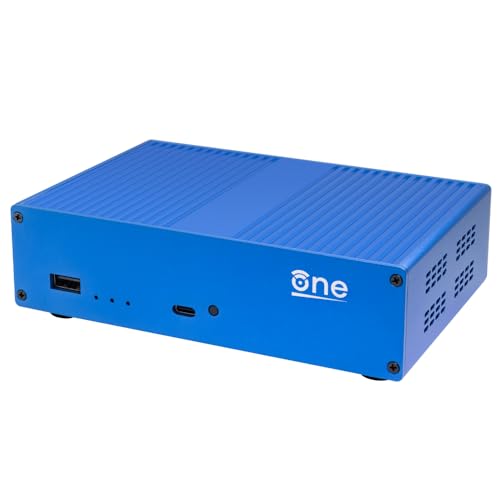
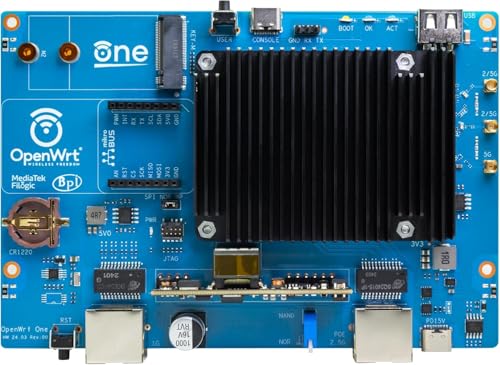
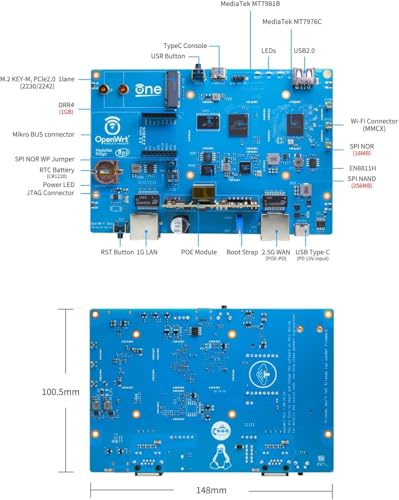
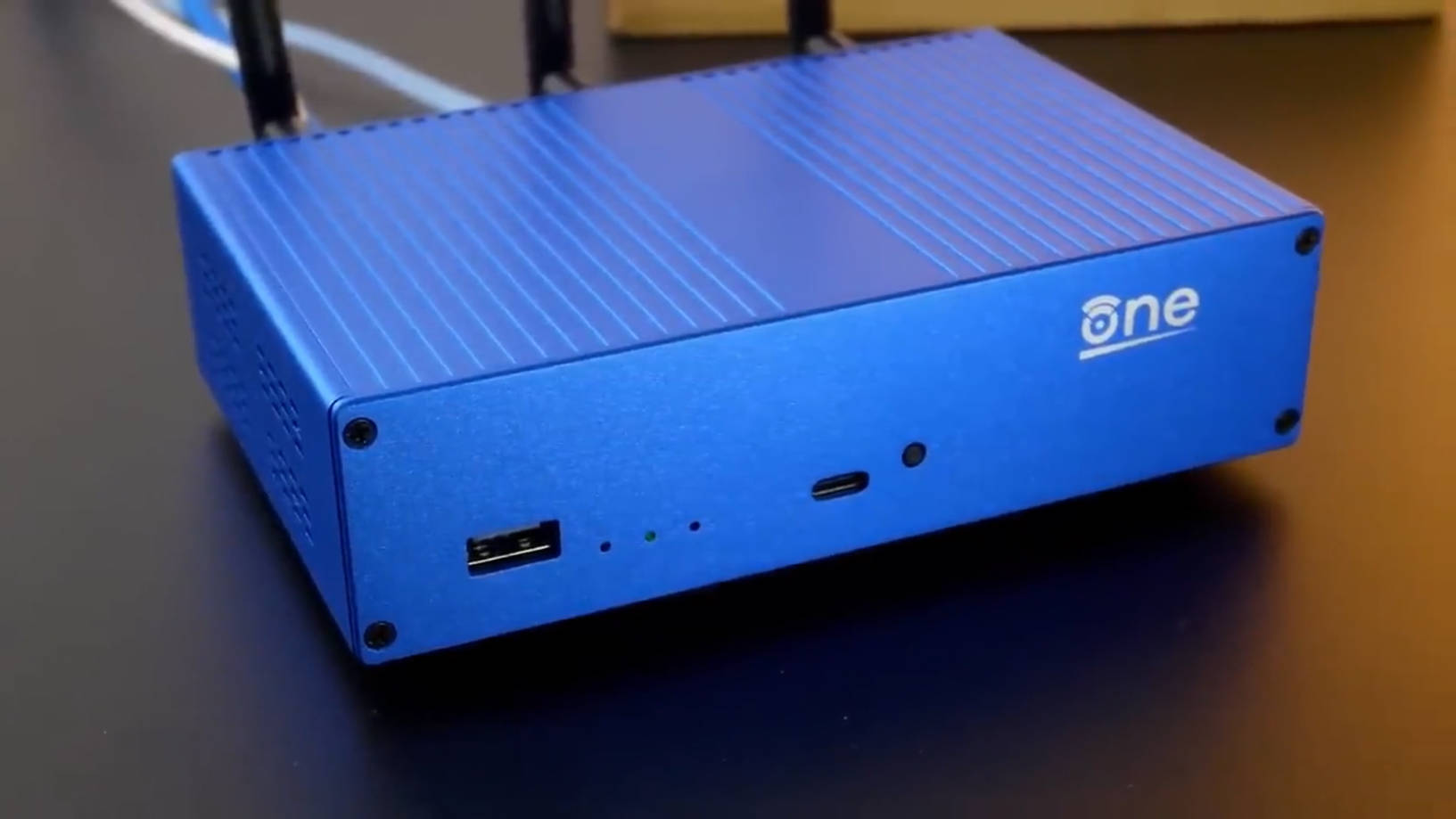
The youyeetoo MT7981B router board adopts a minimalist, functional design typical of development hardware. It is presented as a blue printed circuit board (PCB) without an included enclosure, which is common for such platforms, allowing for direct access to all components and headers. This design philosophy prioritizes utility and expansion over aesthetics. The layout is dense but organized, with the MediaTek SoC and RAM prominently placed, and the various connectivity ports and expansion slots arranged along the edges for easy access. The inclusion of a mikroBUS socket is a notable touch, providing a standardized interface for adding functionality like additional sensors, relays, or communication modules, which aligns with its potential for IoT projects.
The build quality, according to user feedback, is reported to be solid with good attention to detail. The board is designed to be a reliable foundation for networking, evident in features like the dual-flash storage system. This hardware redundancy, using separate NAND and NOR chips, is central to its “unbrickable” claim. If a firmware update on the primary NAND fails, the system can fall back to the protected NOR storage, simplifying recovery. This design choice underscores the board’s target audience: developers and tinkerers for whom a failed flash should not mean a bricked device.
Performance and Features
Processing and Wireless Performance
At the heart of the youyeetoo MT7981B is the MediaTek MT7981B (Filogic 820) SoC, featuring a dual-core ARM Cortex-A53 processor. While a specific clock speed is not listed by the manufacturer, this architecture is capable of handling demanding networking tasks, network address translation (NAT), and running additional services installed via OpenWrt’s package manager. The 1 GB of DDR4 RAM is a generous allocation for a router, providing ample headroom for complex firewall rules, QoS policies, and running supplementary software like VPN servers or network monitoring tools without performance degradation.
The integrated MediaTek MT7976C chipset delivers dual-band WiFi 6 connectivity. It supports a 3×3 configuration on one band and 2×2 on the other, which should provide strong wireless coverage and speed for a typical home or lab environment. Owner reviews mention “great speed” and even note a performance improvement in specific use cases, such as providing a few extra frames per second from a wireless web camera compared to a standard ISP-provided router. This suggests the wireless implementation is efficient and low-latency, benefiting from the modern WiFi 6 standard.
Connectivity and Ports
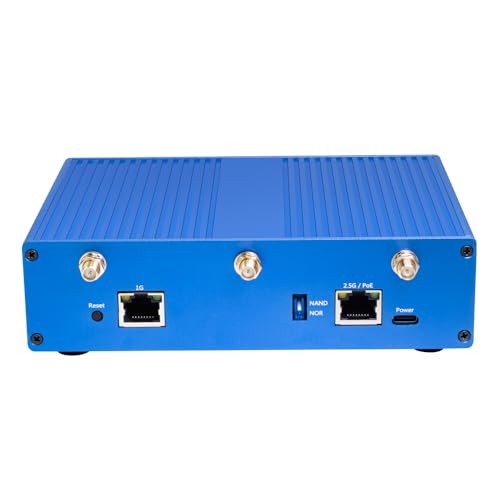
The port selection on the youyeetoo MT7981B is a thoughtful mix of modern and legacy interfaces tailored for flexibility. The single 2.5-gigabit Ethernet WAN port is a standout feature, future-proofing the device for high-speed internet connections that are becoming more common. The single gigabit LAN port means most users will need to add an external Ethernet switch to connect multiple wired devices, a trade-off that keeps the board compact. The USB 2.0 Type-A port, while not the faster USB 3.0 standard, is useful for connecting peripherals like printers (enabling a USB print server) or storage for network shares, albeit at limited speeds.
The expansion capabilities are where this board truly shines. The M.2 slot supporting 2230/2242 NVMe SSDs (via PCIe 2.0 x1) allows for adding high-speed local storage, which can be used for network-attached storage functions, caching, or hosting applications. The mikroBUS socket opens a world of add-on modules for sensing and control. Furthermore, the board supports Power-over-Ethernet (PoE), which can simplify installation in certain setups, though owners note the PoE-enabled port is designated as the WAN port by default, which may require software configuration depending on your network topology.
Software and Key Features
The defining software feature is its official integration with OpenWrt. It ships with this powerful, Linux-based operating system pre-installed and enjoys mainline support from the OpenWrt project. This guarantees “unlimited and forever updates” directly from the source, along with access to thousands of software packages via its package manager. Users can install web servers, VPN endpoints (like WireGuard or OpenVPN), advanced firewalls, ad-blocking DNS servers, and much more, transforming the router into a versatile network appliance.
Beyond the OS, key hardware features include the aforementioned unbrickable dual-storage design and a real-time clock (RTC) with a holder for a backup battery. The RTC ensures the system maintains accurate time even during power outages, which is crucial for logging and time-based firewall rules. The board’s status as an official OpenWrt project also means a portion of its sales supports the OpenWrt community via donations to the Software Freedom Conservancy, allowing purchasers to contribute directly to the open-source ecosystem they are leveraging.
Setup, Support and Ownership
Setup is where the youyeetoo MT7981B clearly diverges from a plug-and-play consumer router. It comes with the hardware assembly and initial OpenWrt flash already completed, saving users from the complex process of physically flashing NAND memory. However, as one reviewer succinctly put it, “Expect spending time setting up OpenWRT.” Initial configuration requires a wired Ethernet connection, as it does not broadcast an open setup WiFi network by default. Users must be comfortable accessing a LuCI web interface or using command-line tools to configure network settings, wireless SSIDs, passwords, and security rules.
Support is primarily community-driven, which is both a strength and a consideration. The manufacturer, youyeetoo, directs users to their Discord server, forum, and a comprehensive WIKI for technical support. The broader OpenWrt community forums and documentation serve as the ultimate resource for software-related issues and advanced configuration. For hardware, youyeetoo offers a return policy for items that are dead on arrival or damaged, with specific terms outlined by the manufacturer. The long-term ownership experience is enhanced by the promise of continuous OpenWrt updates, ensuring the device remains secure and gains new features over time. The expansion options like the M.2 slot and mikroBUS mean the board’s capabilities can grow with the user’s needs, whether that means adding massive storage or integrating with a custom home automation setup. For those interested in similar compact, customizable computing platforms, exploring options in the Mini PCs category can provide interesting parallels in philosophy.
What Owners Say
Owner feedback for the youyeetoo MT7981B is overwhelmingly positive, reflected in its high average rating. The vast majority of reviewers award it five stars, praising its flexibility, build quality, and performance. Common themes in the reviews include celebrating its status as an “amazing flexible cheap enterprise grade wifi router” and “the most flexible router on the market.” Users highlight the power of having a “full linux” system with package management, the value of the unbrickable A/B partition scheme, and the noticeable improvement in network performance and control compared to off-the-shelf options.
Some reviewers offer nuanced perspectives, noting that the OpenWrt software has a learning curve and that “simple setups are probably easy” but more complex configurations require networking knowledge. The need for an external Ethernet switch for more wired connections is mentioned, as is the observation that the PoE functionality, while working perfectly, is on the WAN port by default which may not be ideal for all installations. A small fraction of reviews point out the initial setup requirement for an Ethernet cable. The consensus is that this is a “great router for those that are tech savvy and like to control their router setups” and a solid performer that rewards the time investment required to learn its ecosystem.
Pros and Cons
Pros
- Official OpenWrt integration with mainline support and continuous updates
- Highly flexible and expandable via M.2, mikroBUS, and USB
- Robust “unbrickable” hardware design with dual-flash storage
- Powerful hardware with 1GB DDR4 RAM and WiFi 6
- Future-proof 2.5GbE WAN port and PoE support
- Strong performance and low latency reported by owners
Cons
- Requires significant technical knowledge to configure and use effectively
- Only one gigabit LAN port, necessitating an external switch for most
- USB port is limited to the older 2.0 standard
- No included enclosure, antennas require separate handling
- Initial setup is not as simple as consumer router wizard-driven processes
- Community-based support may be daunting for absolute beginners
Who Should Buy It (and Who Should Skip It)
The youyeetoo MT7981B is an ideal purchase for networking enthusiasts, developers, IT professionals, and hobbyists who want absolute control over their network. It is perfect for anyone planning to use advanced OpenWrt features like running a VPN server, implementing complex QoS, setting up a guest network with specific rules, or integrating their router into a smart home/IoT ecosystem via the mikroBUS. It’s also a great platform for learning about networking and open-source software in a hands-on way. If you are frustrated with the limitations of consumer router firmware and crave the power of a Linux system at your network’s core, this board is designed for you. For those seeking powerful, customizable network setups, our guide on the best routers for OpenWrt explores other compatible devices.
Conversely, you should skip the youyeetoo MT7981B if you want a simple, out-of-the-box solution for basic internet sharing. Individuals unfamiliar with networking concepts like IP addressing, DHCP, and firewalls will likely find the setup process frustrating. Households that just need reliable WiFi for streaming and web browsing without any tinkering are better served by traditional consumer mesh systems or routers. Also, if you require multiple immediate wired connections without purchasing additional hardware, the single LAN port is a significant limitation. For users with such needs, exploring routers better suited for multiple devices would be a more practical starting point.
Final Verdict
The youyeetoo MT7981B (Banana Pi OpenWrt One) is a remarkable and niche product that successfully delivers on its promise of being an open, flexible, and powerful networking platform. It is not merely a router; it is a compact, well-designed development board that happens to excel at routing. Its strengths lie in its official OpenWrt pedigree, its thoughtful hardware design focused on reliability and expansion, and its robust specifications that can handle far more than simple traffic forwarding. The high owner satisfaction underscores that for its target audience, the value proposition is exceptionally strong.
However, its appeal is decidedly narrow. The requirement for technical proficiency cannot be overstated. This is not a product that simplifies networking; it exposes its full complexity and hands you the tools to master it. For those willing to climb that learning curve, the rewards are substantial: a network appliance that can be tailored to exact needs, improved over time with community-driven software, and expanded with new hardware capabilities. In conclusion, the youyeetoo MT7981B is a top-tier choice for developers and power users, but its significant barriers to entry make it inappropriate for the average consumer seeking simple connectivity. For tech enthusiasts looking at other compact computing solutions, the concept behind this router board shares some DNA with specialized devices found in our fanless mini PC recommendations.
FAQs
Does the youyeetoo MT7981B come with a case and antennas?
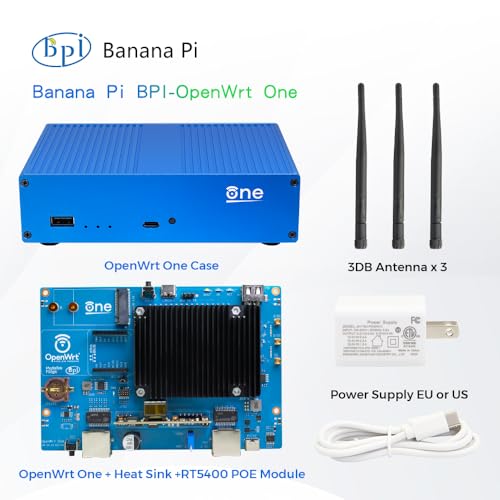
No, the product is sold as a standard kit containing the router board itself. It does not include an external case or WiFi antennas. Users need to source compatible antennas separately to enable wireless functionality and may want to purchase or fabricate an enclosure for physical protection.
Can I use this as a regular home router?
Technically, yes, once configured with OpenWrt it can perform all the functions of a standard home router, including DHCP, NAT, and firewall protection. However, the setup process is far more involved than with a consumer router. It is best suited for users who want the capabilities of a regular home router plus much, much more.
What does “unbrickable” mean for this device?
The “unbrickable” claim refers to its dual-flash storage design. The primary operating system resides on a 256 MiB NAND chip. A separate, protected 16 MiB NOR chip holds a backup bootloader and a basic system image. If a firmware update corrupts the main NAND, the device can automatically boot from the NOR chip, allowing you to recover and re-flash the main system without needing special hardware programmers.
Is the OpenWrt software difficult to learn?
OpenWrt has a learning curve, especially for those new to networking or Linux-based systems. It offers a web interface (LuCI) that makes basic configuration manageable, but advanced features often require using the command line or editing configuration files directly. Abundant documentation and a supportive community forum are available to help new users.
About the author

Elvis Dicki writes reviews and buying guides for CyberSecLabs.