WayPonDEV MT7981B Review: OpenWrt WiFi 6 Board with 2.5GbE Port
The WayPonDEV Banana Pi WiFi 6 OpenWrt One Router is a specialized development board offering customizable networking, fast wireless, and extensive expansion options, best suited for DIY enthusiasts, IoT developers, and open-source networking projects.
 By Elvis Dicki
Updated October 21, 2026
By Elvis Dicki
Updated October 21, 2026
In the realm of networking hardware, devices that blend accessible performance with deep customization are rare. The WayPonDEV MT7981B—formally known as the WayPonDEV Banana Pi WiFi 6 OpenWrt One Router—is a distinctive entry, designed not as a plug-and-play consumer device but as a development board officially sanctioned by the OpenWrt open-source community. It targets creators, software developers, and tech enthusiasts who want to build, learn, and tailor their network infrastructure. This review analyzes its specifications, design, and real-world application potential based on its documented features and user feedback.

At its core, this device is a platform for experimentation and deployment, featuring the MediaTek MT7981B (Filogic 820) SoC, dual-band WiFi 6, a 2.5-gigabit Ethernet port, and a host of expansion sockets. It is pre-loaded with OpenWrt, offering a powerful and flexible operating system out of the box. While it requires technical know-how, the board delivers a compelling blend of modern connectivity and open-source freedom for specific use cases.
WayPonDEV Banana Pi OpenWrt WiFi 6 Router Board


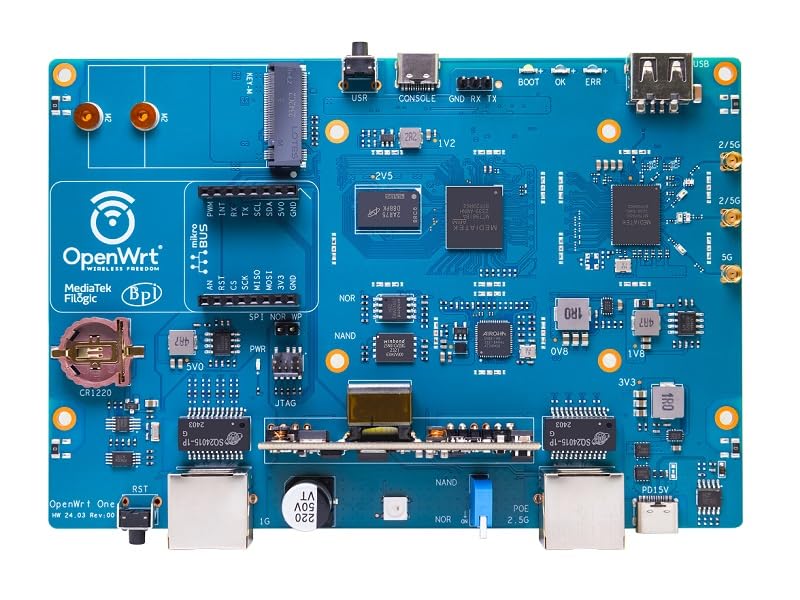
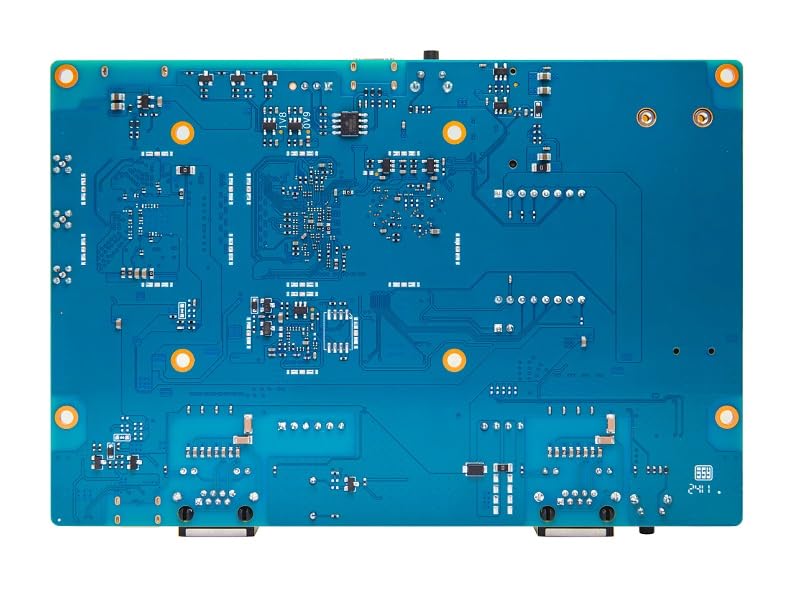
As an Amazon Associate we earn from qualifying purchases. Product prices and availability are accurate as of the date/time indicated.
WayPonDEV MT7981B at a Glance
| Specification | Details |
|---|---|
| SoC (Processor) | MediaTek MT7981B (Filogic 820), Dual-core ARM Cortex-A53 @ 1.3 GHz |
| RAM | 1 GB DDR4 |
| Primary Storage | 256 MB SPI NAND flash |
| Secondary Storage | M.2 2230/2242 socket for NVMe SSD (PCIe 2.0 x1) |
| Wireless | Dual-band WiFi 6 (MediaTek MT7976C chipset) |
| Ethernet Ports | 1 x 2.5GbE RJ45 (WAN), 1 x Gigabit RJ45 (LAN) |
| Expansion & Ports | MikroBUS socket, USB 2.0 Type-A host port, USB-C (console/power) |
| Antenna Connectors | 3 x MMCX |
| Power Options | 15V USB-PD via USB-C, Optional 802.3at/af PoE module |
| Operating System | OpenWrt |
Design and Build
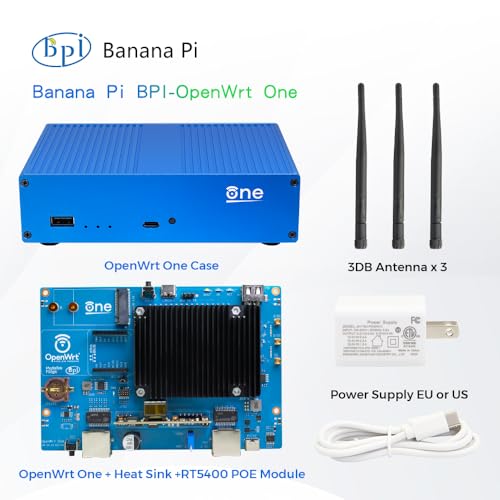
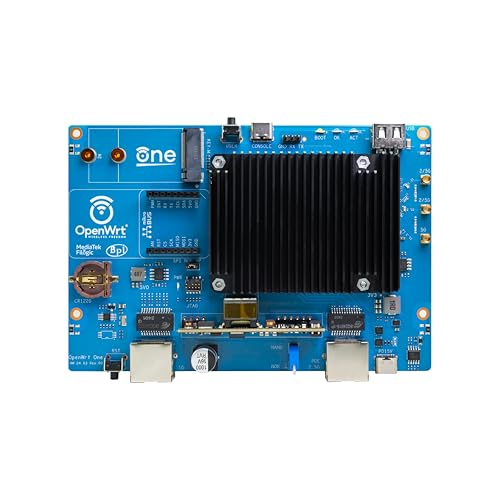
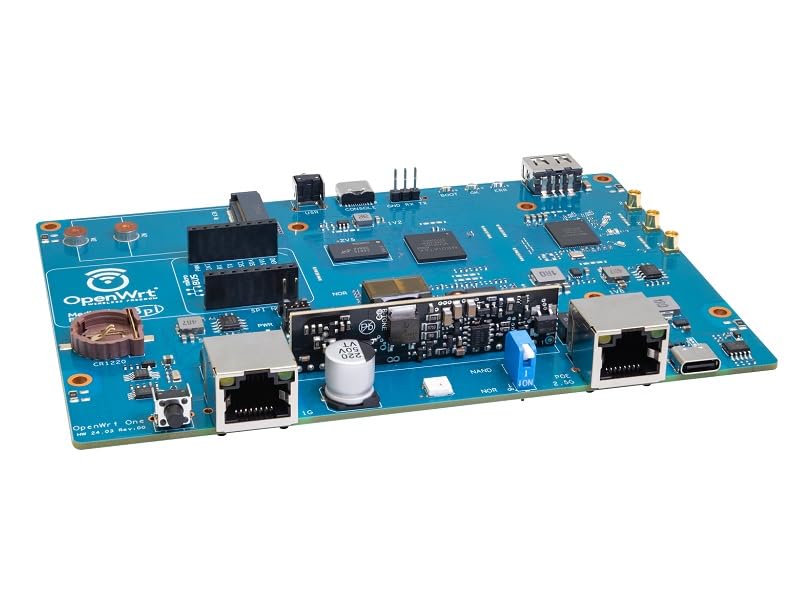
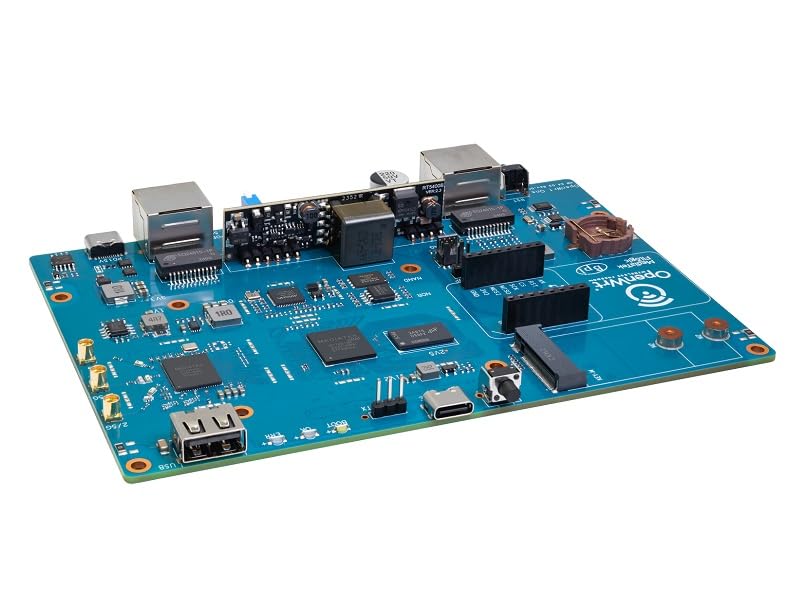
The board follows a minimalist, functional design with dimensions of 148 x 100.5 mm, compatible with the Banana Pi BPI-R4 case design. It ships within a distinctive blue metal case, which also includes three small antennas and a heat sink for cooling. The layout is clean, with ports and connectors clearly labeled, including a boot selector switch to choose between normal NAND boot and recovery from the protected NOR flash. The inclusion of an external hardware watchdog (EM6324) is a notable feature for ensuring stability in long-term deployments. Build quality, based on user feedback, is described as robust, contributing to its suitability for both development work and stable network applications.
Performance and Features
Processing Power and Memory
The dual-core 1.3 GHz ARM Cortex-A53 processor (MediaTek MT7981B) is paired with 1 GB of DDR4 RAM, a configuration designed for routing tasks, firewall operations, and running supplementary services. While no specific benchmark scores are provided by the manufacturer, this hardware is well-suited for handling gigabit internet connections, network address translation (NAT), and VPN throughput. The 256 MB of SPI NAND flash provides the primary operating system storage, but the real storage flexibility comes from the expansion slots.
Connectivity and Ports
This is where the WayPonDEV MT7981B truly stands out. The single 2.5-gigabit Ethernet WAN port allows it to connect to high-speed internet services without bottlenecking, while a Gigabit LAN port handles internal networking. The dual-band WiFi 6, enabled by the MediaTek MT7976C chipset, supports modern wireless clients, with the ability to operate as a wireless access point. The three MMCX antenna connectors allow for external antenna upgrades. Additional connectivity includes a USB 2.0 Type-A host port for peripherals or storage and a mikroBUS expansion socket for adding specialized modules, opening the door to countless IoT and sensing applications.
Key Features and Expansion
Its defining feature is being an official OpenWrt One development board. This means it is built with and for the OpenWrt ecosystem, ensuring excellent software compatibility and community support. The integrated M.2 socket for NVMe SSDs (PCIe 2.0 x1) is a major asset, allowing users to add high-speed, high-capacity storage for use as a network-attached storage (NAS) device, a local package repository, or extensive logging. The 16 MB SPI NOR flash serves as a write-protected recovery bootloader, a safety net for developers. The board also exposes GPIO pins, a UART port via USB-C, and a 10-pin JTAG/SWD header for low-level debugging.
Software and Security
Running OpenWrt provides a deeply customizable Linux-based routing platform. Users can install packages for advanced firewalling, traffic shaping (QoS), VPN servers (like OpenVPN or WireGuard), ad-blocking, and much more. Security features inherent to OpenWrt and supported by the hardware include firewall capabilities, WPA3 encryption for WiFi, and the option for secure boot facilitated by the dual-flash architecture. The manufacturer lists support for guest networking modes and internet security features.
Setup, Support and Ownership
This is not a device for networking novices. Setup requires familiarity with concepts like flashing firmware, SSH access, and OpenWrt’s Luci web interface or command line. Several user reviews strongly recommend immediately updating the firmware, as the pre-installed version may be outdated. The manufacturer provides access to getting started and SDK documentation via the OpenWrt wiki. Support for technical and after-sales questions is directed through the WayPonDEV store on Amazon.
Ownership involves considering optional accessories. The antennas are included, but the M.2 SSD, mikroBUS modules, and optional PoE power module (RT5040) are separate purchases. The board’s power is supplied via a USB-C port supporting USB-PD up to 15V, and it includes a compatible power supply. The open, documented design means the user community is a primary resource for troubleshooting and innovative applications, from DIY projects to professional IoT deployments.
What Owners Say
Overall, the product receives high praise from its target audience, reflected in its rating distribution where the vast majority of reviews are positive. Enthusiasts laud its power, affordability, and expandability, calling it a “great router” and appreciating the official OpenWrt support. They highlight the ease of adding an NVMe drive for storage and the straightforward process of updating to the latest OpenWrt builds. The serial console and flexible boot options are particularly valued by developers.
However, the experience is not universal. A critical review cites significant issues with WiFi signal stability and random connection drops, making it unsuitable for their needs, particularly for gaming. This underscores that while the hardware is capable, performance can depend heavily on configuration, the specific firmware build, and environmental factors. The consensus among positive reviews is that a firmware update is essential out of the box to access all features and ensure stability.
Pros and Cons
Pros
- Official OpenWrt development board with strong community support.
- Versatile connectivity with 2.5GbE WAN and dual-band WiFi 6.
- Excellent expansion via M.2 NVMe slot and mikroBUS socket.
- Robust build with dual-flash recovery and hardware watchdog.
- Flexible power options including USB-PD and optional PoE.
- Pre-installed with a customizable, powerful operating system.
Cons
- Requires technical knowledge for setup and configuration.
- Limited onboard storage without purchasing an SSD.
- WiFi performance and stability can vary based on configuration.
- Primarily a board, may need case and additional parts for some uses.
- Outdated firmware may ship, requiring immediate update.
- Not designed as a simple consumer plug-and-play router.
Who Should Buy It (and Who Should Skip It)
The WayPonDEV MT7981B is an ideal choice for OpenWrt enthusiasts, networking students, DIY creators, and IoT developers. It’s perfect for anyone wanting to build a custom router, a travel firewall, a network monitoring appliance, or a lightweight NAS. It also serves as an excellent platform for learning about embedded Linux and networking software.
Conversely, users seeking a simple, out-of-the-box solution for home WiFi should look elsewhere, such as our guides on the best routers for large homes or the best routers for gigabit internet. Those uncomfortable with command-line interfaces, firmware flashing, and network troubleshooting should skip this board. It is a tool for builders, not a finished appliance for casual users.
Final Verdict
The WayPonDEV Banana Pi WiFi 6 OpenWrt One Router is a specialized and powerful piece of hardware that successfully bridges the gap between a consumer router and a developer’s playground. Its strengths are undeniable: the official OpenWrt pedigree, the forward-looking 2.5GbE port, and the remarkable expansion capabilities via M.2 and mikroBUS. It empowers users to create exactly the network device they need, whether for a high-performance router, a learning lab, or an IoT hub.
Its main limitation is its inherent complexity, placing it firmly in the realm of hobbyists and professionals. For those who fall within its target audience, it offers exceptional value and capability. For the broader market seeking reliable, simple WiFi, more conventional options will be a better fit. As part of the growing ecosystem of open-source networking hardware, like other devices featured in our guide to the best OpenWrt routers, it represents a significant and commendable step towards user-controlled network infrastructure.
FAQs
Is the WayPonDEV MT7981B ready to use out of the box?
Yes, it comes pre-assembled with OpenWrt installed, antennas attached, and a power supply. However, many users report that the included firmware can be outdated. It is highly recommended to connect to it and update to the latest stable OpenWrt release immediately after setup to ensure access to all features, bug fixes, and security updates.
What can I use the M.2 slot and mikroBUS socket for?
The M.2 2230/2242 socket supports NVMe SSDs via PCIe 2.0 x1. This allows you to add fast, high-capacity storage to use the device as a network-attached storage (NAS) server, a local package cache, or for extensive system logging. The mikroBUS socket is a standard for expansion modules, letting you add functionalities like environmental sensors, relay boards, OLED displays, or additional communication interfaces (like LoRa) to create custom IoT solutions.
Does this router support the latest WiFi security like WPA3?
Yes, the manufacturer lists support for WPA, WPA2, and WPA3 security protocols. Being based on OpenWrt, one of the most secure and frequently updated router operating systems, it provides robust and configurable wireless security options. Users can configure the exact encryption and authentication methods to match their security requirements.
How does this compare to a regular WiFi router?
It is fundamentally different. A regular consumer router prioritizes ease of setup and automated management. The WayPonDEV MT7981B is a development board; it prioritizes flexibility, control, and hardware expansion. It gives you root access to the operating system, allowing deep customization that is impossible on locked-down consumer devices. Its performance in a traditional router role is highly dependent on the user’s ability to configure it properly, whereas a consumer router is optimized for that single purpose. For those interested in other compact, powerful computing form factors, you might explore our coverage of fanless mini PCs.
About the author

Elvis Dicki writes reviews and buying guides for CyberSecLabs.