TP-Link TL-WA1201 Review: A 4-in-1 WiFi Solution for Home & Office
The TP-Link TL-WA1201 is a versatile AC1200 wireless access point that uses MU-MIMO and beamforming to extend strong, reliable WiFi coverage. Its four operation modes and PoE powering make it a flexible choice for expanding networks.
 By Elvis Dicki
Updated October 21, 2026
By Elvis Dicki
Updated October 21, 2026
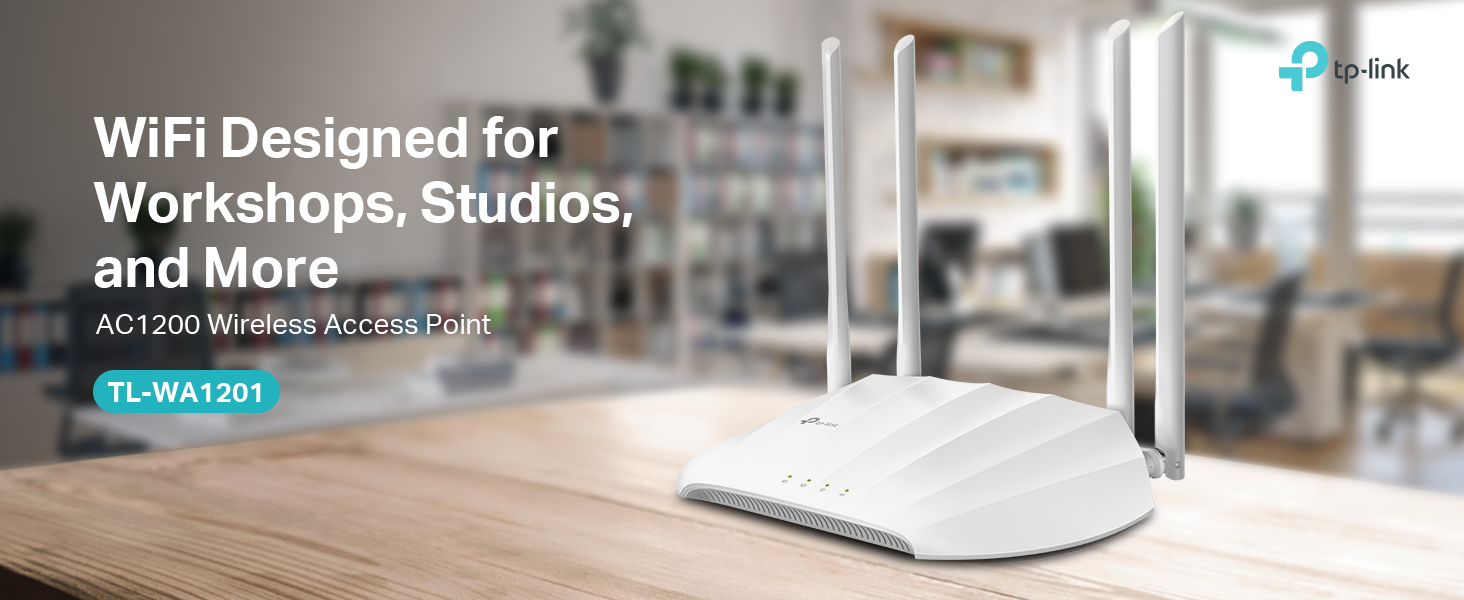
For those looking to upgrade or expand their wireless network without overhauling their entire setup, the TP-Link TL-WA1201 presents a compelling option. This dual-band AC1200 wireless gigabit access point is designed as a desktop or wall-mounted unit, offering a blend of modern WiFi technologies and operational flexibility. It targets home users needing to eliminate dead zones, small offices requiring separate guest networks, and tech enthusiasts who want to connect wired devices wirelessly. In short, the TL-WA1201 is a capable and adaptable networking tool that prioritizes reliable coverage and multi-device performance over cutting-edge speed standards.

As an access point, its primary job is to broadcast a WiFi signal, but its true value lies in its four distinct operational modes: Access Point, Multi-SSID, Range Extender, and Client. This versatility, combined with features like MU-MIMO and beamforming, allows it to solve a variety of common networking problems. Whether you’re extending an existing signal, creating separate networks for different users, or giving an old desktop PC wireless capabilities, this single device can handle the task. Its inclusion of Passive Power over Ethernet (PoE) simplifies installation by reducing cable clutter, making it a practical choice for clean setups.
Prime TP-Link TL-WA1201 AC1200 WiFi Access Point








As an Amazon Associate we earn from qualifying purchases. Product prices and availability are accurate as of the date/time indicated.
TP-Link TL-WA1201 at a Glance
| Specification | Details |
|---|---|
| Model | TL-WA1201 |
| WiFi Standard | 802.11ac Wave 2 (Dual-Band) |
| Maximum Speed | AC1200 (up to 1200 Mbps) |
| Key Technology | MU-MIMO, Beamforming |
| Operation Modes | Access Point, Multi-SSID, Range Extender, Client |
| Antennas | 4 Fixed External Antennas |
| Ethernet Port | 1 Gigabit LAN Port (PoE Powered) |
| Power Method | Passive PoE (Injector Included) |
| Security Protocols | WPA, WPA2, WPA-PSK, WPA-PSK2 |
| Special Features | Captive Portal, WPS, Multi-SSID/VLAN Support |
Design and Build
The TP-Link TL-WA1201 adopts a straightforward, functional design typical of desktop access points. It is a white rectangular unit with dimensions of approximately 8.86 inches long, 5.73 inches wide, and 1.46 inches high, and it weighs 0.3 kilograms. Its most prominent physical features are the four fixed external antennas, which are non-removable but can be adjusted to optimize signal direction. The build is designed for placement on a flat surface or mounting on a wall, offering flexibility in positioning to best suit the coverage area. The manufacturer does not list specific materials, but the construction appears aimed at durability for continuous operation in home or office environments.
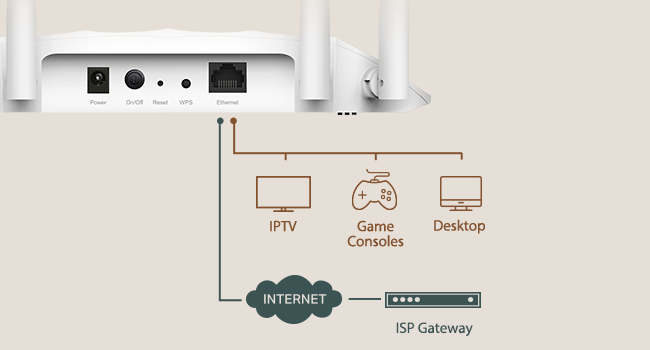
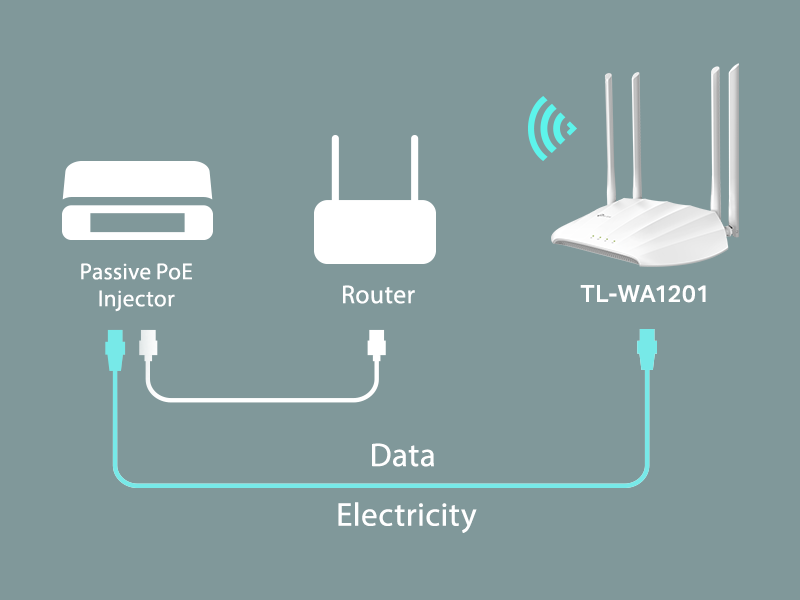
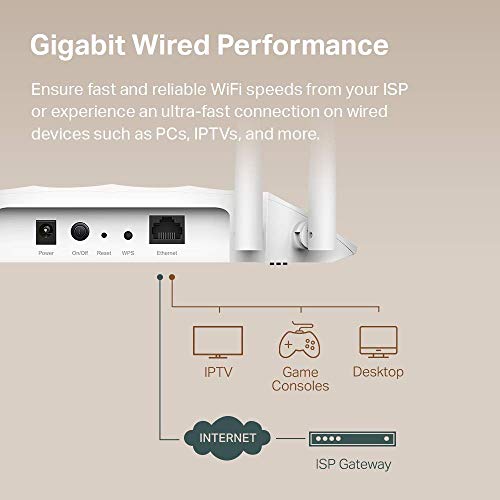
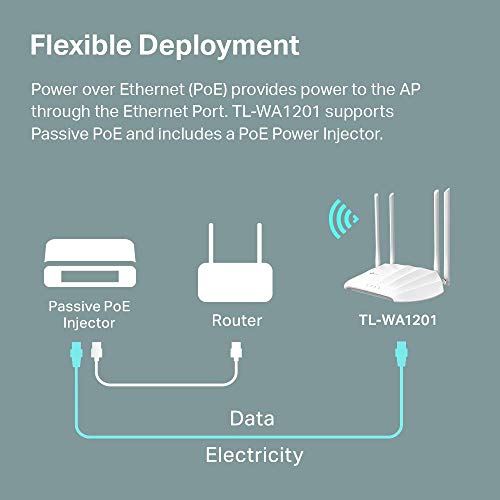
On the rear panel, you will find the single Gigabit Ethernet port. This port serves a dual purpose: it is the data connection to your network and, critically, it accepts Passive Power over Ethernet from the included injector. This design choice is a significant pro for installation neatness, as it allows the device to be powered through the same cable that carries data, eliminating the need for a separate power outlet at the AP’s location. However, it is a con for those hoping for standard ceiling tile mounting, as the desktop/wall-oriented form factor and reliance on the included injector make such installations less straightforward.
Performance and Features
Wireless Speed and Technology
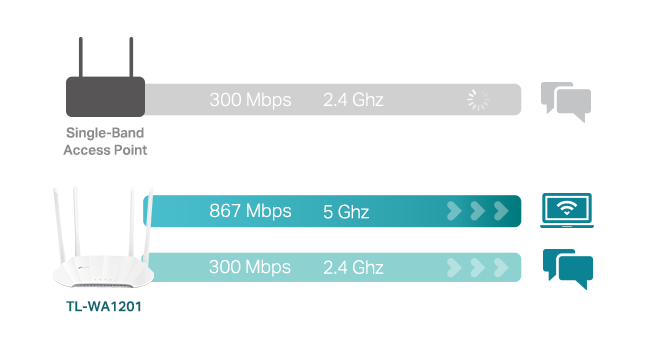
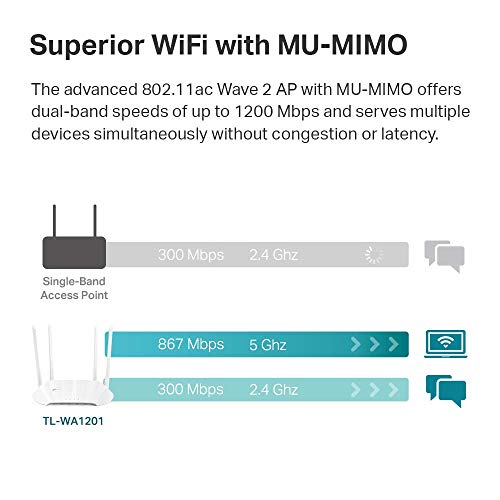
At its core, the TL-WA1201 is an AC1200-class device, meaning it operates on both the 2.4 GHz and 5 GHz frequency bands with a combined maximum theoretical data transfer rate of 1200 megabits per second. It supports the 802.11a, ac, b, g, and n wireless standards, ensuring compatibility with a wide range of older and modern devices. The standout performance feature is its support for MU-MIMO (Multi-User, Multiple-Input, Multiple-Output) technology, which is part of the 802.11ac Wave 2 standard. This allows the access point to communicate with multiple devices simultaneously rather than sequentially, reducing congestion and latency when several phones, laptops, or tablets are connected at once.
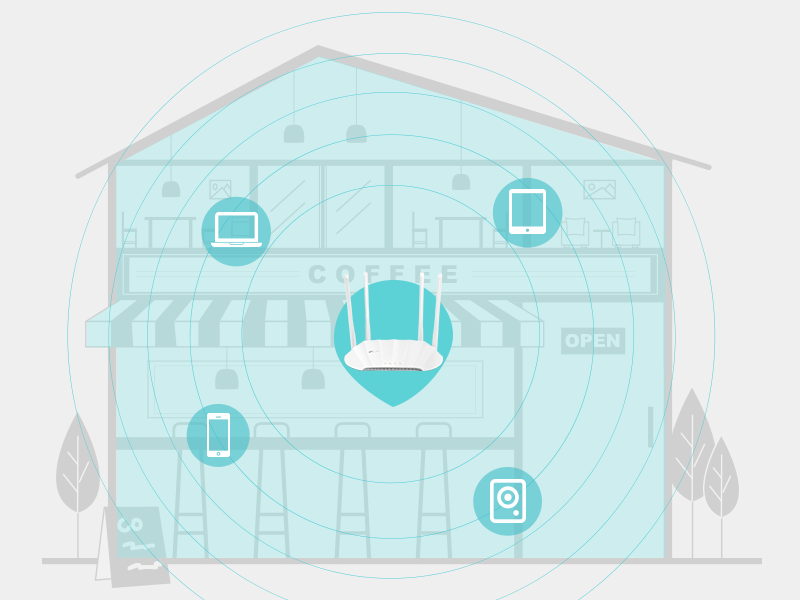
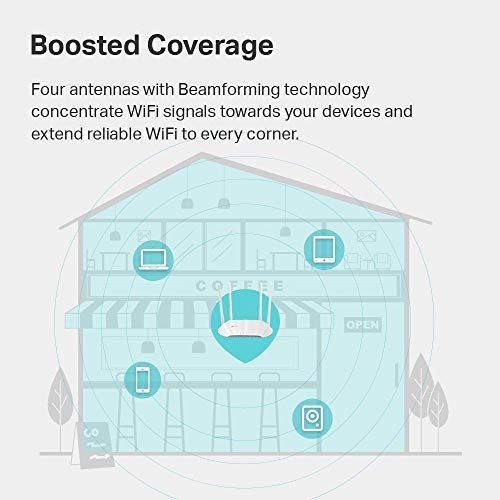
Complementing MU-MIMO is beamforming technology. This feature allows the device’s four antennas to focus and direct WiFi signals toward connected clients rather than broadcasting uniformly in all directions. The result is a more efficient and stronger connection to devices, particularly those at the edges of the coverage area, helping to extend reliable WiFi into distant corners. While the manufacturer claims “extensive coverage,” the actual range will depend on environmental factors like walls and interference.
Connectivity and Ports
Wired connectivity is handled by a single Gigabit Ethernet port with a bandwidth of 1000 Mbps. This port is crucial for the device’s primary function, as it connects to your main router or network switch to bring the internet connection to the access point. The gigabit capability ensures that the wired backbone is not a bottleneck, supporting fast internet plans and high-speed local network transfers. The port is also used for the Passive PoE power input. It’s important to note that the device requires the included PoE injector; it cannot be powered by a standard PoE switch without verifying voltage compatibility, as it uses a 12V DC passive standard.
Key Operational Modes
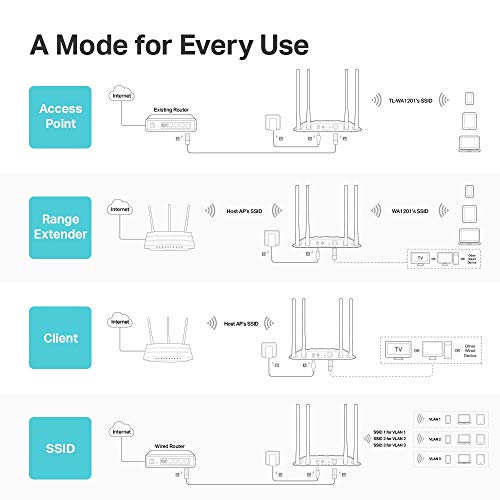
The “4-in-1” multi-mode functionality is arguably the TL-WA1201’s most defining feature, providing remarkable adaptability.
- Access Point Mode (Default): This is the standard mode, extending a wired network into a wireless one. You connect it via Ethernet to your router, and it creates a new WiFi network.
- Multi-SSID Mode: This mode allows the creation of up to four separate WiFi network names (SSIDs), each potentially on its own VLAN. This is ideal for small businesses wanting to segregate staff, guest, and IoT device traffic.
- Range Extender Mode: In this mode, the device wirelessly connects to an existing WiFi network and rebroadcasts it, extending the signal’s reach into areas with poor coverage.
- Client Mode: This turns the access point into a wireless adapter for a wired-only device, like a desktop PC, gaming console, or smart TV, connecting it to your home WiFi network.
Software and Security
The device runs on ZyNOS operating system and is configured via a web-based interface. A notable software feature for business or advanced home use is the Captive Portal. This provides a customizable login or splash page for guest networks, which can be used for authentication or even branding opportunities. For security, it supports modern protocols including WPA and WPA2 in both personal (PSK) and enterprise variants, offering a moderate to high level of firewall security. The WPS (Wi-Fi Protected Setup) button offers a simplified method for securely connecting compatible devices with a push of a button.
Setup, Support and Ownership
Setup is designed to be straightforward. The package includes the access point itself, a Passive PoE injector, an RJ45 Ethernet cable, a power adapter for the injector, and a quick installation guide. The PoE setup means you only need to run a single Ethernet cable from the injector (which is plugged into power and connected to your router) to the access point, simplifying cable management. The device can be placed on a desk or mounted on a wall. The manufacturer does not list specific details about firmware update processes or frequency, but the device is managed through its web interface where such options would typically be found.
TP-Link backs the TL-WA1201 with what they describe as an industry-leading limited lifetime protection warranty. This is a significant benefit, suggesting long-term confidence in the product’s reliability. They also provide free 24/7 technical support, which is a valuable resource for users who may encounter configuration challenges. There is no information provided about optional accessories or upgrade paths, indicating the device is intended as a standalone solution.
What Owners Say
Based on the available data, the TP-Link TL-WA1201 holds a high aggregate rating. This suggests that users who have purchased it are generally satisfied with its performance and value. While specific review excerpts are not provided, a rating of this level typically correlates with positive feedback on reliability, ease of use for basic setup, and effectiveness in extending WiFi coverage as advertised. The lack of detailed user experiences in the provided data means potential buyers should consider the high rating as a strong indicator of user satisfaction, but may want to seek out more granular reviews for insights into specific use cases or potential quirks.
Pros and Cons
Pros
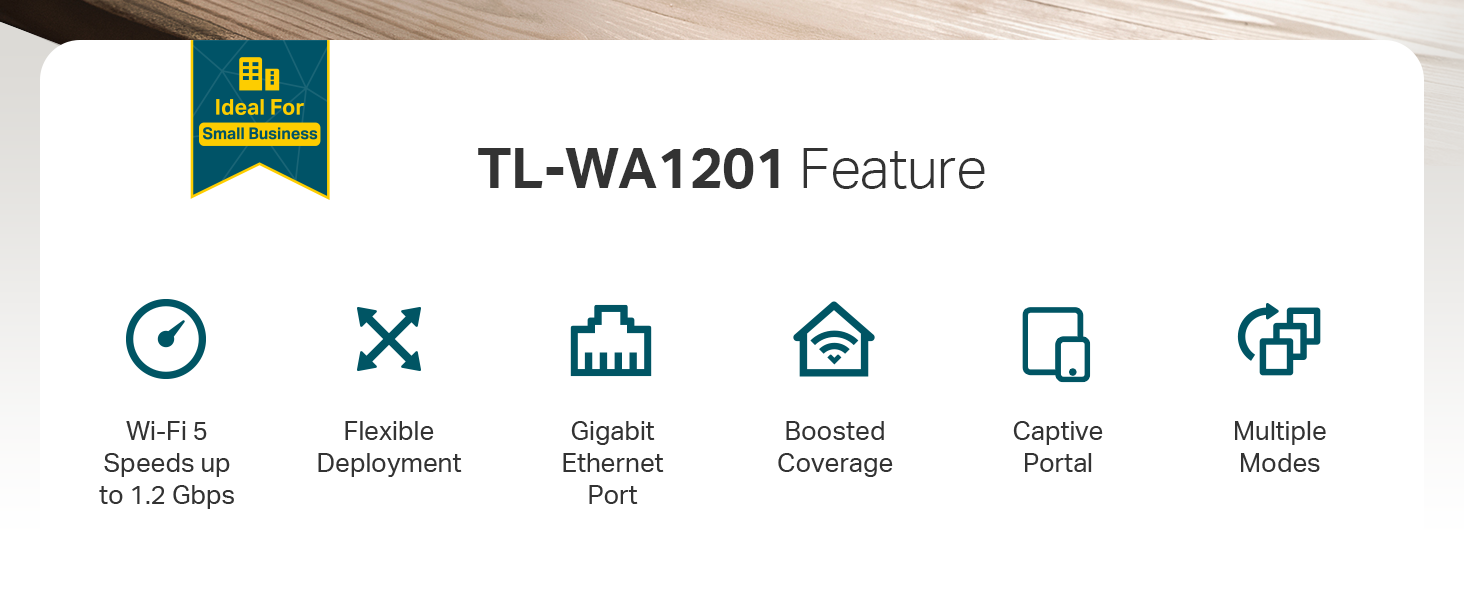
- Versatile 4-in-1 operation mode adapts to diverse networking needs.
- Beamforming and four external antennas provide boosted, focused coverage.
- MU-MIMO technology handles multiple devices simultaneously without slowdowns.
- Gigabit Ethernet and included PoE enable fast, flexible, and clean deployment.
- User-friendly captive portal is excellent for creating managed guest networks.
- Strong manufacturer support with limited lifetime protection and 24/7 tech help.
Cons
- Requires the included PoE injector for power, adding an extra device to manage.
- AC1200 speeds are capable but lag behind newer WiFi 6/6E standards.
- Desktop/wall mount design is not optimized for ceiling tile installations.
- Fixed antennas cannot be upgraded or replaced with higher-gain models.
- Single Ethernet port limits direct wired connections.
- Passive PoE may not be compatible with some existing PoE switch infrastructure.
Who Should Buy It (and Who Should Skip It)
The TP-Link TL-WA1201 is an ideal purchase for home users struggling with WiFi dead zones who want a simple, powerful extender or access point. It’s also perfectly suited for small office or home office environments where creating separate networks for guests, staff, or IoT devices is necessary, thanks to its Multi-SSID mode. Tech-savvy users looking to connect a wired device like a printer or PC to a wireless network will find the Client mode invaluable. Its blend of features offers great value for those seeking reliable AC1200-era performance and operational flexibility without needing the latest WiFi 6 speeds.
This device is not the best choice for users who require the absolute fastest wireless speeds available, as WiFi 6 access points will outperform it in dense, high-bandwidth environments. Those specifically looking for a ceiling-mounted access point for a dropped-tile office should consider models designed for that form factor. Additionally, users with advanced networking needs who require multiple wired ports or sophisticated VLAN routing beyond basic SSID separation might find its single port and feature set limiting.
Final Verdict
The TP-Link TL-WA1201 successfully carves out a niche as a highly adaptable and reliable wireless networking tool. Its strength isn’t in being the fastest or the flashiest, but in being remarkably useful. The four operation modes cover a wide spectrum of common needs, from basic coverage extension to creating segmented business networks. Features like MU-MIMO and beamforming ensure that the performance it does offer is efficient and stable, even with multiple connected devices. The inclusion of PoE powering is a thoughtful touch that greatly simplifies installation aesthetics and flexibility.
While it may not represent the cutting edge of WiFi technology, it represents a very mature and well-executed version of the previous generation. For anyone needing to solve a coverage problem, add wireless capability to a wired device, or neatly organize a small network, the TL-WA1201 delivers excellent functionality. Backed by strong manufacturer support, it’s a low-risk, high-reward solution for expanding your network’s reach and capabilities. For more insights on optimizing your tech setup, explore our guides on the best monitors for immersive workspaces or essential cybersecurity resources.
FAQs
What is the difference between Access Point mode and Range Extender mode?
In Access Point mode, the TL-WA1201 connects to your network via an Ethernet cable from your main router. It then creates a new, independent WiFi network. This typically provides the most stable and high-performance result. In Range Extender mode, the device connects wirelessly to your existing router’s WiFi signal and rebroadcasts it, extending the range without a cable. This is easier to place but can sometimes reduce overall speed due to the wireless backhaul.
Can I power the TL-WA1201 with a standard PoE network switch?
The device uses Passive Power over Ethernet at 12V DC. It is powered by the included PoE injector. Using a standard 802.3af/at PoE switch may not work and could damage the unit unless the switch specifically supports passive 12V PoE or you use a compatible adapter. It is safest to use the provided injector or verify compatibility with your switch’s specifications.
How many separate WiFi networks can I create with Multi-SSID mode?
The TP-Link TL-WA1201 supports the creation of up to four separate SSIDs (Service Set Identifiers) in Multi-SSID mode. This means you can have four different WiFi network names broadcasting from this single device, each with its own password and security settings. This is ideal for separating traffic for different purposes, such as main, guest, IoT, and staff networks.
Is the TL-WA1201 suitable for outdoor use?
No, the manufacturer lists the antenna location as “Home,” and there is no mention of any weatherproofing or ruggedized design in the specifications. The TL-WA1201 is designed for indoor use in homes or offices. Using it outdoors would expose it to elements it is not built to withstand and would likely void the warranty. For more gear designed for specific environments, check out our Tech Gear section.
About the author

Elvis Dicki writes reviews and buying guides for CyberSecLabs.