TP-Link Deco S4(2-pack) Review: A Seamless Mesh for Homes Up to 3,800 Sq Ft
The TP-Link Deco S4(2-pack) mesh WiFi system delivers strong, reliable coverage across large areas, eliminating dead zones with a single network name and robust parental controls, making it ideal for multi-device households.
 By Elvis Dicki
Updated October 21, 2026
By Elvis Dicki
Updated October 21, 2026
The TP-Link Deco S4(2-pack) is a dual-band AC1900 whole home mesh WiFi system designed to blanket spaces up to 3,800 square feet with a seamless wireless network. It targets households plagued by dead zones, users frustrated by managing multiple network names with traditional extenders, and families seeking an easy-to-manage solution with parental controls. In essence, this system replaces a standalone router and extenders with a unified mesh that promises stable connections and simple app-based management.

This review analyzes the TP-Link Deco S4 based on its specifications, features, and aggregated user feedback to determine if it lives up to its promise of being a “WiFi Dead-Zone Killer.” We will examine its design, performance capabilities, setup process, and overall value proposition for typical home users.
TP-Link Deco S4 AC1900 Whole Home Mesh WiFi System












As an Amazon Associate we earn from qualifying purchases. Product prices and availability are accurate as of the date/time indicated.
TP-Link Deco S4(2-pack) at a Glance
| Specification | Detail |
|---|---|
| WiFi Standard | Wi-Fi 5 (802.11a/b/g/n/ac) |
| Total Speed (AC1900) | Combined up to 1900 Mbps |
| Coverage (2-Pack) | Up to 3,800 sq. ft. |
| Number of Units | 2 |
| Ethernet Ports per Unit | 2 Gigabit ports |
| Supported Devices | Up to 75 devices |
| Key Feature | Seamless Roaming with Single SSID |
| Special Feature | Access Point Mode |
| Control Method | App (Android/iOS), Voice (Alexa) |
| Security Protocol | WPA-PSK, WPA2-PSK |
Design and Build
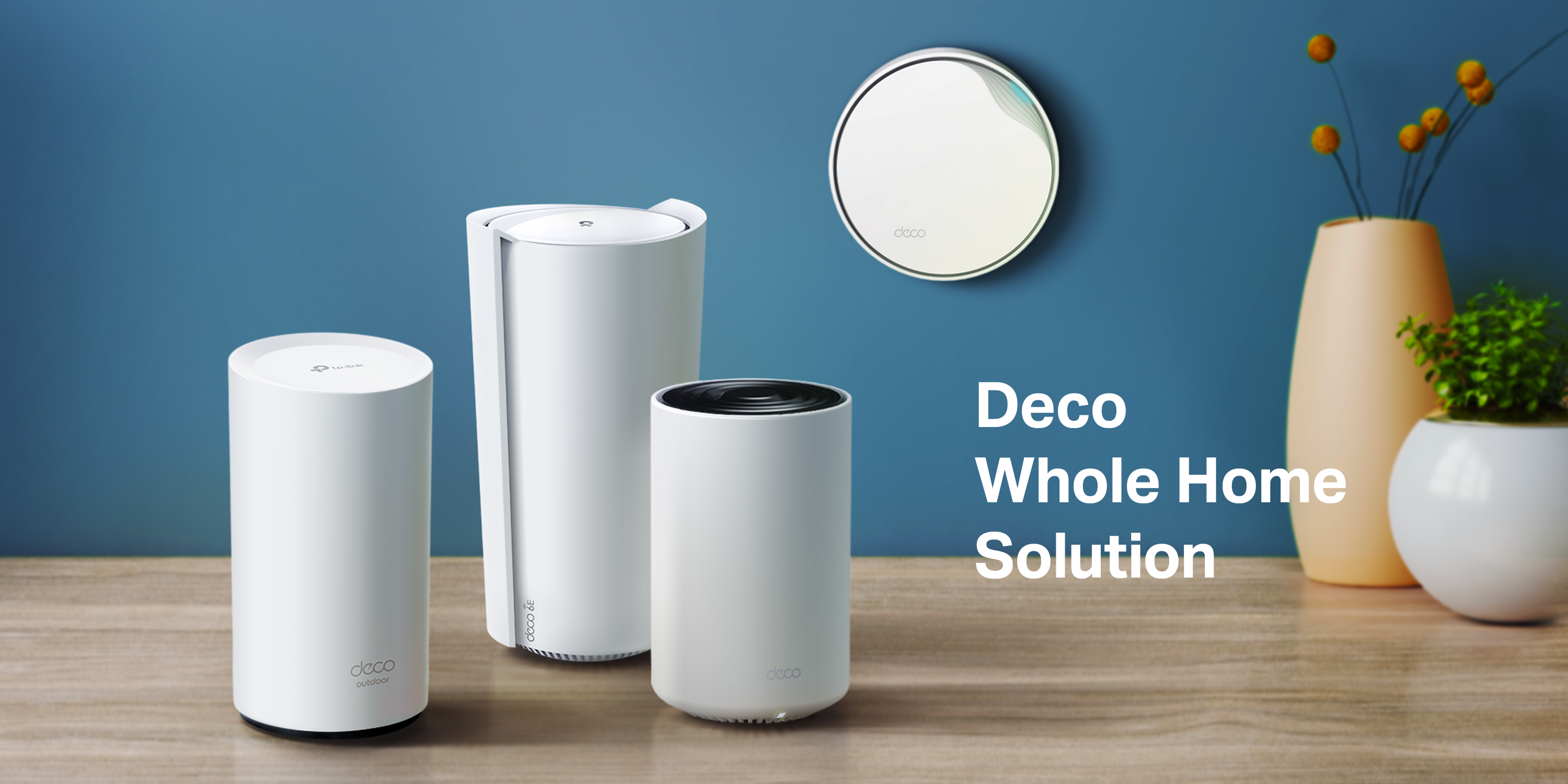
The TP-Link Deco S4 units feature a compact, cylindrical design measuring 3.57 inches in diameter and 6.39 inches in height, available in black or white. This minimalist aesthetic allows them to blend discreetly into most home decors, sitting on a shelf or side table without the conspicuous antenna arrays of traditional routers. Each unit houses internal antennas and two Gigabit Ethernet ports on the back, providing connectivity for wired devices like desktop PCs, gaming consoles, or network-attached storage. The included components are two Deco S4R units, one RJ45 Ethernet cable, two power adapters, and a quick installation guide. The build quality, as indicated by user feedback, is sufficient for stationary home use.
Performance and Features
Coverage and Mesh Technology
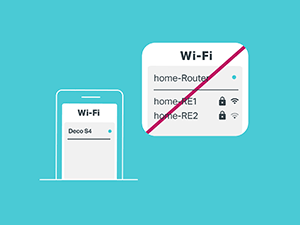
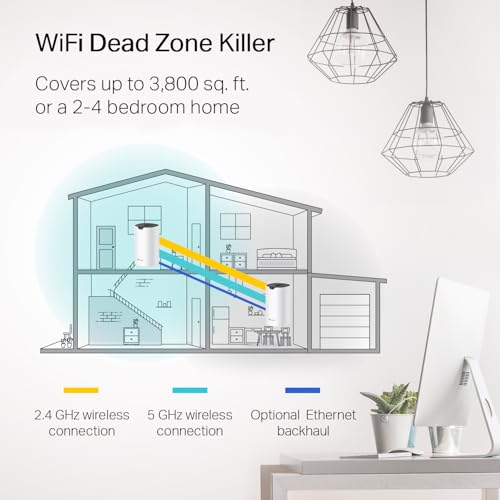
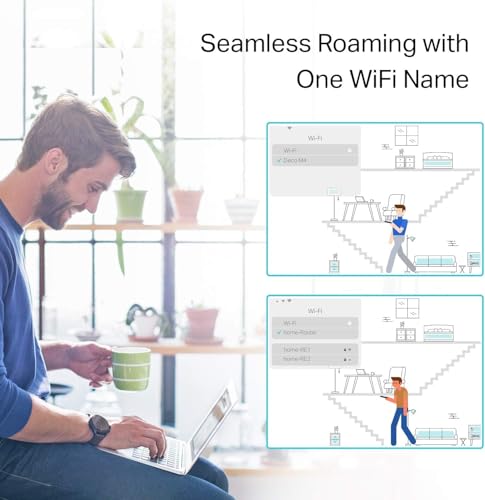
The core promise of the TP-Link Deco S4 Whole Home Mesh WiFi System is to eliminate dead zones. The two-unit system employs TP-Link’s Deco Mesh technology to create a unified network covering up to 3,800 square feet. The system uses a combination of wireless connections and optional wired Ethernet backhaul to link the units, aiming to provide stable coverage throughout the designated area. A key feature is seamless roaming, where all units broadcast a single network name (SSID). As devices move through the home, they automatically switch to the Deco unit with the strongest signal, preventing manual reconnection and drop-offs. The system also includes self-healing network capabilities, which reroute traffic if one unit loses power or experiences a disruption.
Speed and Connectivity
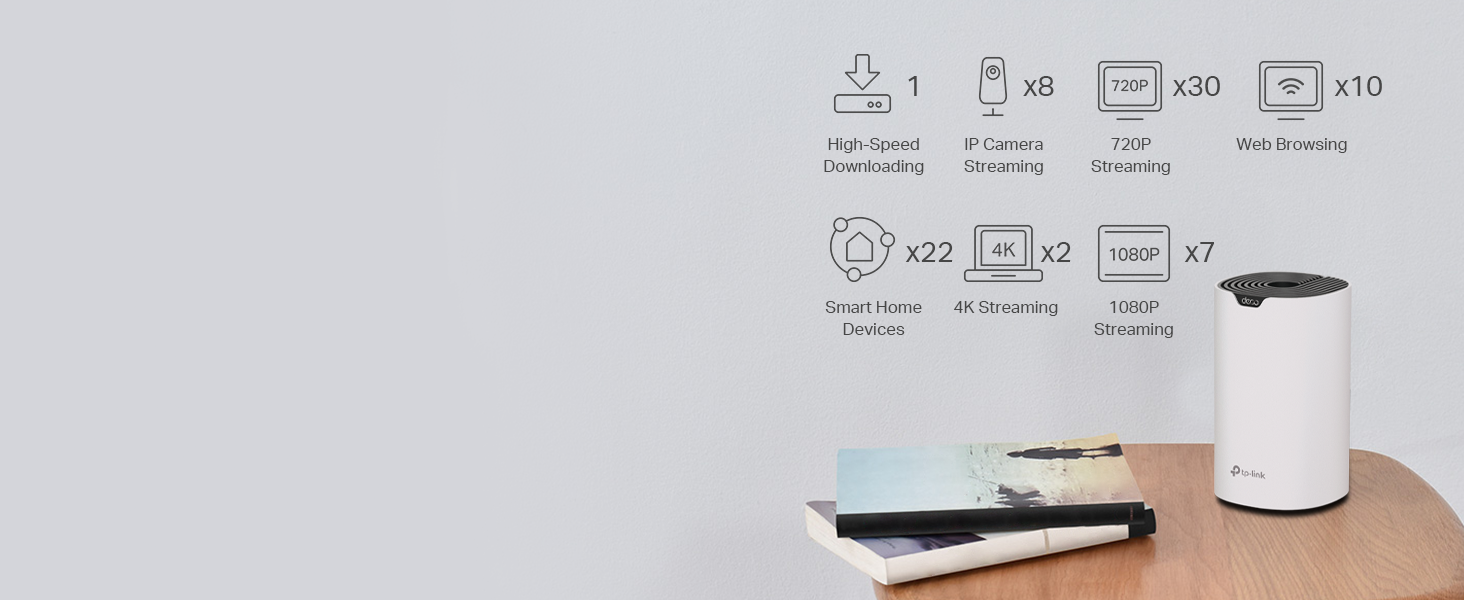
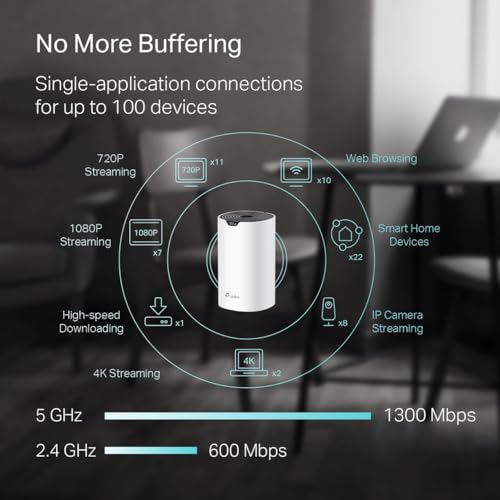
As an AC1900 Wi-Fi 5 system, the Deco S4 offers combined speeds up to 1900 Mbps across its dual bands. This speed is designed to support simultaneous streaming, gaming, and browsing on up to 75 connected devices, aiming to reduce buffering and network congestion. Each unit’s two Gigabit Ethernet ports offer flexibility: they can be used to connect wired devices directly or to establish a wired backhaul between Deco units for potentially faster and more stable inter-node communication. The system is compatible with all major internet service providers but requires a separate modem for most setups.
Software and Security
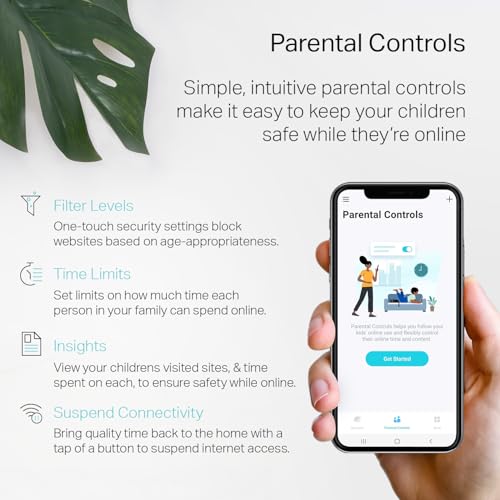
Management is handled entirely through the Deco app for Android and iOS devices. The app facilitates the initial setup and provides ongoing control over the network. A standout software feature is the robust parental controls, which allow the creation of unique profiles for family members. These profiles can be used to filter inappropriate websites, set daily time limits for internet access, and schedule pause times for the entire network or specific devices. Guest WiFi can be managed through the app or turned on/off using Alexa voice commands. The system supports WPA-PSK and WPA2-PSK security protocols.
Operational Modes
The Deco S4 offers operational flexibility. It can function as the primary router for your network or be switched to Access Point Mode if you already have a router you wish to keep. This makes it suitable for various network configurations, whether integrating into an existing setup or building a new one from scratch.
Setup, Support and Ownership
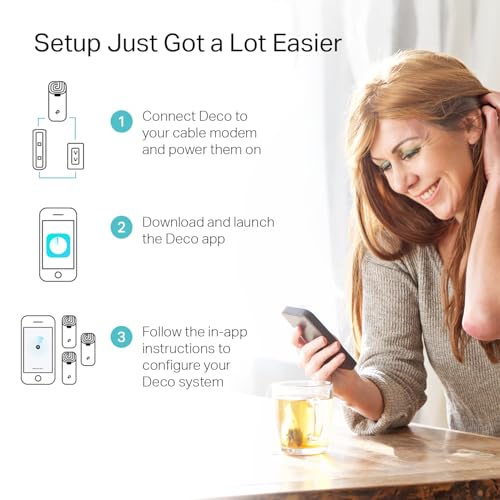
Setup is described as straightforward via the Deco app, guiding users through placement and configuration in minutes. The system is designed for expansion; if the 3,800 sq. ft. coverage from the two-pack is insufficient, additional Deco units can be added to the mesh to extend coverage further. The manufacturer provides a 2-year warranty. Firmware updates are delivered through the app to maintain performance and security. Ownership is largely app-centric, offering remote management but may lack the deep configuration options preferred by advanced users. The system works with internet providers like AT&T, Verizon, and Xfinity, but a modem is required.
What Owners Say
Owner feedback, reflected in a high rating distribution where the vast majority of reviews are positive, strongly supports the system’s core value propositions. Users consistently praise the Deco S4 for effectively eliminating WiFi dead zones in large homes, including multi-story and brick/plaster wall constructions where signals traditionally struggle. The seamless roaming, where devices automatically switch between nodes without disconnection, is frequently highlighted as a major improvement over traditional router-and-extender setups. Many note the setup process is exceptionally easy via the app. The parental controls are appreciated by families. Some professional installers even commend its performance in challenging, large property deployments. Critical feedback from a minority of users points to the app-centric management lacking advanced controls, and some note that optimal performance depends on careful unit placement. A few mention that while the AC1900 speed is sufficient for most, it does not offer the newer Wi-Fi 6 standard.
Pros and Cons
Pros
- Eliminates dead zones with strong, seamless coverage up to 3,800 sq. ft.
- Easy setup and management through the intuitive Deco mobile app.
- Robust parental controls with customizable profiles and time limits.
- Supports a large number of devices (up to 75) simultaneously.
- Flexible operation in either router or access point mode.
- Self-healing mesh network maintains connectivity.
Cons
- Requires a separate modem for most internet service providers.
- Uses Wi-Fi 5 (AC) standard, not the newer, faster Wi-Fi 6.
- Coverage may require additional units for homes larger than 3,800 sq. ft. or with dense walls.
- Management is primarily app-based, which may lack advanced configuration options for power users.
- Performance can be influenced by the distance and obstacles between the placed units.
- Some users report a desire for more granular control over network settings.
Who Should Buy It (and Who Should Skip It)
The TP-Link Deco S4(2-pack) is an excellent choice for homeowners living in spaces up to 3,800 square feet who struggle with WiFi dead zones and want a simple, unified solution. It’s ideal for families who need reliable coverage for many devices—from phones and laptops to smart home gadgets—and who will benefit from the built-in parental controls. Users who value easy, app-driven setup and management over complex router interfaces will find it a great fit. It also suits those looking to upgrade from a patchwork of routers and extenders to a seamless mesh system. For more insights on routers suited for large homes, see our guide on the best routers for large homes.
This system may not be the best choice for users with gigabit internet connections seeking to maximize wired and wireless speeds, as Wi-Fi 5 may bottleneck future-proof performance; consider our roundup of the best routers for gigabit internet. Tech enthusiasts or network professionals who require deep, manual configuration options beyond what the app offers might find it limiting. Those with homes significantly larger than 3,800 square feet should be prepared to purchase additional units. Users who already own a Wi-Fi 6 compatible router and devices may prefer a mesh system that supports the newer standard.
Final Verdict
The TP-Link Deco S4(2-pack) successfully delivers on its primary mission: providing strong, whole-home WiFi coverage that eliminates dead zones with minimal hassle. Its strengths lie in the effective mesh technology that enables seamless roaming, the user-friendly app with valuable parental controls, and the ability to handle numerous devices. For the majority of households with typical internet usage patterns—streaming, browsing, gaming, and smart home connectivity—this system offers a significant upgrade over traditional networking gear.
However, it is important to acknowledge its position in the market. As a Wi-Fi 5 system, it does not represent the latest generation of wireless technology, which may be a consideration for those looking to future-proof their network. Its performance is also dependent on strategic unit placement within the home. Despite these caveats, for its intended purpose and based on extensive positive user feedback, the Deco S4 stands as a reliable and highly-rated solution that simplifies whole-home WiFi. It represents a solid step into mesh networking for those seeking to solve coverage problems without complexity. For those exploring other compact networking solutions, you might also be interested in our look at fanless mini PCs for quiet home office setups.
FAQs
Does the TP-Link Deco S4 replace my modem?
No, the Deco S4 does not replace your modem. For most internet service providers, you will need to connect the main Deco unit to an existing modem provided by your ISP or a compatible third-party modem. The Deco S4 functions as a router and mesh system.
Can I use the Deco S4 with my existing router?
Yes, you can. The Deco S4 has an Access Point Mode. In this mode, you can disable the routing functions of your existing router or put it into bridge mode and use the Deco S4 units purely to create a mesh WiFi network, extending coverage while using your old router for network management.
How many devices can the Deco S4 handle?
According to the manufacturer’s specifications, the Deco S4 mesh system is capable of providing connectivity for up to 75 devices simultaneously. This includes smartphones, tablets, laptops, smart TVs, gaming consoles, and smart home devices.
What is the difference between the Deco S4 and a WiFi extender?
The key difference is in network management and roaming. A traditional WiFi extender often creates a separate network name (SSID), forcing you to manually switch between networks as you move. The Deco S4 mesh system creates a single, unified network. All units share one SSID, and your devices automatically connect to the unit with the best signal as you move through your home, providing a seamless experience without manual intervention.
About the author

Elvis Dicki writes reviews and buying guides for CyberSecLabs.