TP-Link Deco M5(3-pack) Review: Seamless Whole-Home Mesh for Busy Households
The TP-Link Deco M5 3-pack mesh system blankets large homes in stable WiFi with excellent coverage and integrated security, though it's best suited for internet speeds up to 450Mbps.
 By Elvis Dicki
Updated October 20, 2026
By Elvis Dicki
Updated October 20, 2026
For households plagued by WiFi dead zones and complex router-extender setups, a mesh system can be a game-changer. The TP-Link Deco M5(3-pack) aims to simplify home networking by offering extensive coverage, seamless roaming, and built-in security features in one package. Designed for users ready to move beyond a traditional single router, this three-unit mesh system promises to eliminate connectivity headaches for large homes filled with devices.

This review analyzes the Deco M5’s specifications, features, and user feedback to determine if it delivers on its promise of reliable, whole-home WiFi. The bottom line: it’s a strong contender for families and remote workers needing robust coverage and easy management, particularly if top-tier internet speeds are not the primary requirement.
Prime TP-Link Deco M5 3-Pack AC1300 Mesh WiFi System










As an Amazon Associate we earn from qualifying purchases. Product prices and availability are accurate as of the date/time indicated.
TP-Link Deco M5(3-pack) at a Glance
| Specification | Detail |
|---|---|
| Coverage | Up to 5,500 sq. ft. |
| Supported Devices | 100+ |
| Wi-Fi Standard | Wi-Fi 5 (802.11ac) |
| Data Transfer Rate | Up to 1300 Mbps |
| Frequency Bands | Dual-Band (2.4 GHz & 5 GHz) |
| Ethernet Ports (Total 3-pack) | 6 Gigabit Ports (2 per unit) |
| Security & Features | Lifetime HomeCare (Antivirus, Parental Controls, QoS) |
| Smart Home Control | Works with Alexa |
| Control Method | TP-Link Deco App |
| Special Feature | Access Point Mode, Ethernet Backhaul Support |
Design and Build
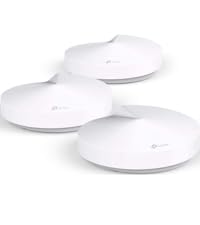
The TP-Link Deco M5 units feature a compact, low-profile cylindrical design meant to blend into home decor rather than stand out as technical gear. Each unit measures 4.7 by 4.7 by 1.5 inches, making them easy to place on shelves, side tables, or desks. The all-white finish and lack of external antennas contribute to a clean aesthetic. The build quality, as inferred from user reviews, is described as solid, with no major complaints about physical durability. The package includes three Deco M5 units, three power supplies, and one Ethernet cable, providing the essentials for setup out of the box.
Performance and Features
Coverage and Seamless Roaming
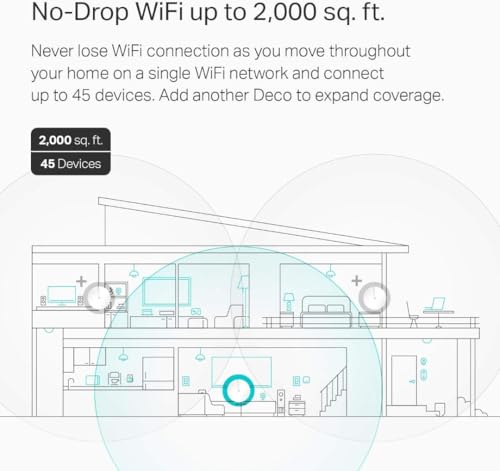
The core promise of the Deco M5 system is to deliver seamless WiFi coverage across a large area. Using three units working together in a mesh network, it is designed to cover homes up to 5,500 square feet. A key feature highlighted by the manufacturer is the single network name and password across all nodes, which facilitates seamless roaming. As you move through your home, your device should automatically connect to the strongest node without dropping the connection or requiring manual reconnection. This is a significant advantage over traditional range extenders, which often create separate, weaker networks. The system’s Adaptive Routing Technology is designed to automatically select the fastest path for data for each connected device, aiming to optimize performance based on placement and network congestion.
Connectivity and Ports
Each Deco M5 unit is equipped with two Gigabit Ethernet ports, totaling six ports across the three-pack. These ports support WAN/LAN auto-sensing, meaning any unit can function as the primary router connected to your modem. This flexibility is useful for placement optimization. Furthermore, the system supports Ethernet backhaul, a feature where you can use Ethernet cables to connect the satellite units to the main unit. This can create a more stable and potentially faster backbone for the mesh network compared to a purely wireless connection, which is beneficial for homes with existing Ethernet wiring or for placement in areas where wireless backhaul signals might be weak.
Security and Management Software
One of the standout features of the Deco M5 is the inclusion of a free lifetime subscription to TP-Link HomeCare. This suite bundles several valuable tools: a built-in antivirus designed to protect all connected devices from online threats, robust parental controls, and Quality of Service (QoS) management. The parental controls allow for creating individual profiles, setting time limits, filtering content by age group, and manually blocking specific apps or websites. QoS lets you prioritize traffic from specific devices or applications, which can be crucial for ensuring smooth video calls or gaming when the network is busy. All management is performed through the TP-Link Deco app, which provides an intuitive interface for setup, monitoring, and adjusting these settings from anywhere.
Wi-Fi Technology Considerations
It is important to note that the Deco M5 utilizes Wi-Fi 5 (802.11ac) technology. While this standard is capable and reliable, it is the generation preceding the newer Wi-Fi 6 and Wi-Fi 6E standards. The manufacturer notes that the system is best suited for internet plans up to 450Mbps. For households with gigabit or faster internet subscriptions, this could represent a bottleneck, as the mesh system may not be able to deliver the full speed from your internet service provider to your wireless devices. For many users with moderate-speed plans, however, Wi-Fi 5 remains perfectly adequate.
Setup, Support and Ownership
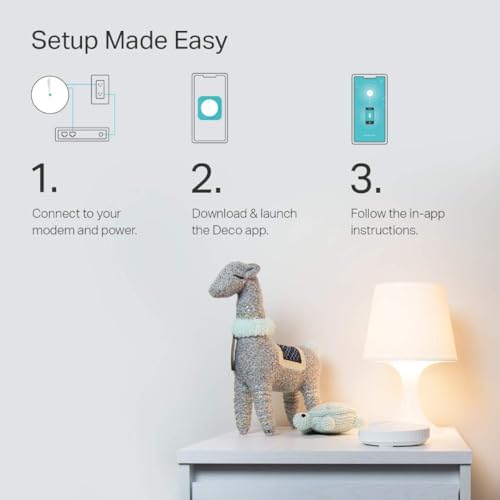
Setup is consistently praised in user reviews as exceptionally straightforward. The process is app-driven: you download the TP-Link Deco app, plug in the units, and follow the on-screen instructions. The app guides you through identifying the main unit, connecting it to your modem, and then adding the satellite units. The entire process is reported to take just minutes. The system is compatible with all major internet service providers, though a separate modem is required for most. For expandability, additional Deco units (including other models in the Deco lineup) can be added to the network to increase coverage further. TP-Link provides a 2-year limited warranty for the Deco M5. Ongoing support and firmware updates are managed through the app, though the long-term update policy is not detailed in the provided specifications.
What Owners Say
Owner feedback for the TP-Link Deco M5 is overwhelmingly positive, reflected in its high average rating. A significant majority of reviewers award it top marks, with common praise centered on its ability to solve persistent WiFi coverage problems. Users frequently highlight the “easy setup” and “rock solid performance” that eliminated dead zones and streaming interruptions in homes up to 4,500 square feet. Many note it successfully handles high-demand environments with multiple users video conferencing, streaming, and gaming simultaneously. The seamless roaming and single network name are repeatedly mentioned as major quality-of-life improvements over previous router-extender setups. The integrated features like parental controls and the antivirus are also appreciated. The critical feedback tends to focus on users with very high-speed internet plans who find the Wi-Fi 5 technology limits their maximum throughput.
Pros and Cons
Pros
- Exceptional whole-home coverage eliminates dead zones.
- Extremely user-friendly app setup process.
- Seamless roaming with a single network name.
- Comprehensive security suite with lifetime antivirus and parental controls.
- Flexible placement with Ethernet backhaul support.
- Reliably handles high numbers of connected devices.
Cons
- Wi-Fi 5 technology may bottleneck gigabit+ internet plans.
- Best performance is for internet speeds up to 450Mbps.
- Lacks some advanced router settings for power users.
- Requires a separate modem for most installations.
Who Should Buy It (and Who Should Skip It)
The TP-Link Deco M5(3-pack) is an ideal choice for households in large homes (up to 5,500 sq. ft.) that struggle with WiFi dead zones and want a simple, unified solution. It’s perfectly suited for families who value built-in parental controls and security, as well as remote workers or households with many concurrent users who need stable connectivity for video calls and streaming. If your primary goal is to blanket your entire living space in reliable WiFi without technical hassle, this system delivers.
However, you should consider other options if you have a gigabit or faster internet connection and want to maximize wireless speeds, as the Wi-Fi 5 standard may not fully utilize your bandwidth. Power users who require deep, granular control over advanced networking settings typically found in traditional routers might also find the Deco app’s feature set limiting. For those needs, exploring systems designed for gigabit internet or more configurable platforms may be better.
Final Verdict
The TP-Link Deco M5 3-pack mesh system successfully achieves its core mission: providing expansive, reliable, and easy-to-manage WiFi for the modern, device-filled home. Its strength lies in the seamless user experience from setup to daily use, bolstered by valuable integrated features like lifetime antivirus and robust parental controls. For the majority of users with large homes and standard to high-speed internet plans (not ultra-fast gigabit), it represents a significant upgrade over traditional networking gear.
While its Wi-Fi 5 technology places it a generation behind the latest systems, this also positions it as a cost-effective and proven solution. The overwhelmingly positive owner reviews testify to its effectiveness in real-world conditions. For anyone tired of WiFi woes and seeking a “set it and forget it” whole-home solution, the Deco M5 is a compelling and highly recommended choice. It exemplifies how mesh technology can simplify home networking without sacrificing performance or security for typical household demands. If your needs extend to even larger spaces, consider reading about options designed for the biggest homes.
FAQs
Does the TP-Link Deco M5 replace my modem?
No, the Deco M5 does not have a built-in modem. It is a router and mesh WiFi system. For most internet service providers, you will need to connect the main Deco unit to a separate modem (often provided by your ISP) using the included Ethernet cable. The system is compatible with modems from all major providers.
Can I use Ethernet cables to connect the Deco units?
Yes. Each Deco M5 unit has two Gigabit Ethernet ports, and the system supports Ethernet backhaul. This means you can connect the satellite units to the main unit using Ethernet cables instead of relying solely on a wireless connection. This can improve stability and speed, especially in homes with existing wiring or challenging layouts.
What is included in the lifetime HomeCare subscription?
The free lifetime HomeCare subscription includes several features: a built-in antivirus to protect connected devices from online threats, robust parental controls for creating profiles and setting time/content limits, and Quality of Service (QoS) tools to prioritize traffic for specific devices or applications. There is no recurring fee for these features.
Is the Deco M5 compatible with other TP-Link Deco models?
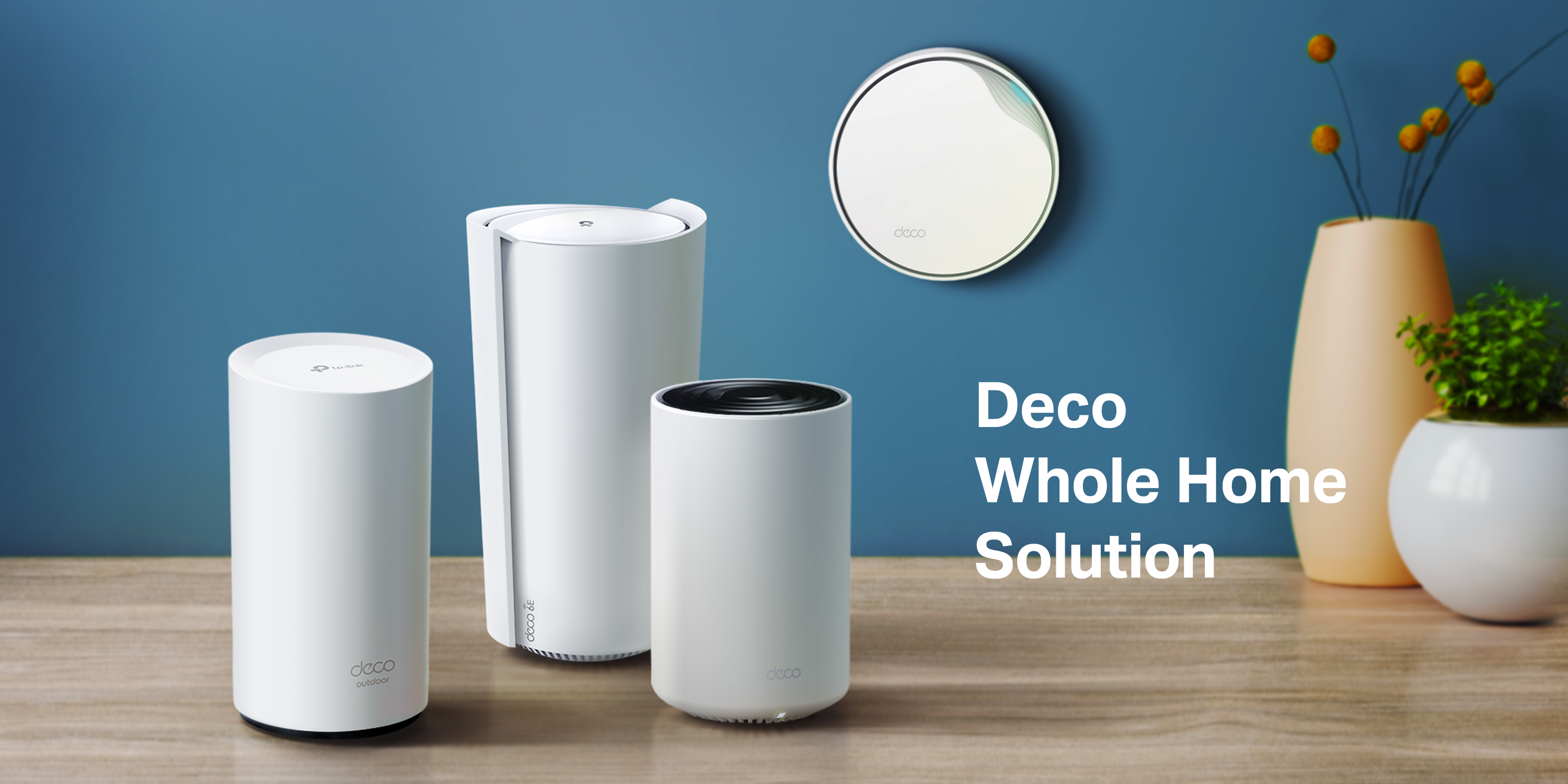
According to the manufacturer’s description, “All TP-Link Deco Mesh WiFi can work together.” This suggests you can expand your network by adding units from other Deco model lines, though for optimal performance, mixing models may have limitations. It’s generally recommended to check specific compatibility within the TP-Link Deco app when adding nodes. For those interested in different device ecosystems, our guides on compact computing solutions may also be of interest.
About the author

Elvis Dicki writes reviews and buying guides for CyberSecLabs.