TP-Link Archer AX55 Review: Whole-Home Wi-Fi 6 Coverage with VPN Support
The TP-Link Archer AX55 delivers strong Wi-Fi 6 performance across multiple devices with robust security features, though its mesh expansion requires a compatible extender.
 By Elvis Dicki
Updated October 20, 2026
By Elvis Dicki
Updated October 20, 2026
In the crowded market of home networking, the TP-Link Archer AX55 presents itself as a dual-band Wi-Fi 6 router designed for households seeking faster speeds and reliable coverage. It targets users who need to support numerous simultaneous connections, from streaming 4K video to online gaming, without sacrificing performance. This router promises next-generation AX3000 speeds, enhanced security via HomeShield, and the flexibility of EasyMesh compatibility for future expansion. For those upgrading from older Wi-Fi standards or consolidating a cluttered network setup, the Archer AX55 aims to be a central hub that balances performance with essential security.

The bottom line up front is that the TP-Link Archer AX55 is a capable Wi-Fi 6 router that excels in providing stable, multi-device performance and whole-home coverage, backed by useful security features, though it functions purely as a router and requires a separate modem for an internet connection.
TP-Link Archer AX55 AX3000 Wi-Fi 6 Router



As an Amazon Associate we earn from qualifying purchases. Product prices and availability are accurate as of the date/time indicated.
TP-Link Archer AX55 at a Glance
| Specification | Details |
|---|---|
| Wi-Fi Standard | Wi-Fi 6 (802.11ax) |
| Dual-Band Speeds | AX3000 (2402 Mbps on 5 GHz, 574 Mbps on 2.4 GHz) |
| Antennas | 4 Fixed External Antennas |
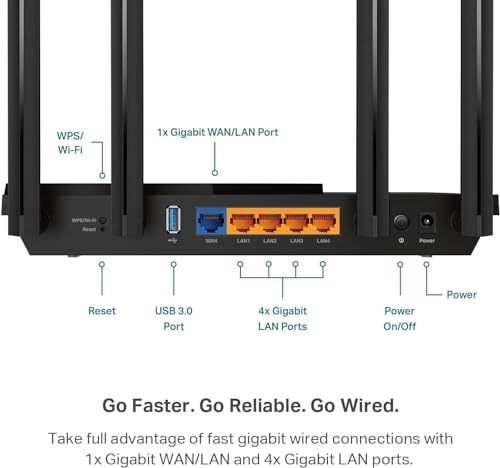
| Ports | 5 x Gigabit Ethernet (1 WAN, 4 LAN), 1 x USB 3.0 |
| Security | WPA3, TP-Link HomeShield (Basic features free) |
| Key Technologies | OFDMA, MU-MIMO, Beamforming, Target Wake Time |
| Compatibility | EasyMesh, Works with all major ISPs, Alexa |
| Setup & Control | TP-Link Tether App |
| RAM | 512 MB |
| Special Features | VPN Client & Server Support, Guest Mode, QoS |
Design and Build
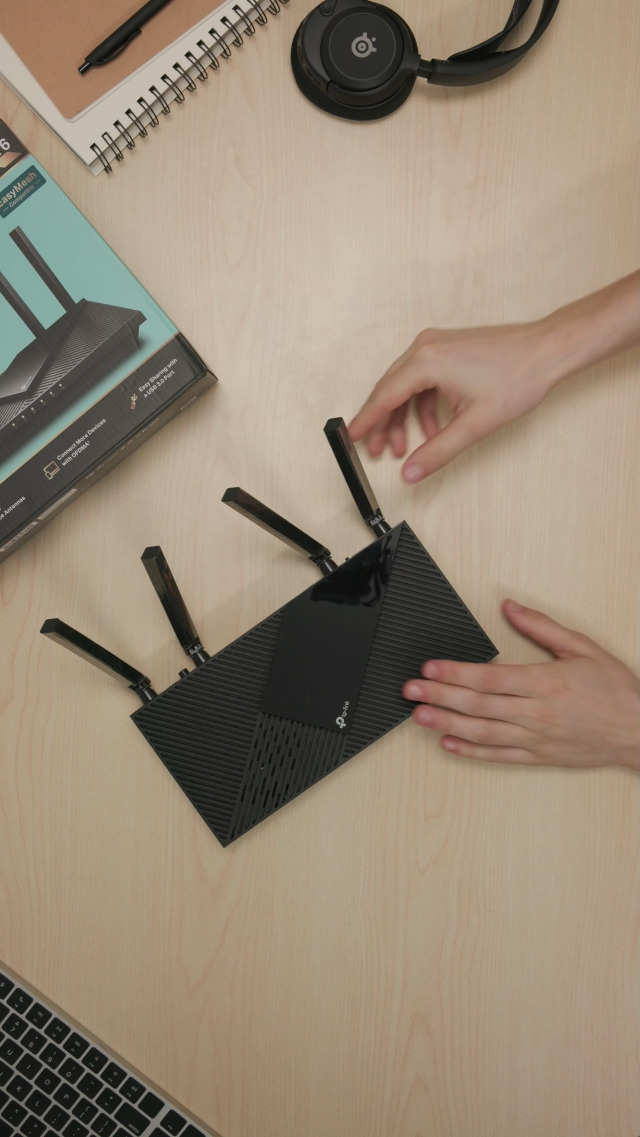
The TP-Link Archer AX55 follows a modern router aesthetic with a black, angular chassis housing four high-gain external antennas. These antennas are fixed in place, contributing to the router’s signal strength and beamforming capabilities. The manufacturer highlights an improved cooling design, incorporating a larger heat sink and a refined case to prevent thermal throttling and maintain performance. This design choice suggests a focus on sustained operation under load from multiple connected devices. The router is multiple voltage compatible, supporting a range from 100-240V, making it suitable for various international power standards. Ports are located on the rear, keeping the front panel clean.
Performance and Features
Speed and Wireless Performance
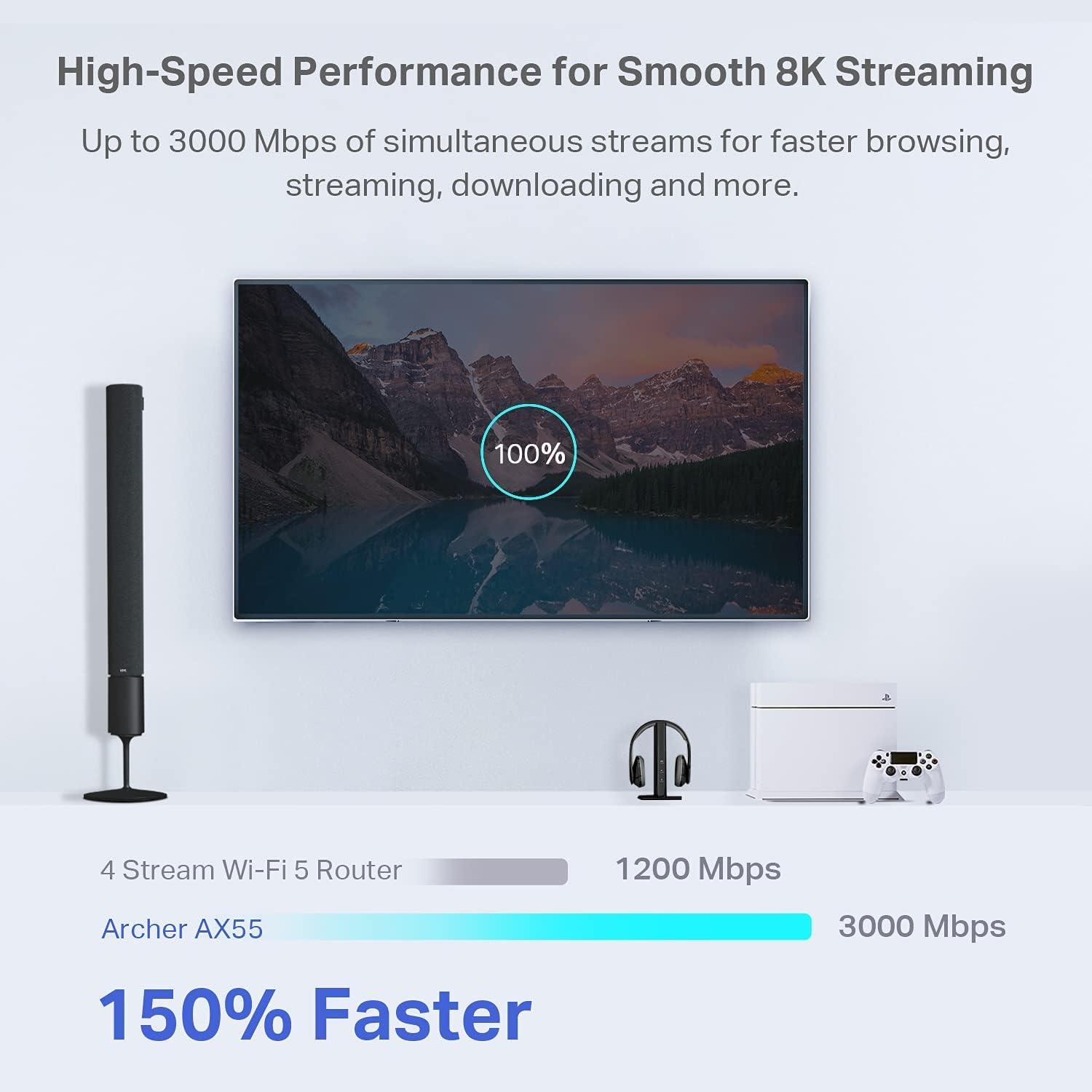
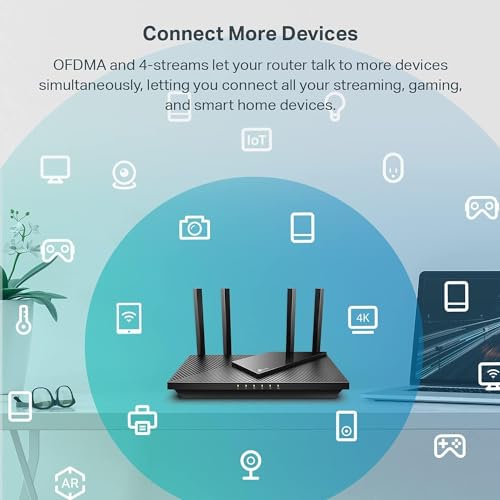
The Archer AX55 is an AX3000-class router, offering combined speeds up to 2976 Mbps. This breaks down to 2402 Mbps on the 5 GHz band and 574 Mbps on the 2.4 GHz band. These Wi-Fi 6 speeds are designed for smoother streaming and faster downloads, especially when multiple devices are active. Key technologies like OFDMA (Orthogonal Frequency Division Multiple Access) and MU-MIMO (Multi-User, Multiple-Input, Multiple-Output) work together to reduce latency and jitter, allowing the router to handle traffic from several clients efficiently. This is crucial for simultaneous gaming, video calls, and 4K streaming without lag.
Coverage and Connectivity
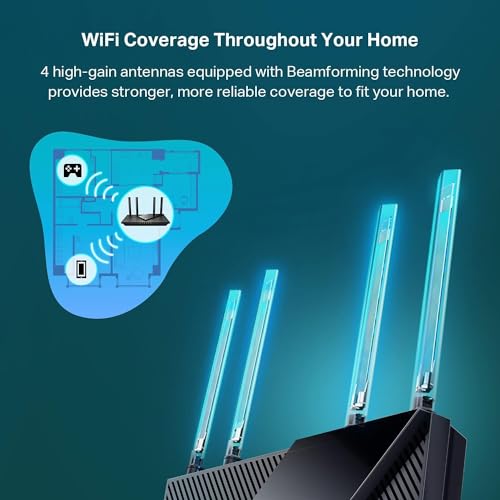
Coverage is bolstered by the four external antennas paired with Beamforming technology. Beamforming detects connected devices and concentrates the wireless signal strength towards them, aiming to improve reliability in hard-to-reach areas of a home. The router provides five Gigabit Ethernet ports: one for the WAN connection to a modem and four for wired LAN devices, supporting bandwidth up to 1000 Mbps. A USB 3.0 port is included for basic file sharing functions. The router is confirmed to work with all major internet service providers, though a separate modem is required.
Software and Security Features
Security is a significant focus. The router supports the latest WPA3 security protocol for improved personal network cybersecurity. TP-Link’s HomeShield service offers advanced network and IoT protection. The free tier includes basic network security scans, IoT device identification, parental controls, Quality of Service (QoS) management, and basic weekly or monthly reports. A notable feature for power users is the built-in support for both VPN server and VPN client functionality, enhancing privacy and secure remote access. The router is also compatible with Amazon Alexa for voice control.
Setup, Support and Ownership
Setup is facilitated by the intuitive TP-Link Tether app, which provides guided instructions for a quick installation process. The router is EasyMesh compatible, allowing it to form a seamless whole-home Wi-Fi system. However, to utilize this feature, a compatible TP-Link EasyMesh extender is required as an additional purchase. The manufacturer offers a two-year warranty and provides a support phone number for setup or Wi-Fi issues. The product’s firmware and security features, like HomeShield, would typically receive updates from TP-Link, though a specific update policy is not detailed in the provided data.
What Owners Say
Owner feedback, reflected in a high overall rating, is overwhelmingly positive. Many reviews highlight a substantial improvement in wireless speeds and signal strength compared to older routers, with specific praise for smooth 4K and 8K streaming and gaming without lag. Users report that the Wi-Fi 6 technology makes a noticeable difference in handling multiple connected devices simultaneously. The setup process via the Tether app is frequently described as easy and straightforward. The robust security features and VPN support give users peace of mind. Critical feedback is less common but aligns with the noted limitations, such as the need for separate components for full mesh functionality.
Pros and Cons
Pros
- Excellent multi-device performance with OFDMA and MU-MIMO
- Strong whole-home Wi-Fi coverage from beamforming and four antennas
- Built-in HomeShield security and WPA3 protocol
- Easy setup and management via the Tether app
- VPN client and server support for enhanced privacy
- Compatible with Alexa and all major ISPs
Cons
- Requires a separate modem for internet connection
- Full EasyMesh functionality needs a compatible TP-Link extender
- USB 3.0 port functionality is limited to basic file sharing
- Acts solely as a router, not a modem-router combo
- Advanced HomeShield features may require a subscription
- No built-in support for some newer Wi-Fi 6E bands
Who Should Buy It (and Who Should Skip It)
The TP-Link Archer AX55 is an ideal choice for households with multiple users and devices that need reliable, whole-home Wi-Fi 6 coverage. It’s perfect for streamers, gamers, and remote workers who require low latency and stable connections for video calls and cloud applications. Users who value built-in security features like HomeShield and WPA3, or those who need VPN functionality, will find it particularly useful. It’s also a solid pick for anyone planning a future mesh network, as it provides a compatible base.
Conversely, those who already have a modem-router combo from their ISP and are satisfied with its performance may not need this standalone router. Users seeking the absolute latest Wi-Fi 6E technology with the 6 GHz band should look elsewhere, as this is a dual-band (2.4 GHz and 5 GHz) model. Individuals in very large homes who need immediate mesh coverage should note that they must purchase a compatible extender separately, adding to the initial cost. For more networking options, explore our guide on the best VPN routers.
Final Verdict
The TP-Link Archer AX55 successfully delivers on the core promises of Wi-Fi 6: faster speeds, reduced latency, and improved multi-device handling. Its combination of OFDMA, MU-MIMO, and beamforming technology ensures a responsive network experience for streaming, gaming, and working from home. The inclusion of robust security features like HomeShield and WPA3, along with VPN support, adds significant value for security-conscious users. The easy setup process and broad ISP compatibility make it accessible for most home networks.
However, its value proposition depends on your existing setup. As a standalone router, it necessitates a separate modem, which is a minor hurdle for some but a deal-breaker for others seeking an all-in-one unit. Its EasyMesh compatibility is a forward-looking feature, but creating a true mesh network requires additional investment. Within the category of mid-range Wi-Fi 6 routers, the Archer AX55 stands out for its balanced performance, strong security suite, and positive user reception, making it a compelling option for upgrading a busy home network. For related insights on securing your digital life, consider reading about the best cybersecurity books for beginners.
FAQs
Does the TP-Link Archer AX55 include a modem?
No, the Archer AX55 is a Wi-Fi router only. It requires a separate modem to connect to your internet service provider. The product description explicitly states that a modem is required for most internet service providers.
What is the range of the Archer AX55?
The manufacturer does not provide a specific square footage range. However, it is designed for whole-home coverage using four high-gain external antennas and Beamforming technology to extend strong, reliable Wi-Fi signals. Coverage will vary based on home layout and construction materials.
Is TP-Link HomeShield free to use?
Yes, a basic version of TP-Link HomeShield is included for free. This provides basic network security scans, IoT device identification, parental controls, Quality of Service, and basic weekly or monthly reports. The manufacturer’s website should be consulted for information on any premium, paid features.
Can I use this router to create a mesh network?
Yes, the Archer AX55 is EasyMesh compatible. This means it can form the backbone of a seamless whole-home Wi-Fi system. However, to actually create a mesh network and extend coverage, you must purchase one or more compatible TP-Link EasyMesh Wi-Fi extenders separately. For other tech solutions, check out our tech gear section.
About the author

Elvis Dicki writes reviews and buying guides for CyberSecLabs.