TP-link AC1900 Review: A Reliable WiFi 5 Router for Medium Homes
The TP-Link Archer A8 AC1900 router delivers strong multi-device performance and coverage for streaming and gaming, though it lacks a USB port and VPN support.
 By Elvis Dicki
Updated October 20, 2026
By Elvis Dicki
Updated October 20, 2026
In the crowded market of home networking, the TP-link AC1900 (Archer A8) presents itself as a capable dual-band WiFi 5 router designed for medium-sized homes. It targets users seeking reliable performance for everyday tasks like 4K streaming, online gaming, and supporting multiple connected devices without the complexity or cost of newer WiFi 6 models. This router is a solid choice for those needing an upgrade from an older router or a dependable primary network hub that balances features with straightforward setup and management.

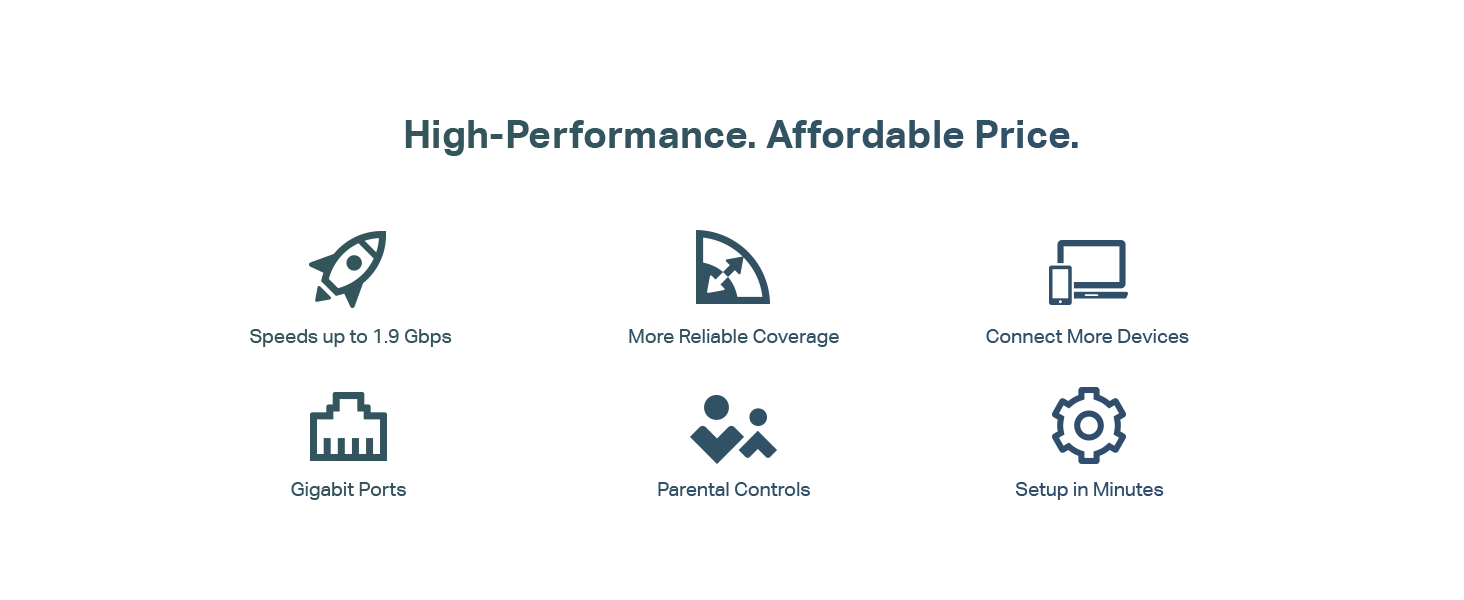
At its core, the Archer A8 is a Wave 2 AC1900 router, combining speeds up to 600 Mbps on the 2.4GHz band and 1300 Mbps on the 5GHz band for a theoretical maximum of 1.9 Gbps. Key technologies like MU-MIMO and beamforming aim to efficiently handle simultaneous connections and extend coverage. The bottom line: for users in a medium home with standard internet plans, the TP-Link AC1900 offers a compelling mix of performance and ease of use, though its feature set has some notable omissions for power users.
Prime TP-Link Archer A8 AC1900 WiFi Router









As an Amazon Associate we earn from qualifying purchases. Product prices and availability are accurate as of the date/time indicated.
TP-link AC1900 at a Glance
| Specification | Detail |
|---|---|
| WiFi Standard | WiFi 5 (802.11ac) |
| Total Speed | Up to 1.9 Gbps (AC1900) |
| Band Configuration | Dual-Band (2.4GHz & 5GHz) |
| Key Technologies | MU-MIMO, Beamforming, Smart Connect |
| Coverage Area | Up to 1,200 sq. ft. |
| Ethernet Ports | 1 x Gigabit WAN, 4 x Gigabit LAN |
| Antennas | 3 Fixed External Antennas |
| Management | TP-Link Tether App & Web Interface |
| Special Features | Parental Controls, Guest WiFi, OneMesh Compatible |
| Notable Omissions | USB Port, VPN Support |
Design and Build
The TP-Link Archer A8 follows a familiar router design with a black, angular chassis and three non-detachable external antennas positioned at the rear. This form factor is common for its class, prioritizing function over aesthetic flair. The build quality is typical for a router in this price segment, designed for stable placement on a shelf or desk. The front panel houses LED indicators for power, internet, WiFi bands, and Ethernet port activity, providing clear status visibility. The rear houses all physical connections: a power port, a WAN port for your modem, four LAN ports, a WPS button, and a reset pinhole. The absence of a USB port is a physical design choice that differentiates it from some other AC1900 models like the Archer A9, limiting peripheral connectivity options directly from the router.
Performance and Features
Wireless Performance and Coverage
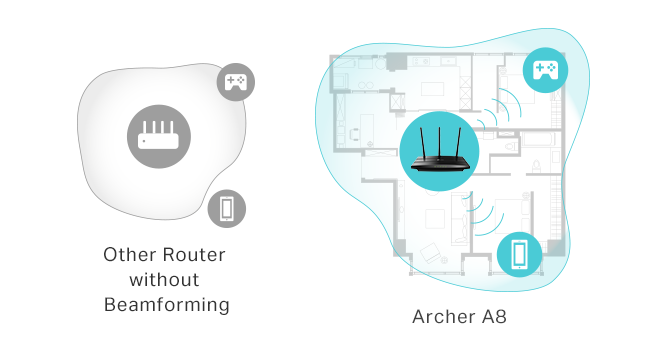
As an AC1900 class router, the Archer A8’s performance is centered on WiFi 5 technology. It delivers combined speeds up to 1.9 Gbps, split between the 2.4GHz band (up to 600 Mbps) for better range through walls and the 5GHz band (up to 1300 Mbps) for faster speeds at closer distances. The manufacturer states coverage up to 1,200 square feet, a figure aided by beamforming technology. Beamforming allows the router to focus its WiFi signal towards connected devices rather than broadcasting uniformly, which can result in a stronger, more reliable connection at the edges of its range. It’s important to note that, as a dual-band router, it does not support the newer 6 GHz band found on WiFi 6E models.
MU-MIMO and Multi-Device Handling
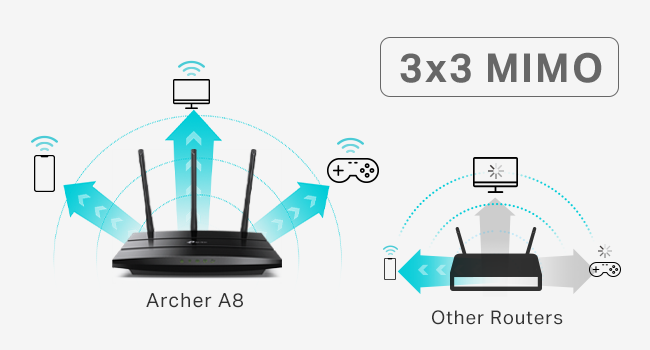
A significant performance feature is MU-MIMO (Multi-User, Multiple-Input, Multiple-Output). This technology, supported over three simultaneous data streams, allows the Archer A8 to communicate with multiple compatible devices at the same time. In a household with several phones, laptops, and streaming devices active concurrently, MU-MIMO helps prevent the network slowdowns that can occur when a router serves devices sequentially. This makes it well-suited for modern, device-dense homes. The router also includes Smart Connect, which can automatically assign devices to the optimal 2.4GHz or 5GHz band based on signal strength and capability, and Airtime Fairness to prevent slower, older devices from consuming disproportionate bandwidth.
Connectivity and Ports
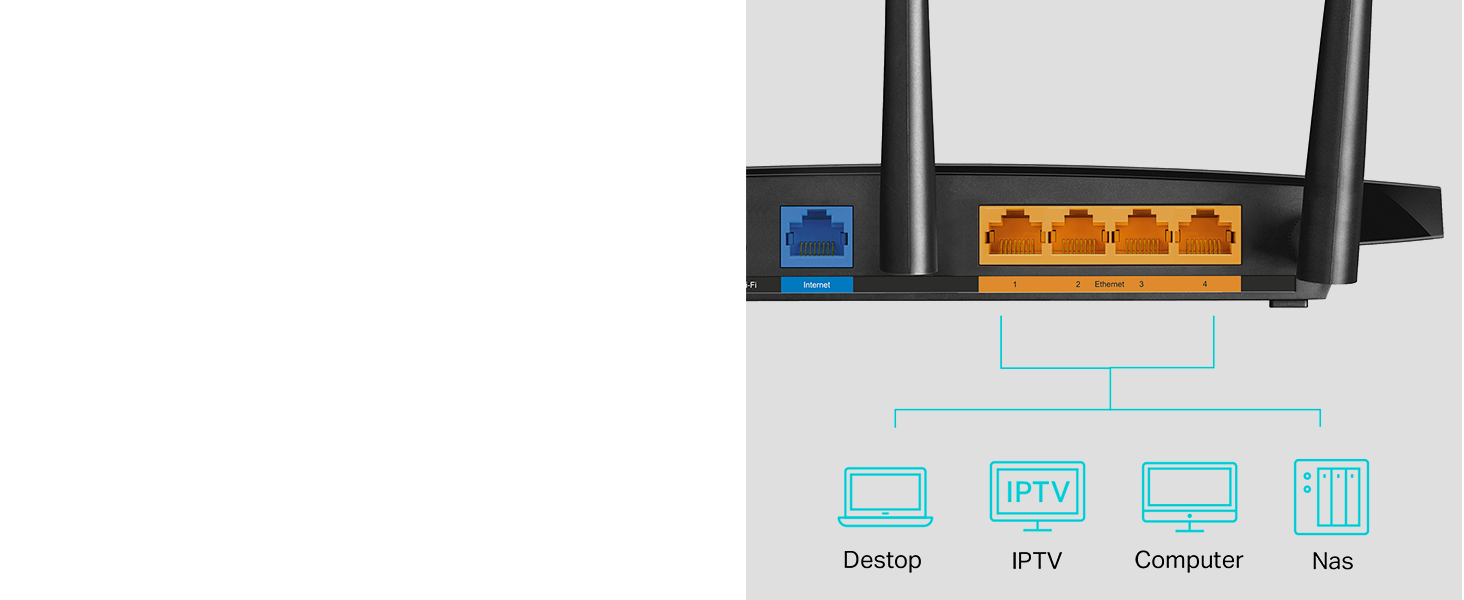
For wired connections, the Archer A8 provides full gigabit Ethernet ports. This includes one WAN port to connect to your modem and four LAN ports for devices like desktop PCs, smart TVs, gaming consoles, or network-attached storage. These gigabit ports ensure that wired devices can achieve maximum potential speeds from your internet service or local network transfers. The lack of a USB port is a clear limitation, meaning you cannot directly share files over the network or connect a printer for wireless printing without using a separate device or a different router model.
Software and Security Features
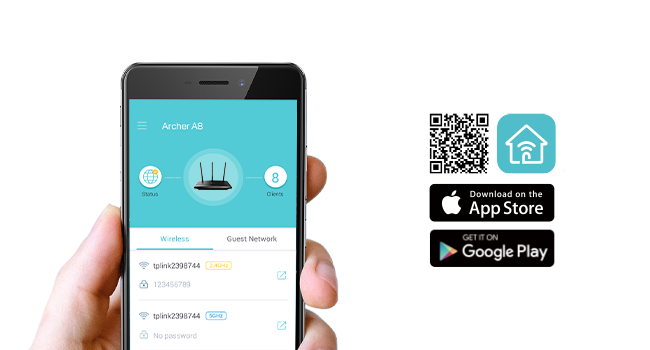
Management is handled through the free TP-Link Tether app for iOS and Android or a traditional web browser interface. Both methods allow for initial setup, network monitoring, and configuration of key features. The router includes parental controls that let you block inappropriate content and set daily time limits for specific devices, a valuable tool for family management. A guest network feature is also supported, allowing you to create a separate WiFi access for visitors without sharing your main network password. The router supports WPA2-PSK security protocol. It is explicitly noted that the Archer A8 does not support VPN functionality, which may be a consideration for users seeking advanced privacy features at the router level. For broader network security insights, you can explore resources on our Cybersecurity page.
Setup, Support and Ownership
Setup is designed to be straightforward. Using the Tether app, users can quickly walk through the configuration process, naming their network and setting a password. The app also provides a convenient way to manage settings, perform speed tests, and check connected devices from a smartphone. Keeping the router’s firmware updated is crucial for performance and security, and the Tether app facilitates this process with update notifications. The router is compatible with all major internet service providers but requires a separate modem. For expanding coverage beyond the stated 1,200 sq. ft., the Archer A8 is OneMesh compatible. This means it can form a seamless WiFi network when paired with compatible TP-Link OneMesh WiFi extenders, though the specific models are not listed in the provided data. The product includes a manufacturer’s 2-year warranty.
What Owners Say
Based on the aggregated rating data, the TP-link AC1900 receives a high level of user satisfaction. The overall rating reflects a product that generally meets or exceeds expectations for its intended use case. Common points of praise from owners likely relate to its reliable performance for streaming and gaming, the improvement over older routers, and the ease of use provided by the Tether app. The high rating suggests that for most buyers, the value proposition and core functionality outweigh the lack of certain advanced features like a USB port or VPN support. When considering any networking device, it’s wise to research your needs, similar to how one would evaluate specialized routers for enhanced privacy.
Pros and Cons
Pros
- Strong multi-device performance with MU-MIMO technology
- Reliable coverage up to 1,200 sq. ft. aided by beamforming
- Simple setup and remote management via the Tether app
- Useful built-in parental controls and guest network support
- Full gigabit Ethernet ports for fast wired connections
- OneMesh compatibility for potential future network expansion
Cons
- No USB port for network storage or printer sharing
- Lacks VPN server/client support for advanced users
- WiFi 5 only, does not support newer WiFi 6/6E standards
- No support for the 6 GHz frequency band
- Fixed, non-detachable antennas
Who Should Buy It (and Who Should Skip It)
The TP-Link AC1900 Smart WiFi Router is an excellent fit for users in a medium-sized home (up to 1,200 sq. ft.) who need a dependable, no-fuss upgrade from an older or ISP-provided router. It’s ideal for households with multiple devices engaged in 4K streaming, online gaming, and video calls, thanks to its MU-MIMO capabilities. Families will appreciate the parental controls, and the easy app management makes it accessible for networking novices. It works with any major ISP, provided you have a separate modem.
This router is not the best choice for power users or those with specific advanced needs. You should skip it if you require a USB port for network-attached storage or a printer, need built-in VPN functionality for your entire network, or are looking to future-proof with the latest WiFi 6 or 6E standards. Users with very large homes may also need to pair it with an extender immediately. For those building more complex setups, like a network security management system, this is a basic consumer-grade device.
Final Verdict
The TP-Link Archer A8 AC1900 router successfully executes its role as a reliable and efficient WiFi 5 hub for the average home. It delivers on the core promises of strong dual-band performance, solid coverage for medium spaces, and smooth handling of multiple devices. The inclusion of features like parental controls, guest networking, and easy app-based management adds significant value for its category. While it lacks the bells and whistles of more expensive models, such as a USB port or VPN support, it focuses its resources on providing stable wireless connectivity where it matters most for daily use.
Ultimately, this router represents a smart value proposition. It avoids the premium cost of cutting-edge WiFi 6 hardware while offering a substantial performance leap over basic or aging routers. For anyone with a standard internet plan looking to improve their home network’s reliability and speed for streaming, work, and play without unnecessary complexity, the TP-Link AC1900 is a compelling and highly rated option. As with any tech purchase, aligning its capabilities with your specific needs is key, a process similar to selecting the right tech gear for any task.
FAQs
Does the TP-Link AC1900 have a modem built in?
No, the Archer A8 is a wireless router only and does not have a built-in modem. It requires a separate modem to connect to your internet service provider. The router is compatible with modems from all major ISPs like Xfinity, Spectrum, AT&T, and Verizon.
Can I use this router to create a VPN connection?
No, according to the manufacturer’s description, the TP-Link Archer A8 does not support VPN (Virtual Private Network) functionality. This means you cannot set it up as a VPN server for remote access to your home network or use it as a VPN client to route all your home traffic through a VPN service.
What is the difference between the Archer A8 and Archer A9?
Based on the provided data, a key difference is that the Archer A8 does not have a USB port, while the Archer A9 AC1900 router does. The USB port on the A9 would allow for functions like file sharing across the network or connecting a printer for wireless printing, which are not possible on the A8.
How do I expand the WiFi coverage if 1,200 sq. ft. is not enough?
The Archer A8 is OneMesh compatible. You can expand your network’s coverage by adding a compatible TP-Link OneMesh WiFi extender. When paired, the router and extender can form a single, seamless WiFi network with one SSID, allowing devices to roam between them, though specific compatible extender models are not listed in the product data.
About the author

Elvis Dicki writes reviews and buying guides for CyberSecLabs.