TP-Link AC1200 Review: A Budget Extender for Home Dead Zones
The TP-Link AC1200 WiFi Extender delivers reliable coverage expansion for homes with weak spots, featuring dual-band speeds and simple setup, though it won't boost your base internet speed.
 By Elvis Dicki
Updated October 20, 2026
By Elvis Dicki
Updated October 20, 2026
For homeowners and apartment dwellers plagued by frustrating WiFi dead zones, a range extender can be a simple and cost-effective solution. The TP-Link AC1200 is a dual-band repeater designed to amplify an existing router’s signal, pushing coverage into areas it can’t reach on its own. This review analyzes the RE315 model’s specifications, features, and intended use case to determine if it’s the right tool to eliminate your connectivity gaps. For users seeking to blanket a small to medium-sized home with a more reliable signal for everyday browsing and streaming, this extender presents a compelling, straightforward option with minimal setup hassle.

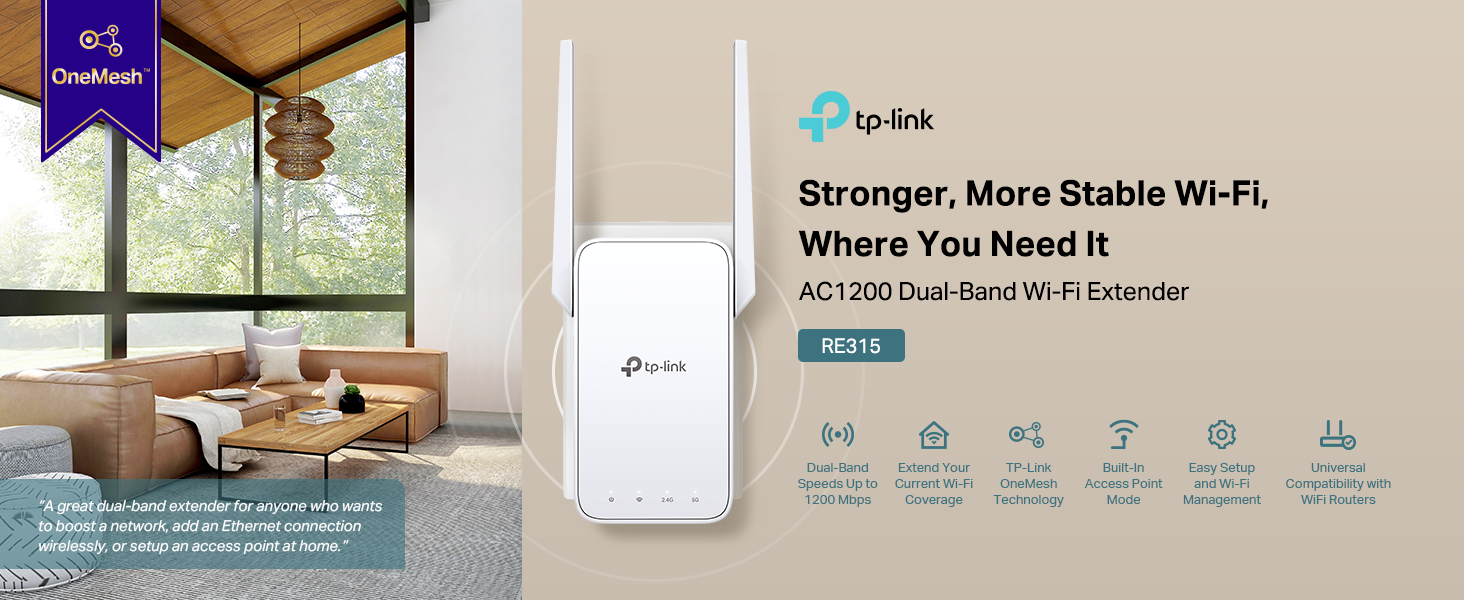
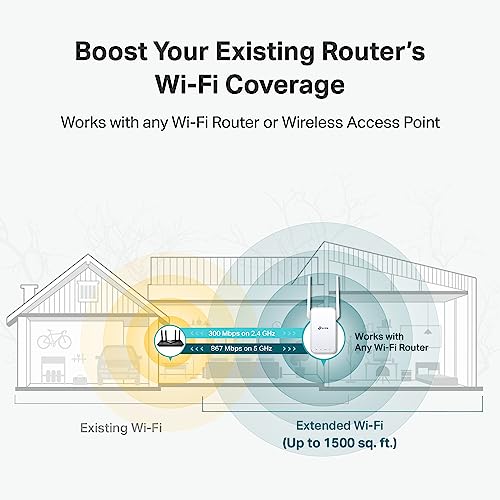
The TP-Link AC1200 WiFi Extender connects to your current router and rebroadcasts its signal, offering extended coverage up to 1500 square feet for over 30 devices. It operates on both 2.4GHz and 5GHz bands, includes a Fast Ethernet port for wired connections, and supports features like Adaptive Path Selection and EasyMesh compatibility. Its bottom line is clear: it’s a capable, budget-friendly device for improving WiFi coverage, not for increasing your base internet speed, making it ideal for casual users needing to fix weak signals in specific rooms.
Prime TP-Link RE315 AC1200 WiFi Extender





As an Amazon Associate we earn from qualifying purchases. Product prices and availability are accurate as of the date/time indicated.
TP-Link AC1200 at a Glance
| Specification | Detail |
|---|---|
| Model | RE315 |
| Total Bandwidth | 1.2 Gbps (AC1200) |
| 5 GHz Band Speed | Up to 867 Mbps |
| 2.4 GHz Band Speed | Up to 300 Mbps |
| Coverage Area | Up to 1500 Sq. Ft. |
| Supported Devices | Up to 30 devices |
| Key Feature | Adaptive Path Selection |
| Port | One Fast Ethernet (100Mbps) |
| Compatibility | EasyMesh, Universal Router Support |
| Security Commitment | CISA Secure-by-Design Pledge Signatory |
Design and Build
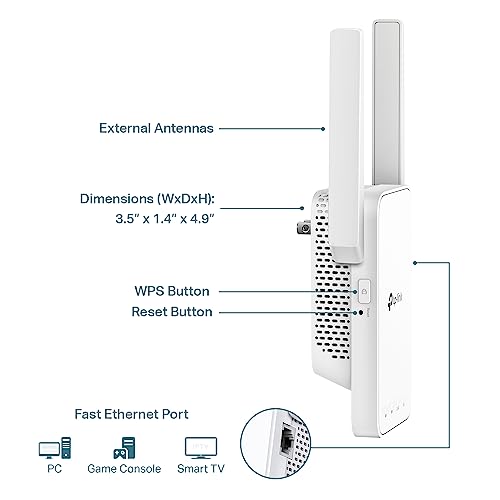
The TP-Link AC1200 sports a compact, white form factor designed to plug directly into a wall outlet, minimizing desk clutter. Its dimensions are 3.5 inches deep by 1.4 inches wide by 4.9 inches high, and it weighs 6.1 ounces. The design incorporates two adjustable external antennas, which are key for optimizing signal direction and coverage. A series of LED indicators on the front provide visual feedback on power, WiFi band status, and signal strength, which is particularly useful during the initial placement and setup phase to find the optimal location. The overall build is functional and unobtrusive, meant to blend into a home environment while providing the necessary hardware for signal extension.
Performance and Features
Wireless Performance and Coverage
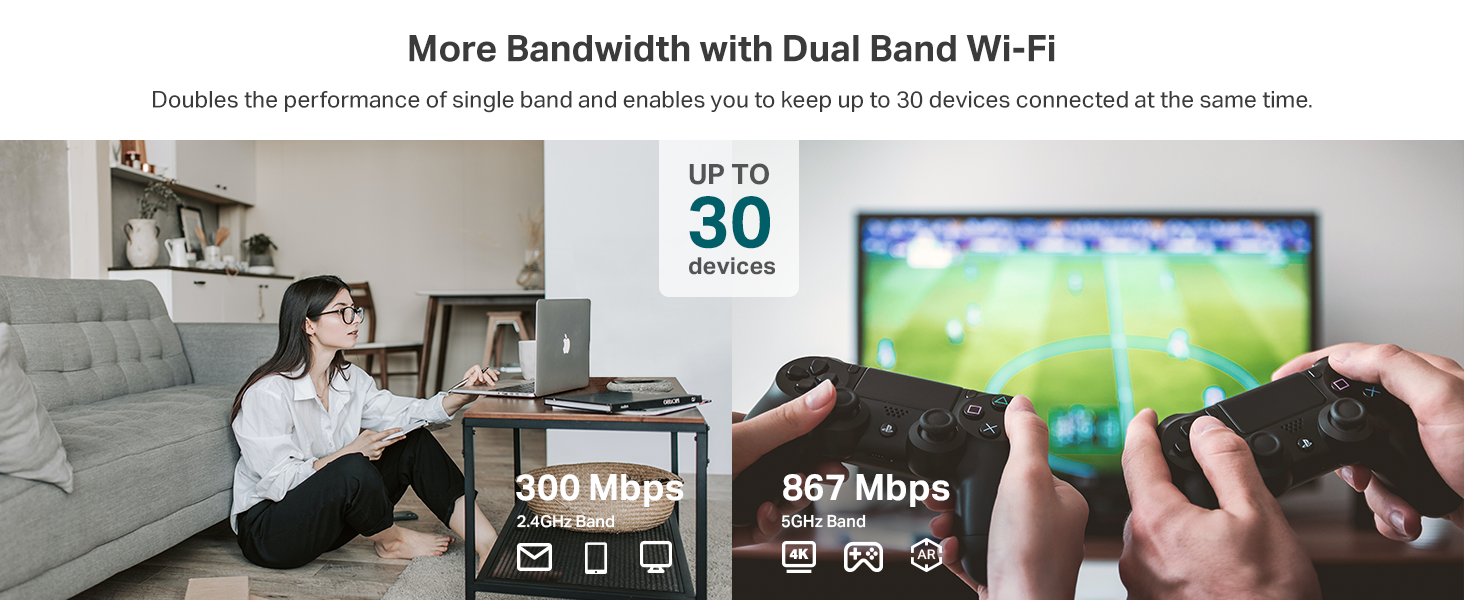
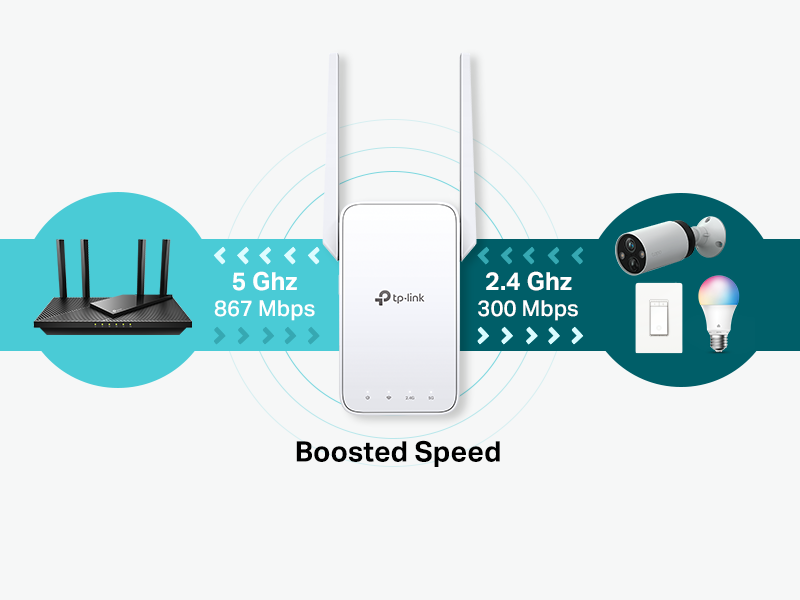
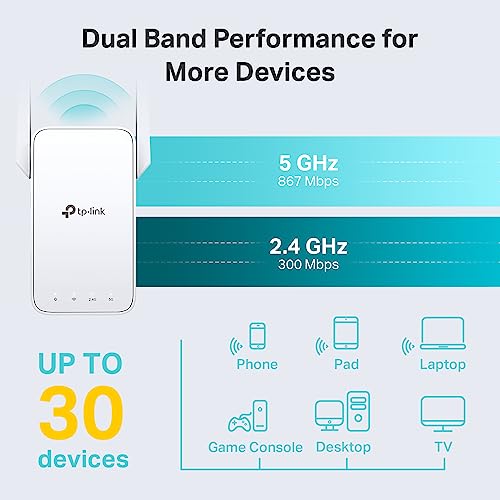
The core promise of the TP-Link AC1200 is to eliminate dead zones, and its performance specifications are tailored for that task. It is a dual-band AC1200 extender, which means it offers a maximum combined theoretical bandwidth of 1.2 Gbps. This is split between a 5 GHz band capable of up to 867 Mbps and a 2.4 GHz band capable of up to 300 Mbps. It’s crucial to understand that these are local network speeds between the extender and your device; the extender does not increase the speed provided by your internet service provider. Its stated coverage is up to 1500 square feet, and it is rated to handle connections for up to 30 devices simultaneously, making it suitable for typical household use with smartphones, tablets, and laptops.
Connectivity and Ports
For connectivity, the extender relies on its dual-band WiFi radios. A key physical feature is the single Fast Ethernet port. This port allows you to connect a device like a smart TV, gaming console, or desktop computer directly to the extender via a cable, providing a more stable and reliable connection than WiFi for that specific device. It is important to note the manufacturer specifies this as a “fast ethernet port,” which indicates a maximum speed of 100 Mbps. This is a limitation for users with internet plans or local network transfer speeds exceeding 100 Mbps, as the wired connection will be capped at that rate.
Key Features and Software
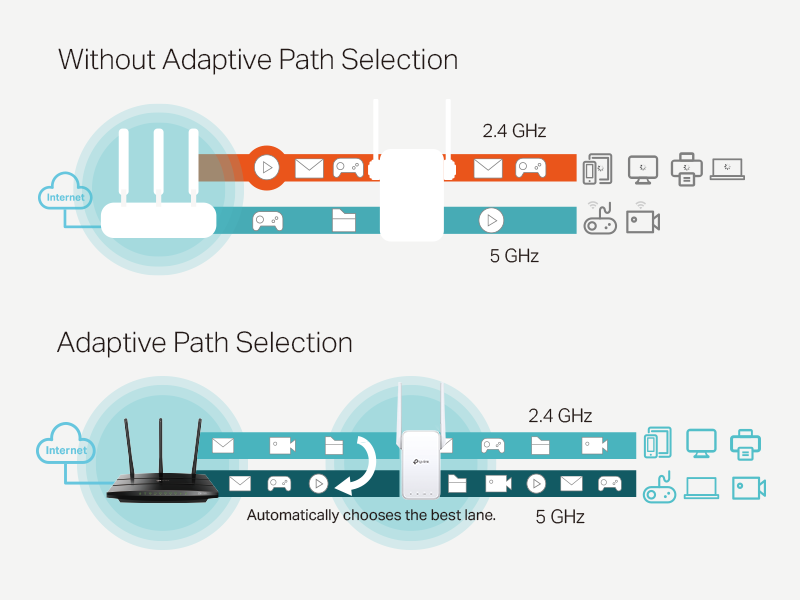
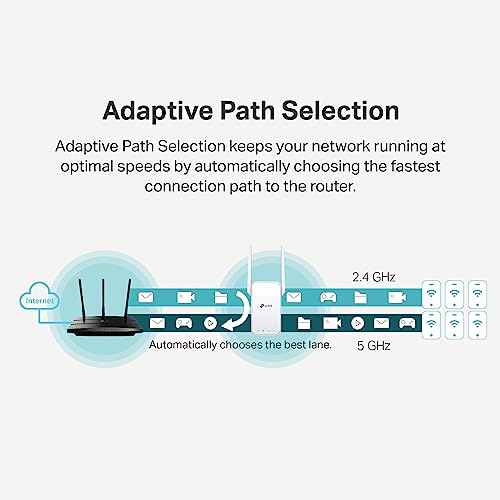
TP-Link equips the AC1200 with several intelligent features. Adaptive Path Selection is a standout, designed to automatically connect your devices to the strongest available signal (either from your main router or the extender itself) as you move around your home, aiming for a seamless experience. The device is also EasyMesh-compatible, meaning it can be integrated into a whole-home mesh network with any EasyMesh-certified router to create a unified WiFi system under one network name. However, the manufacturer explicitly states it is not compatible with mesh systems like TP-Link’s own Deco lineup. Setup and management are handled through the TP-Link Tether app, which guides users through installation and offers controls like LED management and access control.
Security Options
From a cybersecurity perspective, TP-Link notes a significant commitment: the company is a signatory of the U.S. Cybersecurity and Infrastructure Security Agency’s (CISA) Secure-by-Design pledge. This indicates that the RE315 is designed, built, and maintained with advanced security as a core requirement, though specific technical security features like WPA3 are not detailed in the provided data. The Tether app also includes Access Control features for managing connected devices.
Setup, Support and Ownership
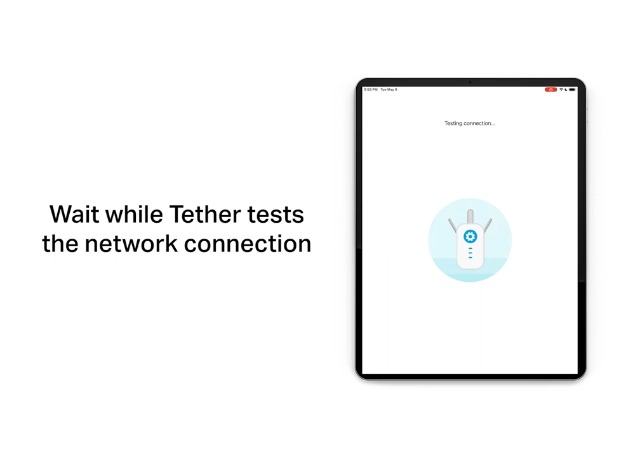
Setup is designed to be user-friendly. The TP-Link Tether app for Android and iOS devices walks users through the process, and an intelligent signal indicator on the extender itself helps find the optimal placement—typically halfway between your router and the dead zone. The extender supports an Access Point mode, allowing it to create a new WiFi network if connected to the router via the Ethernet port. For support, the device comes with a quick installation guide, and TP-Link provides a 2-year manufacturer’s warranty. The product is stated to operate in temperatures from 32°F to 104°F. Firmware update processes and long-term software support timelines are not specified in the provided data.
What Owners Say
Based on the provided data, specific excerpts from buyer reviews are not available for analysis. The product holds a rating, which suggests a generally positive reception from users. Without detailed review excerpts, common praises or complaints cannot be confirmed from the supplied information. For a broader look at networking solutions, you can explore our guides on the best routers for large homes or equipment for gigabit internet.
Pros and Cons
Pros
- Effectively extends WiFi coverage to eliminate dead zones
- Simple setup and management via the Tether app
- Dual-band support with speeds suitable for HD streaming
- Includes a Fast Ethernet port for wired device connections
- Supports Adaptive Path Selection for stable roaming
- EasyMesh compatible for expanding compatible mesh networks
- Compact plug-in design with adjustable antennas
- Manufacturer commitment to Secure-by-Design principles
Cons
- Does not increase your base internet speed
- Ethernet port is limited to 100 Mbps Fast Ethernet
- Not compatible with certain mesh systems like Deco
- Performance is dependent on the strength of the initial router signal
Who Should Buy It (and Who Should Skip It)
The TP-Link AC1200 is an ideal purchase for users in apartments, condos, or small homes who experience weak or non-existent WiFi in specific rooms like a home office, bedroom, or basement. It’s perfect for those who need a reliable signal for everyday tasks—web browsing, video streaming on smart TVs, and connecting smart home devices—and want a simple, affordable plug-and-play solution. It’s also a good fit for someone with an EasyMesh-compatible router looking to inexpensively add an extra node to their system.
This extender is not the right choice for users whose primary complaint is slow internet speed rather than poor coverage. It should be skipped by anyone with a multi-gigabit internet connection, as the 100 Mbps Ethernet port will become a severe bottleneck for wired devices. Users who already own or plan to invest in a Deco mesh WiFi system should look for a compatible extender instead. Those needing to cover a very large or multi-story home might be better served by a dedicated multi-node mesh system, which you can learn more about in our resource on routers for multiple devices.
Final Verdict
The TP-Link AC1200 WiFi Extender accomplishes its primary goal competently: it expands wireless coverage to areas your router can’t reach. Its strengths lie in its straightforward operation, useful features like Adaptive Path Selection, and the flexibility offered by its Ethernet port. The commitment to secure design principles is a noteworthy plus in today’s connected home environment. For its price point, it delivers solid value for users battling dead zones.
However, its limitations are clear and important to acknowledge. The 100 Mbps Ethernet port is a dated specification that will hinder users with fast internet plans. It is a coverage tool, not a speed booster. Within those defined parameters, the TP-Link AC1200 is a reliable and easy-to-use solution that can significantly improve WiFi usability in a target area of your home, making it a recommended pick for budget-conscious consumers seeking to fix specific connectivity gaps. For other tech solutions, consider browsing our Tech Gear category.
FAQs
Does the TP-Link AC1200 increase my internet speed?
No. The manufacturer explicitly states that wireless extenders are designed to increase or improve WiFi coverage, not to directly increase speed. Your maximum internet speed is still determined by your Internet Service Provider plan. The extender can provide a stronger, more reliable signal in weak areas, which may improve the performance you experience there, but it cannot exceed the speed coming from your modem.
Can I use this with my existing router?
Yes. The TP-Link AC1200 boasts universal compatibility and is designed to work with any standard WiFi router or access point. You do not need a TP-Link brand router for it to function. It connects to your existing network and rebroadcasts its signal.
What is the difference between EasyMesh and OneMesh?
Based on the provided data, the product is listed as supporting EasyMesh for seamless whole-home connectivity with compatible routers. The manufacturer also notes it is not compatible with mesh systems like Deco. OneMesh is mentioned in the product title but not detailed in the specifications provided. For creating a mesh network, ensure your router is EasyMesh-compatible if you intend to use this extender as a node.
What can I connect to the Ethernet port?
The single Fast Ethernet (100Mbps) port allows you to connect any device with an Ethernet jack for a wired internet connection. This is ideal for devices that benefit from a stable, low-latency connection, such as a smart TV, gaming console, desktop computer, or network-attached storage (NAS) device. Remember, the connection speed through this port is capped at 100 Mbps.
About the author

Elvis Dicki writes reviews and buying guides for CyberSecLabs.