Netgear RAX36 Review: A WiFi 6 Router for Multi-Device Households
The NETGEAR Nighthawk RAX36 delivers AX3000 WiFi 6 speeds and coverage for up to 25 devices, making it a strong choice for homes focused on streaming and gaming.
 By Elvis Dicki
Updated October 20, 2026
By Elvis Dicki
Updated October 20, 2026
In the crowded market of home networking, the Netgear RAX36 presents itself as a dedicated WiFi 6 router designed to modernize a household’s wireless experience. This model, part of Netgear’s Nighthawk series, is built for users who need reliable, high-speed connectivity for a multitude of devices but do not require an integrated modem. It targets the typical family or shared living space where simultaneous streaming, gaming, and video conferencing are the norm, not the exception.

The bottom line is that the RAX36 leverages WiFi 6 technology and a quad-core processor to provide stable, concurrent connections over a significant area, positioning it as a capable upgrade from older WiFi standards for users with gigabit internet plans.
NETGEAR Nighthawk RAX36 WiFi 6 AX3000 Router






As an Amazon Associate we earn from qualifying purchases. Product prices and availability are accurate as of the date/time indicated.
Netgear RAX36 at a Glance
| Specification | Detail |
|---|---|
| WiFi Technology & Max Speed | WiFi 6 (802.11ax), AX3000 up to 3 Gbps |
| Coverage Area | Up to 2,000 sq. ft. |
| Supported Concurrent Devices | Up to 25 |
| Processor | 1.7 GHz Quad-Core |
| Wired LAN Ports | 4 x 1 Gigabit Ethernet |
| USB Port | 1 x USB 3.0 |
| Security Protocol | WPA3 |
| Frequency Bands | Dual-Band (2.4 GHz & 5 GHz) |
| Compatible ISPs | Cable, Satellite, Fiber, DSL (up to 1 Gbps) |
| Modem Requirement | Separate cable modem required |
Design and Build
The NETGEAR Nighthawk RAX36 follows the angular, aggressive aesthetic common to the gaming and performance-oriented Nighthawk lineup. It is finished in black and features internal antennas, contributing to a streamlined look that won’t dominate a shelf. The build quality is consistent with Netgear’s reputation for producing sturdy networking hardware. Ports and status LEDs are conveniently located on the front and rear for easy monitoring and cable management. The included components are an Ethernet cable, power adapter, and a quick start guide, providing the essentials for a straightforward setup process.
Performance and Features
WiFi 6 Speed and Coverage
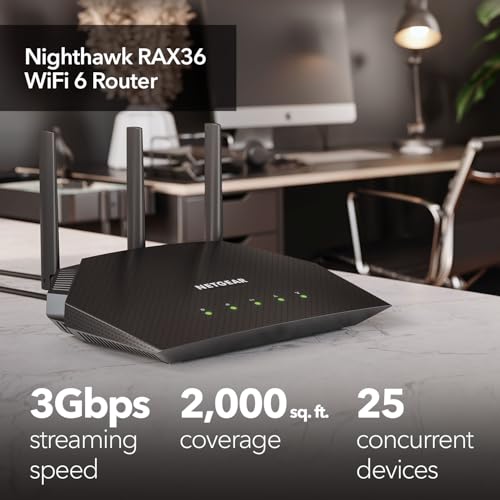
At its core, the RAX36 is built on the WiFi 6 (802.11ax) standard, which Netgear states offers speeds up to 2.7 times faster than previous WiFi generations. It is rated as an AX3000 router, meaning its combined theoretical wireless speed reaches up to 3 Gbps. This is facilitated by support for 160 MHz channels, allowing more data to flow to multiple devices simultaneously. The router is designed to cover an area of up to 2,000 square feet and efficiently handle up to 25 connected devices, making it suitable for medium-sized homes or apartments where users are actively streaming, gaming, and downloading.
Processing Power and Connectivity
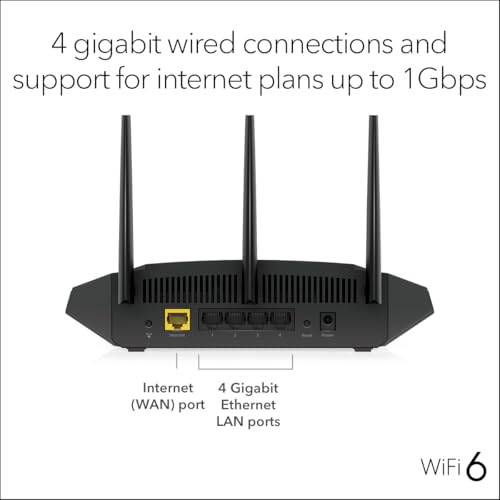
Driving this performance is a 1.7 GHz quad-core processor. This hardware is intended to manage concurrent real-time applications without bottlenecking, which is critical when several household members are engaged in high-bandwidth activities like 4K video streaming, online gaming, and video conferencing at the same time. For wired connections, the router provides four 1 Gigabit Ethernet LAN ports, allowing users to directly connect devices like desktop PCs, gaming consoles, or network-attached storage for maximum stability and speed. A USB 3.0 port is also included for connecting external storage drives, enabling basic network file sharing or backup functions.
Security and Management
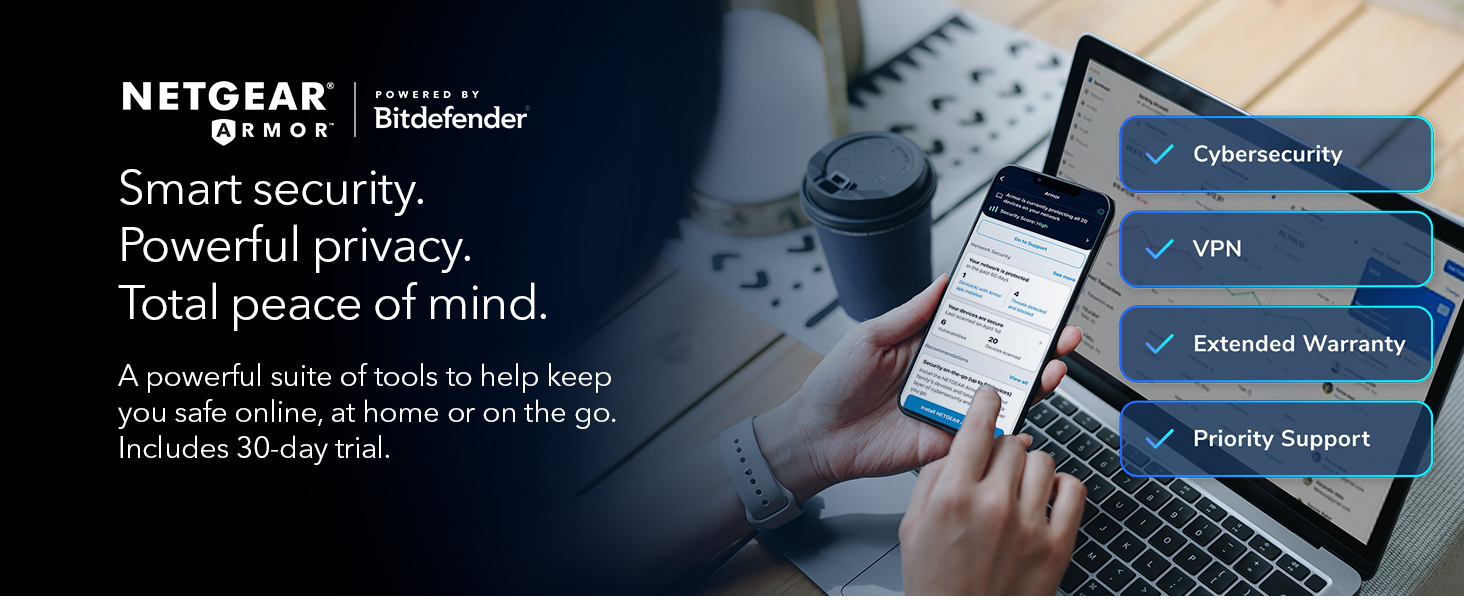
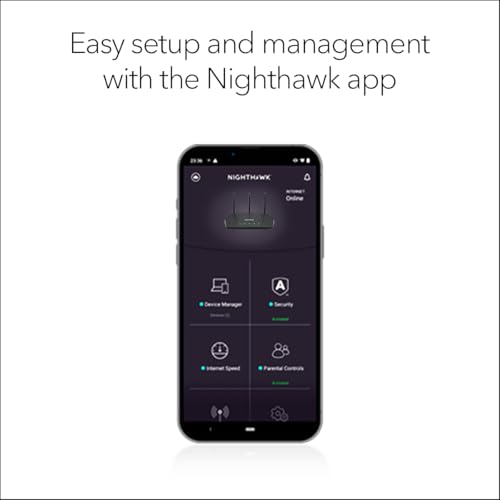
The RAX36 supports the WPA3 security protocol, the latest standard for securing wireless networks, which offers improved encryption over WPA2. A notable feature is the built-in VPN support, which facilitates secure remote access to the home network. Management and setup are handled through a dedicated app, providing a user-friendly interface for configuring network settings, running speed tests, and managing connected devices. The router’s operating system is listed as Linux-based, which is common for networking equipment and allows for the firmware updates that Netgear provides.
Setup, Support and Ownership
It is important to note that the RAX36 is a router only; it does not contain a built-in cable modem. Therefore, a separate modem is required to connect to internet service from a provider. Once that is in place, setup is designed to be simple via the Netgear Nighthawk app, which guides users through the process. The router is compatible with any internet service provider offering speeds up to 1 Gbps, including cable, satellite, fiber, and DSL services, offering broad flexibility for upgrades.
Netgear lists that the product receives security updates, which is a crucial aspect of long-term ownership for protecting against vulnerabilities. The manufacturer provides a one-year limited warranty. For users looking to expand their network knowledge, resources like our guide on the best VPN routers can offer deeper insights into securing network traffic.
What Owners Say
Owner feedback for the Netgear RAX36 indicates a positive reception. The aggregate rating is favorable, suggesting that most users are satisfied with its performance as an upgrade to older routers. Common points of praise in general user sentiment for routers in this category typically include improved whole-home coverage, faster speeds for newer devices, and reliable performance for gaming and streaming. As with any product, some users may find the coverage insufficient for very large or complex home layouts with many obstructions.
Pros and Cons
Pros
- Delivers fast AX3000 WiFi 6 speeds for seamless 4K streaming and online gaming
- Powerful quad-core processor handles multiple high-bandwidth tasks concurrently
- Provides stable coverage for up to 25 devices over a 2,000 sq. ft. area
- Includes four Gigabit Ethernet ports for reliable wired connections
- Features built-in VPN support and WPA3 security for enhanced network protection
- Broad compatibility with major ISP types up to 1 Gbps
Cons
- Requires the separate purchase and setup of a compatible modem
- Lacks WiFi 6E and access to the newer 6 GHz frequency band
- Coverage may be inadequate for homes significantly larger than 2,000 sq. ft.
- Internal antenna design may offer less flexibility for signal direction than external models
Who Should Buy It (and Who Should Skip It)
The NETGEAR Nighthawk RAX36 is an excellent fit for households with a gigabit internet plan and a growing number of WiFi 6 compatible devices. It is ideal for users who need to support several simultaneous streams, online gaming sessions, and video calls without experiencing lag or dropouts. If you live in a home up to 2,000 square feet and are looking to upgrade from an older WiFi 4 or WiFi 5 router, the RAX36 offers a significant performance boost. It’s also a sensible choice for those who value the security features of WPA3 and built-in VPN support.
This router is not the best choice for everyone. Users who need an all-in-one solution should skip it, as it requires a separate modem. Those with very large homes or properties with challenging layouts may find the coverage limiting and should consider a mesh system or a router with greater range. Additionally, future-focused buyers looking for the latest WiFi 6E technology for less congested 6 GHz band access will need to look at higher-end models. For professionals managing more complex setups, exploring options like the best enterprise servers for network security might be more appropriate.
Final Verdict
The NETGEAR Nighthawk RAX36 successfully executes its role as a modern, standalone WiFi 6 router. It brings the benefits of the newer standard—including faster speeds, improved multi-device handling, and enhanced security—to a price-sensitive segment of the market. Its strong quad-core processor and thoughtful mix of wired and wireless connectivity options make it a reliable hub for a busy, connected home. While the lack of an integrated modem and WiFi 6E are considerations, they are reasonable trade-offs for the performance offered at this point.
For the majority of users upgrading their home network, the RAX36 represents a solid investment. It provides a tangible improvement in wireless performance and network capacity over previous generations, all managed through a user-friendly app. It effectively bridges the gap between basic routers and premium models, making advanced WiFi 6 features accessible for everyday use. For further reading on building a robust tech environment, check out our Tech Gear category for more reviews and insights.
FAQs
Does the Netgear RAX36 include a modem?
No, the Netgear RAX36 is a router only. It does not include a built-in cable modem. You must connect it to a separate, compatible modem (with coax inputs) provided by your internet service provider or purchased separately to access the internet.
What is the difference between WiFi 6 and WiFi 6E?
WiFi 6 (802.11ax) operates on the traditional 2.4 GHz and 5 GHz bands, offering improvements in speed, capacity, and efficiency over WiFi 5. WiFi 6E includes all WiFi 6 features but adds access to the new 6 GHz band, which is less congested and offers more channels. The Netgear RAX36 is a WiFi 6 router and does not support the 6 GHz band.
How many devices can connect to the RAX36 at once?
Netgear designs the RAX36 to support up to 25 devices connected concurrently. Its WiFi 6 technology and quad-core processor are intended to manage traffic from these devices efficiently, allowing for simultaneous activities like streaming, gaming, and browsing without significant slowdowns.
Can I use the USB port on the RAX36 for a printer?
The manufacturer’s data specifies the USB 3.0 port enables file sharing and backups, which typically refers to connecting external storage drives. While some routers support printer sharing via USB, this specific functionality is not listed in the provided specifications for the RAX36. For confirmed printer compatibility, consulting the official Netgear documentation is recommended.
About the author

Elvis Dicki writes reviews and buying guides for CyberSecLabs.