Netgear EX5000 Review: A Simple WiFi Booster for Everyday Homes
The NETGEAR EX5000 is a straightforward wall-plug range extender that effectively eliminates dead zones for basic streaming and web browsing, offering easy setup and universal router compatibility.
 By Elvis Dicki
Updated October 21, 2026
By Elvis Dicki
Updated October 21, 2026
The NETGEAR WiFi Mesh Range Extender (EX5000) is a compact, AC1200 dual-band device designed to expand the wireless coverage of an existing home network. It targets users struggling with WiFi dead zones in apartments or small to medium-sized homes, offering a simple plug-and-play solution to boost signal for everyday tasks like HD video streaming, gaming, and connecting multiple smart devices. This review analyzes its specifications, design, and real-world feedback to determine if it’s the right tool for extending your network’s reach.

For households with standard internet plans and coverage needs up to 1,000 square feet, the EX5000 presents a budget-friendly and uncomplicated option. Its bottom line is clear: it’s a capable, no-frills extender that prioritizes ease of use over advanced features, making it a solid choice for users who need reliable extended coverage without a complex setup process.
Prime NETGEAR EX5000 AC1200 WiFi Range Extender



As an Amazon Associate we earn from qualifying purchases. Product prices and availability are accurate as of the date/time indicated.
Netgear EX5000 at a Glance
| Specification | Detail |
|---|---|
| Wireless Standard | 802.11ac (WiFi 5) |
| Speed | Dual-Band AC1200 (up to 1200 Mbps) |
| Extended Coverage | Up to 1,000 sq. ft. |
| Connected Devices | Up to 15 |
| Frequency Bands | 2.4 GHz & 5 GHz |
| Wired Port | 1 x Gigabit Ethernet |
| Setup Method | WPS Button |
| Security | WEP, WPA/WPA2 |
| Compatibility | Works with any standard WiFi router |
| Form Factor | Compact Wall Plug |
Design and Build
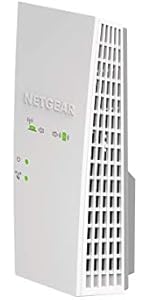
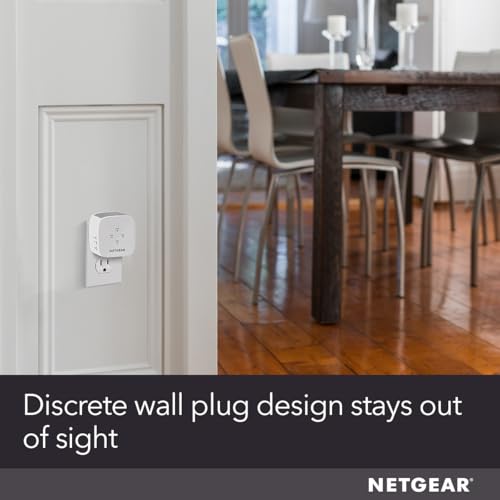
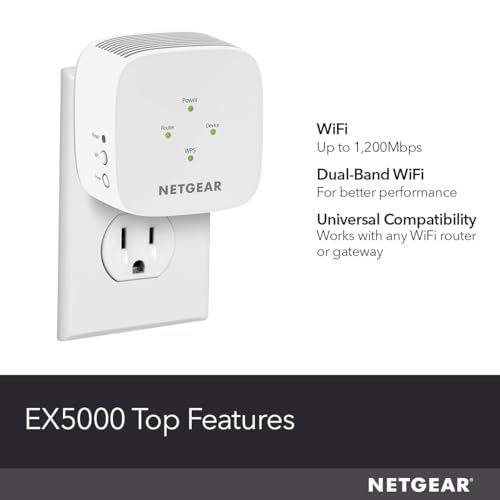
The NETGEAR EX5000 adopts a discreet, compact wall-plug design intended to blend into a standard power outlet. With dimensions of approximately 2.85 inches wide by 2.85 inches high by 2.55 inches deep, its small form factor is a key selling point, aiming to minimize clutter and visual intrusion. The unit is finished in white and grey, a common color scheme that helps it remain unobtrusive in most home decors. This design philosophy makes it suitable for placement in living rooms, bedrooms, or home offices where a low-profile networking device is preferred. The build prioritizes function for its plug-and-play role, housing the necessary antennas and components internally within the plug housing.
Performance and Features
Wireless Performance and Coverage
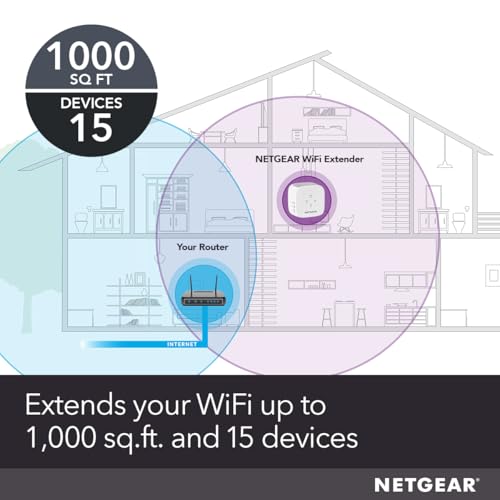
The EX5000 operates on the 802.11ac (WiFi 5) standard, offering dual-band speeds up to a combined 1200 Mbps. This specification is designed to handle HD video streaming and online gaming by providing a stable connection. The manufacturer states it can add WiFi range coverage up to 1,000 square feet, which is suitable for extending a signal to a garage, backyard, or a distant room in a typical home. It is built to connect up to 15 devices simultaneously, including laptops, smartphones, smart speakers, and IoT gadgets. While it supports both 2.4 GHz and 5 GHz bands, it does not offer seamless roaming with a single WiFi name, a feature found on more advanced mesh systems.
Connectivity and Ports
For wired connections, the extender is equipped with a single Gigabit Ethernet port. This port allows you to connect one device, like a gaming console, desktop PC, or smart TV, directly to the extender for a potentially more stable connection than WiFi. The inclusion of this port adds a layer of versatility, though the single port is a limitation for users with multiple wired devices in the extended zone.
Key Features and Software
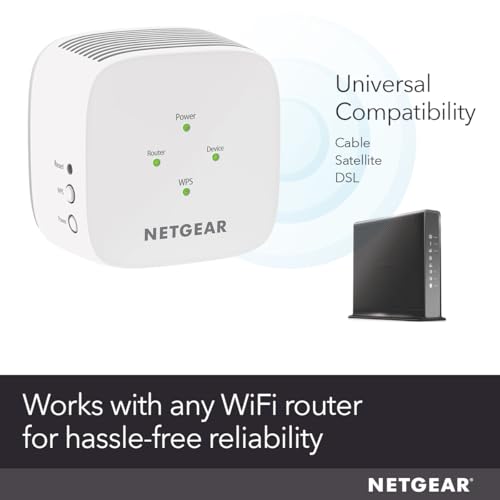
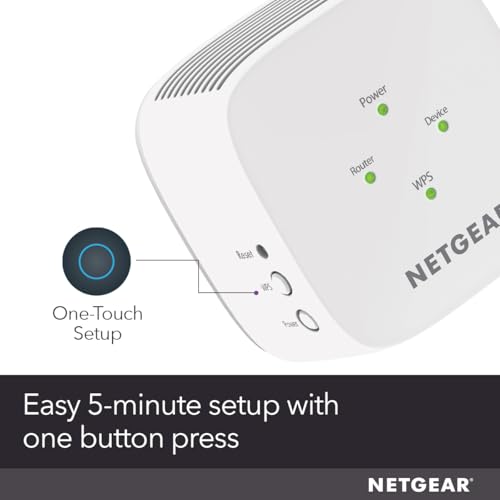
The standout feature for setup is the one-touch WPS (Wi-Fi Protected Setup) button, which allows for a quick connection to a compatible router. For optimal performance, NETGEAR provides a WiFi Analyzer app to help users find the best location for the extender, balancing proximity to the router and the area needing coverage. The extender supports universal compatibility, working with any wireless router, gateway, or cable modem with WiFi, which simplifies integration into existing networks. On the security front, it supports WEP and WPA/WPA2 wireless security protocols, covering the essential standards for home network protection.
Setup, Support and Ownership
Setup is designed to be straightforward, primarily through the physical WPS button on the device. The manufacturer also provides a quick start guide in the box. For long-term ownership, NETGEAR offers a one-year warranty on the product. The product’s universal compatibility means it should not require specific router upgrades or accessories to function. Details regarding firmware update processes or long-term software support are not specified in the provided data, which is common for devices in this category.
What Owners Say
Owner feedback, reflected in the overall rating distribution, shows a generally positive reception with a significant majority of reviews being four or five stars. Many praise the easy setup, with one user noting it took “less than 2 minutes” and effectively provided a strong signal to a detached garage for streaming. Performance feedback is mixed but leans positive; one technically-inclined user reported achieving speeds upwards of 180 Mbps when using it as an access point and noted effective band steering. Another owner confirmed it improved WiFi signal strength for a problematic TV, though it did not completely solve the TV’s specific disconnection issues. The primary criticisms in lower-rated reviews center on setup difficulties when the WPS method isn’t used, citing issues with web-based setup portals and customer service experiences that were unrelated to the extender’s technical support.
Pros and Cons
Pros
- Easy one-touch setup via WPS button
- Compact and discreet wall-plug form factor
- Strong dual-band performance for everyday use
- Works with any standard WiFi router
- Includes a Gigabit Ethernet port for a wired connection
- Supports essential security protocols (WPA2)
Cons
- Coverage limited to 1,000 sq. ft.
- No seamless roaming with a single WiFi name
- Only one Ethernet port
- Web-based setup can be problematic for some
- Performance may not satisfy users with very high-speed internet plans
Who Should Buy It (and Who Should Skip It)
The Netgear EX5000 is an ideal purchase for users in apartments or small to medium homes who experience WiFi dead zones in specific areas like a home office, bedroom, or garage. It’s perfect for those who need a simple, plug-and-play solution to extend coverage for activities like streaming video, web browsing, and connecting smart home devices, and who value a discreet design that doesn’t require extra cables or shelf space. It’s also a good fit for users with standard internet speeds who want to improve connectivity for up to 15 devices without investing in a full mesh system.
You should consider other options if you have a very large home (over 1,500 sq. ft.) needing extensive coverage, as explored in our guide to the best routers for large homes. It’s also not the best choice for users who demand seamless roaming where devices automatically switch between the router and extender without manually reconnecting, or for those with many wired devices, as it only has one Ethernet port. Users with gigabit internet plans seeking to maximize wireless speeds throughout their home should look at more powerful extenders or mesh systems, similar to those discussed for gigabit internet setups.
Final Verdict
The NETGEAR EX5000 fulfills its core promise effectively: it extends WiFi coverage in a simple, affordable, and unobtrusive package. For its intended use case—eliminating dead zones in areas up to 1,000 square feet for a moderate number of devices—it performs reliably. The WPS setup is a major advantage for non-technical users, and its universal compatibility removes guesswork about router pairing. While it lacks the advanced features and greater capacity of higher-end mesh systems or more powerful extenders, it represents a focused tool that does its specific job well.
In conclusion, if your networking needs are defined by a specific weak-spot in an otherwise adequate home network, the EX5000 is a compelling solution. It offers a sensible balance of performance, ease of use, and discrete design. For broader whole-home coverage or more demanding multi-device environments, investigating a full mesh system or a more robust standalone router, as covered in our resource on routers for multiple devices, would be a wiser long-term investment. The EX5000 stands as a competent entry in the plug-in extender category, ideal for straightforward range extension.
FAQs
Does the Netgear EX5000 create a new WiFi network?
Typically, range extenders like the EX5000 create an extended network with a slightly different name (often your original network name with “_EXT” added). It does not support seamless roaming with a single network name (SSID), which means your devices may need to manually switch between your main router’s network and the extender’s network as you move around your home, depending on your device’s settings.
Can I use the Ethernet port on the EX5000?
Yes, the single Gigabit Ethernet port can be used to provide a wired internet connection to one device, such as a gaming console, desktop computer, or smart TV. This can offer a more stable and potentially faster connection than WiFi for that specific device, which is useful in areas where running a long cable from the main router is impractical.
What is the best place to put my WiFi extender?
The optimal location is usually halfway between your main router and the area where you need better coverage. It should be close enough to the router to receive a strong signal itself, but far enough to effectively rebroadcast that signal into the dead zone. NETGEAR’s WiFi Analyzer app is a tool designed to help you find this sweet spot by measuring signal strength.
Is the Netgear EX5000 good for gaming?
It can be suitable for casual online gaming by providing a stable connection in areas where the router’s signal is weak. The dual-band AC1200 speeds are sufficient for most gaming traffic. For the best gaming experience, using the Ethernet port to connect your gaming console or PC directly to the extender is recommended to reduce latency and potential interference compared to a wireless connection.
About the author

Elvis Dicki writes reviews and buying guides for CyberSecLabs.