Netgear CBK752-100NAS Review: Integrated DOCSIS 3.1 Modem with WiFi 6 Mesh
The Netgear Orbi CBK752-100NAS is a high-performance cable modem and mesh router combo designed to deliver whole-home WiFi 6 coverage and eliminate equipment clutter for compatible cable internet subscribers.
 By Elvis Dicki
Updated October 21, 2026
By Elvis Dicki
Updated October 21, 2026
For users seeking to consolidate their home networking equipment and eliminate the modem rental fee, the Netgear CBK752-100NAS presents a compelling all-in-one solution. This product combines a high-speed DOCSIS 3.1 cable modem with a tri-band WiFi 6 Orbi mesh system into a single package, targeting homeowners with large spaces and multiple devices. It is designed specifically for users of major cable internet providers like Xfinity, Spectrum, and Cox who want robust, wide-coverage WiFi without managing separate components.

The bottom line is that the Netgear Orbi CBK752-100NAS simplifies a high-performance home network by integrating a certified modem with a mesh router system, offering extensive coverage and modern features like WiFi 6 and built-in security in one purchase.
NETGEAR Orbi CBK752 DOCSIS 3.1 AX4200 WiFi 6 Cable




As an Amazon Associate we earn from qualifying purchases. Product prices and availability are accurate as of the date/time indicated.
Netgear CBK752-100NAS at a Glance
| Specification | Detail |
|---|---|
| Product Name | NETGEAR Orbi Cable Modem Router Combo Mesh System (CBK752) |
| Key Feature | Integrated DOCSIS 3.1 Cable Modem & WiFi 6 Mesh Router |
| Wireless Standard | WiFi 6 (802.11ax) |
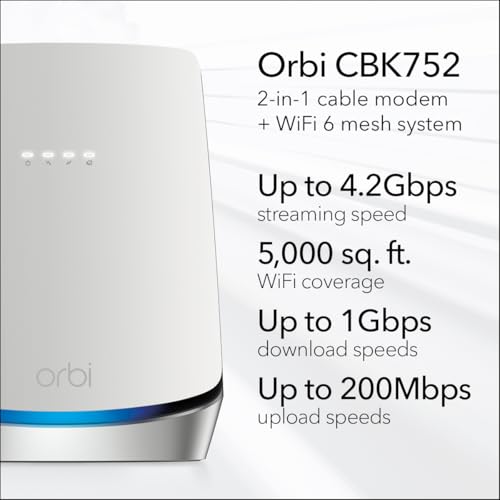
| Total Speed | AX4200 (4.2 Gbps) |
| Frequency Band | Tri-Band |
| Coverage Area | Up to 5,000 sq. ft. |
| Compatible Devices | Gaming Console, Smart Television, Smartphone, Tablet |
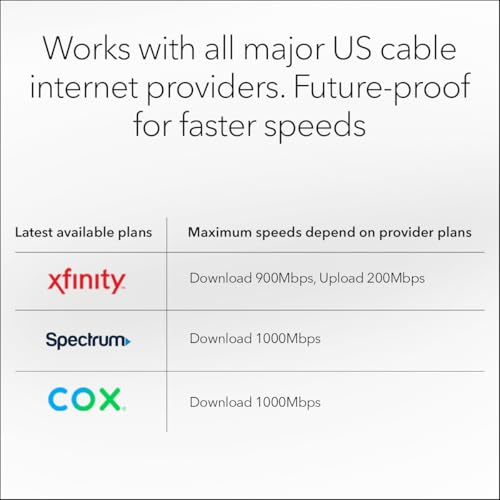
| ISP Certification | Xfinity (up to 900Mbps), Spectrum & Cox (up to 1Gbps) |
| Security Software | NETGEAR Armor (30-day trial included) |
| Management | Orbi App |
Design and Build
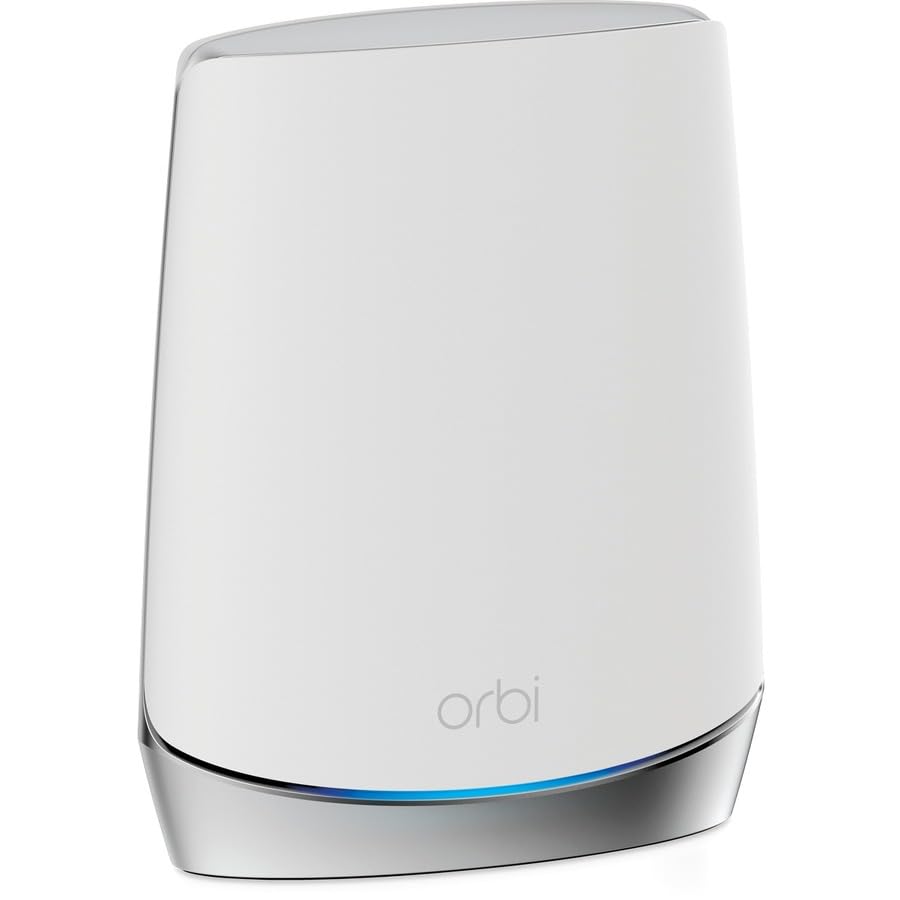
The Netgear Orbi CBK752-100NAS system consists of two white units: the main Orbi Cable Modem Router (CBR750) and a matching Orbi Satellite (RBS750). This design follows the modern, minimalist aesthetic common to many mesh systems, intended to blend into home decor rather than stand out as technical hardware. The integrated nature of the main unit is its primary design advantage, housing both the cable modem and the primary mesh router in one chassis. This consolidation directly reduces the number of devices, power cables, and interconnections required at the main internet entry point, leading to a cleaner setup. The system is designed for use in the United States only.
Performance and Features
Modem Performance and ISP Compatibility
The core of this system is its integrated DOCSIS 3.1 cable modem. This technology supports internet plans with speeds up to 4Gbps and is certified for compatibility with major cable providers. Specifically, the manufacturer states it is certified for use with Xfinity for plans up to 900Mbps download speed, and with Spectrum and Cox for plans up to 1Gbps download speed. This certification is crucial as it assures users the device will work with their service without compatibility issues, potentially allowing them to stop renting equipment from their ISP.
WiFi 6 Mesh Networking
The router component delivers WiFi 6 under the AX4200 classification, with a total wireless speed of up to 4.2 Gbps. It employs tri-band mesh technology, which uses one dedicated band for communication between the router and satellite to maintain a stable backhaul, leaving the other two bands free for client device traffic. This design is intended to manage connections for 40 or more devices effectively, supporting activities like uninterrupted streaming, HD video gaming, and web conferencing across a large area. The system is rated to cover up to 5,000 square feet with the included router and satellite.
Connectivity and Ports
The included components list a 2m Ethernet cable, indicating wired connectivity is supported. The specific number and type of Ethernet ports on the units are not detailed in the provided data. The connectivity technology is listed as both Ethernet and Wi-Fi.
Security and Software Features
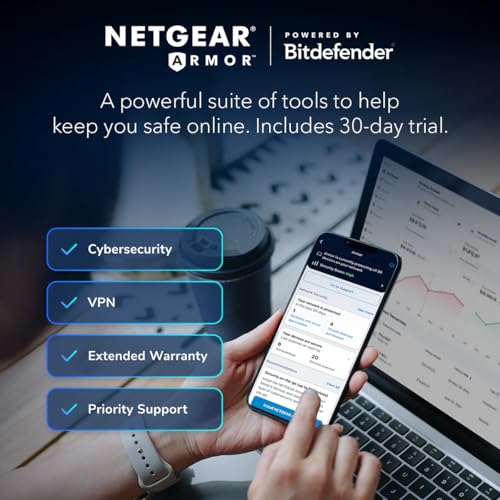
Security is a highlighted feature. The system includes NETGEAR Armor software, which provides real-time protection for the WiFi network and connected devices against hackers and includes a VPN for added privacy. A 30-day trial of this service is included. The manufacturer also states that security features are enabled out of the box, supported by automatic firmware updates designed to ensure optimal performance and compatibility. Network management is handled through the Orbi app, which is intended to simplify setup and ongoing adjustments.
Setup, Support and Ownership
Setup is designed to be managed through the Orbi app. The integration of the modem and router should, in theory, simplify the initial installation process compared to configuring two separate devices. The manufacturer notes that if connectivity issues are experienced after setup, a power cycle of the unit is recommended, stating that most connection issues resolve within two minutes. For expansion, coverage can be increased by 2,500 square feet with each optional Orbi Mesh WiFi 6 satellite, which are sold separately. Support is available directly from NETGEAR via a provided phone number. The system benefits from automatic firmware updates.
What Owners Say
Overall owner feedback for this product is positive, reflected in its rating. Reviewers generally appreciate the combination of a modem and mesh system into one purchase, noting the convenience and space savings. The coverage and performance for large homes are frequently mentioned as strengths. Some users have reported experiencing connectivity issues that were resolved by following the manufacturer’s guidance to power cycle the equipment.
Pros and Cons
Pros
- Eliminates equipment clutter by combining modem and router
- Certified for high-speed plans from Xfinity, Spectrum, and Cox
- Provides extensive WiFi 6 coverage up to 5,000 sq. ft.
- Handles 40+ devices with tri-band mesh stability
- Includes robust security features and automatic updates
- Easy to manage via the Orbi mobile app
Cons
- Expansion satellites must be purchased separately
- Designed for use exclusively in the United States
- Some users may encounter connectivity issues requiring a power cycle
- Limited to cable internet providers (not compatible with DSL or Fiber)
- The upfront cost is for an integrated system
- Specific port configuration details are not listed
Who Should Buy It (and Who Should Skip It)
The Netgear CBK752-100NAS is an ideal choice for subscribers of Xfinity, Spectrum, or Cox cable internet who have a large home (up to 5,000 sq. ft.) and want to streamline their network hardware. It’s perfect for households with many connected devices that would benefit from WiFi 6 performance and mesh coverage, and for users who prefer an app-managed system with strong built-in security. It also suits those looking to avoid monthly modem rental fees. For more options on routers suited for large homes, see our guide on the best routers for large homes.
This product is not suitable for users with DSL, fiber, or satellite internet, as it contains a cable modem only. It should be skipped by those living outside the United States due to its region lock. Individuals in smaller apartments or with minimal device counts might find its capacity overkill. Also, those who prefer to customize their network with separate, individually chosen modem and router components may want to look at other setups. If your primary need is supporting an extremely high number of devices, our roundup of the best routers for multiple devices offers alternatives.
Final Verdict
The Netgear Orbi CBK752-100NAS successfully executes on its promise of integration. By marrying a capable DOCSIS 3.1 modem with a well-regarded Orbi WiFi 6 mesh system, it delivers a powerful, wide-coverage network solution in a simplified package. The certifications with major cable providers provide peace of mind, and features like tri-band backhaul, support for 40+ devices, and bundled security software make it a robust modern networking hub. Its design effectively reduces clutter and complexity at the setup point.
Potential buyers must ensure their internet service is from a compatible cable provider and that their home size aligns with the coverage area. The need to purchase satellites separately for expansion beyond 5,000 sq. ft. is a consideration for the largest properties. While some users may encounter minor hiccups requiring a reboot, the overall package offers a compelling value proposition for the right user by consolidating monthly rental fees into a single upfront investment and delivering high-end mesh performance. For those with gigabit plans, comparing it to other options in our list of the best routers for gigabit internet is recommended.
FAQs
Which internet service providers is the Netgear CBK752 compatible with?
The modem component is certified for use with Xfinity for plans up to 900Mbps download speed, and with Spectrum and Cox for plans up to 1Gbps download speed. It uses DOCSIS 3.1 technology and is compatible with most cable service providers, but you should always verify compatibility with your specific ISP before purchasing. It is not designed for DSL, fiber, or satellite connections.
Can I expand the WiFi coverage beyond 5,000 square feet?
Yes, the system is expandable. You can add optional Orbi Mesh WiFi 6 satellites, which are sold separately. Each added satellite expands the coverage area by an additional 2,500 square feet. This allows you to customize the network to fit very large or multi-story homes.
What is NETGEAR Armor and is it included?
NETGEAR Armor is a cybersecurity software suite that provides real-time protection for your WiFi network and all connected devices against hackers, malware, and viruses. It also includes a VPN for added privacy. A 30-day trial of NETGEAR Armor is included with the system. After the trial period, a subscription would be required to continue the service.
What should I do if I experience connectivity issues after setup?
The manufacturer specifically advises that if you experience connectivity issues after the initial setup, you should power cycle the unit. This involves unplugging the power adapter, waiting a moment, and then plugging it back in. According to the provided information, most connection issues resolve within two minutes after a power cycle. For persistent problems, expert help is available from NETGEAR support.
About the author

Elvis Dicki writes reviews and buying guides for CyberSecLabs.