Minisforum MS-A2 Review: A Barebone Mini Workstation for High-Speed Networking
The MINISFORUM MS-A2 Mini Workstation delivers powerful multi-core processing and unique dual 10G SFP+ networking in a compact chassis, making it a specialized tool for data-intensive professional environments.
 By Elvis Dicki
Updated October 21, 2026
By Elvis Dicki
Updated October 21, 2026
The MINISFORUM MS-A2 isn’t your average mini PC. As a barebone mini workstation, it targets a specific niche: users who need substantial computing power combined with exceptional, enterprise-grade networking capabilities in a small footprint. This device is built around AMD’s potent Ryzen 9 8945HX processor and distinguishes itself with features like dual 10-gigabit SFP+ ports and triple 8K display support. It’s engineered for professionals in fields like network security management, digital signage, engineering design, and media production where fast data transfer and reliable multi-monitor setups are crucial. The bottom line: the MS-A2 is a highly specialized, compact workstation that excels in data-heavy, multi-tasking professional scenarios, though its barebone nature requires user assembly.

This review will analyze the MS-A2’s specifications, design, and intended use cases to determine if its unique blend of high-speed networking and strong processing power justifies its place in a professional or advanced home lab setup. We’ll examine who stands to benefit most from its capabilities and who might find a more conventional mini PC a better fit.
MINISFORUM MS-A2 Ryzen 9 8945HX Mini Workstation






As an Amazon Associate we earn from qualifying purchases. Product prices and availability are accurate as of the date/time indicated.
Minisforum MS-A2 at a Glance
| Specification | Details |
|---|---|
| Processor | AMD Ryzen 9 8945HX (16 cores / 32 threads, up to 5.4 GHz) |
| Graphics | Integrated AMD Radeon 610M (2.2 GHz) |
| Memory | Dual DDR5 SODIMM slots (up to 96GB, 5200 MHz) |
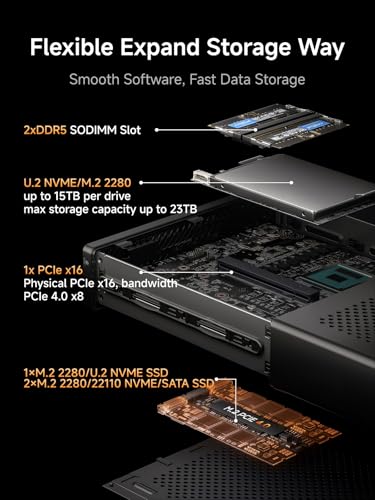
| Storage | Three M.2 PCIe 4.0 slots (2280/22110/U.2, supports RAID 0/1) |
| Networking | 2x 10G SFP+ ports, 2x 2.5G RJ45 ports, Wi-Fi 6, Bluetooth |
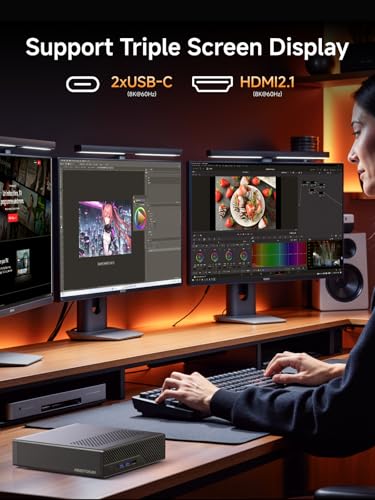
| Video Output | 1x HDMI (8K@60Hz), 2x USB-C (Alt DP, 8K@60Hz) |
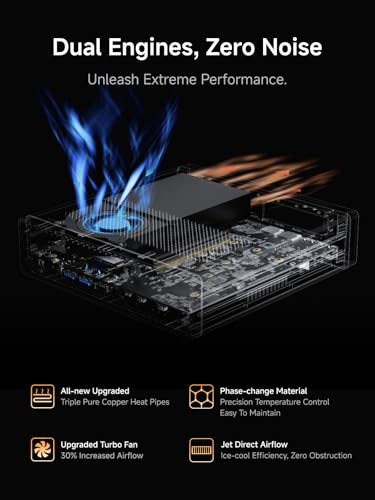
| Cooling | Dual-fan design with four heat pipes |
| Form Factor | Mini PC / Workstation |
| Operating System | Supports Windows (not included) |
Design and Build
The MINISFORUM MS-A2 adopts a classic, utilitarian mini PC design, finished in black. Its compact form factor is intended for discreet placement on a desk, in a home theater setup, or potentially within a rackmount environment, though specific mounting options are not detailed by the manufacturer. The front and rear panels are densely populated with ports, reflecting its workstation designation. The build quality, based on the provided specifications and typical of the brand’s higher-end offerings, suggests a chassis designed to handle the thermal demands of its powerful CPU and networking components. The inclusion of a dual-fan cooling system with four heat pipes is a key design element aimed at maintaining consistent performance during sustained workloads while keeping noise levels manageable, a critical factor for office or media production environments.
Performance and Features
Processing Power and Graphics
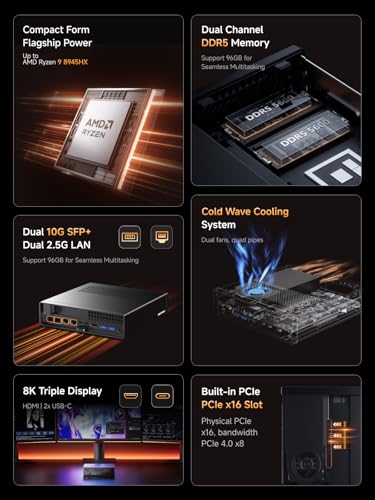
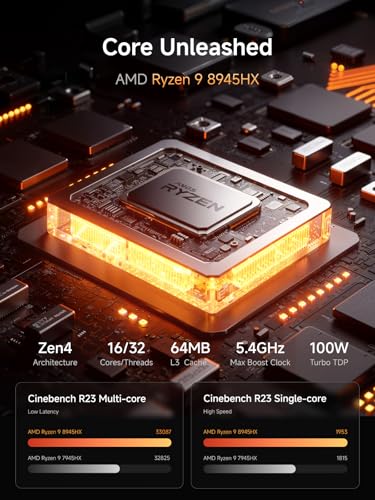
At the heart of the MS-A2 is the AMD Ryzen 9 8945HX, a 16-core, 32-thread mobile processor with a maximum boost clock of 5.4 GHz. This chip provides substantial multi-core performance, making the mini workstation well-suited for demanding computing tasks, multitasking, and applications that benefit from parallel processing, such as data analysis, software compilation, and running multiple virtual machines. The integrated AMD Radeon 610M graphics, with a frequency of 2.2 GHz, is adequate for driving its triple 8K display outputs, handling desktop productivity, video playback, and basic graphical workloads. However, as an integrated solution, it is not intended for heavy 3D rendering, advanced animation production, or high-framerate gaming.
Networking and Connectivity
This is where the MS-A2 truly differentiates itself. The dual 10-gigabit SFP+ ports are a standout feature, each supporting a 10 Gbps transfer rate and link aggregation. This makes the device ideal for users requiring ultra-fast wired connections to high-speed local area networks (LANs), network-attached storage (NAS) devices, or servers. It’s a feature set more commonly found in servers or high-end networking equipment, pointing to use cases in network security management or as a compact node in a data-intensive lab. Complementing these are two standard 2.5-gigabit RJ45 Ethernet ports for high-speed home or office networks. For wireless needs, it includes Wi-Fi 6 and Bluetooth connectivity.
Display and Expansion
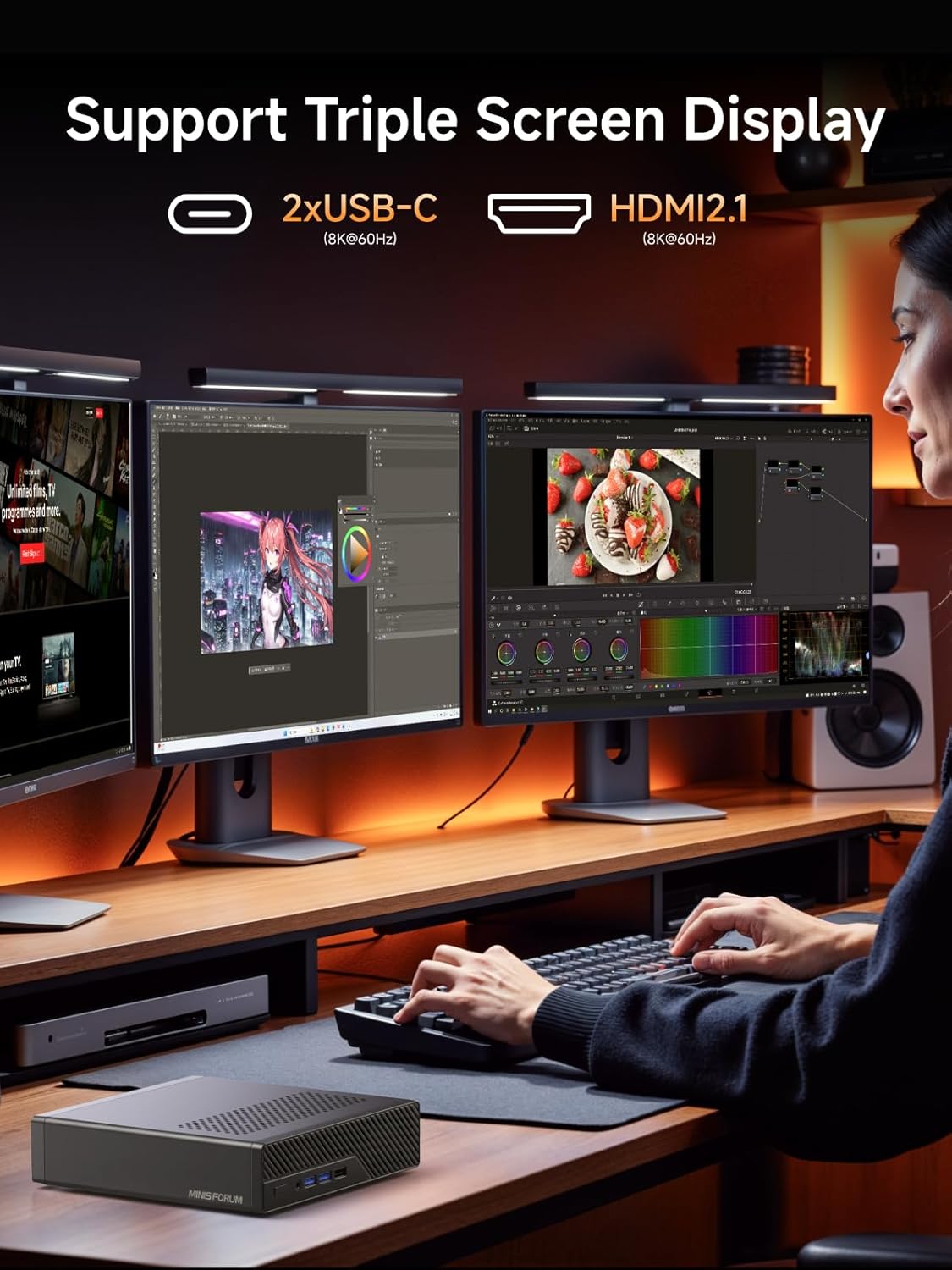
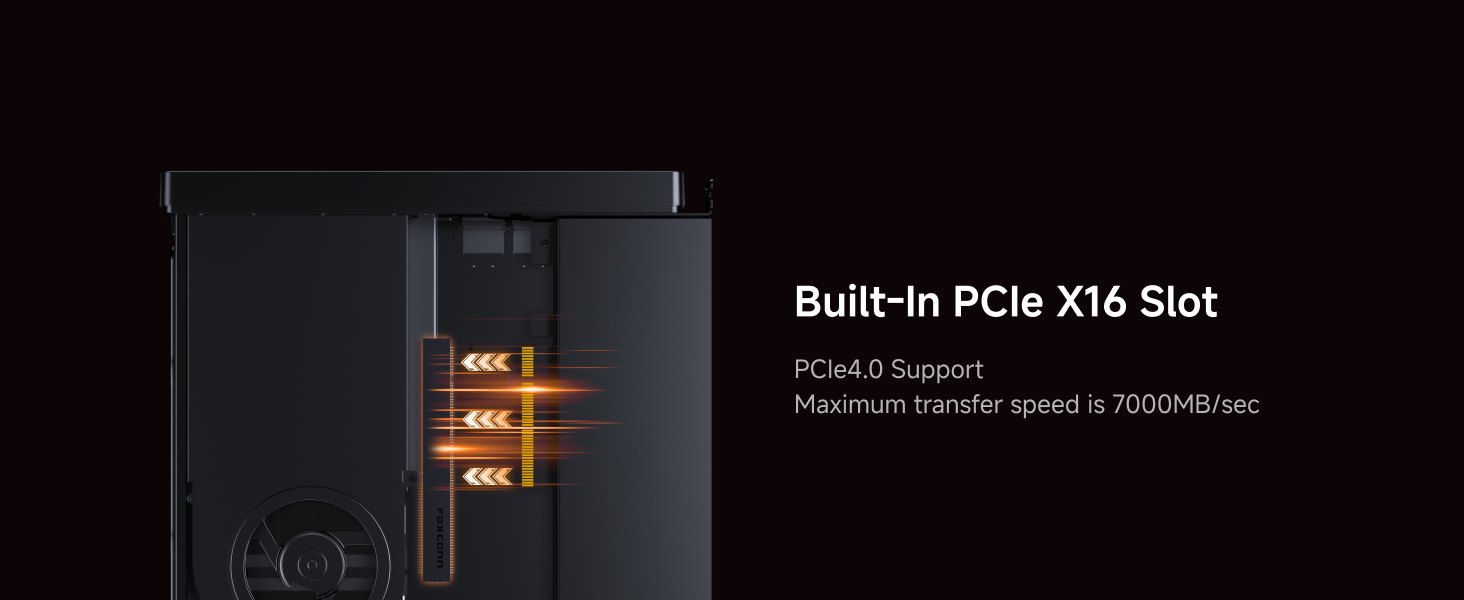
The workstation supports a triple-monitor setup via one HDMI port and two USB-C ports with Alternate DisplayPort mode, all capable of 8K resolution at 60Hz. This extensive display output is designed to provide a larger field of view for productivity, beneficial for financial trading, digital signage arrays, CAD engineering design, and video editing timelines. Storage expansion is highly flexible, with three M.2 PCIe 4.0 slots that support standard 2280 drives, longer 22110 enterprise-class SSDs, and even U.2 form factor drives for massive capacities up to 15.36 TB or more. These slots support RAID 0 and RAID 1 configurations for performance or redundancy. Memory can be expanded up to 96GB using two DDR5 SODIMM slots.
Setup, Support and Ownership
The MS-A2 is sold as a barebone system, meaning it arrives without RAM, storage, or an operating system. This requires the user to purchase and install these components separately, which adds to the total cost and introduces a layer of setup complexity. This approach is best suited for users with technical experience who want to tailor the memory and storage to their specific needs and budget. The package includes the essentials: the mini workstation itself, a power adapter, a power cord, an HDMI cable, and a manual. Support for the product would fall under MINISFORUM’s standard warranty and customer service channels. The manufacturer states the device supports the Windows operating system, but users are responsible for acquiring and installing their preferred OS, whether that’s Windows, Linux, or another compatible platform.
What Owners Say
At the time of this analysis, detailed owner feedback for the MINISFORUM MS-A2 is limited. The product holds a high rating, but the distribution of reviews across star ratings is not available from the manufacturer’s data. This means potential buyers should consider that widespread, long-term user experiences with this specific model are still accumulating. As with any barebone system, the final performance and satisfaction will be heavily influenced by the quality of the user-installed components (RAM, SSD) and the stability of the chosen operating system and drivers.
Pros and Cons
Pros
- Powerful 16-core AMD Ryzen 9 processor for intensive multitasking
- Unique dual 10G SFP+ ports for enterprise-level networking speed
- Triple 8K display support for expansive multi-monitor workflows
- Highly flexible storage expansion with RAID and U.2 SSD support
- Effective dual-fan cooling design for sustained performance
- Compact footprint saves valuable desk or rack space
Cons
- Barebone configuration requires separate purchase of RAM and storage
- Integrated graphics limit suitability for heavy 3D/graphics work
- Setup process has added complexity for non-technical users
- Final system cost is higher after adding necessary components
- Limited initial user feedback available for real-world assessment
Who Should Buy It (and Who Should Skip It)
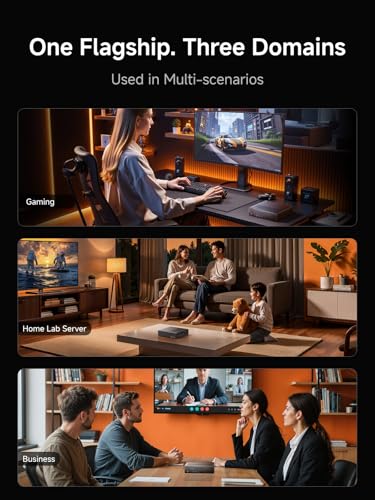
The MINISFORUM MS-A2 is an ideal fit for professionals and enthusiasts with specific, demanding needs. It’s perfect for network administrators or security professionals looking for a compact, powerful node for network management tasks that can leverage 10-gigabit connections to NAS or servers. Media producers, engineers, and financial analysts who require a multi-monitor workstation with strong CPU performance for CAD, data analysis, or video editing will also find it compelling. It’s also a great candidate for a home lab server where space is at a premium but network speed and processing power are not.
This mini workstation is not the best choice for general home users, casual gamers, or those seeking a simple plug-and-play computer. The need to buy and install core components adds cost and hassle. Users whose primary focus is high-end gaming or 3D animation rendering should look for systems with discrete graphics cards. If your work doesn’t involve multi-gigabit networking or you don’t need triple 8K displays, a more conventional mini PC or desktop will likely offer better value and simpler setup.
Final Verdict
The MINISFORUM MS-A2 Mini Workstation is a specialized tool that excels in a niche. Its combination of a high-core-count Ryzen 9 processor and dual 10G SFP+ networking ports is unusual in the mini PC market, carving out a clear identity for data-intensive professional and lab environments. The flexible storage options and triple-display support further solidify its position as a serious compact workstation for productivity.
However, its barebone nature is a significant consideration. The total investment will be higher than the base price, and setup requires a comfort level with hardware installation. For the right user—a tech-savvy professional, a homelab enthusiast, or a business with specific needs for fast networking and multi-core processing in a small box—the MS-A2 offers a compelling and unique solution. For everyone else, its specialized features may go unused, making a different system a more practical choice. It’s a powerful and well-engineered device, but one that demands a clear understanding of its purpose before purchase.
FAQs
What does “barebone” mean for the MS-A2?
A barebone system means the MINISFORUM MS-A2 is sold as the core chassis with the processor, motherboard, cooling, and ports pre-installed. It does not include random access memory (RAM), any solid-state drives (SSDs) for storage, or an operating system like Windows. You must purchase these components separately and install them to have a functioning computer.
What are the 10G SFP+ ports used for?
The two 10-gigabit SFP+ ports are for ultra-high-speed wired networking. They are typically used to connect directly to other SFP+ equipped devices like high-end network switches, servers, or network-attached storage (NAS) devices at speeds ten times faster than standard gigabit Ethernet. This is beneficial for transferring very large files, video editing from network storage, or low-latency network applications.
Can the MS-A2 be used for gaming?
While the AMD Ryzen 9 processor is very capable, the integrated AMD Radeon 610M graphics are not designed for modern gaming. It can handle older or less demanding titles at lower settings, but this mini workstation is not suitable for a primary gaming PC. Its strength lies in computational tasks and multi-display productivity, not graphical rendering. For gaming-focused mini PCs, you would want to explore our guides on systems built for that purpose.
What operating systems does it support?
The manufacturer lists support for the Windows operating system. However, as a standard x86-64 PC, it should also be compatible with various Linux distributions. Users are responsible for obtaining their preferred OS license and creating installation media. Driver availability, especially for the specialized networking hardware, should be verified for your chosen operating system.
About the author

Elvis Dicki writes reviews and buying guides for CyberSecLabs.