Magcubic HY300PRO Review: A Portable Android 14 Projector
The Magcubic HY300PRO is a compact, ultra-portable projector that delivers basic home theater functionality with its built-in Android 14 OS, WiFi 6, and flexible 180-degree rotation, making it a solid choice for casual indoor or outdoor viewing.
 By Elvis Dicki
Updated October 20, 2026
By Elvis Dicki
Updated October 20, 2026
The Magcubic HY300PRO is a compact, portable projector designed for users seeking an affordable and flexible entry point into big-screen viewing. This mini projector targets budget-conscious consumers, students, or casual users who prioritize portability and smart features over maximum brightness and high-end resolution. It is engineered for easy setup anywhere, from a bedroom ceiling to an outdoor screen, and is best suited for dark environments where its 200 ANSI lumens can perform adequately. In essence, the Magcubic HY300PRO is a lightweight, smart-enabled projector that aims to replace the need for external streaming sticks by offering built-in apps and versatile connectivity in a highly portable package.

Ideal for personal movie nights, casual gaming, or impromptu presentations, this device carves out a niche by combining a native 720P resolution with 4K support, WiFi 6, Bluetooth 5.4, and a unique 180-degree rotating stand. Its core value proposition lies in its grab-and-go convenience and all-in-one smart functionality, eliminating extra hardware clutter. While it won’t compete with dedicated home theater projectors in brightness or detail, it offers a compelling mix of features for its class, focusing on user-friendly operation and flexible placement. The bottom line: for its price point, the HY300PRO delivers a surprisingly versatile and portable viewing experience centered around smart connectivity and ease of use.
Magcubic HY300PRO 2026 Mini Projector with WiFi 6




As an Amazon Associate we earn from qualifying purchases. Product prices and availability are accurate as of the date/time indicated.
Magcubic HY300PRO at a Glance
| Specification | Detail |
|---|---|
| Native Resolution | 1280 x 720 (720P) |
| Maximum Supported Resolution | 3840 x 2160 (4K) |
| Brightness | 200 ANSI Lumens |
| Contrast Ratio | 8000:1 |
| Display Technology | LCD |
| Operating System | Built-in Android 14 |
| Connectivity | WiFi 6, Bluetooth 5.4, HDMI, USB |
| Speaker | Built-in 3W |
| Weight | 350 grams (0.77 lbs) |
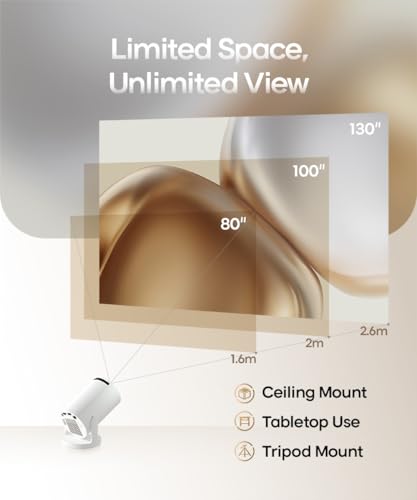
| Image Size Range | 30 to 130 inches |
| Throw Distance Range | 0.6 to 2.6 meters |
| Special Features | 180-Degree Rotation, Auto Vertical Keystone Correction, Manual Focus, Portable Design |
Design and Build
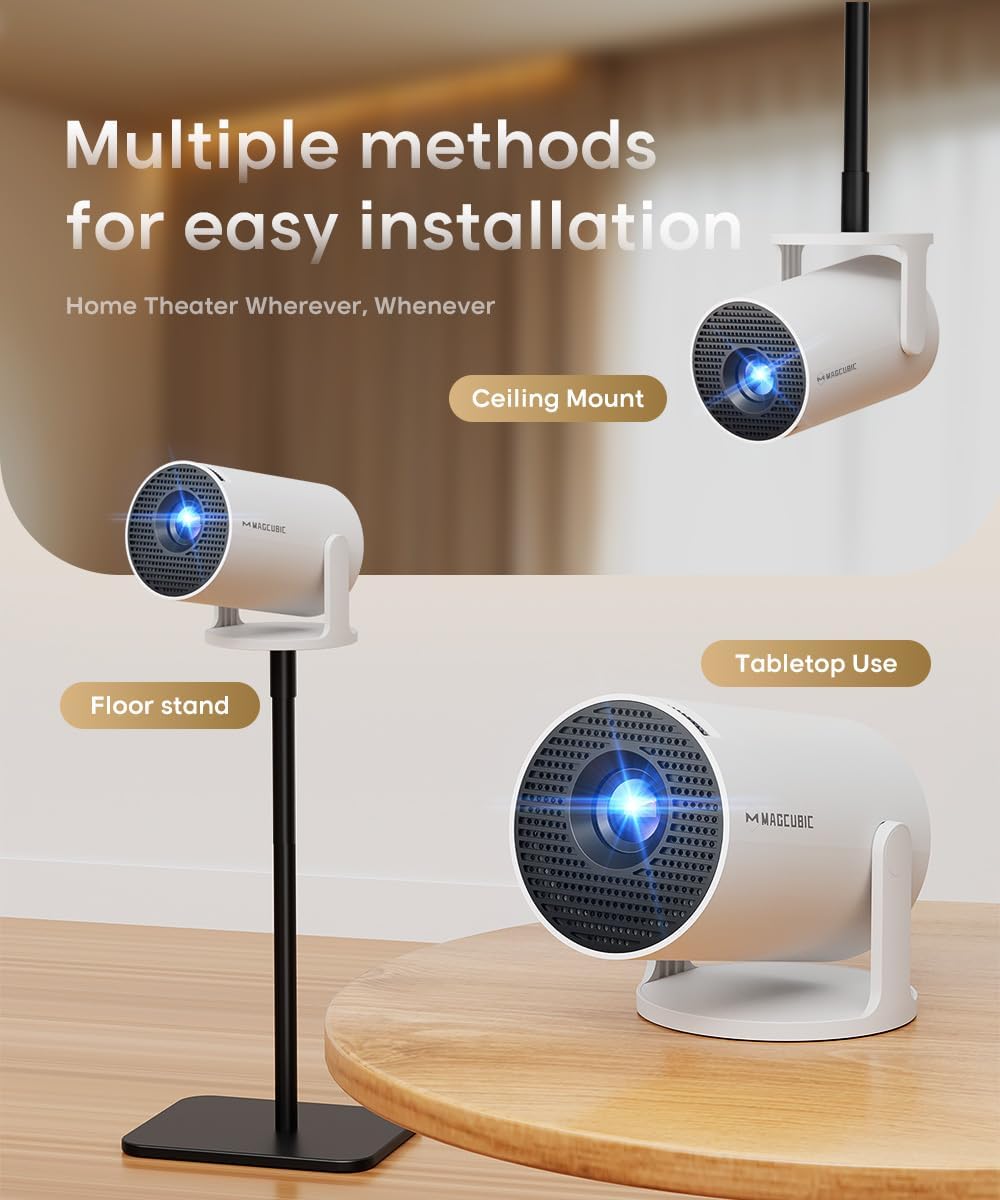
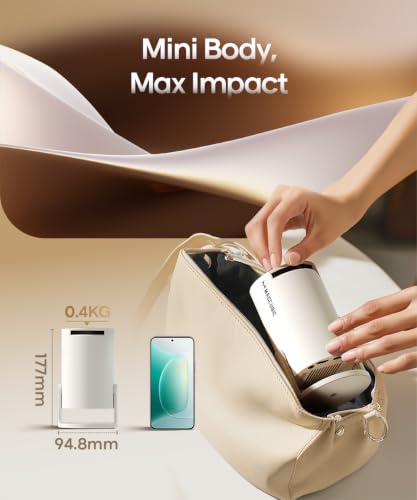
The Magcubic HY300PRO emphasizes portability above all else. According to the manufacturer, it is 30% smaller than its predecessor and 60% more compact than many competitors, with a total weight of just 350 grams. This makes it exceptionally easy to transport in a backpack or even a large pocket, living up to its “grab-and-go” marketing. The design includes a 180-degree rotating stand, a significant feature that allows the projector to be tilted a full half-circle. This enables users to project images onto walls, floors, or ceilings without needing additional mounting hardware, greatly expanding placement options for different viewing scenarios.
The unit uses an external power supply, which the manufacturer states contributes to cooler and faster performance by moving heat-generating components outside the main chassis. The form factor is described as ultra-compact, with dimensions of 94.8mm by 156.7mm. The build is geared towards universal compatibility, featuring standard HDMI and USB ports for direct connections. The overall design philosophy is clearly focused on minimizing size and weight while maximizing setup flexibility, making it a device that can be quickly deployed in a dorm room, living room, or outdoor setting.
Performance and Features
Image Quality and Projection
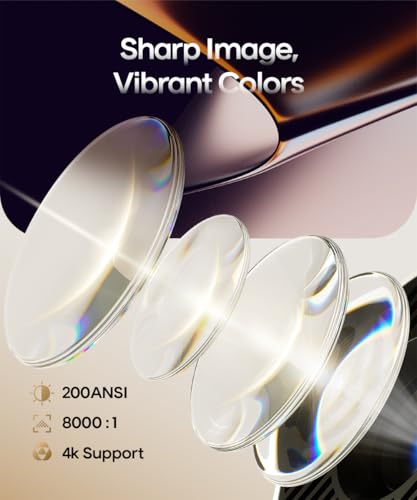
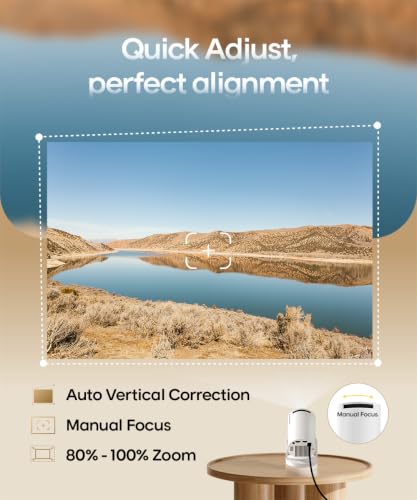
The HY300PRO’s core visual performance is built around a native 720P (1280×720) LCD display with support for 4K input signals. Its brightness is rated at 200 ANSI lumens, a specification that dictates its ideal use case: darkened rooms. The projector can produce images from 30 inches up to 130 inches diagonally, with a required throw distance between 0.6 and 2.6 meters. It employs manual focus, requiring users to adjust the lens ring for optimal sharpness, and features auto vertical keystone correction to help quickly align a rectangular image, though the data indicates manual adjustment is also available if the auto feature doesn’t suffice. The 8000:1 contrast ratio is listed, but specific performance details in various lighting conditions are not provided by the manufacturer beyond its suitability for casual use in bedrooms or outdoor spaces at night.
Connectivity and Ports
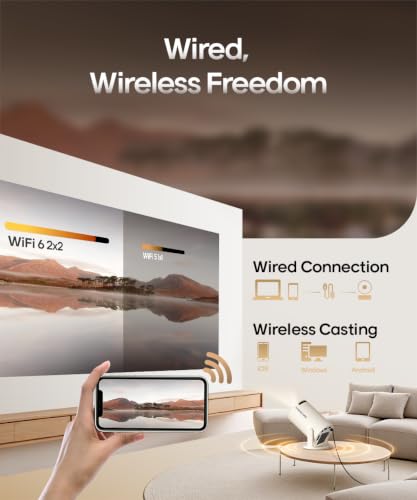
Connectivity is a major selling point for the HY300PRO. It features dual-band WiFi 6 and Bluetooth 5.4 for wireless streaming from smartphones, laptops, and gaming consoles. The manufacturer promotes “lag-free” streaming via these wireless protocols. For wired connections, it includes HDMI and USB ports, allowing instant setup with devices like gaming consoles or media players. This universal connectivity suite means the projector can function as a standalone smart device via its built-in Android OS or as a display for external sources, providing significant flexibility in how content is delivered to the screen.
Smart Features and Software
The projector runs a built-in Android 14 operating system, which is a key differentiator. This integrated smart platform provides direct access to applications and, according to the manufacturer, “seamless access to 1,000,000 videos with a single click.” This eliminates the need for an external streaming stick or dongle, consolidating the entertainment system into one device. The manufacturer includes a note advising users to manually update to the latest system version for optimal app performance and to contact support if issues arise. The built-in software handles video encoding for H.264 and H.265 formats, covering common streaming codecs.
Audio
Audio is handled by a single built-in 3W speaker. The presence of Bluetooth 5.4 allows for easy pairing with external Bluetooth speakers or soundbars for an enhanced audio experience, which is recommended for larger gatherings or when more powerful sound is desired. The manufacturer does not provide detailed specifications on audio quality or frequency response for the internal speaker.
Setup, Support and Ownership
Setup is designed to be straightforward, leveraging the auto vertical keystone correction and manual focus to get a viewable image quickly. The included 180-degree rotating stand simplifies physical placement. The manufacturer provides a user manual, remote control, and power adapter in the box. For ongoing ownership, the device requires manual system updates via the settings menu to ensure built-in applications perform optimally. The listed warranty is one year from the manufacturer. The FAQ section in the data provides troubleshooting steps for common issues like a tilted image, app crashes, or Wi-Fi connection problems, suggesting users try firmware updates, cache clearing, network changes, or a factory reset. No information is provided on long-term upgrade paths for hardware or software beyond the advice to keep the system updated.
What Owners Say
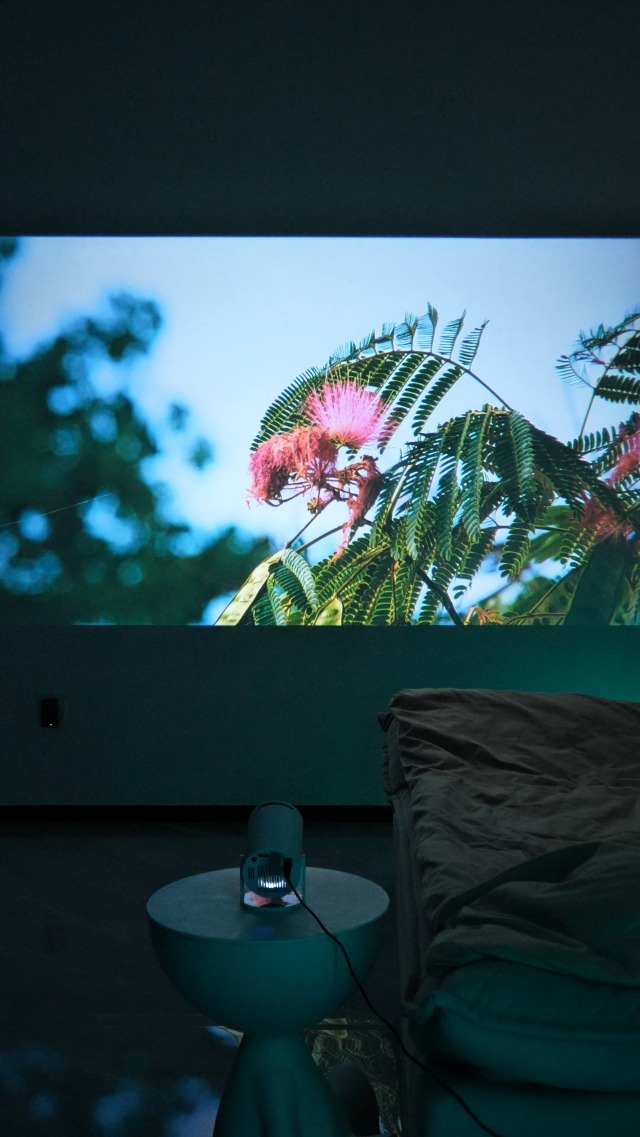
Owner feedback, reflected in the overall rating distribution, is predominantly positive. A significant majority of reviewers award the product five stars, praising its compact size, ease of use, and good value. Many highlight the surprise at how small and portable the projector is, with several noting it fits in a palm. The 180-degree rotation feature is frequently mentioned as a “game-changer” for ceiling projection in bed. Users report that the WiFi and Bluetooth connectivity work flawlessly for streaming, and the auto keystone correction is appreciated for saving setup time. Picture quality is generally described as clear and vivid in dim light, with several owners stating it exceeded their expectations for a budget projector.
Critical feedback from lower-star reviews often centers on the limitations inherent to its specifications. The brightness is noted as being sufficient only at night or in rooms with closed curtains, confirming its design for darkened environments. Some users mention the need for occasional manual focus adjustments. The consensus among owners is that the HY300PRO is a reliable, highly portable device perfect for casual indoor movie nights, children’s rooms, or camping trips, offering great functionality for its price point, as long as expectations regarding brightness and resolution are calibrated accordingly.
Pros and Cons
Pros
- Extremely portable and lightweight design
- Built-in Android 14 OS eliminates need for external streamers
- Versatile 180-degree rotation for flexible placement
- Comprehensive wireless connectivity with WiFi 6 and Bluetooth 5.4
- Easy setup with auto keystone correction
- Affordable entry point for portable projection
Cons
- Low 200 ANSI lumen brightness requires very dark rooms
- Native 720P resolution lacks fine detail
- Manual focus requires periodic adjustment
- Built-in 3W speaker has limited power
- Performance is best suited for casual, not critical, viewing
- Some app stability may require manual troubleshooting
Who Should Buy It (and Who Should Skip It)
The Magcubic HY300PRO is an ideal purchase for budget-minded users seeking a portable, all-in-one projector for casual entertainment. It’s perfect for students in dorms, families wanting a simple movie night setup, campers, or anyone who values the ability to easily move the projector between rooms or locations. Its built-in smart OS makes it excellent for users who want to avoid the hassle and extra cost of external streaming devices. If your primary needs are portability, easy setup, smart features, and flexible placement for viewing in controlled lighting, this projector is a strong contender.
Conversely, the HY300PRO should be skipped by users seeking a primary home theater projector. If you require high brightness for viewing in rooms with ambient light, demand the sharpest detail from 1080p or 4K native content, or need advanced features like horizontal lens shift or motorized zoom, you will need to look at more advanced and expensive models. It is not suited for well-lit living rooms or presentations in bright offices. For those interested in other tech gear categories, our Tech Gear section covers a wider range of devices.
Final Verdict
The Magcubic HY300PRO successfully executes its mission as an ultra-portable, smart-enabled mini projector. It packs a notable feature set for its size and price, including the convenient built-in Android 14 operating system, modern WiFi 6 and Bluetooth 5.4 connectivity, and the innovative 180-degree rotating stand. These features combine to offer a hassle-free, all-in-one viewing solution that can be set up almost anywhere in minutes. While its performance is anchored by its 200 ANSI lumen brightness and native 720P resolution—specifications that firmly place it in the “casual use” category—it delivers a satisfying experience within those constraints, particularly in dark environments.
When weighed against its limitations, the HY300PRO’s strengths in portability and smart integration make it a compelling option. It won’t replace a dedicated home theater projector, but it isn’t trying to. Instead, it carves out a useful niche as a versatile, take-anywhere entertainment hub. For anyone seeking an affordable, no-fuss projector for bedroom ceiling movies, backyard film nights, or portable presentations, the Magcubic HY300PRO represents solid value and considerable convenience. It stands as a testament to how far compact projection technology has come, offering a capable and user-friendly package that makes big-screen viewing more accessible than ever. For more expert picks on home entertainment setups, explore our Reviews and Soundbars sections.
FAQs
How do I fix a tilted image from the Magcubic HY300PRO?
First, ensure the projector is aligned with the screen. Then, navigate to Settings > Projection settings > Keystone Correction and use the initial angle correction. If that doesn’t work, you can turn off the auto keystone correction and manually adjust the vertical keystone. The projector features auto vertical keystone correction to help with this, but manual override is available for fine-tuning.
What should I do if an app crashes on the built-in Android system?
The manufacturer recommends several troubleshooting steps. Try connecting to a different Wi-Fi network and updating the firmware via Settings > About devices > Online upgrade. Ensure your time zone is set correctly in the date and time settings. You can also clear the app’s cache by going to Settings > My Apps, selecting the problematic app, and choosing “Clear Cache.” As a last resort, a factory reset is available in the settings menu.
Can I use the HY300PRO outdoors during the day?
Due to its 200 ANSI lumen brightness rating, the HY300PRO is best used in dark or very dimly lit conditions. Outdoor daytime use would likely result in a washed-out, faint image. It is designed for nighttime outdoor use or use in shaded areas where you can control the ambient light, such as under a patio canopy or after sunset.
Does the projector work with gaming consoles?
Yes, the Magcubic HY300PRO is compatible with gaming consoles. It has an HDMI port for a direct wired connection, which is the recommended method for gaming to minimize input lag. The manufacturer also states it supports lag-free streaming via its wireless connectivity, though for the most responsive gaming experience, a direct HDMI connection from your console to the projector is advisable.
About the author

Elvis Dicki writes reviews and buying guides for CyberSecLabs.