How to Optimize a Mini PC for Cybersecurity Work: A Complete Guide
A step-by-step guide to configuring your mini PC for penetration testing, malware analysis, and network security tasks, covering OS choices, hardware upgrades, and essential software setups.
 By Elvis Dicki
Updated October 22, 2026
To optimize a mini PC for cybersecurity work, you need to install a security-focused operating system like Kali Linux or Parrot OS, upgrade the RAM and storage for running virtual machines, configure a hardened networking setup, and install essential tools for penetration testing, analysis, and monitoring. This creates a portable, powerful lab environment.
Mini PCs are incredibly popular for cybersecurity professionals, students, and hobbyists. Their small footprint and low power consumption make them perfect for a portable security lab, a dedicated analysis machine, or a discreet network testing node. However, out of the box, a standard mini PC isn’t configured for the demanding, multi-tasking nature of security work. This guide will walk you through transforming a generic mini PC into a powerful, efficient cybersecurity workstation.

What You’ll Need
- A mini PC (such as those reviewed in our beelink SER5 review)
- USB drive (16GB minimum) for creating a bootable installer
- External hard drive or high-speed USB drive for disk imaging and storage
- Ethernet cable for reliable, wired network testing
- A compatible RAM upgrade kit (check your mini PC’s specifications)
- A fast NVMe SSD (1TB or larger recommended)
- Network switch or hub for creating an isolated lab network
How to Optimize Your Mini PC for Cybersecurity, Step by Step
Step 1: Choose and Install a Security-Focused Operating System
The foundation of your security workstation is the operating system. While you can use a standard Windows or Linux install and add tools, dedicated distributions bundle everything you need. Download the ISO for Kali Linux, Parrot Security OS, or BlackArch. Use a tool like BalenaEtcher to write the ISO to your USB drive, creating a live bootable installer. Boot your mini PC from the USB, and choose to install the OS to your internal SSD, opting for full disk encryption during setup for an extra layer of security on your sensitive data and tools.
Step 2: Maximize Your Hardware: RAM and Storage
Cybersecurity work often involves running multiple virtual machines simultaneously—one for attacking, one for a vulnerable target, and one for monitoring. This consumes RAM. If your mini PC supports it, upgrade to at least 32GB of RAM. Similarly, replace the stock SSD with a larger, faster NVMe drive (1TB minimum). A fast drive drastically reduces load times for OSes, tools, and large data sets like packet captures or malware samples. Opening the mini PC is usually straightforward; consult your model’s guide, ground yourself to avoid static, and carefully install the new components.

Step 3: Configure Virtualization and Your Lab Environment
With your base OS installed, set up a hypervisor. VirtualBox and VMware Workstation Player are excellent free options. Enable virtualization in your mini PC’s BIOS/UEFI settings if it’s not already on. Then, create your first virtual machine. Start with a simple “victim” machine, like a purposely vulnerable Linux distro (e.g., Metasploitable) or an old Windows image. The key is to keep this lab environment isolated. Configure your hypervisor’s network settings to use an “Host-Only” or “NAT Network” adapter, ensuring your attack and target VMs can talk to each other without touching your home or office network.
Step 4: Harden Your Network and System Configuration
Your machine itself needs to be secure. Update your primary OS and all tools immediately after installation. Configure a robust firewall using `ufw` (Uncomplicated Firewall) on Linux or the Windows Firewall with Advanced Security. Disable unnecessary services and network protocols you won’t use. For wireless testing, invest in a compatible external Wi-Fi adapter that supports monitor mode and packet injection. Physically, consider using a small network switch to create a wired, isolated sandbox network for your VMs and hardware devices like routers or IoT gadgets you’re testing, keeping all potentially malicious traffic contained.
Step 5: Install and Organize Essential Cybersecurity Tools
Distros like Kali come pre-loaded, but you should curate your toolkit. Use the built-in package manager (`apt` for Kali/Debian) to install and update tools. Organize them by function: reconnaissance (Nmap, Recon-ng), vulnerability analysis (OpenVAS, Nikto), exploitation (Metasploit), post-exploitation, and forensic analysis (Autopsy, Volatility). For scripting and automation, ensure Python, PowerShell, and Bash are ready. Keep a separate, encrypted directory for your notes, findings, and evidence, maintaining a clean workflow. Regular tool updates are critical, as exploits and defenses evolve rapidly, a topic we often cover in our Blog.

Step 6: Set Up Monitoring, Logging, and Documentation
A professional workflow includes monitoring your own system’s activity. Configure detailed logging. Use tools like Wireshark or tcpdump to capture background traffic during tests for later review. For documentation, consider a note-taking application like Joplin or Obsidian that can be stored locally and encrypted. Develop a standard operating procedure for your lab work: how you start, what you test, and how you preserve evidence. This disciplined approach is vital for real-world skills and is a key trait for the high-paying roles in the industry.
Recommended Products
The right hardware can expand your mini PC’s capabilities for specific security tasks. A powerful desktop can serve as a host for more intensive lab environments, while portable accessories keep you focused.
TOPTRO Google TV Projector 4K Native 1080P Short
Magcubic HY300 Pro+ Mini Projector 720P 4K Support
Prime Funny Cybersecurity Insulated Tumbler Stop
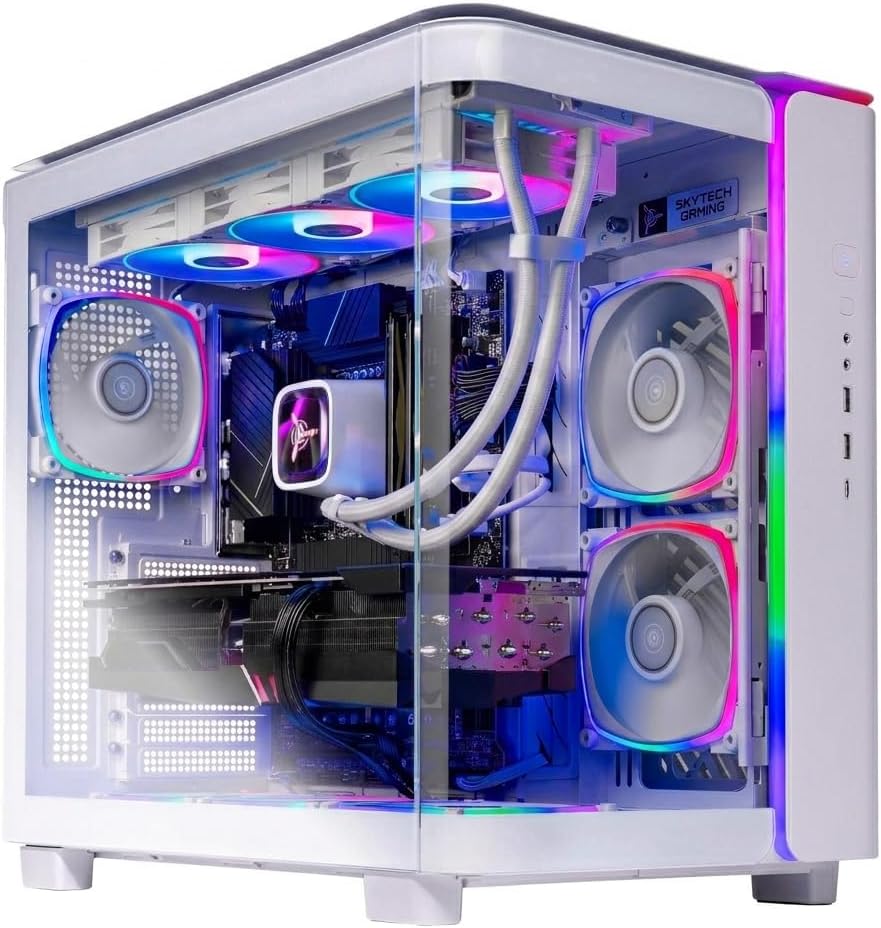
Prime Skytech King 95 Gaming PC Ryzen 7 9800X3D RTX 5070
As an Amazon Associate we earn from qualifying purchases. Product prices and availability are accurate as of the date/time indicated.
Common Mistakes to Avoid
- Testing on Live Networks: Never run attack tools on networks you don’t own or have explicit written permission to test. Always use an isolated lab.
- Neglecting Snapshots: Before testing in a VM, take a snapshot. If you corrupt the system or get malware, you can revert in seconds.
- Using Default Credentials: Change all default passwords on your security OS, hypervisor, and any lab devices immediately.
- Skipping Updates: An outdated tool can fail or, worse, have its own vulnerabilities that compromise your lab.
- Poor Documentation: If you don’t document your commands, findings, and thought process, you won’t learn effectively or produce professional reports.
- Overloading the System: Be mindful of your mini PC’s thermal limits. Running too many VMs on a small chassis can cause thermal throttling, slowing performance.
Frequently Asked Questions
Can any mini PC be used for cybersecurity work?
Most can, but your experience depends on specifications. Look for models with a recent 4-core+ processor, upgradeable RAM (16GB minimum, 32GB recommended), and an NVMe SSD slot. Some, like the u003ca href=u0022https://cyberseclabs.org/hp-g8-review/u0022u003eHP G8u003c/au003e, are particularly well-suited due to their power and quiet operation.
Is Windows or Linux better for a cybersecurity mini PC?
Linux distributions like Kali are purpose-built, offering thousands of pre-installed tools and a secure, scriptable environment favored by professionals. Windows is necessary for learning Active Directory attacks and specific tools; it’s often run as a Virtual Machine inside a Linux host for the best of both worlds.
Do I need a dedicated graphics card (GPU) for cybersecurity?
For most penetration testing and network security tasks, no. A GPU becomes crucial for password cracking (using tools like Hashcat) or complex malware analysis. For those tasks, a desktop with a powerful GPU, like the u003ca href=u0022https://www.amazon.com/dp/B0DXX2T9JCu0022u003eSkytech Gaming King 95 Gaming PC, Ryzen 7 9800X3Du003c/au003e, would be more suitable than a mini PC.
How do I practice ethically?
Always practice in a controlled, isolated lab you own. Use deliberately vulnerable software (like DVWA, Metasploitable), create your own virtual networks, or use paid online u0022capture-the-flagu0022 platforms and labs. Never probe or test systems without explicit authorization.
Whatu0026#039;s the first tool I should learn?
Start with Nmap for network discovery and Wireshark for packet analysis. Understanding how to discover hosts, identify services, and analyze raw network traffic forms the bedrock of most security assessment work. From there, move to vulnerability scanners and manual exploitation techniques.
Final Thoughts
Optimizing a mini PC for cybersecurity transforms it from a compact computer into a focused, portable security laboratory. By carefully selecting your OS, upgrading key hardware components, and methodically setting up an isolated virtual lab, you create a safe and powerful environment to learn and practice essential skills. Remember, the goal is a reproducible, organized, and secure workspace that supports your growth in this dynamic field. Stay curious, practice ethically, and keep your tools—and knowledge—sharp.
About the author

Elvis Dicki writes reviews and buying guides for CyberSecLabs.