How to Connect Speakers to TV with Speaker Wire: A Complete Guide
Learn to connect external speakers to your TV using speaker wire, from identifying the right ports to configuring your TV's audio settings for the best sound.
 By Elvis Dicki
Updated October 22, 2026
You can connect speakers to your TV with speaker wire by identifying compatible audio output ports on your TV, connecting the wire to your speakers or amplifier, and configuring your TV’s audio settings to output sound correctly. This guide covers the most common connection methods for standard and smart TVs.
Introduction
While modern TVs are thinner and smarter than ever, their built-in speakers often leave much to be desired. Thin cabinets simply can’t house large enough drivers to produce rich, full-bodied sound. Connecting external speakers via good old-fashioned speaker wire is a reliable, high-quality way to dramatically upgrade your TV’s audio.
This method gives you complete control over your audio setup, allowing you to choose bookshelf speakers, a full surround sound system, or even professional audio equipment. The process is straightforward once you know which ports to use and how to configure your settings. Let’s walk through everything you’ll need and the step-by-step process.

What You’ll Need
- Your TV and its remote control.
- The external speakers you wish to connect.
- Speaker wire (16- or 14-gauge is typical for home use).
- Wire strippers or a sharp knife to strip the wire ends.
- An audio receiver or stereo amplifier (required for passive speakers).
- Optional: Banana plugs or spade connectors for a cleaner, more secure connection.
How to Connect Speakers to TV with Speaker Wire, Step by Step
Step 1: Identify Your TV’s Audio Output Ports
First, locate the audio output ports on the back or side of your TV. The most common port for a wired speaker connection is the RCA-style Audio Output, often colored red and white and labeled “Audio Out.” Some newer TVs may only have a single 3.5mm headphone jack or an Optical Audio (Toslink) output. For this guide focusing on traditional speaker wire, we are looking for the analog RCA outputs.
If your TV only has an Optical output, you will need a digital-to-analog converter (DAC) to convert that signal to one your amplifier can use. Check your TV’s manual if you’re unsure about the ports.

Step 2: Prepare Your Speaker Wire
Measure and cut the speaker wire to the required length from your TV/amplifier location to each speaker, adding a little extra for routing. Use your wire strippers to remove about 1/2 inch (12mm) of insulation from each end of the wire, exposing the bare copper strands. Twist the strands tightly together to prevent fraying.
For a more professional and reliable connection, consider attaching banana plugs or spade connectors to the stripped ends. This prevents the bare wire from accidentally touching and causing a short circuit.
Step 3: Connect the Wire to Your Amplifier or Receiver
Nearly all passive speakers (those without a built-in amplifier) require an external amplifier or AV receiver. Connect your prepared speaker wire to the amplifier’s speaker terminals, observing the correct polarity. Match the positive (+) terminal on the amp to the positive terminal on the speaker, and the same for negative (-). This is usually indicated by red for positive and black for negative.
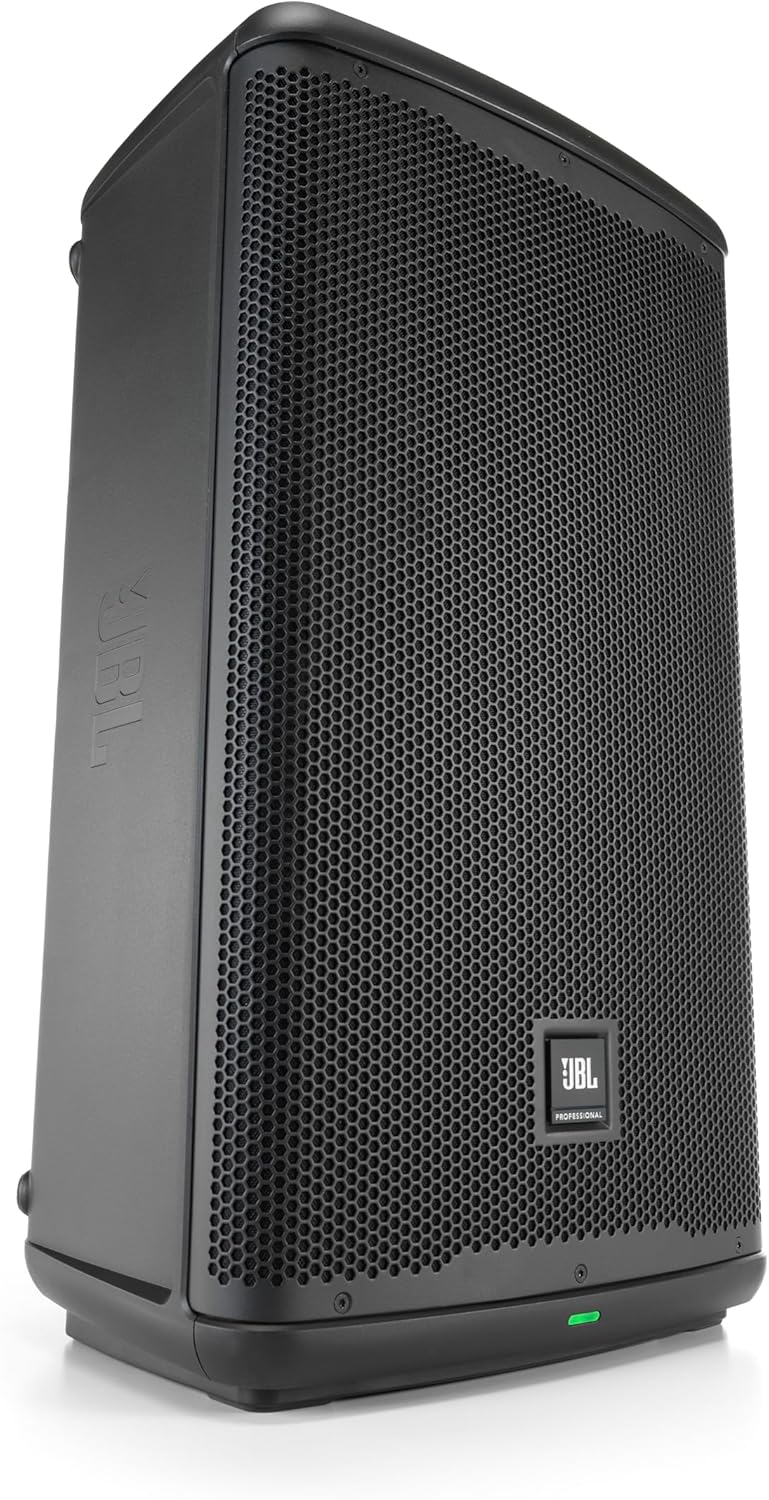
If you are using powered speakers like the JBL Professional EON712 Powered PA Speaker, you can skip this step, as the amplifier is built in. You would connect an audio signal from your TV to these speakers, not raw speaker wire.
Step 4: Connect the TV to the Amplifier
Now, connect your TV’s audio output to the input on your amplifier or receiver. Using an RCA cable (the red and white cables), connect from the TV’s “Audio Out” ports to an available input on the amplifier, such as “Aux,” “CD,” or “TV.” This carries the sound signal from your TV to the amplifier, which then powers the speakers via the speaker wire.
Step 5: Connect the Speaker Wire to Your Speakers
Run the other ends of your prepared speaker wires to each speaker. Connect them to the speaker terminals, again ensuring positive to positive and negative to negative. The connections on the speaker will be clearly marked. Make sure the connections are tight and secure to ensure good sound quality and prevent buzzing.
Step 6: Configure Your TV’s Audio Settings
Turn on your TV, amplifier, and speakers. Using your TV remote, navigate to the Sound or Audio settings menu. Look for an option called “Audio Output,” “Speaker Output,” or “Sound Output.” Change this setting from “TV Speaker” or “Internal Speaker” to “External Speakers” or “Audio Out.” On some models, you may need to select “Fixed” or “Variable” output level; “Variable” lets you control the volume with your TV remote.
For more detailed audio setup, like adjusting equalization for movies or music, check out our guide on how to choose the best colors for your home theater walls for tips on creating an optimal viewing and listening environment.
Step 7: Test the Sound
Play content from your TV—a movie, TV show, or music streaming app. You should hear the audio coming from your external speakers. If you don’t, double-check all connections, ensure the amplifier is set to the correct input source, and verify your TV’s audio output settings. Start with a low volume and gradually increase it.
Recommended Products
While any compatible speakers will work, some products are designed to make the connection process easier or offer superior sound quality for your home theater.
Prime vibeadio 110W Soundbar with 5.9" Subwoofer
AI Smart Glasses with Camera, 4K Video
JBL EON712 12-Inch Powered PA Speaker
OMRON Platinum Upper Arm Blood Pressure Monitor
As an Amazon Associate we earn from qualifying purchases. Product prices and availability are accurate as of the date/time indicated.
Common Mistakes to Avoid
- Ignoring Polarity: Reversing positive and negative wires can cause speakers to be “out of phase,” resulting in weak bass and a hollow sound.
- Using Wire That’s Too Thin: For longer runs or powerful speakers, thin wire (like 18-gauge or higher) can degrade the signal. Use 16- or 14-gauge for most home setups.
- Forgetting to Change TV Settings: The most common reason for no sound is leaving the TV’s audio output set to “Internal Speakers.” Always switch it to “External” or “Audio Out.”
- Loose Connections: Bare wire ends can come loose from spring-clip terminals. Ensure they are tightly secured or use connectors.
- Overlooking Amplifier Power: Ensure your amplifier or receiver can adequately power your speakers. Underpowering can damage both the amp and the speakers.
- Running Wire in Unsafe Locations: Avoid running speaker wire under carpets where it can be pinched or across walkways where it’s a tripping hazard.
Frequently Asked Questions
My TV doesnu0026#039;t have red and white audio outputs. What can I do?
Many modern TVs have replaced analog RCA outputs with a digital Optical Audio (Toslink) output or just a 3.5mm headphone jack. For an Optical output, you need a digital-to-analog converter (DAC). For a headphone jack, you can use a 3.5mm-to-RCA cable to connect directly to your amplifier’s input.
Can I connect speakers directly to the TV without an amplifier?
No, you cannot connect passive speakers (which require external power) directly to a TV. A TV’s audio output provides a low-power signal, not the amplified power needed to drive speakers. You must use an amplifier or AV receiver. The exception is if you use powered speakers, which have a built-in amp.
Why is there a humming or buzzing noise from my speakers?
A hum or buzz is often caused by a ground loop. Try plugging your TV and amplifier into the same power strip. Also, ensure your audio cables are not running parallel to power cords, as this can cause interference. Check that all wire connections are clean and tight.
How long can my speaker wire be?
For most home setups, you can run speaker wire up to 50 feet (15 meters) with 16-gauge wire without significant signal loss. For longer runs or higher-power systems, use thicker 14- or 12-gauge wire to maintain sound quality.
Is using speaker wire better than wireless or a soundbar?
Speaker wire provides a direct, uncompressed analog connection, which can offer the highest potential audio fidelity without latency. Wireless systems and soundbars, like the u003ca href=u0022https://www.amazon.com/dp/B0GS5YMYR3u0022u003evibeadio Upgraded 110W Sound Bar for TV with 5.9u0022u003c/au003e, offer incredible convenience and simplicity, often with good sound, but a dedicated wired speaker system typically allows for more power and customization.
Can I use this method for a surround sound setup?
Absolutely. The process is identical, but you will need an AV receiver capable of processing surround sound formats (like Dolby Digital) and multiple speakers (front left/right, center, rear surrounds, and a subwoofer). The receiver connects to the TV, and you run speaker wire from the receiver to each speaker location.
Final Thoughts
Connecting speakers to your TV with speaker wire might seem technical, but it’s a fundamental skill that unlocks vastly superior audio. By carefully identifying your ports, making secure connections, and correctly configuring your settings, you can transform your living room into a personal cinema or concert hall. The investment in a good set of speakers and a bit of time setting them up pays off every time you watch a movie or listen to music.
Remember, the goal is great sound that enhances your experience. Don’t be afraid to experiment with speaker placement and settings to find the perfect sound for your room. For more technical guides on getting the most from your gear, explore our other articles, such as our Flipper Zero tutorial for tech enthusiasts.
About the author

Elvis Dicki writes reviews and buying guides for CyberSecLabs.