How to Choose a Soundbar for Your TV in 2026
Follow this guide to select the perfect soundbar by assessing your TV, room size, audio needs, and connectivity. We'll help you prioritize features like dialogue clarity and immersive sound.
 By Elvis Dicki
Updated October 22, 2026
Choosing the right soundbar means improving your TV’s audio for clearer dialogue and more immersive movie nights without a complex home theater setup. You need to match the soundbar to your specific TV, room, and listening habits. This guide walks you through the key factors step by step, so you can invest confidently in better sound.
Upgrading from your TV’s built-in speakers can dramatically improve your viewing experience. A good soundbar makes voices easier to understand, adds depth to music, and brings action scenes to life. We’ll help you navigate power ratings, connection types, and special features to find the ideal model for your space and budget.

What You’ll Need
- Your TV’s model number or manual (to check audio output ports)
- A tape measure (to check your TV’s width and your room dimensions)
- Information on your primary content (movies, sports, gaming, etc.)
- Optionally, a list of current soundbars to compare
How to Choose a Soundbar, Step by Step
Step 1: Check Your TV’s Audio Outputs
First, identify the audio output ports on your TV. This determines how you can connect a soundbar. Look for an HDMI ARC (Audio Return Channel) or eARC port, an optical audio (Toslink) port, or a 3.5mm AUX output. HDMI ARC/eARC is generally preferred as it often allows you to control the soundbar volume with your TV remote and can support higher-quality audio formats.
If your TV only has an optical or AUX output, don’t worry–many soundbars support these connections. Just ensure the model you choose has the matching input. Knowing your TV’s capabilities upfront prevents compatibility issues. You can find a detailed setup guide for HDMI connections in our article on how to connect a soundbar to a TV with HDMI.
Step 2: Measure Your TV and Room
The soundbar’s physical size should be appropriate for your setup. Ideally, it should be roughly the same width as your TV or slightly shorter, so it sits neatly in front without looking awkward. Also, consider the size of your room. A compact soundbar might be sufficient for a bedroom or office, while a larger living room may benefit from a more powerful unit or one that includes a separate subwoofer for deeper bass.

Step 3: Define Your Audio Priorities
What bothers you most about your current TV sound? Is it muffled dialogue where you constantly need subtitles? Or is the overall sound flat and lacking impact? Your answer will guide your feature focus. For clear dialogue, prioritize soundbars with dedicated voice-enhancement technology. For immersive movie experiences, look for models offering virtual surround sound or Dolby Atmos support.
For instance, the ZVOX AccuVoice AV835 Dialogue Clarifying Soundbar specializes in separating and boosting voices, which is a great solution if understanding speech is your main goal.
Step 4: Understand Power and Channels
Soundbar power is measured in watts (W). More watts generally mean the soundbar can play louder and potentially handle dynamic audio ranges better. However, room size matters more than max wattage. A 50W soundbar can be plenty for a medium-sized room. Also, note the channel configuration. A “2.1” system has two main channels (left and right) and a separate subwoofer for bass. A “3.1” system adds a dedicated center channel, which is excellent for dialogue.
Models like the Sound Bar for Smart TV,90W Soundbar offer higher power output and customizable equalizer modes, allowing you to tailor the sound profile for movies, music, or dialogue.
Step 5: Evaluate Connectivity and Ease of Use
Beyond the primary TV connection, consider other inputs you might need. Bluetooth is useful for streaming music wirelessly from your phone. Some soundbars also have USB ports for playing audio files directly. Think about daily usability. Does it come with a remote? Can it be controlled via your TV remote over HDMI ARC? A clear display or simple controls make adjustments easier.
Step 6: Set Your Budget and Compare Options
Soundbars range from basic models under $50 to high-end systems over $1000. Determine a comfortable budget based on the features you’ve identified as important. At a lower budget, you’ll find capable 2.0 or 2.1 channel bars with good connectivity. As your budget increases, you gain access to features like dedicated subwoofers, more advanced surround sound processing, and higher-quality materials.
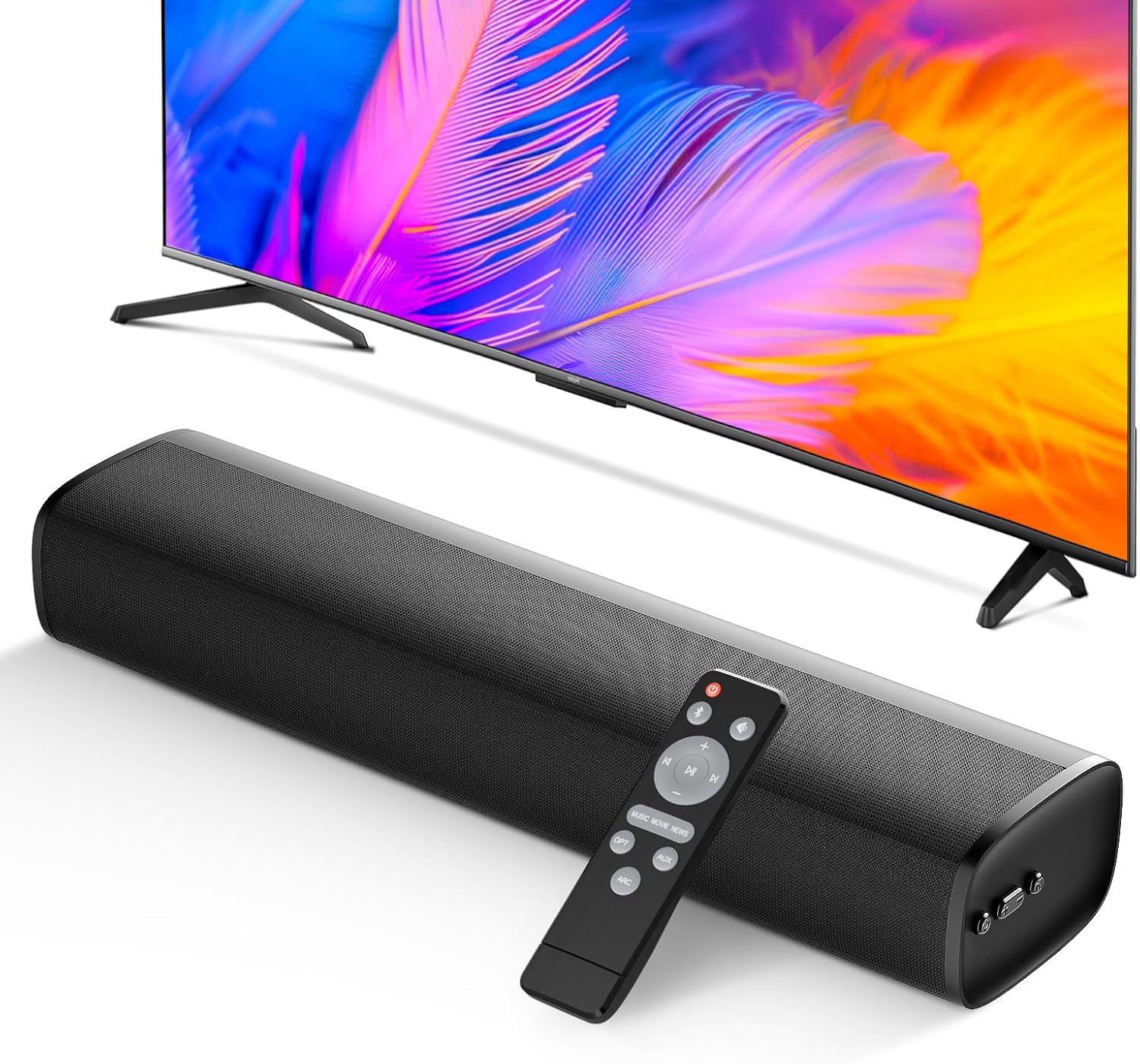
For a balanced option with solid wireless connectivity, the MZEIBO Sound Bar, 50W Soundbar for Smart TV offers multiple connection options including Bluetooth 5.3, optical, and ARC.
Step 7: Read Reviews and Finalize Your Choice
Once you’ve narrowed down to 2-3 models that fit your criteria, read professional and user reviews. Pay attention to comments on sound quality, reliability, and ease of setup. Look for consistent praise or complaints. This final check can reveal real-world performance nuances that aren’t apparent from spec sheets alone, helping you make the most informed decision.
Recommended Products
The products below represent a range of soundbar solutions that can address different needs, from boosting dialogue to providing powerful, immersive audio.
Assistrust 90W Detachable Soundbar for Smart TV
ZVOX AccuVoice AV835 Soundbar
MZEIBO 50W Soundbar Bluetooth 5.3 for TV with ARC

Prime Overmont 7QT Enameled Cast Iron Dutch Oven
As an Amazon Associate we earn from qualifying purchases. Product prices and availability are accurate as of the date/time indicated.
Common Mistakes to Avoid
- Ignoring TV compatibility: Buying a soundbar without checking if your TV has the required output (like HDMI ARC) can lead to a frustrating setup process or limited functionality.
- Overlooking room acoustics: A very powerful soundbar in a small, carpeted room might be overkill, while a weak one in a large, open space will sound thin.
- Focusing only on wattage: Higher wattage doesn’t always mean better sound quality. The speaker design, driver quality, and audio processing are often more important.
- Forgetting future needs: If you plan to add a gaming console or Blu-ray player, ensure the soundbar has enough spare inputs for future devices.
- Placing it poorly: Even the best soundbar will underperform if it’s tucked inside a cabinet or placed directly against a wall without the recommended clearance.
- Skipping the manual settings: Many soundbars have built-in EQ modes or night modes. Not experimenting with these means you might not be getting the best possible sound for your content.
Frequently Asked Questions
Do I need a separate subwoofer with a soundbar?
Not necessarily. Many soundbars have built-in subwoofers that provide adequate bass for most users. However, if you watch a lot of action movies or listen to bass-heavy music and have a larger room, a soundbar with a dedicated external subwoofer will deliver a more powerful and impactful low-end rumble.
Can a soundbar replace a full surround sound system?
For most people, yes. Modern soundbars with virtual surround sound technology do an excellent job of creating a wide, immersive soundstage from a single unit, without the need for multiple speakers and wires around the room. While a true 5.1 or 7.1 system may offer more precise channel separation, a quality soundbar provides about 80% of the benefit with 20% of the hassle.
Whatu0026#039;s the difference between HDMI ARC and optical?
HDMI ARC (Audio Return Channel) can carry higher-bandwidth audio signals (like Dolby Digital Plus) and often allows for CEC (Consumer Electronics Control), letting you use one remote for both TV and soundbar volume. Optical connections are digital and transmit high-quality sound but are limited to older formats like Dolby Digital and DTS and don’t support remote control passthrough.
How do I connect other devices to my soundbar?
You typically connect devices like gaming consoles or Blu-ray players directly to your TV’s HDMI inputs. The TV then sends the audio to the soundbar via the ARC/eARC or optical connection. Some soundbars have extra HDMI inputs, which allow you to connect devices directly to the soundbar for potentially better audio processing, though this may require switching inputs on the soundbar itself.
Can I use a soundbar with a projector?
Yes, absolutely. The connection process is similar. You would connect your media source (like a streaming stick or Blu-ray player) to the projector, and then run an audio cable (HDMI ARC, optical, or AUX) from that source or the projector’s audio output to the soundbar. For more on audio setups with different devices, see our guide on u003ca href=u0022https://cyberseclabs.org/how-to-connect-a-subwoofer/u0022u003ehow to connect a subwooferu003c/au003e.
Final Thoughts
Choosing a soundbar is about solving your specific audio problems. By methodically working through your TV’s specs, your room’s dimensions, and what you watch most, you can filter through the options and find a model that delivers a meaningful upgrade. The goal isn’t to buy the most expensive or powerful soundbar, but the one that best fits your situation.
Remember, even a modestly priced soundbar will likely be a significant improvement over built-in TV speakers. Take your time, use the steps in this guide, and you’ll be well on your way to enjoying clearer dialogue, richer music, and more thrilling movie nights from the comfort of your couch.
About the author

Elvis Dicki writes reviews and buying guides for CyberSecLabs.