GMKtec G5S Review: Dual 4K Outputs in a Tiny, Entry-Level Package
The GMKtec G5S is a compact and versatile mini PC designed for basic computing tasks, offering dual 4K display support and flexible power options in a remarkably small footprint.
 By Elvis Dicki
Updated October 20, 2026
By Elvis Dicki
Updated October 20, 2026
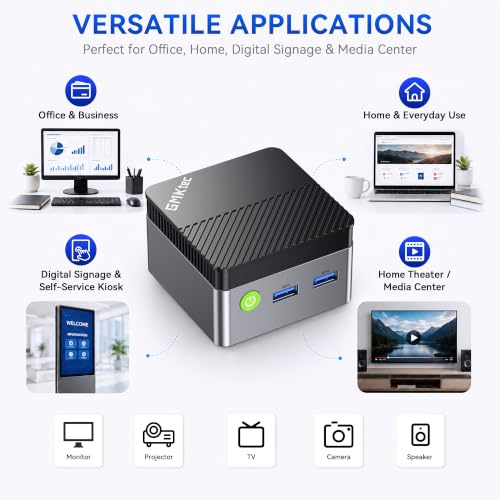
In the expanding market of compact computing, the GMKtec G5S mini PC carves out a distinct niche for users who prioritize space-saving design and simple functionality over raw processing power. This device, built around the Intel Celeron N5095 processor, is engineered for everyday office tasks, student work, and media consumption, not for intensive creative workloads or gaming. For those seeking an affordable, out-of-the-box solution for a secondary workstation, home theater PC, or a clutter-free digital hub, the G5S presents a compelling case with its dual-monitor support and extensive connectivity.

At its core, the GMKtec G5S is an entry-level essentials PC. It arrives pre-configured with Windows 11 Pro, 8GB of LPDDR4 RAM, and a 128GB M.2 SSD, promising a plug-and-play experience for web browsing, document editing, and 4K video streaming. Its most notable strengths lie in its physical design and port selection, allowing it to fit into nearly any environment while supporting a wide array of peripherals. The bottom line: this is a capable, no-fuss mini desktop for light-duty computing where footprint and connectivity are more critical than benchmark scores.
GMKtec G5S Mini PC Intel N5095 8GB RAM 128GB SSD


As an Amazon Associate we earn from qualifying purchases. Product prices and availability are accurate as of the date/time indicated.
GMKtec G5S at a Glance
| Specification | Detail |
|---|---|
| Processor | Intel Celeron N5095 (4 cores / 4 threads, up to 2.9 GHz) |
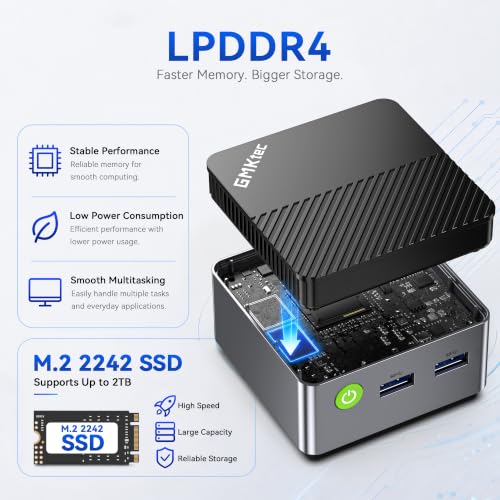
| Memory | 8GB LPDDR4 (soldered) |
| Storage | 128GB M.2 2242 SATA SSD (expandable via internal slot) |
| Graphics | Intel UHD Graphics |
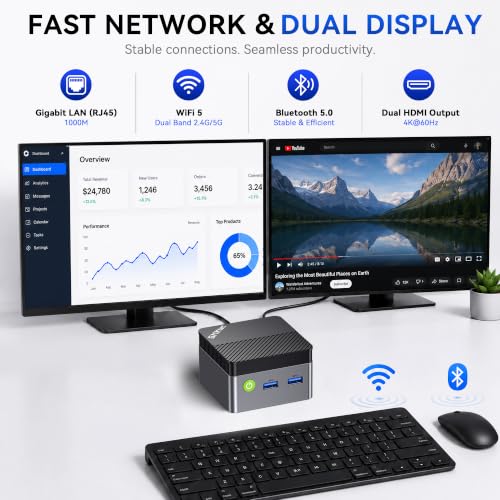
| Video Output | Dual HDMI 2.0 ports (4K UHD @ 60Hz) |
| Wireless | Wi-Fi 6, Bluetooth 5.2 |
| Wired Connectivity | Gigabit Ethernet (RJ45) |
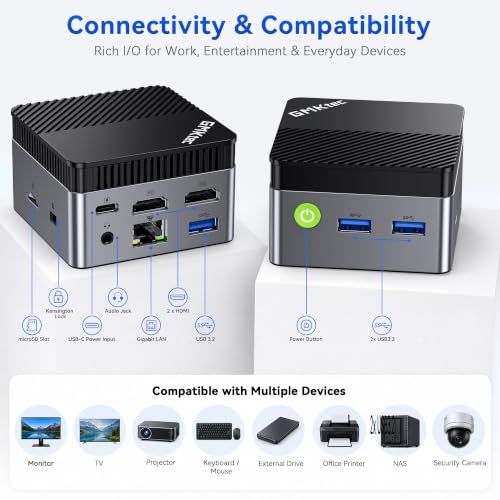
| USB Ports | 3 x USB 3.2, 1 x Type-C (power only) |
| Other Ports | 3.5mm audio jack, Micro SD card slot |
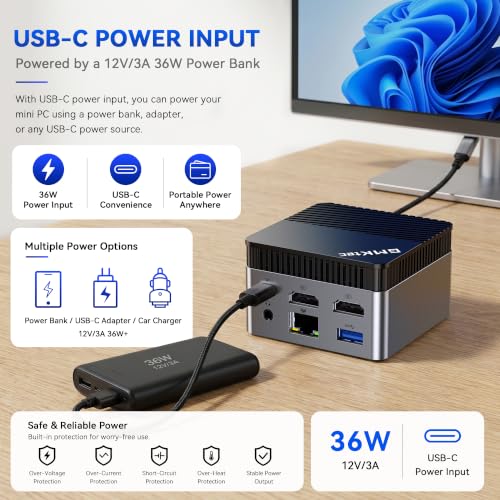
| Power Input | USB-C (12V/3A, 36W) |
| Dimensions | Approx. 2.8 x 2.8 x 1.75 inches |
| Operating System | Windows 11 Pro (pre-installed) |
Design and Build
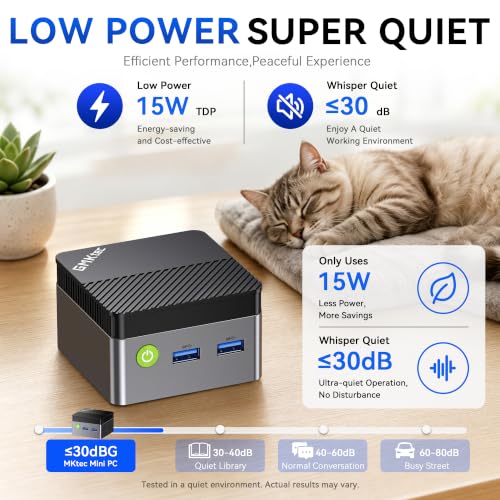
The defining characteristic of the GMKtec G5S is its diminutive size. Measuring roughly 2.8 inches square and 1.75 inches tall, it is a true micro PC that can be easily hidden from view. The manufacturer suggests mounting it behind a monitor, tucking it into a drawer, or placing it within a cable management box. This ultra-compact form factor is a major advantage for users with limited desk space or those aiming for a minimalist setup. The unit is finished in black and uses a silent cooling fan system, which is necessary for thermal management in such a small enclosure. The build appears focused on functional portability, making it easy to relocate or even transport, provided you have a compatible power source.
Performance and Features
Processing Power and Everyday Use
Powered by the Intel Celeron N5095 processor, the G5S is positioned for essential computing tasks. This quad-core chip, part of Intel’s Jasper Lake series, is designed for efficiency and basic productivity. Performance is adequate for its intended roles: web browsing with multiple tabs, streaming high-definition video, working on documents and light spreadsheets, and video conferencing. It is not specified for demanding applications like video editing, 3D rendering, or modern gaming. The 8GB of LPDDR4 RAM is sufficient for this level of multitasking but is soldered to the board and not user-upgradable, which is a key consideration for future needs.
Connectivity and Ports
This is where the G5S shines. The port selection is generous for a device of its size, significantly reducing the need for external hubs or dongles in typical scenarios. You get three USB 3.2 ports for connecting a keyboard, mouse, and external storage drives. The dual HDMI 2.0 ports are a standout feature, allowing users to connect two monitors or a monitor and a TV simultaneously, both supporting 4K resolution at 60Hz. This makes the PC well-suited for productivity setups that benefit from extended screen real estate or for use as a media center connected to a 4K television. A Gigabit Ethernet port provides a stable wired network connection, while a 3.5mm audio jack and a Micro SD card reader round out the physical connectivity.
Wireless, Storage, and Power Flexibility
The inclusion of Wi-Fi 6 and Bluetooth 5.2 ensures modern wireless capabilities. Wi-Fi 6 offers improved speed and efficiency for streaming and downloads compared to older standards, and Bluetooth 5.2 facilitates stable connections with wireless peripherals like headphones, keyboards, and mice. Storage is handled by a 128GB M.2 SATA SSD, which provides faster boot and load times than a traditional hard drive. Crucially, the internal storage is expandable via an available M.2 slot, with the manufacturer noting support for drives up to 8TB. The Micro SD slot offers additional expansion for media files. A unique feature is the USB-C power input. While a 36W adapter is included, this design allows the PC to be powered by compatible USB-C power banks or universal chargers, enhancing its portability for travel or use in locations without convenient wall outlets.
Setup, Support and Ownership
As a pre-configured system with Windows 11 Pro already installed, setup is designed to be straightforward. Users should expect a process similar to setting up a new laptop: connecting peripherals, powering on, and walking through the Windows initial configuration. The potential for hardware upgrades is primarily limited to storage expansion via the internal M.2 slot and the Micro SD card slot; the RAM is not user-replaceable. GMKtec provides a one-year limited warranty covering defects in design and workmanship. The manufacturer notes having a professional after-sales team, though specific details on software update policies or support response times are not provided in the available data. For more information on what to expect from different mini PC models, you can explore our guide on mini PC pricing and value.
What Owners Say
Owner feedback for the GMKtec G5S is generally positive, with a high proportion of favorable ratings. Many users praise its value, compact size, and performance for basic tasks. Specific compliments highlight its use as a media center, with reports of it driving dual displays like a TV and a projector smoothly, and its fast boot times. Several owners mention using it for light office work, web browsing, and streaming without issue. The fan noise is noted in some reviews, with comments indicating it can become audible during sustained heavier workloads, which is a common trade-off in compact, actively cooled systems. A smaller segment of feedback references experiences with other GMKtec models, suggesting overall brand satisfaction for entry-level needs. For those considering a completely silent alternative, our review of fanless mini PCs explores different cooling approaches.
Pros and Cons
Pros
- Extremely compact and lightweight design
- Dual HDMI ports supporting 4K @ 60Hz output
- Comprehensive port selection minimizes dongle needs
- USB-C power allows use with compatible power banks
- Includes modern Wi-Fi 6 and Bluetooth 5.2
- Pre-installed Windows 11 Pro for immediate use
Cons
- Fixed 8GB RAM limits multitasking headroom
- Entry-level processor not suited for demanding applications
- Cooling fan can become noticeable under load
- Storage expansion requires opening the chassis
- Performance is strictly for light office and media tasks
Who Should Buy It (and Who Should Skip It)
The GMKtec G5S is an ideal fit for a specific user profile. Buy it if you need a secondary, space-saving computer for web browsing, document work, and video streaming; if you want to set up a dual-monitor office workstation on a budget; if you plan to use it as a 4K-capable home theater PC (HTPC) tucked away near your TV; or if you value the flexibility to power it from a portable battery pack for use in a vehicle, workshop, or temporary location. It’s also a sensible choice for students or first-time PC users seeking a simple, all-in-one solution.
Conversely, you should skip the G5S if your work involves photo editing, video production, software development, or other CPU-intensive tasks. It is not a viable option for gaming beyond very basic titles. Users who require 16GB or more of RAM for heavy multitasking should look at models with upgradeable memory. Those who prioritize absolute silence for a media center might prefer a fanless design. For users interested in mini PCs with more processing power for creative tasks, our look at AI and performance-focused mini PCs may be relevant.
Final Verdict
The GMKtec G5S successfully executes its mission as an affordable, ultra-compact desktop for everyday computing. Its greatest assets are its thoughtful design—packing a useful array of ports and dual 4K video outputs into a chassis smaller than a paperback book—and its operational flexibility, notably the USB-C power input. Performance is precisely aligned with its Intel N5095 processor and 8GB RAM: perfectly competent for the essential tasks it’s marketed for, but with clear boundaries. It won’t surprise anyone with its speed, but it reliably accomplishes its designated jobs.
When evaluated against its purpose and price segment, the G5S makes a strong argument. It removes complexity from the buying process by coming ready to use and offers features often missing in budget desktops, like Wi-Fi 6 and dual-display support. For users whose computing needs are modest and whose physical space is limited, the GMKtec G5S represents a practical and value-oriented solution. It’s a reminder that for many, a computer is a tool for specific tasks, not a benchmark champion, and on those practical grounds, this mini PC delivers effectively.
FAQs
Can the RAM in the GMKtec G5S be upgraded?
No, the 8GB of LPDDR4 RAM is soldered onto the motherboard and is not user-upgradable. This is a fixed specification for the life of the device, so buyers should ensure 8GB is sufficient for their anticipated workload.
Can this mini PC really run two 4K monitors at once?
Yes, according to the specifications, the dual HDMI 2.0 ports both support video output at 4K UHD resolution with a 60Hz refresh rate. This allows you to connect two 4K monitors or televisions simultaneously for an expanded desktop workspace or media viewing.
What kind of tasks is the Intel N5095 processor good for?
The Intel Celeron N5095 is an entry-level processor designed for basic computing. It handles everyday tasks well, such as web browsing, email, word processing, spreadsheet work, and streaming video from services like Netflix or YouTube. It is not designed for demanding applications like high-end gaming, video editing, or 3D modeling.
Does it come with an operating system installed?
Yes, the GMKtec G5S comes with Windows 11 Pro pre-installed on the 128GB SSD. This means it should be ready to set up and use out of the box after going through the standard Windows initial setup process.
About the author

Elvis Dicki writes reviews and buying guides for CyberSecLabs.