Gigabyte GV-R9700AI TOP-32GD Review: How Does the AI TOP Utility Simplify LLM Workflows?
The Gigabyte GV-R9700AI TOP-32GD offers a compelling 32GB VRAM solution for AI and machine learning tasks, providing excellent value and robust cooling in a single-fan design, albeit with a trade-off in acoustic performance.
 By Elvis Dicki
Updated October 21, 2026
By Elvis Dicki
Updated October 21, 2026
For professionals and researchers pushing the boundaries of artificial intelligence and machine learning, the primary constraint is often the capacity of GPU video memory. Enter the Gigabyte GV-R9700AI TOP-32GD, a graphics card engineered specifically for next-gen AI computing. It leverages AMD’s RDNA 4 architecture to deliver 32GB of GDDR6 memory, a quantity that opens up possibilities for running and fine-tuning larger language models locally, moving beyond the limitations of consumer-grade cards. This review analyzes the Gigabyte AI PRO R9700 AI TOP as a dedicated AI workstation component, assessing its hardware design, performance specifications, and unique software features to determine if it delivers on its promise of unwavering performance for demanding AI configurations.

This card is unequivocally designed for developers, data scientists, and AI researchers whose workloads involve intensive training and inference simulations. It targets users who require the ability to work with larger models without the recurring costs of cloud compute instances, prioritizing local control, privacy, and long-term project scalability. With a focus on durability and multi-GPU scalability, Gigabyte has built the R9700 AI TOP not as a gaming card but as the backbone for serious AI workstations. The bottom line: for those needing high VRAM capacity in a thermally robust package designed for stacked configurations, this card presents a strong value proposition, though potential buyers should be aware of its acoustic profile under load.
GIGABYTE Radeon AI PRO R9700 AI TOP 32GB GDDR6






As an Amazon Associate we earn from qualifying purchases. Product prices and availability are accurate as of the date/time indicated.
Gigabyte GV-R9700AI TOP-32GD at a Glance
| Specification | Detail |
|---|---|
| Graphics Coprocessor | Radeon AI PRO R9700 (RDNA 4) |
| Memory (VRAM) | 32GB GDDR6 |
| Memory Bus Width | 256-bit |
| GPU Clock Speed | 2350 MHz |
| Memory Clock Speed | 20000 MHz |
| Cooling System | GIGABYTE TURBO Fan (Single Blower) |
| Interface | PCIe Gen 5 x16 |
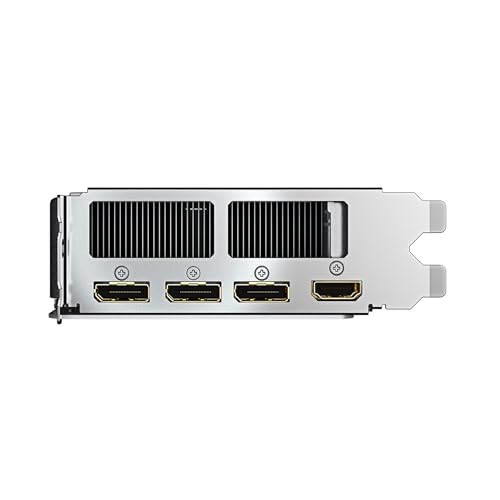
| Video Outputs | DisplayPort, HDMI |
| Maximum Resolution | 7680 x 4320 pixels |
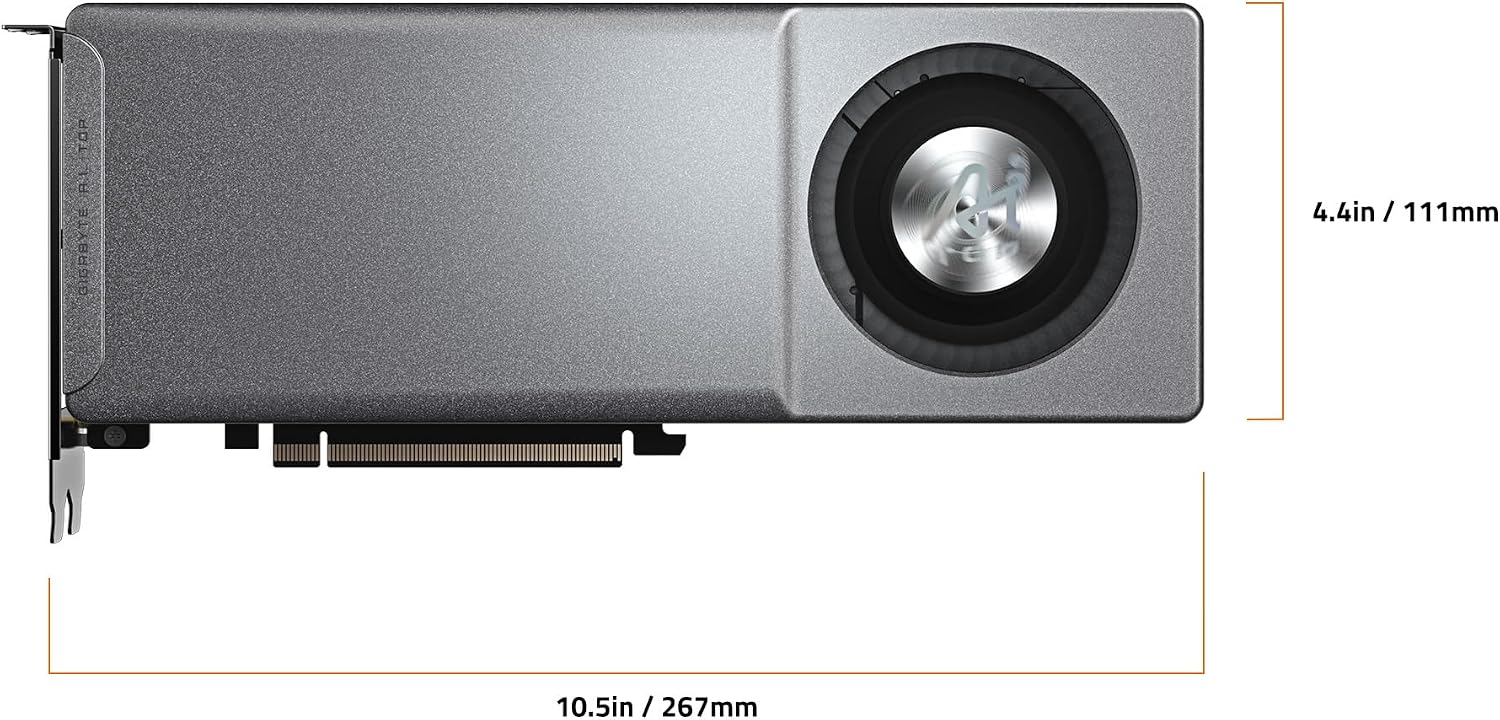
| Dimensions | 10.55″ L x 4.37″ W |
Design and Build
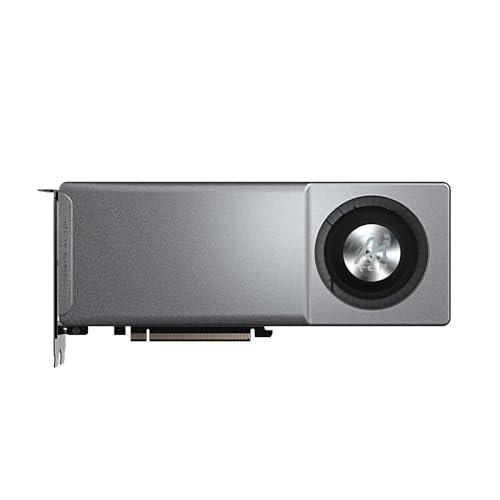
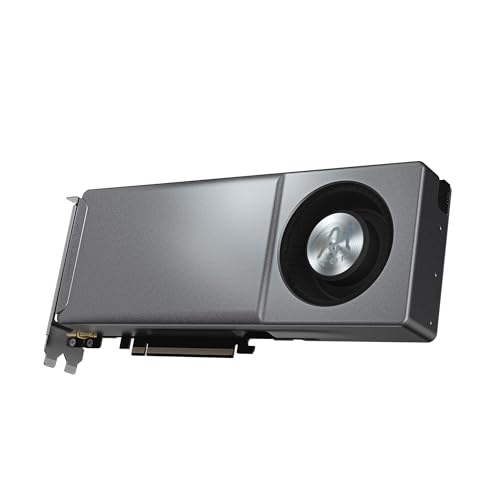
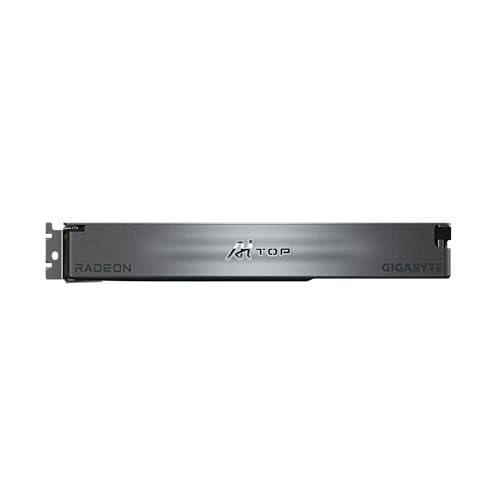
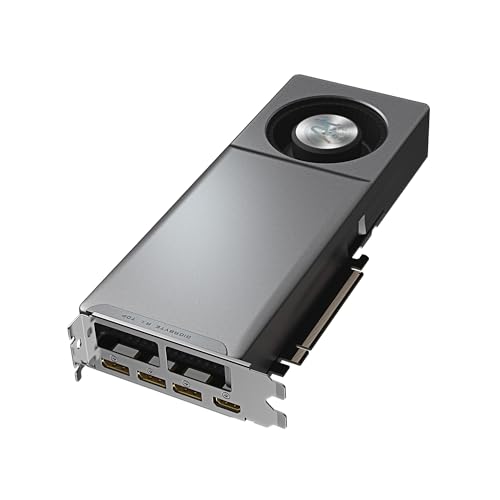
The Gigabyte GV-R9700AI TOP-32GD presents a purpose-built industrial aesthetic, prioritizing cooling efficiency and component durability over flashy RGB lighting. The card’s design is heavily oriented towards its use case in multi-GPU server or workstation environments. The centerpiece is the single GIGABYTE TURBO blower fan, housed behind an indented metal cover. This inward-indented design is a critical feature, as it ensures ample space for the fan to intake air even when multiple GPUs are installed in closely stacked PCIe slots, preventing thermal throttling in dense configurations. The overall form factor is relatively compact for a professional-grade card, which aids in compatibility with a range of case and chassis designs.
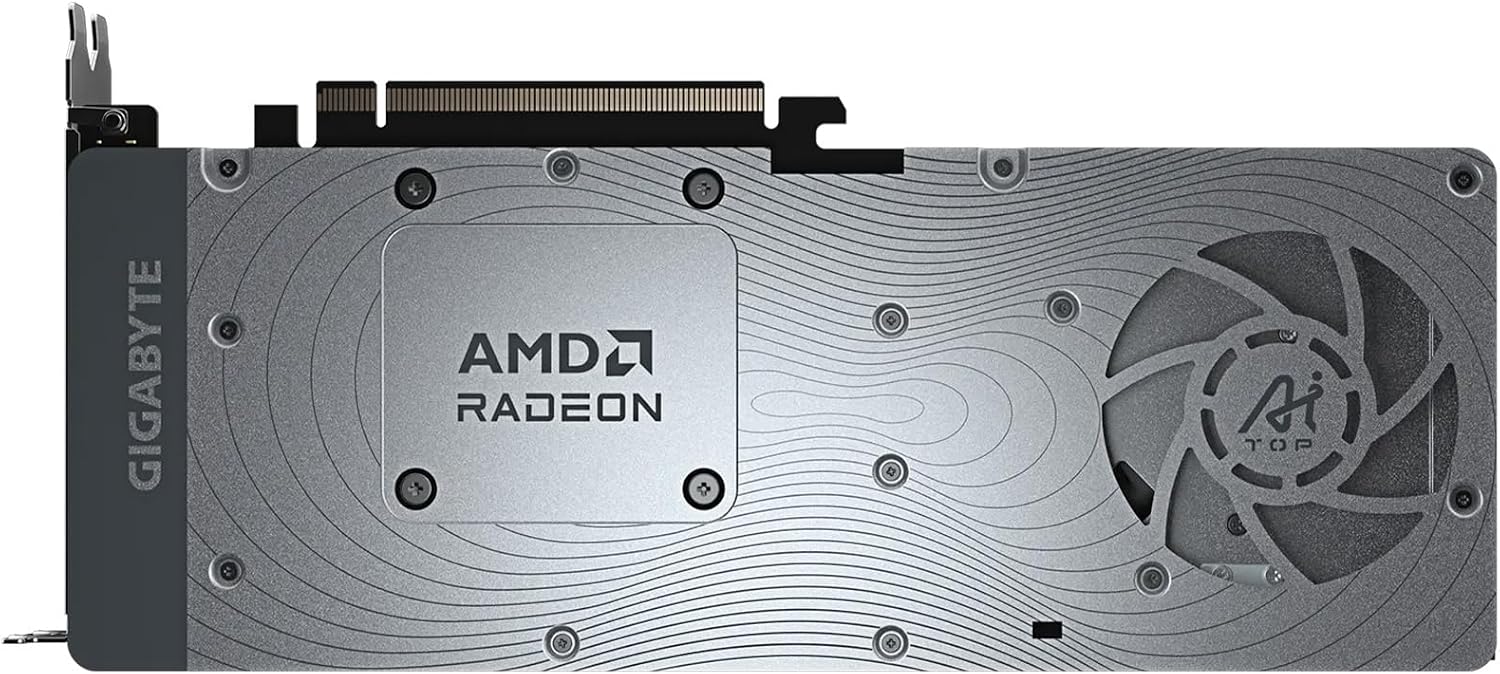
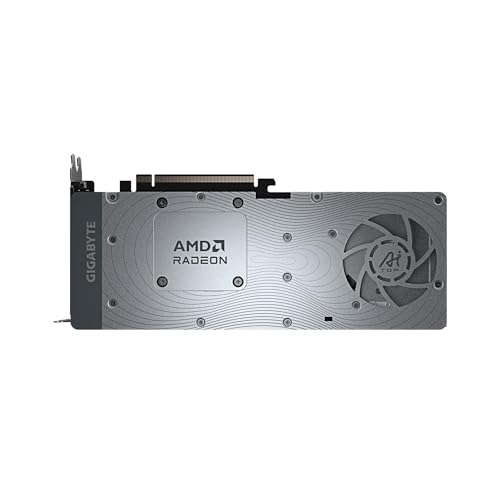
Build quality focuses on longevity and thermal management. The cooling assembly combines a vapor chamber and an all-copper heat sink, materials chosen for their high thermal conductivity to efficiently transfer and dissipate heat from the GPU die. A metal frame surrounds the card, serving a dual purpose of structural rigidity and heat dissipation for other critical components like power delivery modules. To combat the high thermal demands, Gigabyte employs composite metal grease, which leverages the thermal conductivity of liquid metal, and a server-grade thermal conductive gel for components such as VRAM and MOSFETs. This gel is designed to maintain optimal contact on uneven surfaces and resist deformation over time. Furthermore, the printed circuit board (PCB) is coated to provide resistance against dust, moisture, and corrosion, an important consideration for systems that may run continuously.
Performance and Features
Core AI Computing Hardware
At the heart of the GV-R9700AI TOP-32GD is the AMD Radeon AI PRO R9700 GPU, based on the cutting-edge RDNA 4 architecture with second-generation AI accelerators. This is the engine driving its performance in machine learning workflows. The defining feature, however, is the generous 32GB of GDDR6 memory on a 256-bit bus. This memory capacity is the card’s primary selling point, enabling users to tackle larger, more complex models that would be impossible to load onto consumer cards with 16GB or 24GB of VRAM. The card supports the latest PCIe Gen 5 interface, which unlocks higher bandwidth for data transfers between the GPU and the rest of the system, reducing potential bottlenecks in data-intensive AI training pipelines.
Advanced Cooling Technology
Gigabyte’s thermal solution is a multi-faceted approach designed for sustained, heavy loads. The TURBO Fan Cooling System uses a double ball bearing fan, which is cited as offering superior heat resistance, rotational efficiency, and a longer lifespan compared to conventional sleeve-bearing fans. The composite cooling stack includes the vapor chamber, copper heat sink, metal frame, and the specialized thermal compounds mentioned earlier. This comprehensive design aims to maintain stable clock speeds and component health during extended training sessions and is explicitly engineered to scale efficiently when multiple cards are used side-by-side.
The AI TOP Utility Software
A unique feature that separates this card from more generic workstation GPUs is the AI TOP Utility. This exclusive Gigabyte software provides dedicated AI computing assistance. It allows users to easily track the progress of Large Language Model (LLM) fine-tuning jobs directly from a dashboard. Furthermore, it provides monitoring of hardware status metrics and offers the ability to quickly adjust related fine-tuning settings, streamlining the workflow for AI practitioners. This focus on integrated software support for AI tasks is a significant part of the product’s value proposition.
Setup, Support and Ownership
Setting up the Gigabyte GV-R9700AI TOP-32GD follows standard GPU installation procedures: securing it in a PCIe Gen 5 x16 slot and connecting the necessary 16-pin power cable, which is included in the box along with a VGA manual. The card’s optimized airflow design and standard dual-slot thickness are intended to simplify multi-GPU configurations. Out-of-the-box compatibility with popular AI frameworks is a key consideration. According to user feedback, the card works successfully with tools like llama-cpp using standard Vulkan drivers, which is a positive sign for software ecosystem support. Gigabyte backs the card with a 4-year manufacturer’s warranty, indicating confidence in its durability and the quality of its components like the double ball bearing fan.
Ownership considerations are dominated by thermal and acoustic management. While the cooling system is highly effective, the single blower fan design is noted to produce noticeable noise when operating at full load. Some users may find it beneficial to implement power limiting profiles to reduce acoustic output with a minor trade-off in peak performance, depending on their sensitivity and workstation environment. The card’s design inherently limits extreme overclocking headroom compared to multi-fan, triple-slot designs, but this is consistent with its focus on stability and scalability in professional multi-GPU scenarios rather than peak single-card benchmarks.
What Owners Say
Feedback from buyers is overwhelmingly positive, reflected in its perfect rating. Reviews consistently praise the card for its core value proposition: providing 32GB of VRAM at a significantly lower cost than competing professional solutions from other manufacturers. Users highlight that this capacity “opens up a huge number of paths,” specifically allowing them to run larger LLMs locally that were previously out of reach, which is crucial for proponents of local AI and data privacy. The cooling performance receives specific commendation, with owners noting the slanted turbo fan design facilitates good airflow and keeps temperatures in check, earning an “A+” rating in this regard from some. The initial setup with Vulkan drivers for common AI tools is reported to be straightforward, alleviating common concerns about software support for AMD cards in this space.
Pros and Cons
Pros
- High 32GB GDDR6 VRAM capacity enables work with larger AI models.
- Excellent value compared to professional cards with similar memory.
- Robust cooling system effective for multi-GPU stacked configurations.
- Double ball bearing fan and server-grade thermal materials promote longevity.
- Out-of-the-box compatibility with major AI tools via Vulkan drivers.
- Dedicated AI TOP Utility software for workflow monitoring and control.
Cons
- Blower fan design generates significant noise at full operational load.
- Power limiting may be required for quieter operation, impacting peak performance.
- Single-fan setup offers less overclocking headroom than multi-fan designs.
- Performance in non-AI tasks like gaming is not the focus or a strength.
- Requires consideration of chassis airflow due to exhaust design.
Who Should Buy It (and Who Should Skip It)
The Gigabyte GV-R9700AI TOP-32GD is an ideal purchase for AI researchers, machine learning engineers, and developers who are building or upgrading a local AI workstation. It is perfectly suited for those working on fine-tuning or running inference with large language models, computer vision models, or other memory-intensive AI workloads where 16GB of VRAM is a limiting factor. Users planning multi-GPU setups to scale their training capabilities will particularly benefit from its optimized airflow and cooling design. It also represents a strong choice for privacy-conscious individuals and organizations that prefer to keep sensitive data and model training on-premises rather than in the cloud.
This card should be skipped by gamers or general content creators seeking a high-performance graphics card for those applications, as its architecture and driver optimization are targeted at compute tasks. Users with home office environments who are highly sensitive to noise should also consider alternatives, as the blower fan can become loud. Those who require the absolute fastest performance for single-card AI training, where core speed outweighs memory capacity, might also look to different options, as this card prioritizes memory size and multi-GPU efficiency over raw single-card throughput. For a broader look at specialized computing hardware, explore our guide on the best high-performance computer servers for AI applications.
Final Verdict
The Gigabyte GV-R9700AI TOP-32GD successfully carves out a valuable niche in the professional GPU market. It delivers on its primary mission: providing accessible, high-capacity VRAM for serious AI work. The combination of 32GB of GDDR6 memory, a cooling solution engineered for scalability, and thoughtful durability features like PCB coating and server-grade thermal compounds makes it a reliable and cost-effective building block for AI workstations. The inclusion of the AI TOP Utility software further sweetens the deal, offering a level of integration specifically for AI workflows that is uncommon at this price point.
However, this performance comes with clear trade-offs, most notably in acoustics. The card’s blower cooler is highly effective but unapologetically loud under full load, a characteristic inherent to its design for compact, multi-GPU compatibility. For the right user—someone who values memory capacity, multi-GPU stability, and overall value for AI tasks over silent operation or peak gaming frame rates—these compromises are easily justified. It stands as a testament to the growing market for specialized, locally-hosted AI hardware. For more insights into building a capable AI development environment, check out our review of the GMKtec Evo X2 AI Mini PC and other resources in our AI & Software section.
FAQs
Is the Gigabyte R9700 AI TOP good for running local large language models (LLMs)?
Yes, this is one of its primary strengths. The 32GB of VRAM allows you to load and run significantly larger LLMs locally compared to consumer cards with 16GB or 24GB. User reviews confirm successful operation with models like Qwen and Gemma using standard tools like llama-cpp and Vulkan drivers. The high memory capacity is the key factor enabling this use case.
How does the cooling perform in a multi-GPU setup?
The cooling system is specifically designed for this scenario. The indented metal cover creates an air intake gap even when cards are stacked tightly in adjacent PCIe slots. Combined with the blower-style fan that exhausts heat directly out the back of the case, this design prevents heat buildup between cards, making it highly effective for multi-GPU workstation configurations.
What is the AI TOP Utility and do I need it?
The AI TOP Utility is Gigabyte’s exclusive software for this card. It provides a dashboard to track hardware status and, more importantly, monitor the progress of LLM fine-tuning jobs and adjust related settings. While not strictly needed for basic operation, it is a valuable tool that simplifies the workflow for AI developers and researchers, offering integrated monitoring and control.
Is this card loud under load?
Yes, the single blower fan can produce noticeable noise when the GPU is under full load, which is typical for this cooling design. This is a trade-off for its compactness and effectiveness in multi-GPU setups. Some users opt to apply a power limit to reduce noise with a minor impact on peak performance, depending on their acoustic tolerance and workstation environment.
About the author

Elvis Dicki writes reviews and buying guides for CyberSecLabs.