eero 3-pack Review: Affordable Wi-Fi 7 Mesh with 6,000 Sq Ft Coverage
The eero 3-pack offers a cost-effective entry into Wi-Fi 7 technology, delivering reliable mesh coverage up to 6,000 square feet and support for 120+ devices, though its advanced security requires a subscription.
 By Elvis Dicki
Updated October 20, 2026
By Elvis Dicki
Updated October 20, 2026
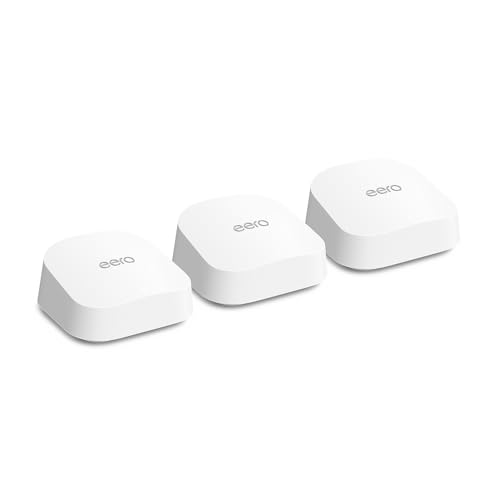
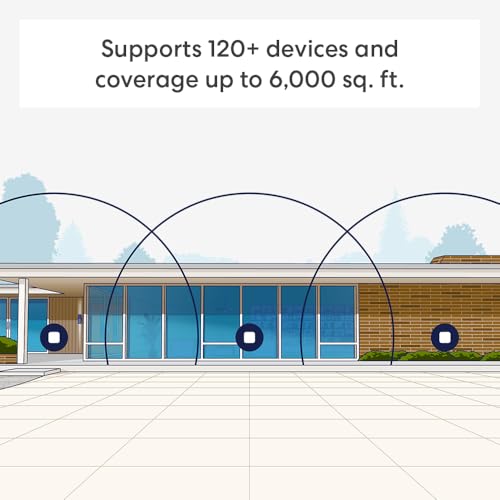
In the crowded market of home networking, the eero 3-pack presents a compelling proposition as an affordable gateway to the latest Wi-Fi 7 standard. This mesh router system is designed for users with large homes seeking to eliminate dead spots and future-proof their network without a massive upfront investment. It targets households with extensive coverage needs, supporting internet plans up to 2.5 Gbps and managing over 120 connected devices across up to 6,000 square feet. For those looking to upgrade their home Wi-Fi, the eero 3-pack offers a balanced mix of next-generation technology, expansive coverage, and user-friendly operation, making it a strong contender for large, device-heavy environments.

This review will analyze the eero 3-pack’s specifications, design, performance features, and overall value proposition based on the manufacturer’s data. We’ll examine its dual-band Wi-Fi 7 architecture, the capabilities of its TrueMesh software, and the optional eero Plus security suite. The bottom line is that the eero 3-pack succeeds as a scalable and accessible Wi-Fi 7 mesh system, particularly for users invested in the eero ecosystem or those requiring simple, whole-home coverage, though its value is partially gated behind a subscription for advanced features.
Prime eero 7 Wi-Fi 7 Mesh Router 3-Pack


As an Amazon Associate we earn from qualifying purchases. Product prices and availability are accurate as of the date/time indicated.
eero 3-pack at a Glance
| Specification | Detail |
|---|---|
| Wi-Fi Standard | Wi-Fi 7 (IEEE 802.11be) |
| Coverage (3-pack) | Up to 6,000 sq ft |
| Supported Devices | 120+ |
| Max Internet Plan Support | 2.5 Gbps |
| Ethernet Ports per Unit | Two auto-sensing 2.5 GbE |
| Frequency Bands | Dual-band (2.4 GHz & 5 GHz) |
| Key Software | TrueMesh, TrueRoam, TrueChannel |
| Smart Home Hub | Yes (Thread, Zigbee, Matter) |
| Warranty | 3-year limited |
Design and Build
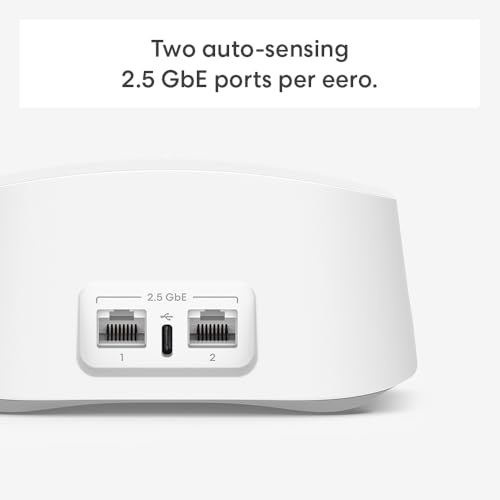
The eero 7 units maintain the minimalist, low-profile design language characteristic of the eero brand. Each device is a compact square, measuring 5.12 inches in width and height and 2.52 inches in depth, allowing it to blend discreetly into most home environments on a shelf or side table. The build is functional, prioritizing effective wireless performance and heat dissipation over flashy aesthetics. On the rear, each unit houses its connectivity options: two auto-sensing 2.5 Gigabit Ethernet ports and a single USB-C port for power via the included 15W adapter. This simple port arrangement keeps the setup clean, though the auto-sensing feature for the Ethernet ports is a practical touch, eliminating the need to distinguish between WAN and LAN ports during installation.
Internally, the system is powered by a Qualcomm Dragonwing N7 Platform, featuring a 1.1 GHz quad-core processor, 1024 MB of memory, and 4 GB of flash storage. These specifications are designed to handle the computational demands of Wi-Fi 7 features like Multi-Link Operation (MLO) and the proprietary TrueMesh software that manages network traffic. The units are designed to operate within a temperature range of 32°F to 104°F (0°C to 40°C). The package for the three-unit set includes three eero 7 routers, three 15W USB-C power adapters, and one CAT5e Ethernet cable to connect the primary gateway to your modem.
Performance and Features
Wi-Fi 7 and Network Performance
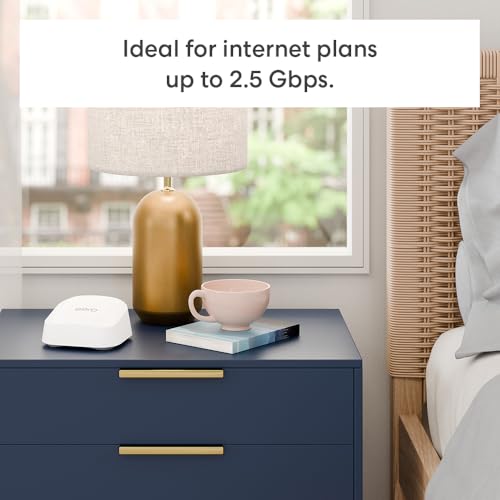
As a Wi-Fi 7 (802.11be) system, the eero 3-pack is built for future-proofing. It is backward compatible with all previous Wi-Fi standards. A key advancement of Wi-Fi 7 leveraged here is Multi-Link Operation (MLO), which allows devices to transmit data across multiple frequency bands simultaneously, potentially increasing throughput and reducing latency. The system is rated as BE5000, with wireless speeds up to 1.8 Gbps. It supports internet plans up to 2.5 Gbps, facilitated by its two 2.5 GbE ports on each unit. The dual-band design utilizes both 2.4 GHz and 5 GHz spectrums, with the 5 GHz band supporting channel widths up to 240 MHz for faster data transfer. With a 2×2 MU-MIMO configuration and six spatial streams, the system is engineered to manage multiple data streams efficiently to numerous devices.
Connectivity and Ports
Connectivity is a strong point for the eero 7. Each node’s two auto-sensing 2.5 Gigabit Ethernet ports provide high-speed wired backhaul options or connections for gaming consoles, PCs, or network-attached storage. The inclusion of a USB-C port for power is a modern convenience. Beyond standard Wi-Fi, each unit functions as a capable smart home hub, integrating Thread, Zigbee (as a controller), and Matter (as a controller) radios, along with Bluetooth Low Energy 5.0. This allows it to natively connect and manage a wide array of smart home devices from different ecosystems without requiring separate hubs, centralizing your home automation setup.
Software and Key Features
eero’s software is frequently highlighted as a differentiator, and the eero 7 continues this trend. The patented TrueMesh software intelligently routes traffic across the mesh network to avoid congestion. Combined with TrueRoam for seamless device handoff between nodes and TrueChannel for automatic selection of the clearest Wi-Fi channels, the software stack works proactively to maintain a stable connection. The system also supports standard networking features like WPA3 encryption, IPv6, port forwarding, and device/profile pause functionality directly through the eero mobile app. Easy password sharing for guest networks is included, simplifying visitor access.
Security and the eero Plus Option
Basic network security is provided through WPA3 and WPA2 wireless encryption. However, more advanced digital security features are offered through an optional subscription called eero Plus. This subscription bundles several services: Advanced Security (which includes threat scanning), Ad Blocking, Parental Controls, Malwarebytes, 1Password, and a VPN powered by Guardian. New customers are eligible for a 30-day free trial of eero Plus. It is important to note that these comprehensive security and management tools are not included with the base hardware purchase and require an ongoing subscription, which is a significant consideration for security-conscious buyers. For more on routers that handle high device counts, see our guide on the best routers for multiple devices.
Setup, Support and Ownership
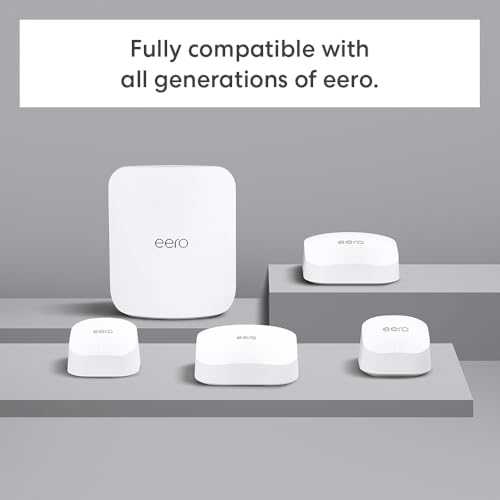
Setup is designed to be straightforward via the eero app for iOS or Android. The process typically involves plugging in the primary unit, connecting it to your modem with the included Ethernet cable, and then following the app’s instructions to place and add the additional nodes. The system requires an internet service and a compatible modem. A significant ownership benefit is the industry-leading three-year limited warranty, which provides long-term peace of mind. eero also offers dedicated support via email and phone. The company states it provides software security updates, though the specific update policy duration is not listed in the provided data. The system’s backward compatibility with all previous eero generations and select Amazon Echo devices with eero Built-in allows for easy integration into or expansion of an existing eero network.
What Owners Say
Based on the aggregated rating data, the eero 3-pack has received positive feedback from users, earning a high average rating. This suggests that owners generally find the system delivers on its core promises of easy setup, reliable whole-home coverage, and effective elimination of Wi-Fi dead zones. The high rating indicates satisfaction with performance in real-world home environments, particularly regarding the consistency of the mesh network and the user-friendly app experience. As a newest model, extensive long-term user feedback on Wi-Fi 7 performance specifics may still be accumulating, but the initial reception is strongly favorable.
Pros and Cons
Pros
- Most affordable entry point into Wi-Fi 7 technology
- Extensive coverage up to 6,000 square feet with three units
- Supports high-speed 2.5 Gbps internet plans and 120+ devices
- Simple setup and management via mobile app
- Backward compatible with older eero hardware and ecosystems
- Includes Thread, Zigbee, and Matter for smart home hub functionality
- Strong three-year warranty and dedicated support
Cons
- Advanced security and parental controls require eero Plus subscription
- Dual-band design (vs. tri-band) may limit peak performance in ultra-dense, high-interference environments
- Limited real-world, long-term user feedback available as a newest model
- Only two Ethernet ports per node may be limiting for users with many wired devices
- Optional subscription model for full feature set adds to long-term cost
Who Should Buy It (and Who Should Skip It)
The eero 3-pack is an excellent choice for homeowners with large spaces (up to 6,000 sq ft) who are experiencing Wi-Fi dead spots and want a simple, future-proof solution. It’s ideal for families with many connected devices, thanks to its support for 120+ devices. Users with internet plans up to 2.5 Gbps who want to utilize that full speed wirelessly will benefit, as will those already invested in the eero ecosystem or Amazon’s Alexa smart home environment. It’s also a great fit for individuals who value a hassle-free setup process and a clean, app-driven management interface over granular technical controls.
Conversely, users who require the absolute maximum possible wireless speed in congested environments might want to consider a tri-band Wi-Fi 7 system, though at a higher cost. Network power users who demand extensive, subscription-free advanced security features, deep customization options like custom DNS, or more than two wired ports per node may find the eero system too simplistic or costly when factoring in eero Plus. Those with very small homes or apartments likely will not need the extensive coverage of a three-pack. For users specifically with gigabit internet plans, comparing options in our best routers for gigabit internet roundup may be useful.
Final Verdict
The eero 3-pack successfully delivers on its core mission: providing accessible, whole-home Wi-Fi 7 coverage. Its strength lies in combining the latest wireless standard with eero’s proven, user-friendly mesh software in a package that is more affordable than many competitors. The coverage for up to 6,000 square feet, support for over 120 devices, and built-in smart home hub make it a versatile central hub for modern connected homes. The three-year warranty and strong user ratings further bolster its value proposition as a reliable long-term investment for your home network infrastructure.
However, the evaluation is not without caveats. The dual-band architecture, while cost-effective, may not deliver the same raw performance as tri-band systems in the most demanding scenarios. More significantly, the locking of advanced security and network management tools behind the eero Plus subscription means the full potential of the system involves an ongoing cost. Ultimately, if your priority is a straightforward, expansive, and future-ready mesh system that simply works well out of the box, the eero 3-pack is a top-tier choice. If you need the utmost in customizable, subscription-free network control or have an exceptionally dense and demanding device environment, it’s worth exploring other options. For large home coverage specifically, our resource on the best routers for large homes provides additional context.
FAQs
What is the main advantage of Wi-Fi 7 in the eero 3-pack?
Wi-Fi 7 introduces technologies like Multi-Link Operation (MLO), which allows data to be sent simultaneously across different frequency bands (2.4 GHz and 5 GHz). This can lead to higher overall speeds, reduced latency, and improved reliability, especially for bandwidth-intensive activities like 4K/8K streaming, high-performance gaming, and large file transfers. The eero 3-pack brings this future-proof technology at a more accessible price point than many other Wi-Fi 7 systems.
Do I need to pay for eero Plus to have basic security?
No. The eero 3-pack includes standard WPA3 and WPA2 wireless encryption to secure your network from unauthorized access. The eero Plus subscription adds advanced features on top of this, such as threat scanning, ad blocking, comprehensive parental controls, and integrated subscriptions to services like Malwarebytes and 1Password. Basic network security is included with the hardware purchase.
Can I use my old eero devices with this new eero 7 system?
Yes. A key feature of the eero 7 is its backward compatibility with all previous generations of eero hardware. You can add eero 7 units to an existing eero network to extend coverage and upgrade performance in specific areas, or you can mix older eero nodes into a new eero 7 network. This allows for flexible and cost-effective network expansion over time.
What does the “auto-sensing” feature on the Ethernet ports do?
Each eero 7 unit has two 2.5 Gigabit Ethernet ports that are auto-sensing. This means the router automatically detects which port is connected to your modem (the WAN or internet source) and which port is connected to a local device (like a computer or switch, making it a LAN port). This eliminates the need to plug your cable into a specific “WAN” port, simplifying the setup process and reducing potential for error.
About the author

Elvis Dicki writes reviews and buying guides for CyberSecLabs.