eero 3-pack Review: 4,500 Sq Ft WiFi 6 Mesh for Up to 500 Mbps Plans
The eero 3-pack delivers reliable whole-home WiFi 6 coverage for large homes, easily handling dozens of devices, though it is optimized for internet plans up to 500 Mbps.
 By Elvis Dicki
Updated October 20, 2026
By Elvis Dicki
Updated October 20, 2026
In the modern connected home, a strong and reliable WiFi signal is no longer a luxury but a necessity. The eero 3-pack enters this space as a mesh WiFi 6 system designed to blanket large areas with a consistent wireless network. This system, consisting of one router and two extenders, aims to eliminate dead zones and support the growing number of smart devices, streaming services, and remote work demands in medium to large homes. For users seeking a straightforward, app-managed solution to cover up to 4,500 square feet with support for over 75 connected devices, the eero 6 mesh system presents a compelling package, provided your internet plan aligns with its capabilities.

The bottom line is that the eero 3-pack is a user-friendly mesh system ideal for creating a robust WiFi network across a large footprint. It shines in homes where standard routers fail to reach every corner, offering seamless roaming, smart home integration, and automatic updates. However, its performance is tailored for internet plans with speeds up to 500 Mbps, which is a key consideration for buyers with faster gigabit connections. This review will analyze its design, performance features, and overall value based on the manufacturer’s specifications and stated capabilities.
Prime eero 6 Mesh WiFi 6 System 3-Pack






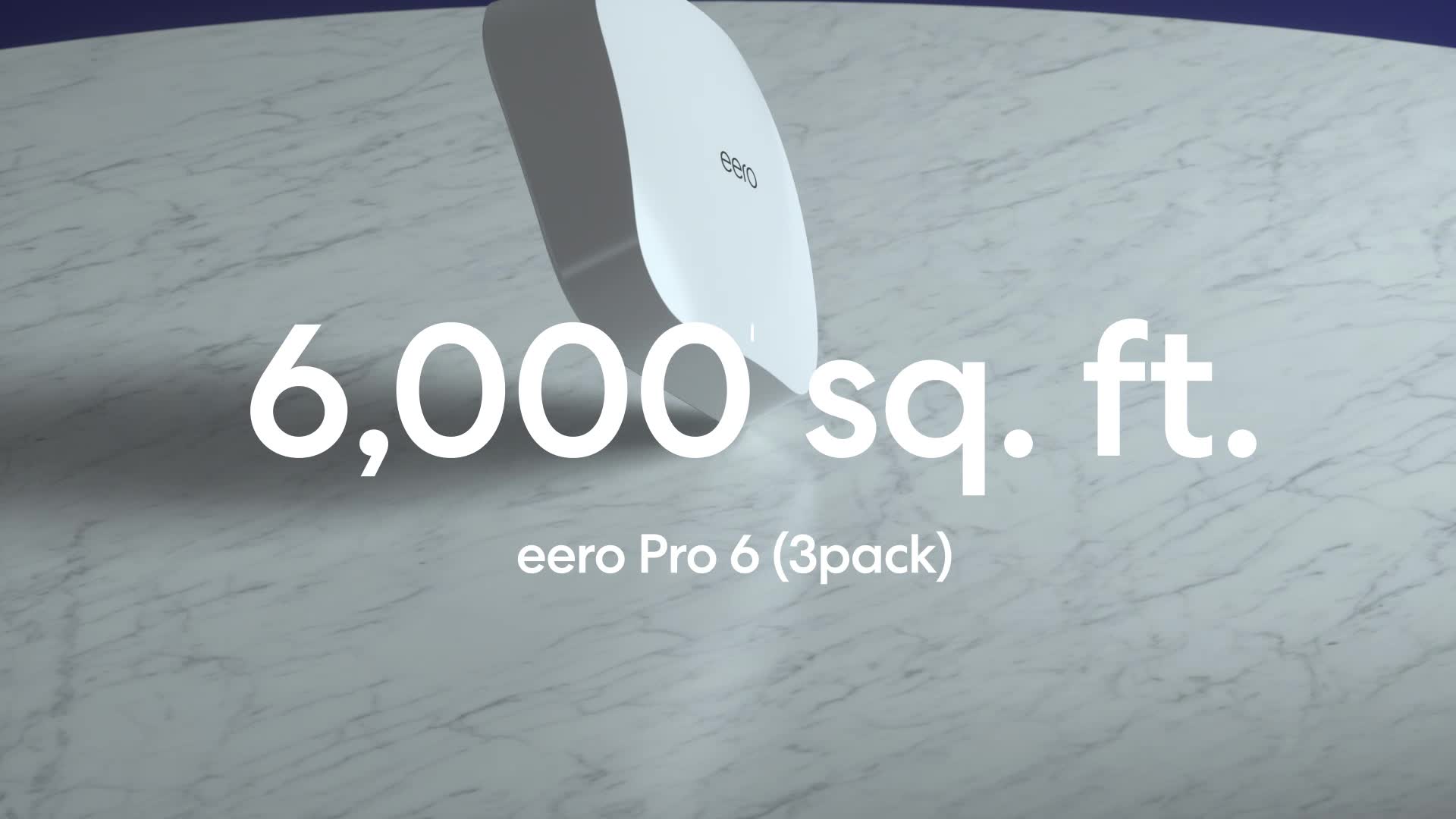
As an Amazon Associate we earn from qualifying purchases. Product prices and availability are accurate as of the date/time indicated.
eero 3-pack at a Glance
| Specification | Detail |
|---|---|
| Product Name | Amazon eero 6 mesh wifi system (3-pack) |
| WiFi Standard | Wi-Fi 6 |
| Coverage Area | Up to 4,500 sq ft |
| Supported Internet Speeds | Up to 500 Mbps |
| Connected Device Support | 75+ devices |
| Key Technology | Mesh Networking |
| Smart Home Hub | Built-in Zigbee hub for Alexa compatibility |
| Setup & Management | eero mobile app |
| Update System | Automatic over-the-air updates |
| System Expansion | Cross-compatible with other eero hardware |
Design and Build
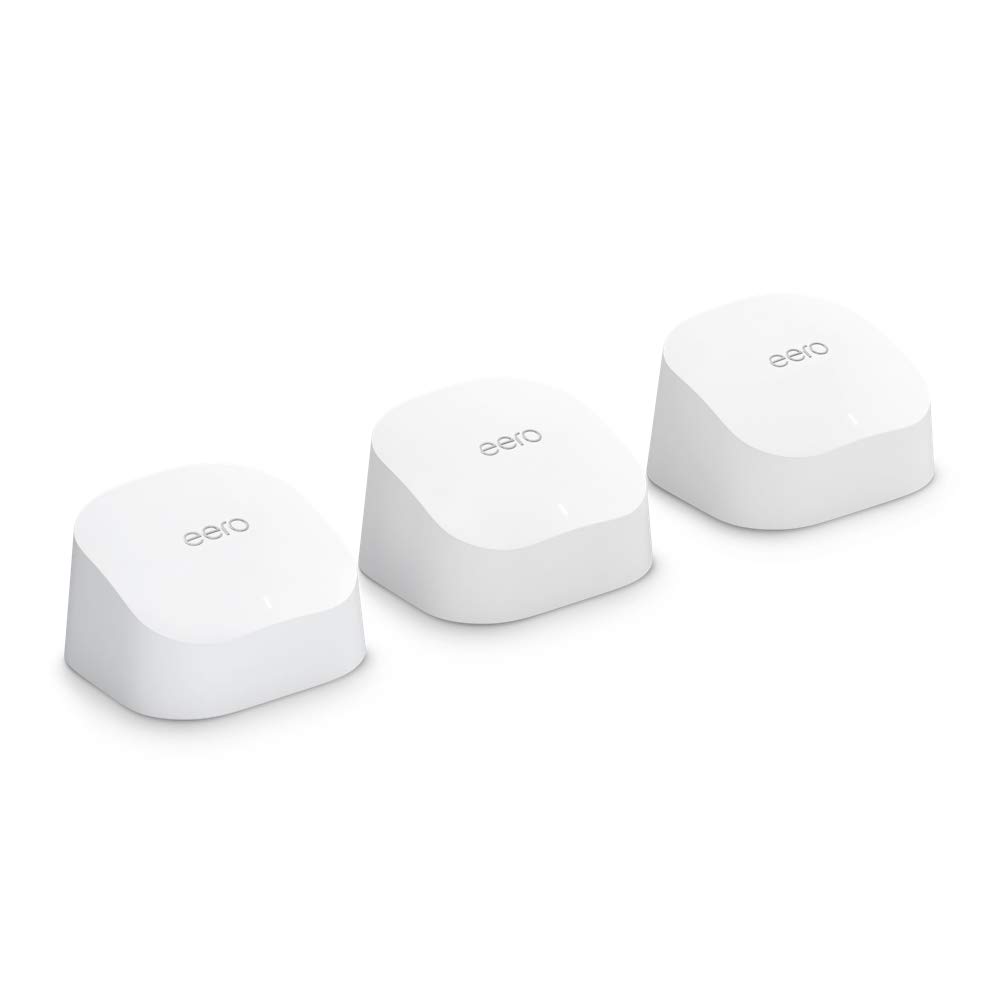
The design of the eero 6 units prioritizes discretion and simplicity. They are compact, low-profile devices meant to blend into home decor rather than stand out as technical hardware. This approach is common in modern mesh systems, where nodes are often placed in open areas on shelves or countertops for optimal signal distribution. The build quality, as described by the manufacturer, supports reliable operation in a typical home environment. The unassuming white casing helps the units fit into various rooms without drawing attention. The physical design supports the system’s core promise: to be an invisible, always-on utility that powers your home’s connectivity without fuss or bulky equipment.
Performance and Features
Coverage and Capacity
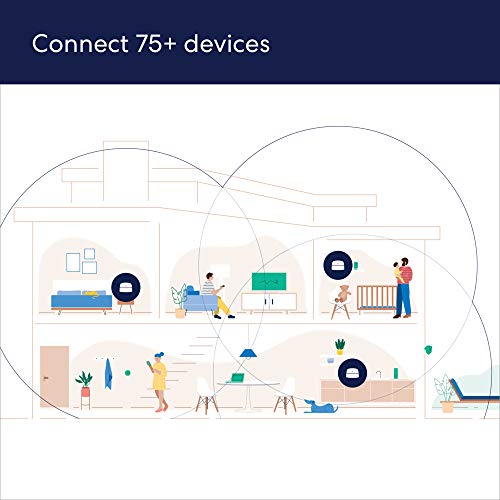
The headline feature of the eero 3-pack is its claimed coverage of up to 4,500 square feet. This is achieved through its mesh technology, where the three units (one router and two extenders) work together to create a single, unified network. Unlike traditional WiFi extenders that can create separate network names, a mesh system allows devices to roam seamlessly between nodes as you move through your home. This is crucial for uninterrupted video calls, streaming, and gaming. The system is also built to handle dense device environments, officially supporting connections for 75 or more devices simultaneously. This makes it suitable for smart homes filled with lights, locks, speakers, and phones, alongside the usual array of computers, tablets, and TVs.
WiFi 6 and Speed Support
This system utilizes the WiFi 6 (802.11ax) standard. The manufacturer states that WiFi 6 supports faster WiFi than prior standards and is optimized for internet plans with speeds up to 500 Mbps. This is a specific and important specification. It indicates the system is designed to efficiently handle plans at or below that speed tier. For households with internet plans exceeding 500 Mbps, this may represent a limitation, as the system’s hardware is optimized for that range. The benefits of WiFi 6 in this context include better performance in crowded environments and improved efficiency when many devices are connected, which aligns with the 75+ device claim.
Smart Home and Software Features
A significant added feature is the built-in Zigbee smart home hub. This allows the eero 6 to connect directly to compatible smart devices like bulbs, sensors, and locks without requiring a separate hub. This integration is streamlined with Alexa, enabling voice control and management of these devices through the Amazon ecosystem. Management of the entire network is handled through the eero app, which provides tools for setup, monitoring connected devices, and implementing basic network controls. The system is also designed to improve over time through automatic updates. These updates are intended to bring performance enhancements and security patches, helping to keep the network secure without user intervention.
Setup, Support and Ownership
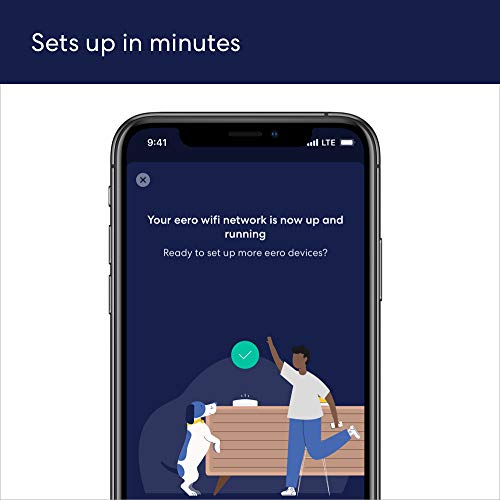
Setup is highlighted as a key advantage. The manufacturer claims the process takes minutes and is guided entirely through the eero app. This typically involves plugging in the main router unit, connecting it to your modem, and then placing the extender units in other areas of your home as suggested by the app’s guidance. The ease of setup is a major selling point for users who prefer not to deal with complex router configuration pages. For support, free customer support is available seven days a week in the United States via email or phone.
Ownership is designed to be hands-off. The automatic update system aims to deliver ongoing improvements and security, a claim that suggests a focus on long-term usability. Furthermore, the system is built with expansion in mind. The hardware is cross-compatible, meaning you can add other eero products (like additional nodes or newer models) to your existing network if your needs grow or change, providing a potential upgrade path. For more insights on setting up capable home networks, our guide on the best routers for handling multiple devices explores related considerations.
What Owners Say
Based on the available data, the product holds a high average rating. This generally indicates a favorable reception from users who have purchased the system. Common praises for mesh systems like this often correlate with the advertised features: relief from WiFi dead zones, simple setup via the accompanying app, and reliable whole-home coverage. The high rating suggests that for its target audience homes needing coverage for large areas and many devices on sub-gigabit internet plans the system delivers on its core promises. Potential criticisms, as inferred from common mesh system feedback, might relate to the necessity of the app for full management or the importance of optimal node placement for peak performance.
Pros and Cons
Pros
- Expansive coverage ideal for large homes
- Reliably handles dozens of connected devices
- Quick and intuitive app-based setup and management
- Integrates as a Zigbee smart home hub with Alexa
- Self-updating firmware for long-term performance and security
- Easy system expansion with compatible eero hardware
Cons
- Optimized for internet plans up to 500 Mbps
- Full feature set and management require the eero mobile app
- Performance is dependent on strategic node placement within the home
- Lack of detailed advanced configuration options for power users
- Smart home hub functionality is tied to the Alexa ecosystem
Who Should Buy It (and Who Should Skip It)
The eero 3-pack is an excellent choice for homeowners or renters with medium to large spaces (up to 4,500 sq ft) who are frustrated by WiFi dead zones and own many smart devices. It’s particularly well-suited for those with internet plans up to 500 Mbps who want a “set it and forget it” system with easy app management, smart home integration, and automatic updates. Families with multiple streamers, gamers, and remote workers will appreciate its capacity for 75+ devices. If you are looking for a simple solution to blanket your entire home with a strong, single network name, this system is designed for you. For those managing extensive smart home setups, our review of the best routers for large homes offers additional context on coverage solutions.
Conversely, users with gigabit-speed internet plans (1,000 Mbps or higher) should consider this system’s 500 Mbps optimization a potential bottleneck and may want to look at more advanced mesh systems or traditional routers designed for higher throughput. Networking enthusiasts who prefer granular control over settings, custom firmware, or advanced VLAN configurations will find the app-centric management limiting. Those in very small apartments or with minimal device counts might find a simpler, single router more cost-effective. Additionally, if you are not invested in the Alexa ecosystem, the value of the built-in Zigbee hub may be reduced.
Final Verdict
The eero 3-pack successfully fulfills its mission of providing simple, widespread, and reliable WiFi coverage for the modern, device-filled home. Its strengths lie in its user-friendly approach: effortless setup via the app, seamless whole-home roaming, and useful integration with Alexa-based smart homes. The inclusion of WiFi 6 ensures efficient handling of many concurrent devices, and the promise of automatic updates adds value over time. For households with internet speeds up to 500 Mbps living in spaces up to 4,500 square feet, it represents a robust and largely hassle-free networking solution that effectively banishes dead zones.
However, this focus on simplicity and a specific speed tier defines its limitations. Power users and those with ultrafast gigabit internet will need to look elsewhere. Within its defined scope, the eero 6 mesh system is a highly competent performer. It removes the technical friction from home networking, making powerful whole-home WiFi accessible to nearly anyone. If your needs align with its capabilities covering a large area on a sub-gigabit plan with minimal fuss the eero 3-pack is a compelling choice that earns its high rating. For broader explorations of home tech, visit our Tech Gear category.
FAQs
What internet speed plan is the eero 3-pack best for?
The Amazon eero 6 mesh system is optimized for and supports internet plans with speeds up to 500 Mbps. The manufacturer states its WiFi 6 technology is designed to handle plans within this speed tier efficiently. If your internet plan provides speeds higher than 500 Mbps, this system may not fully utilize your available bandwidth.
Does the eero 6 require a separate smart home hub?
No, one of its key features is a built-in Zigbee smart home hub. This means you can connect compatible Zigbee-based devices like smart bulbs, plugs, and sensors directly to the eero 6 without needing to purchase a separate hub from brands like Philips Hue or Samsung SmartThings. This functionality is integrated with Alexa for voice control.
How difficult is it to set up the eero mesh system?
Setup is designed to be very simple and is conducted entirely through the eero mobile app. The manufacturer claims the app walks you through the process and that the system can be set up in minutes. It typically involves plugging in the main router, connecting it to your modem, and then placing the extender units where the app suggests for best coverage.
Can I add more eero units to this 3-pack system later?
Yes, the system is designed for easy expansion. The hardware is cross-compatible, so you can add other eero products to your existing network as your needs change. For example, you could purchase an additional single eero node to extend coverage to a garage or workshop, and integrate it directly with your current 3-pack system through the eero app.
About the author

Elvis Dicki writes reviews and buying guides for CyberSecLabs.