Dell S3425DW Review: Connects with a Single USB-C Cable
The Dell S3425DW is a 34-inch curved ultrawide monitor that delivers vibrant colors, smooth 120Hz performance, and standout eye comfort features, making it a versatile choice for multitasking and entertainment.
 By Elvis Dicki
Updated October 20, 2026
By Elvis Dicki
Updated October 20, 2026
The Dell S3425DW is a 34-inch curved ultrawide monitor designed to offer an immersive viewing experience for a wide range of users. It combines a high-resolution 21:9 display with features aimed at both productivity and entertainment, including AMD FreeSync Premium for smooth gaming and Dell’s ComfortView Plus technology for extended viewing comfort. This monitor is positioned for professionals, content creators, and gamers who need expansive screen real estate, vibrant color accuracy, and convenient single-cable connectivity. For those seeking an ultrawide display that balances performance with eye care, the Dell S3425DW presents a compelling package.

At its core, the S3425DW is a VA panel monitor with a 3440 x 1440 resolution and a 120Hz refresh rate, promising detailed visuals and fluid motion. Its design emphasizes ease of use with a USB-C connection that delivers video, data, and up to 65W of power delivery, helping to reduce desktop clutter. The bottom line is that the Dell S3425DW successfully merges a feature-rich ultrawide format with thoughtful ergonomic and connectivity solutions, making it a strong contender for anyone upgrading to a curved workspace or entertainment hub.
Dell S3425DW 34-Inch Curved Ultrawide Monitor





As an Amazon Associate we earn from qualifying purchases. Product prices and availability are accurate as of the date/time indicated.
Dell S3425DW at a Glance
| Specification | Details |
|---|---|
| Screen Size & Aspect Ratio | 34-inch, 21:9 Ultrawide |
| Native Resolution | 3440 x 1440 (WQHD) |
| Panel Type | VA |
| Refresh Rate | 120 Hz |
| Adaptive Sync | AMD FreeSync Premium |
| Response Time | 0.03ms (MPRT) |
| Color Coverage | 99% sRGB, 95% DCI-P3 |
| Contrast Ratio | 3000:1 |
| Key Connectivity | USB-C (65W PD, DP Alt Mode), 2x HDMI, USB-A |
| Key Feature | ComfortView Plus (Blue Light ≤35%) |
Design and Build
The Dell S3425DW sports a clean, modern aesthetic in an Ash White finish. Its 34-inch curved screen, with a 1800R curvature, is designed to wrap the field of view, aiming to increase immersion for media and gaming while potentially reducing eye strain by minimizing the need for excessive head movement. The monitor’s dimensions are 31.78 inches wide, 16.2 inches high, and 8.73 inches deep, with a weight of 20.68 pounds, indicating a substantial but standard footprint for an ultrawide display. The stand provides tilt adjustment and a security lock slot but, according to the manufacturer’s specifications, does not offer height or swivel adjustments, which may limit ergonomic flexibility for some users.
Build quality appears focused on functionality, with a matte screen finish to reduce glare. The design incorporates thoughtful touches for cable management and easy access. Notably, the side-access design includes an HDMI and a USB Type-A port on the side of the monitor, intended for quick and convenient connection of peripherals without reaching behind the panel. The overall construction aligns with Dell’s professional monitor lineage, prioritizing a neat setup and user-friendly port placement over extensive physical adjustability.
Performance and Features
Display Performance
The centerpiece of the S3425DW is its 34-inch VA panel with a WQHD (3440×1440) resolution. This provides a sharp pixel density suitable for detailed work and media consumption, and the 21:9 aspect ratio offers significant horizontal space for multitasking with multiple windows side-by-side. The monitor boasts a 3000:1 contrast ratio, which should deliver deep blacks and a good sense of image depth, a characteristic strength of VA technology. With a brightness of 300 nits and a wide 178-degree viewing angle, the screen is designed to remain consistent when viewed from the side.
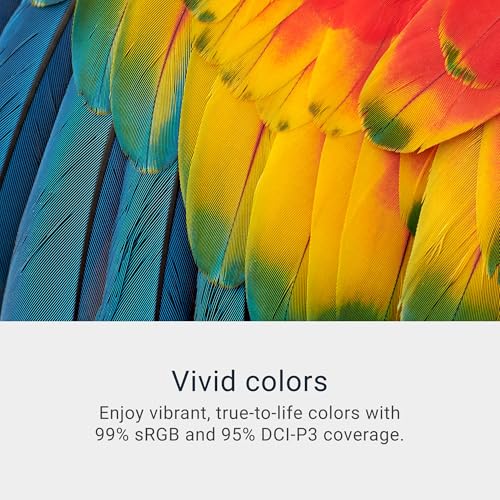
Color performance is a highlighted feature, with coverage of 99% of the sRGB color space and 95% of the DCI-P3 gamut. This makes the monitor suitable for content creation and photo editing where color accuracy is important, though professional color graders may require dedicated calibration. The panel is also listed as HDR-ready, though specific HDR standards or peak brightness levels for HDR are not detailed in the provided specifications.
Gaming and Motion
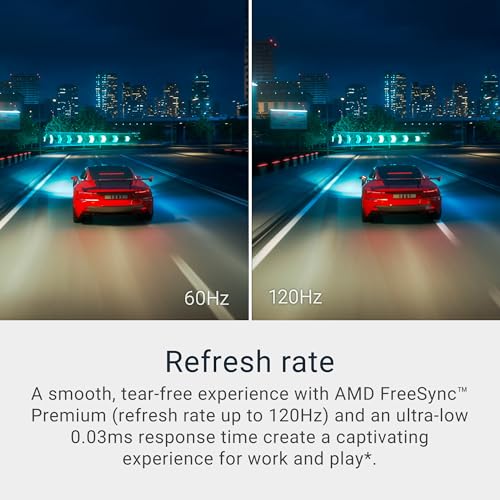
For gaming and fast-paced content, the Dell S3425DW offers a 120Hz refresh rate coupled with AMD FreeSync Premium technology. This combination aims to eliminate screen tearing and stuttering for a smoother visual experience when paired with a compatible AMD graphics card. The ultra-low 0.03ms response time (MPRT) is intended to minimize motion blur in fast-moving scenes. These specs position the monitor as a viable option for casual and enthusiast gamers who also value the productivity benefits of an ultrawide screen, though competitive esports players might prioritize higher refresh rates.
Connectivity and Ports
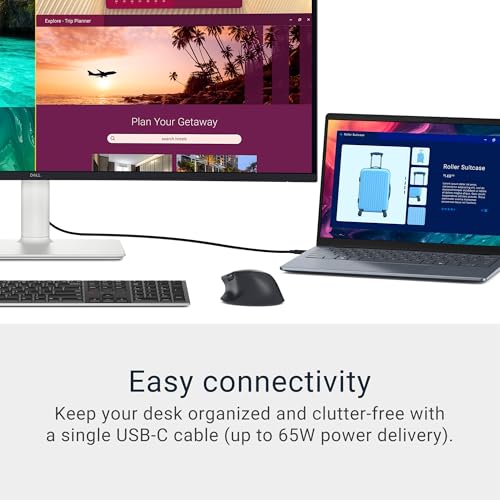
Connectivity is a major selling point. The monitor features a USB-C upstream port that supports DisplayPort 1.4 Alternate Mode and delivers up to 65W of power delivery. This allows a single cable to connect a compatible laptop for video, data, and charging, significantly decluttering the workspace. For other sources, there are two HDMI ports. Downstream connectivity includes a USB 5Gbps Type-A port on the rear and another conveniently placed on the side, along with a USB 5Gbps Type-C downstream port, facilitating easy connection of peripherals like keyboards, mice, or storage devices.
Key Features and Software
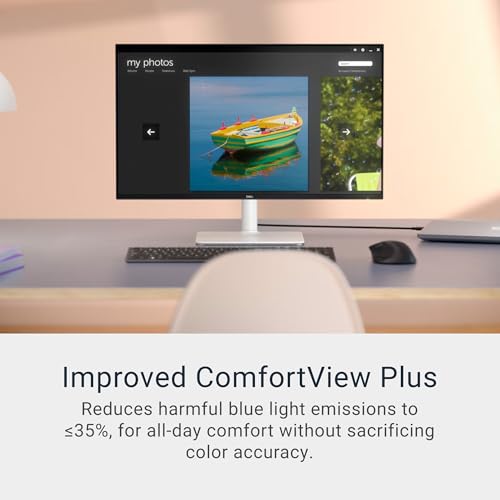
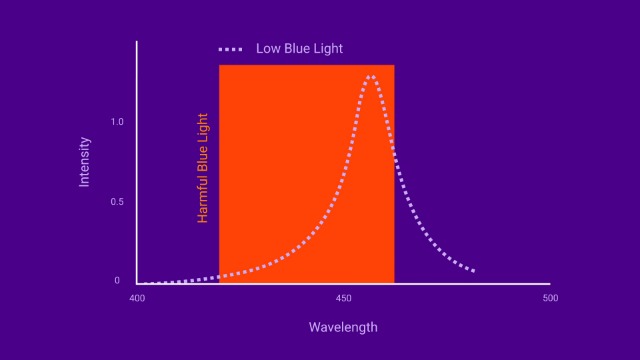
Dell’s ComfortView Plus is a standout feature, employing hardware-based filtering to reduce harmful blue light emissions to 35% or less without the color distortion often associated with software-based solutions. This is designed for all-day comfort during long work or gaming sessions. The monitor also includes integrated speakers, which Dell states have been re-engineered for more detailed sound with greater output power and deeper frequency response than the previous generation.
On the software side, the monitor is compatible with Dell Display Manager. This application offers features like Easy Arrange, which helps tile and manage application windows across the expansive screen, and profile management to save and restore window layouts. This software enhancement can significantly boost productivity on an ultrawide display.
Setup, Support and Ownership
Setup is straightforward, leveraging the single USB-C cable for a clean connection to modern laptops. The included stand attaches easily, and the side-access ports simplify connecting additional devices without contorting behind the monitor. The product ships with the necessary cables, including a USB-C to C cable. In terms of support and warranty, Dell provides a 1-Year Advanced Exchange Service & Premium Panel Exchange. The monitor is ENERGY STAR certified, indicating energy efficiency, and Dell notes the packaging is made from 100% renewable materials as part of its sustainability efforts.
What Owners Say
Overall feedback for the Dell S3425DW is very positive, reflected in its high average rating. The majority of reviews award the highest score, praising the immersive curved display, vibrant colors, and the convenience of the single USB-C cable connection. The eye comfort feature (ComfortView Plus) is frequently mentioned as a significant benefit for reducing strain during long periods of use. A smaller portion of reviews mention considerations such as the limitations of the stand’s adjustability or that the curved screen can introduce slight distortion for very precise linear design work. The integrated speakers, while improved, are generally noted as adequate for basic audio but not a replacement for dedicated speakers or a headset for critical listening.
Pros and Cons
Pros
- Vibrant color accuracy with wide gamut coverage
- Smooth 120Hz performance with AMD FreeSync Premium
- Extremely convenient USB-C connectivity with 65W power delivery
- Effective ComfortView Plus technology for reduced eye strain
- Spacious 34-inch ultrawide curved screen for immersion and multitasking
- Thoughtful port placement, including side-access ports
Cons
- Stand lacks height and swivel adjustments
- Curvature may not be ideal for precision CAD or straight-line design work
- Integrated speakers, while improved, are not suitable for high-fidelity audio
- Brightness may be less than some competing HDR-focused displays
- Limited physical ergonomics compared to fully adjustable stands
- HDR capability is listed as “readiness” without detailed specification
Who Should Buy It (and Who Should Skip It)
The Dell S3425DW is an excellent fit for multi-purpose users who want one screen for work and play. It’s ideal for professionals, remote workers, and content creators who will benefit from the expansive screen real estate for multitasking, the accurate colors for photo editing, and the single-cable USB-C simplicity for laptop docking. Casual and enthusiast gamers who also use their PC for productivity will appreciate the smooth 120Hz refresh rate and ultrawide immersion. Anyone sensitive to eye strain during long sessions will find significant value in the ComfortView Plus feature.
This monitor may not be the best choice for users who require extensive ergonomic adjustments, as the stand’s limitations could be a hindrance. Competitive esports players who prioritize extremely high refresh rates (e.g., 240Hz+) may want to look at dedicated gaming monitors. Audio professionals or those seeking a premium media experience should plan to use external speakers, as the built-in ones are serviceable but basic. Additionally, users who require absolute geometric precision for technical drawing or CAD on a perfectly flat plane might find the curve introduces a minor distortion. For more options in this category, see our guide on the best ultrawide curved monitors.
Final Verdict
The Dell S3425DW successfully executes the vision of a versatile, user-centric ultrawide monitor. It doesn’t necessarily lead in any single extreme spec but brings together a very competent set of features that work harmoniously for daily use. The 120Hz refresh rate and FreeSync support provide a smooth enough experience for most gaming, while the color coverage and contrast are more than sufficient for creative tasks. The true day-to-day value lies in the thoughtful integration of ComfortView Plus for eye care and the exceptional convenience of the one-cable USB-C solution, which cleans up desk space and simplifies connectivity.
While the stand’s adjustability is a compromise and the speakers are merely adequate, these are reasonable trade-offs given the monitor’s overall value proposition and focus on core display performance and user comfort. For anyone seeking to enter the world of curved ultrawide displays for a mixed-use setup—be it for coding, content creation, casual gaming, or immersive movie watching—the Dell S3425DW is a compelling and well-rounded choice that justifies its place as a popular option. It exemplifies how smart feature integration can enhance the user experience beyond raw specifications. Explore other tech gear reviews in our Tech Gear section.
FAQs
Does the Dell S3425DW have built-in speakers?
Yes, the Dell S3425DW includes integrated speakers. Dell states they have been re-engineered from the previous generation to offer more detailed sound with greater output power, a deeper frequency response, and a wider decibel range. They are suitable for system sounds, video calls, and casual media consumption but are not intended to replace a dedicated speaker setup or high-quality headphones for critical audio work or immersive entertainment.
What is the difference between ComfortView and ComfortView Plus?
ComfortView Plus is Dell’s enhanced eye comfort technology. The key difference, as specified for this monitor, is that ComfortView Plus uses a hardware-based solution to reduce harmful blue light emissions to 35% or less. The manufacturer states this reduction is achieved without sacrificing color accuracy, which can be an issue with software-based blue light filters that often give the screen a yellow tint.
Can I mount the Dell S3425DW on a monitor arm?
Yes, the Dell S3425DW is VESA mount compatible. The product specifications list “Desk Mount” as a mounting type, and the monitor features a standard VESA mount pattern (the exact pattern size is not listed in the provided data but is typical for Dell monitors). Using a third-party monitor arm or stand can overcome the built-in stand’s lack of height and swivel adjustments, offering greater ergonomic flexibility.
Is the Dell S3425DW good for photo and video editing?
The Dell S3425DW has strong credentials for photo and video editing. Its color coverage of 99% sRGB and 95% DCI-P3 means it can display a wide range of colors accurately, which is crucial for editing work. The high 3440×1440 resolution provides ample detail and screen space for timeline and tool panels. The 3000:1 contrast ratio also helps in discerning shadow and highlight detail. For professional color-critical work, calibration with a hardware device is always recommended, but the monitor’s out-of-the-box color performance is suitable for many creators. For insights on optimizing your workspace, check out our review of the best desk chairs.
About the author

Elvis Dicki writes reviews and buying guides for CyberSecLabs.