Dell S2725DS Review: 27-Inch QHD with 100Hz and Integrated Speakers
The Dell S2725DS is a versatile 27-inch monitor that blends sharp QHD visuals, integrated audio, and full ergonomic adjustments, making it a strong choice for productivity and casual multimedia.
 By Elvis Dicki
Updated October 21, 2026
By Elvis Dicki
Updated October 21, 2026
In the crowded market of 27-inch monitors, the Dell S2725DS carves out a distinct niche by combining a sharp QHD display with a surprisingly comprehensive built-in audio system and a highly adjustable stand. This model is designed for users who want a clean, all-in-one solution for a home office or entertainment setup, eliminating the need for separate speakers while offering the visual clarity of a 2560×1440 resolution. With its 100Hz refresh rate and TÜV-certified eye comfort features, it targets professionals, students, and casual users who prioritize comfort and versatility over ultra-high gaming performance.

At its core, the Dell S2725DS is a lifestyle-focused monitor that prioritizes a balanced experience. The bottom line is that this monitor delivers strong color accuracy, convenient integrated audio, and exceptional ergonomic flexibility, making it an excellent daily driver for work and media consumption, though its 100Hz refresh rate and 1500:1 contrast ratio mean it’s not the first pick for competitive gaming or professional color-critical work.
Prime Dell S2725DS 27 Inch QHD IPS Monitor 100Hz





As an Amazon Associate we earn from qualifying purchases. Product prices and availability are accurate as of the date/time indicated.
Dell S2725DS at a Glance
| Specification | Detail |
|---|---|
| Screen Size & Resolution | 27-inch, QHD (2560 x 1440) |
| Panel Technology | IPS (In-plane switching) |
| Refresh Rate | 100Hz |
| Adaptive Sync | AMD FreeSync |
| Response Time | 8ms |
| Color Coverage | 99% sRGB |
| Contrast Ratio | 1500:1 |
| Built-in Audio | Dual 5W Speakers |
| Key Connectivity | 2x HDMI, 1x DisplayPort |
| Ergonomics | Height, Tilt, Swivel, Pivot Adjustments |
Design and Build
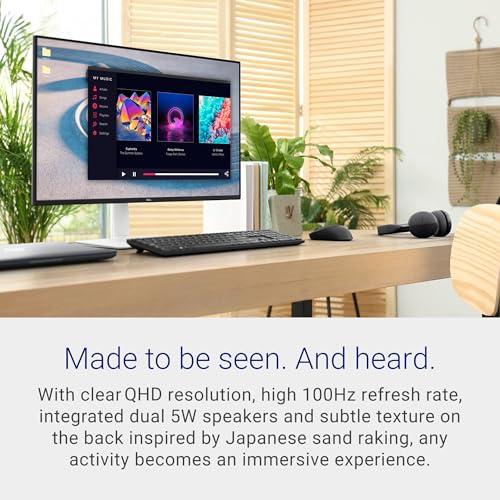
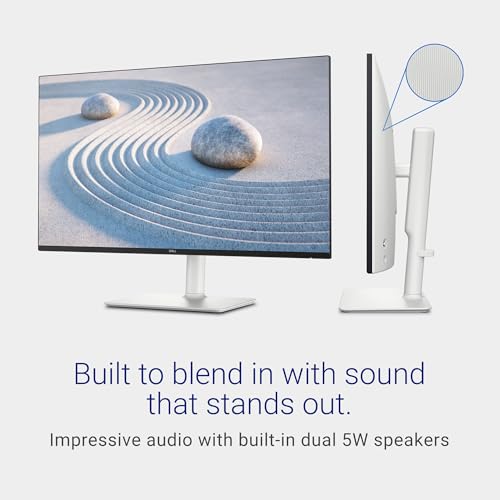
The Dell S2725DS presents a clean, modern aesthetic in an Ash White color, a departure from the typical black monitor. The subtle textured finish on the rear, inspired by Japanese sand raking, adds a touch of sophistication. The build quality feels solid, aligning with Dell’s reputation for durable office and home electronics. The standout feature of the design is the fully ergonomic stand, which offers a comprehensive range of adjustments including height, tilt, swivel, and pivot (90-degree rotation). This allows users to tailor the monitor’s position precisely for comfort, whether sitting or standing, which is a significant advantage for long work sessions.
Cable management is integrated into the stand to help maintain a clutter-free desk, contributing to the monitor’s lifestyle-oriented design. The side-access secondary connections, as mentioned by the manufacturer, provide convenient access for plugging in peripherals without having to reach behind the monitor. The overall footprint and weight are standard for a 27-inch monitor with a robust stand, and it includes a VESA 100×100 mount pattern for those who prefer an aftermarket arm or wall mount.
Performance and Features
Display Quality
The 27-inch IPS panel with a QHD (2560×1440) resolution is the centerpiece of the S2725DS. This resolution provides a noticeable increase in screen real estate and sharpness over standard Full HD, offering 1.77 times more pixel detail according to Dell’s specifications. The 99% sRGB color coverage ensures consistent and vibrant colors, suitable for everyday photo editing, content creation, and media consumption, though it is not advertised for wider color gamuts like Adobe RGB or DCI-P3. The 1500:1 contrast ratio is adequate for general use but may not deliver the deepest blacks preferred for darkroom video editing or high-contrast gaming scenes.
The 100Hz refresh rate, combined with AMD FreeSync support, provides a smoother experience than standard 60Hz monitors, reducing motion blur in fast-paced videos and casual games. The 8ms response time is sufficient for office work and most multimedia but may show slight trailing in very fast-paced competitive gaming. The matte, anti-glare screen finish helps reduce reflections in well-lit rooms.
Integrated Audio Excellence
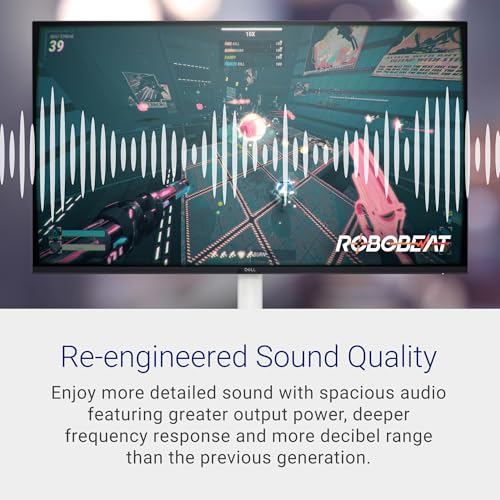
A defining feature of this monitor is its integrated dual 5W speakers. Dell emphasizes a “re-engineered” sound quality with greater output power and a wider dynamic range compared to previous generations. The system includes six audio profiles: Standard, Movie, Game, Music, Voice, and one customizable profile, allowing users to tailor the sound for different activities. For a monitor, this audio system provides a convenient and surprisingly capable alternative to basic laptop speakers or cheap external options, making it ideal for video calls, streaming, and casual listening without cluttering the desk with extra hardware.
Eye Comfort and Productivity Software
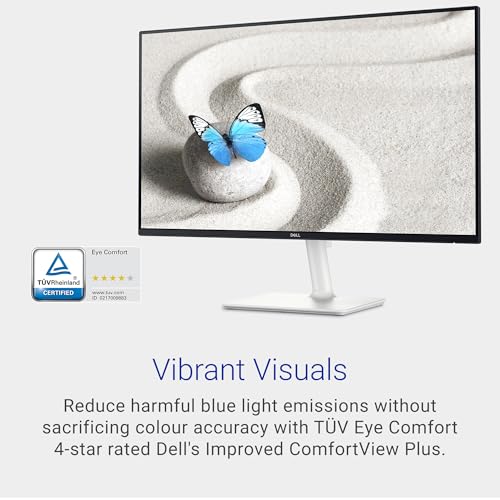
The monitor has achieved a TÜV Rheinland 4-star eye comfort certification for Dell’s ComfortView Plus technology. This feature reduces harmful blue light emissions without significantly sacrificing color accuracy, aiming to minimize eye strain during extended use. For productivity, the monitor supports Dell’s EasyArrange software (via the optional Dell Display Manager), which helps organize and snap application windows into predefined layouts on the single screen, boosting efficiency for multitasking workflows.
Connectivity and Ports
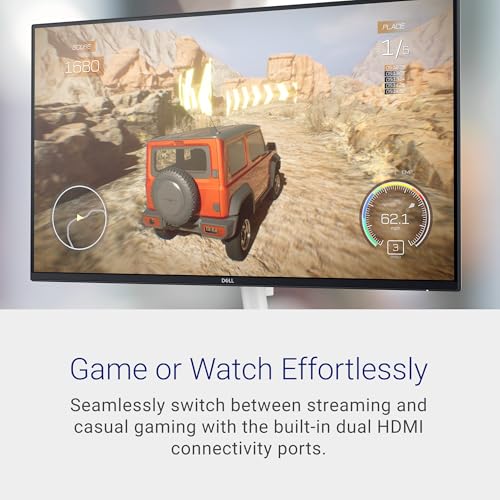
Connectivity is straightforward and practical for a multi-device environment. The monitor includes two HDMI ports and one DisplayPort, providing flexibility to connect a PC and a gaming console or secondary laptop simultaneously. A security lock slot (Kensington compatible) is included for physical security in shared spaces. The manufacturer does not list USB hubs or audio output jacks in the provided specifications.
Setup, Support and Ownership
Setup is described as straightforward, with the monitor, stand, power cable, and HDMI cable included in the box. The ergonomic stand attaches securely, and the side-access ports simplify connecting cables. As a newer model, long-term user feedback on reliability is still accumulating. Dell provides a 1-year Advanced Exchange Service and Premium Panel Exchange warranty, which offers a replacement process for defective units. The manufacturer does not list specific details on firmware update processes or available accessory options beyond the standard VESA mounting.
What Owners Say
Based on the aggregated rating, user reception is very positive. The high star rating suggests owners are satisfied with the overall package, likely praising the combination of sharp QHD resolution, the convenience of the integrated speakers, and the quality of the ergonomic stand. As a new model, detailed long-term durability reports are less common, but the initial feedback indicates it meets expectations for a monitor in its class.
Pros and Cons
Pros
- Sharp QHD resolution on a 27-inch IPS panel with wide viewing angles
- Convenient and capable integrated dual 5W speakers with audio profiles
- Fully ergonomic stand with height, tilt, swivel, and pivot adjustments
- Effective eye comfort technology with TÜV Rheinland 4-star certification
- Clean design with good cable management
- Solid connectivity with dual HDMI and DisplayPort inputs
Cons
- 100Hz refresh rate is not ideal for high-frame-rate competitive gaming
- 1500:1 contrast ratio is adequate but not exceptional for dark scenes
- Lacks USB-C connectivity for modern single-cable laptop docking
- Newer model with less established long-term reliability data
- Audio, while good for integrated speakers, won’t replace dedicated high-quality external speakers
- No mention of HDR support in the provided specifications
Who Should Buy It (and Who Should Skip It)
The Dell S2725DS is an ideal fit for home office professionals, students, and general users who want a single, tidy solution for work and entertainment. Its strengths in ergonomics, eye comfort, and integrated audio make it perfect for long days of video calls, document work, and web browsing. Casual gamers and those who enjoy streaming movies will appreciate the smoother 100Hz motion and the speakers. It’s also a great fit for anyone looking to upgrade from a 1080p monitor to QHD for increased screen real estate.
This monitor is not the best choice for competitive esports gamers who require 144Hz or higher refresh rates and faster response times. Professional video editors or designers needing wide color gamut coverage (Adobe RGB, DCI-P3) or higher contrast for grading should look elsewhere. Users who already own a premium speaker setup or who require single-cable USB-C connectivity for laptops may find the integrated audio or port selection less critical. For those seeking the most immersive experience, our guides on the best ultra-wide monitors and best ultra-wide curved monitors explore alternatives with different form factors.
Final Verdict
The Dell S2725DS succeeds by offering a well-rounded, user-friendly experience that addresses common pain points like speaker clutter and fixed monitor positions. It doesn’t aim to be the absolute best in any single category—be it gaming, color accuracy, or contrast—but instead delivers a compelling combination of very good visual quality, thoughtful audio integration, and exceptional physical adjustability. For its intended audience, this balance is more valuable than niche excellence.
If your priority is a clean, comfortable, and versatile daily driver that handles productivity and leisure with equal ease, the Dell S2725DS is a strong contender. It represents a meaningful upgrade from basic office monitors by adding meaningful quality-of-life features. For more specialized needs in gaming or ergonomics, consider exploring other options in our reviews section or our guide to the best desk chairs for gaming to complete your setup.
FAQs
Does the Dell S2725DS have built-in speakers?
Yes, it features integrated dual 5W speakers with a wide dynamic range. Dell states the audio is re-engineered from previous generations for more detailed sound. The monitor includes six audio profiles (Standard, Movie, Game, Music, Voice, and Customizable) to tailor the output for different types of content.
Is this monitor good for gaming?
It is suitable for casual gaming thanks to its 100Hz refresh rate and AMD FreeSync support, which provide smoother motion than a standard 60Hz monitor. However, the 100Hz refresh rate and 8ms response time may not be optimal for fast-paced competitive esports titles where higher refresh rates (144Hz or 240Hz) and faster response times are preferred.
Can the Dell S2725DS rotate vertically?
Yes. The monitor’s ergonomic stand supports pivot adjustment, allowing the screen to rotate 90 degrees into a portrait orientation. It also offers height, tilt, and swivel adjustments for comprehensive positioning flexibility.
What cables are included with the monitor?
According to the manufacturer’s list of built-in media, the box includes an HDMI cable, a power cable, and a quick setup guide, among other items like the stand and safety information. A DisplayPort cable is not listed as included.
About the author

Elvis Dicki writes reviews and buying guides for CyberSecLabs.