Cudy WR6500 Review: A Tri-Band Wi-Fi 7 Router for Multi-Device Homes
The Cudy WR6500 is a tri-band Wi-Fi 7 router designed to manage dozens of smart home and entertainment devices simultaneously, offering dedicated backhaul and robust security features for stable whole-home coverage.
 By Elvis Dicki
Updated October 21, 2026
By Elvis Dicki
Updated October 21, 2026
Stepping into the Wi-Fi 7 era often comes with a premium price tag, but the Cudy WR6500 aims to deliver next-generation features at a more accessible point. This tri-band router, officially named the Cudy BE6500 Tri-Band Wi-Fi 7 Router, is engineered for households brimming with connected devices—from streaming setups and gaming consoles to smart bulbs, cameras, and sensors. Its core promise is to prevent these devices from competing for bandwidth by using a dedicated wireless backhaul channel, effectively giving each type of traffic its own lane. The bottom line: for users seeking to future-proof their network with Wi-Fi 7 capabilities and handle high device counts without constant buffering or lag, the WR6500 presents a compelling, specification-rich option.

This review analyzes the Cudy WR6500’s design, performance specifications, and feature set based on its published technical data and owner feedback. We’ll examine its quad-core processing power, five Gigabit Ethernet ports, and comprehensive security suite, including built-in VPN servers. Whether you’re upgrading from an older router or building a new mesh network, understanding the strengths and limitations of this router will help determine if it’s the right fit for your connected home.
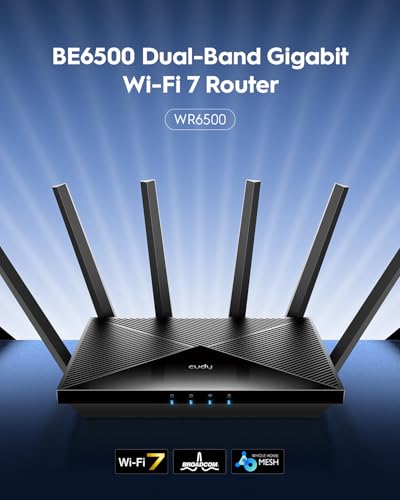
Cudy WR6500 BE6500 Tri-Band Wi-Fi 7 Router with 5



As an Amazon Associate we earn from qualifying purchases. Product prices and availability are accurate as of the date/time indicated.
Cudy WR6500 at a Glance
| Specification | Detail |
|---|---|
| Wi-Fi Generation | Wi-Fi 7 (802.11.be) |
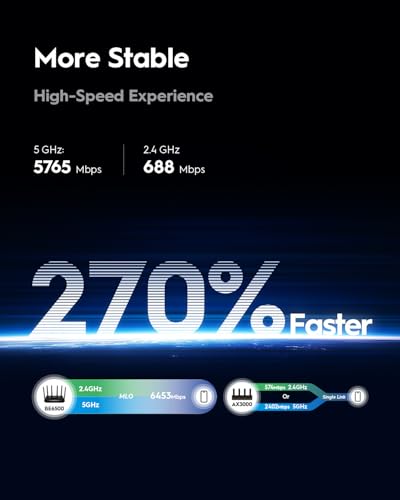
| Frequency Bands | Tri-Band: 5 GHz, 2.4 GHz, Dedicated Backhaul | Total Theoretical Speed | BE6500 (5765 Mbps + 688 Mbps) |
| CPU | 2 GHz Quad-Core |
| RAM | 512 MB |
| Ethernet Ports | 5 x Gigabit (10/100/1000 Mbps) |
| Antennas | 4 High-Gain Beamforming Antennas |
| Security | WPA3, WireGuard/OpenVPN/IPsec VPN, SPI Firewall |
| Management | Cudy Mobile App |
| Coverage | Designed for up to 1500 square feet |
Design and Build
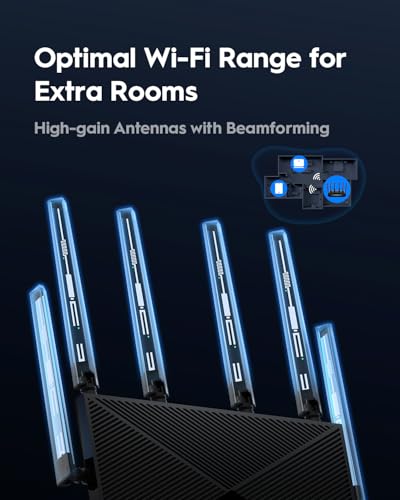
The Cudy WR6500 adopts a utilitarian, low-profile design common to many modern routers. Its black enclosure measures approximately 9.96 inches long by 6 inches wide and 1.9 inches high, with a weight listed at 580 grams. This form factor is intended to sit discreetly on a shelf or desk. The unit is equipped with four fixed, high-gain antennas that utilize beamforming technology. According to the manufacturer, this antenna array is designed to create a more focused Wi-Fi signal that directs coverage toward client devices, which aims to improve range and stability, particularly for penetrating walls and floors in multi-story homes. The router includes LED indicators for status monitoring.
In the box, users will find the router itself, a power adapter, an Ethernet cable, and an installation guide. The build and materials are not described in detail by the manufacturer, but the included components suggest a focus on providing the essentials for getting the network up and running. The design philosophy appears centered on function over flashy aesthetics, prioritizing the internal hardware that drives performance.
Performance and Features
Processing Power and Multi-Device Handling
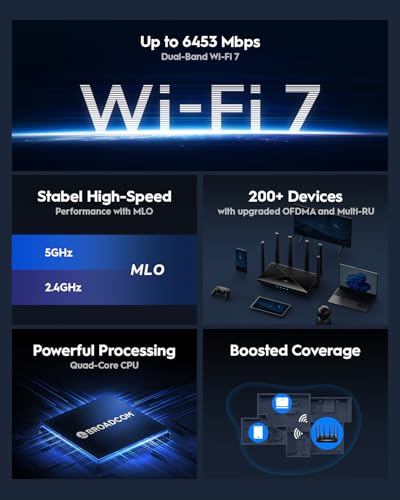
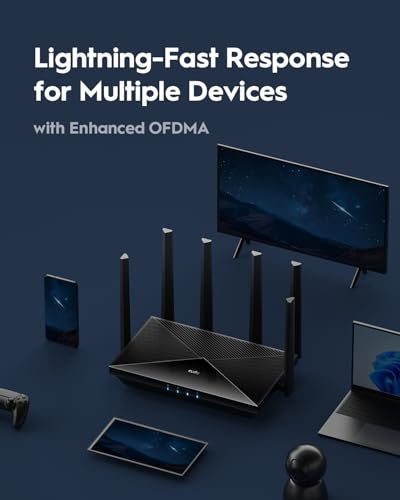
At the heart of the WR6500 is a 2 GHz quad-core CPU paired with 512 MB of RAM. This hardware combination is marketed for delivering instantaneous response and smooth operation while browsing, streaming, and gaming across hundreds of devices. The router’s tri-band architecture is a key feature for managing network congestion. It provides a dedicated backhaul band, which is intended to prevent smart home IoT devices (like bulbs, sensors, and cameras) from competing with high-bandwidth activities like 4K streaming or online gaming. Technologies like OFDMA and MU-MIMO are also cited to ensure multiple devices stay responsive even during peak usage hours.
Connectivity and Ports
For wired connections, the router offers five Gigabit Ethernet ports (10/100/1000 Mbps). This allows for simultaneous full-speed connections to devices like a gaming console, NAS (Network Attached Storage), home office PC, and smart TV without port sharing that could compromise throughput. The inclusion of a cable in the box facilitates the initial connection to your modem. For wireless connectivity, the router supports the latest Wi-Fi 7 standard (802.11.be), offering theoretical maximum speeds of 5765 Mbps on its 5 GHz band and 688 Mbps on the 2.4 GHz band. It’s important to note that achieving these top speeds requires client devices (phones, laptops) that also support Wi-Fi 7 features.
Software and Security Features
The Cudy WR6500 comes with a robust set of security and management tools. It supports the latest WPA3 encryption standard for wireless security, along with a SPI firewall and DoS (Denial of Service) protection. A standout feature is its integrated VPN support, functioning as both a server and client for WireGuard, OpenVPN, and IPsec protocols. This allows for secure remote access to your home network or routing your home traffic through a VPN service. Management is handled primarily through the Cudy mobile app, which provides per-device controls, parental profiles with scheduling and content filtering, and a traffic analytics dashboard. The app is also used for setting up Cudy Mesh for whole-home coverage.
Setup, Support and Ownership
Setup is described as straightforward, with the Cudy app guiding users through the process. The router supports seamless whole-home Wi-Fi through its Cudy Mesh system, which can be configured via wireless pairing or automatically through wired connections (using the Ethernet ports as backhaul). This is designed to allow devices to roam between nodes without dropping connection. The manufacturer provides a 2-year warranty for the product. Details regarding the frequency of firmware updates or long-term software support are not specified in the provided data. For those looking to expand their network, exploring guides on the best routers for multiple devices can offer additional context on managing dense device environments.
What Owners Say
Owner feedback for the Cudy WR6500 is generally positive, with an average rating of 4.2 out of 5 stars. The majority of reviews are 5-star ratings. Positive comments frequently highlight easy setup, strong signal strength that improves coverage in multi-story homes compared to boosters or ISP-provided equipment, and good performance matching high-speed internet plans. Several users mention the straightforward app and reliable operation. Critical feedback, found in a smaller percentage of reviews, includes instances where users did not experience a significant speed increase over older routers, encountered connectivity issues with specific devices on the 5 GHz band, or had concerns about the unit potentially being a refurbished item. The overall sentiment suggests the router works well for most, delivering on its core promises of stability and coverage.
Pros and Cons
Pros
- Strong multi-device handling with quad-core CPU and tri-band design.
- Effective dedicated backhaul to isolate smart home device traffic.
- Robust security suite with multiple VPN server options (WireGuard, OpenVPN, IPsec).
- Easy setup and mesh configuration via the companion app.
- Five full-speed Gigabit Ethernet ports for wired connections.
- Beamforming antennas designed for improved whole-home coverage.
Cons
- Full Wi-Fi 7 speed benefits require compatible client devices.
- Only five Ethernet ports, which may be limiting for heavily wired setups.
- Advanced management and features are dependent on the mobile app.
- Some owners report mixed experiences with device compatibility on the 5 GHz band.
- Lacks a web-based cloud controller for remote management.
- Performance claims are theoretical and dependent on environment and client devices.
Who Should Buy It (and Who Should Skip It)
The Cudy WR6500 is an ideal fit for households with a growing number of smart home devices and simultaneous high-bandwidth users. If your family frequently streams 4K video, games online, and has dozens of IoT devices like cameras and smart speakers, the tri-band design with dedicated backhaul can help maintain responsiveness for all. It’s also a strong candidate for those wanting to dip their toes into Wi-Fi 7 features and VPN server hosting without a top-tier budget. Users needing to cover a larger area can leverage its Cudy Mesh support. For more on routers suited for expansive spaces, see our roundup of the best routers for large homes.
You might want to skip the Cudy WR6500 if you require a vast number of wired Ethernet ports for a home lab or office, as it is limited to five. Those who predominantly use devices that do not support Wi-Fi 7 may not see a dramatic speed leap over a good Wi-Fi 6 router. Users who prefer extensive, granular web-based configuration panels over a streamlined mobile app may find the management interface limiting. Additionally, if your current Wi-Fi 5 or Wi-Fi 6 router already handles your device load without issue, the immediate upgrade necessity may be lower.
Final Verdict
The Cudy WR6500 successfully packages advanced Wi-Fi 7 specifications into a router focused on practical, multi-device home performance. Its strengths lie in the intelligent tri-band traffic management, the capable quad-core hardware for handling numerous connections, and the inclusion of serious security tools like multi-protocol VPN support. For users battling with buffering streams or laggy smart devices due to network congestion, this router’s architecture offers a direct solution. The positive owner reports on ease of setup and reliable coverage further bolster its case as a user-friendly upgrade path.
While it doesn’t have an exhaustive port selection or a web-based cloud controller, the WR6500 makes thoughtful compromises to hit its feature set at its price point. It is less of a niche, gamer-centric router and more of a balanced workhorse for the modern, device-dense household. If your priority is creating a stable, responsive network that can grow with your smart home and entertainment needs, the Cudy WR6500 warrants strong consideration. As with any networking gear, pairing it with a capable internet plan is key; our guide on the best routers for gigabit internet explores that synergy further.
FAQs
What is the dedicated backhaul band, and why is it useful?
The dedicated backhaul band is a separate wireless channel used exclusively for communication between the main router and any mesh satellite nodes you add. In a tri-band router like the WR6500, this means your smart home devices (IoT) and your streaming/gaming devices are not competing for bandwidth on the same channels. This architecture aims to keep latency-sensitive activities smooth and prevent smart devices from becoming unresponsive during network peak times.
Do I need Wi-Fi 7 devices to use this router?
No, you do not need Wi-Fi 7 devices. The Cudy WR6500 is backward compatible with older Wi-Fi standards (Wi-Fi 6/802.11ax, Wi-Fi 5, etc.). Your existing phones, laptops, and tablets will connect and work normally. However, to experience the maximum theoretical speeds and some advanced features like 320 MHz channel width, you will need client devices that also support the Wi-Fi 7 standard.
Can I use the built-in VPN to access my home network remotely?
Yes. The router includes VPN server functionality for WireGuard, OpenVPN, and IPsec protocols. This allows you to set up a secure tunnel to your home network from outside, for example, to access files on a NAS, security camera feeds, or other network resources as if you were locally connected.
How does Cudy Mesh work?
Cudy Mesh allows you to add additional compatible Cudy router units to extend your Wi-Fi coverage seamlessly throughout your home. The system can be set up easily through the Cudy app, using either a wireless connection or a wired Ethernet backhaul for a more stable and faster connection between nodes. Devices can roam between the main router and mesh nodes without dropping their connection.
About the author

Elvis Dicki writes reviews and buying guides for CyberSecLabs.