The 5 Best High Power Wi-Fi Range Extenders For Large Properties of 2026
Struggling with dead zones across your property? Our November 2026 guide compares 5 top-performing best high power Wi-Fi range extenders for large properties from NETGEAR, TP-Link.
 By Marcus Hale
Updated November 5, 2026
Dead zones, unreliable connections in far corners, and buffering videos are the banes of large property owners. Choosing the right Wi-Fi solution for expansive spaces boils down to three critical decisions: the required coverage area in square feet, compatibility with your existing router, and whether you need a simple extender or a whole-home mesh system.
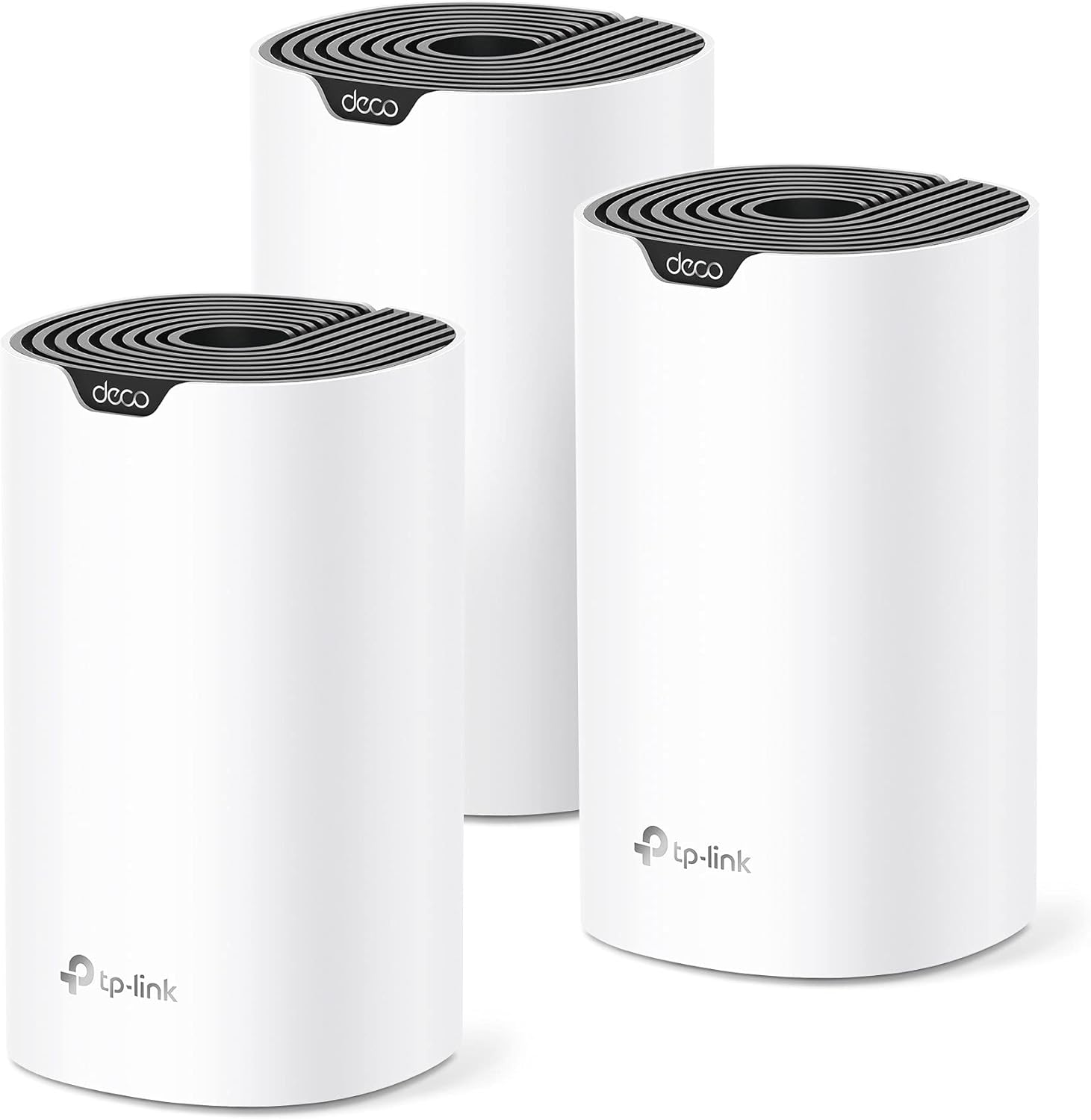
For most users seeking a seamless, powerful network, we recommend the TP-Link Deco S4 Mesh AC1900 WiFi System. Its mesh technology blankets up to 5,500 square feet without separate networks. If you need maximum future-proofing with the latest Wi-Fi 7 standard, the Deco 7 Dual-Band BE5000 WiFi 7 Mesh Wi-Fi System offers cutting-edge performance for demanding setups. For more insights on networking gear, explore our router wifi category.
The 3 Best High Power Wi-Fi Range Extenders For Large Properties on Our Shortlist (November 2026)
- Best for: Whole-home mesh coverage
- Coverage: Up to 5,500 sq. ft.
- Speed: AC1900
- Ports: 2 Gigabit per unit

- Best for: Future-proof Wi-Fi 7 performance
- Coverage: Up to 6,600 sq. ft.
- Speed: BE5000
- Technology: Wi-Fi 7 MLO

- Best for: Simple spot extension
- Coverage: Up to 2,100 sq. ft.
- Speed: AC1900
- Port: 1 Gigabit Ethernet
This post may contain affiliate links. As an Amazon Associate we earn from qualifying purchases.
Quick Comparison
| Award | Product | CSL Score About CSL ScoreThe CSL Score is our own rating from 0 to 10, based on performance, design and build, ease of use, and value. It reflects independent research and is never influenced by manufacturers, retailers, or affiliate commissions. Learn more › | |
|---|---|---|---|
| Best Overall |
TP-Link Deco S4 (3-Pack) AC1900 Mesh WiFi System
|
9.7/10 | Check price |
| Best Premium |
 TP-Link Deco X55 AX3000 WiFi 6 Mesh System |
9.6/10 | Check price |
| Best Budget |
TP-Link RE550 AC1900 WiFi Extender
|
9.6/10 | Check price |
| Top Rated |
TP-Link Deco BE25 (3-Pack) Wi-Fi 7 Mesh System
|
8.3/10 | Check price |
| Most Popular |
 NETGEAR EX6400 AC1900 WiFi Mesh Range Extender |
9.4/10 | Check price |
TP-Link Deco S4 (3-Pack) AC1900 Mesh WiFi System
The TP-Link Deco S4 (3-Pack) is a mesh WiFi system delivering AC1900 speeds and up to 5,500 sq ft coverage across multiple units. Its seamless roaming and self-healing network make it perfect for households with many devices needing lag-free connectivity.
Pros
- Exceptional whole-home coverage eliminates weak signals
- Effortless app-based setup in minutes
- Strong parental controls for family safety
- Reliable mesh for seamless device switching
- Universal compatibility with major ISPs
Cons
- Uses AC1900 standard, not newer WiFi 6
- Requires separate modem for most setups
- Management relies heavily on mobile app
TP-Link Deco X55 AX3000 WiFi 6 Mesh System
TP-Link Deco X55 is a WiFi 6 AX3000 mesh system (3-pack) that covers up to 6500 sq ft, replaces routers and extenders, and includes 3 Gigabit ports per unit with Ethernet backhaul support. Its AI-driven mesh and easy app setup suit homes with gigabit internet needing dead-zone-free coverage for up to 150 devices.
Pros
- Superior whole-home coverage with expandable mesh design
- Fast WiFi 6 performance handles multiple high-bandwidth devices
- Abundant Gigabit ports and Ethernet backhaul for flexibility
- User-friendly app with real-time insights and easy management
- Strong cybersecurity features from a trusted brand
Cons
- Advanced HomeShield Pro security requires a paid subscription
- Requires a separate modem for most internet providers
- Optimal performance in very large homes may need extra units
TP-Link RE550 AC1900 WiFi Extender
The TP-Link RE550 is a dual-band AC1900 WiFi range extender that expands coverage up to 2200 sq. ft. for 32 devices with a Gigabit Ethernet port. Its EasyMesh compatibility and intelligent signal indicator make it perfect for homeowners seeking seamless whole-home WiFi without dead zones.
Pros
- Broad coverage and multi-device support reduce lag in large homes
- Easy setup and app control simplify network management
- Gigabit Ethernet and AP mode add versatile wired-to-wireless options
- EasyMesh integration enables scalable whole-home WiFi
- Universal compatibility works with most routers and devices
Cons
- Does not increase internet speeds; expect about 50% of original speeds
- Not compatible with mesh systems like Deco
- Requires optimal placement for best performance
TP-Link Deco BE25 (3-Pack) Wi-Fi 7 Mesh System
A 3-pack mesh system engineered for large homes needing the latest wireless standard. It leverages Wi-Fi 7's MLO technology for fast speeds and wide coverage, backed by strong security features like HomeShield.
Pros
- Delivers extensive coverage up to 6,600 square feet for over 150 devices
- Features future-proof Wi-Fi 7 with MLO and 240 MHz channels for high-speed performance
- Includes dual 2.5 Gbps ports per unit for fast wired connections
- Offers built-in AI-Roaming and TP-Link HomeShield security suite
- Easy to set up and manage via a mobile app
Cons
- Performance can diminish based on obstacles like walls and distance
- Requires a separate modem and may not be suitable for smaller spaces
- Some advanced HomeShield features require a paid subscription
NETGEAR EX6400 AC1900 WiFi Mesh Range Extender
The NETGEAR EX6400 is an AC1900 dual-band WiFi mesh range extender that boosts coverage up to 2100 sq ft and supports 35 devices. Its smart roaming and one WiFi name deliver uninterrupted connectivity, making it perfect for households with multiple smart devices and streaming needs.
Pros
- Expansive coverage eliminates WiFi dead zones
- Seamless mesh integration with existing networks
- Fast dual-band performance for multiple devices
- Simple plug-and-play installation
- Built-in Ethernet for reliable wired connections
Cons
- Firmware upgrade and reset needed for full mesh features
- Wall-plug design limits flexible placement options
- Dual-band setup may not match tri-band speeds in dense networks
How We Picked
Our selection process focused on objective metrics and user feedback to identify the most effective solutions for large properties. We analyzed specifications, aggregated customer ratings, and distilled owner experiences to highlight models that deliver on their coverage promises.
- Coverage Area: Prioritized products explicitly rated for large square footage.
- Technology Type: Evaluated both traditional extenders and mesh systems for different use cases.
- Speed Specifications: Compared dual-band AC and AX Wi-Fi standards for data throughput.
- Connectivity Options: Noted the availability of Gigabit Ethernet ports for wired backhaul or device connections.
- Ease of Setup: Favored systems with dedicated mobile apps and clear guidance.
Buying Guide: Making Sense of Best High Power Wi-Fi Range Extenders For Large Properties
Coverage Area vs. Property Layout
The advertised square footage is a starting point, but your property’s layout matters more. A long, narrow home may need a different solution than a compact multi-story building. Mesh systems, like the TP-Link Deco X55 AX3000 WiFi 6 Mesh System, excel at creating a single, unified network that devices roam seamlessly across, making them ideal for complex layouts with many rooms.
Extender vs. Mesh System
This is the fundamental choice. A traditional extender, such as the TP-Link AC1900 WiFi Range Extender RE550, is perfect for targeting a single dead zone like a garage or backyard office. It creates a new network name (unless using a feature like EasyMesh). A mesh system replaces your router and satellites work together as one intelligent network, which is superior for whole-home coverage without manual switching.
Wired Backhaul Capability
For the ultimate stable and fast whole-home network, look for mesh systems that support Ethernet backhaul. This means you can connect the satellite units to the main unit via Ethernet cables (run through walls, ceilings, or along baseboards), dedicating the wireless bands solely to your devices. This dramatically improves performance, especially for 4K streaming and gaming across multiple rooms.
Quick Checklist
- Measure your property’s total square footage and identify primary dead zones.
- Decide if you need a simple spot fix (extender) or a complete network overhaul (mesh).
- Check compatibility with your current internet service provider’s modem/router.
- Ensure the system supports the number of devices you typically connect.
- Confirm the availability of Gigabit Ethernet ports if you plan to use wired connections.
Related reading: For more on the latest networking technology, see our guide on The 5 Best High Power Wi-Fi Range Extenders For Large Properties of 2026.
FAQs
What is the best high power Wi-Fi range extenders for large properties in 2026?
The “best” depends on your specific needs. For most people with large homes wanting a single, strong network, a whole-home mesh system is the top choice. For solving one stubborn dead zone, a powerful extender is often sufficient and more cost-effective.
Will a range extender slow down my internet?
Yes, typically by about half. Extenders receive, then retransmit the signal, which cuts bandwidth. A quality mesh system with dedicated backhaul (like a wired connection between units) minimizes this slowdown and provides a more consistent experience throughout your property.
Do I need to replace my current router?
Most range extenders work with any existing router. Most mesh systems, however, are designed to replace your router entirely. They include a primary unit that connects directly to your modem. Always check the product description for compatibility with your ISP’s equipment.
How difficult are these systems to set up?
Modern systems are designed for user installation. Most, like the NETGEAR WiFi Mesh Range Extender (EX6400), offer step-by-step mobile apps that guide you through placement and configuration in minutes, often with no technical knowledge required. Explore our Tech Gear section for more setup tips.
Where is the best place to put a Wi-Fi extender?
Place it halfway between your main router and the area with poor coverage. It needs to receive a strong signal from the router to effectively rebroadcast it. Avoid locations surrounded by thick walls, large metal appliances, or other major signal blockers.
Can I use multiple extenders in my home?
Yes, but it’s not ideal. Each extender creates its own network and can introduce complexity and latency. For properties requiring more than one additional node, a mesh system is a far superior solution as it manages all units as one coordinated network.
Final Thoughts
For seamless, whole-home coverage, the TP-Link Deco S4 Mesh AC1900 WiFi System is an excellent choice, creating a single network that blankets large areas. If you’re building a network ready for the next generation of devices, the Deco 7 Dual-Band BE5000 WiFi 7 Mesh Wi-Fi System offers cutting-edge Wi-Fi 7 technology. For those with a single, problematic dead zone, the TP-Link AC1900 WiFi Range Extender RE550 provides a straightforward and effective solution. Whichever model you choose, take time to find the optimal placement for the main unit and any satellites, this is often the single biggest factor in achieving the performance you expect. For more in-depth analysis, check out our review section.
About the author
Marcus covers home networking for CyberSecLabs: Wi-Fi routers, mesh systems and the gear that keeps a home network fast and secure. Each buying guide is built from manufacturer specifications, owner feedback and current availability, and is updated as new models arrive.