How to Choose the Best Computer Server for Data Storage and Backup
Learn the key factors for selecting a reliable server for your storage and backup needs, from hardware specs to form factor, to ensure your data is safe and accessible.
 By Elvis Dicki
Updated October 22, 2026
The best computer server for data storage and backup balances robust hardware, reliable redundancy, and quiet operation to fit your specific space and needs. For most home and small business users, a modern tower or quiet rackmount server with sufficient drive bays, ECC RAM, and remote management capabilities provides an excellent foundation for a secure data repository.
Choosing the right server is crucial for protecting your valuable data, from family photos and documents to critical business files. This guide explains the essential features and considerations to help you select a system that will keep your data safe, accessible, and scalable for years to come.

Core Server Components for Reliable Storage
When evaluating a server primarily for storage and backup, the focus shifts from raw compute power to reliability, capacity, and data integrity. The central processing unit (CPU) needs to handle file serving and backup software efficiently but doesn’t require top-tier gaming performance. A modern multi-core processor, like an Intel Core or Xeon series, is more than sufficient.
Memory and Storage Considerations
Memory is critical for caching frequently accessed data and running backup services smoothly. We recommend a minimum of 16GB of RAM, with 32GB or more being ideal for future-proofing and handling multiple concurrent backup jobs. For the storage drives themselves, using a fast NVMe SSD for the operating system and applications dramatically improves responsiveness, while large-capacity Hard Disk Drives (HDDs) in a RAID configuration provide cost-effective bulk storage.
Why Drive Bays and Expansion Matter
The number of internal drive bays is one of the most important specs for a storage server. Look for servers with multiple 3.5-inch bays, which are standard for high-capacity HDDs. Having free expansion slots (PCIe) allows you to add more SATA/SAS ports for additional drives or a dedicated RAID controller card for enhanced performance and management.

Form Factor: Tower vs. Rackmount Servers
The physical design of the server determines where you can place it and how it integrates into your environment. Tower servers resemble traditional desktop PCs and are ideal for offices or homes where you lack a dedicated server rack. They are generally quieter and easier to set up on or under a desk.
Rackmount servers, designed to slide into a standard 19-inch rack, are the choice for data centers, IT closets, or anyone with rack infrastructure. They maximize space efficiency and often offer better airflow for cooling multiple drives. Some modern rackmount units, like the Quiet Rackmount Computer, are engineered specifically for low-noise operation, making them suitable for office environments where noise is a concern.
Essential Features for Data Integrity and Management
RAID Configuration for Redundancy
RAID (Redundant Array of Independent Disks) is not a backup itself but a critical feature for storage server uptime and data protection. It combines multiple physical drives into a single logical unit. RAID 1 (mirroring) or RAID 5/6 (parity) configurations allow the server to continue operating even if one (or two, in RAID 6) drives fail, protecting you from immediate data loss while you replace the faulty hardware.
Remote Access and Monitoring
A true server should offer out-of-band management, often through a dedicated network port for technologies like IPMI (Intelligent Platform Management Interface) or iDRAC. This allows you to monitor system health, control power, and even install an operating system remotely, which is invaluable if the server is in a different room or building. For connecting your backup server to the internet reliably, especially in remote locations or as a failover, a device like the 4G LTE Portable WiFi for Travel can provide a secure, portable network connection.
Error-Correcting Code (ECC) Memory
For maximum data integrity, ECC RAM is highly recommended. It can detect and correct the most common kinds of internal data corruption, preventing silent errors that could corrupt files during transfer or backup. This feature is often found in servers using Xeon or certain AMD Ryzen Pro processors.

Recommended Products
The following products can help you build or deploy a robust storage and backup solution. A capable server forms the core, while supporting tools ensure reliable connectivity and infrastructure.
Prime Amazon Kindle Case, Thin and Lightweight
Prime Klein Tools VDV501-851 Scout Pro 3 Cable Tester
FIRSTNUM 4G LTE Portable WiFi Hotspot with eSIM
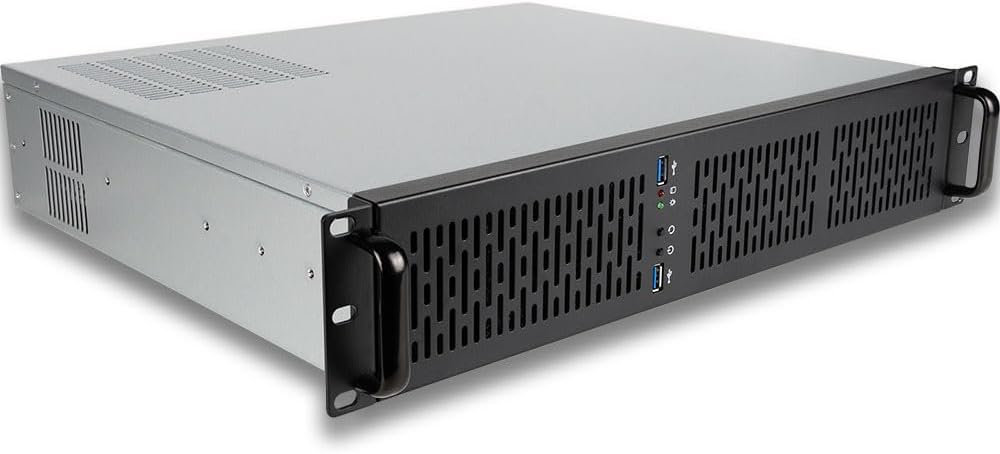
EmpoweredPC 2U Quiet Rackmount Workstation Intel
As an Amazon Associate we earn from qualifying purchases. Product prices and availability are accurate as of the date/time indicated.
Frequently Asked Questions
Do I need a server, or is a NAS enough for home backup?
A NAS (Network-Attached Storage) is a specialized, simplified device perfect for straightforward file sharing and backup in a home or small office. A general-purpose server offers more flexibility, allowing you to run virtual machines, host databases, or use more powerful backup software alongside storage duties. Choose a NAS for simplicity; choose a server for expandability and additional workloads.
How much storage capacity should I start with?
Calculate your current critical data size and multiply it by at least three. This accounts for the primary copy, a local backup (like on the server itself in a separate RAID array), and growth over the next 3-5 years. Starting with 8TB to 16TB of usable space is a common entry point for serious home users and small businesses.
Is cloud storage a replacement for a local backup server?
No. The 3-2-1 backup rule is best practice: have three total copies of your data, on two different media, with one copy offsite. A local server excels as one of the two media types, providing fast restore times. Cloud storage serves as an excellent offsite copy. They are complementary, not replacements. For more on foundational security practices, explore our guide on the u003ca href=u0022https://cyberseclabs.org/best-cybersecurity-books-for-beginners/u0022u003ebest cybersecurity books for beginnersu003c/au003e.
Whatu0026#039;s more important: processor speed or number of cores for backup tasks?
For typical backup software that performs compression, deduplication, and encryption, having more cores is generally more beneficial than a very high single-core speed. These tasks are highly parallelizable. A modern 6-core or 8-core processor will handle backup workloads much more efficiently than a older 4-core chip with a higher clock speed.
How do I ensure my server network connection is reliable for backups?
Use a wired Ethernet connection whenever possible. For critical servers, consider bonding two network ports for increased throughput and failover. For remote or off-grid locations, a cellular-based internet solution can provide a backup WAN connection. Tools like the u003ca href=u0022https://cyberseclabs.org/klein-vdv501-851-review/u0022u003eKlein Tools VDV501-851 Cable Tester Kit with Scoutu003c/au003e are invaluable for verifying the integrity of your network cabling infrastructure, which is the foundation of a reliable local network.
Final Thoughts
Selecting the best computer server for data storage and backup is an investment in peace of mind. By prioritizing drive bays for future expansion, ECC memory for data integrity, and remote management for convenience, you build a system that protects your digital assets proactively. Remember that the server is just one part of a comprehensive backup strategy, which should also include offsite copies and regular testing of your restore process.
Start by assessing your current and anticipated storage needs, then choose a form factor that fits your physical space and noise requirements. Whether you opt for a versatile tower or a space-efficient rackmount unit, focusing on reliability and manageability over sheer performance will yield a server that faithfully guards your data for years. For more insights on selecting optimal hardware for specific tasks, you can read our expert picks for the best ultra-wide monitors to see how matching hardware to purpose applies across computing.
About the author

Elvis Dicki writes reviews and buying guides for CyberSecLabs.