Beelink GTi14 Review: Intel Ultra 9 AI Mini PC with Triple 4K
The Beelink GTi14 packs a high-end Intel Ultra 9 185H CPU and 32GB DDR5 RAM into a compact chassis, offering exceptional multitasking and AI acceleration for professionals, though its integrated graphics have limits.
 By Elvis Dicki
Updated October 21, 2026
By Elvis Dicki
Updated October 21, 2026
The Beelink GTi14 is a mini PC that challenges the notion that small size means small performance. It’s engineered for users who need desktop-grade power for demanding workloads like media serving, software development, and business multitasking, but who are constrained by space or prefer a minimalist setup. This machine is squarely aimed at professionals, creative users, and tech enthusiasts who prioritize CPU performance, extensive connectivity, and future-proof expansion over raw graphical horsepower. In short, it’s a compact computational powerhouse that excels at CPU-intensive tasks and multi-display productivity.

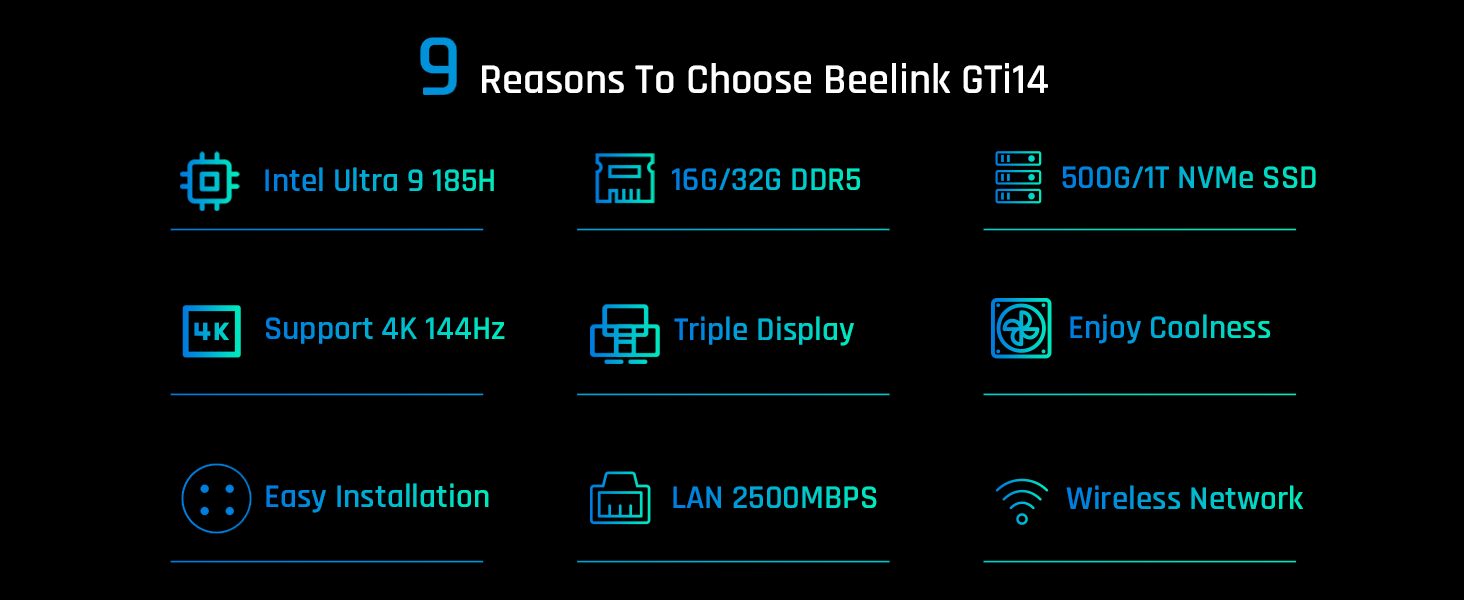
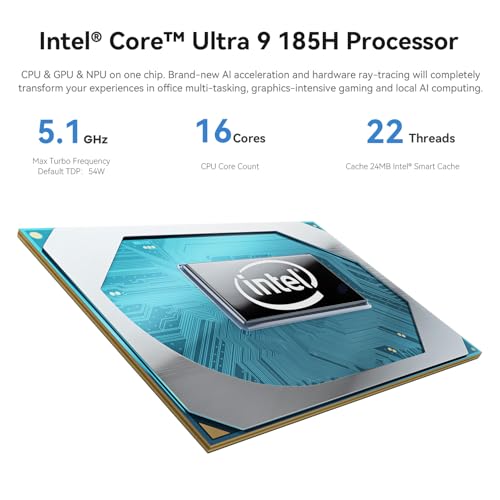
At its core is Intel’s Core Ultra 9 185H processor, a chip that brings dedicated AI acceleration via an NPU alongside its 16 cores and 22 threads. Paired with 32GB of fast DDR5 RAM and a 1TB PCIe 4.0 SSD, the GTi14 is configured to handle heavy applications right out of the box. Its standout feature is the ability to drive three 4K displays simultaneously, a boon for financial analysts, programmers, or content creators who rely on expansive screen real estate. While it’s not designed as a primary gaming rig, its Intel Arc Graphics and support for high refresh rates make it capable for media playback and lighter titles. For those seeking a space-saving desktop that doesn’t compromise on processing might, the Beelink GTi14 presents a compelling argument.
Prime Beelink GTi14 Mini PC: Intel Core Ultra 9 185H







As an Amazon Associate we earn from qualifying purchases. Product prices and availability are accurate as of the date/time indicated.
Beelink GTi14 at a Glance
| Specification | Details |
|---|---|
| Processor | Intel Core Ultra 9 185H (16C/22T, up to 5.1GHz) |
| Memory | 32GB DDR5 (5600MHz), expandable to 96GB |
| Storage | 1TB PCIe 4.0 SSD, dual M.2 slots (up to 8TB total) |
| Graphics | Integrated Intel Arc Graphics |
| Operating System | Windows 11 Pro (pre-installed) |
| Video Output | HDMI, DisplayPort 1.4, Thunderbolt 4 (triple 4K@60Hz) |
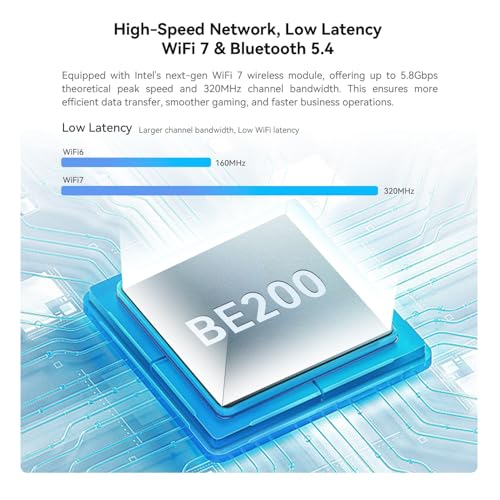
| Connectivity | Wi-Fi 6, Bluetooth 5.2, Dual 2.5G Ethernet |
| Key Ports | 5x USB 3.2, Thunderbolt 4, SD Card Slot, Audio Jacks |
| Cooling | Active Fan Cooling |
| Warranty & Support | 3-year warranty, lifetime technical support |
Design and Build
The Beelink GTi14 embraces a minimalist, user-friendly design philosophy. Its compact form factor is a key selling point, intended to declutter a workspace while still delivering full desktop capabilities. The unit is finished in silver, presenting a professional and unobtrusive appearance suitable for both home offices and corporate environments. The manufacturer emphasizes its portable size and electricity-efficient operation, though specific power consumption figures under load are not listed. The build appears to prioritize function, with a chassis that allows user access for upgrades, acknowledging that some technical skill may be required to open it. The inclusion of a fingerprint reader integrated into the power button, as noted by an owner, adds a convenient layer of security that aligns with its business-oriented Windows 11 Pro installation. For more on minimalist computing, see our guide to fanless mini PC options.
Performance and Features
Processing Power and AI Capability
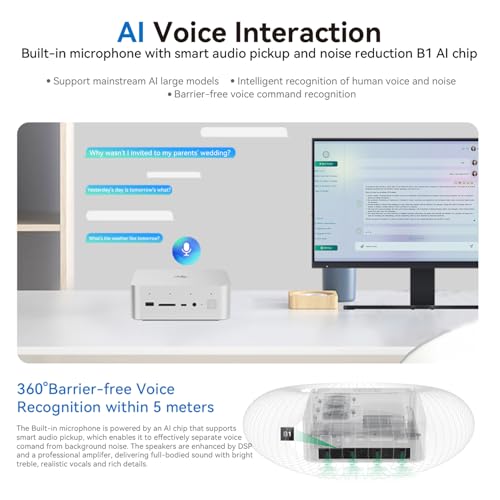
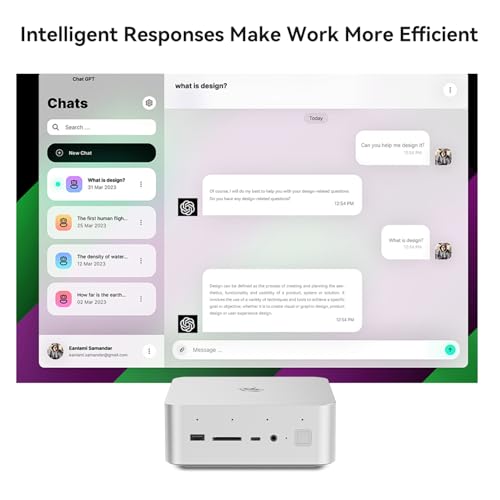
The heart of the GTi14 is the Intel Core Ultra 9 185H processor. This chip represents a significant shift with its integrated Neural Processing Unit (NPU), designed to accelerate AI and machine learning tasks locally. With 16 cores, 22 threads, and a boost clock up to 5.1GHz, it provides substantial computational power for applications like video encoding, running a Plex Media Server, complex calculations in business software, or compiling code. The 32GB of DDR5 RAM operating at 5600MHz provides ample headroom for heavy multitasking, and the option to expand to 96GB is a future-proofing luxury rarely seen in the mini PC form factor. This makes the GTi14 a strong contender among AI-capable mini PCs.
Graphics and Display Support
The integrated Intel Arc Graphics is a capable solution for everyday computing, 4K Ultra HD video playback, and light gaming. The manufacturer states support for refresh rates up to 144Hz, which can contribute to a smoother visual experience in supported applications and less demanding games. The standout feature is the triple-display capability via the combination of HDMI, DisplayPort 1.4, and a full-featured Thunderbolt 4 port. This allows users to connect three 4K monitors at 60Hz simultaneously, a massive productivity boost for financial modeling, video editing timelines, or multi-monitor development environments. However, it’s important to note that graphically intensive AAA gaming at high settings is beyond the scope of this integrated solution.
Connectivity and Expansion
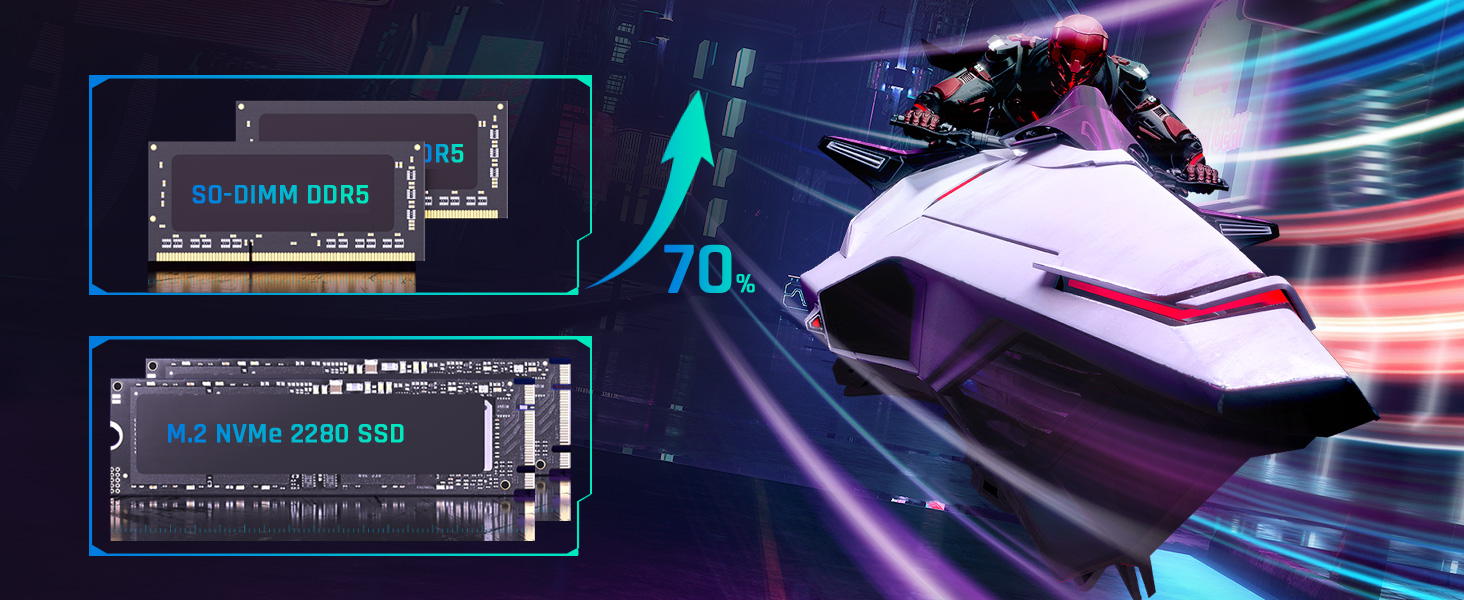
Connectivity is a major strength of the GTi14. It offers a comprehensive port selection: five USB 3.2 ports (10Gbps), a Thunderbolt 4 port (40Gbps) that supports power delivery, display output, and data, a dedicated DisplayPort 1.4, an HDMI port, an SD card reader, dual 3.5mm audio jacks, and dual 2.5 Gigabit Ethernet ports. The dual Ethernet is particularly useful for network segmentation, network-attached storage (NAS) connections, or homelab setups. Wireless connectivity is handled by Wi-Fi 6 and Bluetooth 5.2. Internally, the dual M.2 PCIe 4.0 SSD slots offer tremendous storage expansion potential, supporting up to a combined 8TB of high-speed storage.
Software and Security
The Beelink GTi14 ships with a licensed copy of Windows 11 Pro pre-installed, providing features like BitLocker encryption, Remote Desktop, and enhanced management tools crucial for business use. The manufacturer also confirms compatibility with Linux operating systems like Ubuntu, making it a viable platform for software development, server building, and database learning. Security features inherent to Windows 11 Pro, such as Windows Defender and Windows Hello (complemented by the physical fingerprint reader), are part of the package. The device holds FCC, RoHS, and CE certifications, indicating compliance with various regional safety and electromagnetic interference standards.
Setup, Support and Ownership
Setup out of the box is straightforward, with Windows 11 Pro ready to go. The included accessories are listed as a mini PC, power adapter, HDMI cable, and user manual. Upgrading the RAM or adding a second SSD requires opening the chassis, a process one owner described as “a bit of a job” but a one-time task. Beelink provides a robust support package: a 3-year warranty, lifetime technical support, and 24/7 after-sales service. This extensive support commitment is a significant confidence booster for a device in this performance category. For users considering the ecosystem, an owner suggested pairing it with a Beelink EX Pro Docking Station to add an external GPU for more demanding graphical workloads.
What Owners Say
Owner feedback presents a mix of high praise and significant criticism, reflected in the polarized rating distribution where five-star and one-star ratings are most common. Positive reviews highlight the machine’s exceptional performance in a small format, with users noting it runs software responsively and that the triple-monitor support “works perfectly” and enhances productivity. The fingerprint reader is also mentioned as a loved feature. Several owners describe it as a “great” or “excellent” PC that delivers big-PC performance.
However, critical reviews point to severe issues. One owner reported the processor feeling slower than an older model, along with badly pixelated video output even with updated drivers and high-quality cables. This same review cited frequent USB and Bluetooth dropouts and a lack of specific drivers on the Beelink website, concluding the problems were inherent to the unit. This suggests potential quality control or driver optimization issues that prospective buyers should consider. The overall rating is 4.0 out of 5 stars.
Pros and Cons
Pros
- Exceptional CPU performance with 16-core Intel Ultra 9 and dedicated AI NPU
- Massive expansion potential for RAM (up to 96GB) and storage (dual M.2 slots)
- Versatile connectivity including Thunderbolt 4 and triple 4K display support
- Comprehensive port selection with dual 2.5G Ethernet and many USB ports
- Pre-installed Windows 11 Pro with Linux compatibility
- Strong after-sales support with 3-year warranty and lifetime technical help
Cons
- Integrated Intel Arc graphics limit performance in graphically intensive games
- Some owner reports of severe driver issues, pixelated video, and connectivity dropouts
- Upgrading internal components requires opening the chassis and technical skill
- Higher power consumption under full load compared to less powerful mini PCs
- Lack of specific drivers on manufacturer website noted by a critical owner
Who Should Buy It (and Who Should Skip It)
The Beelink GTi14 is an ideal choice for professionals and power users whose workloads are CPU and multitasking-heavy. This includes software developers, data analysts, business users running virtual machines, and home server enthusiasts setting up Plex or other media servers. Its triple 4K output makes it perfect for stock traders, digital content creators, and anyone who needs expansive multi-monitor setups. Users who value extensive connectivity, future-proof expandability, and the emerging benefits of local AI acceleration will find it compelling. For more on versatile mini PCs, explore our mini PCs category.
This mini PC is not the best choice for hardcore gamers who need to run the latest AAA titles at high settings, as the integrated graphics, while decent, have clear limits. Users who prioritize absolute silence should be aware it uses active fan cooling. Those uncomfortable with potential driver troubleshooting or opening a chassis for upgrades might want to consider a less complex system. If your primary needs are basic web browsing, office tasks, and media streaming, a less expensive model with an Intel N100 or similar processor, like those discussed in our guide to Intel N100 mini PCs, would be a more cost-effective solution.
Final Verdict
The Beelink GTi14 is a bold and ambitious mini PC that successfully packs high-end desktop performance into a remarkably small box. Its core strengths—the Intel Ultra 9 processor, expansive 32GB DDR5 memory, generous storage expansion, and pro-level connectivity—are undeniable and cater perfectly to a specific user: the professional who needs serious computational power without a bulky tower. The inclusion of an AI NPU, Thunderbolt 4, and dual 2.5G Ethernet ports future-proofs the device for emerging workloads and fast networking needs.
However, this review cannot ignore the concerning negative feedback from some owners regarding driver stability and video output issues. While many users report flawless operation, the polarized reviews suggest potential variability in unit quality or significant driver optimization challenges. Therefore, the GTi14 comes with a recommendation tempered by caution. For the right user—a tech-savvy professional who values its raw specs and is comfortable with potential setup nuances—it offers incredible value and performance. Others may want to ensure they purchase from a retailer with a good return policy. When it works as intended, it is one of the most powerful and flexible mini PCs on the market.
FAQs
Can the Beelink GTi14 handle gaming?
The GTi14 can handle casual and less graphically demanding games thanks to its Intel Arc Graphics and support for high refresh rates up to 144Hz. However, it is not designed for graphically intensive AAA gaming at high resolutions and settings. For serious gaming, an owner suggested using an external GPU via a Thunderbolt 4 docking station, which would significantly boost graphical performance.
Is it easy to upgrade the RAM and storage?
The hardware supports significant upgrades—RAM can be expanded to 96GB and storage to 8TB via dual M.2 slots. However, the process requires opening the chassis. One owner noted that installing a second M.2 drive was “a bit of a job,” indicating that some technical skill and comfort with hardware is needed. It’s not a tool-free, hot-swappable process.
What operating systems does it support?
The Beelink GTi14 comes with Windows 11 Pro pre-installed and licensed. The manufacturer also states explicit support for Linux operating systems, such as Ubuntu, making it suitable for programming development, server building, and other open-source software projects.
What kind of warranty and support does Beelink offer?
Beelink offers a comprehensive support package for the GTi14. This includes a 3-year warranty, lifetime technical support, and 24/7 after-sales service. The company states that all their products undergo strict inspection and hold FCC, RoHS, and CE certifications.
About the author

Elvis Dicki writes reviews and buying guides for CyberSecLabs.