ASUS RNUC155HLINUX Review: Is Linux Mint the Ideal OS for a High-End Mini PC?
The ASUS NUC 14 Pro Mini Desktop Computer Linux delivers impressive Intel Core Ultra 7 power and extensive connectivity in a compact form factor, pre-configured with the open-source Linux Mint for developers and professionals.
 By Elvis Dicki
Updated October 22, 2026
The ASUS RNUC155HLINUX, also known as the ASUS NUC 14 Pro Mini Desktop Computer Linux, is a high-specification mini PC designed for power users who prefer an open-source environment. It targets developers, AI researchers, and business professionals who need robust multi-core processing, significant memory, and fast storage without the bulk of a traditional desktop tower. This model distinguishes itself by arriving with Linux Mint pre-installed, offering a secure, privacy-focused operating system out of the box. For those seeking a compact yet powerful system for demanding workloads like coding, virtualization, or data processing, this ASUS NUC presents a compelling, pre-configured solution.

This review analyzes the specifications and features of the ASUS RNUC155HLINUX to assess its suitability for professional and development tasks. We will examine its design, the performance potential of its Intel Core Ultra 7 155H processor and 64GB of DDR5 RAM, its extensive connectivity options, and the implications of its Linux Mint operating system. The bottom line: this is a premium mini PC built for users who prioritize processing power, open-source software flexibility, and a clutter-free, developer-ready environment in a small footprint.
ASUS NUC 14 Pro Mini PC Intel Ultra 7 155H 64GB







As an Amazon Associate we earn from qualifying purchases. Product prices and availability are accurate as of the date/time indicated.
ASUS RNUC155HLINUX at a Glance
| Specification | Detail |
|---|---|
| Processor | Intel Core Ultra 7 155H (16 Cores, 22 Threads, up to 4.8 GHz) |
| Memory (RAM) | 64 GB DDR5 (Expandable up to 96 GB) |
| Storage | 2 TB PCIe Gen4 x4 SSD |
| Graphics | Integrated Intel Arc Graphics |
| Operating System | Linux Mint |
| Key Ports | 2x Thunderbolt 4, 2x HDMI 2.1, 1x 2.5G Ethernet, USB 3.2 Gen2 |
| Wireless | Wi-Fi 6E, Bluetooth 5.3 |
| Cooling | Air cooling with aluminum fins & dual copper heat pipes |
| Dimensions | 4.6 x 4.4 x 2.1 inches |
| Included Accessories | VESA Mount, Wireless Keyboard & Mouse, AC Adapter |
Design and Build
The ASUS NUC 14 Pro follows the classic mini PC form factor, with compact dimensions of 4.6 by 4.4 by 2.1 inches and a weight of 1.4 pounds. This small size makes it highly portable and easy to integrate into space-constrained environments like home offices, server racks, or behind monitors. The unit is VESA mount-ready, allowing it to be discreetly attached to the back of a compatible monitor or under a desk, contributing to a clean, cable-free workspace. The build is designed for business and professional use, with a focus on durability and efficient thermal management rather than flashy aesthetics.
A key aspect of the design is its advanced cooling system, engineered for 24/7 operation. It utilizes an aluminum fin design combined with dual copper heat pipes and an optimized airflow system. This setup aims to keep the Intel Core Ultra 7 processor and other components cool during sustained, intensive workloads common in development, AI inference, or server tasks. The manufacturer emphasizes silent and efficient operation, which is crucial for environments where noise is a distraction. The compact design does inherently limit internal expansion compared to a full-sized desktop, a trade-off for its minimal footprint.
Performance and Features
Processing Power and Memory
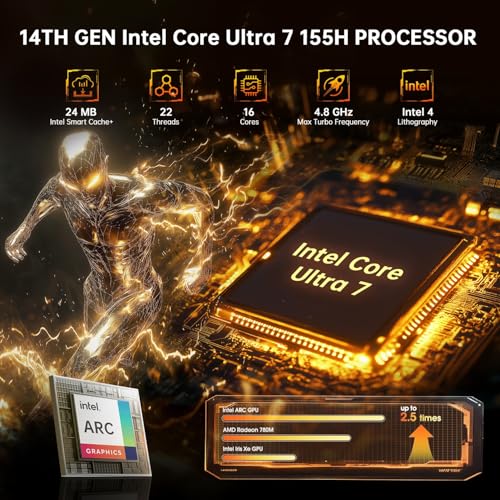
At the heart of the ASUS RNUC155HLINUX is the Intel Core Ultra 7 155H processor, part of Intel’s 14th generation. This chip features 16 cores and 22 threads, with a maximum turbo frequency of up to 4.80 GHz and 24 MB of Intel Smart Cache. This configuration promises strong multi-core performance, which is beneficial for multitasking, running virtual machines, compiling code, and handling data-intensive applications. The integrated Intel Arc graphics provide visual output and some acceleration for AI workloads, though it is not a dedicated gaming or professional visualization GPU. Paired with this CPU is a substantial 64 GB of DDR5 RAM, which is a significant amount for a mini PC. The system’s memory is listed as expandable up to 96 GB, offering headroom for the most demanding development environments or large dataset processing. The combination of a high-core-count CPU and abundant, fast DDR5 memory positions this device to handle professional workloads that would typically require a larger desktop.
Storage and Expansion
Storage is provided by a 2 TB M.2 2280 PCIe Gen4 x4 solid-state drive (SSD). This offers blazing-fast read and write speeds, drastically reducing application load times and improving overall system responsiveness. The large capacity is suitable for housing operating systems, development tools, virtual machine images, and sizable project files. According to the manufacturer’s features, the system supports optional SATA HDDs (sold separately) for additional storage expansion, which is useful for archiving large projects or media libraries. This flexibility helps mitigate the limited internal expansion space typical of mini PCs, allowing users to scale storage based on their needs.
Connectivity and Ports
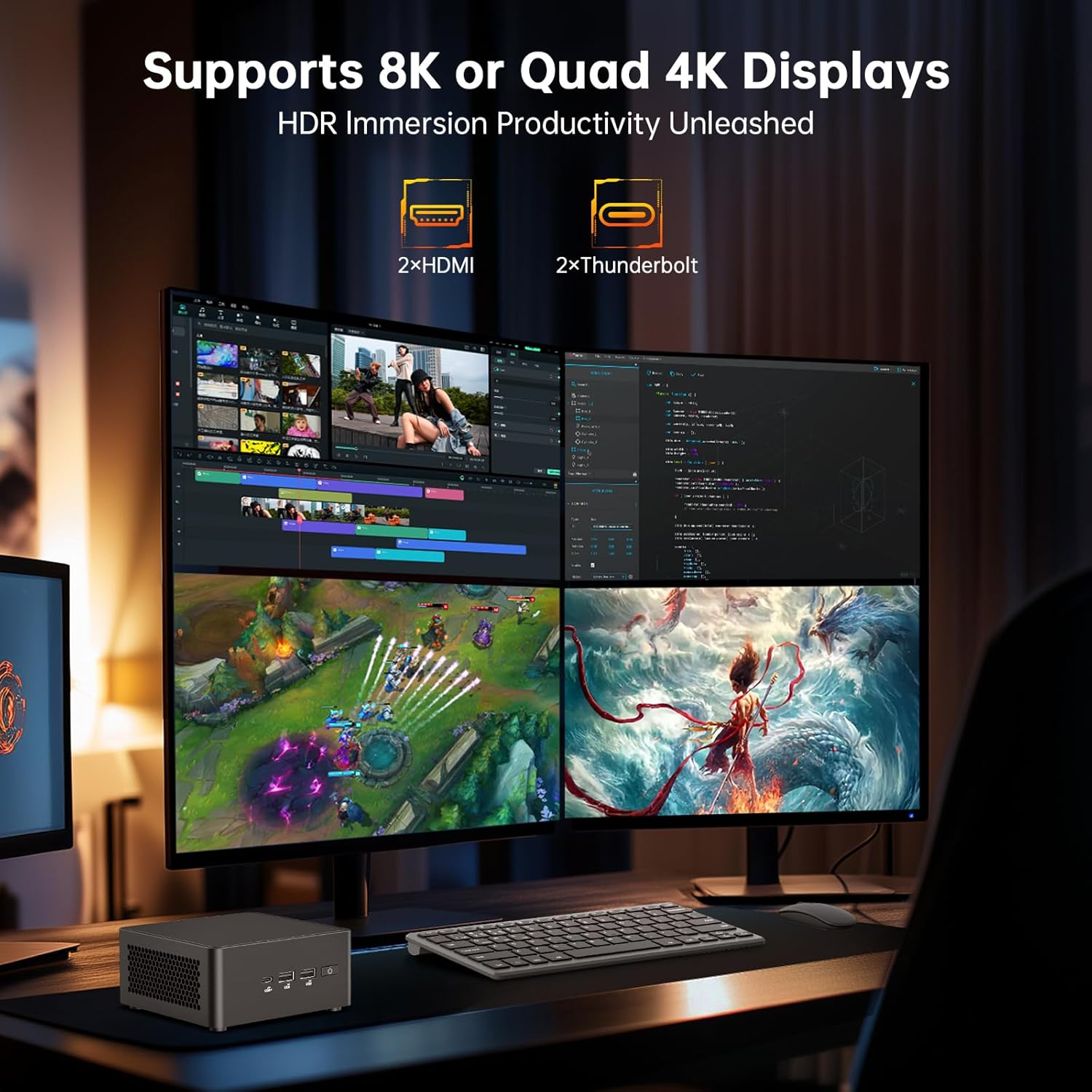
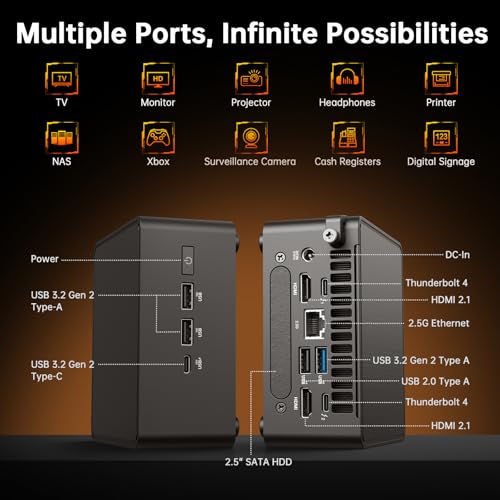
Connectivity is a major strength of the ASUS NUC 14 Pro. It is packed with modern ports to support a wide range of peripherals and displays. For data transfer and device charging, it includes one USB 3.2 Gen2 x2 Type-C port, three USB 3.2 Gen2 Type-A ports, and one USB 2.0 Type-A port. The highlight for high-speed data and display connectivity is the inclusion of two Thunderbolt 4 ports, which support fast data transfers, power delivery, and display output. For video, it has two HDMI 2.1 ports, enabling support for high-resolution displays. The manufacturer states the system can support 8K resolution or up to four 4K HDR displays simultaneously, making it excellent for multi-monitor productivity setups. Networking is covered by a 2.5 Gigabit Ethernet port for wired connections, along with Wi-Fi 6E and Bluetooth 5.3 for wireless connectivity, ensuring seamless integration into modern home and office networks. For more on setting up multi-display workstations, see our guide on the best ultra-wide monitors.
Software and Operating System
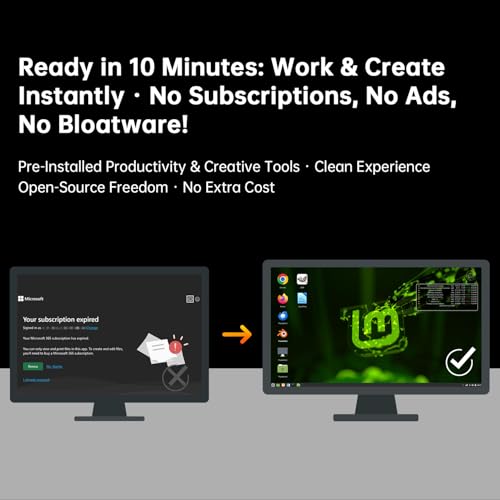
This model ships with Linux Mint pre-installed, which is a significant defining feature. Linux Mint is a popular, user-friendly distribution based on Ubuntu, known for its stability, lightweight nature, and privacy focus. It comes with a suite of powerful open-source tools ideal for programming, virtualization, and cloud-native development. The pre-installation removes the barrier of setting up a Linux environment, providing a secure, clutter-free system without unnecessary bloatware. This makes the PC immediately ready for developers and professionals who prefer or require an open-source operating system. However, for users accustomed exclusively to Windows or macOS, Linux Mint may present a learning curve. The system’s compatibility and performance are optimized for this Linux environment, which is a key consideration for potential buyers.
Setup, Support and Ownership
Setup for the ASUS RNUC155HLINUX is designed to be straightforward. It comes with all necessary accessories, including an AC adapter, power cord, a VESA mount for flexible placement, and a wireless keyboard and mouse bundle to get started immediately. The pre-installed Linux Mint operating system means the user can theoretically power on the device and begin configuration without installing an OS. For those looking to upgrade, the RAM is expandable, and storage can be supplemented with an optional SATA drive, though specific instructions for accessing the internals are not detailed in the provided data. Support would typically be handled through ASUS, a well-established manufacturer in the computing space. Owners should rely on the included user manual and ASUS’s official support channels for driver updates, firmware, and technical assistance. As with any specialized hardware, checking for Linux-specific driver support and community forums for the NUC line can be valuable for troubleshooting.
What Owners Say
At the time of this analysis based on the provided data, there are no buyer reviews or rating distribution percentages available for this specific ASIN (B0FNDCB1RC). This indicates it may be a new listing or a configuration that has not yet garnered user feedback. Prospective buyers considering this model will need to rely on the manufacturer’s specifications, the reputation of the ASUS NUC product line, and potentially reviews of similar configurations when making a purchasing decision. The absence of user reviews means there is no independent, hands-on feedback regarding real-world performance, noise levels, thermal performance under sustained load, or any potential issues.
Pros and Cons
Pros
- Powerful Intel Core Ultra 7 processor with 16 cores for demanding multi-threaded tasks.
- Large 64GB DDR5 RAM capacity, expandable to 96GB.
- Fast 2TB PCIe Gen4 SSD with optional SATA storage expansion.
- Extensive port selection including dual Thunderbolt 4 and dual HDMI 2.1.
- Pre-installed Linux Mint offers a secure, open-source, developer-ready environment.
- Compact, VESA-mountable design with advanced cooling for 24/7 operation.
- Includes useful accessories like a wireless keyboard, mouse, and VESA mount.
Cons
- The Linux Mint OS may require a learning curve for users familiar only with Windows.
- Limited internal expansion potential compared to full-sized desktop towers.
- Higher cost associated with the top-tier RAM and storage configuration.
- Integrated Intel Arc graphics, while capable, are not equivalent to a dedicated GPU for heavy gaming or 3D rendering.
- Lacks user reviews to validate real-world performance and reliability.
- Specific upgrade procedures for memory and storage are not detailed in the provided data.
Who Should Buy It (and Who Should Skip It)
The ASUS RNUC155HLINUX is ideally suited for developers, software engineers, AI researchers, and IT professionals who need a high-performance, compact workstation. Its combination of a powerful multi-core CPU, vast amounts of RAM, and a fast SSD makes it perfect for coding, running virtual machines, containerized development, light AI model training, and data analysis. The pre-installed Linux Mint is a major benefit for those who work in open-source ecosystems or require a stable, privacy-focused OS. It’s also a strong fit for business environments needing a silent, small-form-factor PC for office tasks, digital signage, or as a server, especially where multiple 4K displays are required. For insights into other tech that can enhance a professional setup, explore our tech gear section.
This mini PC is not the best choice for mainstream users who rely on Windows-specific software or are uncomfortable with Linux. Hardcore gamers or professionals in 3D animation and video editing who require top-tier dedicated graphics cards should look at systems with powerful discrete GPUs. Those on a tight budget or who need extensive internal expansion for multiple hard drives and PCIe cards may find a traditional desktop tower more suitable. Users who prioritize having a wealth of community feedback and proven long-term reliability might want to wait for user reviews to appear for this specific configuration.
Final Verdict
The ASUS NUC 14 Pro Mini Desktop Computer Linux (RNUC155HLINUX) is a compelling, high-end mini PC that successfully packages professional-grade hardware into a remarkably small chassis. Its standout features are the Intel Core Ultra 7 155H processor, the generous 64GB of DDR5 RAM, and the thoughtful inclusion of Linux Mint, which together create a potent system for development and computational work. The extensive connectivity, including Thunderbolt 4 and HDMI 2.1, future-proofs it for peripherals and multi-monitor setups, while the advanced cooling design promises reliable performance during sustained use.
While the lack of user reviews is a consideration, the specifications and ASUS’s reputation in the NUC market are strong indicators of quality. The primary trade-offs are the cost associated with this high configuration and the inherent limitations on internal expansion. For its target audience of developers, researchers, and Linux-savvy professionals seeking a powerful, quiet, and space-efficient desktop, the ASUS RNUC155HLINUX is a well-specified and attractive option that delivers open-source power right out of the box. For related content on optimizing your computing environment, check out our blog for more articles and guides.
FAQs
Can I install Windows on the ASUS RNUC155HLINUX?
While the system ships with Linux Mint pre-installed, it is built on standard Intel x86 architecture. In theory, you should be able to install Windows by creating installation media and replacing the existing operating system. However, you would need to source a valid Windows license separately, and you should verify driver availability from ASUS’s support website for Windows on this specific NUC 14 Pro model to ensure all hardware components function correctly.
How many monitors can this mini PC support?
According to the manufacturer’s features, the ASUS NUC 14 Pro can support 8K resolution or up to four 4K HDR displays simultaneously. This is enabled through its combination of two HDMI 2.1 ports and two Thunderbolt 4 ports, all of which can carry display signals. This makes it an excellent choice for productivity setups requiring extensive screen real estate.
Is the RAM and SSD user-upgradeable?
The provided data indicates the memory is expandable up to 96 GB, suggesting the 64 GB of installed DDR5 RAM is upgradeable. The storage is a single M.2 2280 PCIe SSD, which is typically a user-replaceable component in mini PCs. The system also supports adding an optional SATA HDD for extra storage. However, the specific process for accessing the internals to perform these upgrades is not detailed in the provided specifications, so consulting the official user manual or ASUS support guides is recommended.
What kind of tasks is the Intel Arc graphics suitable for?
The integrated Intel Arc graphics are capable of driving multiple high-resolution displays, handling everyday desktop graphics, video playback, and some light photo editing. They also provide AI acceleration features that can benefit certain development and machine learning tasks. However, they are not designed for demanding 3D gaming at high settings or professional-grade 3D rendering and video editing, which typically require a powerful discrete graphics card.
About the author

Elvis Dicki writes reviews and buying guides for CyberSecLabs.