ASUS PA279CRV Review: Ergonomic 4K HDR Monitor with USB-C PD
The ASUS ProArt Display PA279CRV delivers exceptional color accuracy and versatile connectivity for creative professionals, backed by a fully ergonomic stand and Calman Verified calibration.
 By Elvis Dicki
Updated October 20, 2026
By Elvis Dicki
Updated October 20, 2026
The ASUS PA279CRV is a 27-inch 4K HDR professional monitor designed to meet the exacting demands of video editors, photographers, and graphic designers. Part of ASUS’s ProArt lineup, this monitor prioritizes color accuracy and workflow efficiency, featuring factory calibration, a wide color gamut, and a host of professional connectivity options. For creatives seeking a reliable, color-accurate display that simplifies their setup, the PA279CRV presents a compelling package right out of the box.

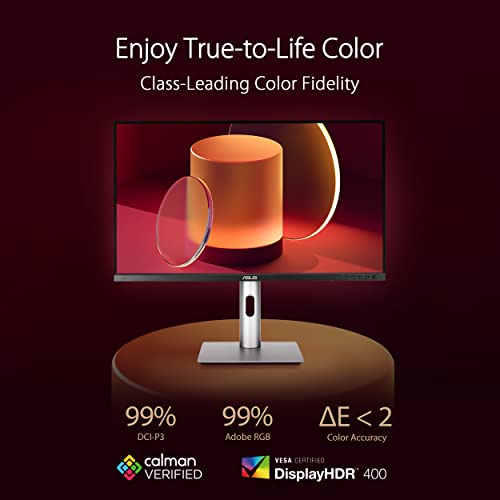
This monitor stands out with its Calman Verified certification and Delta E <2 factory calibration, ensuring colors are true-to-life from the moment you power it on. It targets professionals who require consistent color performance for editing photos, videos, or digital art, offering features like 99% coverage of both DCI-P3 and Adobe RGB color spaces. The inclusion of a single-cable USB-C solution with 96W power delivery further streamlines the workspace, making it an excellent partner for modern laptops. In short, the ASUS ProArt PA279CRV is a thoughtfully designed monitor that balances professional-grade performance with practical connectivity.
ASUS ProArt PA279CRV 27-inch 4K HDR IPS Monitor







As an Amazon Associate we earn from qualifying purchases. Product prices and availability are accurate as of the date/time indicated.
ASUS PA279CRV at a Glance
| Specification | Detail |
|---|---|
| Screen Size & Resolution | 27-inch, 4K UHD (3840 x 2160) |
| Panel Type | IPS, 178° Viewing Angle |
| Color Gamut | 99% DCI-P3, 99% Adobe RGB |
| Color Accuracy | Factory Calibrated, Delta E <2, Calman Verified |
| Key Connectivity | USB-C with 96W PD, DisplayPort, HDMI, USB Hub, DisplayPort Out (Daisy-chain) |
| Ergonomics | Tilt, Swivel, Pivot, Height Adjustment |
| Refresh Rate | 60 Hz |
| Additional Feature | Complimentary 3-month Adobe Creative Cloud access |
| Warranty | 2 Years |
Design and Build
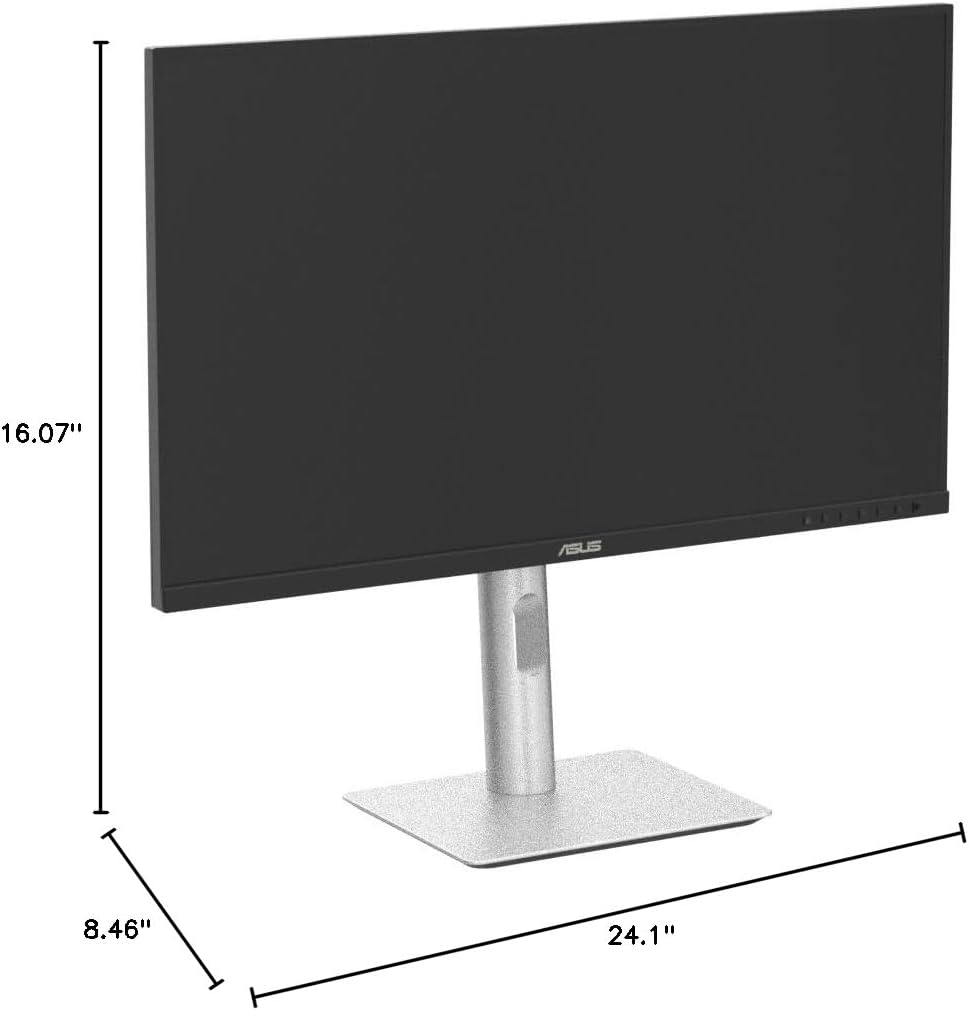
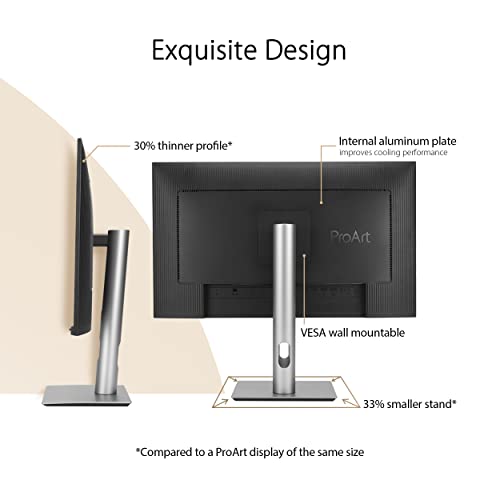
The ASUS PA279CRV sports a professional and understated aesthetic, with slim bezels and a matte black finish that minimizes distractions. The build quality feels substantial, reflecting its positioning as a tool for serious work. The standout feature of the design is its fully ergonomic stand, which offers a comprehensive range of adjustments including tilt, swivel, pivot (portrait orientation), and height adjustment. This allows users to find the perfect viewing position for long editing sessions, promoting comfort and reducing strain. The monitor is also VESA mount compatible, providing flexibility for those who prefer monitor arms or wall mounting.
On the rear, the ports are conveniently laid out and clearly labeled. The chassis manages heat dissipation effectively without intrusive fans, maintaining a quiet operation environment crucial for focused creative work. The on-screen display (OSD) is controlled via physical buttons on the lower bezel. While some users in reviews noted a preference for a joystick or remote control, the buttons provide direct access to the monitor’s extensive color management and picture settings. The overall design philosophy is clearly function-first, prioritizing adjustability and clean integration into a professional workspace over flashy gaming aesthetics.
Performance and Features
Display and Color Accuracy
Performance is where the ASUS PA279CRV truly shines for its target audience. The 27-inch 4K IPS panel delivers sharp detail with a pixel density that is excellent for scrutinizing high-resolution images and video timelines. The 60Hz refresh rate is optimized for color-critical work rather than high-frame-rate gaming. The key selling point is its color performance: with 99% coverage of both the DCI-P3 and Adobe RGB color spaces, it can accurately display a vast range of colors essential for professional photo and video editing. The factory pre-calibration to a Delta E of less than 2, verified by Calman, means most users can trust the color accuracy immediately without needing expensive calibration hardware.
Connectivity and Ports
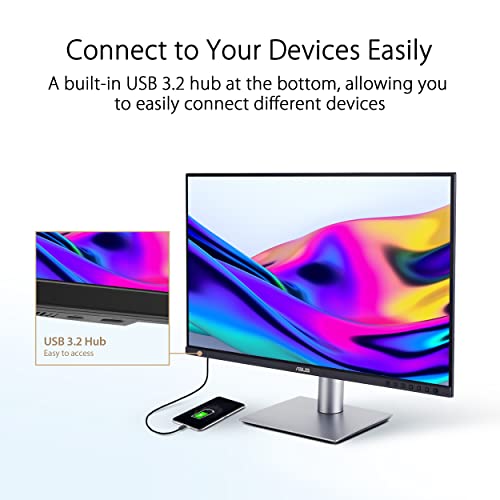
Connectivity is a major strength. The USB-C port is a central hub, supporting DisplayPort Alt Mode for video, 96 watts of Power Delivery to charge a connected laptop, and data transfer for connected peripherals. This allows for a single-cable connection to modern laptops, dramatically cleaning up desk clutter. For traditional connections, it includes HDMI and DisplayPort inputs. Notably, it also features a DisplayPort output port, enabling daisy-chaining to a second compatible monitor for a streamlined multi-display setup. The built-in USB 3.0 hub (with ports likely on the side or rear, as specifics are not listed) provides easy access for connecting accessories like storage drives or input devices.
Key Professional Features
Beyond core specs, the monitor includes features tailored for professionals. It is HDR-capable, enhancing contrast and detail in supported content. Eye care technologies like flicker-free backlighting and a low blue light mode are included to reduce fatigue during extended use. The monitor supports Adaptive Sync (FreeSync), which can help reduce screen tearing, though its primary use case remains creative applications. A significant added value is the complimentary 3-month subscription to Adobe Creative Cloud offered with purchase, providing immediate access to industry-standard software for new users or as a trial for others. For more insights on optimizing your creative workspace, explore our guide on the best ultra-wide monitors.
Setup, Support and Ownership
Setup is reported to be straightforward, with the monitor being largely plug-and-play. The package includes necessary cables such as HDMI, DisplayPort, and USB-C, allowing users to connect using their preferred method immediately. The ergonomic stand attaches securely, though its weight suggests careful handling during assembly. ASUS provides a 2-year warranty for this model, which is a standard offering for monitors in this class and provides assurance against manufacturing defects. The product page also mentions a 3-year spare part availability duration in the EU, indicating support for long-term ownership.
Ownership is enhanced by the monitor’s built-in calibration stability and the lack of a need for frequent user recalibration for most professional tasks. The USB-C power delivery is sufficiently high to charge most laptops, including many powerful models, eliminating the need for a separate power brick on the desk. While the monitor lacks built-in speakers, which is common in professional-focused displays to ensure audio accuracy is handled by dedicated equipment, users will need to plan for external speakers or headphones. For those building a complete ergonomic setup, consider pairing it with one of the best desk chairs for lasting comfort.
What Owners Say
Owner feedback for the ASUS PA279CRV is overwhelmingly positive, with a high percentage of top ratings. Users consistently praise the exceptional color accuracy and picture quality, with many noting it has transformed their video and photo editing workflow by revealing true color saturation. The USB-C connectivity with power delivery is frequently highlighted as a major convenience, simplifying desk setup. The build quality and premium feel of the ergonomic stand also receive commendations.
Some minor critiques mentioned in reviews include the physical button controls for the OSD menu, with a few users expressing a preference for a joystick or remote. The lack of built-in speakers is noted, though most professionals expect this. The monitor’s weight during assembly was also a point mentioned for smaller individuals. Overall, the sentiment is that it offers great value for money, delivering professional-grade features at a competitive point, making it a highly recommended choice for designers and editors. For other tech gear that can enhance your productivity, check out our tech gear section.
Pros and Cons
Pros
- Exceptional factory color accuracy with Calman Verification
- Wide color gamut covering 99% DCI-P3 and Adobe RGB
- Versatile USB-C with 96W Power Delivery and hub functions
- Fully ergonomic stand with extensive adjustments
- Daisy-chain support for easy multi-monitor setups
- Includes valuable 3-month Adobe Creative Cloud subscription
Cons
- No built-in speakers for audio playback
- 60Hz refresh rate is tailored for creative work, not high-FPS gaming
- OSD controlled via buttons rather than a joystick
- Can be heavy and awkward to assemble for some
- Additional USB peripherals may require a separate hub for extensive setups
Who Should Buy It (and Who Should Skip It)
The ASUS PA279CRV is an ideal choice for creative professionals for whom color accuracy is non-negotiable. Video editors, photographers, graphic designers, and digital artists will benefit most from its wide gamut and factory calibration. It’s also excellent for professionals who use a modern laptop and want to minimize cable clutter, thanks to the all-in-one USB-C connection. Users who value an ergonomic workspace and plan to use multiple monitors will appreciate the adjustable stand and daisy-chaining capability.
This monitor is not the best fit for competitive gamers seeking high refresh rates and fast response times. Users who require built-in speakers for convenience should look elsewhere or plan to use external audio. Those on a very tight budget who do not need professional color performance might find more affordable general-purpose 4K monitors. If your primary use is gaming on a powerful desktop PC, you might find better value in a gaming-focused display, though the PA279CRV will still deliver a beautiful image for casual gaming.
Final Verdict
The ASUS ProArt Display PA279CRV successfully executes its mission as a professional 4K monitor for creative work. It combines critical features—outstanding color accuracy, wide gamut coverage, and versatile USB-C connectivity—into a well-built package with thoughtful ergonomics. The value-added Adobe Creative Cloud subscription and daisy-chaining support further enhance its appeal for professionals building or refining their workflow. It delivers on the promise of a plug-and-play professional display, eliminating the guesswork and additional cost of third-party calibration for most users.
While it lacks features aimed at gamers or those needing integrated audio, these are conscious trade-offs for its target audience. For video editors, photographers, and designers seeking a reliable, accurate, and connectivity-rich 27-inch 4K monitor, the ASUS PA279CRV stands as a compelling and highly recommended option that balances performance with practical daily usability. It represents a smart investment in a tool that can directly contribute to the quality and efficiency of creative output.
FAQs
Is the ASUS PA279CRV good for video editing?
Yes, it is excellent for video editing. The 4K resolution provides ample screen real estate for timelines and previews, while the 99% DCI-P3 color gamut coverage and factory Delta E <2 calibration ensure colors you see on screen are accurate to the intended output. This is crucial for professional video work where color grading consistency is paramount.
Can I charge my laptop through this monitor?
Yes. The USB-C port on the ASUS PA279CRV provides up to 96 watts of Power Delivery (PD). This is sufficient to charge most modern laptops, including many high-performance models, while simultaneously transmitting video and data through the same single cable.
Does this monitor support connecting two computers at once?
The monitor has multiple video inputs (HDMI, DisplayPort, USB-C), allowing it to be connected to multiple source devices. However, you would typically select one input at a time to display. For true multi-computer setups with picture-in-picture or picture-by-picture functionality, the specifications do not list this feature, so it is likely not supported.
What is included in the box with the monitor?
According to the specifications, the package includes the PA279CRV monitor, a power cord, a USB-C cable, an HDMI cable, a DisplayPort cable, a quick start guide, a warranty card, a welcome card, and a calibration report. This comprehensive set of cables allows for immediate connection using most standard methods.
About the author

Elvis Dicki writes reviews and buying guides for CyberSecLabs.