GMKtec G10 Review: Triple Display Mini PC for Office & Home Lab
The GMKtec G10 mini PC offers a compelling blend of triple 4K display support, dual storage expansion, and versatile USB-C PD charging, making it a strong contender for multi-monitor office setups and light server roles.
 By Elvis Dicki
Updated October 21, 2026
By Elvis Dicki
Updated October 21, 2026
The GMKtec G10 is a compact mini PC designed to deliver desktop-level functionality in a palm-sized form factor. Powered by an AMD Ryzen 5 3500U processor and equipped with 16GB of RAM and a 512GB NVMe SSD, it targets users seeking a space-saving computer for everyday productivity, multi-monitor workstations, or light-duty home server applications. This review analyzes its specifications, design, and real-world feedback to determine if its feature set justifies the investment for its intended use cases.

For those considering a mini PC, the GMKtec G10 presents a specific value proposition centered on connectivity and internal expansion. It stands out with its ability to drive three displays simultaneously, its dual M.2 slots for storage, and a 2.5 Gigabit Ethernet port, features that are often segmented into higher-priced models. However, its reliance on an older-generation AMD processor and WiFi 5 wireless may give some buyers pause. Based on the available data and user experiences, this mini PC is best suited for users who prioritize multiple monitor support and internal hardware flexibility over having the absolute latest silicon.
GMKtec G10 Mini PC Ryzen 5 3500U 16GB RAM 512GB






As an Amazon Associate we earn from qualifying purchases. Product prices and availability are accurate as of the date/time indicated.
GMKtec G10 at a Glance
| Specification | Detail |
|---|---|
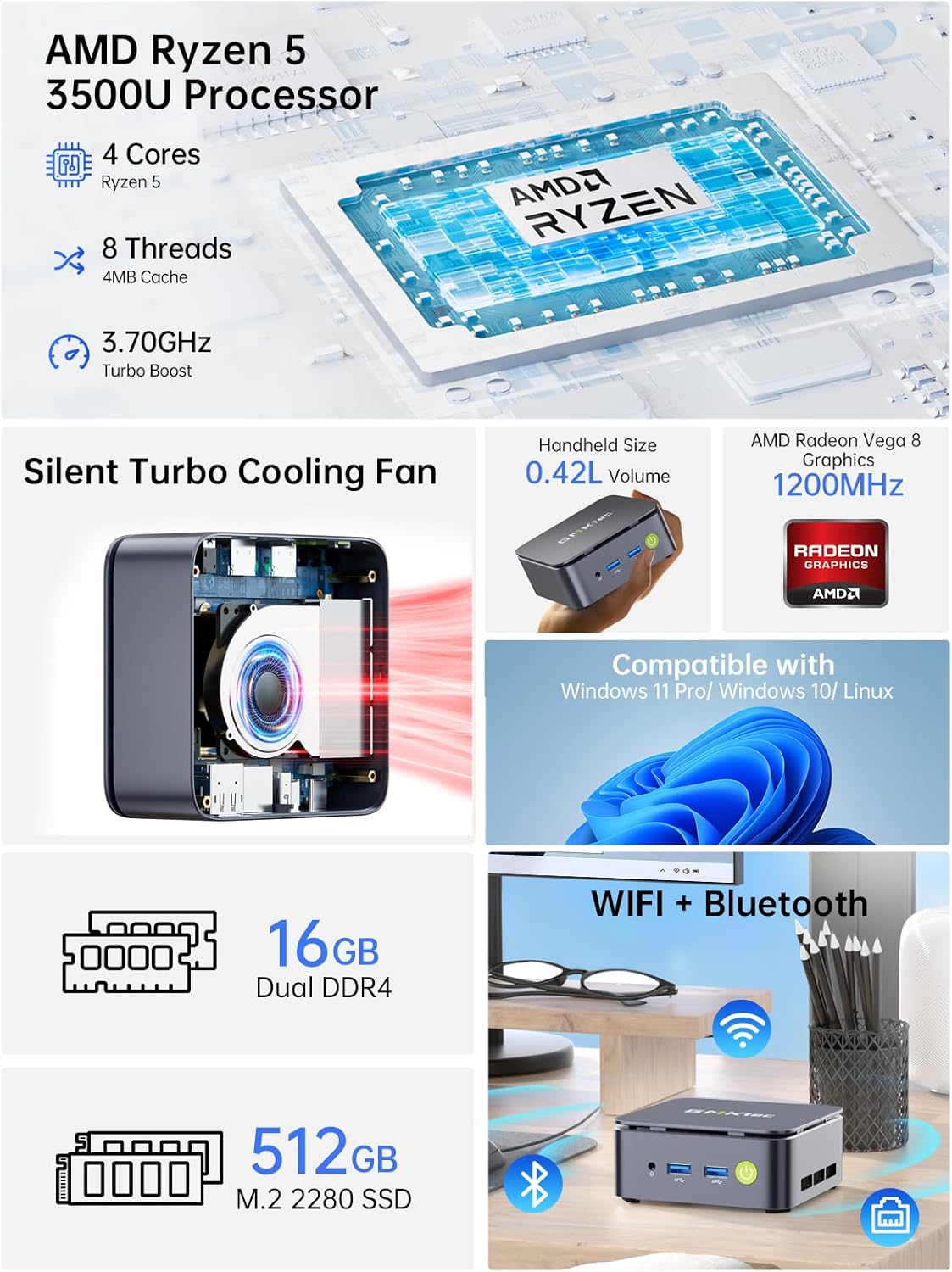
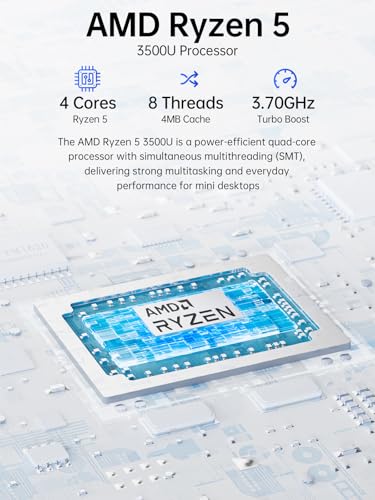
| Processor | AMD Ryzen 5 3500U (4 cores, 8 threads, up to 3.7 GHz) |
| Graphics | AMD Radeon Vega 8 Graphics (1200 MHz) |
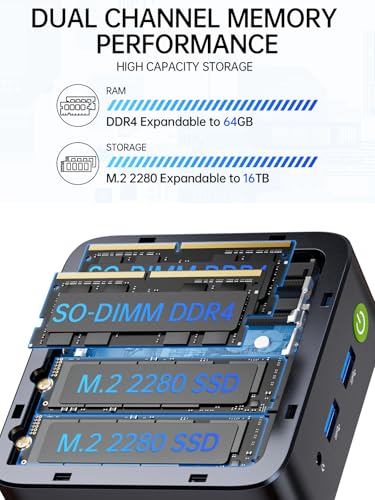
| Memory | 16GB DDR4 (2x8GB, dual-channel, expandable to 64GB) |
| Storage | 512GB PCIe 3.0 NVMe SSD (Dual M.2 2280 slots, expandable) |
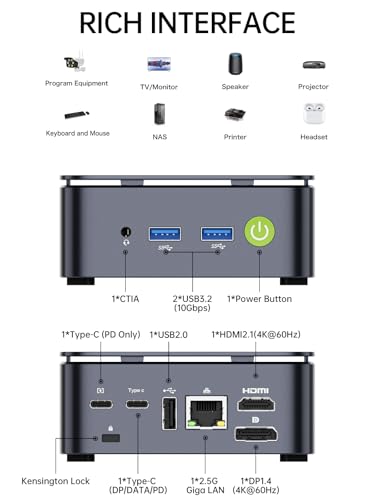
| Video Outputs | HDMI 2.1 (4K@60Hz), DisplayPort 1.4 (4K@60Hz), USB-C (4K@30Hz) |
| Networking | 2.5GbE RJ45 Ethernet, WiFi 5, Bluetooth 5.0 |
| Operating System | Windows 11 Pro |
| Key Ports | 2x USB 3.2, 1x USB 2.0, USB-C (PD/DP/Data), 3.5mm audio |
| Power | USB Type-C PD (65-70W) |
| Dimensions | 4.1 x 3.8 x 1.7 inches |
Design and Build
The GMKtec G10 adheres to the classic mini PC aesthetic, featuring a small, black rectangular chassis. Its compact dimensions allow it to be tucked behind a monitor using the included VESA mount, contributing to a clean, cable-free desk setup. The unit’s construction is described by users as solid, with attention paid to packaging that includes a shrink-wrapped box and essential accessories like an HDMI cable and the VESA mounting hardware. A notable design feature is the easily removable top lid, which provides direct access to the internal components. This grants users straightforward entry to the dual SO-DIMM RAM slots and, more importantly, the dual M.2 2280 NVMe slots, a hardware layout praised for simplifying storage upgrades and maintenance without requiring external enclosures.
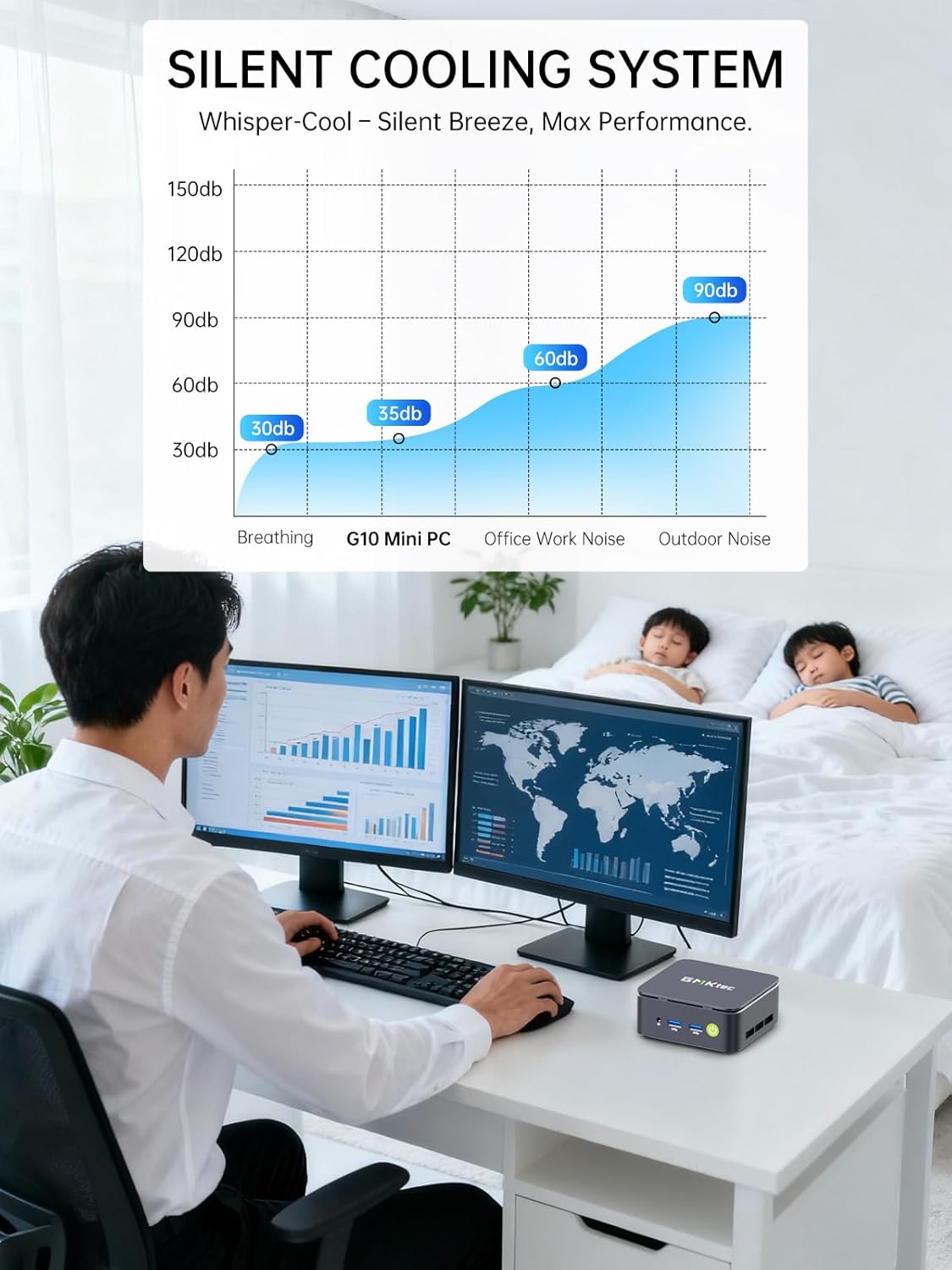
The port selection is thoughtfully arranged on the front and rear panels, offering a practical mix for daily connectivity. Cooling is handled by an internal air cooling system, which is reported to generally operate quietly during standard use. However, user feedback indicates that when the system is switched to its BIOS-level “Performance Mode,” which increases the processor’s Thermal Design Power (TDP), the fan noise can become significantly more audible, described by some as sounding like a “jet engine.” This trade-off between extra performance and acoustic output is a key consideration for the user environment.
Performance and Features
Processing Power and Everyday Use
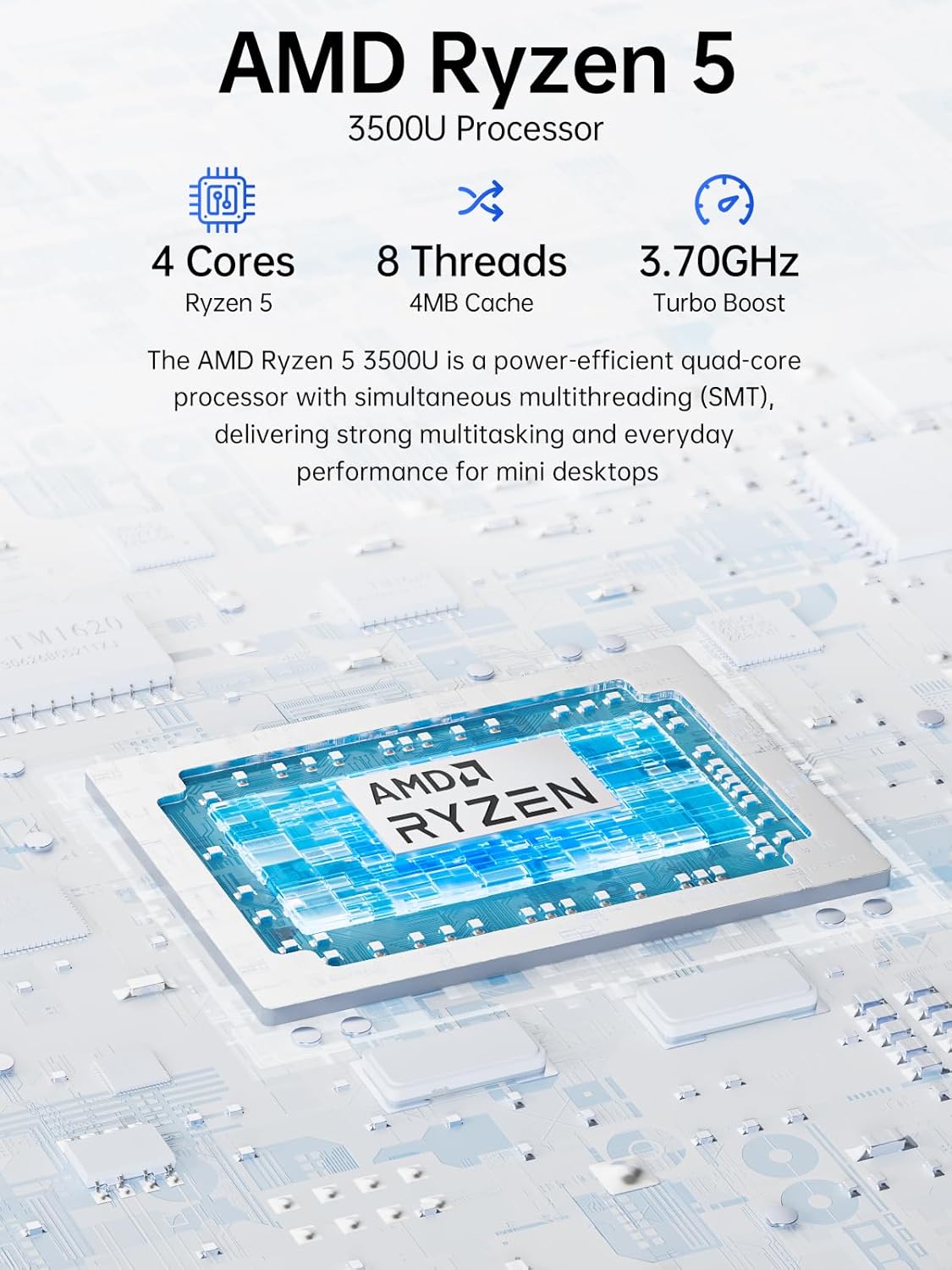
At the heart of the G10 is the AMD Ryzen 5 3500U, a mobile processor from AMD’s Zen+ generation fabricated on a 12nm process. With 4 cores and 8 threads, a base clock of 2.1 GHz, and a boost up to 3.7 GHz, it provides competent multi-core performance for its class. The manufacturer claims it offers a 20% multi-core performance increase over previous Ryzen 3 models like the 4300U and a 35% increase over Intel N-series chips such as the N95, N97, and N150. In practical terms, users report the G10 handles typical office applications, web browsing with multiple tabs, and media playback smoothly, representing a significant upgrade from older desktop systems. It comes pre-installed with a licensed copy of Windows 11 Pro, which supports professional features and virtualization tasks out of the box.
The system includes a configurable TDP, allowing it to operate at a lower 12W for efficiency or be pushed up to 35W. The aforementioned “Performance Mode” accessible via the BIOS unlocks a 25W TDP, which the manufacturer states is for “dominating demanding tasks” and significantly outperforming Intel N-series chips in CPU-intensive workloads. While this mode provides more horsepower for creative workloads or heavier multitasking, it comes with the noted trade-off of increased fan noise and heat output. For more on how different mini PC processors compare, see our guide on Intel N-series performance.
Graphics and Multi-Display Capabilities
The integrated Radeon Vega 8 Graphics, operating at up to 1200 MHz, is a key component of the G10’s value proposition. It provides enough graphical power for hardware-accelerated video playback, casual gaming, and light video editing. Its most standout feature is the support for a triple-display setup. Users can connect monitors simultaneously via the HDMI 2.1 port (supporting 4K at 60Hz), the dedicated DisplayPort 1.4 (also 4K at 60Hz), and the full-function USB-C port (4K at 30Hz). This makes the G10 an attractive option for office workers, traders, or creatives who benefit from an expansive digital workspace without investing in a larger desktop tower. The ability to run multiple 4K displays is a significant advantage for a device in this form factor and price segment.
Connectivity and Expansion
Connectivity is where the GMKtec G10 truly differentiates itself. The inclusion of a 2.5 Gigabit Ethernet port is a premium feature for a mini PC, offering network speeds up to 2500Mbps. This makes it well-suited for use as a home server, network-attached storage (NAS) controller, or firewall/router platform like pfSense or Untangle, where fast wired data transfer is crucial. On the wireless side, it features WiFi 5 (802.11ac) and Bluetooth 5.0. While functional, WiFi 5 is now a generation behind the newer WiFi 6 standard found on some competing models, which may affect performance in congested wireless environments.
The port selection is comprehensive: two USB 3.2 ports, one USB 2.0 port, a 3.5mm audio jack, and the multi-purpose USB-C port that handles power delivery, DisplayPort video, and data. The power delivery via USB-C PD is a major convenience feature. The unit can be powered by a common 65-70W USB-C charger, and the manufacturer notes it can even be run from a high-output portable power bank. This enhances its portability for mobile offices, presentations, or use in unconventional locations. For those building a compact entertainment setup, explore our look at fanless mini PCs for silent media centers.
Internal Upgradability
A significant long-term advantage of the G10 is its internal expansion potential. It comes with two DDR4 SO-DIMM slots populated with 2x8GB modules running in dual-channel mode, and these can be upgraded to a maximum of 64GB of RAM. More notably, it features two M.2 2280 PCIe 3.0 slots for NVMe SSDs. One is occupied by the pre-installed 512GB drive, leaving a second slot free for immediate expansion. The manufacturer states the dual slots support a maximum combined storage capacity of 16TB (2x8TB). This dual M.2 design is praised by users for making tasks like cloning drives or adding high-speed storage incredibly convenient without relying on external USB enclosures.
Setup, Support and Ownership
Setup for the GMKtec G10 is described as straightforward, following the standard plug-and-play process for a desktop computer. The package includes all necessary cables to get started. Some technically inclined users recommend performing a clean installation of Windows 11 to ensure a bloat-free experience, a process that has been reported as smooth with Windows automatically picking up the embedded license key. However, there are reports of occasional driver issues post-installation, with network and audio drivers sometimes missing. GMKtec provides support resources, including driver downloads from their website, to address these situations.
GMKtec offers a standard one-year limited warranty for the mini PC, covering defects due to design and workmanship from the date of purchase. User experiences with support vary; one review highlighted a positive interaction where GMKtec support provided a link to a recovery utility that helped resolve a Windows update issue without data loss. The company promotes having a professional after-sales team. As with any hardware, the long-term ownership experience will depend on the reliability of the components, particularly the cooling system under sustained load in Performance Mode. For users interested in other compact computing options, our review of the Geekom A6 mini PC offers another perspective.
What Owners Say
Analyzing the aggregated buyer reviews reveals a generally positive reception with some consistent criticisms. The overall rating distribution shows a high percentage of five-star reviews, with a smaller but notable portion of one-star reviews. Positive reviewers frequently highlight the G10’s compact size, quiet operation during normal use, fast performance for everyday tasks, and the exceptional value of having dual M.2 slots and triple display support. Many appreciate it as a capable replacement for a bulkier desktop, praising its out-of-the-box readiness with Windows 11 Pro.
Critical feedback tends to focus on a few key areas. The most common complaint concerns the fan noise and thermal performance when the system is under load or switched to Performance Mode, with descriptions ranging from loud to excessively noisy. Some users contest the performance claims, stating that in real-world multitasking scenarios (like running Zoom, a browser, and background tasks), the system can stutter unless pushed into the noisier Performance Mode. Others point out the older specifications, such as the Zen+ architecture CPU, WiFi 5, and DDR4-2400/2666 memory speeds, as drawbacks compared to newer alternatives. A few reports mention software or driver-related hiccups requiring manual intervention.
Pros and Cons
Pros
- Excellent connectivity with triple 4K display support via HDMI, DP, and USB-C.
- Superior internal expansion via dual M.2 NVMe slots and dual RAM slots.
- Includes a fast 2.5 Gigabit Ethernet port for networking and server applications.
- Convenient USB-C Power Delivery for flexible charging and portability.
- Compact, VESA-mountable design saves considerable desk space.
- Comes with a genuine Windows 11 Pro license pre-installed.
Cons
- WiFi 5 wireless connectivity is outdated compared to newer WiFi 6 models.
- Performance Mode significantly increases fan noise and heat output.
- AMD Ryzen 5 3500U is an older-generation processor that may lag in demanding workloads.
- Some users report occasional driver issues requiring manual updates.
- Real-world multitasking performance can stutter under combined loads in standard mode.
- Memory speed is limited to DDR4-2400/2666, below modern standards.
Who Should Buy It (and Who Should Skip It)
The GMKtec G10 is an ideal choice for a specific user profile. It’s perfect for office workers, home lab enthusiasts, or digital signage managers who need to drive two or three monitors from an extremely small footprint. The dual M.2 slots and 2.5GbE port make it a compelling, low-power option for a home file server, network appliance, or light-duty virtualization host. Users who value internal upgradeability without opening up a complex chassis will appreciate its accessible design. It’s also well-suited for general home and business computing where space is at a premium, and the pre-installed Windows 11 Pro is a benefit.
Conversely, users should look elsewhere if their priorities lie elsewhere. Those who require the absolute latest processing power for demanding tasks like video editing, 3D rendering, or modern gaming should consider mini PCs with newer Ryzen 5000/6000 or Intel Core i5/i7 processors. Individuals sensitive to fan noise or who work in very quiet environments may find the G10’s behavior under load unacceptable. Users whose workflow depends heavily on cutting-edge wireless speeds should seek a model with WiFi 6 or 6E. Finally, if your primary use case is a silent media center, a fanless model might be a more appropriate choice, though it would likely sacrifice some of the G10’s expansion features.
Final Verdict
The GMKtec G10 carves out its niche not by having the fastest processor, but by offering a remarkably well-rounded set of I/O and expansion features at a competitive point. Its ability to natively support three displays, combined with dual internal NVMe storage slots and a fast 2.5GbE network port, provides a level of flexibility uncommon in mini PCs at this size and price. For multi-monitor productivity setups, light home server duties, or as a compact daily driver for office tasks, it presents a strong, value-oriented argument.
However, this value comes with acknowledged compromises. The aging Ryzen 5 3500U, while capable, is not a performance leader, and pushing it reveals audible thermal management. The lack of WiFi 6 feels like a missed opportunity for future-proofing. Ultimately, the G10’s worth is heavily dependent on how much you value its unique connectivity and expansion strengths. If triple displays, internal storage expansion, and fast wired networking are your top priorities in a tiny package, the GMKtec G10 is a compelling and pragmatic choice. If raw CPU performance and silent operation are paramount, other options in the broader mini PC category may better suit your needs.
FAQs
Can the GMKtec G10 run games?
The G10 is not designed as a gaming PC. Its integrated AMD Radeon Vega 8 graphics can handle casual games, older titles, and lightweight esports games at lower settings and resolutions. However, for modern AAA gaming, its graphical capabilities are insufficient. Its strength lies in productivity, multi-tasking, and media playback, not in gaming performance.
How do I enable the Performance Mode?
According to the manufacturer, Performance Mode is activated in the BIOS. To access it, you need to press the “Esc” key repeatedly during the system boot process. Once in the BIOS settings, you can locate and enable the performance or high TDP mode, save the changes, and exit. Be aware that this mode increases the processor’s power limit, which will result in higher performance for CPU-intensive tasks but also generate more heat and cause the cooling fan to spin faster and louder.
Does it support Linux operating systems?
Yes, the GMKtec G10 supports Linux. The manufacturer lists support for Linux and virtualization tasks. However, as with any hardware, users should verify driver compatibility for specific distributions, particularly for the Radeon graphics and the 2.5GbE network controller. Some users prefer to perform a clean install of their preferred OS, and the hardware is generally compatible with mainstream Linux distributions.
What is included in the box with the G10?
The GMKtec G10 package includes the mini PC unit itself, a power adapter and cable, a VESA mount with the necessary screws, an HDMI cable, and a user manual. This provides all the essential components needed to mount the PC and connect it to a display and power source immediately.
About the author

Elvis Dicki writes reviews and buying guides for CyberSecLabs.