Acemagic M5 Review: a compact workstation for local AI and multitasking
The Acemagic M5 packs a 14th Gen Intel Core i5-14500HX, 32GB RAM, and 1TB SSD into a tiny chassis, offering strong performance for developers and home users seeking a desktop alternative.
 By Elvis Dicki
Updated October 20, 2026
By Elvis Dicki
Updated October 20, 2026
The Acemagic M5 is a mini PC that aims to deliver desktop-level performance from an exceptionally small footprint. Designed around Intel’s 14th-generation mobile HX-series processor, it comes pre-configured with 32GB of DDR4 RAM and a 1TB NVMe SSD, running Windows 11 Pro out of the box. This combination targets users who need substantial computing power for tasks like coding, local AI model testing, video editing, and heavy multitasking, but who want to avoid the bulk and noise of a traditional tower. In essence, it’s a highly portable yet capable workstation for developers, students, and home office users.
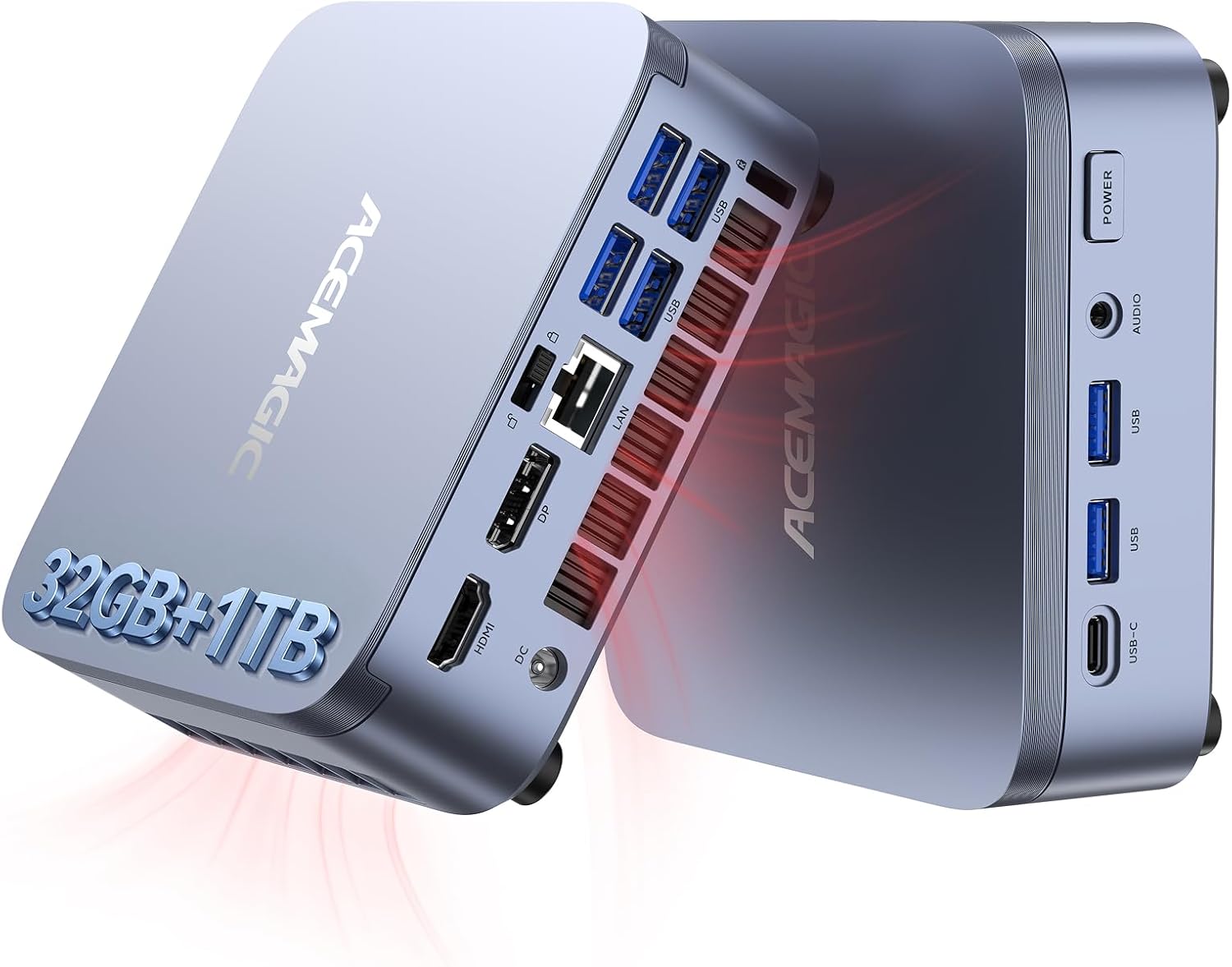
Its core proposition is leveraging high-end mobile CPU performance in a quiet, compact form factor that can drive multiple displays. The Acemagic M5 stands out for its balance of specifications aimed at productivity and creative work, rather than gaming, making it a solid pick for anyone needing a powerful, space-efficient desktop replacement.
Prime ACEMAGIC M5 Mini PC Intel Core i5-14500HX 32GB RAM




As an Amazon Associate we earn from qualifying purchases. Product prices and availability are accurate as of the date/time indicated.
Acemagic M5 at a Glance
| Specification | Detail |
|---|---|
| Processor | Intel Core i5-14500HX (14 Cores, 20 Threads, up to 4.9 GHz) |
| Memory | 32GB DDR4 Dual-Channel (Expandable to 64GB) |
| Storage | 1TB NVMe PCIe 4.0 SSD (Expandable up to 4TB) |
| Operating System | Windows 11 Pro (Pre-installed) |
| Graphics | Intel UHD Graphics for 14th Gen Intel Processors |
| Connectivity | WiFi 6, Bluetooth 5.2, Gigabit Ethernet |
| Video Output | HDMI 2.0, DisplayPort 1.4b, USB-C with DP 1.4 (Triple 4K @ 60Hz) |
| Ports | 6x USB 3.2 Type-A, 1x USB-C (10Gbps, DP, PD), 3.5mm Audio, RJ45 |
| Dimensions | 5.03″ x 5.03″ x 1.62″ |
| Cooling | Vapor Chamber, Heat Pipes, Aluminum Fins, Silent Fan |
Design and Build
The Acemagic M5 adopts a compact, square design measuring just over five inches on each side and 1.62 inches tall, making it highly portable and easy to tuck away. Its small footprint is a key advantage for decluttering desks or mounting discreetly behind a monitor using the included VESA bracket. The unit is finished in blue, and its build focuses on efficient thermal management to accommodate the 55-watt Intel Core i5-14500HX processor inside. The manufacturer emphasizes an advanced cooling system that combines vapor chamber technology, heat pipes, aluminum fins, and a silent fan. This design aims to keep noise levels low during typical use, with a claimed operational noise as low as 35 dB, making it suitable for quiet home or office environments.
Performance and Features
Processor and Core Performance
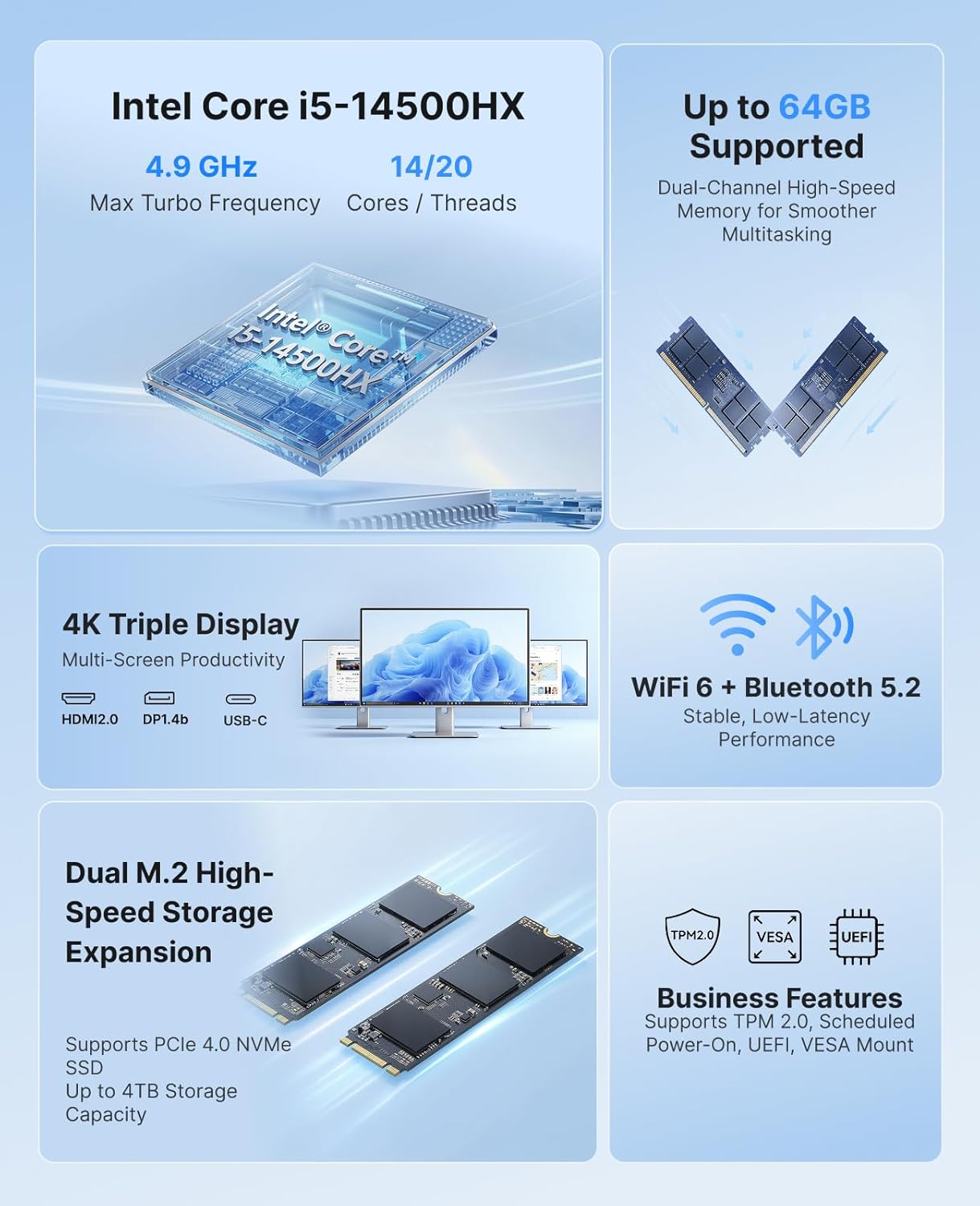
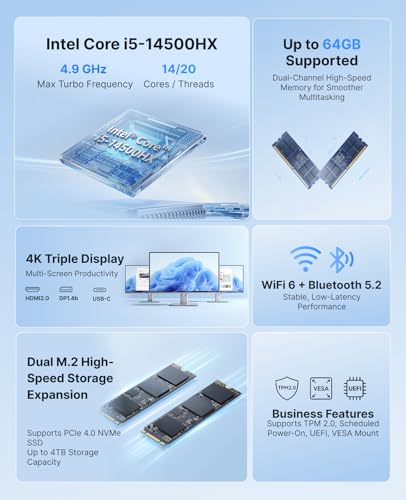
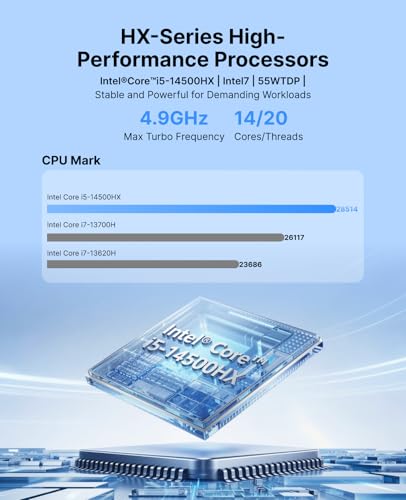
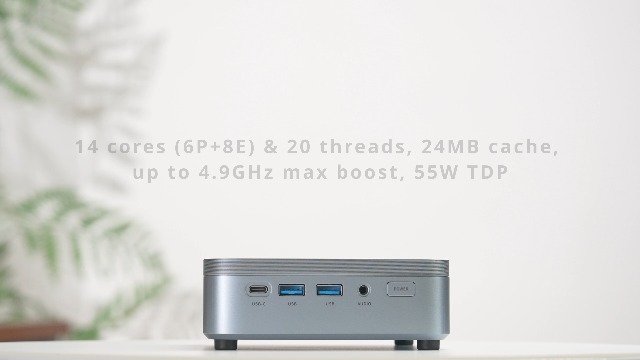
At the heart of the M5 is the Intel Core i5-14500HX, a 14-core, 20-thread mobile processor from Intel’s high-performance HX series. According to the manufacturer’s claims, this chip operates at a performance level significantly beyond typical power-efficient mobile CPUs and is stated to perform on par with or better than a Core i9-13900HK in most tasks. It is also claimed to offer approximately 21% to 39% better performance than previous-generation i5 and i7 mobile processors. This makes the M5 theoretically capable of handling demanding workloads like video editing, software compilation, and running local AI models, which aligns with feedback from owners who use it for AI testing and coding.
Memory, Storage, and Expandability
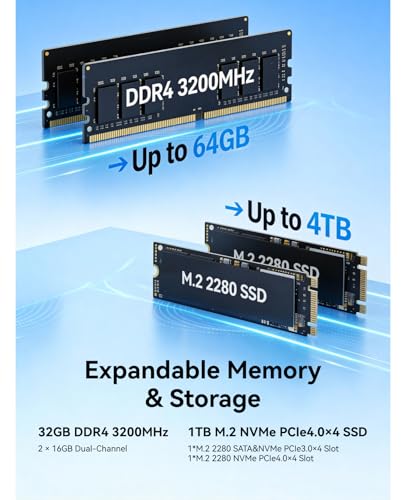
The system comes equipped with 32GB of DDR4 RAM running in dual-channel mode, which is a substantial amount for a pre-built mini PC and supports smooth multitasking. This RAM is user-expandable up to 64GB. Storage is provided by a 1TB NVMe PCIe 4.0 SSD, which offers significantly faster data transfer speeds compared to SATA-based storage. The M.2 2280 slot supports both SATA and NVMe drives, allowing for storage expansion up to 4TB. This combination facilitates quick system boot times and rapid application loading, as noted in owner reviews.
Connectivity and Port Selection
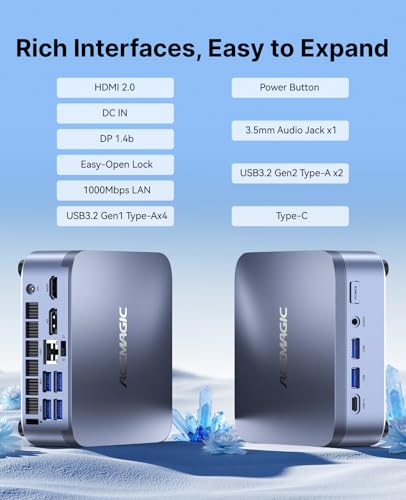
Connectivity is a major strength of the Acemagic M5. It features a comprehensive array of ports: six USB 3.2 Type-A ports (10Gbps), one USB-C port (supporting 10Gbps data, DisplayPort 1.4 video output, and 15W power delivery), HDMI 2.0, DisplayPort 1.4b, a 3.5mm audio jack, and a Gigabit Ethernet port. This extensive selection allows for connecting multiple peripherals, storage devices, and monitors simultaneously. For wireless needs, it includes WiFi 6 and Bluetooth 5.2 for stable and fast connections to networks and accessories like mice, keyboards, and headsets.
Display and Graphics Capabilities
The integrated Intel UHD Graphics supports triple 4K display output at 60Hz via the HDMI, DisplayPort, and USB-C ports. This makes the M5 an excellent choice for productivity setups requiring multiple screens, such as for coding, financial analysis, or content creation. However, the integrated graphics are not designed for demanding modern gaming, limiting its suitability for that purpose to lighter titles or older games.
Software and Operating System
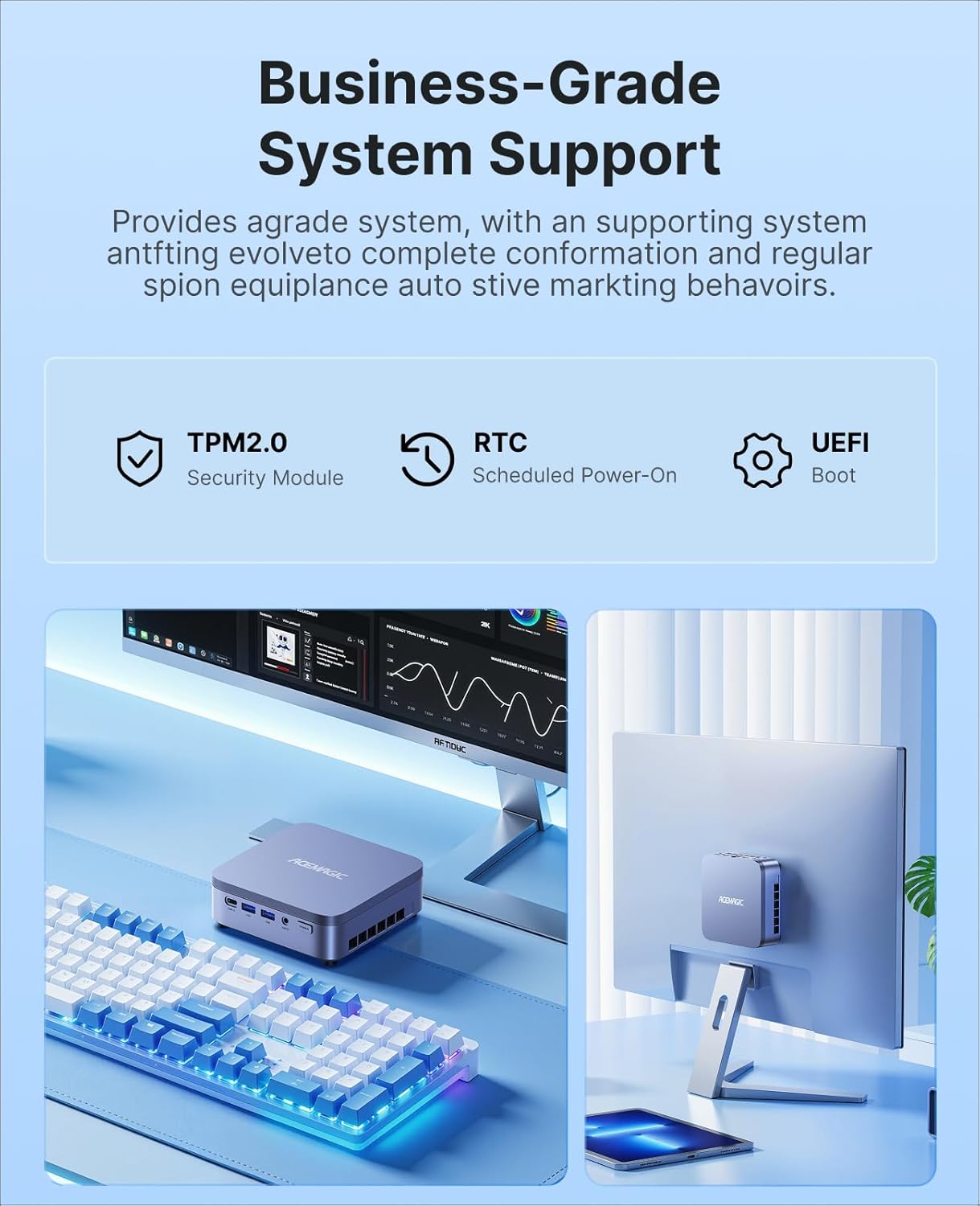
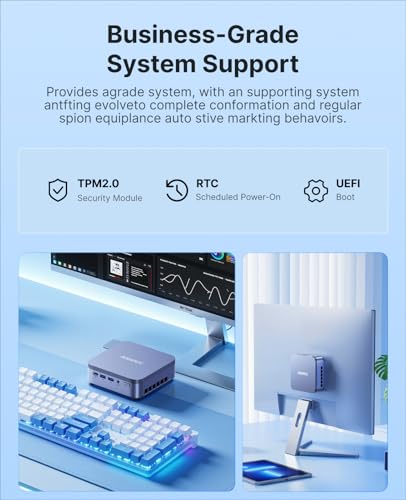
The mini PC ships with Windows 11 Pro pre-installed, requiring minimal setup out of the box. The Pro version offers features useful for business environments. Additionally, the system supports multiple operating systems, including Ubuntu and Linux, which is highlighted as ideal for developers and programmers wanting to run dual or customized OS environments.
Setup, Support and Ownership
Setup is described as straightforward. The package includes the mini PC, a power adapter, an HDMI cable, a VESA mount with screws, and a user manual. Owners report simply connecting it to a monitor, keyboard, and mouse to begin using Windows 11 Pro immediately. The upgrade path is clear for memory and storage, with accessible slots for expanding both components. The product is backed by a 2-year warranty and 24/7 customer support via Amazon. It also carries FCC, RoHS, and CE certifications. Specifics regarding long-term driver support or BIOS update policies are not listed by the manufacturer.
What Owners Say
Buyer reviews for the Acemagic M5 are overwhelmingly positive, with a high percentage of top ratings. Owners consistently praise its performance, particularly for running local AI models using tools like Ollama, handling coding tasks, and general multitasking with many browser tabs and applications open simultaneously. The fast boot times and application launch speeds, attributed to the NVMe SSD and ample RAM, are frequently mentioned. The compact size and quiet operation during normal use are also appreciated. Some notes indicate that fan noise can become more noticeable under sustained heavy loads, which is a common characteristic of compact systems with powerful mobile processors. The rating distribution shows most users award it five stars, with a smaller percentage giving four stars, and very few lower ratings.
Pros and Cons
Pros
- Strong multi-core CPU performance handles AI workloads, coding, and multitasking efficiently.
- Substantial 32GB RAM and fast 1TB NVMe SSD come pre-installed.
- Extensive port selection including six USB-A and a multi-function USB-C port.
- Supports triple 4K display output for enhanced productivity.
- Compact, VESA-mountable design saves considerable desk space.
- Quiet cooling system during typical office or development workloads.
- Pre-installed Windows 11 Pro with support for Linux dual-booting.
Cons
- Integrated graphics limit performance in demanding modern video games.
- Fan noise can increase under sustained heavy CPU loads.
- Mobile processor cannot match the ultimate performance of high-wattage desktop CPUs.
- Lacks dedicated graphics card option for GPU-intensive tasks.
- Power adapter and some cables may contribute to desk clutter.
- Upgrading internal components is more limited than in a standard desktop tower.
Who Should Buy It (and Who Should Skip It)
The Acemagic M5 is an excellent choice for developers, programmers, and students who need a powerful, compact workstation for local AI model testing, software development, virtualization, and heavy multitasking. It’s also ideal for home office users, content creators working with photo or moderate video editing, and anyone seeking a clean, quiet desktop replacement that can drive multiple monitors. Its form factor makes it perfect for space-constrained setups.
This mini PC should be skipped by serious gamers who require high frame rates in modern AAA titles, as its integrated graphics are insufficient. Users who need the absolute maximum CPU performance for tasks like 3D rendering or scientific simulations might also be better served by a full-sized desktop with a higher-TDP processor. Those who require specific legacy ports not present in the selection should also look elsewhere.
Final Verdict
The Acemagic M5 successfully packages compelling specifications into a very small chassis. Its 14th Gen Intel Core i5-14500HX processor, combined with 32GB of RAM and a fast SSD, delivers performance that satisfies demanding productivity and development workflows. The wealth of high-speed ports and triple-display support further enhances its utility as a central hub for a productive workspace. While it makes trade-offs inherent to its category—namely integrated graphics and the thermal limits of a mini PC—it executes its core mission effectively.
For its target audience, the M5 offers a compelling alternative to a bulky desktop, providing similar core performance in a fraction of the space and with minimal noise during everyday tasks. It stands as a strong contender in the mini PC market for users whose priorities are processing power, multitasking, and connectivity over gaming prowess. If you’re exploring options for a compact yet capable system, also consider reading our reviews of other Mini PCs and specific models like the Geekom A6 or AI-focused mini PCs for comparison.
FAQs
Can the Acemagic M5 run games?
The Acemagic M5 uses integrated Intel UHD Graphics, which are not designed for demanding modern gaming. It can handle casual games, older titles, and light gaming, but it will struggle with newer AAA games at high settings. Its primary strength lies in productivity and compute tasks, not gaming performance.
Is the RAM and storage upgradeable?
Yes. The DDR4 RAM is user-expandable from the base 32GB up to 64GB. The M.2 2280 slot supports both SATA and NVMe SSDs and can accommodate storage expansion up to 4TB, according to the manufacturer’s specifications.
How many monitors can it support simultaneously?
The Acemagic M5 supports triple-display output. You can connect up to three monitors using the HDMI 2.0 port, the DisplayPort 1.4b port, and the USB-C port (which carries a DisplayPort 1.4 signal). All three outputs can drive 4K resolution at 60Hz.
Does it come with an operating system installed?
Yes, the Acemagic M5 ships with Windows 11 Pro pre-installed, so it is ready to use out of the box. The manufacturer also states it supports other operating systems like Ubuntu and Linux for users who wish to dual-boot or run a different OS.
About the author

Elvis Dicki writes reviews and buying guides for CyberSecLabs.