Samsung LS49DG910SNXZA Review: Super Ultrawide QD-OLED with Ergonomic Stand
The Samsung LS49DG910SNXZA Odyssey OLED G9 delivers an immersive, vibrant gaming experience with its QD-OLED panel, fast refresh rate, and extensive burn-in safeguards, though its massive size demands significant desk space.
 By Elvis Dicki
Updated October 20, 2026
By Elvis Dicki
Updated October 20, 2026
The Samsung LS49DG910SNXZA is a 49-inch super ultrawide curved gaming monitor from the Odyssey series, designed to dominate both the virtual battlefield and the physical desktop. This model, also known as the Odyssey OLED G9 (G91SD), leverages Samsung’s QD-OLED display technology to promise exceptional picture quality with true blacks and vibrant colors, all wrapped in a 32:9 aspect ratio that offers an unparalleled field of view. It is engineered for serious gamers and power users who demand top-tier performance and immersion, but its substantial footprint means it’s not for the space-constrained. The bottom line: this monitor offers a stunning, high-performance ultrawide experience with thoughtful protective features for its OLED panel, making it a compelling choice for dedicated setups.

Samsung 49" Odyssey OLED G9 G91SD Curved QD-OLED


As an Amazon Associate we earn from qualifying purchases. Product prices and availability are accurate as of the date/time indicated.
Samsung LS49DG910SNXZA at a Glance
| Specification | Detail |
|---|---|
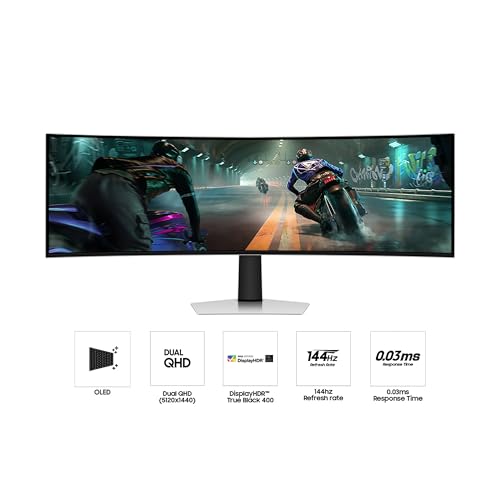
| Screen Size & Type | 49″ QD-OLED Curved |
| Resolution | Dual QHD (5120 x 1440) |
| Aspect Ratio | 32:9 |
| Refresh Rate | 144Hz |
| Response Time | 0.03ms (GtG) |
| Adaptive Sync | G-Sync Compatible & AMD FreeSync Premium Pro |
| Key Features | VESA DisplayHDR True Black 400, Thermal Modulation, Logo & Taskbar Detection, Picture-in-Picture |
| Connectivity | HDMI 2.1, DisplayPort, Micro-HDMI, USB-C, USB |
| Stand Adjustability | Height and Tilt Adjustment |
| Warranty | 3-Year Manufacturer Warranty |
Design and Build
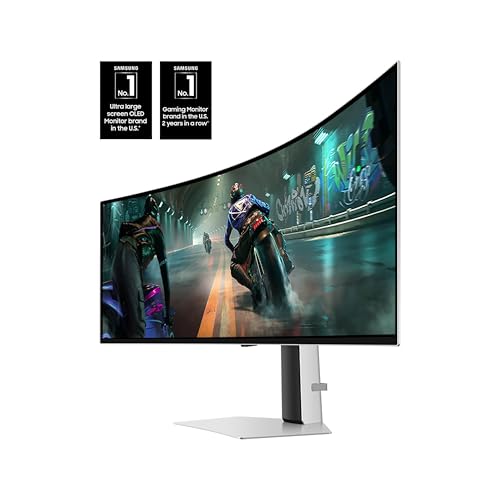
The Samsung LS49DG910SNXZA makes a bold statement with its 49-inch super ultrawide curved screen. The 1000R curvature is designed to wrap around the user’s field of vision, enhancing immersion. The monitor features an aluminum silver finish with a premium metal aesthetic, contributing to a sleek and modern look. Its dimensions are substantial, measuring approximately 47.04 inches wide, 20.84 inches high, and 11.19 inches deep, and it weighs 28.4 pounds, indicating a solid build. The included ergonomic stand is a key part of the design, offering tilt and height adjustment to help users find a comfortable viewing position during long sessions. The stand also supports VESA mounting for those who prefer an aftermarket arm or wall mount.
Performance and Features
Display and Visual Performance
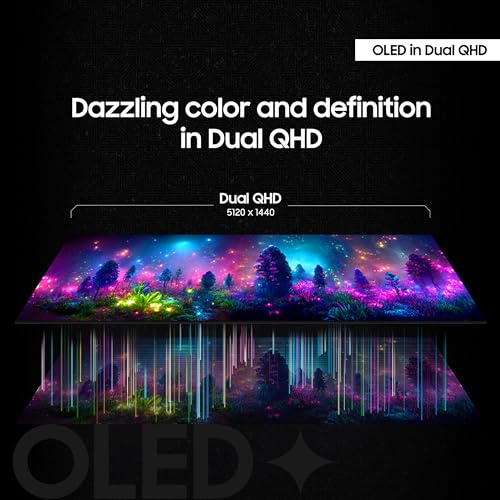
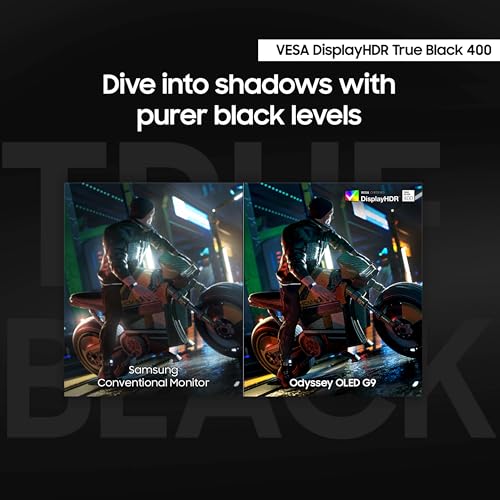
The core of the Samsung LS49DG910SNXZA is its Quantum Dot OLED (QD-OLED) panel. This technology combines the deep blacks and infinite contrast of OLED with the color volume and brightness of quantum dots. The result is a display with a wider color spectrum, vibrant images, and pure black levels without the pixel light bleed found in traditional LCDs. The native Dual QHD resolution (5120 x 1440) provides a sharp image with 110 pixels per inch across the expansive screen. It is VESA DisplayHDR True Black 400 certified, ensuring excellent performance in high dynamic range content with deep shadows and bright highlights. The matte screen finish helps reduce glare from ambient lighting.
Gaming and Responsiveness
For gamers, the specifications are top-tier. The 144Hz refresh rate and a claimed 0.03ms gray-to-gray response time aim to deliver ultra-smooth and clear motion, crucial for fast-paced competitive titles. To eliminate screen tearing and stutter, the monitor supports both NVIDIA G-Sync compatibility and AMD FreeSync Premium Pro, syncing the display’s refresh rate with the output of compatible graphics cards from both major brands. This combination is designed to provide a seamless and fluid gaming experience without visual disruption.
QD-OLED Safeguards and Smart Features
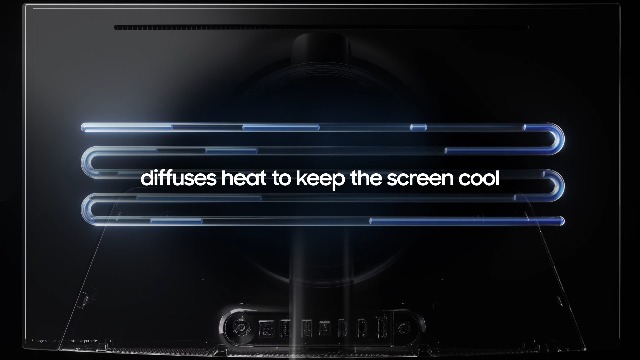
Recognizing concerns about OLED burn-in, Samsung has integrated several protective features under its QD-OLED Safeguard umbrella. The Thermal Modulation System uses algorithms to predict surface temperature and automatically adjust brightness to reduce heat. A Logo & Taskbar Detection feature automatically lowers the brightness of static UI elements to prevent image retention. Furthermore, a screen saver function dims the display after 10 minutes of inactivity. For productivity, the Picture-in-Picture and Picture-by-Picture modes allow users to display inputs from two different sources simultaneously, effectively mimicking a multi-monitor setup on a single screen.
Connectivity and Ports
The monitor is well-equipped for modern devices. It includes HDMI 2.1 ports, a DisplayPort, a Micro-HDMI port, and a USB-C upstream port for video, data, and power delivery. Multiple USB downstream ports are also present, which can help reduce cable clutter by connecting peripherals directly to the monitor. This array of ports supports convenient connections to gaming PCs, laptops, and consoles. The monitor comes with a DisplayPort cable, an HDMI cable, and a power cable in the box.
Setup, Support and Ownership
Setting up the Samsung LS49DG910SNXZA is reported to be straightforward by owners, with the main consideration being its large size and weight, requiring a sturdy desk. The ergonomic stand attaches securely, and the variety of included cables covers basic connectivity needs. For full compatibility, especially with older Macs, some users noted the need for specific cables like DisplayPort to Thunderbolt to achieve the maximum 144Hz refresh rate. Samsung provides a 3-year manufacturer warranty for this product. A notable point from owner feedback is that warranty service for this large item can include in-home technician visits for repairs, which is a significant convenience. As with any premium display, users should ensure their graphics hardware is capable of driving the high 5120×1440 resolution, especially in demanding games. For more insights on optimizing your setup for an ultrawide display, explore our guide on the best games for ultra-wide monitors.
What Owners Say
Owner feedback for the Samsung LS49DG910SNXZA is largely positive, reflected in its overall rating. The majority of reviews are highly favorable, with praise centered on the stunning QD-OLED picture quality, describing deep blacks, vibrant colors, and an immersive ultrawide experience that enhances both gaming and productivity. Many owners express delight with the monitor’s performance right out of the box and appreciate the clean desk setup it enables by replacing multiple monitors. However, a minority of reviews point to potential issues. Some users report receiving units with slight brightness mismatches between the two halves of the panel, visible as a faint vertical line on certain colors. Others mention occasional visual quirks like random white flashes in specific applications. A small segment of reviews details early hardware failures, though these often commend Samsung’s responsive warranty service. The overall sentiment confirms this as a premium, impactful display for those with the space and system to support it.
Pros and Cons
Pros
- Exceptional QD-OLED picture quality with infinite contrast and vibrant colors
- Blazing-fast 0.03ms response time and 144Hz refresh rate for competitive gaming
- Advanced burn-in safeguards including thermal modulation and logo detection
- Versatile connectivity with HDMI 2.1, DisplayPort, and USB-C
- Useful multitasking features like Picture-in-Picture
- Fully adjustable ergonomic stand for enhanced comfort
Cons
- Massive 49-inch size demands substantial desk space
- Inherent burn-in risk persists despite protective features
- Potential for panel uniformity issues like a center brightness gradient
- Super ultrawide aspect may require software tweaks for full game compatibility
- High resolution requires powerful graphics hardware for gaming
- Occasional reports of minor VRR-related visual glitches
Who Should Buy It (and Who Should Skip It)
The Samsung LS49DG910SNXZA is ideal for dedicated PC gamers and sim enthusiasts who want the ultimate in immersion and competitive responsiveness from a QD-OLED panel. It is also perfect for productivity power users, streamers, and creative professionals who can leverage the vast screen real estate and Picture-in-Picture features for multitasking, effectively replacing a dual-monitor setup with a seamless single display. Users who prioritize deep blacks, high contrast, and vibrant HDR performance for media consumption will also find it compelling. For more options in this category, see our expert picks for the best ultra-wide curved monitors.
This monitor is not recommended for users with small or shallow desks, as its nearly four-foot width requires a dedicated space. Casual gamers or those with mid-range or older graphics cards may struggle to drive games at the native resolution and high refresh rates. Individuals highly concerned about long-term OLED burn-in, even with safeguards, might prefer a high-end LCD alternative. Those on a strict budget should also consider more affordable ultrawide options.
Final Verdict
The Samsung LS49DG910SNXZA Odyssey OLED G9 stands as a formidable contender in the high-end gaming monitor arena. Its QD-OLED panel delivers on the promise of breathtaking visual fidelity, with perfect blacks and rich colors that bring games and content to life. The combination of a high refresh rate, ultra-low response time, and comprehensive adaptive sync support ensures buttery-smooth gameplay. Samsung’s inclusion of multiple burn-in prevention technologies shows a proactive approach to a known OLED concern, offering peace of mind for long-term ownership.
However, this is not a monitor for everyone. Its super ultrawide format is its greatest strength and its most significant practical hurdle, demanding not only a large physical footprint but also substantial computing power to run effectively. While most owner experiences are glowing, the possibility of panel uniformity issues or minor software quirks exists. For those with the space, the hardware, and the desire for a truly immersive and high-performance display, the Samsung LS49DG910SNXZA is an excellent investment that delivers a premium, enveloping experience. It successfully blends cutting-edge display technology with gamer-centric features, making it a standout choice in the ultrawide market. To explore other essential gear for a complete setup, check out our reviews of the best desk chairs for gaming.
FAQs
What is QD-OLED technology?
QD-OLED, or Quantum Dot OLED, is a display technology that combines OLED panels with a quantum dot layer. The OLED pixels produce the light, which then passes through quantum dots to create the colors. This allows for the perfect blacks and infinite contrast of OLED while achieving higher brightness and a wider color gamut than traditional OLED displays, resulting in exceptionally vibrant and accurate colors.
How does this monitor prevent screen burn-in?
The Samsung LS49DG910SNXZA incorporates several features under the QD-OLED Safeguard to mitigate burn-in risk. These include a Thermal Modulation System that adjusts brightness based on predicted temperature, a Logo & Taskbar Detection feature that dims static on-screen elements, and an automatic screen saver that activates after a period of inactivity. While these measures significantly reduce the risk, they do not eliminate it entirely, so prudent usage is still advised.
Is a special graphics card needed to run this monitor?
To fully utilize the monitor’s 5120×1440 resolution at high refresh rates in modern games, a powerful modern graphics card is highly recommended. Mid-range or older cards may struggle to maintain high frame rates. The monitor supports both NVIDIA G-Sync Compatible and AMD FreeSync Premium Pro, so cards from either manufacturer that support these technologies will work well for variable refresh rate gaming.
Can this monitor be used for productivity and multitasking?
Absolutely. The 32:9 aspect ratio provides the equivalent screen width of two 27-inch QHD monitors side-by-side without a bezel in the middle. Features like Picture-in-Picture (PiP) and Picture-by-Picture (PbP) allow you to display inputs from two different computers or devices simultaneously. This makes it exceptionally useful for professionals, streamers, or anyone who needs to manage multiple applications or data sources at once, as detailed in our broader look at the best ultra-wide monitors.
About the author

Elvis Dicki writes reviews and buying guides for CyberSecLabs.