Dell S2425HS Review: A Home Office Monitor with Enhanced Eye Comfort
The Dell S2425HS is a versatile 23.8-inch FHD monitor that excels in eye comfort and ergonomics, featuring a 100Hz refresh rate, integrated dual 5W speakers, and a fully adjustable stand, making it a strong choice for long work sessions and casual entertainment.
 By Elvis Dicki
Updated October 20, 2026
By Elvis Dicki
Updated October 20, 2026
In the crowded market of 24-inch monitors, the Dell S2425HS positions itself as a lifestyle-oriented solution for the modern home office. With its Ash White finish and Japanese sand raking-inspired texture, it aims to blend functionality with aesthetics. This review analyzes its specifications, design, and key features to determine if it delivers on its promise of enhanced comfort and immersive experience for daily computing tasks.

At its core, the Dell S2425HS is a 23.8-inch FHD (1920×1080) IPS monitor with a 100Hz refresh rate and integrated dual 5W speakers. Its primary selling points are the TÜV Rheinland 4-star eye comfort certification and a fully ergonomic stand. It is designed for users who spend long hours in front of a screen for work, browsing, and casual media consumption, offering a smoother visual experience and reduced eye strain. For those exploring different setups, our guide on the best ultra-wide monitors offers alternative perspectives on immersive displays.
Dell S2425HS 24-Inch FHD 100Hz Monitor




As an Amazon Associate we earn from qualifying purchases. Product prices and availability are accurate as of the date/time indicated.
Dell S2425HS at a Glance
| Specification | Detail |
|---|---|
| Screen Size & Resolution | 23.8-inch, FHD (1920 x 1080) |
| Panel Technology | IPS (In-Plane Switching) |
| Refresh Rate | 100Hz |
| Response Time | 8ms |
| Contrast Ratio | 1500:1 |
| Color Coverage | 99% sRGB |
| Eye Comfort | TÜV Rheinland 4-Star, ComfortView Plus |
| Speakers | Integrated Dual 5W |
| Adjustability | Height, Tilt, Swivel, Pivot |
| Primary Ports | 2 x HDMI |
Design and Build
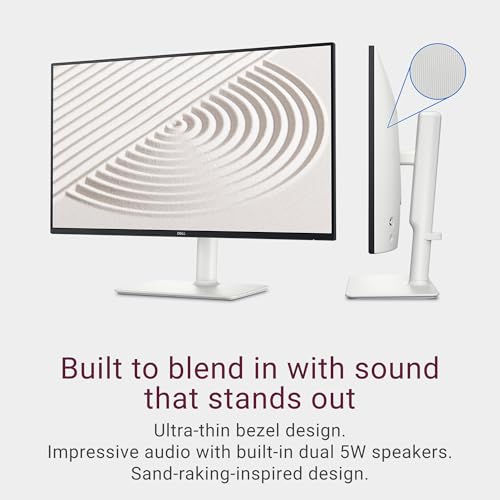
The Dell S2425HS breaks from conventional monitor design with its Ash White color and a subtle textured finish on the back, inspired by Japanese sand raking. This gives it a distinct, modern aesthetic that can complement a lighter or minimalist desk setup. The bezels are ultrathin, maximizing the screen real estate and reducing visual distraction, which aligns with its lifestyle-inspired marketing. The overall dimensions are 21.17 inches wide by 18.78 inches high with a depth of 7.41 inches, and it weighs 7.03 pounds, making it a standard size for its category.
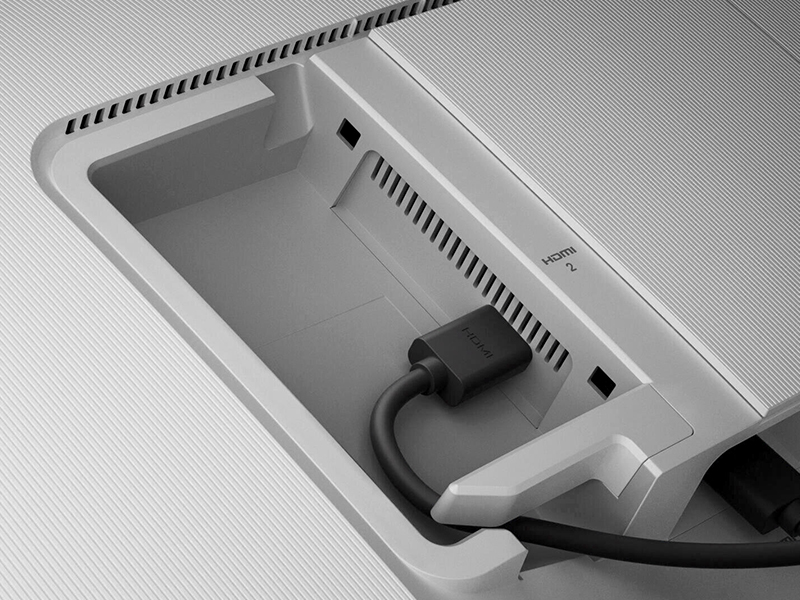
Build quality, as expected from Dell, appears solid based on the provided specifications. The standout feature of the physical design is the fully ergonomic stand. It offers height adjustment, tilt, swivel, and pivot (90-degree rotation), allowing users to find the perfect viewing angle for comfort during long sessions. The monitor is also VESA mount compatible, providing flexibility for wall or arm mounting. An improved cable management system is integrated into the stand to help keep desk space tidy, a thoughtful addition for a clean workspace.
Performance and Features
Visual Performance
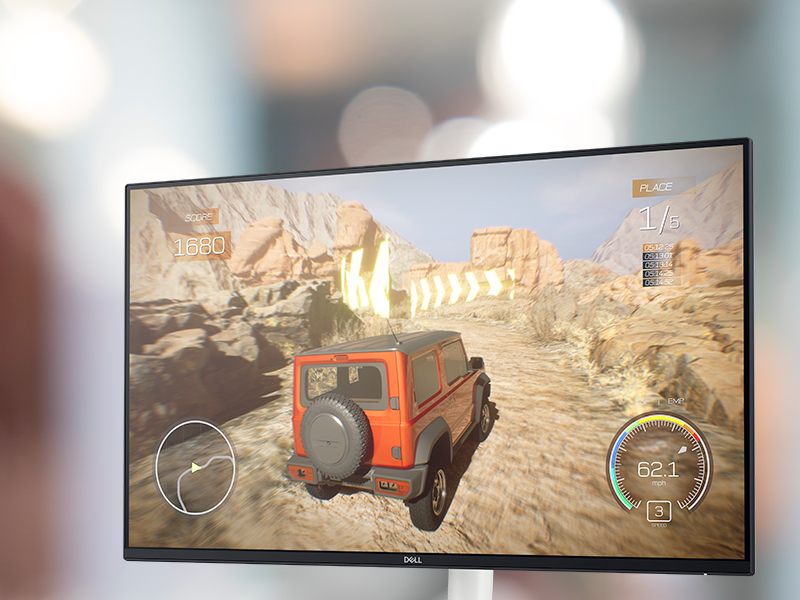
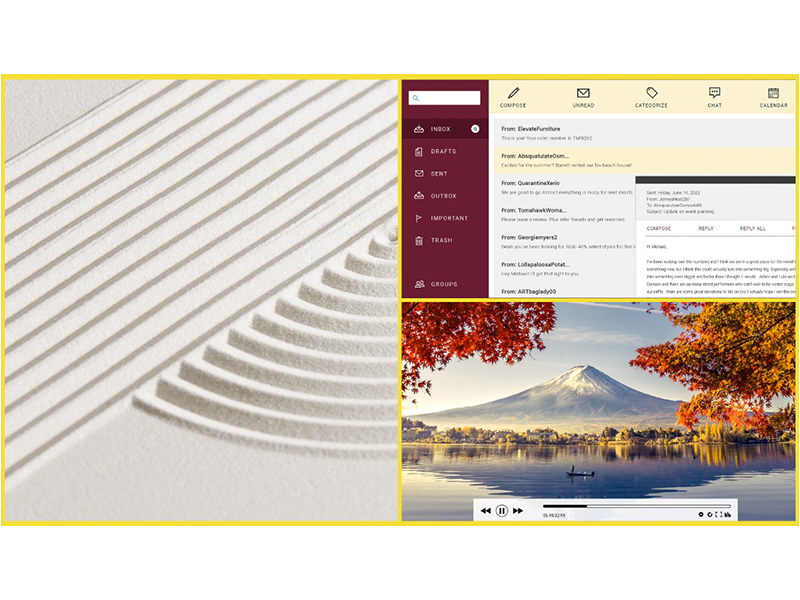
The 23.8-inch IPS panel delivers Full HD resolution with a 100Hz refresh rate and an 8ms response time. This combination is geared towards providing smoother motion than standard 60Hz panels, beneficial for seamless scrolling, general desktop use, and casual gaming. The 99% sRGB color coverage and 1500:1 contrast ratio promise consistent and vibrant colors across the panel’s 178-degree viewing angles, suitable for everyday photo viewing and video editing tasks. The screen finish is matte with anti-glare properties, which helps reduce reflections in well-lit rooms.
Eye Comfort Technology
A central feature of the S2425HS is its focus on reducing eye strain. It has achieved a TÜV Rheinland 4-star eye comfort certification, which is a key industry standard. This is supported by Dell’s improved ComfortView Plus technology, a hardware-based solution that reduces harmful blue light emissions to less than 35% without a significant impact on color accuracy. For users who spend extensive hours working or browsing, this feature is a significant benefit aimed at minimizing signs of eye fatigue.
Audio and Connectivity
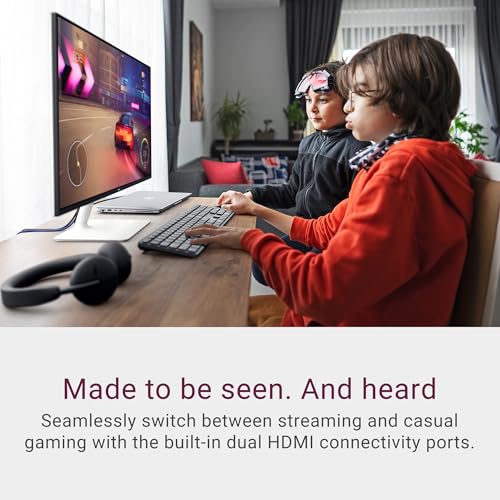
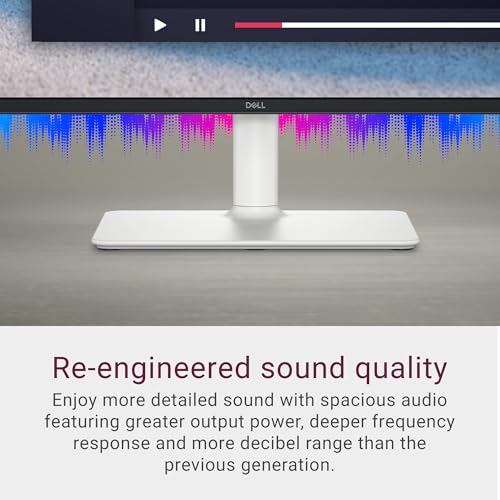
The monitor integrates dual 5W speakers, which Dell claims offer re-engineered sound quality with greater output power and a wider dynamic range than previous generations. Six audio profiles are available: Standard, Movie, Game, Music, Voice, and one customizable profile, allowing users to tailor the sound for different activities. For connectivity, the monitor provides two HDMI ports, enabling easy switching between two source devices, such as a laptop and a gaming console. A security lock slot is also present. Notably, a DisplayPort connection or a built-in USB hub are not listed among the features.
On-Screen Display and Software
Navigation is handled by a joystick and shortcut buttons located on the back of the monitor, which typically offers more intuitive control than separate buttons. The monitor is compatible with Dell Display Manager software, which includes a feature called Easy Arrange to help organize multiple application windows on the screen to boost productivity. The monitor also supports AMD FreeSync technology, which can help reduce screen tearing during gaming when used with compatible graphics cards.
Setup, Support and Ownership
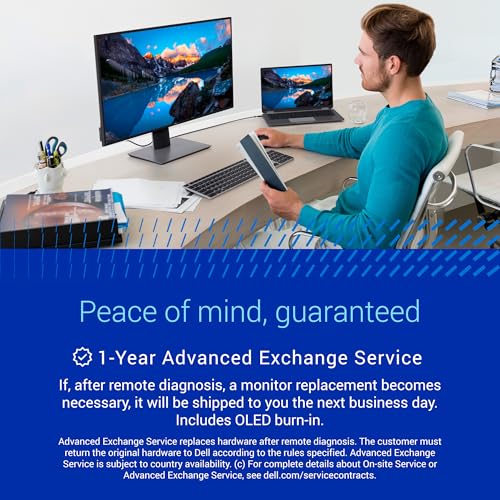
Setup is straightforward, with the monitor, stand, power cable, and an HDMI cable included in the box. The ergonomic stand attaches easily, and the side access to the HDMI ports simplifies cable connection. The improved cable management channel helps keep everything organized from the start. Dell provides a 1-year Advanced Exchange Service and Premium Panel Exchange warranty. For ongoing usability, features like the adjustable stand and VESA compatibility offer long-term flexibility to adapt the setup as needs change.
Power consumption is rated at 14.5 watts, which is energy efficient for a monitor of this size. While specific details on firmware updates or driver support are not provided in the data, Dell generally offers such resources through its website. The lack of a USB hub means peripheral connectivity must be handled directly by the connected computer. For users seeking a different form factor for immersive work or play, our analysis of the best ultra-wide curved monitors explores wider alternatives.
What Owners Say
The overall rating for the Dell S2425HS is very positive. The rating distribution shows a high percentage of top ratings, indicating strong user satisfaction. While specific review excerpts are not provided in the data, the high rating suggests owners appreciate the monitor’s key features. The 4.6 out of 5 stars, with a significant majority being 5-star ratings, points to a product that generally meets or exceeds expectations in its category, particularly regarding its design, display quality, and ergonomic adjustments.
Pros and Cons
Pros
- Superior eye comfort with TÜV 4-star certification and ComfortView Plus
- Fully adjustable stand for personalized ergonomics
- Smooth 100Hz refresh rate for fluid visuals
- Vibrant colors with 99% sRGB coverage and wide viewing angles
- Enhanced integrated audio with multiple sound profiles
- Clean design with effective cable management
Cons
- Limited to HDMI ports; no DisplayPort connection
- Integrated speakers are best for casual use, not high-fidelity audio
- No built-in USB hub for peripheral connectivity
- Full HD resolution on a 24-inch screen may not be as sharp as QHD for some users
Who Should Buy It (and Who Should Skip It)
The Dell S2425HS is an excellent fit for home office professionals, remote workers, and students who prioritize eye comfort and ergonomics during long computing sessions. Its 100Hz refresh rate and decent color accuracy also make it a good choice for casual gamers and media consumers who want a smoother experience than standard 60Hz offers without investing in a dedicated gaming monitor. The stylish design and integrated speakers add value for users with limited desk space who want a clean, all-in-one solution for work and entertainment.
This monitor is less suitable for users who require high-resolution displays for detailed photo or video editing, as it is limited to Full HD. Competitive gamers seeking very high refresh rates (144Hz+) and faster response times should look elsewhere. Audiophiles or those needing robust audio for content creation will find the integrated speakers insufficient and should consider a dedicated sound system. Similarly, users who rely on multiple peripherals may find the lack of a USB hub inconvenient. For users focused on ergonomic seating to pair with such a setup, our review of the best desk chairs for gaming covers options that support long sessions.
Final Verdict
The Dell S2425HS successfully carves out a niche as a comfort-first monitor for the everyday user. It doesn’t aim to be the highest-resolution or fastest gaming display but instead focuses on delivering a pleasant, strain-free viewing experience over extended periods. The combination of the 100Hz IPS panel, the effective blue light reduction, and the highly adjustable stand creates a compelling package for productivity and general use. The addition of surprisingly capable speakers and a thoughtful design further enhances its appeal for a streamlined desk setup.
While the port selection is basic and the audio won’t replace dedicated speakers, these are reasonable trade-offs given the monitor’s positioning and likely use cases. For anyone building a comfortable and aesthetically pleasing home office or study space, the Dell S2425HS represents a well-rounded choice that balances performance, comfort, and design effectively. It stands as a strong recommendation in the 24-inch monitor segment for users whose primary concern is reducing eye fatigue without sacrificing a quality visual and auditory experience.
FAQs
Does the Dell S2425HS have built-in speakers?
Yes, the Dell S2425HS features integrated dual 5W speakers. Dell states they offer re-engineered sound with greater output power and a wider dynamic range than previous models. The monitor includes six audio profiles (Standard, Movie, Game, Music, Voice, and one customizable) to tailor the sound for different types of content.
What is the benefit of the TÜV Rheinland 4-star eye comfort certification?
This certification is an industry standard that indicates the monitor has been tested and proven to reduce factors that contribute to eye strain. For the S2425HS, this is achieved through Dell’s ComfortView Plus technology, which reduces harmful blue light emissions to less than 35% without significantly altering color accuracy, aiming to minimize eye fatigue during long viewing sessions.
Can the Dell S2425HS be used for gaming?
Yes, it can be used for casual gaming. Its 100Hz refresh rate and 8ms response time provide a smoother experience than standard 60Hz monitors, and it supports AMD FreeSync to help reduce screen tearing. However, it is not specifically designed for competitive esports gaming, which typically requires higher refresh rates and faster response times.
What types of adjustments does the stand offer?
The stand offers full ergonomic adjustments: height adjustment, tilt, swivel, and 90-degree pivot (portrait mode). This allows users to customize the monitor’s position extensively for optimal comfort and viewing angles. The monitor is also VESA mount compatible for use with third-party monitor arms or wall mounts.
About the author

Elvis Dicki writes reviews and buying guides for CyberSecLabs.