TP-Link Deco X20(3-pack) Review: Can Its Wired Backhaul Handle 150 Devices?
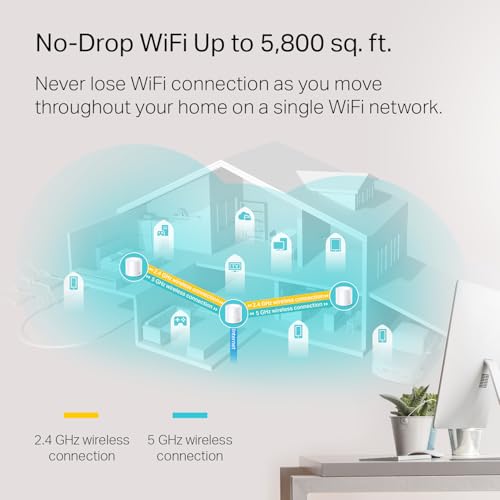
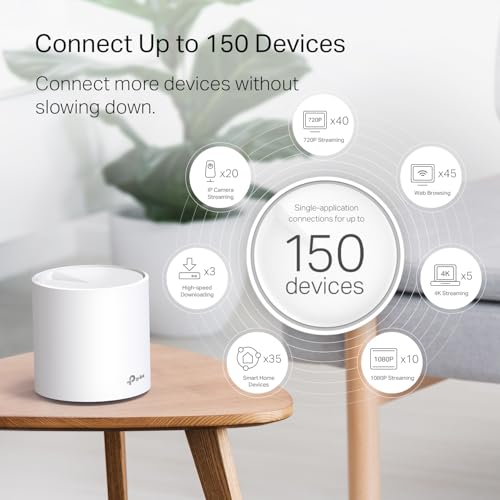
The TP-Link Deco X20(3-pack) is a WiFi 6 mesh system designed to blanket large homes in stable, high-performance internet, eliminating dead zones with coverage for up to 5800 square feet and support for over 150 connected devices.
 By Elvis Dicki
Updated October 20, 2026
By Elvis Dicki
Updated October 20, 2026
For homeowners and tech enthusiasts plagued by Wi-Fi dead zones and buffering, a mesh network system promises a unified solution. The TP-Link Deco X20(3-pack) enters this space as a Wi-Fi 6-enabled system aiming to replace traditional routers and extenders with seamless coverage across large areas. It is designed for users with multi-story homes, numerous smart devices, and the need for consistent connectivity from the backyard to the basement. This review analyzes whether its combination of Wi-Fi 6, gigabit Ethernet backhaul, and straightforward management delivers a reliable whole-home network.
This system is targeted at anyone struggling with inconsistent Wi-Fi coverage, particularly in homes up to 5800 square feet, where a single router is insufficient. It is ideal for smart homes packed with devices, households with multiple simultaneous streamers and gamers, and users who prioritize easy setup via a smartphone app over complex router interfaces. The bottom line: the Deco X20(3-pack) offers a compelling, user-friendly path to robust whole-home Wi-Fi, especially for those looking to leverage Wi-Fi 6 benefits without a steep learning curve.
TP-Link Deco X20 WiFi 6 Mesh System 3-Pack



As an Amazon Associate we earn from qualifying purchases. Product prices and availability are accurate as of the date/time indicated.
TP-Link Deco X20(3-pack) at a Glance
| Specification | Detail |
|---|---|
| Wi-Fi Standard | Wi-Fi 6 (802.11ax) |
| Total Coverage | Up to 5800 square feet |
| Total Ethernet Ports | 6 (2 per unit) |
| Maximum Data Rate | 1.8 Gbps (AX1800) |
| Supported Devices | Up to 150 devices |
| Frequency Bands | Dual-Band |
| Backhaul Support | Wired Ethernet Backhaul |
| Security & Management | TP-Link HomeShield, Parental Controls, Deco App |
| Voice Assistant Support | Works with Alexa |
| Compatibility | Works with all major ISPs; requires a modem |
Design and Build
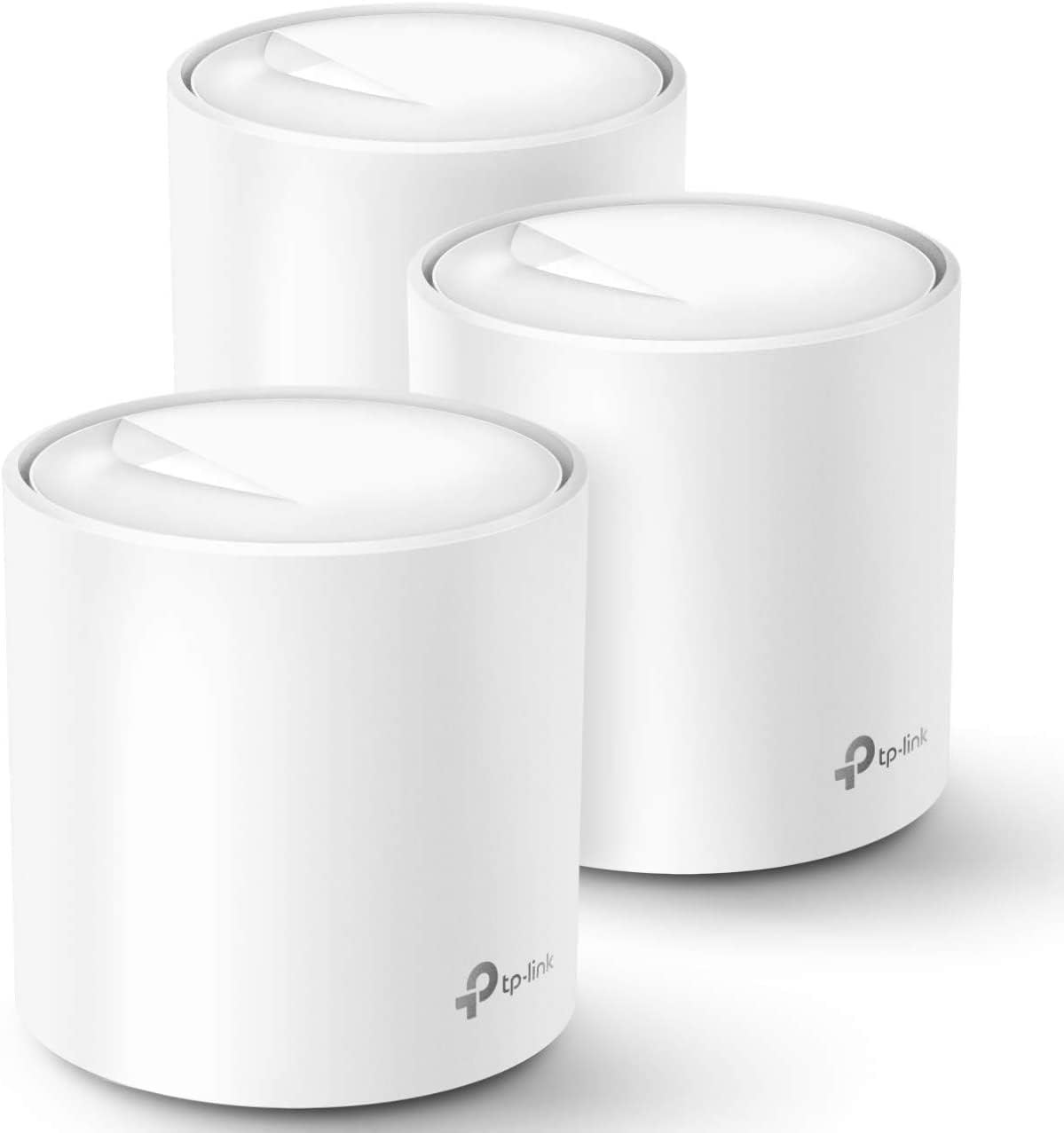
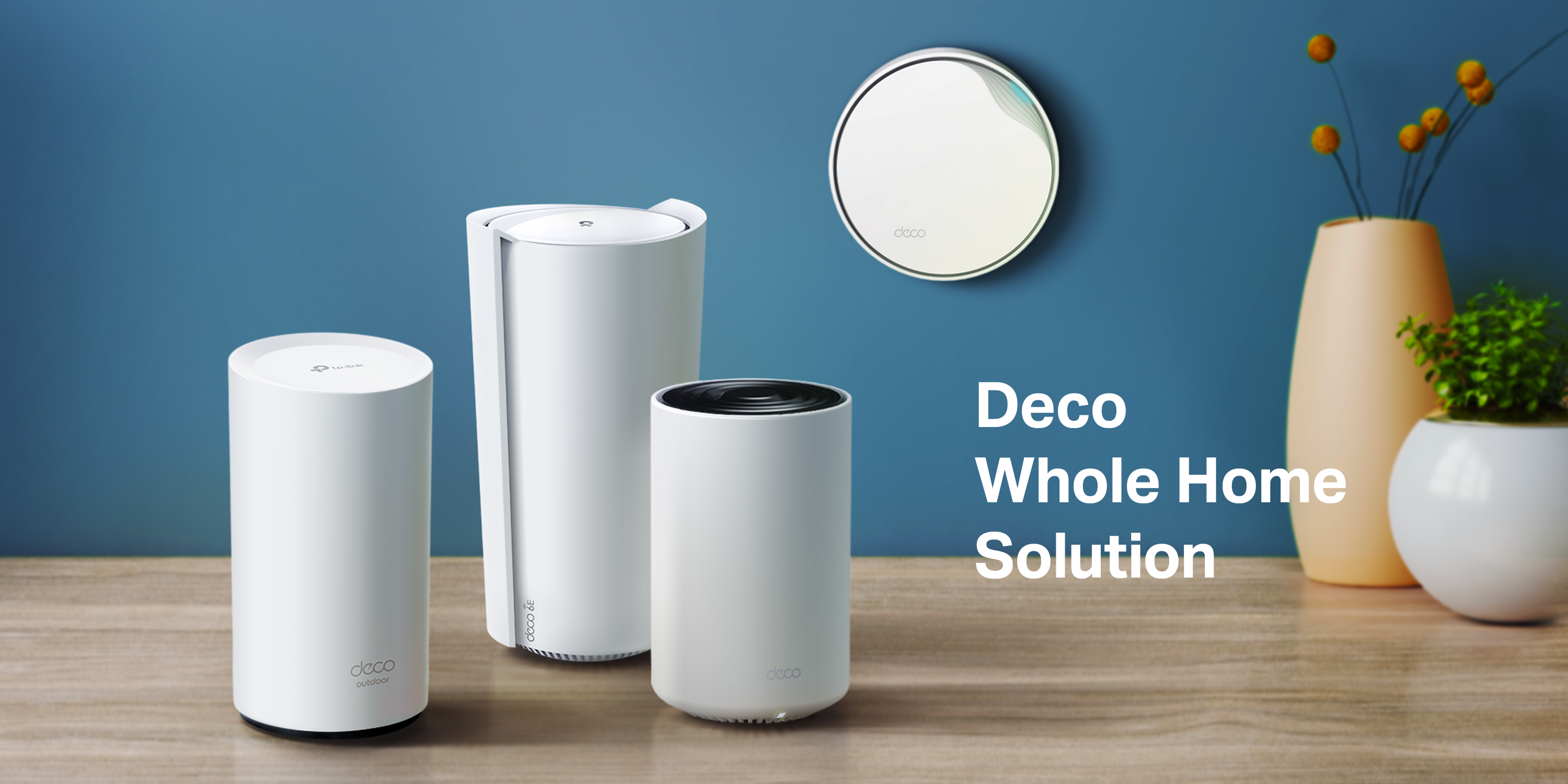
The TP-Link Deco X20 units feature a minimalist, cylindrical design that is intended to blend into home decor rather than stand out as tech gear. Each unit is compact, with internal antennas, avoiding the bulky, multi-antenna look of traditional routers. The build includes two Gigabit Ethernet ports on the back of each unit, providing flexible wired connectivity options. The three-pack includes all necessary hardware: three Deco X20 units, three power adapters, one Ethernet cable, and a quick installation guide. The design philosophy prioritizes discreet placement on shelves or tables throughout the home to optimize mesh coverage.
Performance and Features
Wi-Fi 6 and Coverage
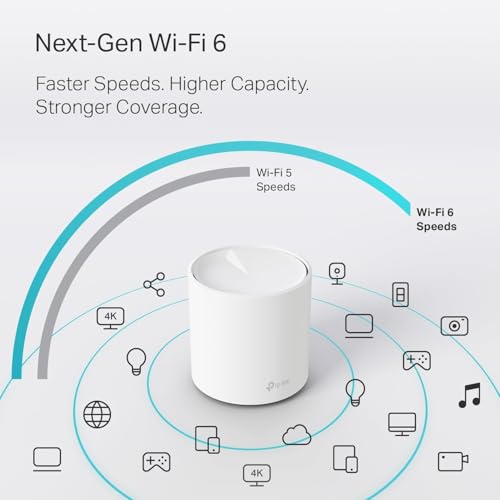
At its core, the Deco X20 system leverages Wi-Fi 6 (802.11ax) technology, which promises not just higher potential speeds but greater network efficiency and capacity. The system is rated as an AX1800 dual-band mesh, offering combined speeds up to 1.8 Gbps. This is designed to handle bandwidth-intensive activities like 4K/8K streaming and online gaming, even with many devices connected simultaneously. The key performance claim is whole-home coverage up to 5800 square feet with the three units working in concert, actively eliminating dead zones through a unified mesh network. Technologies like Beamforming and BSS Color are cited to enhance signal clarity and strength throughout the coverage area.
Connectivity and Ports
A significant feature for performance tuning is the support for Wired Ethernet Backhaul. Each of the three Deco units has two Gigabit Ethernet ports, totaling six ports for the system. This allows users to connect the satellite units back to the main router unit using Ethernet cables, creating a dedicated backbone for mesh communication. This wired backhaul can provide faster and more stable connections between nodes compared to a purely wireless mesh, potentially improving overall network speeds and reliability. The ports also allow any unit to function as a wired access point for devices like gaming consoles, smart TVs, or desktop PCs.
Key Software and Security Features
Management is handled entirely through the TP-Link Deco app, available for iOS and Android. The app provides setup guidance, network monitoring, and control over key features. The system includes TP-Link HomeShield, a security service offering both free and premium tiers. The free version includes basic network security scans, IoT device identification, basic parental controls with customizable profiles, Quality of Service (QoS) settings, and basic activity reports. Parental controls allow for managing internet access schedules and content filtering on a per-device or per-profile basis. The system also supports Alexa voice commands for simple tasks like turning the guest network on or off.
Setup, Support and Ownership
Setup is highlighted as a major strength. The process is guided by the Deco app, which uses clear visual instructions to connect the main unit to a modem, name the network, and then add the additional satellite units. The manufacturer states the network can be operational in minutes. The system is designed to work with any internet service provider, though a separate modem is required for most. The mesh is scalable; if the 5800-square-foot coverage is insufficient, additional Deco units (compatible models are not specified in the provided data) can be added through the app. TP-Link provides a two-year manufacturer’s warranty. Ongoing support and firmware updates are managed through the app, though specifics on update frequency or long-term support are not detailed in the product data.
What Owners Say
Owner feedback for the TP-Link Deco X20(3-pack) is overwhelmingly positive, reflected in its high average rating. The vast majority of reviews are five-star, with praise frequently centered on the system’s ability to eliminate Wi-Fi dead zones and provide consistent, whole-house coverage. Many owners specifically mention the ease and speed of the app-based setup, noting it is far simpler than configuring a traditional router. The stability of the connection over long periods (months to years) is a common positive point, with users reporting reliable performance for streaming, gaming, and supporting numerous smart home devices.
Some critical feedback exists within the lower-rated reviews. A small percentage of users report issues requiring extensive troubleshooting with support, sometimes related to initial setup conflicts with their ISP equipment. There are occasional mentions of the mobile app needing to be opened periodically to maintain optimal performance, as it may manage background processes. While rare, these experiences highlight that despite the streamlined setup, some network configurations may encounter hurdles. The general consensus, however, is that once properly configured, the system delivers on its core promise of seamless, wide-reaching Wi-Fi.
Pros and Cons
Pros
- Exceptional whole-home coverage up to 5800 square feet
- Stable performance supporting up to 150 devices
- Wi-Fi 6 efficiency for faster speeds and reduced congestion
- True seamless roaming with a single network name
- Easy, app-guided setup and management
- Includes basic parental controls and HomeShield security
- Six total Gigabit Ethernet ports support wired backhaul
Cons
- Requires a separate modem for internet connection
- Full Wi-Fi 6 speeds require compatible client devices
- Advanced management and monitoring rely solely on the mobile app
- Premium features of HomeShield require a subscription
- Some users report occasional need for app interaction to maintain performance
Who Should Buy It (and Who Should Skip It)
The TP-Link Deco X20(3-pack) is an excellent buy for residents of large homes or homes with challenging layouts (multiple floors, thick walls) who suffer from unreliable Wi-Fi in certain areas. It is perfectly suited for tech-heavy households with many smart devices, streaming boxes, and phones that need a stable, high-capacity network. Users who value simple, tool-free setup and easy management via a smartphone app will appreciate its design. It’s also a smart choice for those with internet plans up to 1 Gbps who want to ensure that speed is distributed reliably everywhere. For broader insights on securing such a network, explore our guide on the best VPN routers.
This system may not be the best fit for users in very small apartments where a single, powerful router would suffice, as the three-unit mesh is overkill. Those who require deep, granular control over their network settings, prefer a web-based admin interface, or need advanced networking features like VLANs should look at more prosumer or business-oriented equipment. Additionally, if your home is already well-wired with Ethernet and you only need one or two wired access points, a traditional router with extenders might be a more cost-effective solution. For users whose primary focus is high-end gaming performance on a single machine, a dedicated gaming router might offer more tailored features.
Final Verdict
The TP-Link Deco X20(3-pack) successfully delivers on the fundamental promise of a mesh system: widespread, reliable Wi-Fi that feels effortless. Its strength lies in marrying the improved efficiency and capacity of Wi-Fi 6 with a remarkably user-friendly setup process. The inclusion of Ethernet ports on every unit is a significant advantage, offering the flexibility for wired backhaul or direct connections to key devices, which can maximize performance. For the target audience—homeowners with coverage problems and a growing number of connected devices—it provides a substantial upgrade over typical ISP rental gear or a single router.
While it requires a modem and won’t replace high-end, feature-rich standalone routers for power users, its balance of performance, coverage, and simplicity is compelling. The integrated basic security and parental controls add value for family households. Considering the positive owner feedback regarding long-term stability and ease of use, the Deco X20(3-pack) stands as a highly recommended solution for creating a robust, future-ready home network that just works. For those building out a connected smart home, understanding the broader ecosystem is key, as discussed in our AI & Software section.
FAQs
Do I need a modem with the TP-Link Deco X20?
Yes, the Deco X20 is a router and mesh Wi-Fi system. It requires a modem to connect to your internet service provider. The system works with all major ISPs, but you must have a compatible modem to establish the internet connection, which you then plug into the main Deco unit.
What is the advantage of using a wired Ethernet backhaul?
Wired Ethernet backhaul uses physical Ethernet cables to connect the satellite Deco units to the main router unit, instead of using Wi-Fi for communication between nodes. This dedicates the Wi-Fi bands entirely to your devices, can reduce latency, increase overall network stability, and often provides faster speeds between nodes, especially in congested wireless environments.
Can I use the Ethernet ports on the satellite units?
Absolutely. Each Deco X20 unit has two Gigabit Ethernet ports. On satellite units, these ports are active and can be used to connect wired devices like gaming consoles, desktop computers, or smart TVs directly to your network, providing a fast and stable connection even if the device is far from the main router.
Is TP-Link HomeShield security free?
TP-Link HomeShield offers both free and premium subscription tiers. The free version includes valuable features like basic network security scans, identification of IoT devices on your network, basic parental controls (scheduling and profiles), Quality of Service (QoS), and basic weekly or monthly reports. Advanced features require a paid subscription. For more on protecting your digital life, check out our Cybersecurity resources.
About the author

Elvis Dicki writes reviews and buying guides for CyberSecLabs.