GLiNet GL-BE6500 Review: A WiFi 7 Router for Fiber Optic Modems
The GLiNet GL-BE6500 (Flint 3e) delivers next-generation WiFi 7 speeds, exceptional VPN performance, and extensive connectivity for large homes and demanding users.
 By Elvis Dicki
Updated October 20, 2026
By Elvis Dicki
Updated October 20, 2026
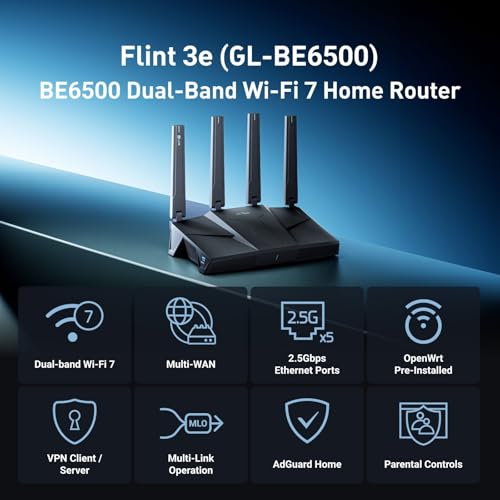
The GLiNet GL-BE6500 (also known as the Flint 3e) is a high-performance WiFi 7 router designed to meet the demands of modern, high-bandwidth households and small businesses. It targets users with fiber optic connections, gamers seeking ultra-low latency, and tech-savvy individuals who prioritize network security and advanced customization through features like VPN client support and AdGuard Home. In short, this router aims to be a future-proof hub that combines the raw speed of WiFi 7 with the versatility and control typically found in more niche, open-source hardware.

Positioned as a solution for long-range coverage in large homes and a capable tool for business or gaming, the GL-BE6500 differentiates itself with five multi-gigabit Ethernet ports and a stated ability to handle over a hundred connected devices. Its integration of services like Bark for parental controls and support for high-speed WireGuard and OpenVPN connections makes it a compelling option for users looking to consolidate advanced networking features into a single device. The bottom line: this is a feature-rich, WiFi 7 router built for users who need extensive wired and wireless connectivity paired with robust software controls.
Prime GL.iNet Flint 3e GL-BE6500 WiFi 7 Router






As an Amazon Associate we earn from qualifying purchases. Product prices and availability are accurate as of the date/time indicated.
GLiNet GL-BE6500 at a Glance
| Specification | Detail |
|---|---|
| WiFi Standard | WiFi 7 (802.11be) |
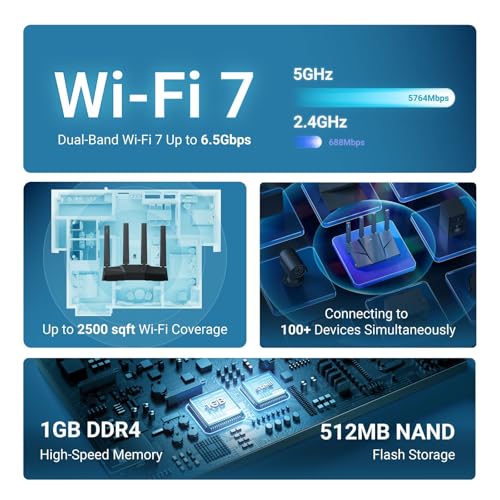
| Maximum Theoretical Speed | Up to 6.5 Gbps |
| Ethernet Ports | 5 x 2.5 Gigabit |
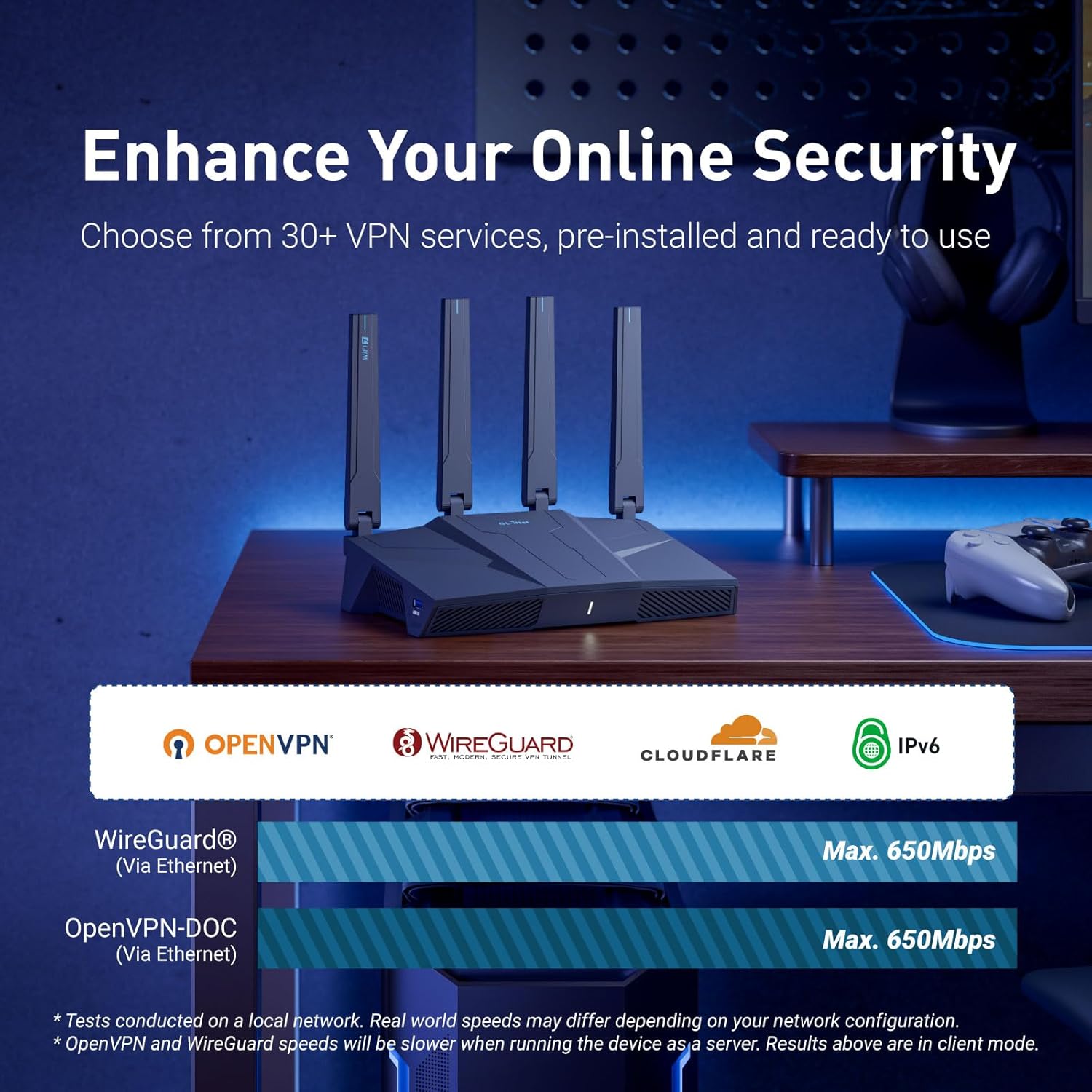
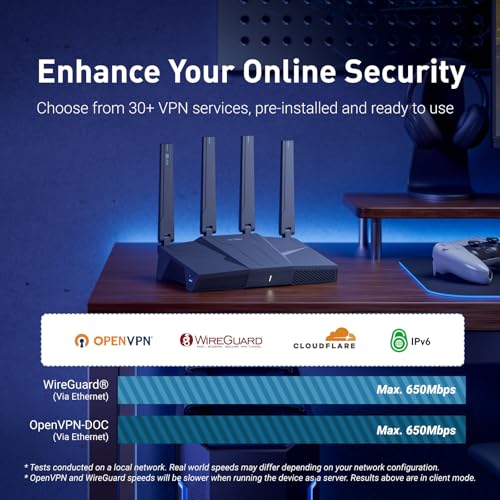
| VPN Speed (Claimed) | Up to 680 Mbps (WireGuard & OpenVPN) |
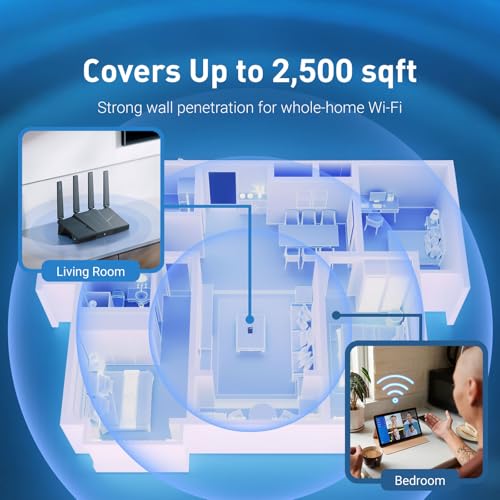
| Coverage Area | Up to 2,500 square feet |
| Supported Devices | Over 100 devices |
| Key Features | MLO, 4K-QAM, AdGuard Home, Bark Parental Controls |
| Memory | 1 GB DDR4 RAM |
| Antennas | 4 x Retractable |
| Security Protocols | WPA3, WPA2, WPA-Enterprise |
Design and Build
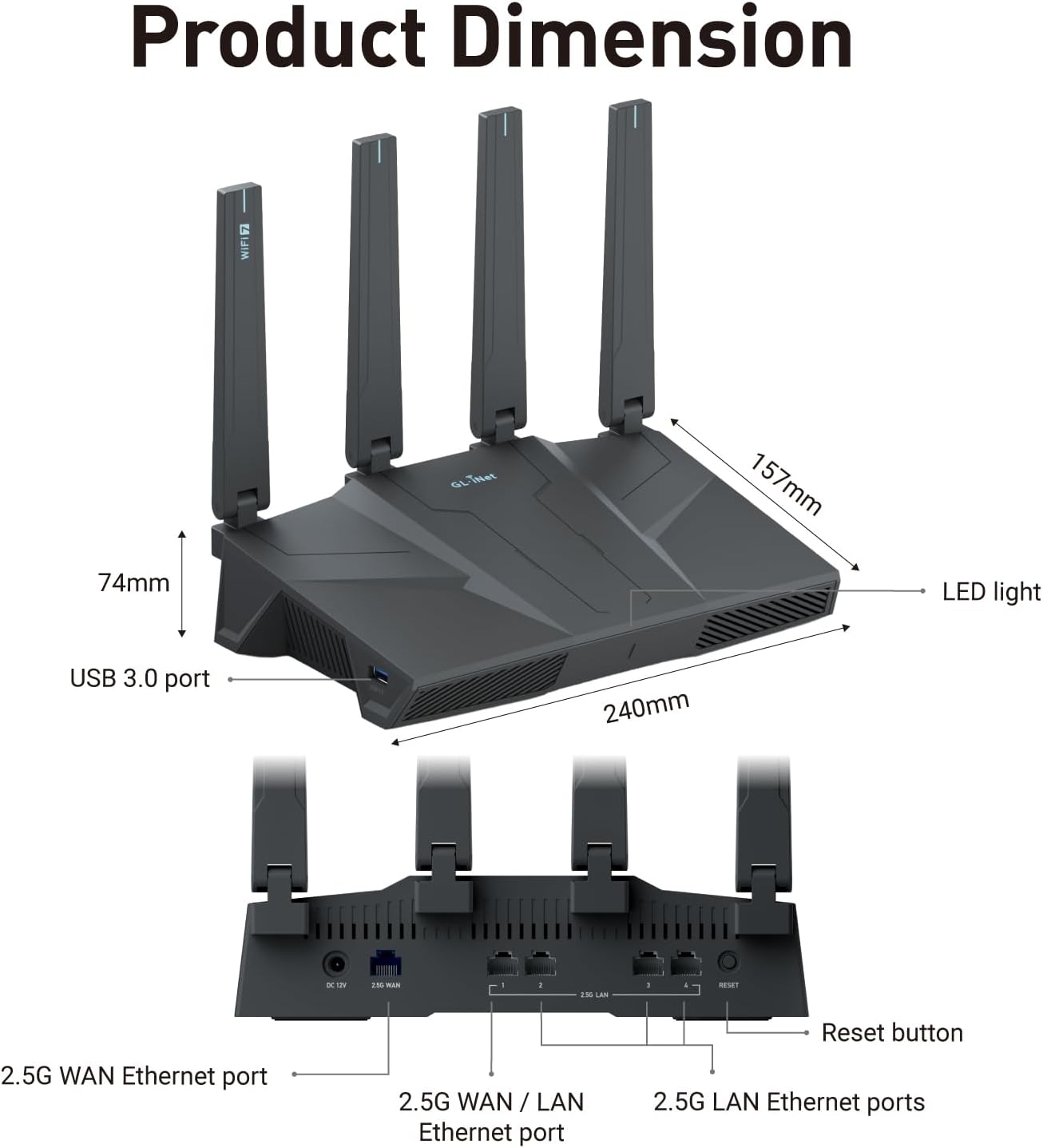
The GLiNet GL-BE6500 presents a utilitarian, business-like aesthetic common to performance-focused networking gear. Its design is centered around functionality, housing four retractable antennas that can be positioned for optimal signal distribution. The inclusion of these antennas is a direct contributor to its stated long-range coverage capabilities for up to 2,500 square feet. The build quality, as inferred from the provided specifications, suggests a device meant for permanent placement in a home office or entertainment center, rather than portability.
The rear panel is where the router’s wired connectivity prowess is on full display, featuring five 2.5 Gigabit Ethernet ports. This abundance of high-speed ports is a significant highlight, allowing direct, multi-gig connections to a fiber optic modem, NAS devices, gaming PCs, and other wired equipment simultaneously without creating a bottleneck. This design choice clearly aligns with its recommended uses for business, gaming, and large homes where wired backhaul and device connections are critical. The physical controls are listed as including a push button, presumably for functions like WPS, with primary management handled through a web admin panel or app.
Performance and Features
Wireless Performance and WiFi 7 Advancements
As a WiFi 7 (802.11be) router, the GL-BE6500’s headline feature is its support for the latest wireless standard, promising total speeds up to 6.5 Gbps. This is enabled by cutting-edge technologies like Multi-Link Operation (MLO), which allows devices to transmit data across multiple frequency bands simultaneously for increased throughput and reduced latency, and 4K-QAM for more efficient data encoding. These features are specifically highlighted as beneficial for high-density environments, smooth 4K/8K streaming, and low-latency gaming. The router is also backwards compatible with previous WiFi standards (ax/ac/n/g/a/b).
Wired Connectivity and Ports
The five 2.5 Gigabit Ethernet ports are a cornerstone of this router’s design. Each port supports a bandwidth of 2500 Mbps, making them ideal for connecting to modern fiber optic modems that offer multi-gig internet plans, as well as for creating a high-speed local network between computers and network-attached storage (NAS) devices. This configuration provides exceptional flexibility for a wired setup, eliminating the need for an additional switch for most users and ensuring maximum speed for latency-sensitive wired devices.
Security and Software Features
The GL-BE6500 packs a suite of advanced software features. Its VPN performance is a major selling point, with claimed speeds of up to 680 Mbps for both WireGuard and OpenVPN protocols, allowing for secure, high-speed tunneling for gaming, streaming, and work. For network-level content filtering, it supports AdGuard Home, a DNS-based service for blocking ads and trackers. Family protection is handled through integrated support for Bark parental controls, enabling website filtering, safe search enforcement, and screen time management. The router runs on a Linux-based operating system, which typically allows for a higher degree of customization and third-party plugin support for DIY users.
Setup, Support and Ownership
Setup is described as straightforward. Users can either follow an initial setup video tutorial available on the product page or connect the router to a computer via an Ethernet cable to access the web-based Admin Panel for configuration. The manufacturer includes the necessary components for basic setup: the router itself, a power adapter, an Ethernet cable, and a user manual. For ongoing support, GLiNet provides a standard 2-year manufacturer’s warranty. As the router is based on open-source software, it is likely to receive firmware updates that add features and security patches over time, though the specific update policy is not detailed in the provided data.
Ownership of a device like this implies a commitment to a more hands-on networking experience compared to basic ISP-provided hardware. The support for additional plugins caters to users with specific needs, from advanced network monitoring to specialized security applications. Its smart home compatibility ensures it can integrate into a modern connected home ecosystem. While the router is designed to be powerful out of the box, its true potential may be unlocked by users willing to explore its software capabilities and customize settings for their specific environment.
What Owners Say
As a new model, the GLiNet GL-BE6500 (Flint 3e) has yet to accumulate a substantial volume of long-term user feedback. The product holds a rating, but detailed buyer review excerpts discussing real-world performance, reliability over time, and the effectiveness of features like the VPN speeds or parental controls are not currently available. Prospective buyers should consider that while the specifications and manufacturer claims are promising, independent verification of performance in diverse home layouts and under heavy multi-device loads is still forthcoming from the user community.
Pros and Cons
Pros
- Future-proof WiFi 7 support with MLO and 4K-QAM for low latency
- Five 2.5 Gigabit Ethernet ports for extensive wired connectivity
- Exceptionally high claimed VPN speeds with WireGuard and OpenVPN
- Robust software features including AdGuard Home and Bark parental controls
- High device capacity, supporting over a hundred connections
- Linux-based OS allows for advanced customization and plugins
Cons
- Actual speeds depend on ISP, network environment, and VPN server
- Initial setup requires an Ethernet connection or video tutorial
- Lacks extensive long-term user reviews and feedback
- Advanced features may have a steeper learning curve for novices
- Performance in very large or complex homes may vary
- Retractable antenna design may not suit all aesthetic preferences
Who Should Buy It (and Who Should Skip It)
The GLiNet GL-BE6500 is an ideal fit for users with fiber optic or other high-speed internet plans who want to fully utilize their bandwidth with both wired and wireless devices. It’s perfect for tech enthusiasts, gamers prioritizing low latency, and homeowners with large spaces (up to 2,500 sq ft) and many smart devices. Small business owners or remote workers who require reliable VPN client functionality will also find its high VPN throughput valuable. Furthermore, parents looking for integrated, robust parental controls and users wanting to block ads at the network level will appreciate its built-in software features.
This router is likely overkill for users with basic internet needs, small apartments, or those who prefer a completely plug-and-play experience without any configuration. Individuals who are not comfortable accessing a web admin panel for setup or who do not need features like multi-gig wired ports, advanced VPN routing, or DNS-level ad blocking should consider a simpler, more basic router. Those who rely heavily on community reviews and long-term reliability data before purchasing may want to wait for more user feedback to accumulate on this new model.
Final Verdict
The GLiNet GL-BE6500 (Flint 3e) makes a strong case as a forward-looking, feature-dense router that bridges the gap between consumer convenience and prosumer control. Its commitment to WiFi 7 ensures relevance for years to come, while the quintet of 2.5G ports addresses a common bottleneck in modern home networks. The integration of high-speed VPN client capabilities, ad blocking, and serious parental controls into the core firmware is impressive, offering a level of network management typically requiring additional hardware or software subscriptions.
While its performance in any specific environment will depend on variables like internet service and building layout, the specifications and design choices target demanding use cases head-on. For those building a high-performance home network centered on a fiber connection, or for the security-conscious user wanting to integrate VPN and filtering directly into their router, the GL-BE6500 presents a compelling and versatile solution. It stands as a powerful contender in the emerging WiFi 7 market, particularly for users whose needs extend beyond simple wireless access. For more insights on setting up a capable home tech environment, explore our guides on the best AI smart home devices and essential tech gear.
FAQs
What is the main advantage of the WiFi 7 standard in this router?
WiFi 7, via technologies like Multi-Link Operation (MLO) and 4K-QAM, provides significantly higher potential speeds (up to 6.5 Gbps), drastically reduced latency, and improved performance in environments with many connected devices. This translates to smoother 8K video streaming, more responsive online gaming, and reliable video calls even when the network is busy.
Can I use this router with my existing modem?
Yes, the GLiNet GL-BE6500 is compatible with standard modems. It is specifically highlighted as being suitable for fiber optic modems, thanks to its 2.5 Gigabit WAN port. You would connect your modem to one of the router’s Ethernet ports to establish your internet connection.
How does the integrated AdGuard Home feature work?
AdGuard Home runs as a DNS server on the router itself. It blocks requests to known advertising and tracking domains before they ever reach your devices, providing ad-free browsing across your entire network without the need to install software on each phone, computer, or tablet. It includes a web interface for management and customization.
Is this router difficult to set up for someone without networking experience?
The manufacturer provides a video tutorial for initial setup, and the primary configuration is done through a web admin panel accessed by connecting a computer via Ethernet. While the basic internet setup should be straightforward, taking advantage of its more advanced features like VPN client configuration, AdGuard Home, or Bark parental controls will require reading the documentation and a willingness to explore the settings. For broader product evaluations, you can check our other reviews and blog for detailed guides.
About the author

Elvis Dicki writes reviews and buying guides for CyberSecLabs.