TP-Link ER605 Review: A Wired Multi-WAN VPN Router for SMBs
The TP-Link ER605 V2 delivers robust multi-WAN connectivity and extensive VPN support within a wired, business-focused design, making it a compelling choice for small businesses and tech-savvy users seeking reliable network control beyond consumer-grade routers.
 By Elvis Dicki
Updated October 20, 2026
By Elvis Dicki
Updated October 20, 2026
In the realm of business networking, reliability, security, and control are paramount. The TP-Link ER605 V2 Wired Gigabit VPN Router enters this space not as a flashy all-in-one unit, but as a dedicated, no-nonsense gateway designed to deliver these core tenets. This is a product squarely aimed at small to medium businesses, tech-savvy prosumers, and home lab enthusiasts who prioritize wired performance, network segmentation, and uptime over built-in Wi-Fi. Its value proposition lies in offering enterprise-grade features—like multi-WAN load balancing, robust VPN tunneling, and centralized SDN management—at an accessible price point. For those needing to manage multiple internet connections, secure remote access, or build a scalable, professional network foundation, the ER605 presents a compelling, feature-rich solution.

TP-Link ER605 V2 Gigabit Multi-WAN VPN Router





As an Amazon Associate we earn from qualifying purchases. Product prices and availability are accurate as of the date/time indicated.
TP-Link ER605 at a Glance
| Specification | Detail |
|---|---|
| Model | ER605 V2 |
| Ports | 5x Gigabit (1 WAN, 2 WAN/LAN, 2 LAN), 1x USB WAN |
| VPN Support | Up to 20 IPsec, 16 OpenVPN, 16 L2TP, 16 PPTP tunnels |
| Management | Omada SDN (Hardware/Software/Cloud Controller), Standalone Web UI |
| Key Security Features | SPI Firewall, DoS Defense, IP/MAC/URL Filtering, Access Control Lists (ACL) |
| WAN Features | Multi-WAN Load Balancing & Failover, USB 4G/3G Modem Backup |
| Data Transfer Rate | 1 Gigabit per second |
| Dimensions | 6.22″ L x 3.98″ W x 0.98″ H |
| Warranty | 5-Year Manufacturer |
Design and Build
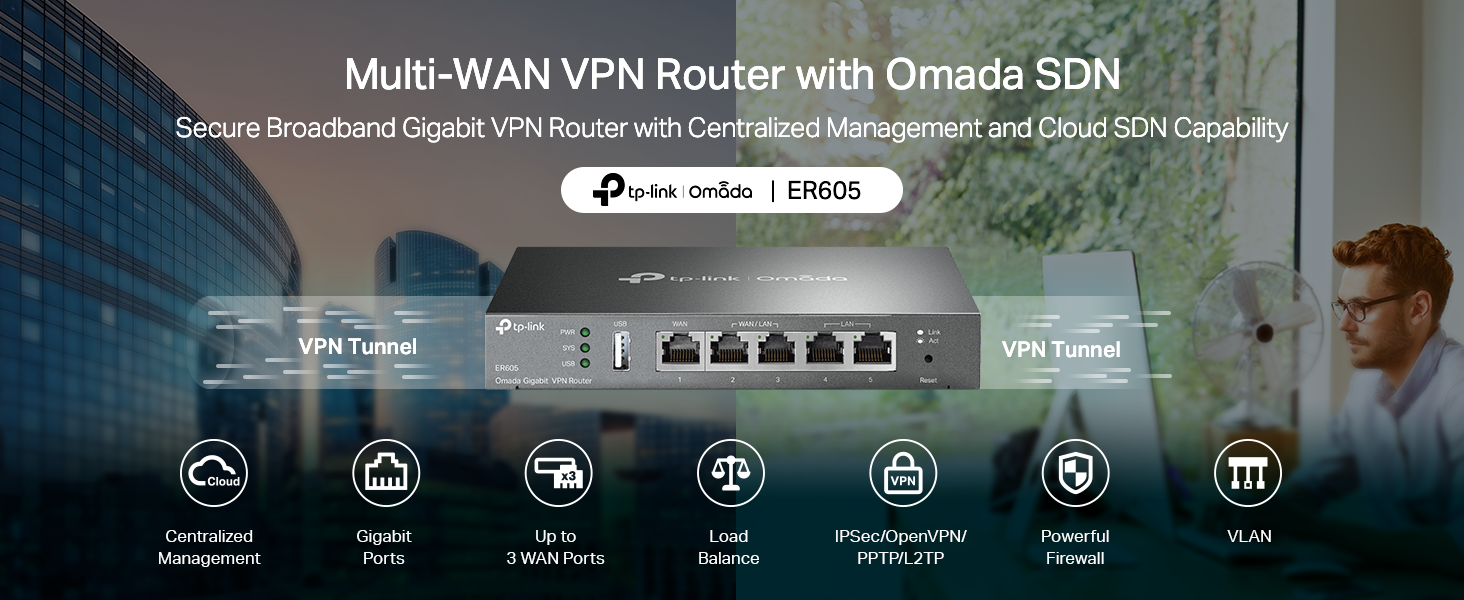
Departing from the plastic aesthetic of consumer routers, the TP-Link ER605 V2 adopts a compact, all-metal casing. This choice serves a dual purpose: it provides a more durable and professional appearance suitable for office environments, and it aids significantly in passive heat dissipation. The unit is designed to be a set-and-forget component, often placed in a network rack, closet, or server room. Its silver finish and modest dimensions make it unobtrusive. The port layout on the rear is straightforward, with the five Gigabit Ethernet ports and single USB port clearly labeled. The inclusion of built-in lightning protection is a notable build quality feature mentioned by the manufacturer, aimed at enhancing long-term hardware reliability—a critical consideration for business continuity.
Performance and Features
Connectivity and Port Configuration
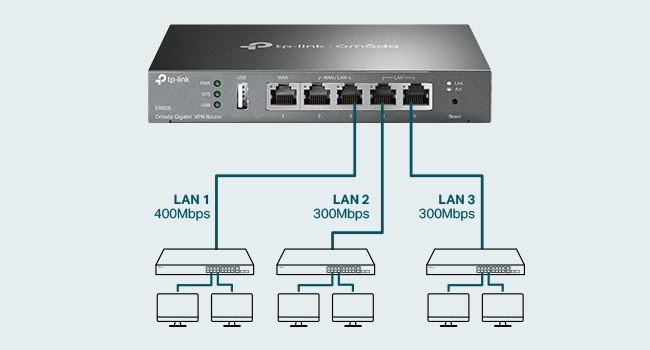
The core strength of the ER605 lies in its flexible connectivity. It features five Gigabit Ethernet ports, configurable as one dedicated WAN port, two dual-purpose WAN/LAN ports, and two dedicated LAN ports. This allows for up to three wired WAN connections simultaneously. The ability to aggregate multiple internet lines enables both load balancing (spreading traffic across connections for optimized bandwidth) and automatic failover (seamlessly switching to a backup connection if the primary fails). Complementing this is a USB port designed specifically for WAN backup via compatible 4G or 3G modems, providing a cellular failover option for critical uptime. It is important to note that compatibility with specific modems must be verified on the TP-Link website, as not all USB modems are supported.
VPN Capabilities
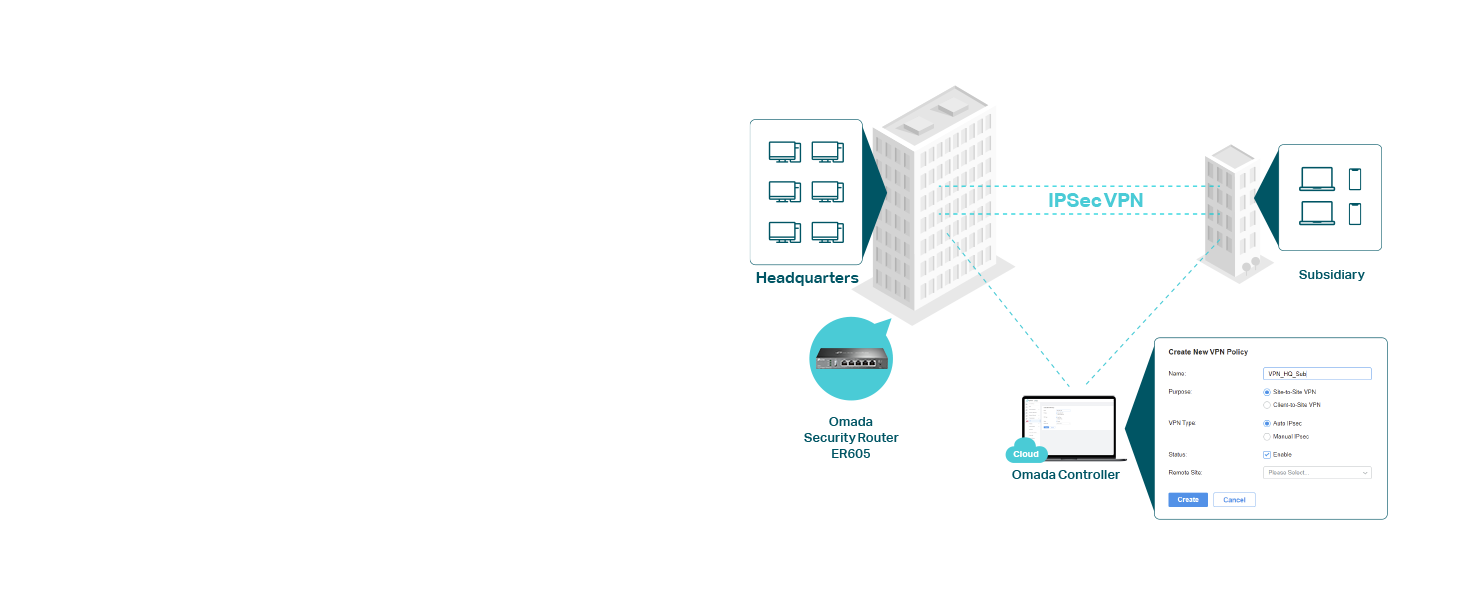
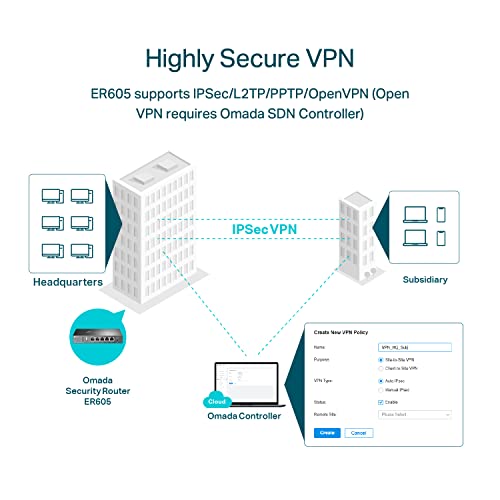
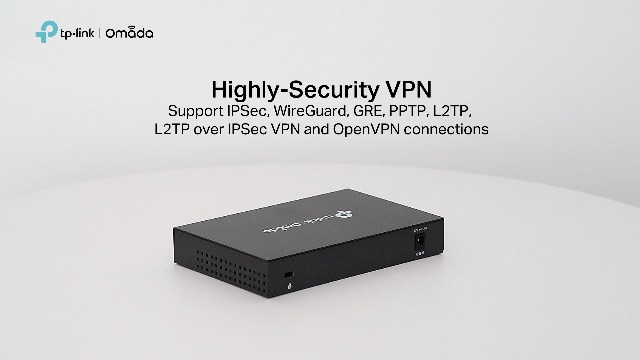
For secure remote access and site-to-site connections, the ER605 offers extensive VPN support. It can handle up to 20 LAN-to-LAN IPsec tunnels, 16 OpenVPN connections, 16 L2TP connections, and 16 PPTP connections. This capacity is substantial for a device in its class, catering to small businesses with remote workers or multiple branch offices. A key point from the manufacturer’s data is that advanced VPN features, including one-click auto IPSec VPN setup and OpenVPN server functionality, require the use of the Omada SDN Controller. In standalone mode, VPN configuration is more manual but still robust.
Security and Traffic Management
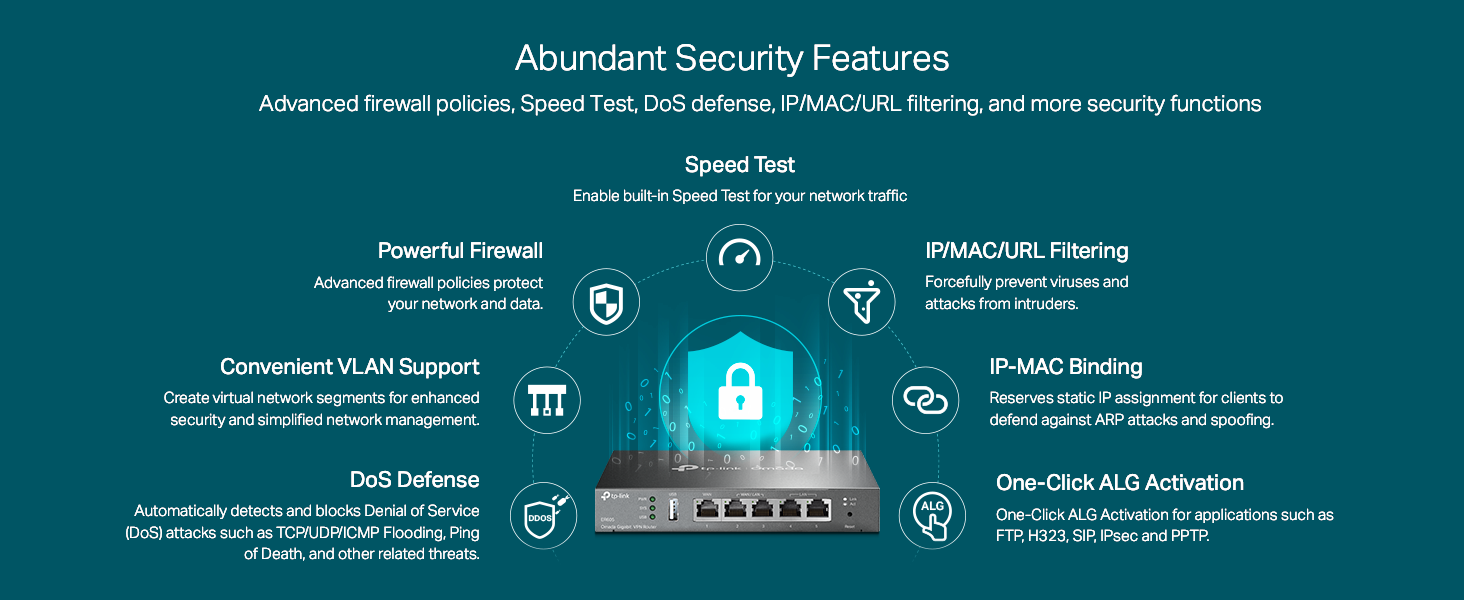
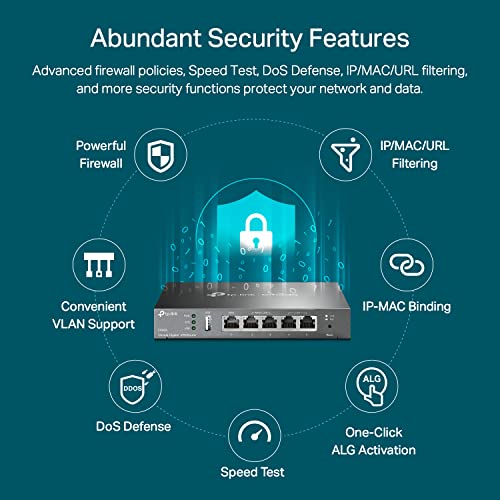
Security is addressed through a Stateful Packet Inspection (SPI) firewall, Denial-of-Service (DoS) attack defense, and various application layer gateways (ALGs) for protocols like FTP and SIP. Administrators can implement granular control through IP address, MAC address, and URL filtering. The Access Control List (ACL) and Internet Access Management features allow for the standardization of user online behavior, making it possible to define access rights and policies for different users or devices on the network. Bandwidth control and session limits provide tools for optimizing network usage and preventing any single user or application from monopolizing the connection.
Omada Software-Defined Networking (SDN)
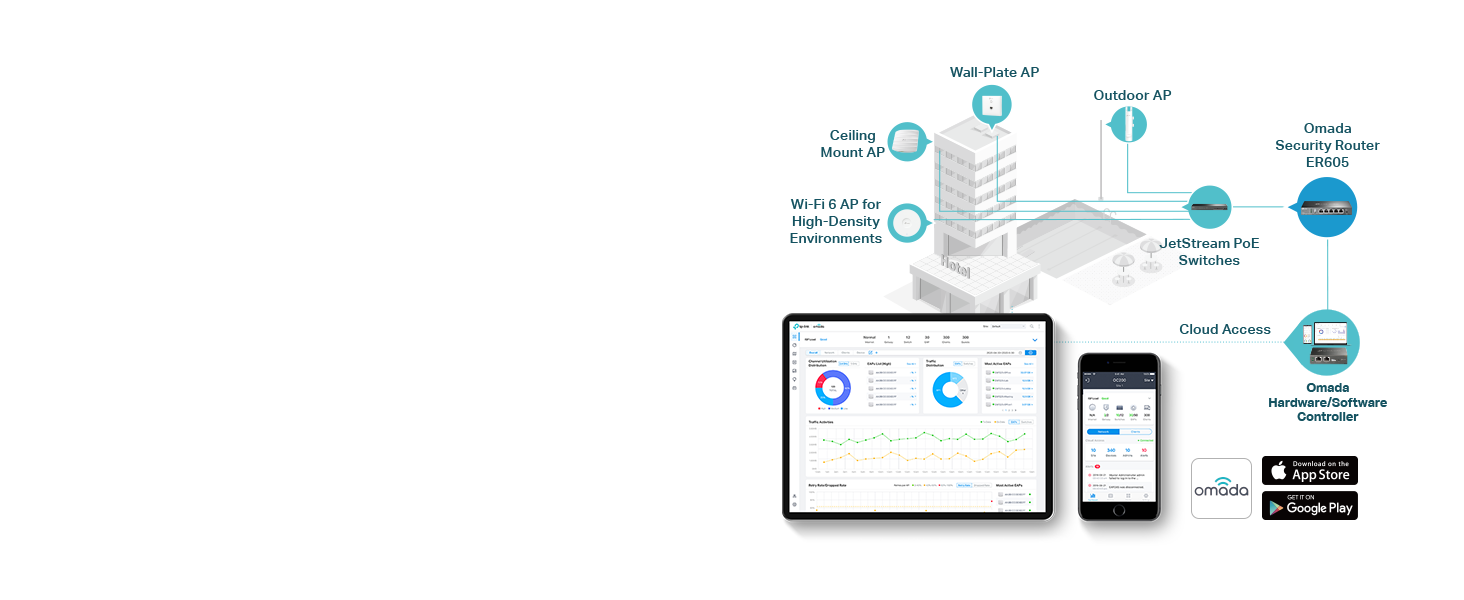
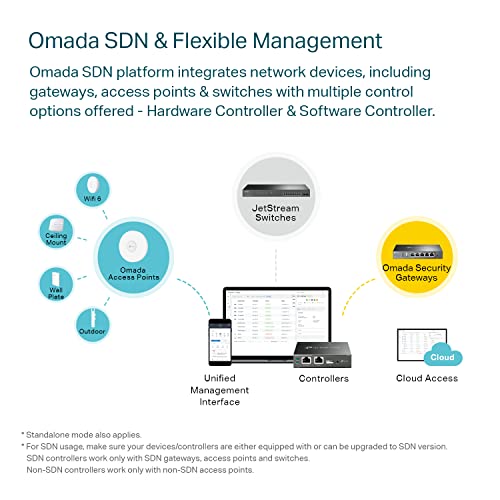
The ER605 is designed as a gateway within the TP-Link Omada SDN ecosystem. This platform allows for the centralized management of compatible Omada access points, switches, and gateways. Management can be conducted through a hardware controller, a software controller installed on a local server, or a cloud-based controller. This integration enables remote management, unified monitoring, and simplified configuration across the entire network from a single interface, which is a significant advantage for scaling or managing multi-site deployments.
Setup, Support and Ownership
Initial setup can be performed via the standalone web interface, which, according to buyer reviews, is generally straightforward for basic configurations like WAN setup and LAN DHCP. However, unlocking the router’s full potential—particularly for advanced VPN, seamless failover tuning, and integration into a larger Omada network—requires more technical knowledge. The product ships with a quick installation guide and an Ethernet cable. For long-term ownership, TP-Link provides a substantial 5-year manufacturer’s warranty, which speaks to confidence in the product’s durability. Firmware updates are available through TP-Link’s support portal to address security vulnerabilities and add features over time. It is a wired-only device, so it must be paired with separate wireless access points (like Omada EAPs) for Wi-Fi coverage.
What Owners Say
Owner feedback highlights the ER605’s reliability and value. The vast majority of reviewers award it five stars, praising its “rock solid” performance in handling extensive smart home or small business traffic over long periods. The automatic WAN failover feature, particularly when using a cellular backup, is frequently cited as a standout and highly reliable function. Users appreciate its dedicated, wired design as a step above consumer combo units, noting its stability and advanced feature set for the price. Some critical feedback from users includes observations that the order of WAN port priority in standalone mode can be counterintuitive, that certain setting changes require a hard reboot to apply, and that the user experience for advanced features is significantly improved when using the Omada Controller compared to the standalone interface. A small percentage of reviews point out complexities in setup for non-technical users.
Pros and Cons
Pros
- Flexible multi-WAN support with load balancing and failover
- Robust VPN capacity for secure remote and site-to-site connections
- Centralized, cloud-capable management via Omada SDN
- Comprehensive security features including SPI firewall and filtering
- All Gigabit ports ensure high-speed wired performance
- Durable metal build with a 5-year warranty
Cons
- Advanced VPN and management features require Omada SDN Controller
- Wired-only design necessitates separate access points for Wi-Fi
- USB WAN compatibility is limited to specific 4G/3G modems
- Standalone web interface can be less intuitive for complex setups
- Some settings require a hard reboot to take effect
- Targeted at users with networking knowledge
Who Should Buy It (and Who Should Skip It)
The TP-Link ER605 V2 is an ideal choice for small businesses, home offices, and tech enthusiasts who need reliable, multi-WAN connectivity, strong VPN support, and a foundation for a scalable professional network. It is perfect for users integrating it into a TP-Link Omada ecosystem for unified management or for those who simply want a more powerful and stable wired router than typical consumer gear provides. It suits environments where uptime is critical, thanks to its failover capabilities, and where network traffic needs granular control.
This router is not suitable for users seeking an all-in-one solution with built-in Wi-Fi. Individuals or households with a single internet connection and basic networking needs will find it overkill and potentially complex. Those unwilling to manage separate access points for wireless connectivity or who do not have the technical aptitude for configuring advanced routing, VPN, and firewall rules should consider a more consumer-oriented solution. For broader context on securing network traffic, readers might explore our guide on the best VPN routers.
Final Verdict
The TP-Link ER605 V2 Wired Gigabit VPN Router successfully carves out its niche by delivering business-oriented features at a remarkably accessible cost. Its performance in multi-WAN scenarios, combined with substantial VPN tunneling capacity and the option for professional SDN management, offers a level of control and reliability that far exceeds typical home routers. While its wired-only nature and the need for a controller to unlock certain advanced features are important considerations, they are trade-offs that define its purpose as a dedicated network workhorse.
For the small business owner looking to ensure connectivity, the prosumer building a robust home lab, or anyone integrating into a managed Omada network, the ER605 represents outstanding value and capability. It is a testament to the idea that specialization often yields superior results, providing a focused, powerful, and dependable networking foundation. For those managing more extensive infrastructure, insights from resources like our review of the best enterprise servers for network security may provide valuable complementary information.
FAQs
Does the TP-Link ER605 have Wi-Fi?
No, the TP-Link ER605 is a dedicated wired router and does not have built-in Wi-Fi. It is designed to be the core routing and firewall device for a network. To provide wireless connectivity, it must be connected to separate wireless access points, such as those from the TP-Link Omada EAP series or any other standard access points.
Do I need the Omada Controller to use the ER605?
No, the ER605 can be configured and used in standalone mode via its built-in web interface for basic routing, firewall, and VPN functions. However, to use advanced features like one-click IPSec VPN, OpenVPN server functionality, and to integrate it into a centrally managed Omada network with other compatible devices, an Omada Controller (hardware, software, or cloud-based) is required.
Can I use any USB 4G modem for WAN backup?
No, compatibility is limited. The ER605’s USB WAN port supports mobile broadband backup, but only with specific 4G and 3G modems that have been tested and approved by TP-Link. The manufacturer advises users to visit the TP-Link website for a complete list of compatible modems before purchasing a cellular modem for use with this router.
Is the ER605 suitable for a home network with only one internet connection?
While it will function perfectly well, it may be overkill for a simple single-WAN home network with basic needs. Its value is most apparent when utilizing multiple WAN connections, advanced VPNs, or granular traffic controls. A user with a single connection who does not need these advanced features might find a simpler consumer router more appropriate and easier to set up. For users focused on cybersecurity fundamentals, starting with the best cybersecurity books for beginners could be a helpful first step.
About the author

Elvis Dicki writes reviews and buying guides for CyberSecLabs.