TP-Link Archer A54 Review: Can Its EasyMesh Expand Your Home Network?
The TP-Link Archer A54 is a budget-friendly, dual-band AC1200 router that delivers solid performance for small to medium homes, with standout features like EasyMesh compatibility and WPA3 security making it a versatile choice for families looking to grow their network.
 By Elvis Dicki
Updated October 20, 2026
By Elvis Dicki
Updated October 20, 2026
The TP-Link Archer A54 is a dual-band AC1200 WiFi router designed for users seeking reliable wireless coverage without a complex setup. It caters primarily to households with moderate internet usage, such as streaming, casual gaming, and everyday browsing. This router is an ideal solution for those looking to upgrade from an older or ISP-provided model, offering enhanced features like EasyMesh compatibility for future expansion and robust parental controls for family management. Its straightforward design and app-based management make it accessible for users of all technical levels, providing a solid networking foundation for a typical home.

In essence, the Archer A54 delivers dependable Wi-Fi 5 performance with a focus on ease of use and scalability, making it a compelling option for budget-conscious consumers who value both current functionality and the potential for a seamless whole-home mesh network in the future. For those ready to purchase, it is available directly from Amazon: TP-Link Archer A54.
Prime TP-Link Archer A54 AC1200 Dual Band WiFi Router









As an Amazon Associate we earn from qualifying purchases. Product prices and availability are accurate as of the date/time indicated.
TP-Link Archer A54 at a Glance
| Specification | Detail |
|---|---|
| Wi-Fi Standard | Wi-Fi 5 (802.11ac) |
| Total Bandwidth | AC1200 (867 Mbps on 5GHz + 300 Mbps on 2.4GHz) |
| Coverage Area | Up to 1,000 sq. ft. |
| Antennas | 4 External Fixed Antennas |
| Ethernet Ports | 4 x 10/100 Mbps Fast Ethernet |
| Security Protocol | WPA3, WPA2-PSK, WPA2-Enterprise |
| Key Features | EasyMesh Compatible, Parental Controls, Access Point Mode, MU-MIMO, IPv6 Support |
| Management | TP-Link Tether App (Android/iOS) |
| Compatibility | Works with major ISPs (requires separate modem) |
Design and Build
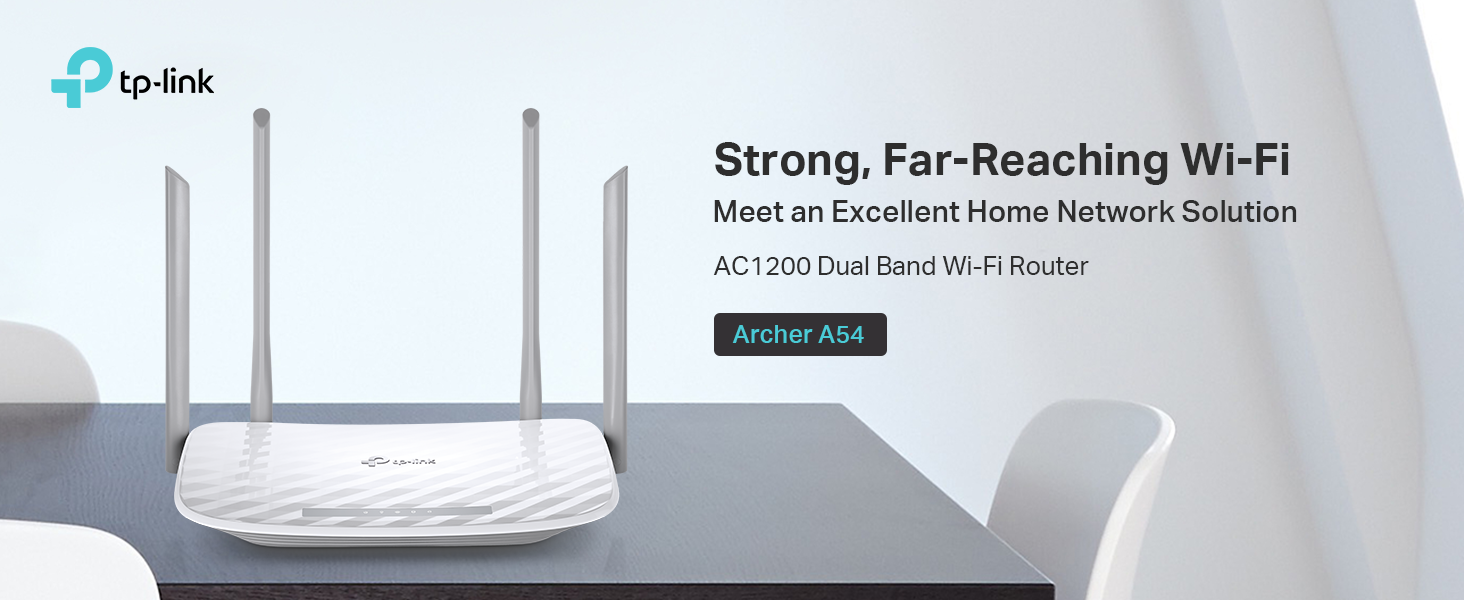
The TP-Link Archer A54 features a compact, low-profile design typical of entry-level routers, with a matte black finish that blends into most home or office environments. Its most prominent physical features are the four fixed external antennas, which are positioned to provide stable wireless connections and optimal coverage across the advertised area. The front panel houses LED indicators for power, internet, and the 2.4GHz and 5GHz bands, which can be scheduled to turn off to avoid light pollution during sleep hours. The build is lightweight and designed for desktop placement. The included accessories are a power adapter, an RJ45 Ethernet cable, and a quick installation guide, providing everything needed for a basic setup out of the box.
Performance and Features
Wireless Performance and Coverage
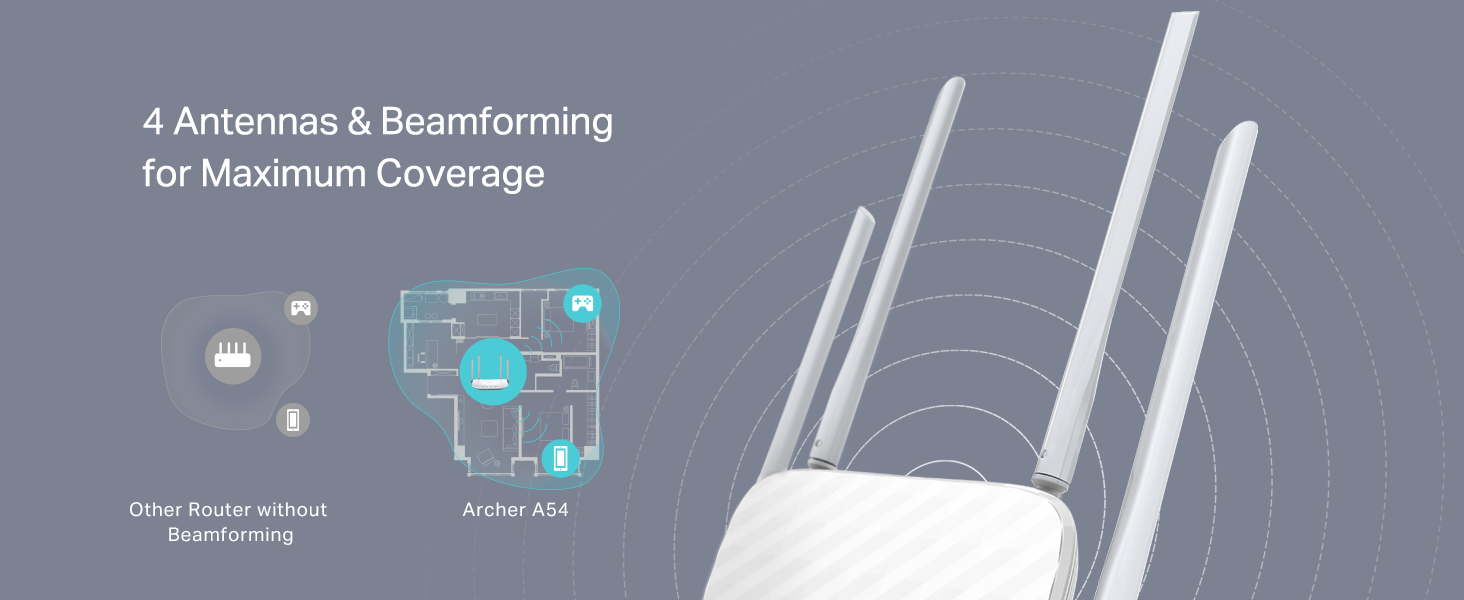
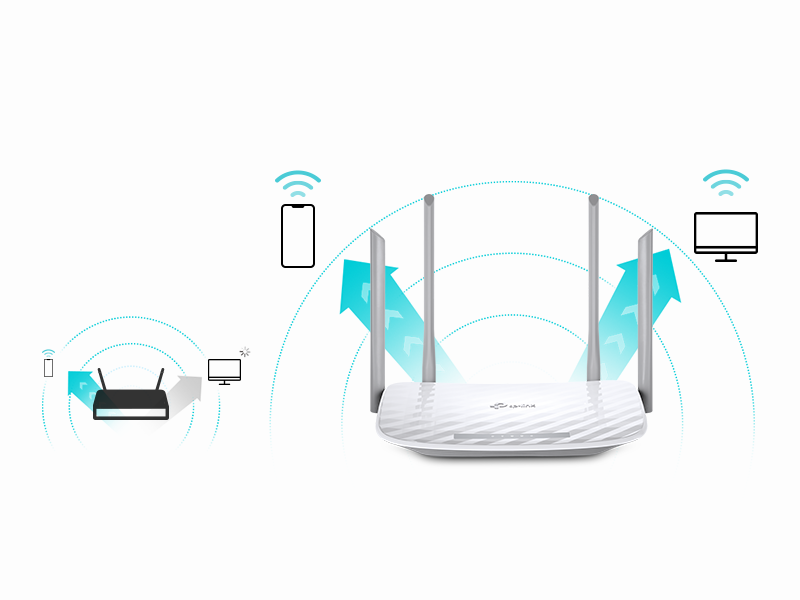
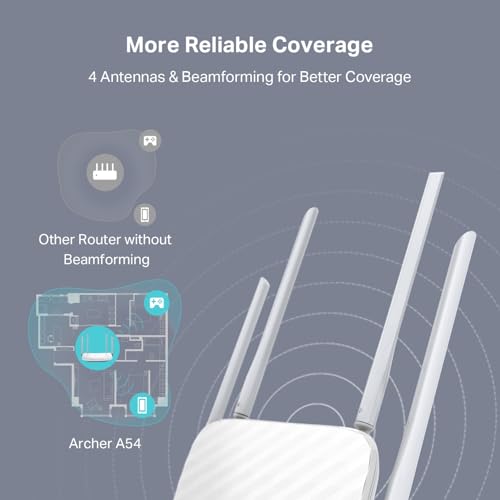
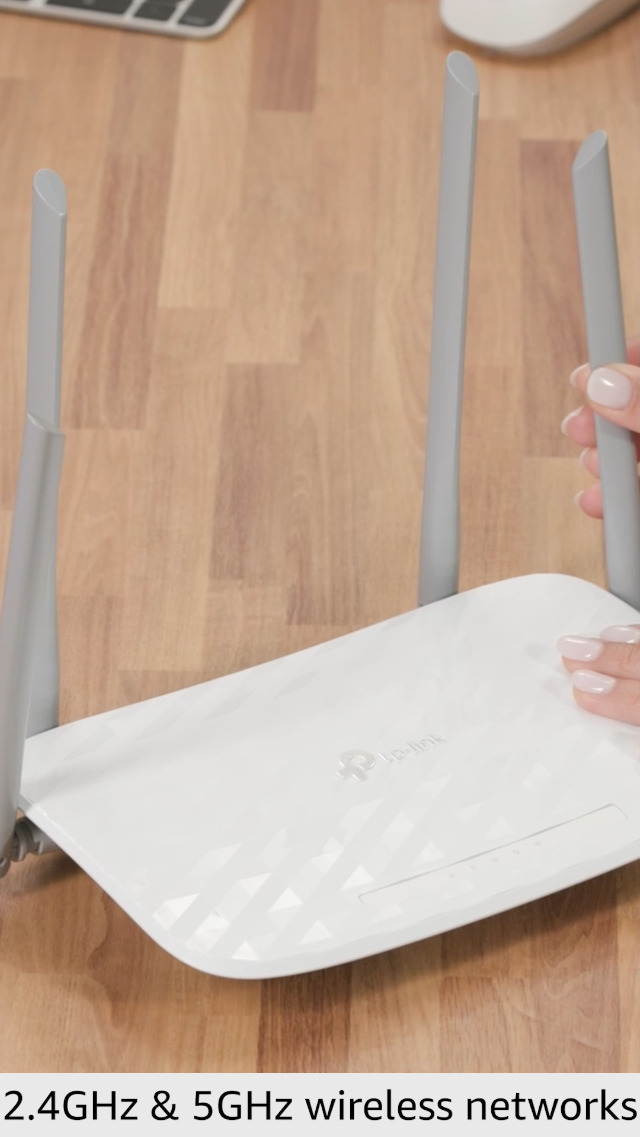
As a dual-band AC1200 router, the Archer A54 delivers up to 867 Mbps on the 5GHz band and up to 300 Mbps on the 2.4GHz band. The 5GHz band is intended for bandwidth-intensive tasks like HD streaming and online gaming, while the 2.4GHz band handles casual browsing and music streaming. With four external antennas and beamforming technology, the router concentrates the Wi-Fi signal towards connected devices to improve range and performance within its specified coverage of up to 1,000 square feet. It’s important to note that, as with all wireless routers, actual performance varies based on environmental conditions, distance, and obstacles like walls.
Connectivity and Ports
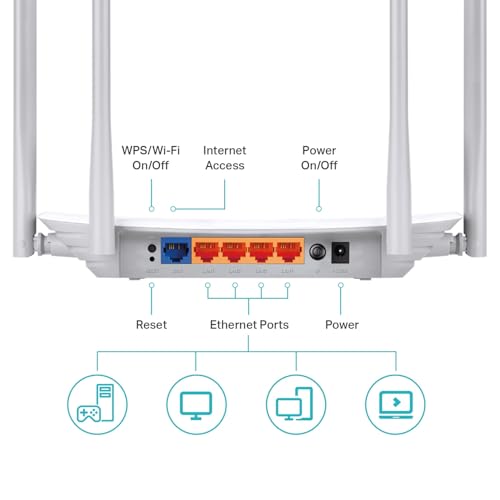
The router is equipped with five ports in total: four 10/100 Mbps Fast Ethernet LAN ports and one 10/100 Mbps WAN port for connecting to your modem. The use of Fast Ethernet ports means the maximum wired speed is limited to 100 Mbps, which may not fully utilize internet plans offering Gigabit speeds. There are no USB ports listed for network storage or printer sharing. For wireless connectivity, it supports standards including 802.11a, 802.11ac, 802.11b, 802.11g, and 802.11n, ensuring compatibility with a wide range of devices.
Key Features and Technology
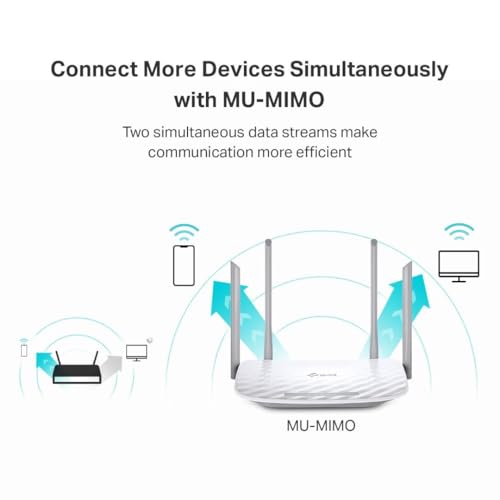
The Archer A54 includes several notable features that enhance its versatility. MU-MIMO (Multi-User, Multiple-Input, Multiple-Output) technology allows the router to communicate with multiple devices simultaneously, improving efficiency in households with several connected gadgets. Its standout feature is EasyMesh compatibility, which allows it to be paired with other EasyMesh-compatible routers or range extenders to create a seamless whole-home mesh network, a significant advantage for future expansion. It also supports multiple operating modes: standard Router Mode, Access Point Mode to transform a wired connection into wireless, and Range Extender Mode to boost an existing wireless signal.
Software and Security
Network management is handled primarily through the TP-Link Tether app, available for Android and iOS devices, offering an intuitive interface for setup and daily controls. The router supports the latest WPA3 security protocol, bringing improved cybersecurity to personal networks. Additional security and management features include parental controls that allow supervisors to set access schedules and block specific websites using keyword blacklists. For media enthusiasts, it offers optimizations for IPTV streaming through support for IGMP Proxy/Snooping, Bridge, and Tag VLAN. Future-proofing is addressed with IPv6 support.
Setup, Support and Ownership
Setup is designed to be straightforward, guided by the Tether app and the included quick installation guide. The router works with all major internet service providers, including AT&T, Verizon, Xfinity, Spectrum, and others, though a separate modem is required for most ISPs. Keeping the router’s firmware updated is recommended for optimal performance and security, a process that can be managed through the Tether app. The manufacturer provides a two-year warranty. For users looking to expand their network, the EasyMesh compatibility offers a clear upgrade path without needing to replace the entire system, adding to its long-term value. Specific details on the frequency or automation of firmware updates are not listed by the manufacturer.
What Owners Say
The TP-Link Archer A54 holds a strong overall rating, indicating general satisfaction among users. Feedback suggests it is appreciated for its reliable performance in small to medium-sized homes, ease of setup via the mobile app, and the value provided by features like parental controls and multiple operating modes. The EasyMesh compatibility is noted as a future-proofing benefit for those anticipating network growth. As with any product, experiences vary based on individual home layouts and internet usage patterns.
Pros and Cons
Pros
- EasyMesh compatibility for seamless future network expansion
- Intuitive Tether app for simple setup and management
- Robust parental controls for family-friendly internet access
- Supports advanced WPA3 security protocol
- Versatile with Router, Access Point, and Range Extender modes
- MU-MIMO technology for handling multiple devices efficiently
Cons
- Fast Ethernet ports limited to 100 Mbps
- No USB ports for added functionality like network storage
- AC1200 speeds are entry-level and may struggle in very large homes
- Performance can vary significantly with distance and obstacles
Who Should Buy It (and Who Should Skip It)
The TP-Link Archer A54 is an excellent choice for users in small to medium-sized homes or apartments (up to 1,000 sq. ft.) who need a reliable, no-fuss router for everyday tasks like streaming, browsing, and casual gaming. It’s particularly well-suited for budget-conscious families who will benefit from the parental controls and the potential to easily expand into a mesh network later via EasyMesh. It’s also a good fit for those upgrading from a basic ISP router, seeking better features and control.
Conversely, users with internet plans exceeding 100 Mbps should look for a router with Gigabit Ethernet ports to avoid a wired bottleneck. Those living in very large homes or with many high-bandwidth devices running simultaneously might find the AC1200 speeds and coverage limiting and should consider a more powerful router or an immediate mesh system. Gamers or power users demanding the absolute lowest latency and highest speeds may also want to explore higher-tier models. For more insights on networking hardware, explore our guide on the best VPN routers or other tech reviews in our Tech Gear section.
Final Verdict
The TP-Link Archer A54 successfully carves out a niche as a capable and user-friendly entry-level router. It delivers on the core promise of providing stable dual-band Wi-Fi for a typical household, backed by modern features like WPA3 security and straightforward app management. Its greatest strength is its forward-thinking design; the EasyMesh compatibility is a standout feature that offers a clear, cost-effective path to whole-home coverage without obsolescence, making it a smart choice for users who plan to grow their home network over time.
While its Fast Ethernet ports and AC1200 speeds mark it as a budget option, they are adequate for many users’ needs. For those seeking a reliable, versatile router that balances current performance with future scalability, the Archer A54 represents solid value. It is a recommended option for first-time router buyers, small families, and anyone looking to step up their home networking without complexity. You can find it on Amazon: TP-Link Archer A54. For further reading on making the most of your tech setup, check out our Blog and Reviews sections.
FAQs
Does the TP-Link Archer A54 have a modem built in?
No, the Archer A54 is a wireless router only and does not contain a built-in modem. It requires a separate modem to connect to your internet service provider. The product description confirms it works with all major ISPs like AT&T, Verizon, and Xfinity, but a modem is necessary for most providers.
Can I use the Archer A54 to extend my existing Wi-Fi network?
Yes, one of its supported operating modes is Range Extender Mode. In this mode, the Archer A54 can be configured to boost the coverage of an existing wireless network, making it a versatile tool for eliminating dead zones in your home without replacing your primary router.
What is EasyMesh compatibility and how does it work?
EasyMesh is a standard that allows different compatible networking devices to work together to form a seamless mesh network. With the Archer A54’s EasyMesh compatibility, you can pair it in the future with another EasyMesh-certified TP-Link router or range extender. This creates a unified network with a single SSID, allowing devices to roam smoothly between access points for better whole-home coverage.
Are the parental controls easy to set up and manage?
According to the product specifications, the parental controls are designed for ease of use. They are managed through the TP-Link Tether app, allowing parents to supervise access by setting up blacklists using keywords and limiting web access levels. The app-based interface provides a convenient way to manage these settings from a smartphone.
About the author

Elvis Dicki writes reviews and buying guides for CyberSecLabs.