The 5 Best WiFi Routers For Apartments for November 2026
Choosing the right router for an apartment can eliminate dead zones and slow speeds. Our 2026 roundup compares 5 models from brands like TP-Link, eero, ASUS and more to fit different needs and layouts.
 By Elena Vasquez
Updated November 5, 2026
Finding a reliable WiFi router for an apartment can be frustrating. Common issues include signal drop-offs in certain rooms, slow speeds when multiple devices are connected, and complex setups that require technical know-how. The most important decisions for apartment dwellers are coverage area to eliminate dead zones, the number of devices supported for all your gadgets, and ease of setup for a hassle-free experience.

After reviewing 5 models, we recommend the Amazon eero 6 mesh wifi router as the best overall choice for most apartments due to its intelligent mesh technology and simple app-based management. For larger shared apartments or homes with many connected devices, the TP-Link Deco S4 Mesh AC1900 WiFi System offers expansive coverage and robust parental controls. For more insights on home networking gear, explore our router wifi subcategory.
The 3 Best WiFi Routers For Apartments on Our Shortlist (November 2026)
- Best for: Seamless whole-home coverage
- Wi-Fi Standard: Wi-Fi 6
- Coverage: Up to 1,500 sq. ft.
- Connected Devices: 75+
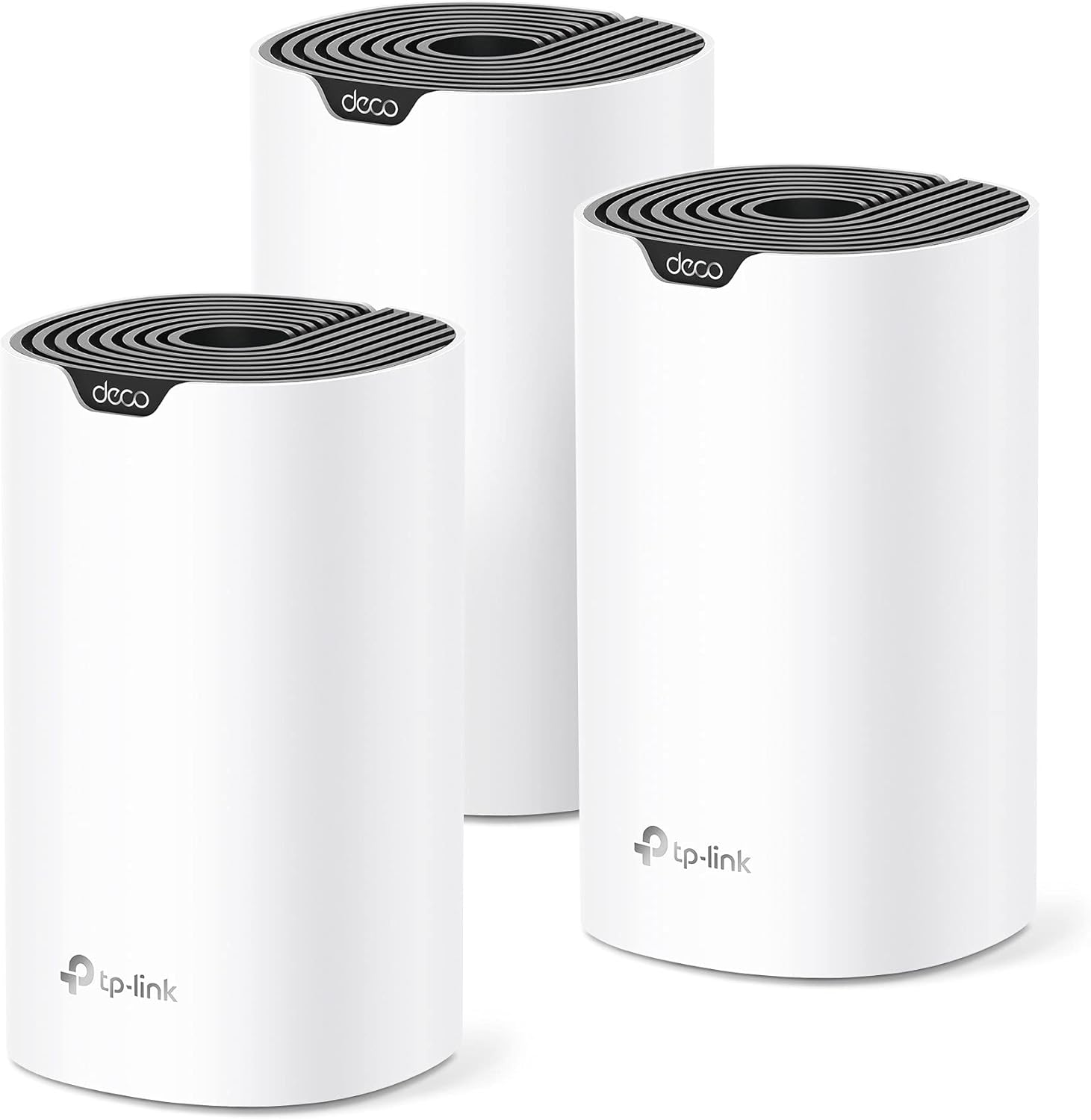
- Best for: Large shared apartments
- Coverage: Up to 5,500 sq. ft.
- Ports: 6 Gigabit Ethernet
- Parental Controls: Robust profiles

- Best for: Budget-conscious users
- Wi-Fi Standard: Wi-Fi 6 (AX1800)
- Technology: OFDMA & Beamforming
- VPN Support: OpenVPN & PPTP
This post may contain affiliate links. As an Amazon Associate we earn from qualifying purchases.
Quick Comparison
| Award | Product | CSL Score About CSL ScoreThe CSL Score is our own rating from 0 to 10, based on performance, design and build, ease of use, and value. It reflects independent research and is never influenced by manufacturers, retailers, or affiliate commissions. Learn more › | |
|---|---|---|---|
| Best Overall |
eero 6 Mesh WiFi 6 Router: 1500 Sq Ft Coverage
|
9.7/10 | Check price |
| Best Premium |
TP-Link Deco S4 (3-Pack) AC1900 Mesh WiFi System
|
9.7/10 | Check price |
| Best Budget |
TP-Link Archer AX21 AX1800 WiFi 6 Router
|
9.6/10 | Check price |
| Top Rated |
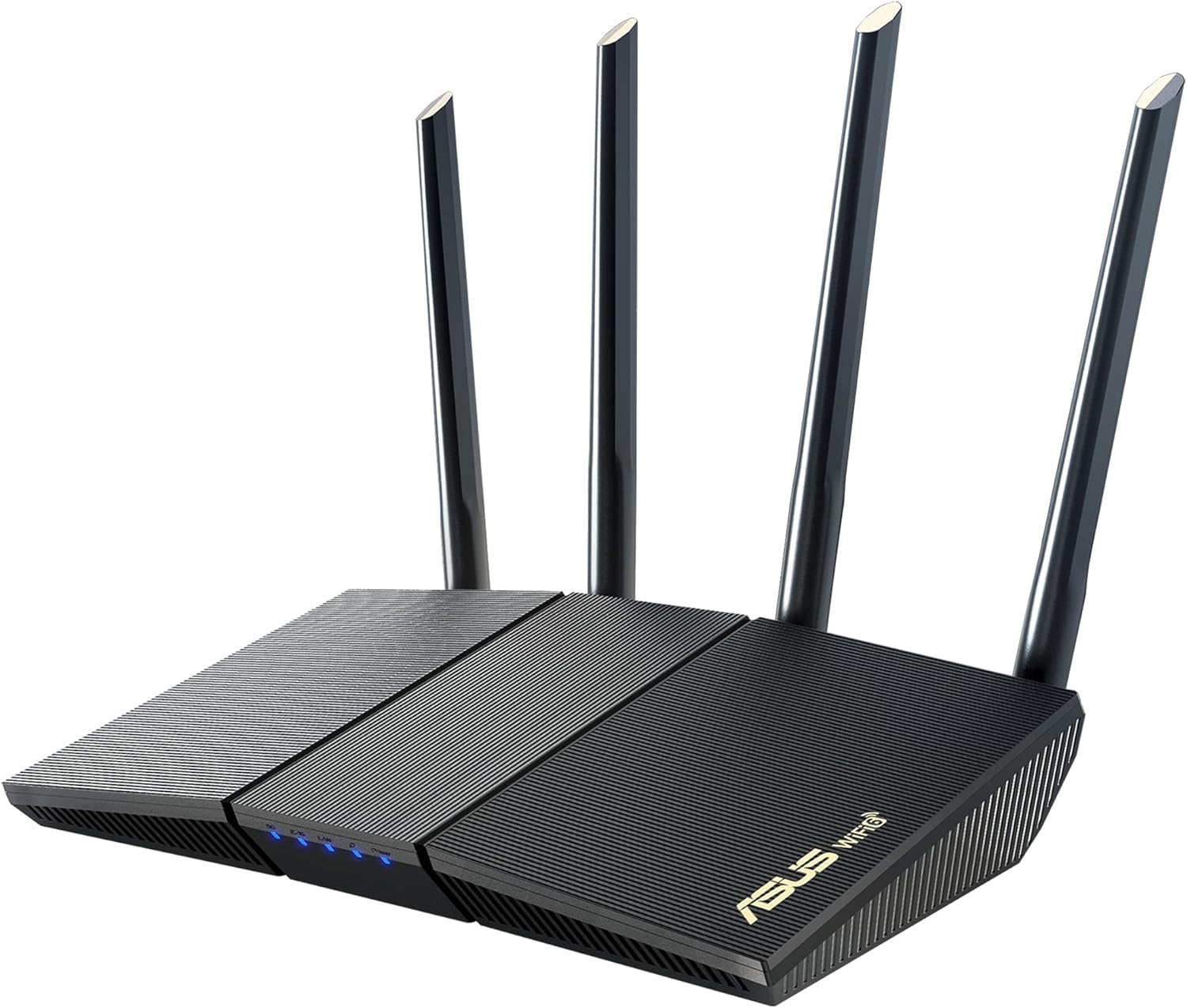 ASUS RT-AX1800S WiFi 6 Router: AiMesh Extendable |
9.6/10 | Check price |
| Best Value |
 NETGEAR R6700AX WiFi 6 Router AX1800 |
9.5/10 | Check price |
eero 6 Mesh WiFi 6 Router: 1500 Sq Ft Coverage
The eero 6 is a mesh WiFi 6 router covering up to 1,500 sq. ft. with speeds to 900 Mbps and support for 75+ devices. TrueMesh technology eliminates dead spots for smooth 4K streaming and gaming, ideal for medium homes with many connected gadgets.
Pros
- Strong WiFi 6 performance for multiple devices
- TrueMesh reduces lag and drop-offs effectively
- Quick app-based setup and management
- Built-in Zigbee hub simplifies smart home control
- Automatic updates enhance security and features
Cons
- Single unit coverage limited to 1,500 sq. ft. for larger homes
- Best speeds require gigabit internet plans
- Full features rely on the eero app
TP-Link Deco S4 (3-Pack) AC1900 Mesh WiFi System
The TP-Link Deco S4 (3-Pack) is a mesh WiFi system delivering AC1900 speeds and up to 5,500 sq ft coverage across multiple units. Its seamless roaming and self-healing network make it perfect for households with many devices needing lag-free connectivity.
Pros
- Exceptional whole-home coverage eliminates weak signals
- Effortless app-based setup in minutes
- Strong parental controls for family safety
- Reliable mesh for seamless device switching
- Universal compatibility with major ISPs
Cons
- Uses AC1900 standard, not newer WiFi 6
- Requires separate modem for most setups
- Management relies heavily on mobile app
TP-Link Archer AX21 AX1800 WiFi 6 Router
The TP-Link Archer AX21 is a dual-band WiFi 6 router offering up to 1.8 Gbps speeds with OFDMA for smooth multi-device use. Families seeking reliable coverage, easy setup, and future-proof networking should buy it.
Pros
- Superior multi-device performance with WiFi 6 technology
- Strong signal strength and coverage via beamforming
- User-friendly app-based setup and management
- Robust security features including WPA3
- Easy expansion with EasyMesh
Cons
- Requires a separate modem for internet connection
- Performance can vary based on distance and obstacles
- Does not support the 6 GHz band
ASUS RT-AX1800S WiFi 6 Router: AiMesh Extendable
The ASUS RT-AX1800S is a dual-band WiFi 6 router with AiMesh compatibility for extendable whole-home coverage and subscription-free AiProtection security powered by Trend Micro. Its standout qualities include faster 1024-QAM speeds, OFDMA efficiency for multiple devices, and built-in VPN support, making it ideal for smart home owners and gamers seeking reliable, secure networking.
Pros
- Subscription-free network security and parental controls
- AiMesh for scalable whole-home coverage without dead zones
- WiFi 6 technology delivers better efficiency and capacity
- Comprehensive VPN features for privacy and remote access
- Gigabit ports enable high-speed wired connections
Cons
- Actual WiFi speeds and coverage vary based on environmental factors
- Entry-level AX1800 speeds may not suffice for very high-demand setups
- Requires additional AiMesh routers for larger homes
NETGEAR R6700AX WiFi 6 Router AX1800
The NETGEAR R6700AX is a WiFi 6 router offering AX1800 speeds up to 1.8 Gbps and coverage for up to 1,500 sq. ft. with 20 devices. Its dual-core processor excels in handling streaming, gaming, and video calls, making it ideal for small to medium homes.
Pros
- Excellent WiFi 6 performance for modern devices
- Strong signal strength and device capacity
- Broad ISP compatibility up to 1 Gbps
- Includes security features out of the box
- Simple installation process
Cons
- Requires a separate modem to function
- Coverage reduced by walls or interference
- Best suited for smaller homes, not multi-story
How We Picked
To build this list, we analyzed specifications, user ratings, and expert feedback for 5 of the most popular routers suitable for apartments. Our goal was to identify models that balance performance, value, and apartment-specific needs like space efficiency and ease of use. We focused on objective criteria rather than hands-on testing, using the following key factors for comparison:
- Coverage Area and Signal Strength
- Number of Simultaneously Supported Devices
- Wi-Fi Standard and Speed (Wi-Fi 5 vs. Wi-Fi 6)
- Ease of Setup and App Management
- Additional Features (Parental Controls, Security, Ports)
Buying Guide: Making Sense of Best WiFi Routers For Apartments
Coverage and Layout
An apartment’s layout, including walls and furniture, significantly impacts WiFi performance. Look for a router with beamforming technology, like the TP-Link AX1800 WiFi 6 Router (Archer AX21 V5), which focuses signal strength towards your devices rather than broadcasting equally in all directions. For open-concept layouts or multi-room setups, a mesh system may be unnecessary; a strong single router often suffices.
Device Capacity
Modern apartments are filled with connected devices, phones, laptops, smart TVs, speakers, and IoT gadgets. Wi-Fi 6 routers support more devices simultaneously using technologies like OFDMA. Ensure the router you choose can handle your current and near-future device count without slowing down.
Security and Management
Built-in security features are crucial. Some routers, like the ASUS RT-AX1800S Dual Band WiFi 6 Extendable, offer subscription-free network security powered by Trend Micro. Also, consider routers with intuitive mobile apps for easy network management, guest network creation, and parental controls, which are valuable in shared living situations.
Quick Checklist
- Verify the coverage area matches your apartment’s square footage.
- Check that the supported device count exceeds your total connected gadgets.
- Confirm the router supports the latest Wi-Fi standard your devices can use.
- Look for an easy setup process, preferably via a mobile app.
- Ensure it has enough Ethernet ports for any wired devices you plan to connect.
Related reading: For those considering future-proofing their network, see our guide on the The 5 Best WiFi Routers For Apartments of 2026.
FAQs
What is the best WiFi routers for apartments in 2026?
For 2026, the best router for most apartments is one that balances strong coverage, support for many devices, and simple management. Wi-Fi 6 models are now the standard for better efficiency in dense environments.
Do I need a mesh system for an apartment?
Not usually. Most standard apartments (under 1,500 sq. ft.) are well-served by a single, quality router. Mesh systems are ideal for larger, multi-story spaces or homes with significant signal-blocking materials. A good single router is often more cost-effective.
What should I check for compatibility with my internet provider?
Nearly all modern routers work with major ISPs like Comcast, Spectrum, or AT&T. The key requirement is that you have a separate modem (usually provided by your ISP) to connect the router to. The router itself does not replace the modem.
How important are parental controls on an apartment router?
Very useful, especially in shared apartments or for those with children. Features like website filtering, pausing internet access, and creating schedules help manage usage and ensure a safe online environment for everyone on the network.
Do routers require regular maintenance?
Minimal maintenance is needed. The most important step is ensuring your router’s firmware is updated, which most modern models do automatically. This keeps your network secure and can improve performance. Occasionally rebooting the router can also resolve minor connectivity issues.
Where is the best place to put my router in an apartment?
Place your router centrally, elevated off the floor, and away from large metal objects, thick walls, and other electronics like microwaves or cordless phones that can cause interference. For a device like the NETGEAR WiFi 6 Router 4-Stream (R6700AX), which covers up to 1,500 sq. ft., a central location maximizes its reach. Learn more about optimizing your home network in our Tech Gear category.
Final Thoughts
Choosing the right router for your apartment comes down to matching its strengths to your specific living situation. The Amazon eero 6 mesh wifi router is best for seamless whole-home coverage with dead-zone elimination. The TP-Link Deco S4 Mesh AC1900 WiFi System excels in large shared apartments needing extensive coverage and family-friendly controls. The TP-Link AX1800 WiFi 6 Router (Archer AX21 V5) is the top choice for budget-conscious users who still want modern Wi-Fi 6 features like OFDMA and beamforming. Once your new router arrives, plan its placement carefully, use the manufacturer’s app for guided setup, and connect your most important devices first to test the performance in different areas of your home.
About the author
Elena writes about practical cybersecurity for home and small-office networks, from building a home security lab to choosing the hardware that supports it. Her articles explain concepts in plain language and link to the tools and devices they mention.