Minisforum Pro-125H Review: Quad Display Mini PC with OCuLink
The Minisforum Pro-125H packs a Core Ultra 5 CPU, 32GB RAM, and versatile connectivity into a compact aluminum chassis, making it a strong choice for multi-monitor productivity and future expansion.
 By Elvis Dicki
Updated October 22, 2026
The Minisforum Pro-125H is a mini PC that aims to deliver desktop-level performance and connectivity in a significantly smaller footprint. Designed for users who need substantial multitasking power, extensive display options, and future-proof expansion, it leverages Intel’s Core Ultra 5 125H processor with 14 cores and 18 threads. This review analyzes its specifications, design, and potential use cases to determine if its blend of high-end components and compact form factor hits the mark for demanding office work, content creation, and light gaming.

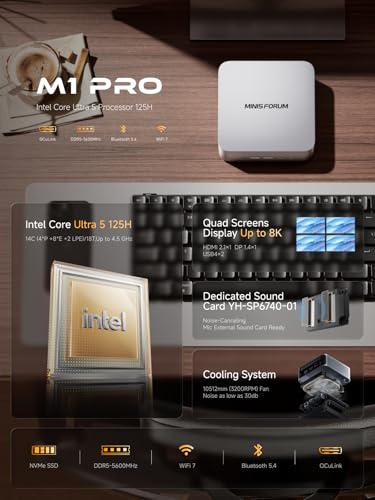
At its core, the M1 Pro-125H is built around the Intel Core Ultra 5 125H, paired with 32GB of DDR5 RAM and a 1TB PCIe 4.0 SSD. Its standout features include support for driving four ultra-high-definition displays simultaneously, an OCuLink port for connecting an external GPU, and the latest in wireless connectivity with Wi-Fi 7 and Bluetooth 5.4. This combination positions it as a versatile hub for productivity, creative work, and even AI-adjacent tasks, all housed in a premium aluminum chassis designed for efficient heat dissipation.
MINISFORUM M1 Pro-125H Mini PC




As an Amazon Associate we earn from qualifying purchases. Product prices and availability are accurate as of the date/time indicated.
Minisforum Pro-125H at a Glance
| Specification | Details |
|---|---|
| Processor | Intel Core Ultra 5 125H (14 cores, 18 threads, up to 4.5GHz) |
| Graphics | Integrated Intel Arc Graphics |
| Memory | 32GB DDR5-5600MHz (Dual SO-DIMM slots, expandable to 128GB) |
| Storage | 1TB M.2 PCIe 4.0 SSD (Dual M.2 2280 slots, supports up to 8TB total) |
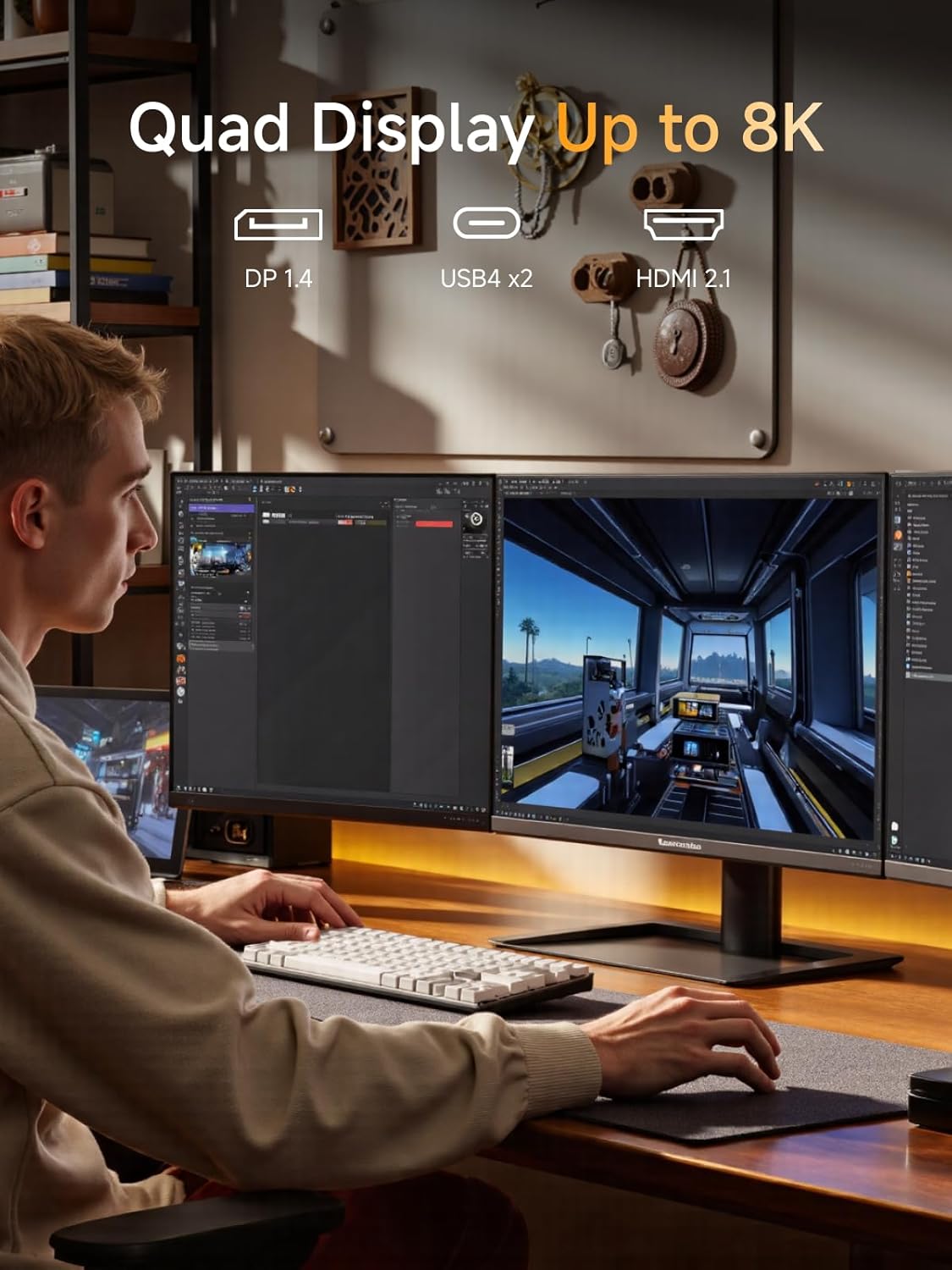
| Video Outputs | 1x HDMI 2.1 (4K@60Hz), 1x DisplayPort 1.4 (8K@60Hz), 2x USB4 (8K@60Hz) |
| Networking | 2.5 Gigabit Ethernet, Wi-Fi 7, Bluetooth 5.4 |
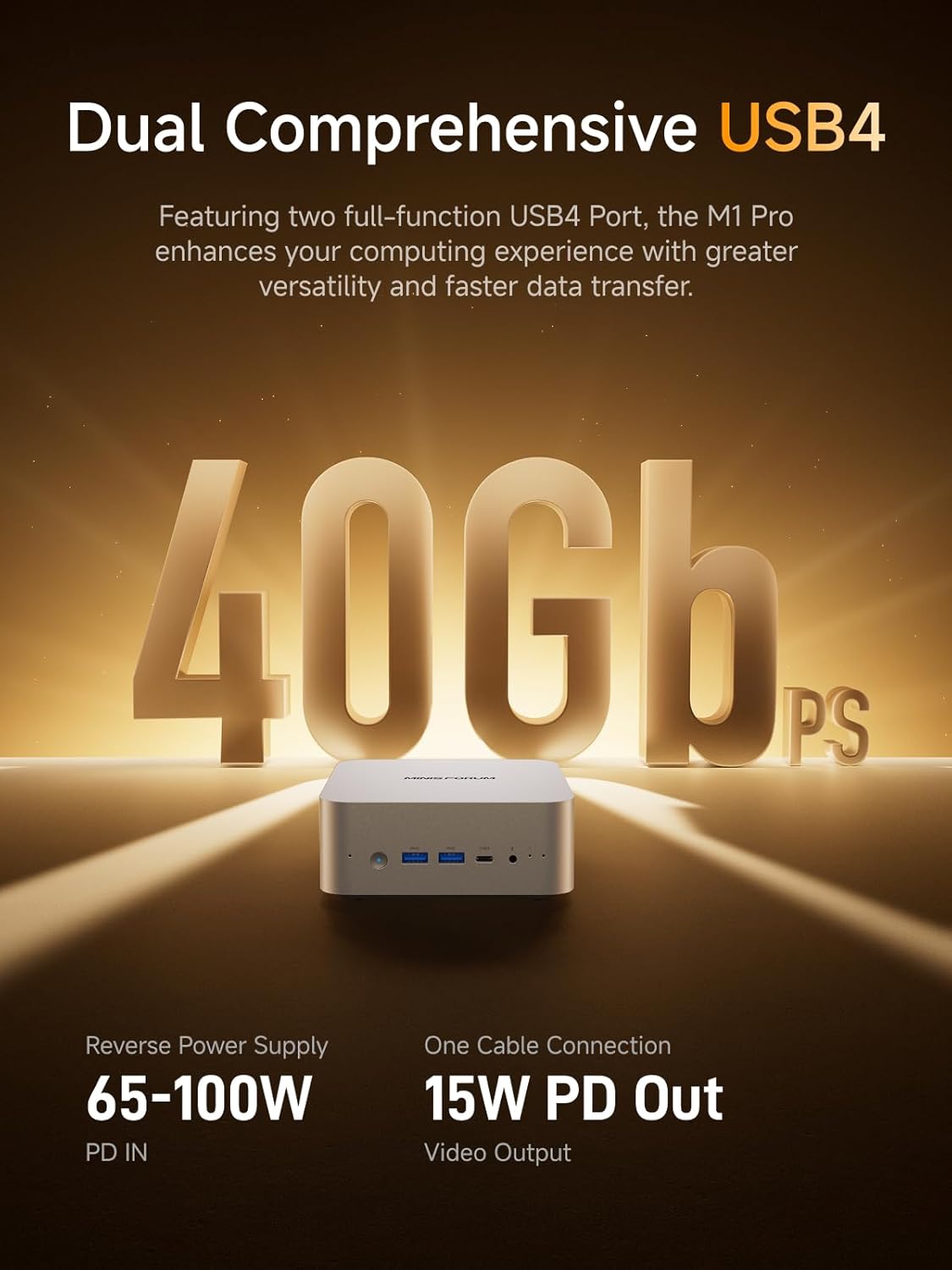
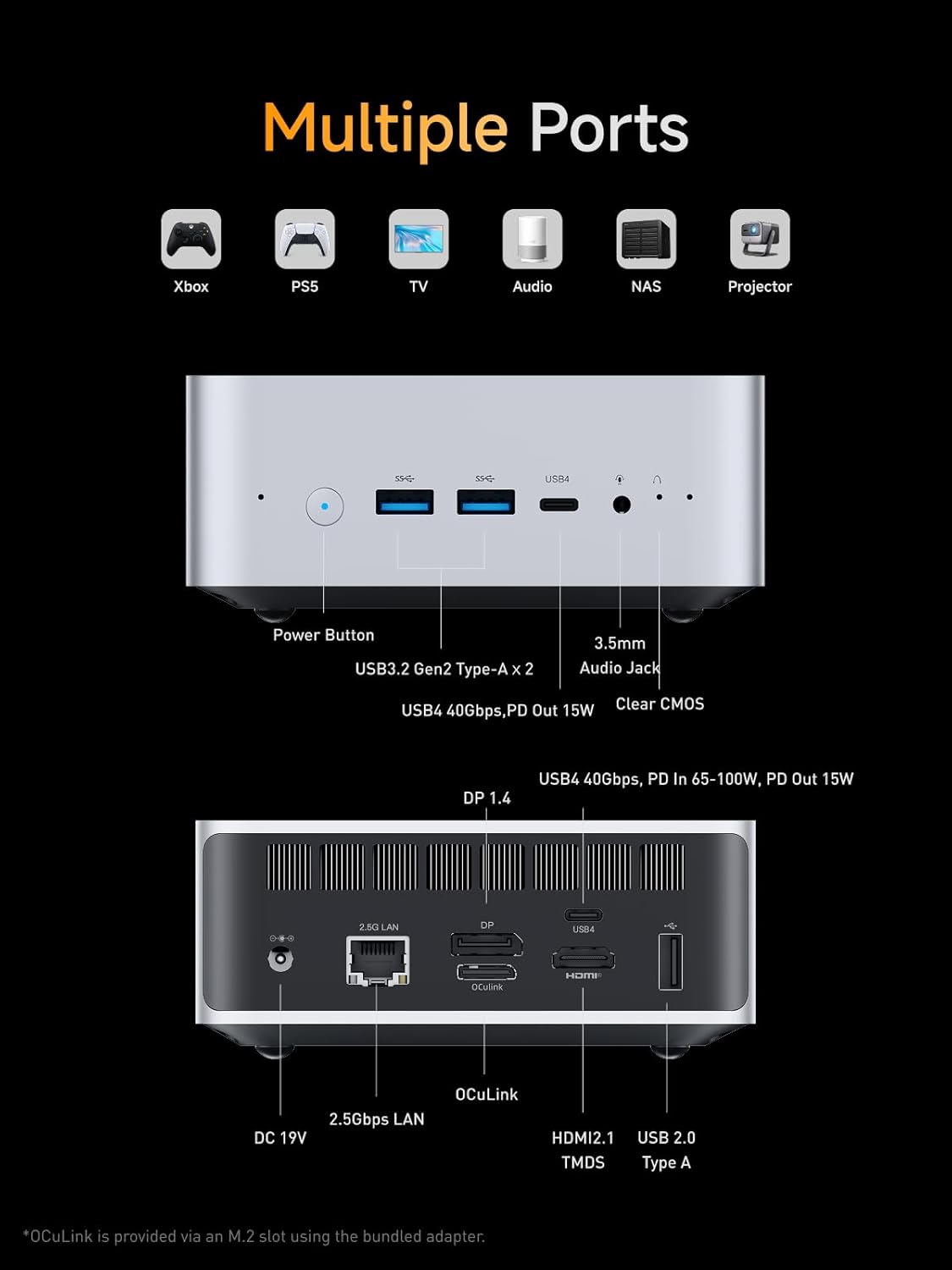
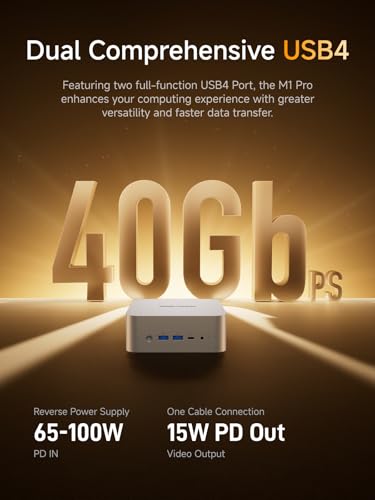
| Special Ports | OCuLink (for external GPU, occupies one M.2 slot), 2x USB4 (40Gbps) |
| Audio | Built-in dual speakers, dual digital microphones, 3.5mm combo jack |
| Cooling | Large silent fan, copper heat pipes, phase-change materials, aluminum chassis |
| Power Adapter | 120W (19V 6.32A) |
Design and Build
The Minisforum Pro-125H adopts a minimalist, silver aluminum alloy chassis common to many modern mini PCs. This material choice serves a dual purpose: it provides a premium, sturdy feel while also acting as an effective heat sink for thermal management. The compact dimensions are not explicitly listed in the provided data, but the category and style confirm it follows the standard mini PC form factor, designed to occupy minimal desk space or be mounted discreetly behind a monitor using the included wall mount bracket. The overall aesthetic is professional and understated, suitable for both home office and corporate environments.
Build quality appears focused on durability and thermal performance. The aluminum construction is noted for its excellent thermal conductivity, which is part of a larger cooling system. The manufacturer highlights an integration of phase-change materials (PCMs) alongside a large silent fan and copper heat pipes. This combination is engineered to maintain a stable 65W thermal design power (TDP) for the processor, even under heavy workloads, while keeping noise levels as low as 45dB at full load. This suggests a design priority on sustained performance without the distraction of loud fan noise, a critical factor for quiet workspaces.
Performance and Features
Processing and Graphics Power
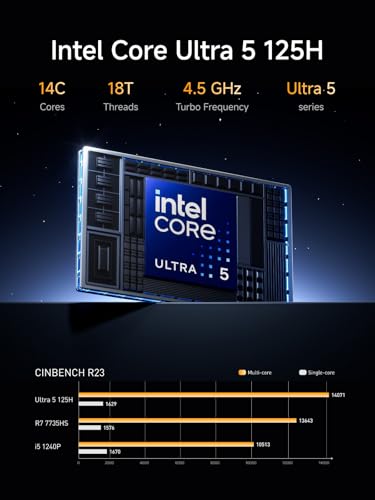
The heart of the Minisforum Pro-125H is the Intel Core Ultra 5 125H processor. This chip features a hybrid architecture with 14 cores (4 Performance-cores, 8 Efficiency-cores, and 2 Low Power Efficiency-cores) and 18 threads, capable of boosting up to 4.5GHz. It includes 18MB of Intel Smart Cache. According to the manufacturer, this configuration delivers “exceptional multi-threaded performance” suited for demanding office tasks, multimedia editing, and light gaming. The integrated graphics are provided by Intel Arc, with a maximum dynamic frequency of 2.2GHz, which is intended for smooth HD graphics processing. For more graphically intensive tasks or gaming, the system provides an alternative path via its OCuLink port.
Connectivity and Ports
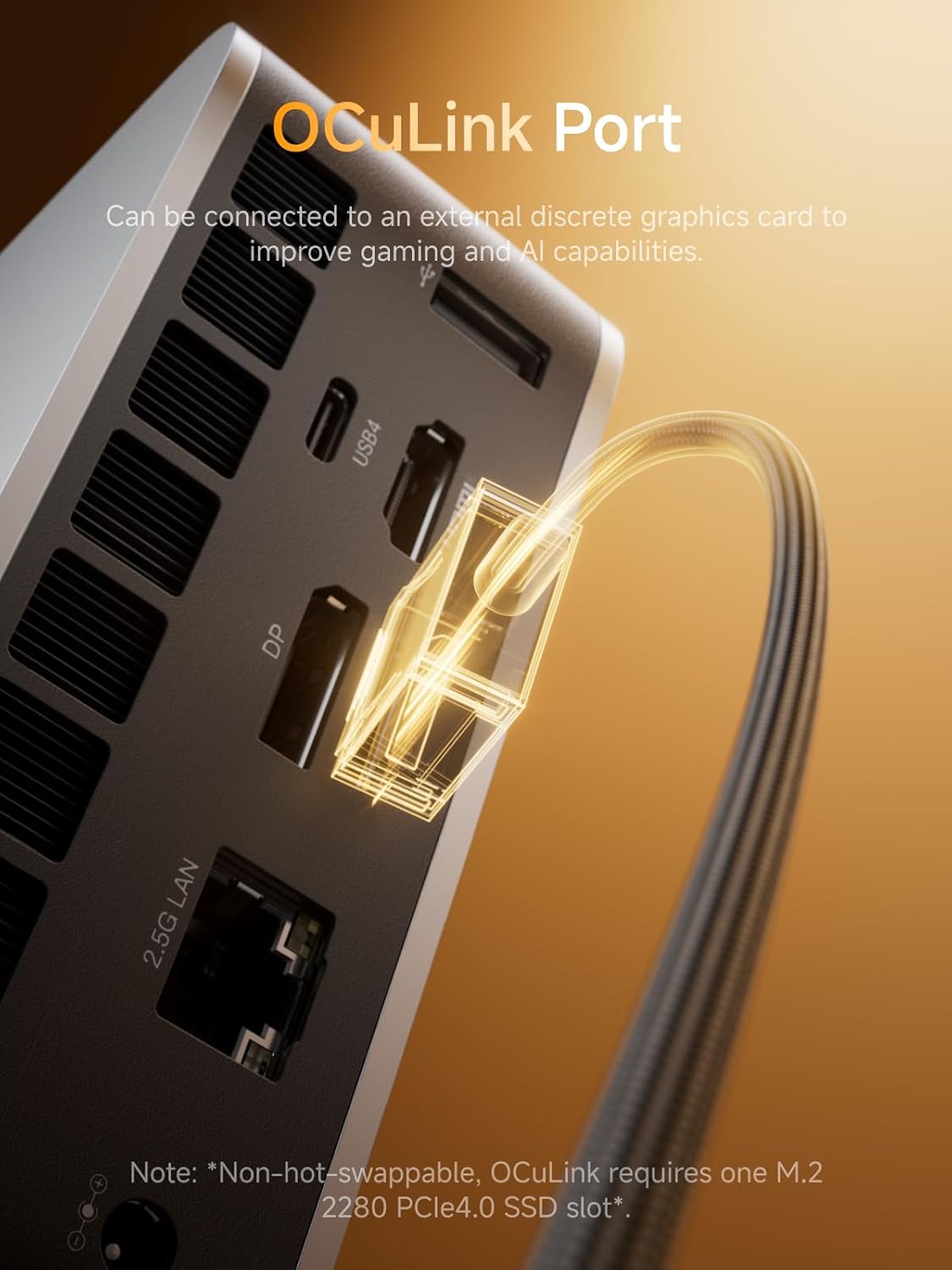
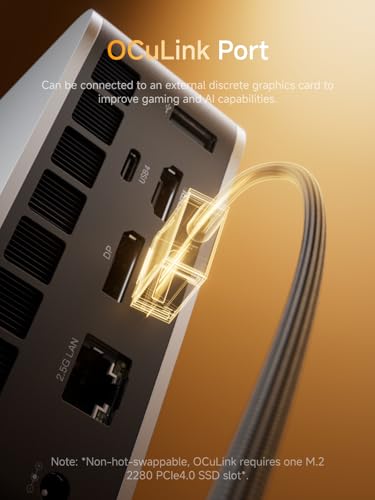
Connectivity is a major selling point for this mini PC. On the wired front, it includes a 2.5 Gigabit Ethernet port for high-speed local network access, surpassing standard gigabit speeds. For wireless, it supports the latest Wi-Fi 7 and Bluetooth 5.4 standards, promising low-latency and stable connections. The port selection is extensive: two USB4 ports offering 40Gbps data transfer and power delivery (PD) capabilities, two USB 3.2 Gen2 Type-A ports, one USB 2.0 Type-A port, a 3.5mm audio combo jack, and the crucial OCuLink port. The OCuLink interface is a notable inclusion, providing a PCIe 4.0 x4 connection (64Gbps) for attaching an external graphics card, a feature faster than Thunderbolt 4 or USB4 for this specific purpose. However, it’s important to note that using this port requires dedicating one of the internal M.2 SSD slots to the connection and is not hot-swappable.
Display and Expansion Capabilities
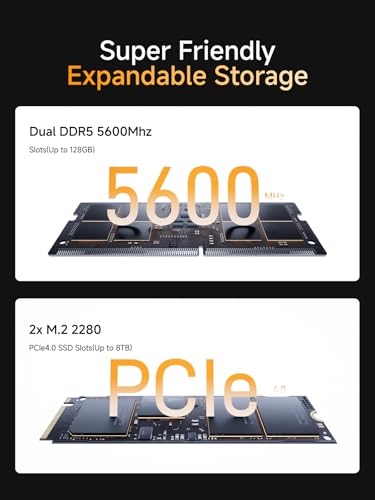
The Pro-125H is built for expansive multi-monitor setups. It supports quad video output simultaneously through one HDMI 2.1 port (4K@60Hz), one DisplayPort 1.4 port (8K@60Hz or 4K@144Hz), and two USB4 ports (each supporting 8K@60Hz or 4K@144Hz). This allows users to drive up to four ultra-high-definition displays, a boon for stock traders, programmers, video editors, or anyone needing a vast digital workspace. Internal expansion is also well catered for, with two DDR5 SO-DIMM slots supporting up to 128GB of RAM and two M.2 2280 PCIe 4.0 x4 slots for NVMe SSDs, each capable of holding up to 4TB drives for a potential maximum of 8TB of high-speed storage. This level of expandability is uncommon in such a compact system. For those interested in other compact computing options, our guide on mini PCs with Intel N100 processors explores more budget-friendly alternatives.
Audio and Other Features
The mini PC comes with a built-in audio system designed for clear communication. It features advanced dual digital microphones with intelligent noise cancellation technology, aimed at focusing on human voices even in noisy environments. This is complemented by dual built-in speakers. The system is designed for scenarios like video conferences, online classes, and voice creation. While specific software or security features like TPM are not detailed in the provided specifications, the hardware foundation supports modern Windows security features. The inclusion of a 120W power adapter indicates the system is designed to support the processor and potential peripherals drawing power through the USB4 ports.
Setup, Support and Ownership
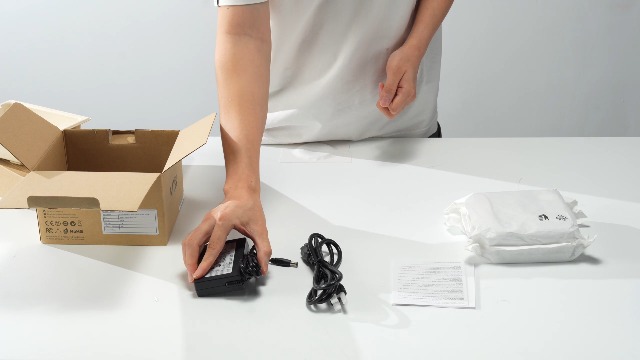
Setup for the Minisforum Pro-125H should be straightforward for anyone familiar with desktop computers. The package includes the mini PC, a US power adapter and cable, a wall mount bracket, an HDMI cable, a user manual, and the OCuLink adapter plate. Since it is sold without a pre-installed operating system (listed simply as “OS”), users will need to install their preferred OS, which adds a step for those not comfortable with that process. The lack of a bundled OS is common in this segment but is a consideration for less technical buyers. Physical setup involves connecting displays, peripherals, and networking, with the wall mount offering a space-saving installation option.
Ownership considerations revolve around its upgradeability and potential accessory needs. The RAM and storage are user-upgradeable, offering a clear path for future performance boosts as needs grow. The most unique accessory path is the OCuLink port for an external GPU, which requires a compatible eGPU enclosure and graphics card, plus the understanding that it uses one internal SSD slot. For users prioritizing graphics performance in a small form factor, exploring dedicated gaming mini PCs might provide a more integrated solution. Support and driver updates would be handled through Minisforum’s channels, and the standard warranty period, while not specified in the data, is a typical consideration for any PC purchase.
What Owners Say
Owner feedback for the Minisforum Pro-125H, based on the provided excerpts, is currently very positive. The product holds a perfect average rating from its reviewers. One reviewer specifically praised the “rendimiento y fluidez,” translating to “performance and smoothness,” stating that the product has met or exceeded their expectations so far. This aligns with the manufacturer’s claims regarding the processor’s multi-threaded capabilities and the overall responsiveness afforded by the DDR5 memory and PCIe 4.0 storage. While the sample size of reviews is small, the unanimous satisfaction and focus on performance are encouraging initial indicators of real-world usability matching the promised specifications.
Pros and Cons
Pros
- Powerful 14-core/18-thread Intel Core Ultra 5 processor for heavy multitasking.
- Extensive connectivity with quad 8K display support, USB4, and 2.5G LAN.
- Future-proof expandability for RAM (up to 128GB) and storage (up to 8TB).
- Unique OCuLink port for high-speed external GPU connectivity.
- Modern wireless standards with Wi-Fi 7 and Bluetooth 5.4.
- Efficient and quiet cooling system even under full load.
Cons
- OCuLink port usage sacrifices one internal M.2 SSD slot.
- External GPU connection via OCuLink is not hot-swappable.
- No operating system is pre-installed, requiring user setup.
- Requires the included external power adapter for operation.
- Specific details on long-term support and warranty are not provided in the data.
- Built-in Intel Arc graphics are best suited for light gaming and basic graphics tasks.
Who Should Buy It (and Who Should Skip It)
The Minisforum Pro-125H is an excellent fit for power users who need serious computing muscle in a small package. It’s ideal for professionals such as data analysts, software developers, and content creators who work with large files and benefit from a multi-monitor setup. Its expandability makes it a good long-term investment for those who anticipate needing more RAM or storage. The OCuLink port also makes it a intriguing option for users who want the flexibility to add serious graphics power later for AI development, more demanding gaming, or GPU-accelerated creative work. If your primary interest is in specialized, fanless designs, our review of fanless mini PCs covers silent alternatives.
Conversely, this mini PC might be overkill and overly complex for very basic computing needs like web browsing and document editing. Users who want a completely silent, fanless system for media playback in a living room should look elsewhere, as this unit includes an active cooling fan. Those who require maximum internal storage from the outset and also plan to use the OCuLink port should note the storage slot trade-off. Finally, buyers who prefer a completely plug-and-play experience with a pre-installed operating system might find the initial setup a hurdle.
Final Verdict
The Minisforum Pro-125H successfully packs high-end desktop components and an exceptional array of ports into a mini PC form factor. Its core strength lies in its versatility: it can serve as a powerful hub for a quad-display productivity station, a capable machine for photo and video editing, and a platform that can be transformed into a more graphics-capable system via the OCuLink port. The inclusion of Wi-Fi 7 and 2.5G Ethernet ensures network connectivity is future-proofed, while the DDR5 memory and PCIe 4.0 storage provide snappy system responsiveness. For those exploring the broader category, our Mini PCs category page lists more options.
Potential buyers must weigh its few compromises. The most significant is the OCuLink implementation, which, while offering superior bandwidth for an eGPU, permanently occupies an M.2 slot and is not hot-swappable. The lack of a pre-installed OS adds a step for setup. However, for users whose needs align with its strengths—particularly multi-threaded CPU performance, massive multi-display support, and a clear upgrade path—the Minisforum Pro-125H presents a compelling and powerful compact computing solution that blurs the line between mini PC and desktop workstation.
FAQs
Does the Minisforum Pro-125H come with Windows installed?
No, according to the specifications provided, the operating system is listed simply as “OS.” This typically indicates that no operating system is pre-installed, and the user is responsible for installing their preferred OS, such as Windows or Linux. The package includes the hardware and necessary cables but not an OS license or installation.
Can I use the OCuLink port and still have two internal SSDs?
No, you cannot. The manufacturer explicitly notes that the OCuLink interface “requires one M.2 2280 PCIe4.0 SSD slot.” This means that when you connect an external GPU using the OCuLink port, one of the two internal M.2 slots is occupied by the connection hardware. Therefore, you would only have one remaining M.2 slot available for internal SSD storage while using the OCuLink feature.
Is this mini PC good for gaming?
The Minisforum Pro-125H can handle light gaming thanks to its integrated Intel Arc graphics. For more demanding modern games at higher settings, the integrated graphics will be a limitation. However, its key feature for gaming is the OCuLink port, which allows you to connect an external desktop graphics card. With a capable eGPU setup, this mini PC can transform into a competent gaming machine, offering a unique upgrade path not commonly available in such a compact form factor.
What is the noise level like under load?
The manufacturer states that the cooling system, which includes a large silent fan, copper heat pipes, and phase-change materials, maintains full-load noise levels as low as 45dB. This is relatively quiet for a system cooling a 65W TDP processor under heavy workloads. For comparison, 45dB is roughly the sound level of a quiet library or a refrigerator humming. This suggests the system prioritizes quiet operation even during intensive tasks.
About the author

Elvis Dicki writes reviews and buying guides for CyberSecLabs.