TP-Link TL-WA801N Review: Passive PoE and Multi-SSID Modes
The TP-Link TL-WA801N is a versatile and affordable wireless access point that excels in expanding network coverage and connecting wired devices, though its 2.4GHz-only band may limit speed for modern high-bandwidth applications.
 By Elvis Dicki
Updated October 22, 2026
The TP-Link TL-WA801N is a single-band wireless access point designed to solve common networking problems like dead zones and wired device connectivity. It operates on the 2.4GHz band with a maximum speed of 300Mbps and supports multiple operational modes including Access Point, Range Extender, Client, and Multi-SSID. This device is aimed at home users and small businesses looking to extend their existing wireless network’s reach or connect Ethernet-only devices like printers and game consoles to a WiFi network without running new cables. For those needing flexible deployment and multi-network support on a budget, the TL-WA801N offers a compelling package, though its reliance on the older 2.4GHz standard means it’s not suited for the fastest modern applications.

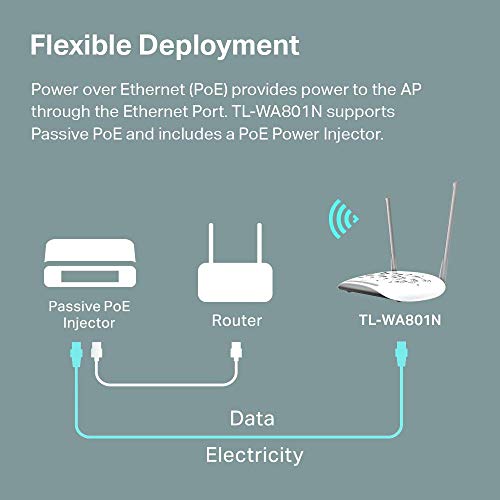
At its core, the TL-WA801N is about versatility and ease of installation. It comes with a Passive Power over Ethernet (PoE) injector, allowing it to be powered and receive data over a single Ethernet cable for placement up to 100 feet from a power outlet. With features like a WPS button for quick pairing and support for WPA2 encryption, it balances user-friendliness with basic security. This review analyzes the TL-WA801N’s specifications, features, and user feedback to determine where it fits in today’s networking landscape.
Prime TP-Link TL-WA801N 300Mbps Wireless Access Point




As an Amazon Associate we earn from qualifying purchases. Product prices and availability are accurate as of the date/time indicated.
TP-Link TL-WA801N at a Glance
| Specification | Detail |
|---|---|
| Model | TP-Link TL-WA801N |
| Wireless Standard | 802.11n (Wi-Fi 4) |
| Frequency Band | 2.4 GHz Single-Band |
| Maximum Speed | 300 Mbps |
| Ethernet Port | 1 x 10/100 Mbps |
| Antennas | 2 Fixed Smart Antennas |
| Key Features | Access Point, Range Extender, Client, Multi-SSID Modes |
| Power | Passive PoE (Injector Included) |
| Security | WPA2-PSK, WPS Button |
| Warranty | 2-Year Manufacturer Warranty |
Design and Build
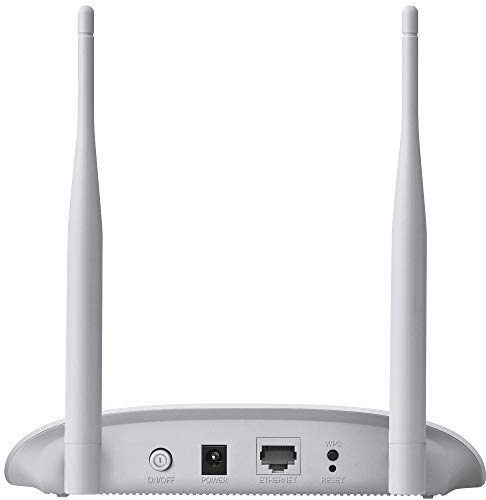
The TP-Link TL-WA801N sports a simple, compact white plastic enclosure designed for discreet placement. Its design prioritizes function over form, with two fixed smart antennas protruding from the rear. The unit is lightweight and features a simple mounting design that allows for attachment to a wall or placement on a desktop, providing flexibility in installation. The build quality is typical for budget networking gear, focusing on cost-effective materials that get the job done. The included accessories—a Passive PoE injector, power adapter, RJ45 Ethernet cable, and quick installation guide—are all oriented towards making the initial setup as straightforward as possible, emphasizing the product’s plug-and-play aspirations.
Performance and Features
Wireless Performance and Connectivity
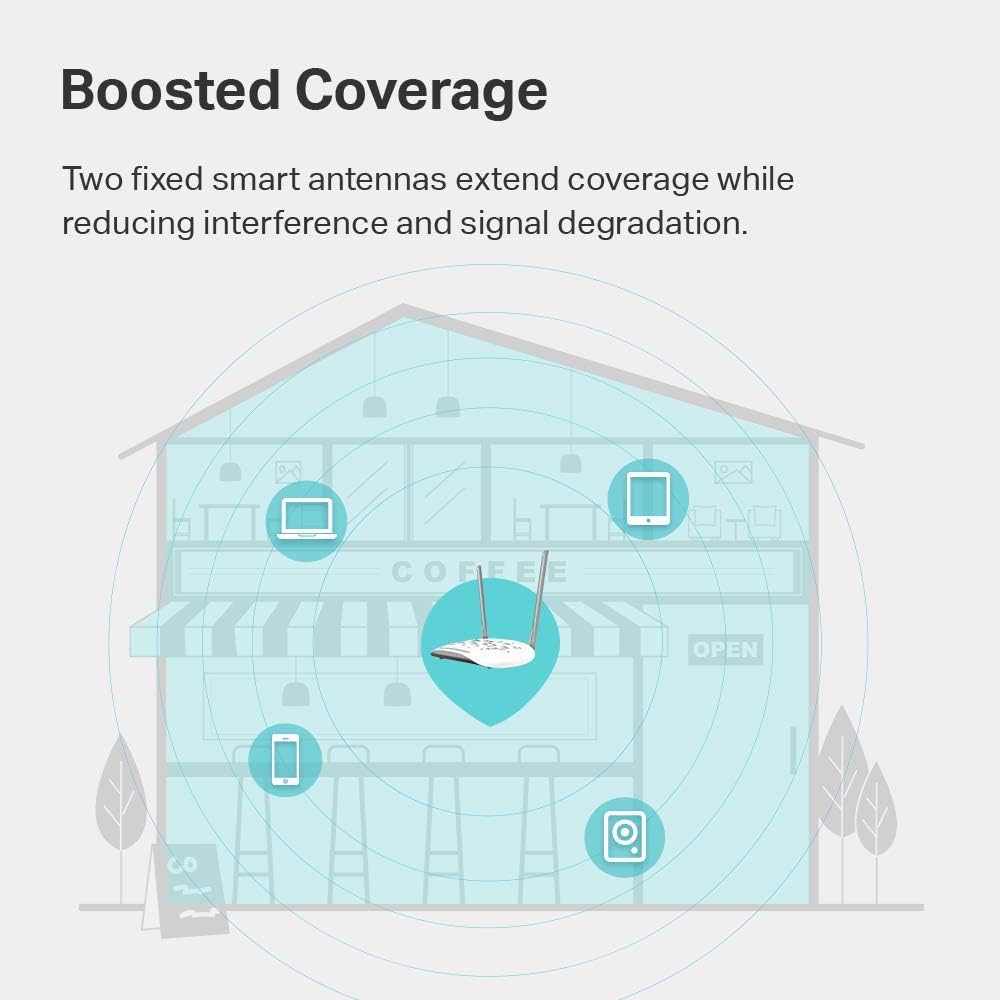
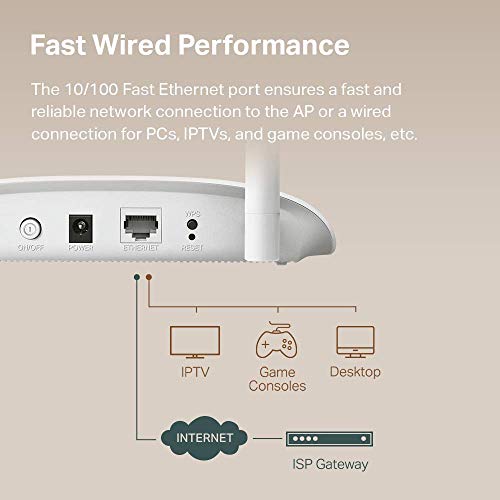
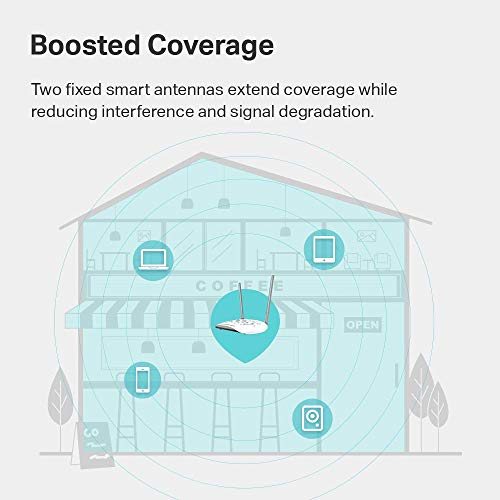
The TL-WA801N is built on the 802.11n (Wi-Fi 4) standard, offering a maximum theoretical data transfer rate of 300 Mbps on the 2.4 GHz band. This speed is facilitated by MIMO (Multiple Input, Multiple Output) technology, which uses its two antennas to transfer more data simultaneously, potentially improving performance in environments with interference. The manufacturer states this speed is ideal for smooth HD video and voice streaming. However, it’s important to note the single 10/100 Mbps Ethernet port creates a hard ceiling for any wired backhaul or client connections, limiting total throughput. The wireless coverage is listed as up to 30 meters or 100 square meters, a figure aided by the fixed antennas designed to reduce interference.
Operational Modes: Core Flexibility
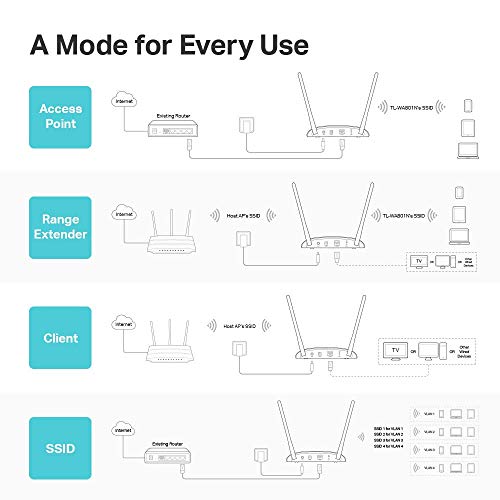
The standout feature of the TL-WA801N is its support for multiple operational modes, which greatly expands its utility beyond a simple access point. In its default Access Point Mode, it converts a wired network connection into a wireless one. Range Extender/Bridge Mode allows it to receive an existing WiFi signal and rebroadcast it to cover dead zones. Client Mode turns the device into a wireless adapter, letting a wired-only device like a printer or game console connect to a wireless network via its Ethernet port. Finally, Multi-SSID Mode supports creating up to four separate network names (SSIDs) with VLANs, useful for segregating traffic for guests, IoT devices, or different departments in a small office without purchasing additional hardware.
Power over Ethernet and Installation
A significant advantage for installation is the included Passive Power over Ethernet (PoE) injector. This system sends power and data over a single Ethernet cable, allowing the access point to be deployed up to 30 meters (100 feet) from a power outlet. This is particularly useful for mounting the unit on a ceiling or in a location where running a dedicated power line would be difficult or unsightly. The setup process is designed to be user-friendly, with a WPS (Wi-Fi Protected Setup) button for one-touch secure connection to compatible routers. Basic network security is handled by WPA2-PSK encryption, the standard for securing wireless networks.
Setup, Support and Ownership
Setup is reportedly quick for the basic modes, though some user reviews indicate the provided instructions can be unclear or miss steps for specific configurations like Access Point mode. The web-based management interface offers control over the various modes and settings. TP-Link provides free 24/7 technical support and backs the device with an industry-leading two-year warranty, which adds value and peace of mind. There is no mention in the provided data regarding firmware update policies, security update longevity, or available accessory options beyond what is included in the box. The device’s simplicity means there are few upgrade paths; it is a set-and-forget solution for its intended purposes.
What Owners Say
Owner feedback for the TP-Link TL-WA801N is generally positive, with a high proportion of five-star ratings. Users frequently praise its value for money and the versatility offered by its multiple modes. Many report successful use as a range extender to eliminate dead zones or in client mode to connect wired devices wirelessly. The setup process receives mixed notes; while some find it quick and easy, others have needed to troubleshoot or seek online guides for specific modes. A recurring theme in critical reviews is the limitation of the 2.4GHz band, with some users noting instability or speed constraints, especially in crowded wireless environments. There is also mention from a technically-inclined user that third-party firmware like OpenWRT can unlock more stability and features, suggesting the stock firmware may have limitations for advanced use cases.
Pros and Cons
Pros
- Highly versatile with four operational modes (AP, Extender, Client, Multi-SSID)
- Flexible deployment thanks to included Passive PoE injector
- Easy setup with WPS button and straightforward mounting
- Dual fixed antennas provide reliable coverage for typical spaces
- Strong value proposition for basic networking tasks
- Backed by a two-year warranty and 24/7 support
Cons
- Limited to 2.4GHz band, lacking modern 5GHz support
- 300Mbps maximum speed may be insufficient for high-bandwidth activities
- Single 10/100 Ethernet port bottlenecks wired throughput
- Basic feature set lacks advanced controls like Quality of Service (QoS)
- Instructions can be unclear for non-default setup modes
- Performance may suffer in areas with heavy 2.4GHz congestion
Who Should Buy It (and Who Should Skip It)
The TP-Link TL-WA801N is an ideal choice for users with specific, straightforward wireless expansion needs. It’s perfect for someone looking to add WiFi coverage to a detached garage, workshop, or home dead zone using an existing Ethernet cable or powerline adapter. It’s also excellent for connecting a single wired device, like a network printer or older game console, to a wireless network via its Client mode. Small offices or homeowners wanting to create a separate guest network without complex hardware will benefit from the Multi-SSID feature. For more insights on setting up a robust home network, explore our Tech Gear section.
Conversely, users should look elsewhere if they require high-speed internet for activities like competitive online gaming, 4K video streaming across multiple devices, or fast file transfers. The lack of a 5GHz band and the 100 Mbps Ethernet port are significant bottlenecks. Those living in dense apartment complexes with congested 2.4GHz airwaves may experience poor performance. Users seeking a simple, modern mesh system for whole-home coverage with seamless roaming should also skip this in favor of a dedicated mesh kit. If your interest lies in the broader world of connected devices, our roundup of the best AI smart home devices offers a look at more advanced integrations.
Final Verdict
The TP-Link TL-WA801N succeeds as a cost-effective and flexible tool for specific networking scenarios. Its strength lies not in raw speed or cutting-edge technology, but in its practical ability to solve common problems like extending a network’s reach or bridging the gap for wired devices. The inclusion of Passive PoE and support for multiple modes offers a level of utility that belies its low price point. For the right user with modest speed requirements and a clear use case, it represents a very good value.
However, its limitations are equally clear and important to acknowledge. In an era where 5GHz WiFi and gigabit Ethernet are becoming standard, the TL-WA801N’s 2.4GHz-only and 100 Mbps constraints are notable drawbacks. It is best viewed as a targeted solution rather than a foundation for a high-performance network. If your needs align with its capabilities—and you can manage within its speed and band limitations—the TP-Link TL-WA801N is a sensible and reliable purchase. For further reading on making informed tech purchases, check out our other in-depth reviews.
FAQs
Can the TL-WA801N create a separate guest network?
Yes, using its Multi-SSID mode, the TL-WA801N can create up to four separate wireless network names (SSIDs). These can be configured with different security settings, effectively allowing you to set up a dedicated guest network isolated from your main devices. This feature is particularly useful for small businesses or homes that frequently host visitors.
Does it support the faster 5GHz WiFi band?
No, the TP-Link TL-WA801N is a single-band device operating exclusively on the 2.4GHz frequency. It does not support the 5GHz band. This means it cannot connect to or create 5GHz networks, which may limit its performance in environments where the 2.4GHz band is congested or when connecting to modern dual-band routers for maximum speed.
How far can I place it from a power outlet?
Thanks to the included Passive Power over Ethernet (PoE) injector, you can place the TL-WA801N up to 100 feet (30 meters) away from a power outlet. The single Ethernet cable carries both data and power, allowing for flexible installation in locations like ceilings, hallways, or outdoor eaves where running a dedicated power cable would be impractical.
What’s the difference between Client Mode and Range Extender Mode?
In Client Mode, the device acts as a wireless adapter for a single wired device. It connects to your existing WiFi and provides an Ethernet output to a device like a printer, making that device wireless. In Range Extender Mode, the device receives your existing WiFi signal and rebroadcasts it as a new wireless network to expand coverage area for all your wireless devices. The mode you choose depends on whether you need to connect a specific wired device or cover an area with weak signal.
About the author

Elvis Dicki writes reviews and buying guides for CyberSecLabs.