Geekom IT15 Review: Metal AI PC for Creators
The Geekom IT15 combines a robust metal chassis with Intel Ultra 9 AI horsepower, offering a compact yet powerful solution for demanding video editing and multitasking workflows.
 By Elvis Dicki
Updated October 21, 2026
By Elvis Dicki
Updated October 21, 2026
The Geekom IT15 presents itself as a “Pocket-Sized Workstation,” a mini PC aiming to deliver desktop-grade performance in a remarkably small footprint. Designed for professionals, businesses, and creators, this machine packs a high-end Intel Core Ultra 9 processor, ample 32GB DDR5 memory, and a spacious 2TB SSD into a chassis that fits in the palm of your hand. It is engineered for tasks like video production, graphic design, AI workloads, programming, and multitasking, promising to handle complex creative workflows without the bulk of a traditional tower. The bottom line: the Geekom IT15 targets users who need significant processing power and versatility in a portable, desk-space-friendly form factor, backed by a substantial three-year warranty.
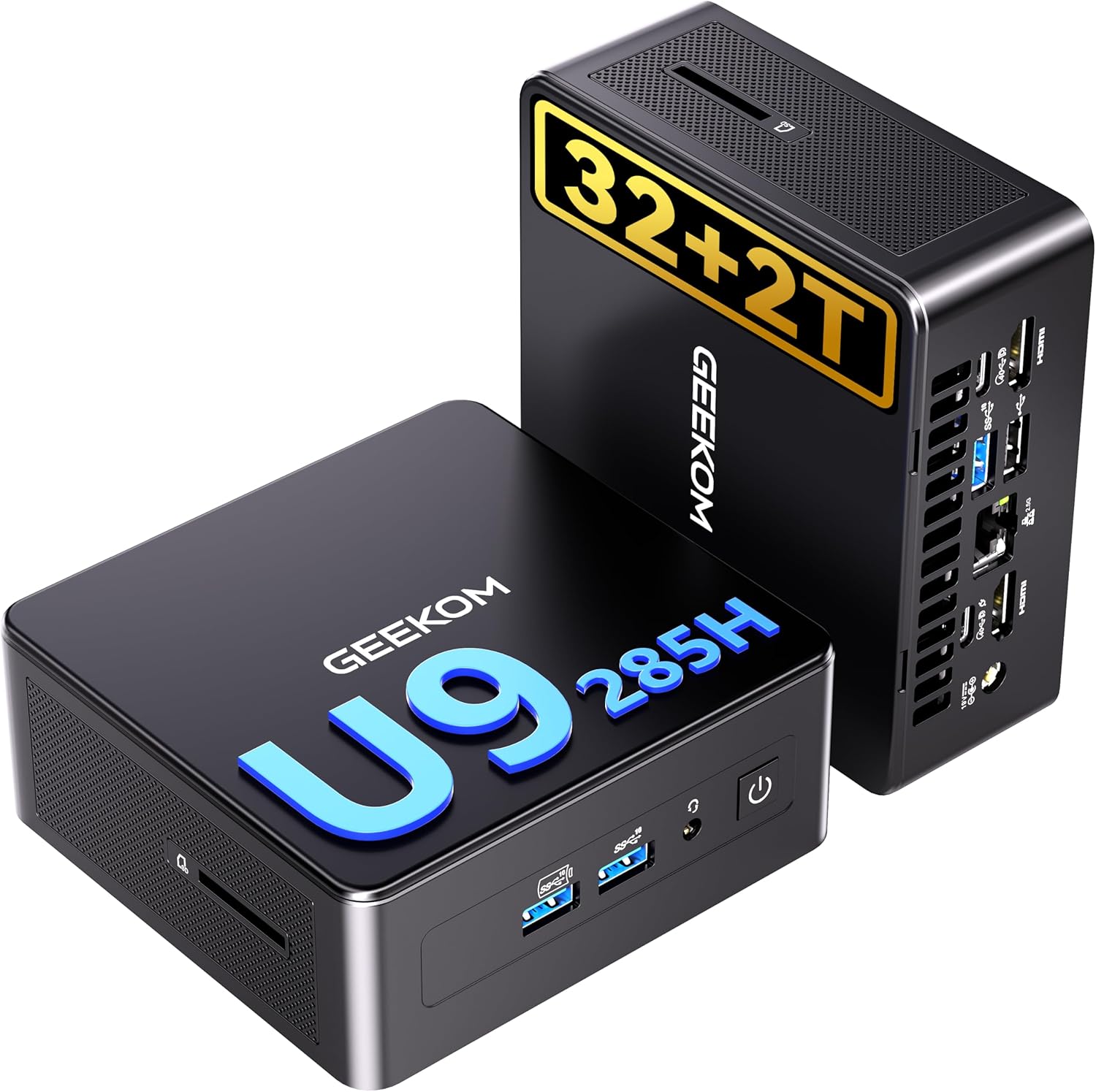
This review analyzes the specifications, features, and user feedback of the Geekom IT15 to determine if it lives up to its claim of being “The Most Powerful AI Mini PC.” We’ll examine its build quality, performance credentials for creative work, connectivity options, and overall value proposition for its intended audience.
GEEKOM IT15 AI Mini PC: Intel Core Ultra 9 285H



As an Amazon Associate we earn from qualifying purchases. Product prices and availability are accurate as of the date/time indicated.
Geekom IT15 at a Glance
| Specification | Detail |
|---|---|
| Processor | Intel Core Ultra 9 285H (15th Gen) |
| AI Performance | 99 TOPS (NPU+GPU+CPU) |
| Graphics | Intel Arc 140T GPU |
| Memory | 32GB DDR5 (Upgradeable to 128GB) |
| Storage | 2TB PCIe Gen4 NVMe SSD |
| Operating System | Windows 11 Pro |
| Wireless | WiFi 7, Bluetooth 5.4 |
| Ethernet | 2.5Gbps |
| Display Support | Quad Display, up to two 8K + two 4K |
| Build | PC+ABS Metal Frame Chassis |
| Warranty | 3 Years |
Design and Build
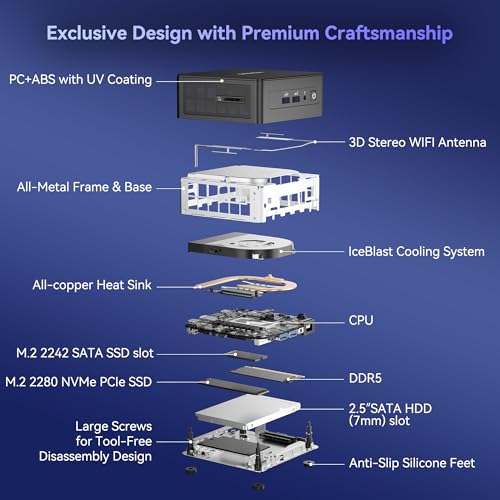
The Geekom IT15 distinguishes itself from many mini PCs with its construction. It features a PC+ABS metal-frame chassis, a departure from the plastic enclosures common in the category. The manufacturer claims this frame is rated for 200kg of pressure, offering protection against drops and impacts for enhanced durability in professional environments where equipment may be moved or subjected to incidental contact. The all-black finish contributes to a professional, inconspicuous look suitable for an office or studio.
Thermal management is critical in a compact system housing high-performance components. The IT15 employs an advanced cooling system that includes a high-speed fan, copper heat pipes, and a direct-contact CPU plate. The manufacturer states this design ensures cool operation and maintains noise levels below 35 decibels under heavy loads, aiming for a balance of performance and acoustics. The physical dimensions are 7.87 x 4.72 x 7.48 inches, with a weight of 1.69 kilograms, making it highly portable while still feeling substantial due to its metal build.
Performance and Features
Processing and AI Power
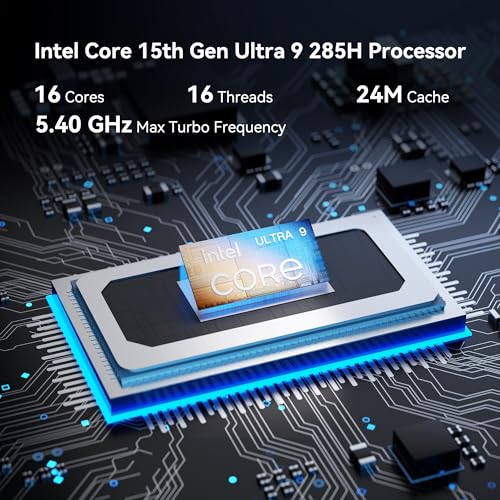
At the heart of the Geekom IT15 is the Intel Core Ultra 9 285H processor. Its standout feature is a claimed 99 TOPS of AI performance, achieved through a “triple-engine” architecture combining a Neural Processing Unit (NPU), the Intel Arc GPU, and the CPU. This AI horsepower is marketed for tasks like generating 4K concept art in seconds and handling over 50 concurrent creative tasks. The system is said to be optimized for applications like Adobe Creative Suite, Blender, and Unreal Engine, positioning it as a portable AI workstation. For traditional computing, it includes Intel’s Arc 140T integrated graphics.
Memory, Storage, and Upgradability
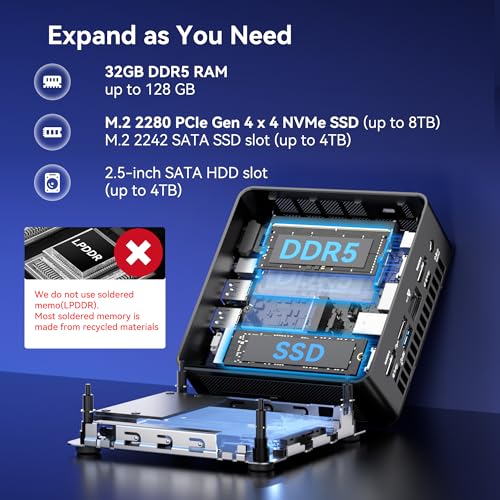
The system comes configured with 32GB of DDR5 RAM, which the manufacturer states is user-upgradeable to a maximum of 128GB. Storage is provided by a 2TB PCIe Gen4 NVMe SSD, noted to be up to 75% faster than the previous Gen3 standard. An additional M.2 2242 SATA SSD slot is available for expansion, supporting drives up to 2TB. This combination of high-speed, high-capacity storage and flexible memory upgrades addresses a key need for content creators and power users who work with large files and complex projects.
Connectivity and Display Outputs
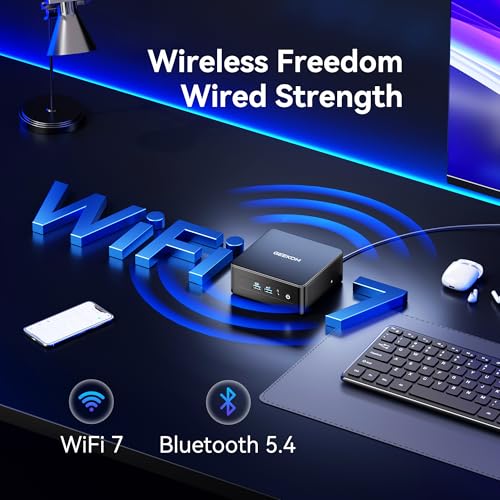
Connectivity is a major strength of the IT15. It features next-generation WiFi 7 with 3D beamforming antennas and Bluetooth 5.4 for wireless connections, alongside a 2.5Gbps Ethernet port for wired reliability. For peripherals and displays, it offers a comprehensive port selection: four USB-A ports, two USB4 Type-C ports with 40Gbps speed and Power Delivery 4.0 support, and dual HDMI 2.0 outputs. This array allows the mini PC to support up to four displays simultaneously, with configurations of two 8K and two 4K monitors, enabling expansive multitasking and creative workspaces. The USB4 ports also provide connectivity for external GPU enclosures.
Software and Security
The Geekom IT15 ships with Windows 11 Pro pre-installed, which includes enterprise-oriented features. Security is handled through standard Windows tools like Windows Defender, Windows Hello for biometric login, and DTPM 2.0 for hardware-based security. The system is multi-certified (FCC, UL, ENERGY STAR, CE, RoHS) for safety, energy efficiency, and environmental compliance.
Setup, Support and Ownership
Pros
- High AI performance with Intel Ultra 9 and 99 TOPS for creative tasks.
- Robust metal chassis built for durability and impact resistance.
- Excellent connectivity with WiFi 7, USB4, and quad-display support.
- Generous 32GB RAM and 2TB SSD with clear upgrade paths.
- Quiet advanced cooling system maintains low noise under load.
- Strong three-year manufacturer warranty.
Cons
- Full WiFi 7 performance requires a compatible router infrastructure.
- Graphics are best suited for mid-tier gaming; high-end AAA titles may require an eGPU.
- Upgrading components requires opening the chassis.
- Some user reviews indicate potential need for configuration tweaks post-setup.
- The manufacturer notes potential industry-wide component supply adjustments.
Who Should Buy It (and Who Should Skip It)
The Geekom IT15 is an ideal choice for professionals who need powerful computing in a small form factor. Video editors, graphic designers, developers, and data analysts who work with AI tools or require extensive multitasking across multiple high-resolution monitors will find its specifications compelling. Its portability also makes it suitable for digital nomads, educators, or businesses looking to deploy consistent, powerful workstations without the clutter of towers. Users who value a long warranty and a durable, metal build will appreciate the IT15’s construction.
This mini PC might not be the best fit for hardcore gamers seeking the highest frame rates in the latest AAA titles at maximum settings without adding an external graphics card. Users who only require basic computing for web browsing, document editing, and media consumption can likely find a more budget-friendly mini PC. Those without a WiFi 7 router will not fully utilize its latest wireless capabilities, though it remains backward compatible.
Final Verdict
The Geekom IT15 makes a strong case for being a top-tier mini PC for creative and professional workloads. Its combination of the Intel Core Ultra 9 processor with dedicated AI engines, a generous amount of fast DDR5 memory and PCIe 4.0 storage, and an exceptionally versatile port selection is impressive in this form factor. The robust metal build and three-year warranty further signal a product designed for reliability and long-term use. For tasks like video editing, AI-assisted content creation, complex coding environments, or running multiple virtual machines, the IT15 provides a compelling, space-saving alternative to a traditional desktop.
While it excels in productivity and creation, it is important to temper expectations for gaming; it is capable with popular and mid-tier titles but not a replacement for a high-end dedicated gaming PC. The requirement for internal upgrades and the need for a compatible router to unlock WiFi 7’s full potential are minor considerations against its overall capability. Based on its specifications and positive owner feedback, the Geekom IT15 successfully delivers on its promise as a powerful, portable AI workstation, making it a standout option for anyone seeking maximum mini PC performance. For those considering other compact computing options, our guides on AI mini PCs and mini PCs for gaming offer valuable comparisons.
FAQs
Can the Geekom IT15 handle professional video editing?
According to the manufacturer, absolutely. The Geekom IT15 is built for video production and graphic design. Its Intel Core Ultra 9 processor, Arc 140T GPU, 32GB of DDR5 RAM, and fast PCIe 4.0 SSD provide the necessary performance for editing high-resolution footage, applying effects, and rendering. Its ability to drive multiple 4K or 8K displays is also a significant benefit for professional editing workflows.
Is the RAM and storage upgradeable?
Yes. The Geekom IT15 is designed with upgradability in mind. The DDR5 RAM can be expanded from the included 32GB up to a maximum of 128GB. For storage, in addition to the pre-installed 2TB PCIe NVMe SSD, there is an additional M.2 2242 slot that supports a SATA SSD of up to 2TB. Both upgrades require opening the chassis.
What kind of gaming performance can I expect?
The manufacturer states the IT15 runs popular titles like League of Legends, Fortnite, and CS:GO, along with many mid-tier AAA games. Its Intel Arc 140T integrated graphics are capable for esports and less demanding games, but for the latest high-fidelity AAA titles at maximum settings, performance may be limited. The USB4 ports do allow for the addition of an external GPU (eGPU) to significantly boost gaming capabilities.
What is included in the 3-year warranty?
The manufacturer offers a three-year warranty, which is longer than the one-year standard common with many mini PC brands. They attribute this confidence to superior materials, precision engineering, and rigorous testing. Specific terms and conditions are not listed in the provided data, so buyers should consult the official Geekom documentation for full warranty details, including what is covered and the process for making a claim.
About the author

Elvis Dicki writes reviews and buying guides for CyberSecLabs.