Dell S2725HS Review: 100Hz Eye Comfort Monitor with Built-In Audio
The Dell S2725HS is a 27-inch FHD monitor that prioritizes user comfort with advanced blue light filtering and a highly ergonomic stand, while offering integrated speakers for a streamlined desktop setup.
 By Elvis Dicki
Updated October 22, 2026
The Dell S2725HS is a 27-inch Full HD monitor designed for users who spend long hours in front of a screen. It targets office professionals, casual content consumers, and users who value ergonomic flexibility and a clean, integrated audio solution over ultra-high resolution. This monitor delivers a comfortable viewing experience with a focus on eye care and adjustability, making it a strong candidate for shared workspaces or home offices where setup versatility is key.

Positioned as a lifestyle monitor, the Dell S2725HS combines a 100Hz refresh rate, TÜV-certified eye comfort technology, and re-engineered dual 5W speakers into a single package. It is not a high-performance gaming display or a professional-grade color-accurate panel, but rather a well-rounded workhorse that aims to reduce fatigue during extended use. For users needing a large screen for productivity, multimedia, and casual gaming with minimal desk clutter from external speakers, this Dell model presents a compelling all-in-one solution.
Dell S2725HS 27 Inch FHD 100Hz Monitor





As an Amazon Associate we earn from qualifying purchases. Product prices and availability are accurate as of the date/time indicated.
Dell S2725HS at a Glance
| Specification | Detail |
|---|---|
| Screen Size | 27 Inches |
| Resolution | FHD (1920 x 1080) |
| Refresh Rate | 100 Hz |
| Response Time | 8 Milliseconds |
| Contrast Ratio | 1500:1 |
| Color Coverage | 99% sRGB |
| Adaptive Sync | FreeSync |
| Speakers | Integrated Dual 5W |
| Eye Comfort | TÜV Rheinland 4 Star (ComfortView Plus) |
| Stand Adjustments | Height, Tilt, Swivel, Pivot |
Design and Build
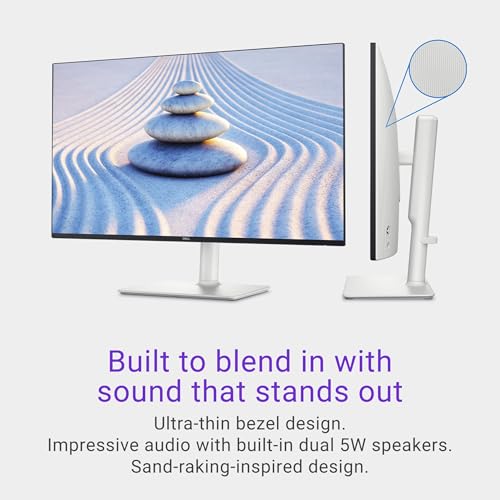
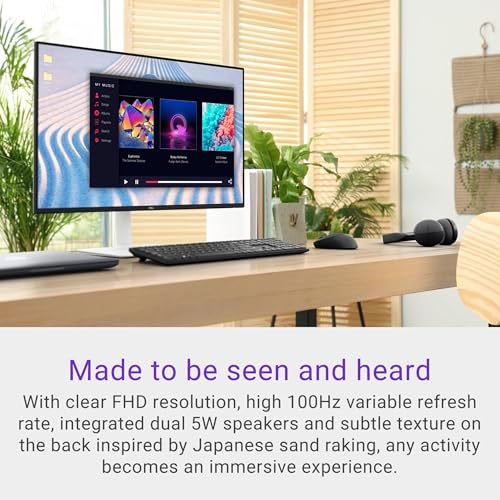
The Dell S2725HS features a clean, modern aesthetic with an ash white and silver color scheme and an ultra-thin bezel design that maximizes screen real estate. The rear of the monitor has a subtle textured finish, inspired by Japanese sand raking, which adds a unique visual element not commonly found on standard office displays. The overall construction feels solid, supporting its full range of ergonomic adjustments without wobble.
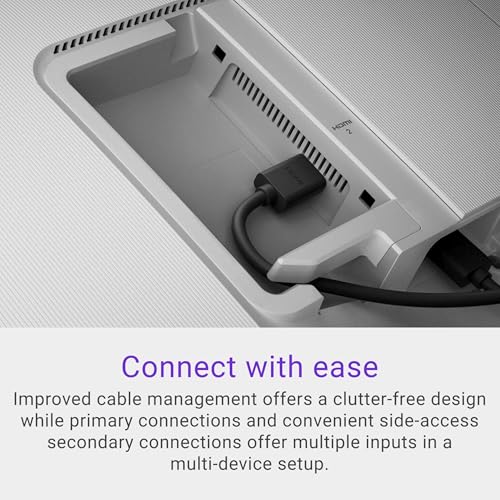
A key design strength is the highly adjustable stand, which offers height, tilt, swivel, and pivot (portrait orientation) functionality. This allows users to position the screen perfectly for any task or shared workspace environment. Cable management is integrated into the stand to help maintain a clutter-free desk. Navigation is handled by a rear joystick, which provides intuitive control over the on-screen display menu, a feature often appreciated for its ease of use compared to traditional button arrays.
Performance and Features
Visual Performance
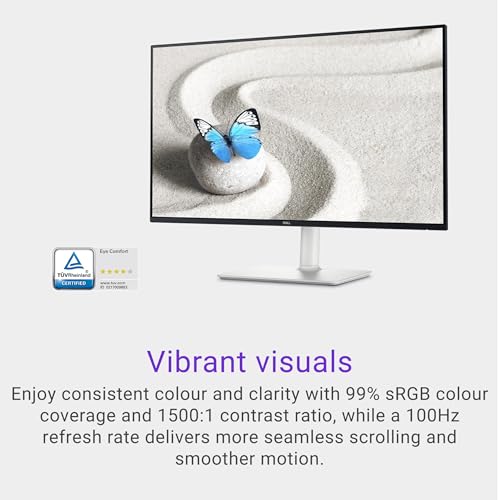
The 27-inch Full HD (1920×1080) display provides a large canvas for multitasking, though the pixel density is lower than what is found on higher-resolution monitors of the same size. The 99% sRGB color coverage and 1500:1 contrast ratio promise consistent and vibrant colors suitable for general office work, web browsing, and casual photo or video editing. The screen finish is matte, which effectively reduces glare in typical office or home lighting conditions, a crucial factor for comfort during long sessions.
Motion and Responsiveness
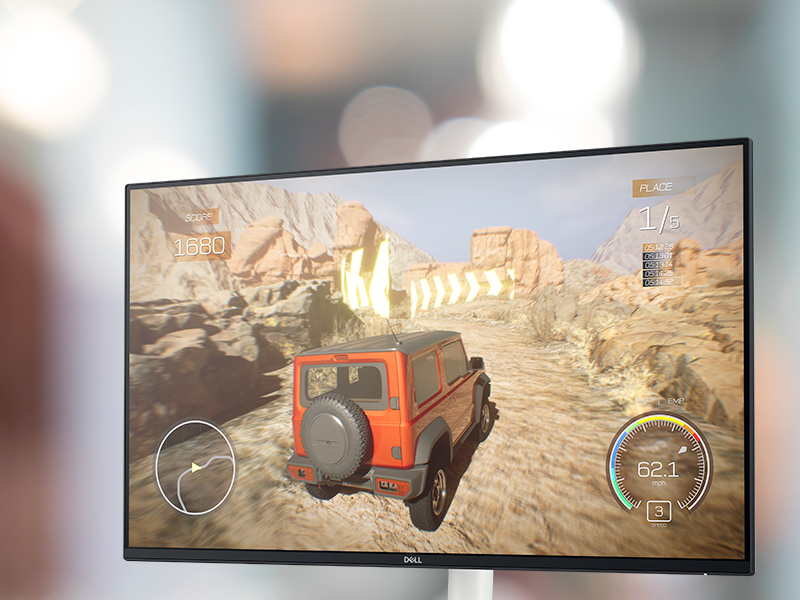
With a 100Hz refresh rate and support for AMD FreeSync, the monitor delivers smoother scrolling and reduced screen tearing compared to standard 60Hz panels, providing a better experience for casual gaming and video playback. The listed 8ms gray-to-gray response time is adequate for general use but may introduce minor motion blur during fast-action content, making it less ideal for competitive, fast-paced gaming where faster response times are critical.
Eye Comfort and Audio
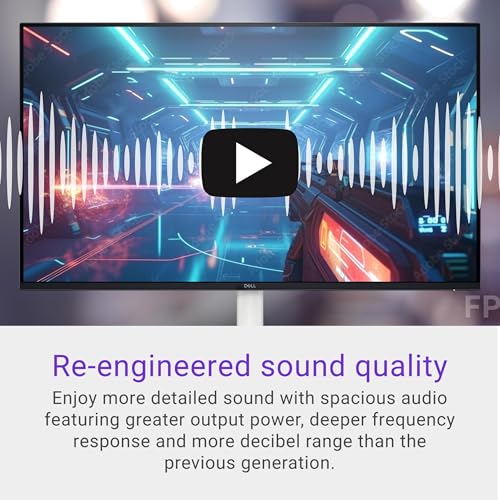
A standout feature is Dell’s ComfortView Plus technology, which is rated 4 stars by TÜV Rheinland for eye comfort. This system reduces harmful blue light emissions without the significant yellow tint often associated with basic blue light filters, aiming to preserve color accuracy while minimizing eye strain. The integrated dual 5W speakers represent a significant upgrade from typical monitor audio, offering six preset sound profiles (Standard, Movie, Game, Music, Voice, and one customizable). They provide sufficient output and clarity for conference calls, background music, and casual media consumption, eliminating the need for external speakers in basic setups.
Connectivity and Software
Connectivity is handled by dual HDMI ports, allowing easy switching between two source devices, such as a work laptop and a personal gaming console or media player. The manufacturer notes that advanced window management via Dell EasyArrange requires a separate software installation (Dell Display Manager). This software can help boost productivity by organizing applications and windows neatly across the large screen, but its utility depends on user willingness to install additional software.
Setup, Support and Ownership
Setup is straightforward, with the monitor, stand, power cable, and an HDMI cable included in the box. The highly adjustable stand attaches easily, and the joystick control simplifies initial configuration. The monitor is VESA mount compatible (100x100mm) for those who prefer an arm or third-party stand. Dell provides a 1-year Advanced Exchange Service and Premium Panel Exchange warranty. The manufacturer also emphasizes sustainability, stating the packaging is made from 100% renewable and recyclable content for models launched since 2023.
What Owners Say
Owner feedback for the Dell S2725HS is overwhelmingly positive, reflected in its high average rating. The vast majority of reviews award the highest rating, with praise frequently centered on the monitor’s excellent picture quality, the effectiveness of the eye comfort features for reducing strain during long workdays, and the surprising quality and convenience of the built-in speakers. The highly adjustable stand is also a commonly highlighted benefit. A smaller segment of users notes that the Full HD resolution on a 27-inch screen may not appear as sharp as they would prefer for detailed tasks, and some mention that certain advanced features require separate software.
Pros and Cons
Pros
- Strong TÜV-certified eye comfort protection with ComfortView Plus.
- Highly adjustable stand for ergonomic flexibility.
- Surprisingly good integrated dual 5W speakers.
- Smooth 100Hz refresh rate with FreeSync support.
- Consistent 99% sRGB color coverage.
- Matte screen effectively reduces glare.
Cons
- 8ms response time may cause motion blur in fast action.
- FHD resolution limits sharpness on the 27-inch panel.
- Some software features require separate installation.
- Not designed for competitive, high-refresh-rate gaming.
- Lacks USB-C connectivity for modern laptops.
- Basic connectivity with only HDMI ports.
Who Should Buy It (and Who Should Skip It)
The Dell S2725HS is an ideal choice for office professionals, students, and home users who prioritize eye comfort and ergonomics during long computing sessions. It is perfectly suited for general productivity, web browsing, document work, and casual multimedia consumption. Users who want a clean desk setup without external speakers will appreciate the integrated audio. It also fits well in shared or flexible workspaces due to its fully adjustable stand. For more on optimizing your workspace, see our guide on the best ergonomic seating options.
This monitor should be skipped by competitive gamers who require a faster response time (1ms or lower) and higher refresh rates. Professional video editors, graphic designers, or anyone needing precise color calibration and higher pixel density (like 4K or QHD) should look elsewhere. Users who primarily connect via USB-C for power and video from a modern laptop will find the connectivity options lacking. If your primary use case is immersive, wide-screen gaming, our reviews of the best ultra-wide monitors may offer better alternatives.
Final Verdict
The Dell S2725HS succeeds as a thoughtful, user-centric monitor that excels in the areas of comfort and daily usability. Its strongest assets are the certified eye-care technology, the versatile ergonomic stand, and the inclusion of capable speakers that surpass typical monitor audio. The 100Hz refresh rate adds a layer of smoothness that benefits both general use and casual gaming. For its intended audience—users seeking a large, comfortable screen for work and leisure—it delivers a compelling package that addresses common pain points like eye strain and desk clutter.
However, its specifications clearly define its limits. The Full HD resolution on a 27-inch screen and the 8ms response time mean it is not the tool for detail-intensive creative work or high-performance gaming. It is a specialist in comfort and convenience rather than raw performance. When compared to other monitors in its category, it stands out for its holistic approach to user well-being. For further reading on related tech gear, explore our Tech Gear section or our analysis of smart home integrations.
FAQs
Is the Dell S2725HS good for programming or coding?
It can be suitable for programming, thanks to the large 27-inch screen which allows for multiple code windows or terminals to be open side-by-side. The eye comfort features are beneficial for long coding sessions. However, some developers might prefer a higher resolution display (like QHD or 4K) for sharper text and even more screen real estate without scaling.
Can you use this monitor for console gaming like PlayStation or Xbox?
Yes, the dual HDMI ports make it easy to connect a gaming console. The 100Hz refresh rate and FreeSync support can provide a smoother experience than a standard 60Hz monitor, reducing screen tearing. The 8ms response time is adequate for casual and many single-player games, though competitive players may notice slight motion blur in fast-paced titles.
Does the ComfortView Plus feature make the screen look yellow?
According to Dell, the improved ComfortView Plus technology is designed to reduce blue light emissions without sacrificing color accuracy as much as earlier blue light filters. It has received a 4-star rating from TÜV Rheinland for eye comfort, which suggests a significant reduction in harmful blue light while minimizing the undesirable yellow tint commonly associated with this feature.
What is included in the box with the monitor?
The manufacturer lists the following items included: the monitor itself, a stand riser and base, a power cable, an HDMI cable, a quick setup guide, and safety/regulatory information. Also included are a side I/O cover and a VESA cover for when the stand is not used.
About the author

Elvis Dicki writes reviews and buying guides for CyberSecLabs.