Lenovo 50q Gen 4 Review: A Space-Saving Business Desktop with Robust Security
The Lenovo 50q Gen 4 Tiny 1L desktop packs 13th Gen Intel power and 32GB RAM into a remarkably compact chassis, making it a strong candidate for hybrid offices prioritizing space efficiency and built-in ThinkShield security.
 By Elvis Dicki
Updated October 22, 2026
The modern workplace, especially for hybrid and small businesses, demands computing power that doesn’t demand physical space. Enter the Lenovo 50q Gen 4, officially the ThinkCentre Neo 50q Gen 4 Tiny 1L Business desktop. This mini PC is engineered to deliver desktop-grade performance from a chassis so small it can be mounted behind a monitor or tucked into a corner of a desk. It’s designed for business users, remote teams, and anyone needing a reliable, secure, and efficient computer that minimizes its footprint. In essence, it’s a compact, well-equipped business desktop that trades internal expandability for extreme portability and out-of-the-box readiness.

This review analyzes the specifications, design, and features of the Lenovo 50q Gen 4 to determine where it excels and where its compact form factor imposes limitations. We’ll look at its performance credentials, connectivity, security suite, and overall value proposition for its target audience.
Lenovo ThinkCentre Neo 50q Gen 4 Tiny 1L Mini PC



As an Amazon Associate we earn from qualifying purchases. Product prices and availability are accurate as of the date/time indicated.
Lenovo 50q Gen 4 at a Glance
| Specification | Detail |
|---|---|
| Processor | 13th Gen Intel Core i5-13420H (8 cores, 12 threads) |
| Memory (RAM) | 32GB DDR4 |
| Storage | 1TB M.2 PCIe NVMe SSD |
| Graphics | Intel UHD Graphics (Integrated) |
| Operating System | Windows 11 Professional |
| Form Factor | Tiny (1 Liter) |
| Key Ports | 2x DisplayPort, 1x HDMI, 1x USB-C 3.2 Gen 2, 6x other USB, Ethernet |
| Wireless | WiFi 6 |
| Security | ThinkShield (TPM 2.0, BIOS-level), BitLocker |
| Power Adapter | 65 Watts |
Design and Build
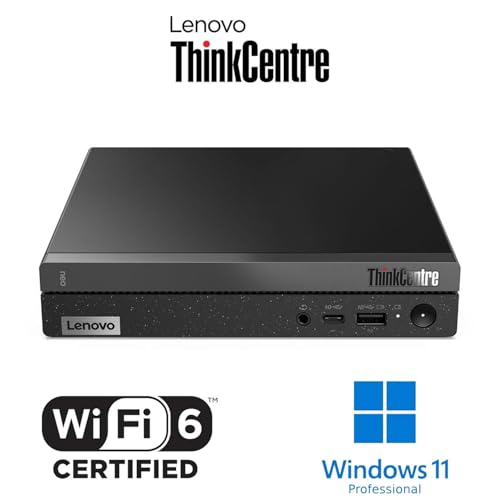
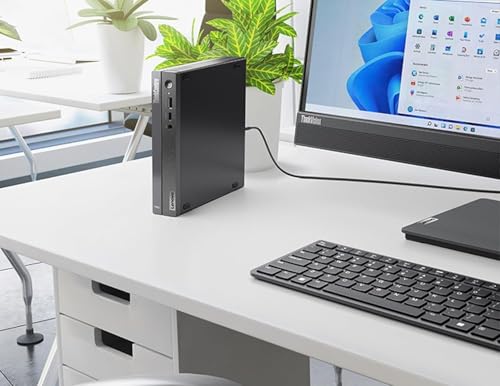
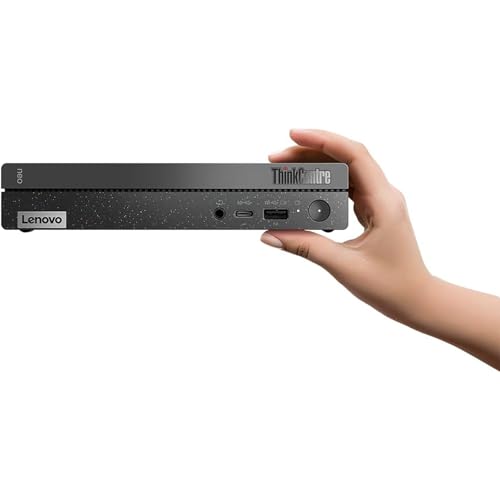
The defining characteristic of the Lenovo 50q Gen 4 is its minuscule size. Measuring just 7.05 x 7.2 x 1.44 inches and weighing approximately 1.11kg, this 1-liter desktop lives up to its “Tiny” moniker. Its black, minimalist design is intended to blend into any professional environment without drawing attention. The chassis is noted by the manufacturer as being constructed with post-consumer recycled content, aligning with sustainable building practices. The small form factor is its greatest asset for space-constrained environments, allowing for placement options impossible for traditional desktops, such as VESA-mounting behind a monitor. However, this ultra-compact design comes with a trade-off: it severely restricts internal hardware upgrades, as the space is optimized for the pre-installed components.
Performance and Features
Processing Power and Memory
At its core, the Lenovo 50q Gen 4 is equipped with a 13th Generation Intel Core i5-13420H processor. This is an 8-core chip (4 Performance-cores and 4 Efficient-cores) capable of handling 12 threads, with a maximum turbo frequency of 4.6GHz. Paired with a generous 32GB of DDR4 RAM, this configuration is designed for smooth multitasking in business applications, from data processing and numerous browser tabs to video conferencing. The combination should ensure fast boot times from the 1TB PCIe NVMe SSD and quick application launches, reducing downtime for users. For more on compact computing options, see our look at other solutions in the Mini PCs category.
Graphics and Display Support
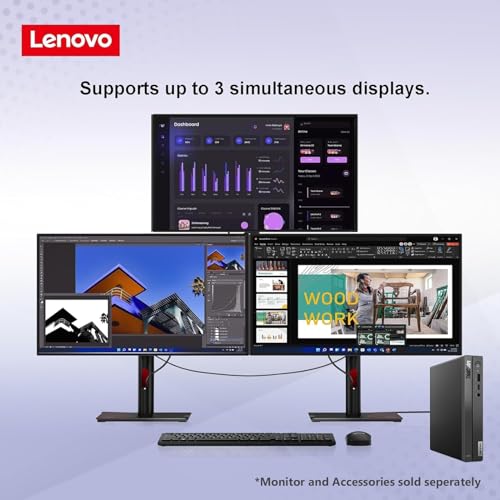
The system relies on integrated Intel UHD Graphics. This is sufficient for driving the operating system, office suites, web applications, and video playback. A key feature for productivity is its multi-monitor support; the desktop can drive up to three external displays simultaneously via its two DisplayPort outputs and one HDMI port, with support for 4K resolution on each. This makes it an excellent tool for users who rely on expansive digital workspaces. It is not, however, suited for graphics-intensive workloads like 3D rendering, video editing, or gaming, as those tasks require a dedicated GPU.
Connectivity and Ports
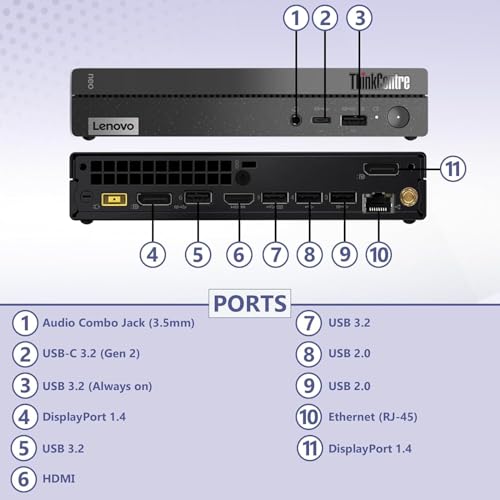
Connectivity is a strong point for a device of this size. On the front, users have convenient access to a USB-C 3.2 Gen 2 port. The rear panel houses a comprehensive array of ports including additional USB ports (for a total of seven), dual DisplayPort, one HDMI, Gigabit Ethernet, and audio jacks. Wireless connectivity is handled by WiFi 6, which supports faster and more reliable connections in congested networks, beneficial for hybrid workers connecting to office networks remotely. The inclusion of a 65-watt power adapter contributes to the system’s overall energy efficiency.
Software and Security
The desktop comes pre-installed with Windows 11 Professional, which includes business-centric features like BitLocker device encryption. Lenovo enhances this with its ThinkShield security suite. This provides layered protection starting at the hardware level, including a TPM 2.0 chip and BIOS-level security measures, along with features for anti-theft protection, device backup, and remote management. This integrated security focus is a major selling point for businesses concerned with safeguarding sensitive data.
Setup, Support and Ownership
As a pre-configured system with the operating system already installed, setup should be straightforward—essentially plugging in the power, monitor, keyboard, and mouse. The tiny form factor and included 65W adapter simplify cable management and placement. The manufacturer lists a one-year warranty. The potential for user upgrades is minimal due to the tightly integrated design; the primary storage is an M.2 SSD, but access and compatibility for replacement would need to be confirmed. There is no built-in optical drive, so external solutions would be required for disc-based media. The system is noted to be compatible with other Lenovo ThinkCentre Tiny-in-One devices, suggesting some ecosystem integration for specific mounting or accessory solutions. For those interested in even more specialized compact PCs, our review of fanless mini PC options explores silent operation alternatives.
What Owners Say
Based on the available rating distribution, a significant majority of reviewers awarded the product a five-star rating. This suggests high satisfaction with aspects like performance, size, or value. Conversely, a notable portion of reviews are one-star ratings, which typically indicate experiences with defects, setup issues, or unmet expectations. The overall rating reflects this polarized feedback, highlighting the importance of ensuring the pre-configured specifications meet the user’s specific needs from the outset.
Pros and Cons
Pros
- Exceptionally compact and portable 1-liter form factor
- Powerful 13th Gen Intel Core i5 processor with 32GB RAM for multitasking
- Fast 1TB PCIe NVMe SSD storage
- Comprehensive port selection including dual DisplayPort and USB-C
- Robust ThinkShield security suite with Windows 11 Pro
- Energy-efficient 65W power adapter
- Supports up to three 4K monitors
Cons
- Integrated Intel UHD Graphics limits graphics-intensive work
- No internal optical drive
- Tiny chassis severely restricts internal upgrade options
- Polarized user review distribution indicates potential quality control concerns for some units
Who Should Buy It (and Who Should Skip It)
The Lenovo 50q Gen 4 is an ideal fit for hybrid workers, small businesses, and educational or government offices where desk space is at a premium but computing power and data security are not. Its out-of-the-box configuration with ample RAM and storage makes it perfect for general office productivity, point-of-sale systems, digital signage, or as a thin client. Users who need to drive multiple high-resolution monitors for spreadsheets, trading, or administrative work will find its display outputs particularly useful.
This desktop should be skipped by users whose workflows depend on a powerful dedicated graphics card, such as video editors, 3D animators, or gamers. It is also not suitable for users who anticipate needing to upgrade internal components like the GPU or add multiple internal hard drives. Those requiring an optical drive for legacy media should look for systems that include one or plan to use an external USB drive. For users whose needs lean towards media centers or light server duties, exploring other mini PC models with different port layouts or processor choices may be beneficial.
Final Verdict
The Lenovo 50q Gen 4 Tiny 1L Business Desktop successfully executes its primary mission: to deliver robust, secure business computing in an incredibly small package. Its strengths are clear—a modern 8-core Intel processor, a generous 32GB of RAM, speedy SSD storage, and a wealth of ports including support for triple 4K displays. The integrated ThinkShield security adds significant value for professional environments. When these specs align with a user’s needs, it represents a very compelling space-saving solution.
However, its limitations are inherent to its design. The integrated graphics cap its performance ceiling, and the lack of internal expansion means buyers must be confident in the pre-configured specs for the lifespan of the device. The polarized user reviews advise a degree of caution. Ultimately, for businesses and hybrid workers prioritizing footprint, security, and out-of-the-box performance for general office tasks, the Lenovo 50q Gen 4 is a thoughtfully designed and capable mini desktop.
FAQs
Can the Lenovo 50q Gen 4 handle gaming?
No, it is not designed for gaming. It uses integrated Intel UHD Graphics, which are suitable for basic display output, video playback, and casual 2D games but lack the power for modern 3D gaming. This system is focused on business and productivity applications.
Can I upgrade the RAM or storage later?
The potential for upgrades is very limited due to the tiny, integrated form factor. While the M.2 SSD might be accessible for replacement, the 32GB of RAM is likely soldered onto the motherboard and not user-upgradeable. It’s crucial to select a configuration that will meet your long-term needs at the time of purchase.
Does it come with a keyboard and mouse?
The product specifications list a USB keyboard with an English QWERTY layout under “Human-Interface Input,” suggesting it may be included. However, a mouse is not explicitly listed in the provided specifications. It is advisable to check the exact contents of the box at the point of purchase.
What is ThinkShield security?
ThinkShield is Lenovo’s comprehensive suite of hardware and software security features for its business devices. For the 50q Gen 4, this includes protection starting at the chipset and BIOS level, a TPM 2.0 chip for encryption, anti-theft capabilities, and tools for remote management and recovery. It works in conjunction with Windows 11 Pro security features like BitLocker.
About the author

Elvis Dicki writes reviews and buying guides for CyberSecLabs.