Yxk Zero1 Review: Does Dual 2.5GbE Justify a Private Cloud?
The Yxk Zero1 Pro is a diskless 4-bay NAS that offers enthusiasts a potent mix of modern hardware and data ownership, though it requires separate drive investment.
 By Elvis Dicki
Updated October 21, 2026
By Elvis Dicki
Updated October 21, 2026
In a digital landscape dominated by recurring subscription fees and privacy concerns, the Yxk Zero1 Pro 4-Bay Desktop NAS presents a compelling alternative: a one-time investment for a customizable, private data hub. This device is squarely aimed at enthusiasts and power users who want to break free from cloud storage limitations and take full ownership of their digital lives. With a modern Intel N100 processor and dual 2.5GbE networking, it promises performance for more than just basic file storage, positioning itself as a versatile platform for a personalized storage environment.
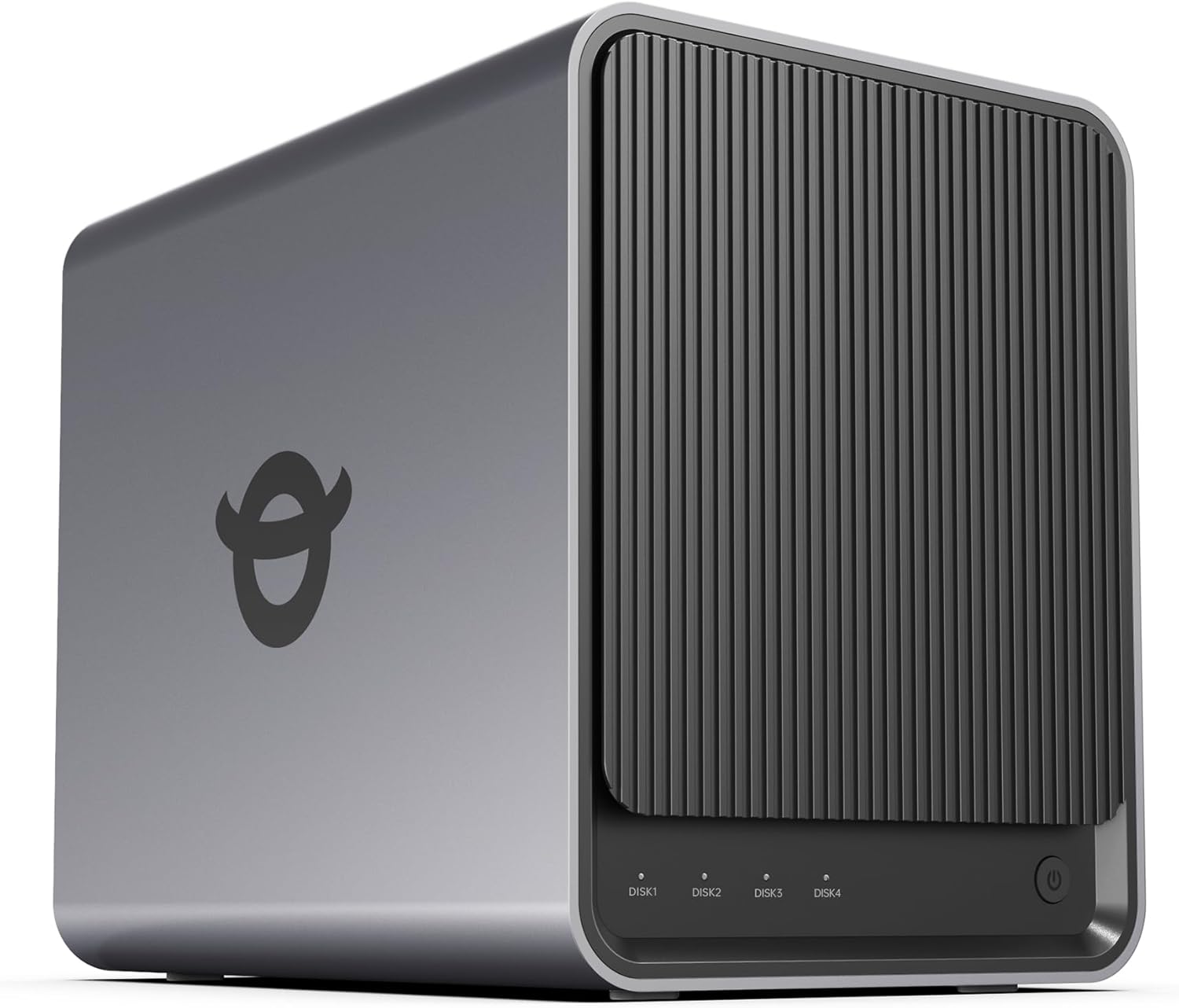
At its core, the Yxk Zero1 is a diskless network-attached storage device, meaning you must purchase and install your own hard drives. It is designed for those comfortable with setting up their own system and who value the flexibility to choose their storage capacity and RAID configuration. For users prioritizing data privacy, control over their files, and the elimination of monthly fees, this NAS offers a foundational piece of hardware to build upon. The bottom line: the Yxk Zero1 Pro is a spec-rich, enthusiast-focused NAS that trades the convenience of pre-configured systems for greater long-term control and potential value.
Yxk Zero1 Pro 4-Bay NAS Intel N100 8GB RAM Dual






As an Amazon Associate we earn from qualifying purchases. Product prices and availability are accurate as of the date/time indicated.
Yxk Zero1 at a Glance
| Specification | Detail |
|---|---|
| Model | Yxk Zero1 Pro |
| CPU | Intel N100 Quad-Core (12th Gen) |
| RAM | 8GB (Fixed) |
| Drive Bays | 4 x 3.5″/2.5″ SATA |
| M.2 Slots | 2 x NVMe |
| Network Ports | 2 x 2.5 Gigabit Ethernet (2.5GbE) |
| Video Output | 4K HDMI |
| Enclosure Material | Aluminum |
| Compatibility | Windows, macOS, iOS, Android |
| Warranty | 2 Years |
Design and Build
The Yxk Zero1 Pro embraces a compact, desktop-friendly form factor with an aluminum enclosure, a material choice that typically aids in heat dissipation. Weighing in at just 2kg, its design is intended to blend into a home office or living space without drawing undue attention. The manufacturer emphasizes a whisper-quiet operation, achieved through digitally optimized airflow and intelligent thermal control systems designed to keep the unit cool under load. This focus on a silent, unobtrusive physical presence is a key selling point for environments where noise is a concern.
Build quality appears centered on durability and efficient cooling. The compact size suggests careful internal layout to accommodate four drive bays and two M.2 slots alongside the motherboard and cooling apparatus. Real-time health monitoring for both the NAS unit and the installed drives is a highlighted feature, intended to provide early warnings for potential hardware issues. The overall design philosophy prioritizes a fit-and-forget appliance that operates reliably in the background of your digital life.
Performance and Features
Processing and Memory
At the heart of the Yxk Zero1 Pro is the Intel N100 processor, a quad-core CPU from Intel’s 12th generation. This modern, efficient chip is a significant step up from the Celeron or Atom processors found in many entry-level NAS units, providing the horsepower needed for more than simple file serving. It enables the device to handle tasks like running multiple applications, supporting different operating systems as mentioned by the manufacturer, and managing background processes like automated backups and RAID calculations without becoming a bottleneck. The included 8GB of RAM is a generous amount for a NAS in this class, facilitating smooth multitasking and supporting the use of virtual machines or containerized applications, though it is a fixed amount with no listed upgrade path.
Connectivity and Expansion
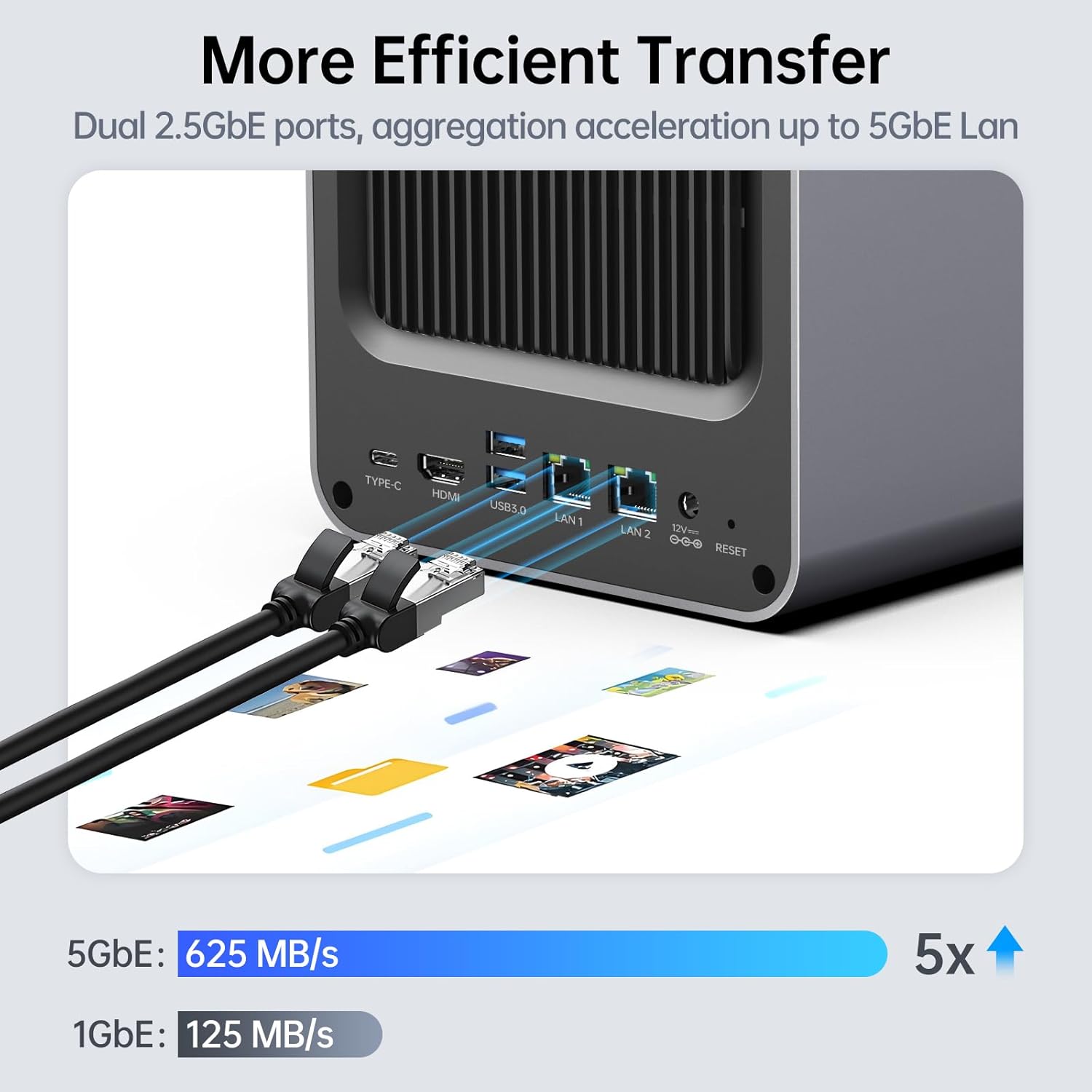
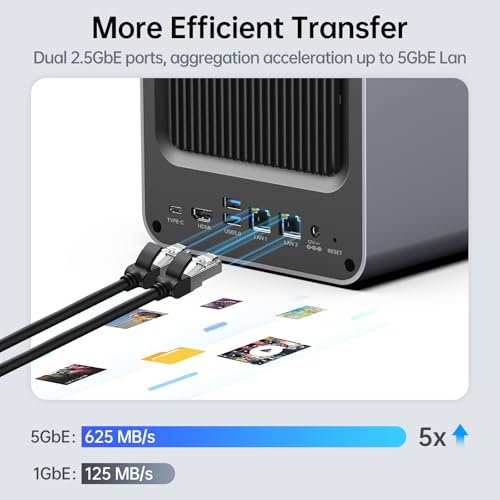
Connectivity is a major highlight. The dual 2.5 Gigabit Ethernet (2.5GbE) ports are a standout feature, offering 2.5 times the bandwidth of standard 1GbE networking. This allows for significantly faster file transfers across the network and supports smooth, unbuffered streaming of 4K media to multiple devices. These ports can also be configured for link aggregation or failover, enhancing network reliability or throughput. The inclusion of a 4K HDMI output port is notable, as it opens the door to using the NAS as a lightweight media player or direct-attached device, broadening its potential use cases beyond traditional network storage.
Storage expansion is highly flexible. The four main drive bays support standard 3.5-inch or 2.5-inch SATA hard drives or SSDs, allowing for substantial raw storage capacity. The two dedicated M.2 NVMe slots provide options for adding ultra-fast cache drives to accelerate frequently accessed data or for creating a separate, high-speed storage pool. This combination of SATA and NVMe bays gives users considerable latitude in balancing storage capacity, performance, and cost according to their specific needs, a key aspect of building a personalized storage environment. For those building complex home labs or media servers, this level of hardware flexibility is crucial. Exploring options for managing such a network can be found in resources on the best enterprise servers for network security.
Software and Security
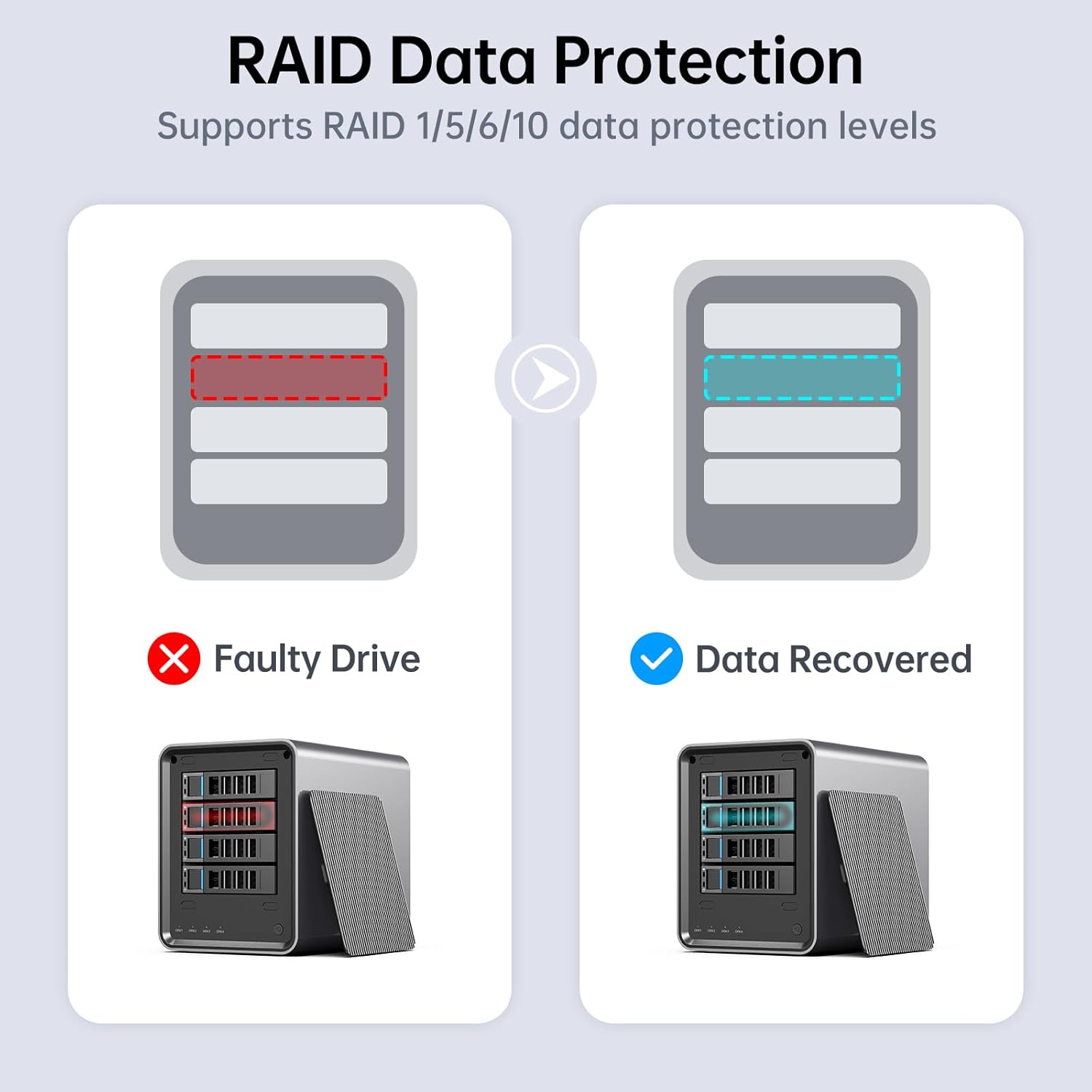
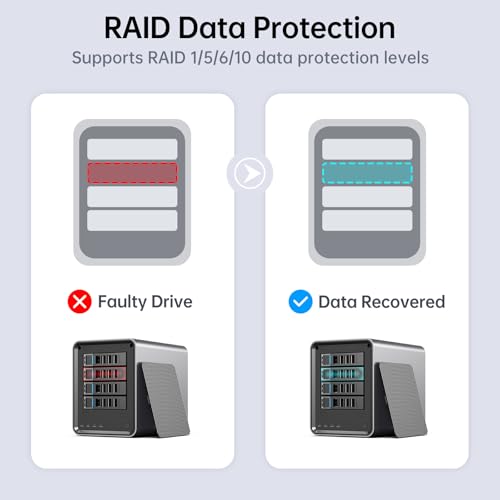
The manufacturer pitches the Yxk Zero1 as an open platform for different operating systems, suggesting it may ship with a base system or allow users to install their preferred NAS OS. This is a boon for enthusiasts who want to use software like TrueNAS, UnRAID, or a lightweight Linux distribution. Key software-enabled features highlighted include flexible RAID modes for data redundancy, automated backups, and snapshot recovery capabilities to protect against data loss from drive failure or accidental deletion. These are fundamental tools for any serious data storage solution.
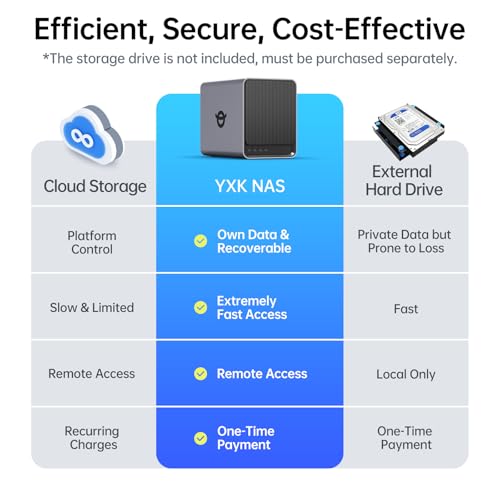
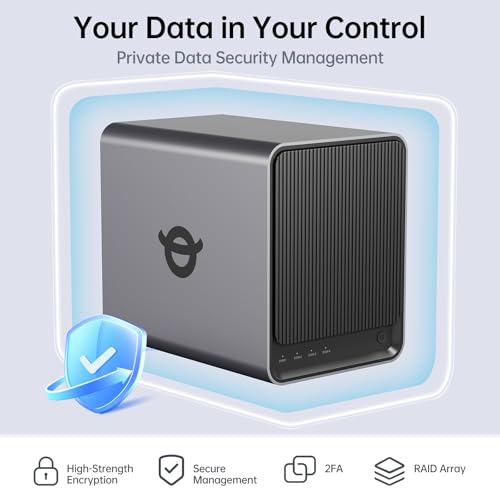
Security and privacy are foundational claims. The device supports advanced encryption for data at rest, ensuring files are protected even if a drive is physically removed. Granular user permission controls allow the administrator to create dedicated spaces for different users, managing what each person or device can access or modify. This turns the NAS into a secure private cloud where you own 100% of your data, contrasting sharply with third-party cloud services. For users concerned with digital privacy, this control is a primary reason to consider a self-hosted NAS. Understanding broader security principles is also valuable, as discussed in guides like the best cybersecurity books for beginners.
Setup, Support and Ownership
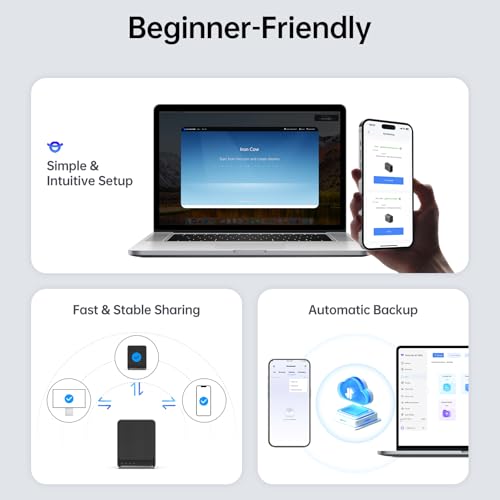
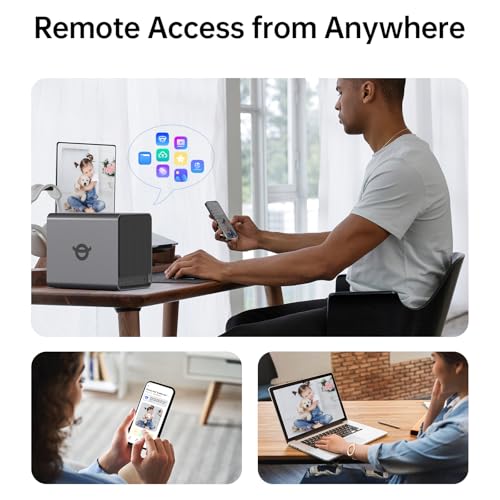
Potential buyers must note that this is a diskless system. The hard drives must be purchased separately, which adds to the initial cost and requires the user to handle installation and configuration. This is a trade-off for the freedom to choose exact drive models and capacities. Setup involves installing the drives, connecting the NAS to your network and power, and then configuring the operating system and storage pools. The manufacturer claims access is possible from any device via phone apps, desktop clients, or a web browser, suggesting a streamlined post-setup experience.
The unit comes with a 2-year manufacturer’s warranty, providing a standard period of coverage for the hardware itself. Support specifics, such as the availability of firmware updates, community forums, or direct technical assistance, are not detailed in the provided data. As a relatively new brand, Yxk’s long-term support track record is an unknown factor that prospective buyers may want to research. The ownership model is clear: it is a one-time purchase with no recurring fees, but the onus for maintenance, drive replacements, and data integrity ultimately falls on the owner.
What Owners Say
Based on the available rating data, user reception appears positive. The product holds a high average rating. The rating distribution shows a perfect score from the reviews counted in the provided data, indicating a high level of satisfaction among those who have submitted feedback. While specific written review excerpts detailing performance, noise levels, or ease of use are not provided, the consistently high ratings suggest that owners find the product delivers on its core promises of performance and value for an enthusiast-grade NAS. For those comparing hardware for different needs, insights can be gleaned from other tech reviews, such as those for the best laptops for cybersecurity students.
Pros and Cons
Pros
- Modern Intel N100 CPU provides strong performance for a NAS
- Dual 2.5GbE ports enable high-speed network transfers
- Versatile connectivity including 4K HDMI output
- Flexible storage with four drive bays and two M.2 NVMe slots
- One-time purchase eliminates cloud subscription fees
- Compact, quiet aluminum design suitable for desktop use
- Granular user controls and encryption for data privacy
Cons
- Hard drives must be purchased separately
- RAM is fixed at 8GB and not user-upgradeable
- Brand lacks an established long-term track record for support
- Requires user knowledge for initial setup and configuration
- Lacks the integrated software ecosystem of established NAS brands
- Total cost of ownership rises with purchase of drives
Who Should Buy It (and Who Should Skip It)
The Yxk Zero1 Pro is an ideal fit for the tech-savvy enthusiast or power user. This includes home lab tinkerers, privacy-conscious individuals, media hoarders, and anyone frustrated with cloud storage limits and fees. If you enjoy customizing your hardware, want to run specific NAS operating systems, and value the potential of 2.5GbE speeds and NVMe caching, this device offers excellent specs for the money. It’s also suitable for small office environments needing a private, controlled file server.
Conversely, you should skip this NAS if you seek a plug-and-play experience. Those who want a pre-assembled, drive-included solution with a polished, brand-name software suite should look at offerings from companies like Synology or QNAP. It is also not for users on a tight budget who haven’t factored in the additional several hundred dollars required for drives. Anyone uncomfortable with installing hard drives and configuring network storage or RAID arrays would be better served by a simpler solution.
Final Verdict
The Yxk Zero1 Pro 4-Bay Desktop NAS makes a compelling argument on paper. It packs contemporary, enthusiast-grade hardware—like the Intel N100 CPU, dual 2.5GbE ports, and dual M.2 slots—into a compact, quiet chassis at a competitive price point for a diskless unit. Its core proposition of data ownership and freedom from subscriptions is powerful and resonates in today’s digital climate. For users willing to invest the time and additional money in drives and setup, it presents a high-value foundation for building a powerful and private data hub.
However, this value comes with caveats. The requirement to buy drives separately and the fixed RAM mean the total cost and capability ceiling are defined early. The relative newness of the Yxk brand introduces an element of uncertainty regarding long-term software support and community resources compared to established players. Ultimately, the Yxk Zero1 Pro is a smart choice for the hands-on user who prioritizes hardware specs and control over out-of-the-box simplicity, offering a potent platform to craft a personalized cloud on your own terms. For more insights into creating optimal tech setups, consider reading about the best ultra-wide monitors for expansive workspaces.
FAQs
Does the Yxk Zero1 Pro come with hard drives installed?
No, the Yxk Zero1 Pro is sold as a diskless system. This means the unit itself does not include any hard drives or solid-state drives. You must purchase 3.5-inch or 2.5-inch SATA drives separately and install them into the four available drive bays. The two M.2 NVMe slots are also empty and require separate purchase of compatible SSD modules if you wish to use them for cache or storage.
Can the 8GB of RAM be upgraded later?
Based on the provided specifications, the RAM is listed as a fixed 8GB configuration. There is no information suggesting it is user-upgradeable or has available slots for adding more memory. The 8GB capacity is soldered onto the board or is a single non-replaceable module. This is an important consideration for users who anticipate needing more memory for demanding applications in the future.
What operating systems can I run on this NAS?
The manufacturer markets the Zero1 Pro as an enthusiasts’ NAS storage for different operating systems. This indicates it is an open platform that likely supports installing various NAS-oriented operating systems such as TrueNAS Core, UnRAID, or Linux distributions. It is compatible with client devices running Windows, macOS, iOS, and Android for accessing files and services hosted on the NAS. The specific OS it ships with, if any, is not detailed in the provided data.
Do I need a special router to use the 2.5GbE ports?
To fully utilize the 2.5 Gigabit Ethernet speed, your network infrastructure must support it. You would need a router, switch, or network interface card on your primary computer that also has 2.5GbE (or faster) ports. If you connect the NAS to a standard 1 Gigabit Ethernet port, the connection will be limited to 1GbE speeds. The dual ports also allow for advanced configurations like link aggregation with a compatible switch to increase bandwidth.
About the author

Elvis Dicki writes reviews and buying guides for CyberSecLabs.