ASUS VG27AQ Review: A QHD Gaming Monitor for Competitive Players
The ASUS VG27AQ is a 27-inch QHD IPS monitor that combines a 165Hz refresh rate with G-SYNC compatibility and ELMB Sync, delivering smooth, tear-free gameplay for fast-paced titles.
 By Elvis Dicki
Updated October 22, 2026
The ASUS VG27AQ is a 27-inch gaming monitor designed to meet the demands of competitive and fast-paced gaming. It sits in the ASUS TUF Gaming lineup, offering a blend of high refresh rate, quick response time, and adaptive sync technologies aimed at providing a fluid and immersive visual experience. This monitor is primarily for gamers who need smooth motion clarity and sharp detail in titles like first-person shooters, racers, and real-time strategy games, but its IPS panel and color accuracy also make it suitable for general multimedia use and light content creation. In short, the ASUS VG27AQ delivers a high-performance QHD gaming experience with features focused on reducing lag and motion blur.

This analysis will review the monitor’s design, performance, and features based on its specifications and manufacturer data. We will examine its core selling points, including the 165Hz refresh rate, G-SYNC compatibility, and ASUS’s proprietary technologies like ELMB Sync and Shadow Boost. The goal is to provide a comprehensive overview of what the ASUS VG27AQ offers to help you determine if its feature set aligns with your gaming or workstation needs.
ASUS TUF Gaming VG27AQ 27" 1440p 165Hz IPS Monitor


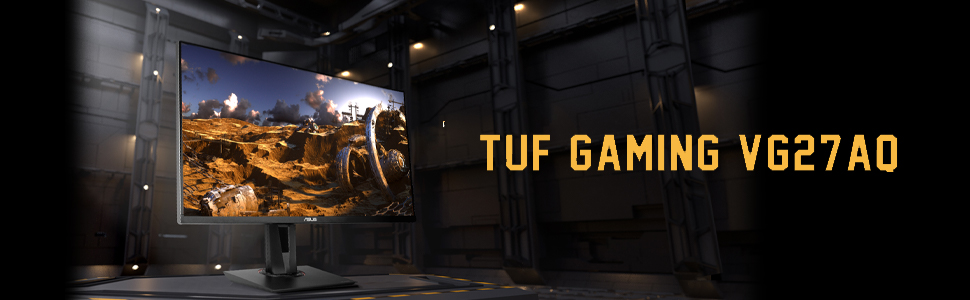



As an Amazon Associate we earn from qualifying purchases. Product prices and availability are accurate as of the date/time indicated.
ASUS VG27AQ at a Glance
| Specification | Details |
|---|---|
| Screen Size & Resolution | 27-inch, QHD (2560 x 1440) |
| Panel Technology | IPS |
| Refresh Rate | 165Hz (supports 144Hz) |
| Response Time | 1ms (MPRT) |
| Adaptive Sync | G-SYNC Compatible |
| Key Features | ELMB Sync, Shadow Boost, ASUS Eye Care |
| Connectivity | DisplayPort 1.2, 2x HDMI 2.0 |
| Ergonomics | Height, tilt, swivel, pivot adjustments |
| Color Gamut | 99% sRGB |
| Brightness | 350 cd/m² |
Design and Build
The ASUS VG27AQ features a 27-inch display housed in a black chassis consistent with the TUF Gaming series aesthetic. The screen has a matte finish to reduce glare, and the bezels are designed to be relatively slim, which could be beneficial for multi-monitor setups. According to the specifications, the monitor’s dimensions are 24.41 inches wide, 8.31 inches deep, and 19.96 inches tall with the stand, and it weighs 12.8 pounds.
A significant design strength is the included ergonomic stand. It offers full adjustability, including height, tilt, swivel, and pivot (portrait orientation) adjustments. This flexibility allows users to find a comfortable viewing position for long gaming or work sessions. The monitor is also VESA mount compatible (100x100mm), providing the option to use a third-party arm or wall mount for further desk space savings or positioning. The overall build quality, as suggested by the TUF branding, is aimed at durability for long-term use.
Performance and Features
Display and Visual Performance
The core of the VG27AQ’s performance is its 27-inch QHD (2560 x 1440) IPS panel. This resolution provides 77% more on-screen desktop space than a standard Full HD display, offering sharper details and more room for multitasking. The IPS technology ensures consistent colors and wide 178-degree viewing angles, with a stated 99% sRGB color gamut and a 1,000:1 contrast ratio. The maximum brightness is 350 candela per square meter. For HDR content, the monitor supports HDR10 and offers multiple HDR modes to adjust performance based on the viewing scenario.
Gaming-Centric Features
For gaming, the monitor boasts a 165Hz refresh rate (overclocked from a base 155Hz, also supporting 144Hz) and a 1ms Moving Picture Response Time (MPRT). This combination aims to decimate lag and motion blur in fast-paced games. A key feature is the integration of G-SYNC compatibility with ASUS’s Extreme Low Motion Blur (ELMB) technology, called ELMB Sync. This allows both variable refresh rate (to eliminate screen tearing) and backlight strobing (to reduce motion blur) to be active simultaneously. Another gaming-focused tool is Shadow Boost, which clarifies details in dark areas of a game without overexposing brighter sections, potentially giving players an edge in spotting enemies.
Connectivity and Audio
The connectivity options include one DisplayPort 1.2 port and two HDMI 2.0 ports, supporting a wide array of devices like PCs, laptops, and gaming consoles. The monitor does not feature USB-C connectivity. It also includes built-in speakers, though the manufacturer data does not detail their power or audio quality, typically indicating they are suitable for basic system sounds rather than immersive gaming audio. For extended comfort, ASUS Eye Care technology is included, featuring flicker-free backlighting and a low blue light mode to minimize eye fatigue during long sessions.
Setup, Support and Ownership
Setup is straightforward with the included stand, which attaches to the monitor without tools. The package includes a DisplayPort cable, an HDMI cable, a power adapter, a power cord, and a quick start guide. The monitor’s ergonomic adjustments and VESA compatibility make it easy to integrate into various desk setups. ASUS mentions an accessory called the ROG Bezel-Free Kit, which is designed for multi-monitor setups to visually minimize the bezel gap, creating a more seamless panoramic view. The VG27AQ is listed as a compatible model for this kit.
For support, the monitor comes with a 3-year manufacturer warranty. Additionally, ASUS provides a complimentary 3-month subscription to Adobe Creative Cloud with purchase, valid until a specified date in 2026. This adds value for users interested in photo or video editing software. The monitor is certified with TÜV Rheinland for flicker-free and low blue light performance, which supports its eye care claims. For more insights on creating an optimal gaming environment, you can explore our guide on the best desk chairs for gaming.
What Owners Say
Based on the aggregated rating data, the ASUS VG27AQ has received positive feedback from owners. The high overall rating reflects satisfaction with its core performance metrics. While specific review excerpts are not provided in the data, the rating suggests users appreciate the combination of the QHD resolution, high refresh rate, and adaptive sync features for a smooth gaming experience. The ergonomic stand and color quality from the IPS panel are also likely praised. As with any product, some users may have noted areas for improvement, which are reflected in the cons listed in the specifications.
Pros and Cons
Pros
- High 165Hz refresh rate with ELMB Sync for tear-free, low-blur visuals
- QHD resolution provides sharp details and more screen real estate than Full HD
- Fully adjustable ergonomic stand (height, tilt, swivel, pivot)
- G-SYNC compatible for smooth variable refresh rate performance
- IPS panel with wide viewing angles and 99% sRGB color coverage
- Useful gaming features like Shadow Boost and multiple HDR modes
Cons
- Maximum 165Hz refresh rate requires overclocking in some modes
- No USB-C connectivity for modern laptops and streamlined setups
- Built-in speakers are basic and lack strong audio quality
- Power consumption is listed at 65 watts
- HDR performance is limited by the panel’s peak brightness
Who Should Buy It (and Who Should Skip It)
The ASUS VG27AQ is an excellent choice for competitive and enthusiast gamers who play fast-paced titles and want the advantage of a high refresh rate, quick response time, and adaptive sync technology without sacrificing color accuracy. Its QHD resolution is a sweet spot for clarity and performance. It’s also a solid pick for general users and multimedia enthusiasts who value the IPS panel’s consistent colors and the ergonomic stand for daily comfort. The included Adobe Creative Cloud trial adds appeal for hobbyist content creators. For those building a multi-monitor gaming rig, its compatibility with the Bezel-Free Kit is a notable plus. Discover more about immersive setups in our roundup of the best ultra-wide monitors.
This monitor may not be the best fit for users who require USB-C for single-cable connectivity with modern laptops. Those seeking the highest level of HDR performance with very high peak brightness might want to look at monitors with more advanced HDR capabilities. Users who prioritize immersive audio may find the built-in speakers lacking and should plan to use external speakers or a headset. If your primary use is console gaming that doesn’t exceed 120Hz, some of the high refresh rate features may be underutilized. For users focused on other aspects of their tech setup, our Tech Gear section has further recommendations.
Final Verdict
The ASUS VG27AQ successfully delivers on its promise as a high-performance gaming monitor. The combination of a 165Hz QHD IPS panel, G-SYNC compatibility, and proprietary technologies like ELMB Sync creates a compelling package for smooth and responsive gameplay. The fully ergonomic stand and thoughtful features like Shadow Boost and extensive eye care protections enhance its usability for long sessions. It represents a strong value proposition in the gaming monitor market, balancing speed, image quality, and user comfort.
While it lacks modern ports like USB-C and its speakers are merely functional, these are reasonable trade-offs given its core performance focus. The monitor’s specifications and feature set make it a reliable and versatile display that excels in gaming while remaining competent for everyday tasks and content consumption. For gamers seeking to upgrade from a 1080p or standard 60Hz display to a more immersive and fluid QHD experience, the ASUS VG27AQ is a well-rounded and highly capable contender worthy of serious consideration.
FAQs
Is the ASUS VG27AQ good for PS5 or Xbox Series X?
Yes, the ASUS VG27AQ is a good match for current-generation consoles. Its HDMI 2.0 ports support the QHD (1440p) resolution at high refresh rates up to 120Hz, which is the maximum output for many console games. Features like VRR (Variable Refresh Rate) compatibility and low response time also benefit console gaming, reducing screen tearing and input lag for a smoother experience.
What is ELMB Sync and how does it work?
ELMB Sync is ASUS’s technology that allows Extreme Low Motion Blur (ELMB) and G-SYNC compatible adaptive sync to work simultaneously. Traditionally, adaptive sync and backlight strobing (used to reduce motion blur) could not be used together. ELMB Sync synchronizes the strobe backlight with the variable refresh rate, aiming to eliminate both screen tearing and motion blur/ghosting for sharper visuals in fast-moving scenes.
Can this monitor be used for photo or video editing?
The ASUS VG27AQ can be used for casual or hobbyist photo and video editing thanks to its IPS panel and 99% sRGB color gamut coverage, which provides good color accuracy and consistency across wide viewing angles. The included 3-month Adobe Creative Cloud subscription is a bonus for this use case. For professional color-critical work, users requiring wider color gamuts like Adobe RGB or DCI-P3 might need to consider monitors specifically calibrated for such purposes.
Does the monitor support Picture-in-Picture (PIP) or Picture-by-Picture (PBP) modes?
The provided manufacturer specifications and feature list for the ASUS VG27AQ do not mention Picture-in-Picture (PIP) or Picture-by-Picture (PBP) functionality. The monitor’s focus appears to be on gaming performance and ergonomics, with connectivity for multiple sources but without specific multi-source display modes listed. For more detailed tech insights, you can browse our Blog.
About the author

Elvis Dicki writes reviews and buying guides for CyberSecLabs.