BuffaloAmericas LS210D0201 Review: A Budget-Friendly Home NAS
The BuffaloAmericas LS210D0201 is a straightforward, plug-and-play NAS ideal for home users seeking centralized backup and media streaming without monthly fees.
 By Elvis Dicki
Updated October 22, 2026
Network Attached Storage (NAS) can seem like a complex world reserved for tech enthusiasts, but the BuffaloAmericas LS210D0201, also known as the BUFFALO LinkStation 210, aims to simplify this technology for everyday home users. This 2TB, single-bay device is designed as a central hub for your digital life, offering a subscription-free personal cloud, automated backups, and media streaming capabilities. It’s tailored for individuals or families who want to move away from juggling multiple external drives or paying for online storage, prioritizing ease of use and security over advanced features. If you need a simple, reliable way to consolidate and protect your files on your home network, this LinkStation is a solid entry point.

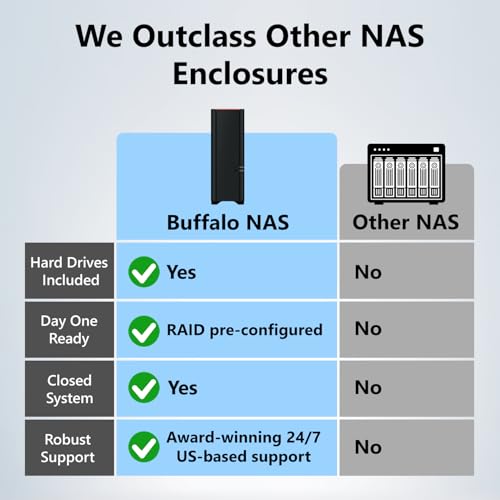
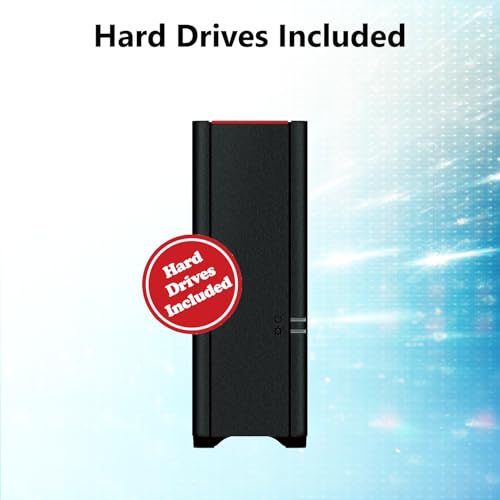
At its core, the LS210D0201 is a value-oriented NAS that includes a pre-tested hard drive, eliminating the need for separate purchases or complex assembly. Its primary appeal lies in its straightforward proposition: connect it to your router, and you have an instant network storage device that works with Windows and older versions of macOS. The device emphasizes data security with a closed system architecture and provides tools for secure file sharing within your household. For those stepping into network storage for the first time, this BuffaloAmericas model offers a focused set of features without overwhelming complexity.
BUFFALO LinkStation 210 2TB 1-Bay NAS for Home







As an Amazon Associate we earn from qualifying purchases. Product prices and availability are accurate as of the date/time indicated.
BuffaloAmericas LS210D0201 at a Glance
| Specification | Detail |
|---|---|
| Model | LS210D0201 (LinkStation 210) |
| Total Capacity | 2 TB (Hard Drive Included) |
| Drive Bays | 1 Bay |
| Ethernet Connection | 1 Gigabit Ethernet (1GbE) |
| Processor | 800 MHz Dual Issue |
| RAM | 256 MB |
| Key Features | Personal Cloud, DLNA Media Server, Automated Backups, SSL Encryption |
| Included Software | NAS Navigator, NovaBACKUP (5 PC licenses) |
| Compatibility | Windows, macOS 15 (Sequoia) and earlier |
| Warranty | 2 Years (Includes Hard Drives) |
Design and Build
The BuffaloAmericas LS210D0201 sports a utilitarian, desktop-oriented design. With dimensions of 10 inches in length, 8 inches in width, and 3 inches in thickness, and a weight of 2.43 pounds, it’s compact enough to fit discreetly on a shelf or desk. The enclosure is constructed from metal, which aids in heat dissipation for the included 3.5-inch mechanical hard drive. The black finish gives it a neutral appearance suitable for most home office or entertainment center environments. The build quality reflects its Japanese manufacturing origin, aiming for reliability over flashy aesthetics.
Connectivity is kept simple and focused on its primary network function. On the rear panel, you’ll find the essential ports: a Gigabit Ethernet port for connecting to your router and a single USB 3.0 port. The USB port can be used for connecting additional external storage for quick backups or expanding available space, though the device itself is a single-bay unit with no internal RAID support. The package includes all necessary components to get started: the LinkStation unit itself, an AC power adapter, an Ethernet cable, a quick setup guide, a setup CD-ROM, and the warranty statement. The design philosophy is clearly plug-and-play, minimizing physical setup complexity.
Performance and Features
Core Hardware and Network Performance
Powered by an 800 MHz dual-issue processor paired with 256 MB of RAM, the LS210D0201 is built for basic network storage tasks rather than high-performance computing. Its 1 Gigabit Ethernet (1GbE) connection is the standard for home networking and dictates the maximum speed for file transfers over the network. This specification is sufficient for streaming high-definition media, performing scheduled backups, and accessing files concurrently from a few devices on a typical home network. For users comparing within Buffalo’s lineup, the manufacturer notes that their LS 700 series offers up to 7x faster performance, indicating that this model sits at the entry-level tier for speed.
Storage and Backup Capabilities
The device comes with a 2 TB mechanical hard drive pre-installed and tested. This “ready-to-use” approach is a significant convenience factor. The core functionality is to act as a centralized backup location for multiple computers and devices, including PCs, Macs (running macOS 15 or earlier), iOS, and Android devices. Buffalo includes its NAS Navigator management utility for device setup and folder management, along with NovaBACKUP PC backup software which comes with licenses for five computers. This allows for automated, scheduled backups, helping to protect data from individual device failures. However, the single-bay design means there is no built-in RAID for data redundancy; your data’s safety relies on the single included drive or your own additional backup strategy.
Personal Cloud and Remote Access
A standout feature is the ability to create a subscription-free personal cloud. Once configured, this allows you to securely access your files from anywhere with an internet connection, eliminating monthly fees associated with services like Dropbox or Google Drive. This personal cloud also facilitates secure file sharing with family and friends, as you can configure individual access restrictions for specific folders. The system uses SSL encryption for secure file transfers, adding a layer of protection for remote access.
Media Streaming and Sharing
The LS210D0201 includes a DLNA-enabled media server. This feature allows you to stream stored movies, music, and photos directly to compatible devices on your network, such as smart TVs, gaming consoles, computers, and mobile devices. You can organize media into folders and customize access, creating shared family libraries or private individual collections. This turns the NAS into a central hub for your home entertainment, accessible without needing to manually transfer files to different devices.
Security and System Design
Buffalo emphasizes the security-oriented design of this NAS. It is described as a “closed system,” which reduces vulnerabilities that can be introduced by third-party applications. This approach limits flexibility in adding new apps or services but prioritizes stability and security for its core functions of storage, backup, and sharing. Combined with SSL encryption for data transfers, this design is geared towards users who value data safety and a “set it and forget it” experience over extensive customization.
Setup, Support and Ownership
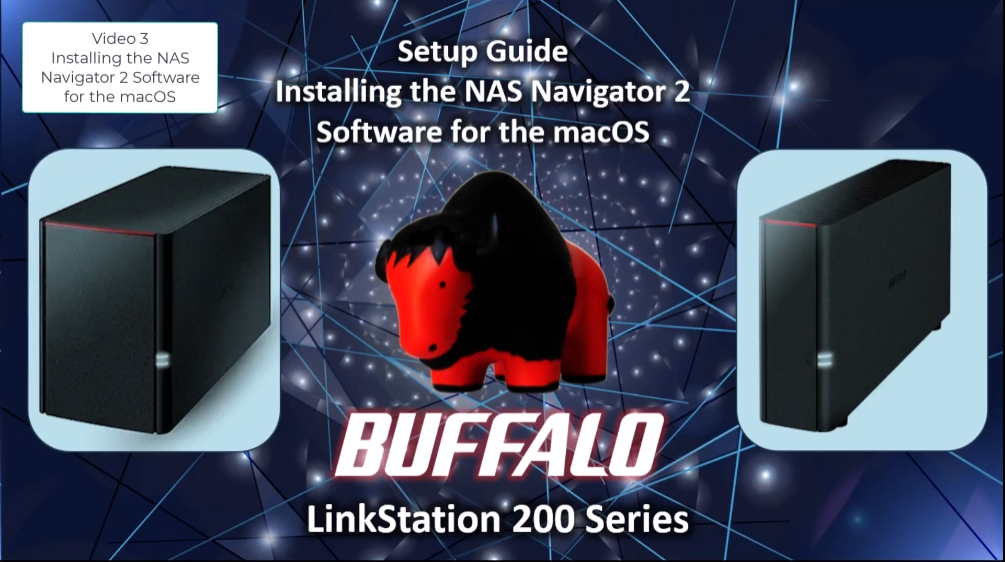
Setup is designed to be user-friendly. The manufacturer claims no PC is needed for the initial setup; you simply connect the NAS to your router using the included Ethernet cable. Management is then handled through Buffalo’s NAS Navigator software. Compatibility is broad for Windows systems but is specifically limited to macOS versions 15 (Sequoia) and earlier, which is a critical consideration for Mac users with newer operating systems. For those with macOS 26 or later, Buffalo directs customers to their LS 700 series.
Ownership benefits include 24/7 support based in North America, which covers installation walkthroughs and troubleshooting. A notable advantage is the 2-year warranty that includes the hard drives, offering peace of mind for the entire system. The device is not listed as being user-upgradeable in terms of RAM or processor, and the single-bay design means storage expansion would involve replacing the existing 2TB drive with a larger one, rather than adding a second drive. The USB 3.0 port offers one avenue for connecting additional external storage. For broader insights into managing network infrastructure, readers might explore our guide on the best enterprise servers for network security.
What Owners Say
Overall feedback from users is positive, reflected in its rating. A majority of reviewers award it five stars, praising its ease of setup, reliability, and the value of having a pre-configured hard drive. The personal cloud functionality and the absence of monthly fees are frequently highlighted as major benefits. The 24/7 support and the inclusive warranty are also appreciated. On the lower end of the rating spectrum, some one-star reviews point to challenges with setup for less tech-savvy users, compatibility issues with specific network configurations or newer macOS versions, and desires for more performance or features. The rating distribution shows a strong base of satisfied customers alongside specific areas where expectations were not met, often related to the device’s basic, entry-level nature.
Pros and Cons
Pros
- Includes a pre-tested, reliable 2TB hard drive for immediate use
- Offers a subscription-free personal cloud for remote access
- Features a secure, closed-system design to reduce vulnerabilities
- Comes with automated backup software and five PC licenses
- Backed by a 2-year warranty that covers the hard drives
- Provides 24/7 North America-based customer support
- Simple, plug-and-play setup requiring no PC for initial connection
Cons
- Single-bay design offers no RAID data redundancy
- Basic processor and RAM limit performance for demanding tasks
- Compatibility is restricted to macOS versions 15 and earlier
- Closed system limits installation of third-party applications
- Lacks advanced features like cloud backup support or multi-gig Ethernet
- Noise or power draw specifics are not listed by the manufacturer
Who Should Buy It (and Who Should Skip It)
The BuffaloAmericas LS210D0201 is an ideal choice for home users and families taking their first step into network storage. It’s perfect for anyone who wants a single, secure location to back up files from multiple computers and mobile devices without dealing with monthly cloud service fees. Its media streaming capabilities make it a good fit for households that want to centralize their movie, music, and photo libraries. Users who value simplicity, reliability, and strong manufacturer support over high performance or expandability will find it meets their needs. For foundational knowledge that complements securing your data, consider reading about the best cybersecurity books for beginners.
This NAS is not suited for power users, small businesses, or environments requiring high-speed data transfer, as its 1GbE connection and entry-level processor will be a bottleneck. Users with modern Macs running macOS 26 or newer should look at Buffalo’s LS 700 series or other compatible models. Those who need data redundancy through RAID or plan to run intensive applications like surveillance software or virtual machines should consider multi-bay NAS devices with more powerful hardware. Similarly, if you require the latest connectivity like 2.5GbE or Wi-Fi 6, you’ll need to explore other options in the market.
Final Verdict
The BuffaloAmericas LS210D0201 successfully fulfills its role as an accessible, no-fuss network attached storage solution for the home. Its strengths are clear: it works out of the box with an included drive, eliminates recurring cloud costs, and provides robust tools for backup and media sharing within a secure framework. The manufacturer’s commitment, evidenced by the inclusive warranty and round-the-clock support, adds significant value. While it lacks the redundancy of multi-bay systems and the speed of higher-end models, it makes a compelling case for users whose priorities are simplicity, data security, and cost-effective centralized storage.
When evaluating it against the broader NAS landscape, this device occupies a specific niche. It is not a versatile powerhouse for tech enthusiasts but a focused tool for a common set of home needs. For those looking to digitize their media collection or create a family file hub, the BuffaloAmericas LS210D0201 represents a sensible investment. It delivers on its core promises without unnecessary complexity, making network storage approachable for a wider audience. As you build out your secure home tech environment, you might also be interested in the best VPN routers to further enhance your network privacy.
FAQs
Does the BuffaloAmericas LS210D0201 require a monthly subscription?
No, it does not require any monthly subscription. One of its key features is a subscription-free personal cloud. This allows you to remotely access your files over the internet without paying ongoing fees to a third-party service. You own the hardware and the data, with no recurring costs for basic storage and access.
Can I use this NAS with my Apple Mac computer?
Compatibility is limited to specific macOS versions. The BuffaloAmericas LS210D0201 is officially compatible with macOS 15 (Sequoia) and earlier versions. If you are running macOS 26 or a later version, this device will not be supported. For compatibility with newer macOS releases, the manufacturer recommends their LS 700 series of NAS devices.
What happens if the hard drive inside fails?
The included hard drive is covered under the unit’s 2-year warranty. Since this is a single-bay NAS with no RAID redundancy, a drive failure would result in data loss unless you have a separate backup. It is crucial to use the included backup software to create copies of your most important data on another device or to consider the NAS as one part of a broader 3-2-1 backup strategy.
Can I install apps like Plex or run a VPN server on this device?
No, you cannot install third-party applications like Plex. The BuffaloAmericas LS210D0201 is designed as a closed system. This means its software is locked down to reduce security vulnerabilities and ensure stability. Its functionality is fixed to file storage, backup, the built-in DLNA media server, and the personal cloud features. For a device that allows app installations, you would need to look at NAS models from other brands that run open operating systems.
About the author

Elvis Dicki writes reviews and buying guides for CyberSecLabs.