Thetis MB000518 Review: A Business-Ready FIDO2 Key for Teams
The Thetis MB000518 offers strong, phishing-resistant MFA for business and team environments, featuring FIDO2 L1 certification, USB-C and NFC connectivity, and a dedicated manager app for flexible deployment.
 By Elvis Dicki
Updated October 22, 2026
In an era where phishing attacks and credential theft are rampant, securing access to critical business platforms like ERP systems, email, and cloud services is non-negotiable. The Thetis MB000518, also marketed as the Thetis PRO-C for Business, is a hardware security key designed to meet this challenge head-on. Sold in a convenient 2-pack, it provides a robust, FIDO2 L1 certified authentication solution aimed at businesses, schools, and teams that need to deploy phishing-resistant multi-factor authentication (MFA) across multiple users or as backups. This review analyzes its specifications, design, and feature set to determine if it’s the right security key for your organization’s needs.

The bottom line: The Thetis MB000518 is a compelling option for teams seeking a straightforward, certified hardware key to secure accounts on major platforms like Google Workspace, Microsoft Entra ID, and Coinbase, with the added flexibility of a manager app for TOTP codes.
Thetis PRO-C USB-C FIDO2 Security Key L1 NFC MFA


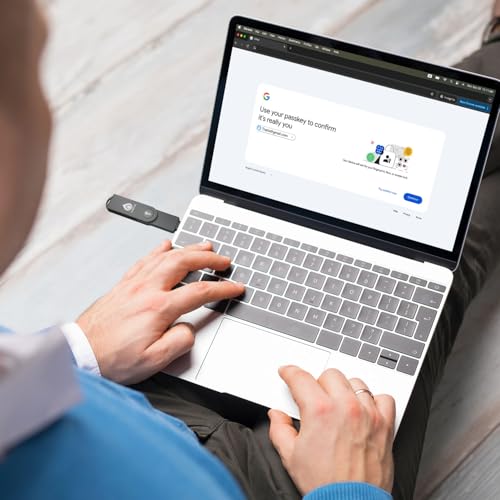
As an Amazon Associate we earn from qualifying purchases. Product prices and availability are accurate as of the date/time indicated.
Thetis MB000518 at a Glance
| Specification | Detail |
|---|---|
| Model | Thetis MB000518 (Pro-C for Business) |
| Security Certification | FIDO2 Level 1 (L1) |
| Connectivity | USB-C (USB 2.0) & NFC |
| Key Storage | 200 Passkey (FIDO2) slots, 50 OATH slots |
| Form Factor | Compact, keychain-friendly |
| Included in Pack | 2 Security Keys |
| Manager Software | Thetis Manager App (for PIN & TOTP/HOTP) |
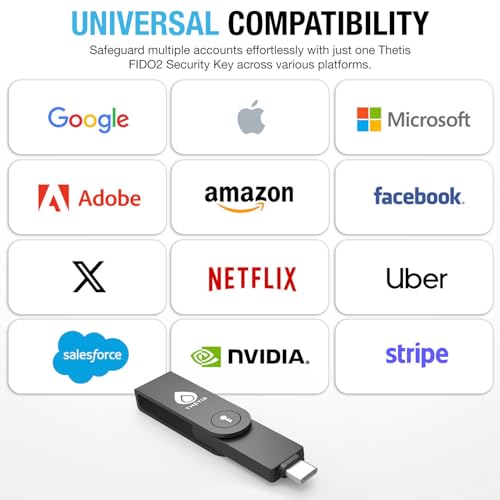
| Compatibility | Google Workspace, Apple ID, Coinbase, Salesforce, GitHub, Dropbox, etc. |
| Notable Limitations | NFC for mobile only; Windows Hello limited to Enterprise/Entra ID; Not FIDO2 L2 (e.g., no ID Austria) |
Design and Build
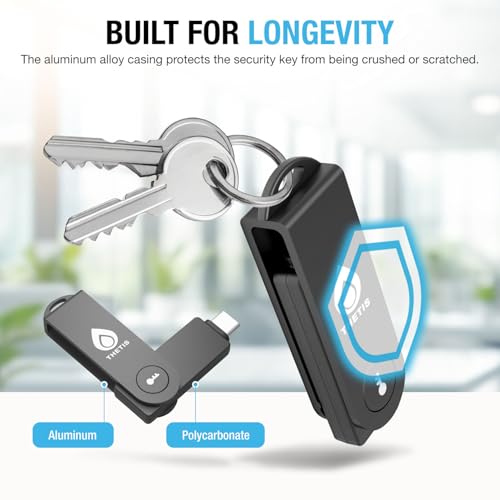
The Thetis MB000518 is built with practicality and durability in mind. Its compact, black housing measures a diminutive 0.4″D x 0.62″W x 0.4″H and weighs a mere 0.4 ounces, making it easy to carry on a keychain without adding bulk. The design centers around a fold-out USB-C male connector, which protects the port when not in use and provides a clean, finished look. This form factor is a significant advantage over keys with dangling cables or bulky A-to-C adapters, promoting portability and reducing the risk of port damage. The build is described as tamper-resistant, a standard for hardware security keys, offering physical safeguards against attempts to extract the cryptographic secrets stored within. For teams and individuals who are constantly on the move between office laptops, home workstations, and mobile devices, this rugged and portable design is a major plus.
Performance and Features
Core Security: FIDO2 L1 Certification & Passkeys
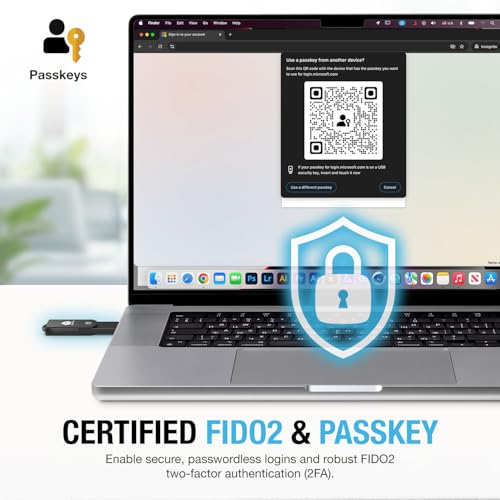
The heart of the Thetis MB000518’s value proposition is its FIDO2 Level 1 certification. This is not a generic claim of support but a specific, standardized level of security assurance. FIDO2 L1 certification means the key has undergone rigorous testing to resist common physical and logical attacks, providing strong phishing-resistant authentication. It supports the modern passkey standard, allowing it to act as a roaming hardware passkey for services that support it. With storage for up to 200 passkeys, it can securely manage a vast number of online accounts, from enterprise Single Sign-On (SSO) and school ERP systems to personal accounts on social media and crypto exchanges like Coinbase. This makes it a versatile tool for consolidating security across both professional and personal digital lives.
Dual Connectivity: USB-C and NFC
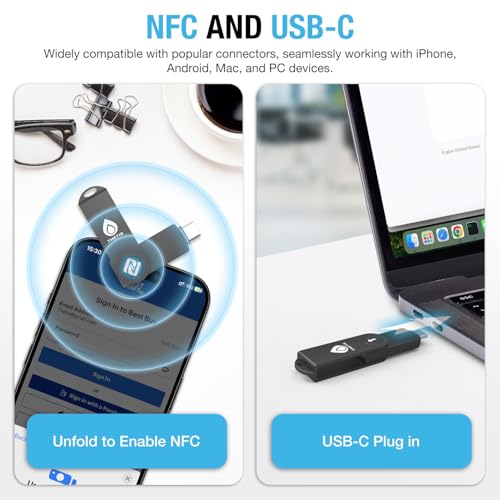
Connectivity is a strong suit for this key. The integrated USB-C port operates at USB 2.0 speeds (480 Mbps), which is more than sufficient for the small authentication data packets it transmits. This allows for a simple plug-and-play experience on modern laptops, tablets, and desktop computers. Perhaps more importantly for mobile workflows, it also features NFC (Near Field Communication). This enables contactless authentication by simply holding the key near your smartphone’s NFC antenna. It’s crucial to note the manufacturer’s specified limitation: NFC functionality is designed for mobile authentication and is not supported for use with macOS or Windows computers. This means you can’t tap the key to your laptop’s NFC reader (if it has one) for login; NFC is strictly a mobile-centric feature here.
The Thetis Manager App and Enhanced MFA
A standout feature that differentiates the Thetis key from many basic FIDO2 keys is the dedicated Thetis Manager App. This app serves two primary functions. First, it is required for the initial setup of the hardware PIN on the key itself. Configuring this PIN before registering the key with online services is a recommended best practice for a smooth onboarding process. Second, and more uniquely, the app provides access to TOTP (Time-Based One-Time Password) and HOTP (HMAC-Based One-Time Password) functionality. This effectively turns the hardware key into a more versatile authenticator app for services that have not yet adopted FIDO2 standards. With 50 dedicated OATH slots, it can generate codes for a significant number of accounts, offering a flexible bridge to stronger security while the ecosystem continues to evolve. For a deeper dive into foundational security knowledge that complements using tools like this, our guide on the best cybersecurity books for beginners is an excellent resource.
Setup, Support and Ownership
Setup is designed to be straightforward. The process involves downloading the Thetis Manager App to set a hardware PIN, then proceeding to register the key with supported online services like Google, Microsoft, or Dropbox. The inclusion of two keys in the pack is a thoughtful touch for ownership, providing an immediate backup in case one is lost or allowing a small team to share a pack. The manufacturer provides a standard express warranty, though the specific duration is not listed in the provided data. As with all security hardware, long-term ownership relies on the device’s durability and the brand’s commitment to supporting its management app with updates. The key’s future-proofing comes from its adherence to the FIDO2 and passkey standards, which are being widely adopted by major tech companies, ensuring its relevance for years to come.
What Owners Say
Based on the available data, the Thetis MB000518 holds a high rating, indicating general satisfaction among users. While specific review excerpts are not provided, a rating of this level for a security product suggests that owners find it reliable for its core purpose of providing strong authentication. Positive feedback likely centers on its ease of use with major platforms, the convenience of the 2-pack, and the value added by the manager app’s TOTP features. Potential points of criticism, as reflected in the manufacturer’s own listed limitations, would logically relate to the specific compatibility constraints around NFC usage and Windows Hello.
Pros and Cons
Pros
- Strong, certified phishing resistance with FIDO2 L1 security.
- Dual USB-C and NFC connectivity covers desktop and mobile use cases.
- Includes a dedicated manager app for PIN setup and TOTP/HOTP code generation.
- Sold in a practical 2-pack for backup or multi-user deployment.
- Broad compatibility with major business and consumer platforms.
- Compact, keychain-friendly, and durable design.
Cons
- NFC functionality is limited to mobile authentication and does not work with macOS or Windows.
- Windows Hello login support is restricted to Enterprise editions with Entra ID.
- Not compatible with services requiring FIDO2 Level 2 certification (e.g., ID Austria).
- Requires a mobile app for initial PIN configuration, adding a step to setup.
- USB 2.0 interface, while sufficient, is not the latest standard.
Who Should Buy It (and Who Should Skip It)
The Thetis MB000518 is an ideal choice for small business teams, school IT administrators, or employee groups that need a simple, effective way to deploy hardware-based MFA. Its 2-pack format, business-friendly compatibility list (Google Workspace, Salesforce, etc.), and FIDO2 L1 certification make it a solid fit for securing access to enterprise cloud accounts and ERP systems. It’s also excellent for individuals who want the security of FIDO2 but appreciate the fallback option of having a hardware-based TOTP generator via the manager app. For those managing more complex enterprise networks, understanding the infrastructure is key; our expert picks for the best enterprise servers for network security management explore that side of the equation.
Conversely, users who specifically need to use NFC authentication with their Windows or macOS computers should look for a key with broader NFC OS support. Those requiring FIDO2 Level 2 certification for specific government or high-assurance applications (like ID Austria) must skip this model. Additionally, individuals who only need a single key for personal use and have no interest in TOTP features might find a more basic, single FIDO2 key to be a more cost-effective option.
Final Verdict
The Thetis MB000518 (PRO-C for Business) successfully carves out a niche in the crowded security key market by combining core FIDO2 strength with practical team-oriented features. Its FIDO2 L1 certification provides a trustworthy foundation of phishing-resistant security, while the included manager app and TOTP functionality offer welcome flexibility for services still transitioning to modern authentication standards. The dual USB-C and NFC connectivity, despite the noted OS limitations on NFC, caters well to a hybrid work environment, and the 2-pack is a sensible offering for both backup and small-scale deployment.
While its specific limitations around NFC and Windows Hello are important to check against your use case, for the vast majority of business and team scenarios targeting platforms like Google, Microsoft, Apple, and major SaaS providers, the Thetis key delivers robust security in a convenient package. It is a well-considered tool for organizations and security-conscious individuals looking to move beyond SMS codes and software authenticators toward a more secure, hardware-based future. For students and professionals aiming to build their security expertise alongside using such tools, exploring the best laptops for cybersecurity students can help build the right workstation.
FAQs
What is the main advantage of a FIDO2 key over an authenticator app?
The primary advantage is phishing resistance. A FIDO2 key uses cryptographic proof tied to the specific website you’re logging into. If you are tricked into entering your credentials on a fake phishing site, the key will not authenticate because the site’s domain won’t match. Authenticator apps provide TOTP codes that can be phished if a user is tricked into entering them on a malicious site. FIDO2 keys offer a significantly higher level of security for this reason.
Can I use this key to log into my Windows laptop?
Yes, but with a specific limitation. According to the manufacturer, using this key for Windows Hello login only works with Windows Enterprise editions that support Microsoft Entra ID (formerly Azure Active Directory). It is not supported for Windows Hello login on standard Windows Home or Pro editions for personal Microsoft accounts.
How does the TOTP feature work with the manager app?
The Thetis Manager App allows you to configure the hardware key to generate Time-Based One-Time Passwords (TOTP) for accounts that support this standard but do not yet support FIDO2. You use the app to scan a QR code or enter a secret key from the service (like many 2FA setups), and the key itself stores that secret and generates the codes, keeping them off your phone and adding an extra layer of hardware security.
What should I do if I lose one of the keys in the 2-pack?
The inclusion of two keys is designed for this scenario. You should immediately use your second key to log into your accounts and then go to the security settings of each service to deregister the lost key. This revokes its access. You can then register a new replacement key. It is a security best practice to always have at least one registered backup key to avoid being locked out of your accounts.
About the author

Elvis Dicki writes reviews and buying guides for CyberSecLabs.