HP 14 Laptop PC Review: Does a Physical Camera Shutter Justify the Choice?
This review examines the HP 14 Laptop PC, a budget-friendly Windows 11 machine designed for students and home users, assessing its performance, included software, and notable privacy features.
 By Elvis Dicki
Updated October 22, 2026
In the crowded market of affordable laptops, the HP 14 Laptop PC positions itself as a complete package for students and home users. This model combines the essentials of everyday computing with thoughtful inclusions like a one-year Microsoft 365 subscription and dedicated privacy hardware. It is built for tasks like document editing, web browsing, and video calls, not for intensive gaming or professional creative work. For its target audience, this laptop aims to deliver reliable performance and immediate productivity out of the box without hidden software costs in the first year.

The bottom line is that the HP 14 Laptop PC offers a compelling value proposition for first-time buyers and budget-conscious families by bundling necessary software and prioritizing user privacy in a portable design.
HP Intel N150 14 Inch Laptop 4GB RAM 128GB Storage




As an Amazon Associate we earn from qualifying purchases. Product prices and availability are accurate as of the date/time indicated.
HP 14 Laptop PC at a Glance
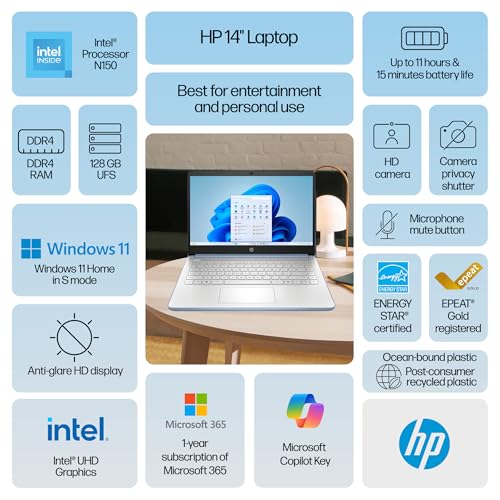
| Spec | Value |
|---|---|
| Processor | Intel Processor N150 |
| RAM | 4GB DDR4 |
| Storage | 128GB UFS |
| Display | 14″ HD (1366×768) Anti-Glare IPS |
| Operating System | Windows 11 Home in S Mode |
| Graphics | Intel UHD Graphics (Integrated) |
| Key Features | Physical Camera Privacy Shutter, Dedicated Mic Mute Key |
| Included Software | Microsoft 365 Personal (1-year), Dropbox 100GB (1-year) |
| Weight | 3.11 lb |
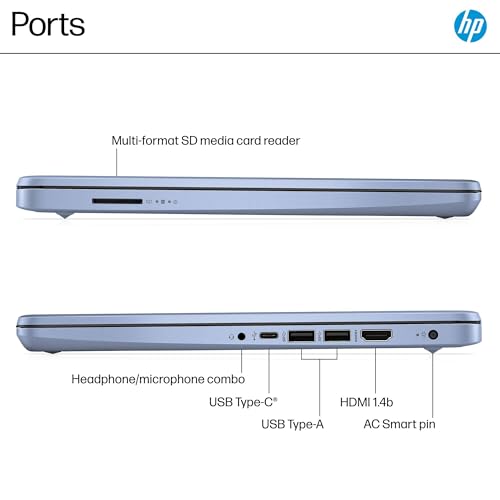
| Ports | 1x USB-C, 2x USB-A, HDMI 1.4b, Headphone/Mic Combo |
Design and Build
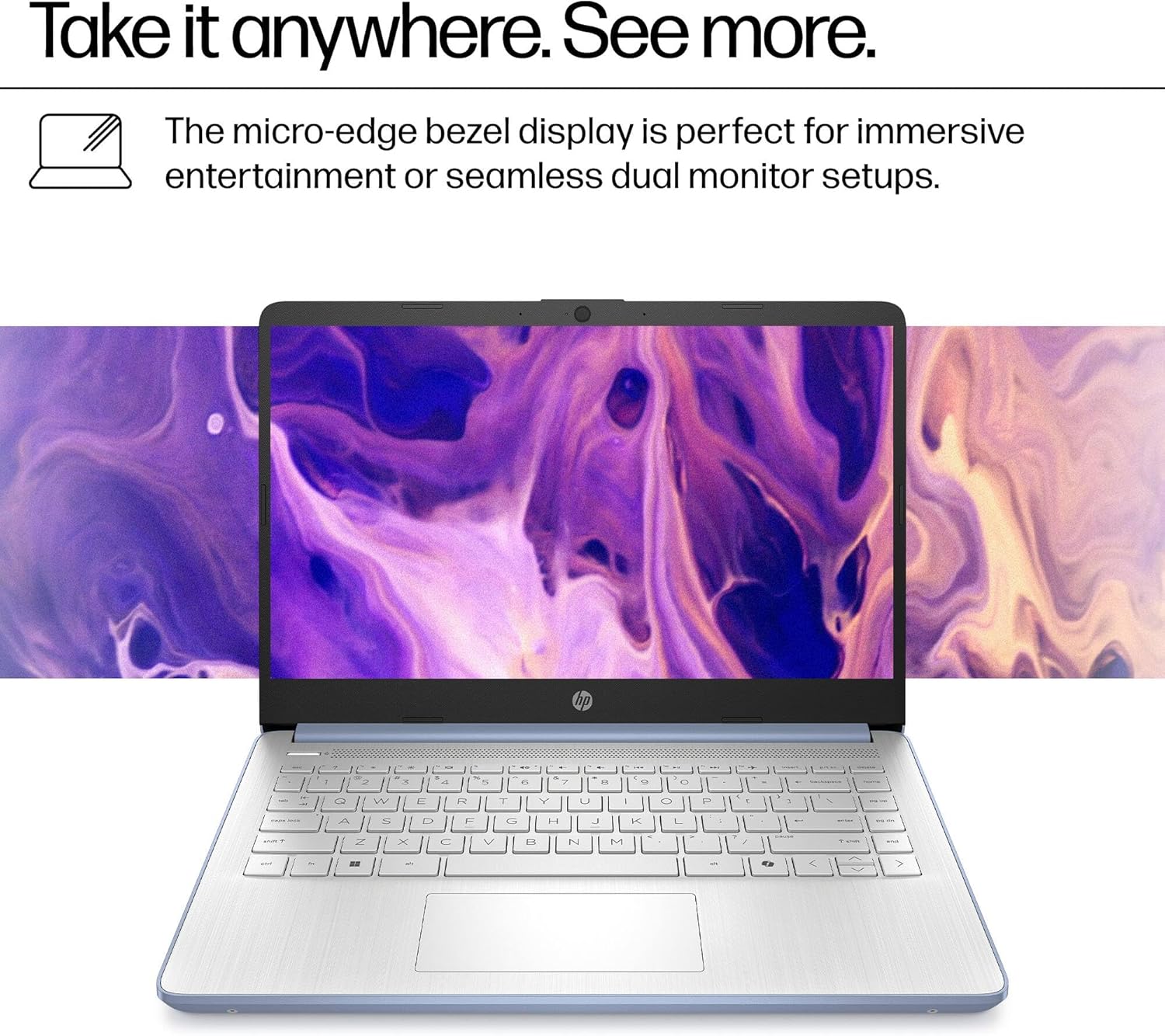
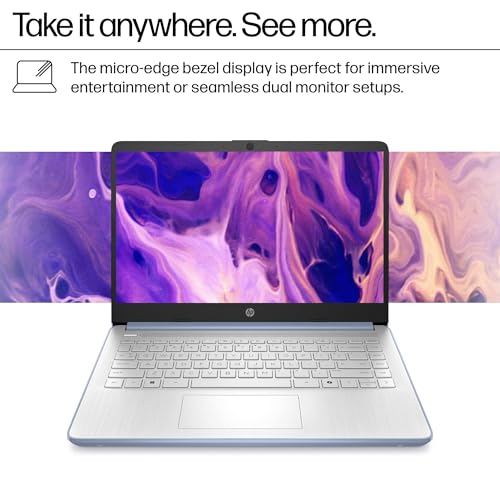
The HP 14 Laptop PC is designed with portability and daily use in mind. Its lightweight build of 3.11 pounds makes it easy to carry between classes or rooms at home. The chassis dimensions are 12.74 by 8.46 by 0.70 inches, contributing to a slim profile that fits easily into most bags. The Sky Blue color option offers a departure from standard silver or black, providing a bit of personal style. The construction is focused on durability for everyday handling rather than premium materials, aligning with its budget-friendly positioning. The overall design philosophy emphasizes function and accessibility for its primary user base of students and home users.
Performance and Features
Core Performance and Storage
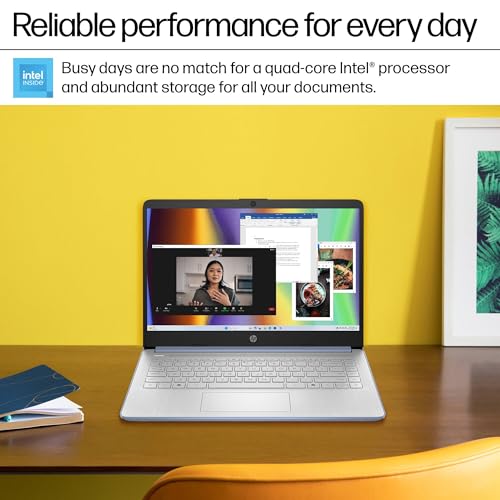
At the heart of this laptop is the Intel Processor N150, a chip designed for efficiency in everyday tasks. According to the manufacturer’s performance benchmarks, it provides smooth performance for homework, streaming, and standard applications. It is paired with 4GB of DDR4 RAM, which is sufficient for launching web browsers, Microsoft 365 apps, and educational software quickly. For storage, the device uses 128GB of UFS storage, which offers faster read speeds than traditional eMMC storage, allowing users to store hundreds of documents, photos, and assignments. However, this storage capacity may require management or reliance on cloud solutions for users with large media libraries.
Display and Multimedia
The laptop features a 14-inch HD display with a resolution of 1366 by 768 pixels. The IPS panel technology provides wider viewing angles, and the anti-glare coating helps reduce reflections in brightly lit environments, which is useful for students working in various settings. For video calls and online classes, there is a 720p HD camera. The integrated Intel UHD Graphics handles basic display output and light multimedia tasks adequately but is not intended for gaming or graphic-intensive applications. The audio is described as HD Audio, suitable for video conferencing and media consumption.
Connectivity and Ports
Connectivity options are practical for a laptop in this category. It includes Wi-Fi 6 and Bluetooth 5.4 for modern wireless connections. The port selection is designed for essential peripherals: one USB-C port, two USB-A ports, an HDMI 1.4b output for connecting to external monitors or projectors, and a combined headphone/microphone jack. This array supports most common accessories like flash drives, mice, and external displays, which is crucial for presentations or a more comfortable home setup.
Key Features and Security
Two standout hardware features are the physical camera privacy shutter and the dedicated microphone mute key. These provide immediate, tangible control over privacy during online classes or video calls, allowing users to block the camera lens and mute the microphone with a simple switch or key press. This addresses growing privacy concerns in a very direct way. The laptop also comes with a 30-day trial of McAfee security software. The operating system is Windows 11 Home in S Mode, which can be switched out of for a more traditional Windows experience if desired by the user.
Setup, Support and Ownership
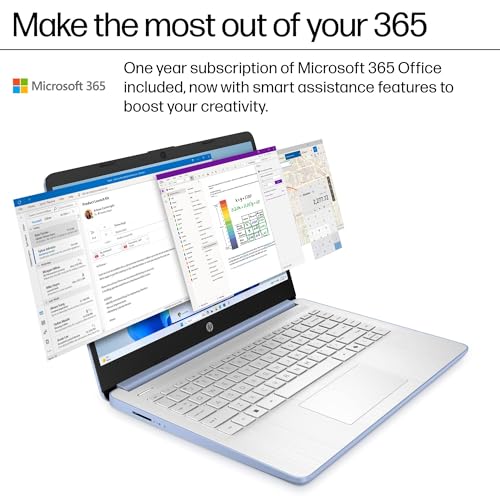
Setup is designed to be straightforward, with Windows 11 Home pre-installed. A significant ownership benefit is the inclusion of a full one-year subscription to Microsoft 365 Personal, which provides access to Word, Excel, PowerPoint, and other apps, along with 100GB of Dropbox cloud storage for the same period. This eliminates immediate software purchase costs for students. The laptop includes a 45W AC adapter that supports fast charging for quick top-ups. For support, the manufacturer provides a one-year warranty. Upgrade options are limited by the integrated nature of the storage, but the RAM is listed as being expandable to a maximum size of 32GB, though specifics on ease of access are not detailed by the manufacturer.
What Owners Say
Owner feedback for the HP 14 Laptop PC is overwhelmingly positive, reflected in its high average rating. The majority of reviews are five-star ratings, with a significant portion of four-star ratings. Owners frequently describe it as a “great laptop for starters” and a “nice basic laptop” suitable for older individuals or students. Positive comments highlight that it “runs fast” and is good for school work and running programming languages. Some users appreciate the ability to use both Chrome and Microsoft applications. The critical feedback is minimal, with very few low-star ratings present in the distribution.
Pros and Cons
Pros
- Lightweight and portable design
- Includes one year of Microsoft 365 and cloud storage
- Physical camera shutter and mic mute key for privacy
- Long battery life with fast charging support
- Wi-Fi 6 and Bluetooth 5.4 for modern connectivity
- Positive owner feedback on everyday performance
Final Verdict
The HP 14 Laptop PC successfully executes its mission as an affordable, no-fuss computing solution for specific users. Its value is significantly enhanced by the bundled Microsoft 365 subscription and Dropbox storage, which provide immediate utility for students. The thoughtful inclusion of hardware privacy controls, like the camera shutter, adds a layer of security that is often missing in budget laptops. Performance from the Intel N150 processor and 4GB RAM is tailored for a focused workflow rather than heavy multitasking.
Ultimately, this laptop is not a powerhouse, but it is a well-considered package for its price segment. It makes the most sense for high school or college students, online learners, and families seeking a reliable secondary computer for daily tasks. Its limitations in RAM and storage are trade-offs for its cost and portability. For those whose needs align with web browsing, document creation, and video calls, the HP 14 Laptop PC represents a solid, privacy-conscious choice that gets you working from day one. For more specialized computing needs, such as advanced cybersecurity studies, readers might explore resources on the best laptops for cybersecurity students.
FAQs
Can I upgrade the RAM or storage on this HP laptop?
According to the specifications, the RAM memory maximum size is 32GB, indicating the RAM is technically upgradeable. However, the 128GB storage is listed as eMMC, which is typically soldered onto the motherboard and not user-upgradeable. For significant storage expansion, you would need to use external drives or cloud storage services like the included Dropbox subscription.
What does “Windows 11 in S Mode” mean?
Windows 11 Home in S Mode is a streamlined version designed for security and performance. It only allows apps from the Microsoft Store and requires Microsoft Edge for browsing. The benefit is potentially faster performance and better security. However, you can switch out of S Mode to the standard Windows 11 Home version for free at any time, which then allows installation of apps from other sources like traditional .exe files.
Is the Microsoft 365 subscription renewable after the first year?
The product includes a full one-year subscription to Microsoft 365 Personal at no extra cost. After that year ends, you will need to purchase a renewal subscription from Microsoft to continue using the premium features of the Office apps (like Word, Excel, PowerPoint) and to maintain access to the associated OneDrive cloud storage. The basic web versions of the apps may remain accessible.
How does the physical camera shutter work?
The laptop has a built-in physical shutter that slides over the lens of the 720p webcam. This is a mechanical cover that you can open or close manually. When closed, it physically blocks the camera’s view, providing assurance that you are not being watched, regardless of any software settings or potential malware. This is a hardware-based privacy feature separate from any software camera controls. For more on protecting your digital life, consider reading about VPN routers.
About the author

Elvis Dicki writes reviews and buying guides for CyberSecLabs.